

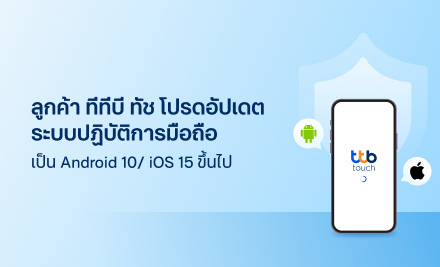
ผู้ใช้งาน แอป ทีทีบี ทัช
โปรดอัปเดตระบบปฏิบัติการมือถือให้เป็นไปตามมาตรฐานความปลอดภัยการใช้งานโมบายแบงก์กิ้ง ตามรายละเอียดดังนี้
1. มือถือระบบ Android: อัปเดตเป็น Android 10 ขึ้นไป
2. มือถือระบบ iOS: อัปเดตเป็น iOS 15 ขึ้นไป
ภายในวันที่ 13 กุมภาพันธ์ 2569 เพื่อหลีกเลี่ยงการถูกจำกัดการให้บริการ และสามารถอัปเดต/ใช้งาน แอป ทีทีบี ทัช เวอร์ชันใหม่ได้อย่างต่อเนื่อง
ผู้ใช้งานที่มีระบบปฏิบัติการมือถือเวอร์ชันต่ำกว่าที่กำหนดจะถูกจำกัดการใช้บริการตามลำดับ ดังนี้
| ตั้งแต่วันที่ 14 กุมภาพันธ์ 2569 | ไม่สามารถทำธุรกรรมผ่านแอป เกิน 5,000 บาท/หมวด/วัน (โอนเงินในประเทศ, เติมเงิน, จ่ายบิล, ถอนเงินไม่ใช้บัตร) |
| ตั้งแต่วันที่ 24 กุมภาพันธ์ 2569 | ไม่สามารถอัปเดตแอป ทีทีบี ทัช เวอร์ชันใหม่ได้ |
| ตั้งแต่วันที่ 19 มีนาคม 2569 | ไม่สามารถใช้บริการแอป ทีทีบี ทัช ได้ |
โดยสามารถอัปเดตเวอร์ชันมือถือได้ ตามวิธีการดังต่อไปนี้
มือถือระบบ Android
1. เข้า Settings (การตั้งค่า)
2. เลือก Software Update (อัปเดตซอฟต์แวร์)
3. เลือก Download and Install (เลือกดาวน์โหลดและติดตั้ง)
มือถือระบบ iOS
1. เข้าไปที่ Settings (การตั้งค่า)
2. เลือก General (ทั่วไป)
3. เลือก Software Update (อัปเดตซอฟต์แวร์) จากนั้น เลือก Update (อัปเดต)
กรณีไม่สามารถอัปเดตได้ โปรดติดต่อศูนย์บริการ/ผู้ผลิตมือถือ หรือพิจารณาเปลี่ยนอุปกรณ์ใหม่เพื่อความปลอดภัยมากยิ่งขึ้น
หากต้องการความช่วยเหลือ หรือมีข้อสงสัยเพิ่มเติม โปรดติดต่อ ทีทีบี คอนแทค เซ็นเตอร์ โทร 1428
Please update your mobile operating system to Android 10/iOS 15 or higher
ttb touch users are requested to update their mobile operating system to meet mobile banking security standards, as detailed below:
1. Android devices: update to Android 10 or higher.
2. iOS devices: update to iOS 15 or higher.
Please complete this action by February 13, 2026, to avoid service limitations and to ensure you can continuously update and use the new version of ttb touch.
Users with mobile operating systems running below the specified versions will have ttb touch services limited as follows:
| Effective February 14, 2026 | The transaction limit on ttb touch is set to 5,000 THB/category/day (Local transfers, Top-ups, Bill payments, Cardless withdrawal) |
| Effective February 24, 2026 | Users will be unable to update to the new version of ttb touch |
| Effective March 19, 2026 | Users will be unable to use ttb touch service |
You may update your mobile operating system using the following methods:
Android devices
1. Go to “Settings”.
2. Select “Software Update”.
3. Select “Download” and Install.
iOS devices
1. Go to “Settings”.
2. Select “General”.
3. Select “Software Update” then select “Update”.
If you are unable to update, please contact your service center/mobile manufacturer or consider replacing your device for enhanced security.
For further inquiries or more information, please contact ttb contact center at 1428.