

external-popup-close

You are being redirected to

https://www.ttbbank.com/

Proceed

Reactivate your inactive account

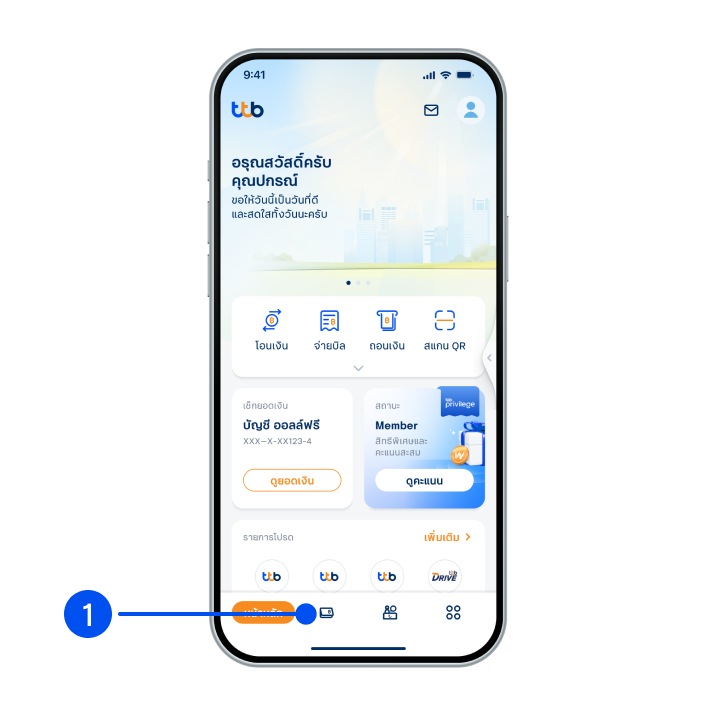
1. Select “Account”, the 2nd menu from the bottom.
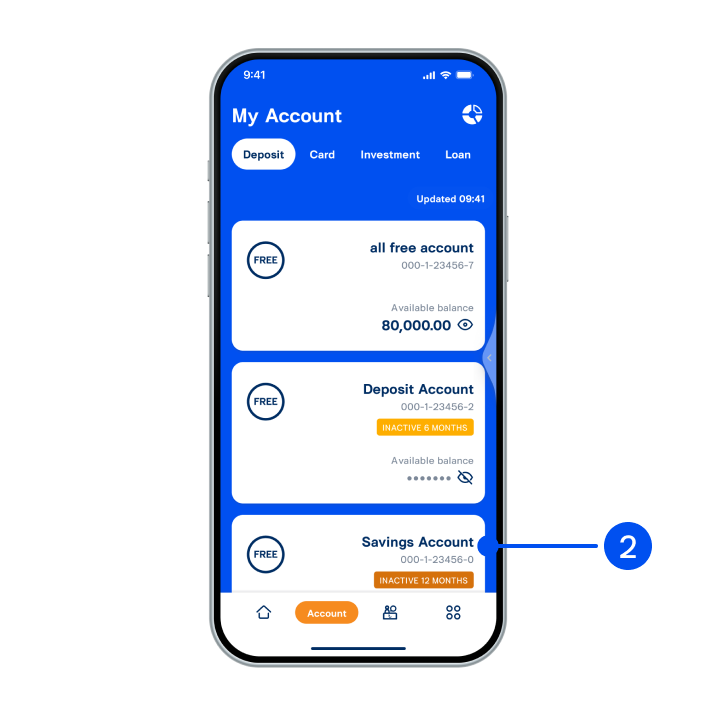
2. Select the account you want to activate.
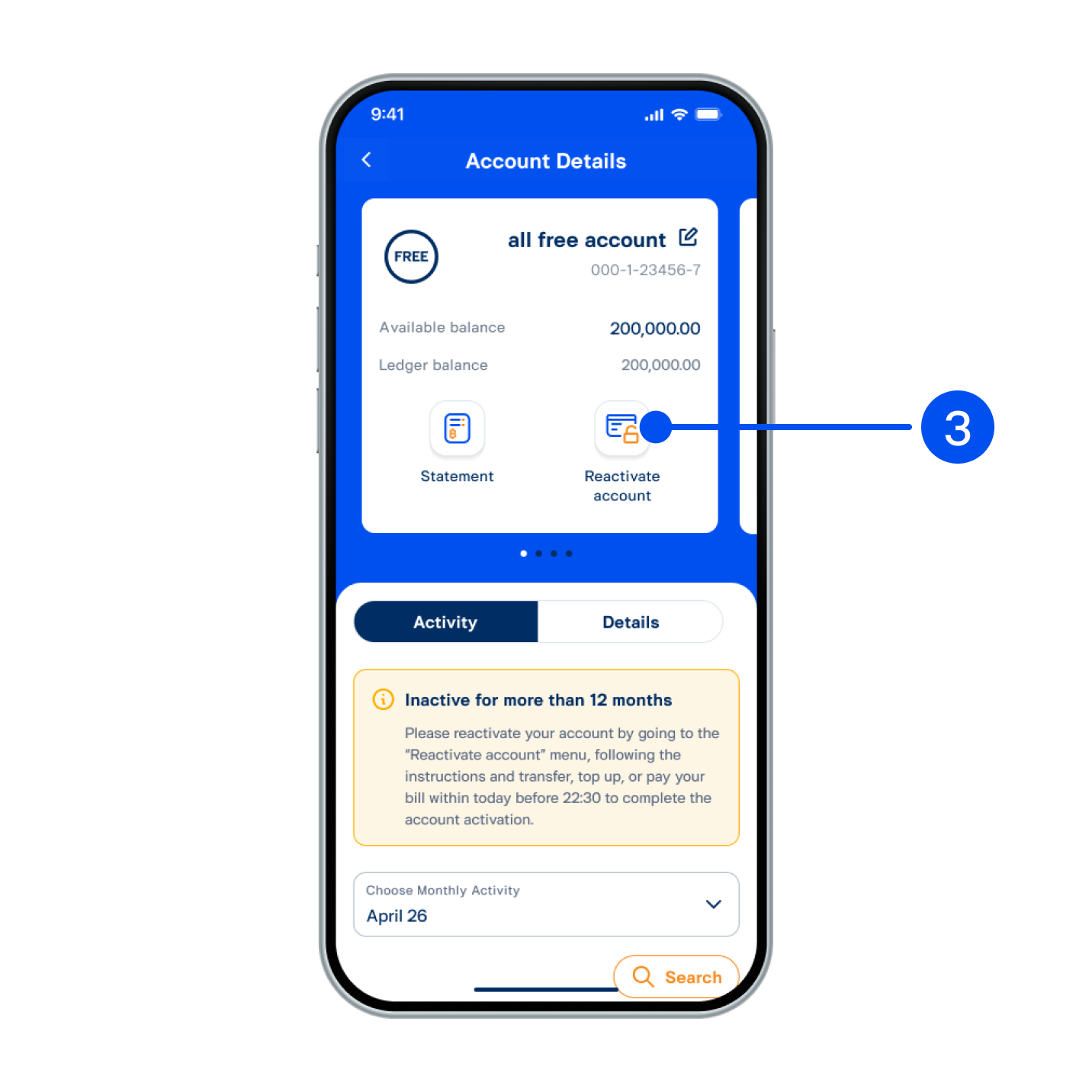
3. Select “Reactivate account”.
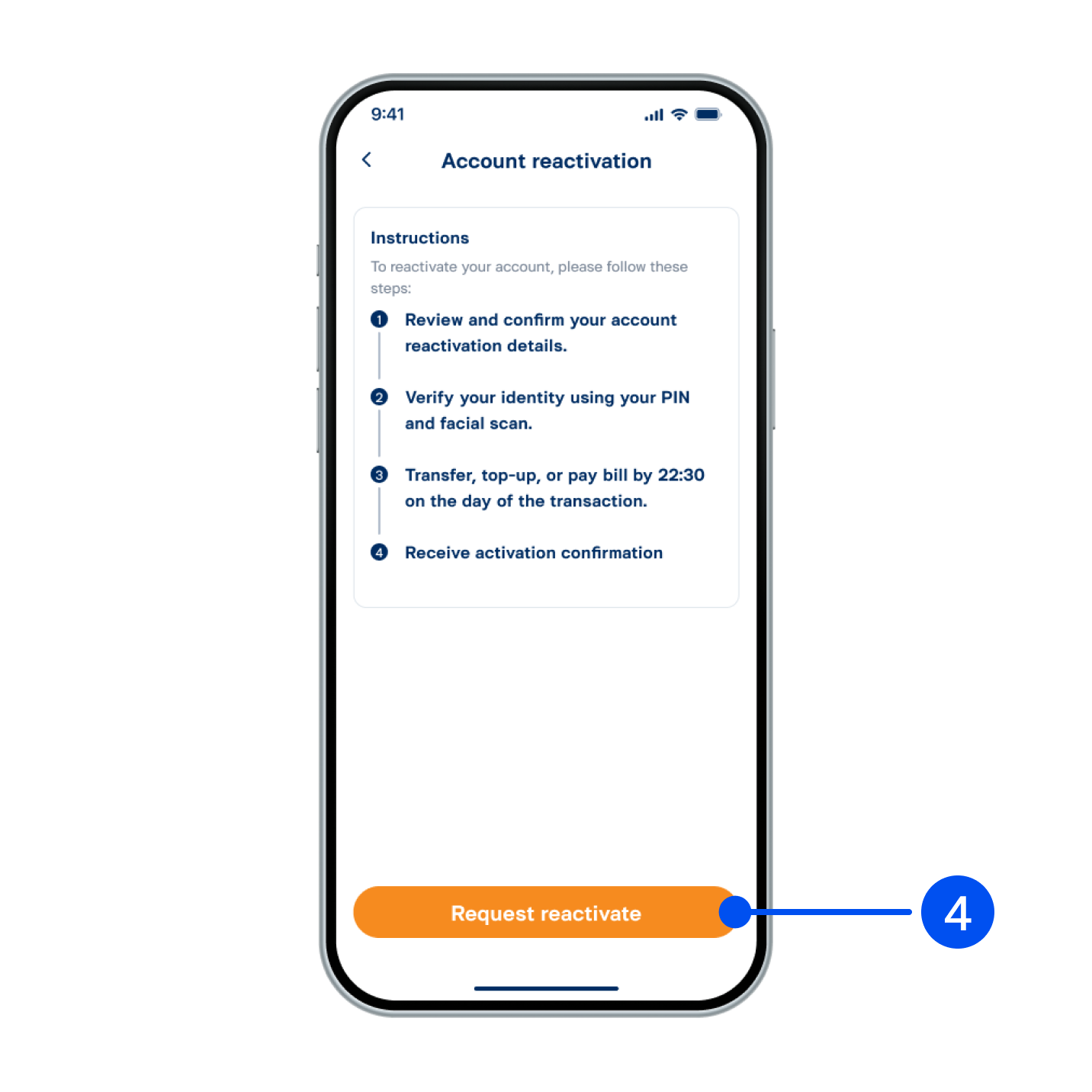
4. Read instructions for reactivation, then select Request reactivate”.
4. Read instructions for reactivation, then select "Request reactivate”.
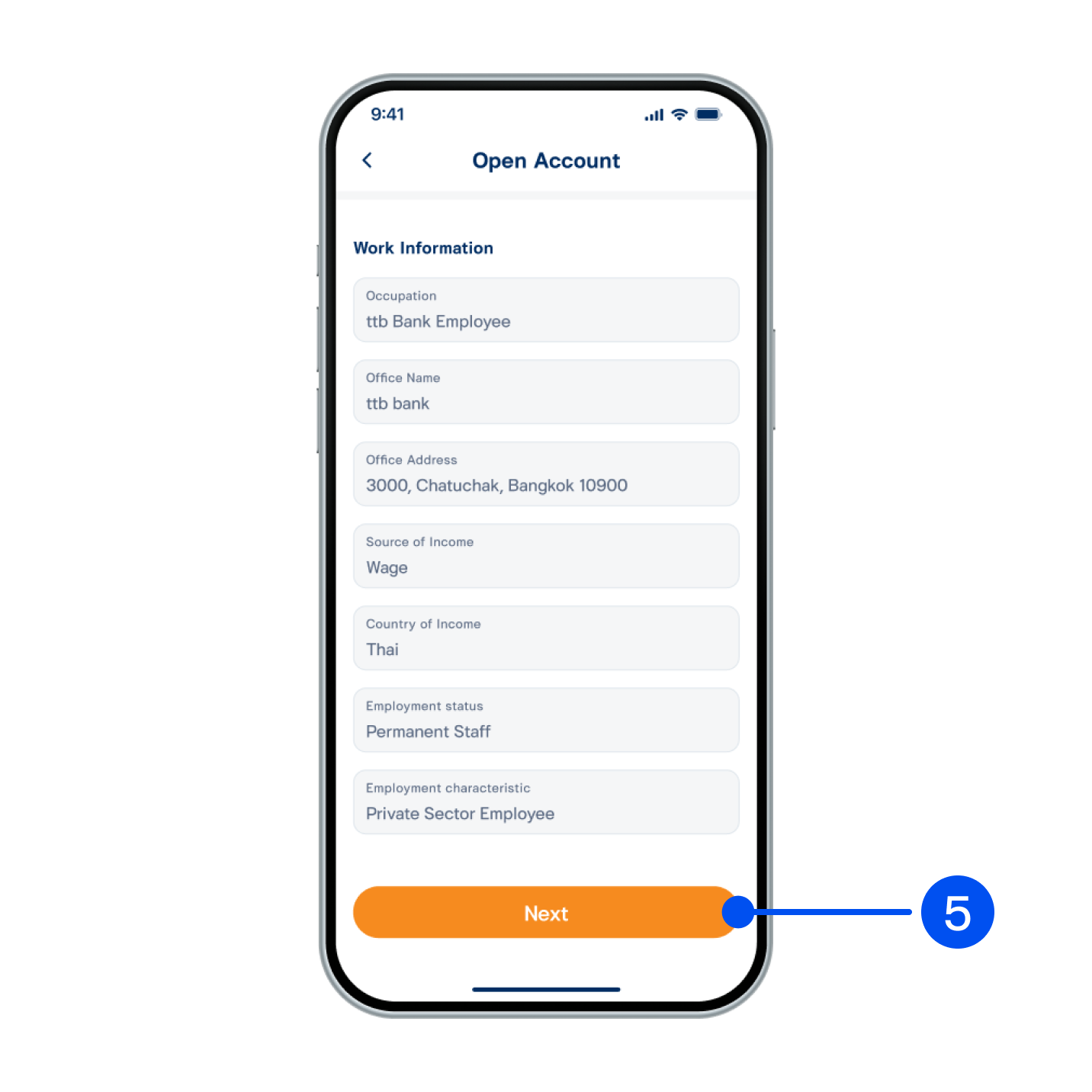
5. Recheck your personal and work information, then select Next”.
5. Recheck your personal and work information, then select "Next”.
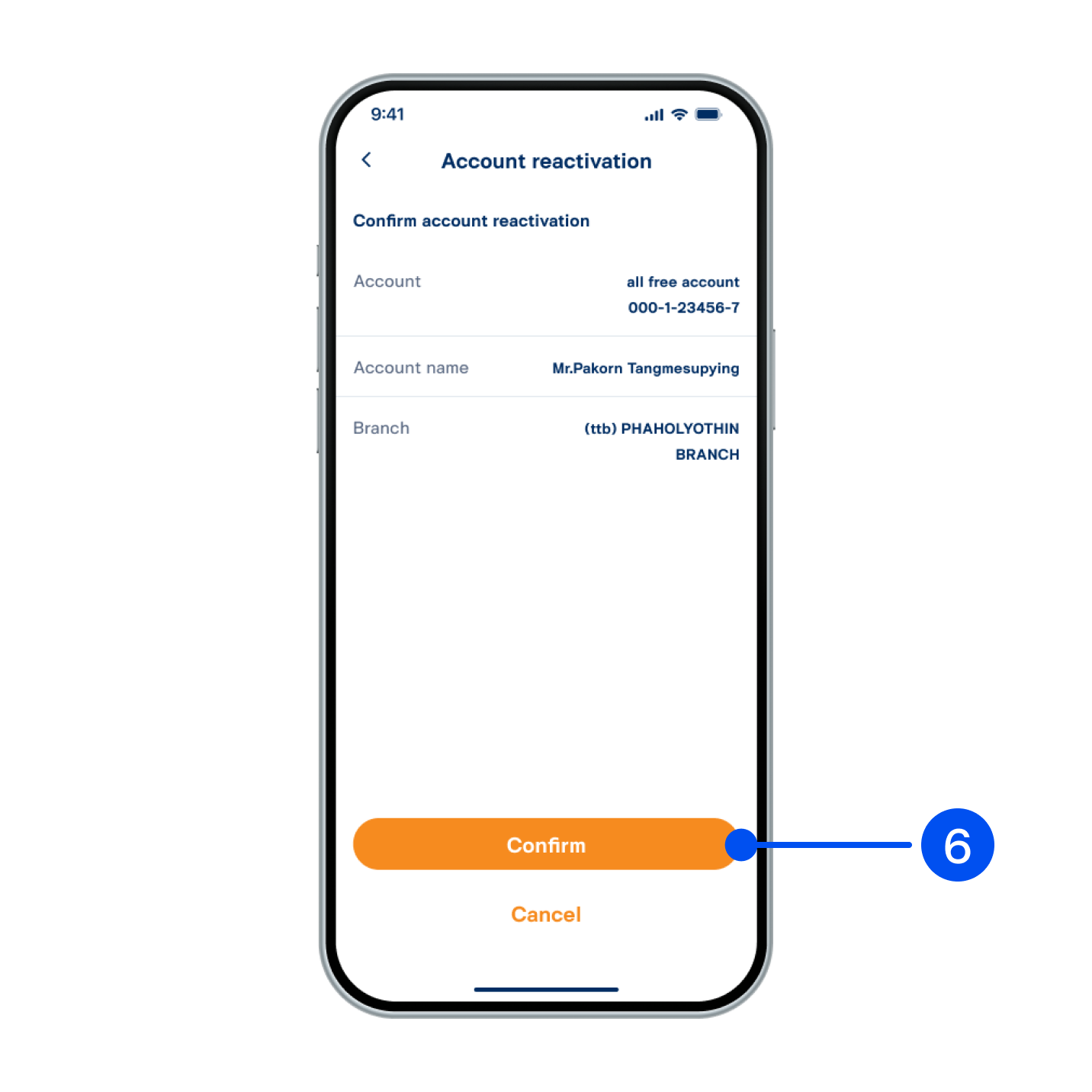
6. Select “Confirm”.
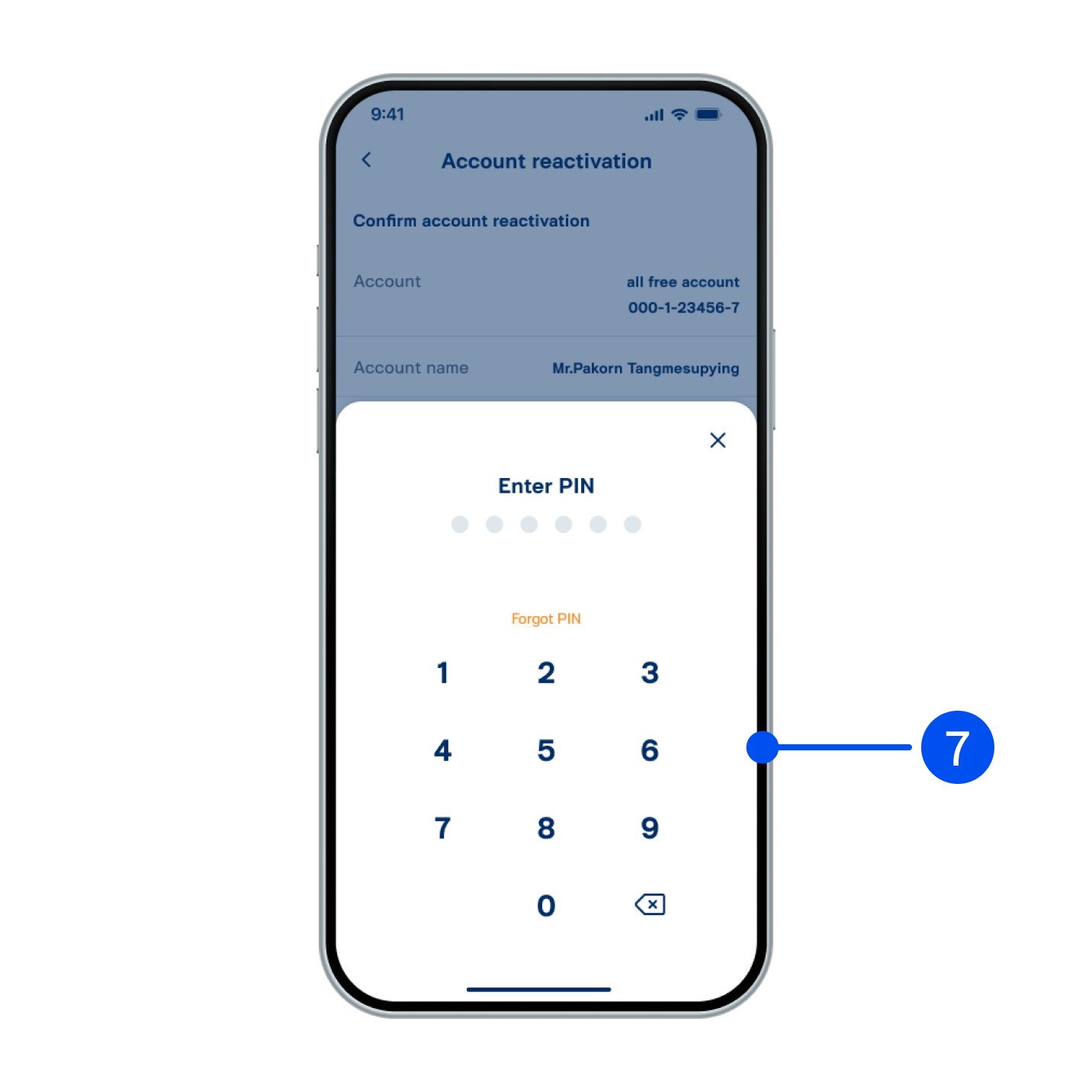
7. Enter PIN to confirm.
8. Read consent form for the Bank to collect/use/disclose biometric data. Check the box, then select Next”.
8. Read consent form for the Bank to collect/use/disclose biometric data. Check the box, then select "Next”.
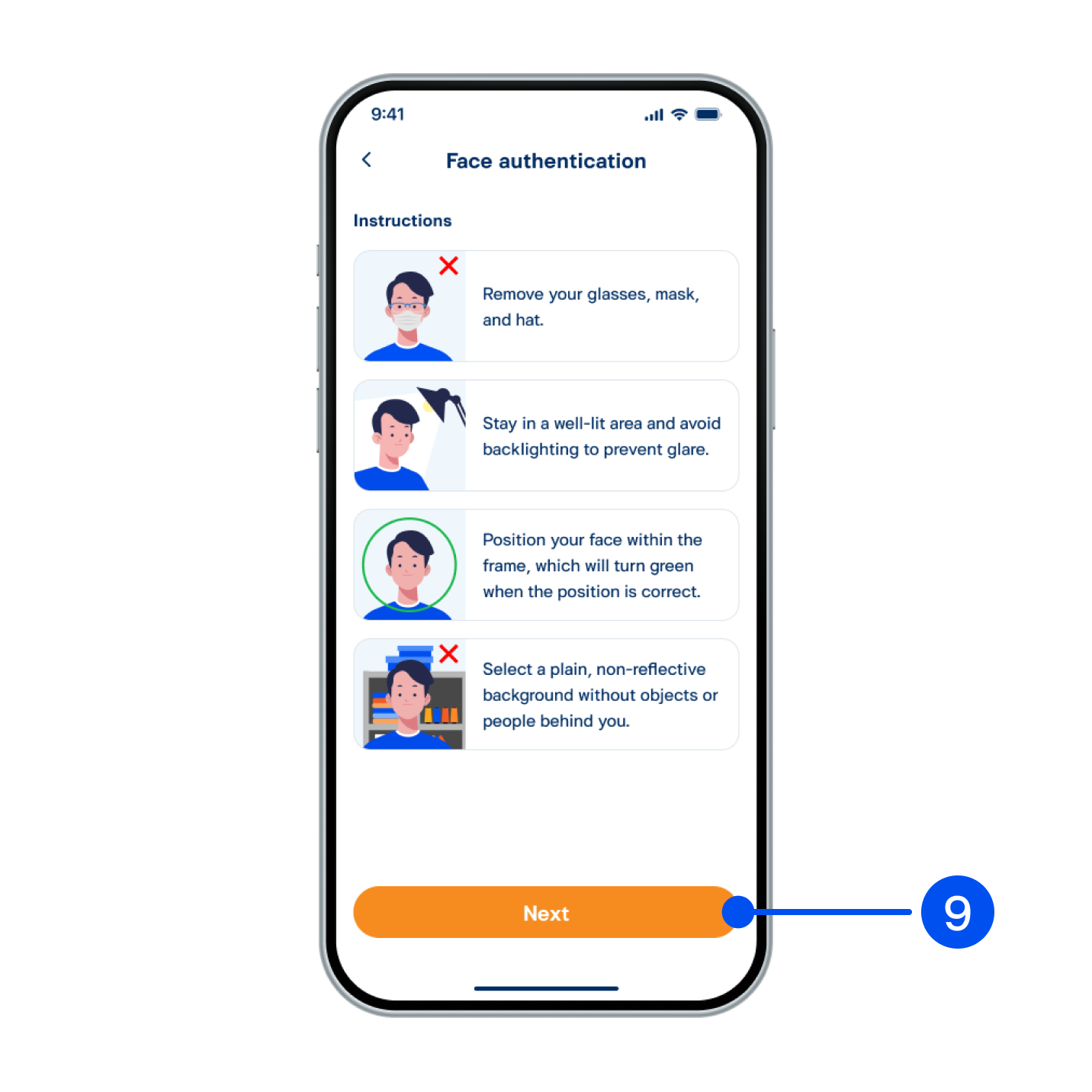
9. Read the face authentication instructions, then select Next”.
9. Read the face authentication instructions, then select "Next”.
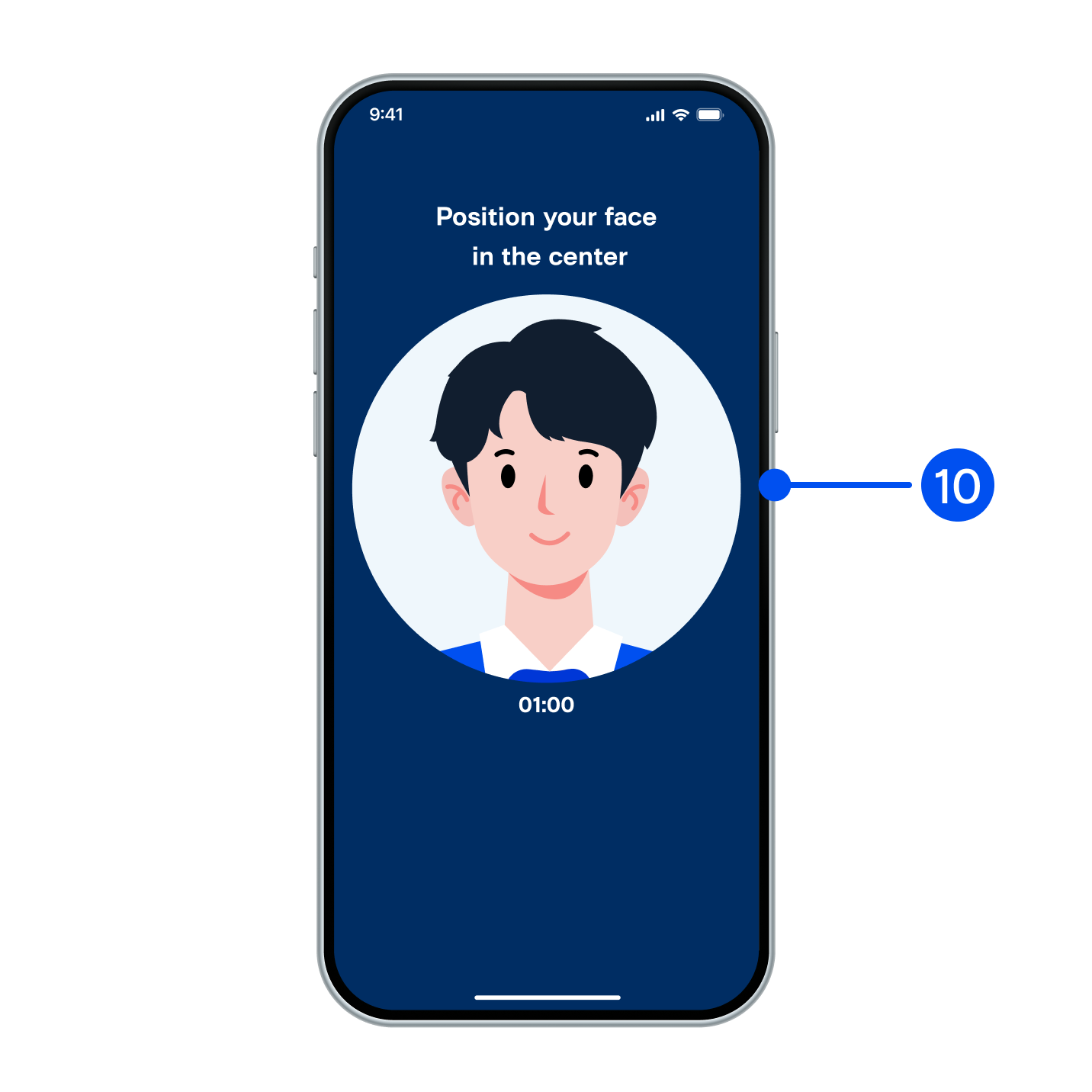
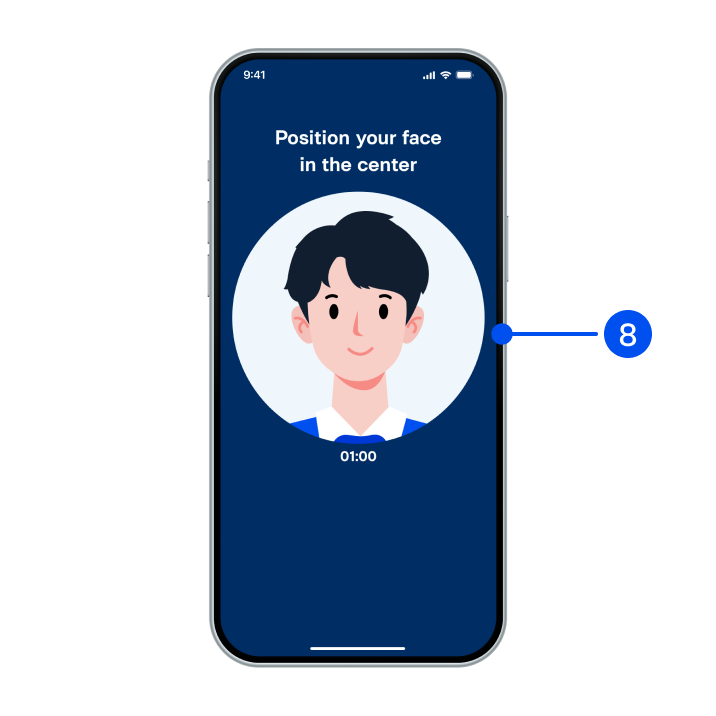
10. Adjust your face within the frame for facial comparison.
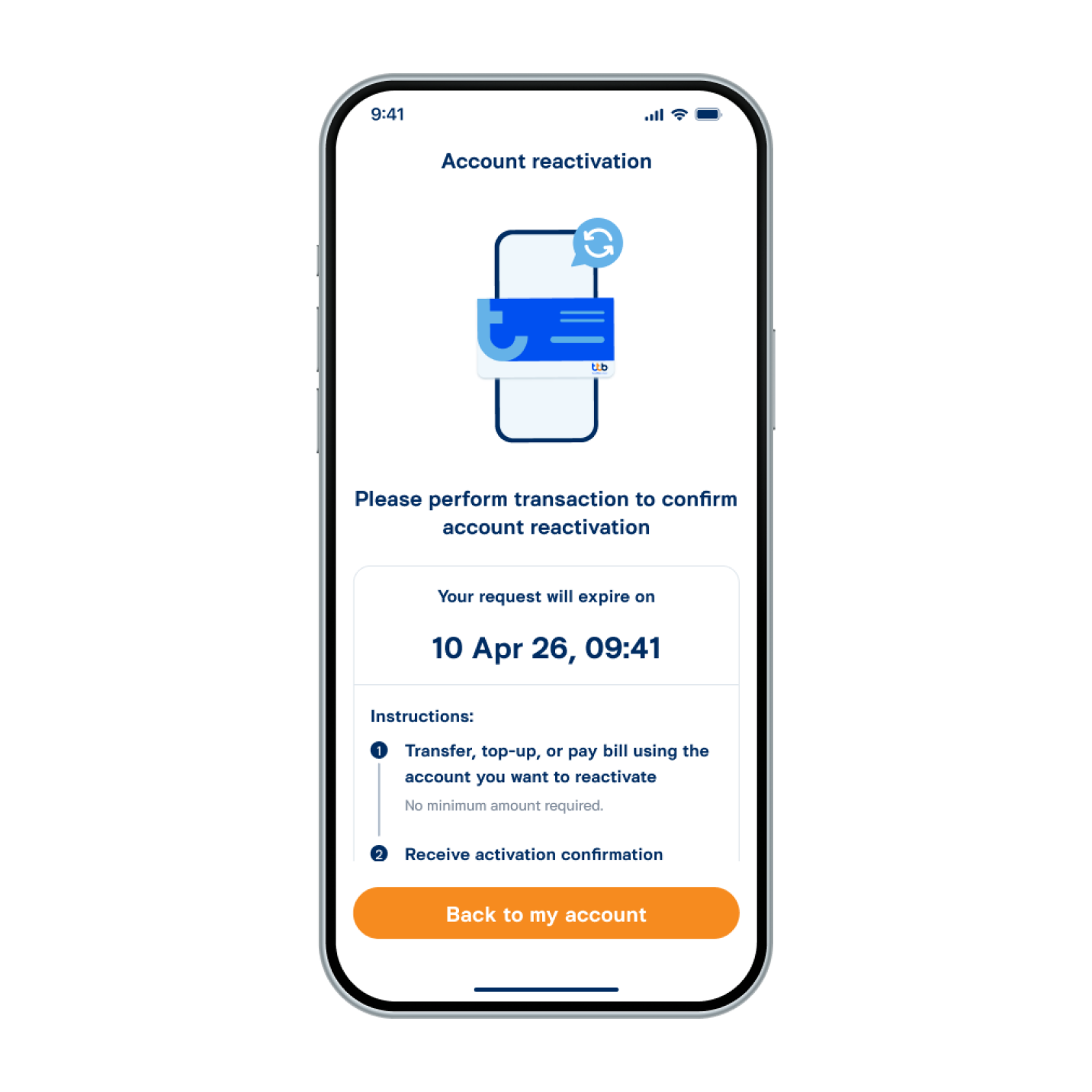
11. Request submitted successfully. Please follow the instructions to confirm your account reactivation.