external-popup-close

You are being redirected to

https://www.ttbbank.com/

Proceed

Pay debit card fee

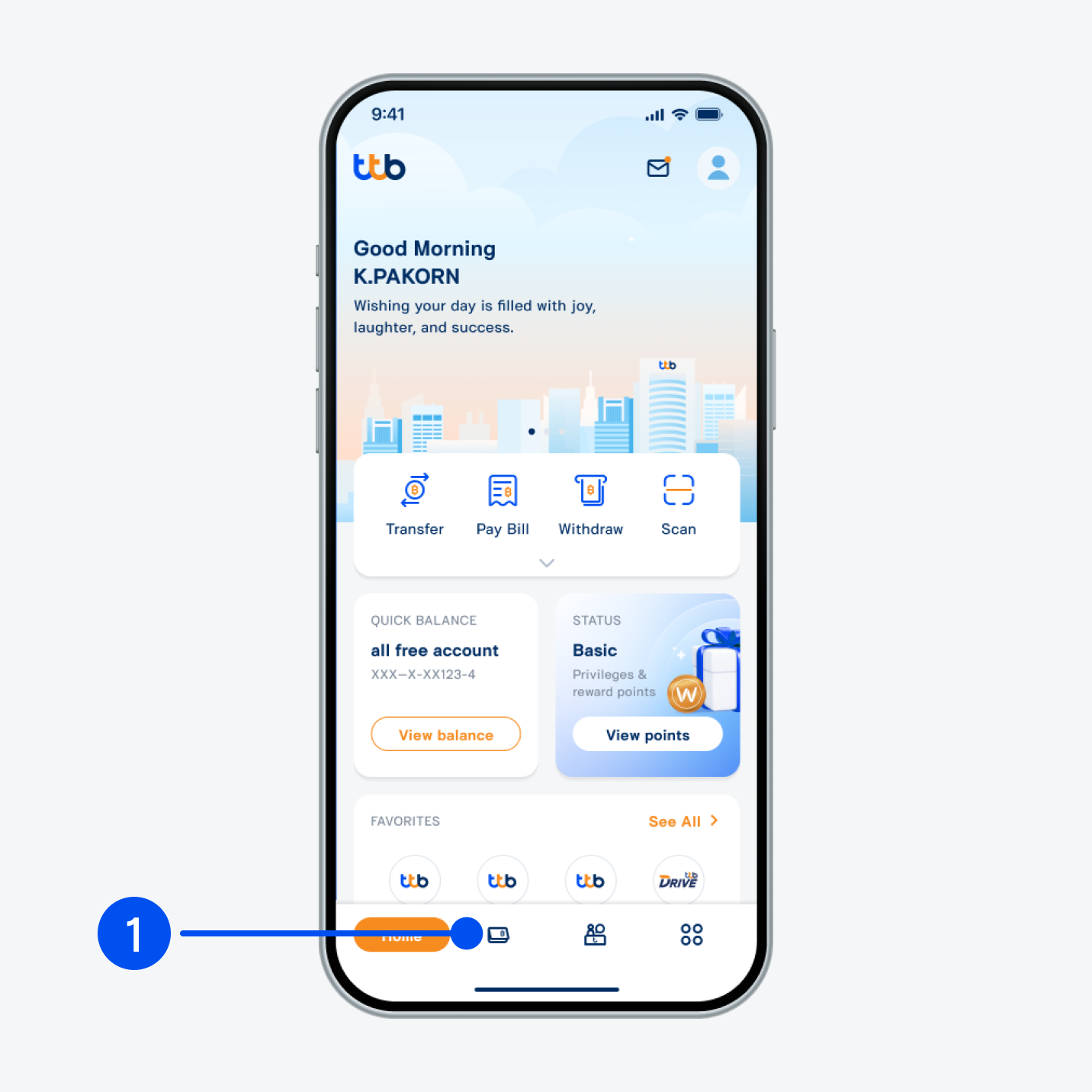
Select “Account”, the 2nd menu from the bottom.
1. Select “Account”, the 2nd menu from the bottom.
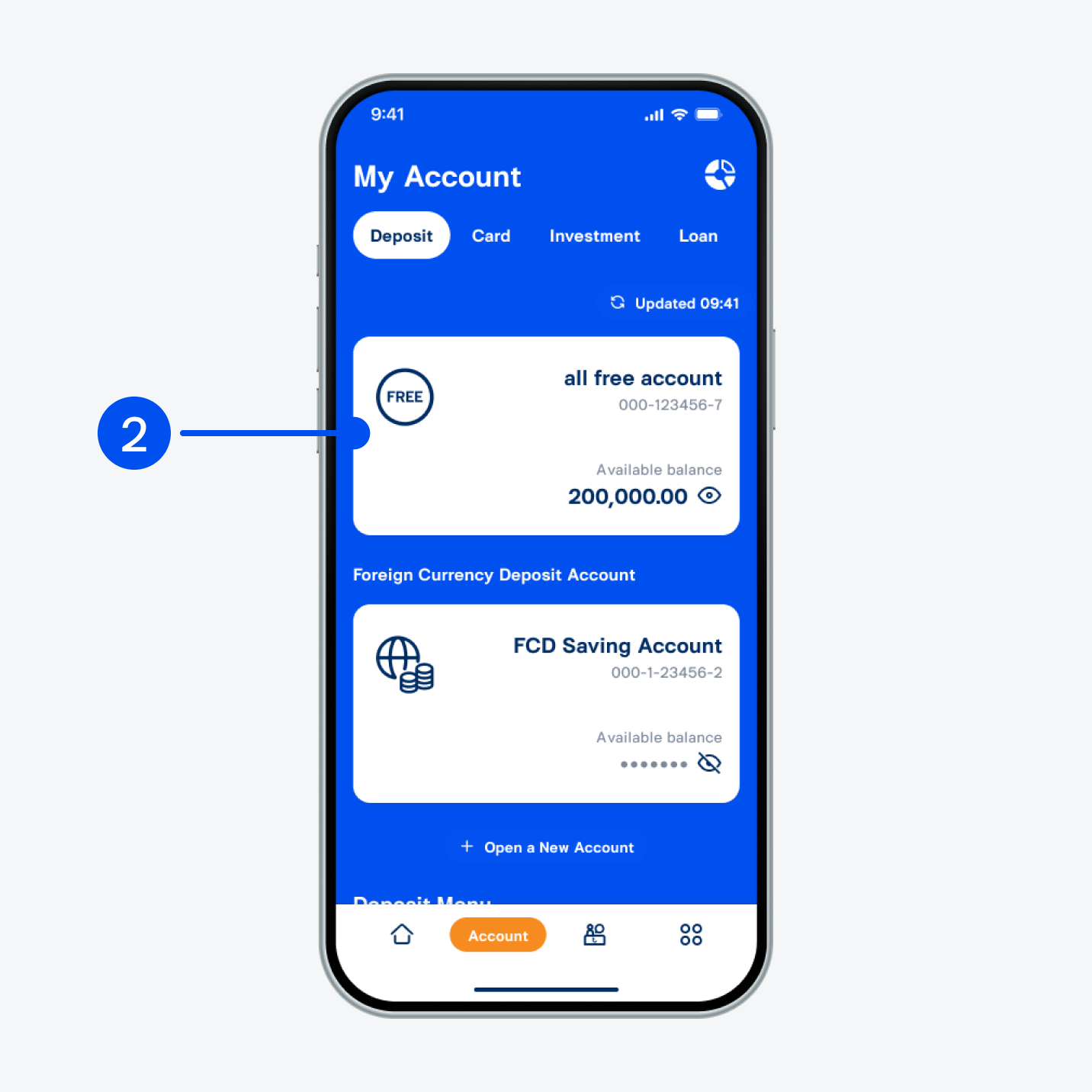
Select “all free account”.
2. Select “all free account”.
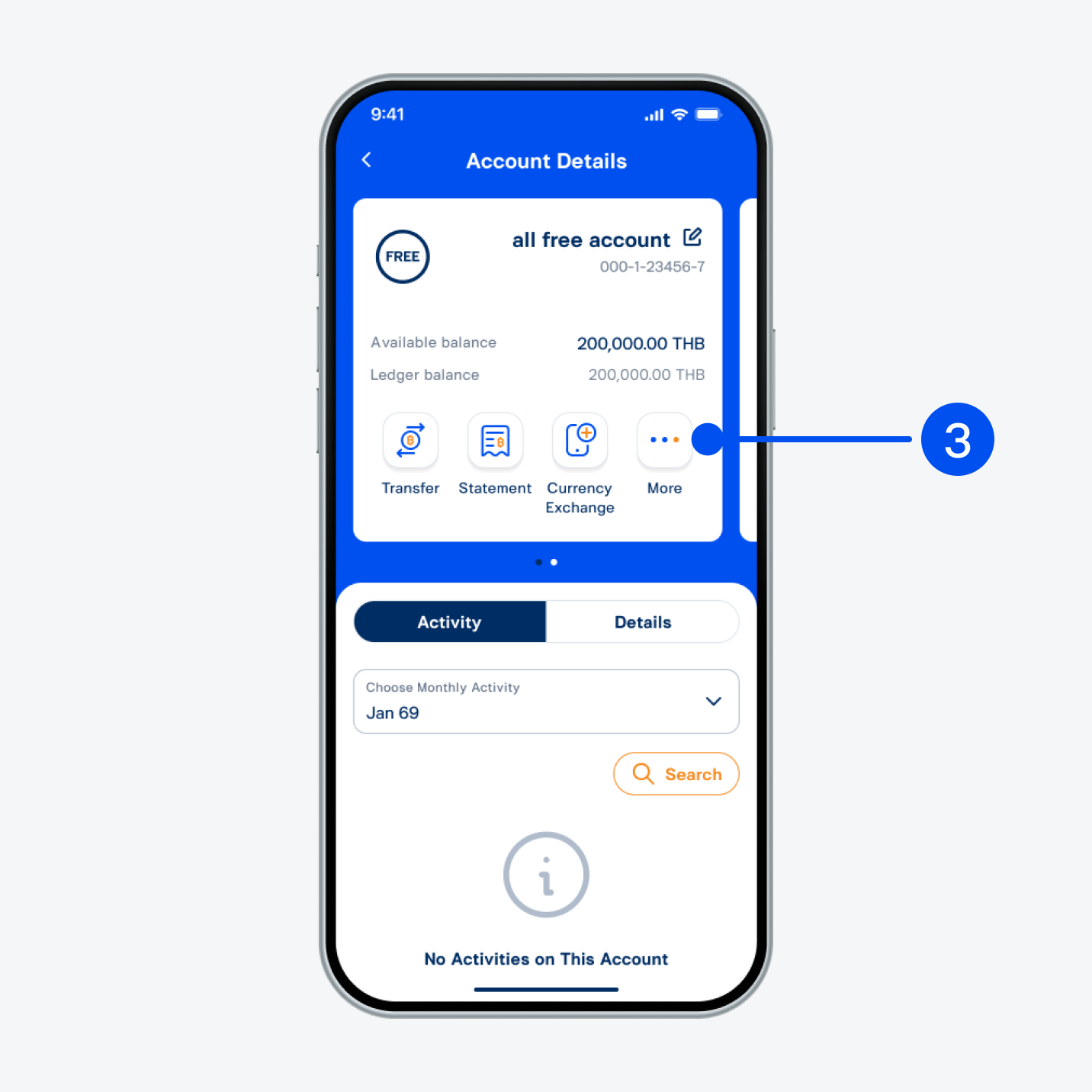
Select “More”.
3. Select “More”.
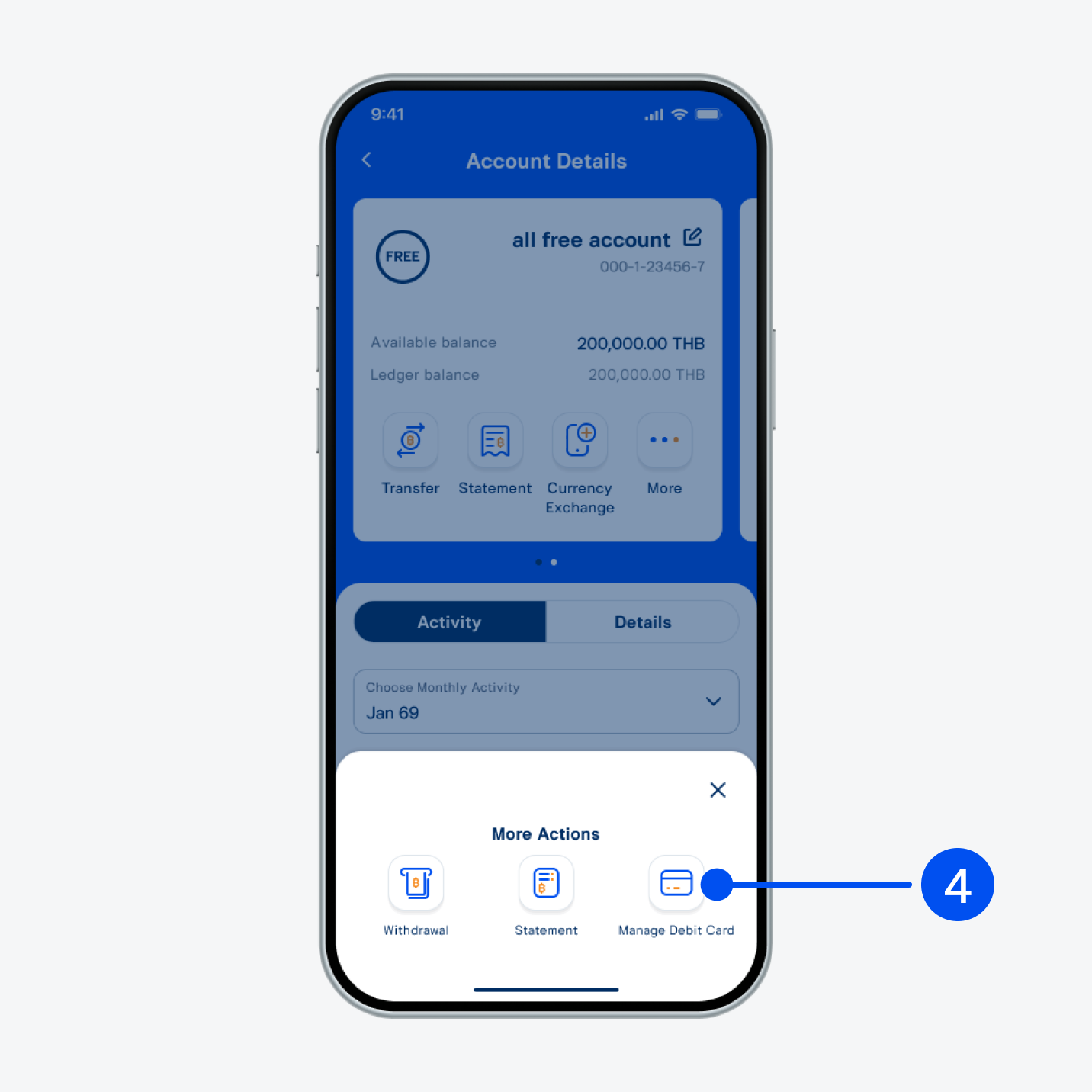
Select “Manage debit card”.​
4. Select “Manage debit card”.​
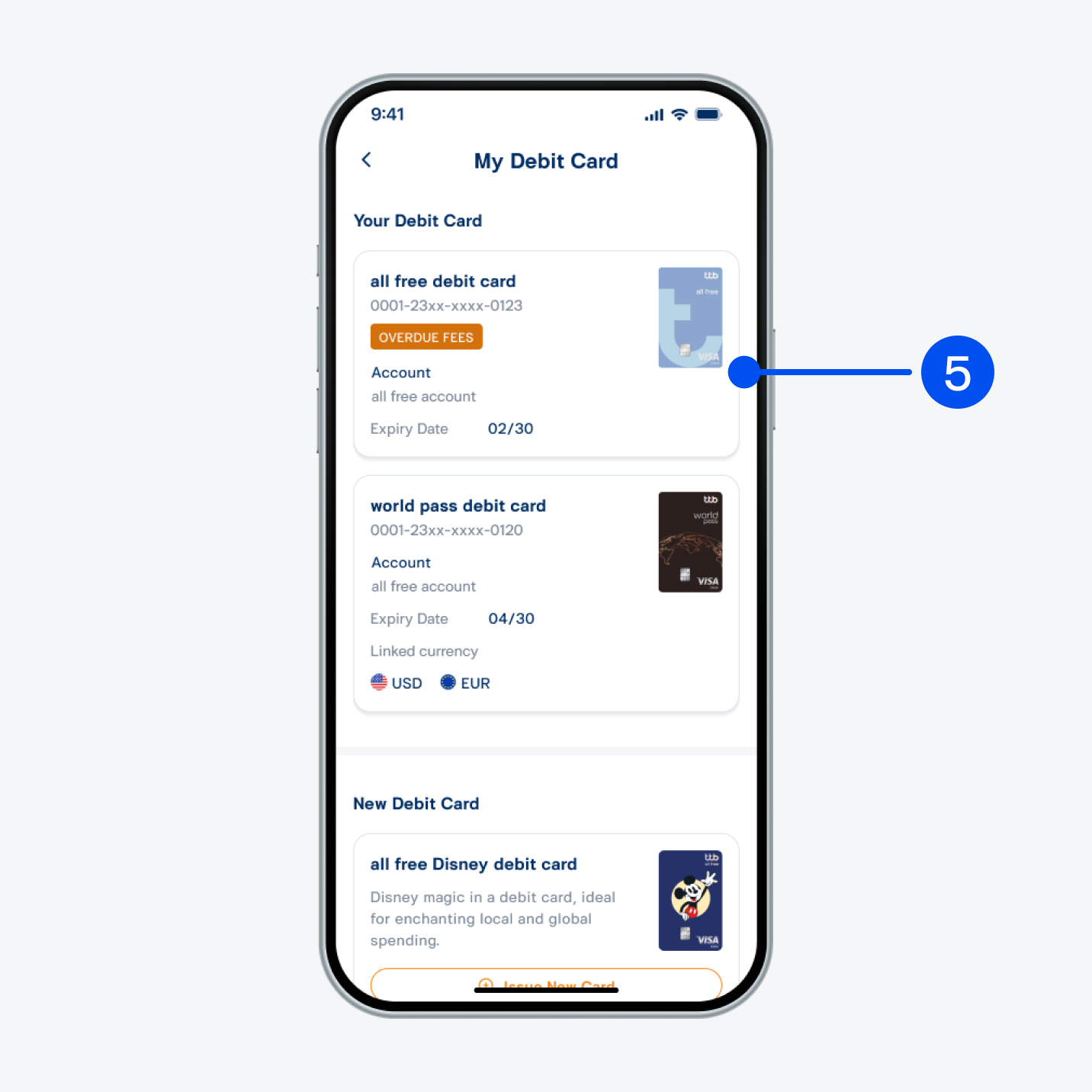
Select debit card with “OVERDUE FEES” status.
5. Select debit card with “OVERDUE FEES” status.
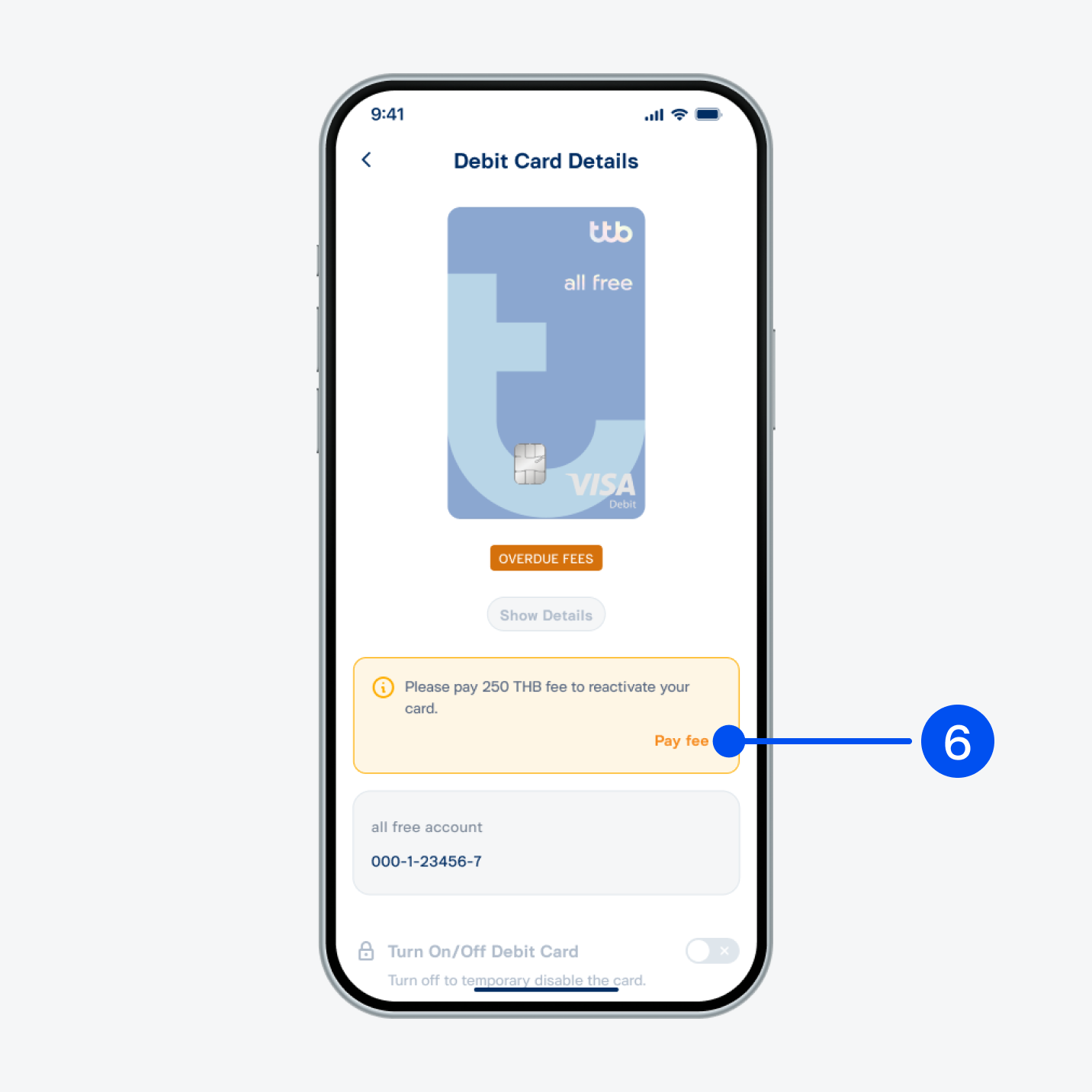
Select “Pay fee”.
6. Select “Pay fee”.
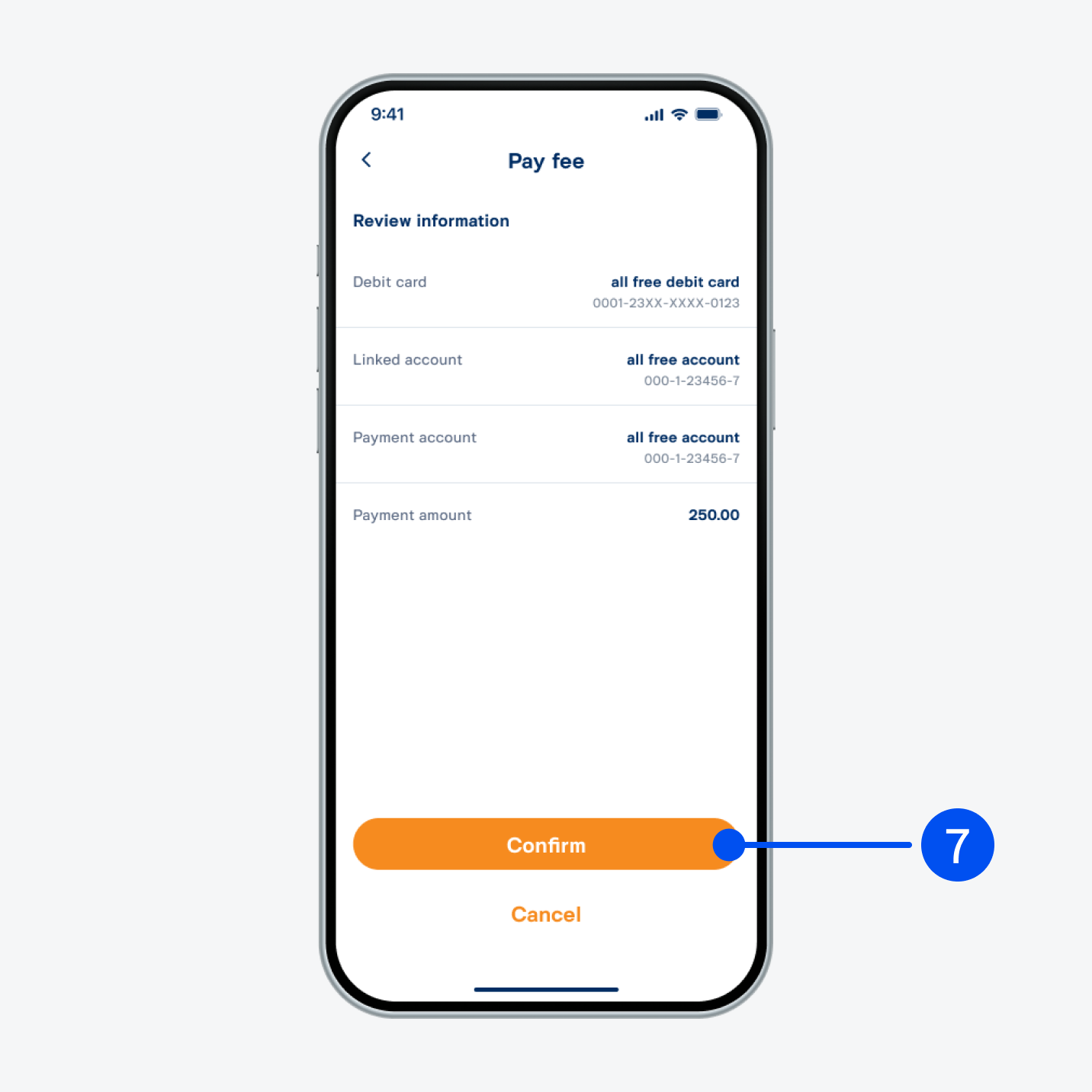
Select “Confirm”.
7. Select “Confirm”.
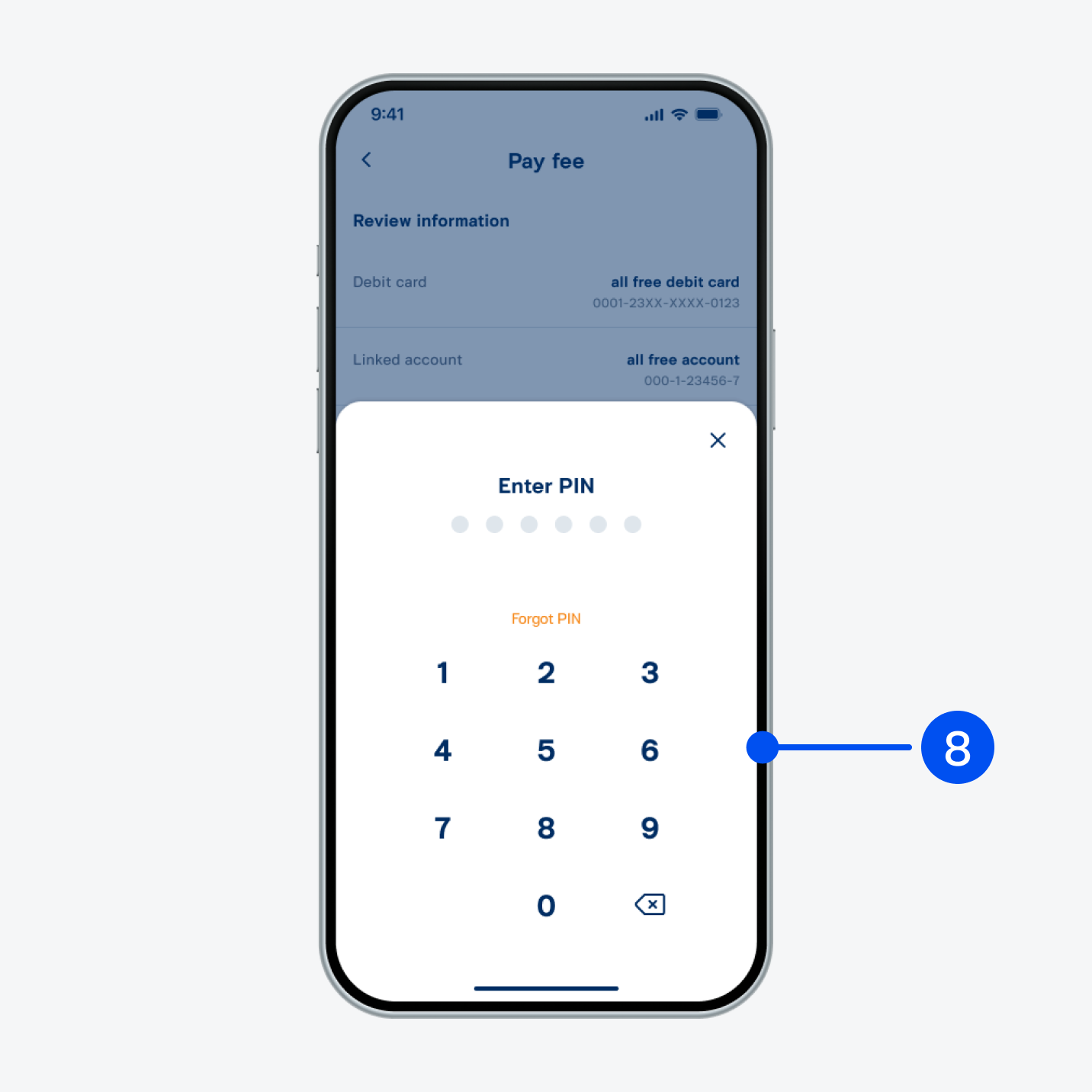
Enter PIN to confirm.
8. Enter PIN to confirm.
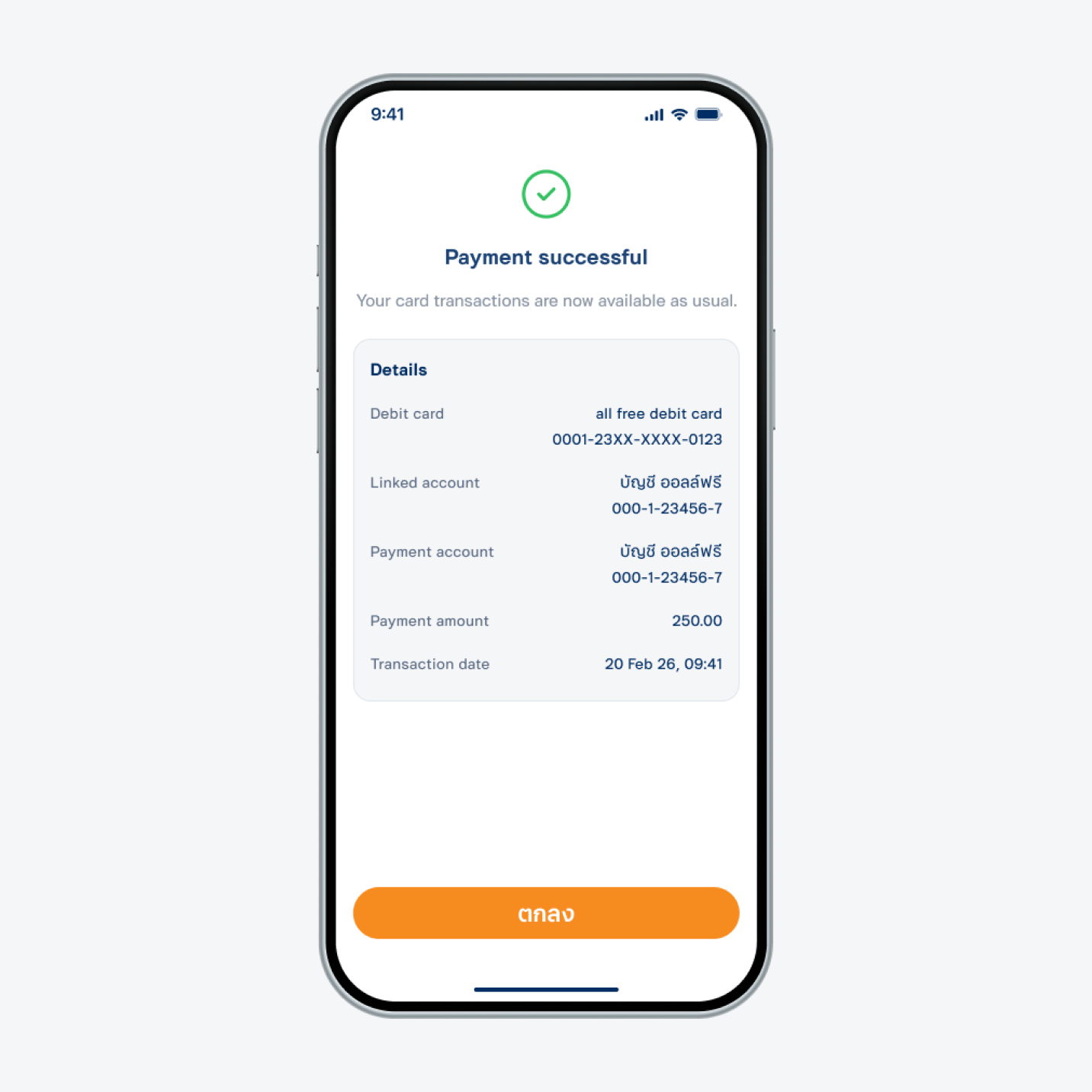
Payment successful.
9. Payment successful.