

external-popup-close

You are being redirected to

https://www.ttbbank.com/

Proceed

Get started with “Chat with Yindee”

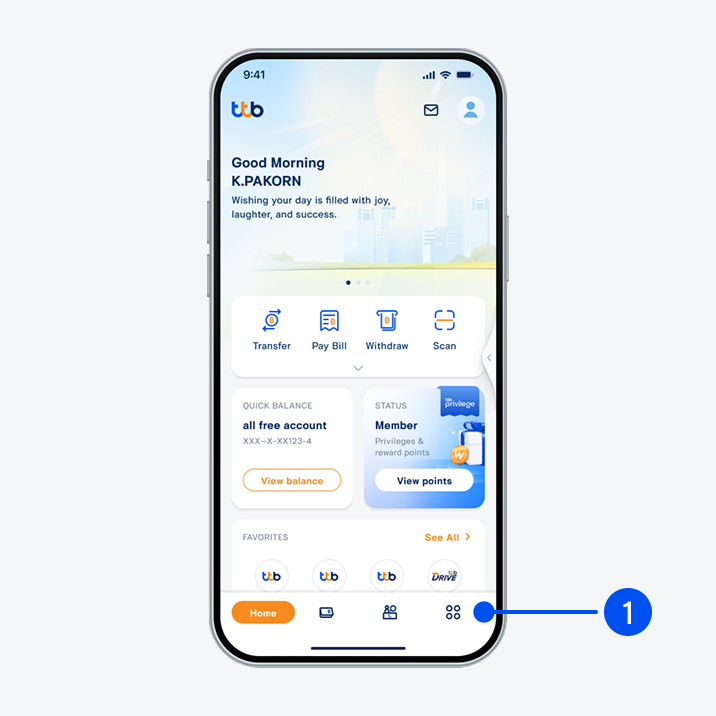
1. Select “Service”, the 4th menu from the bottom.
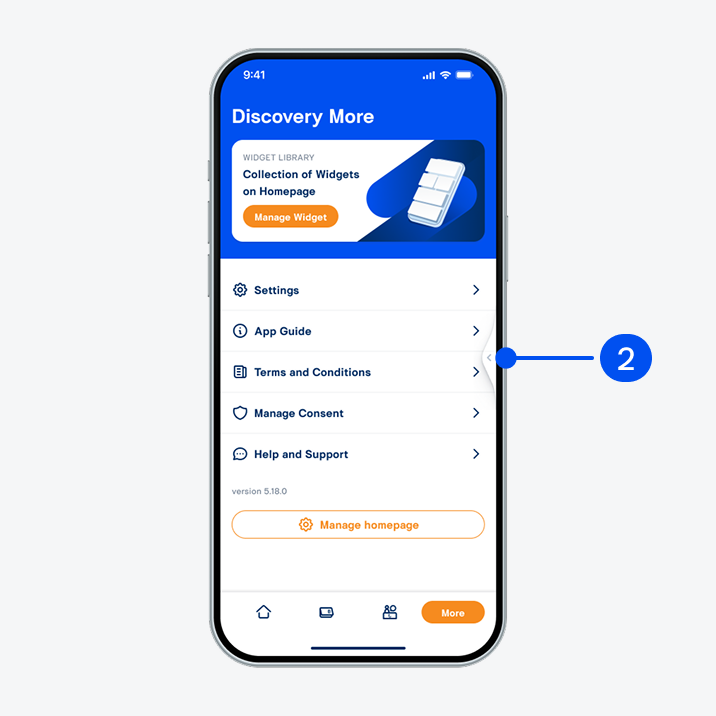
2. Slide the side pull-tab to the left to enter Chat with Yindee.
2. Slide the side pull-tab to the left to enter "Chat with Yindee".
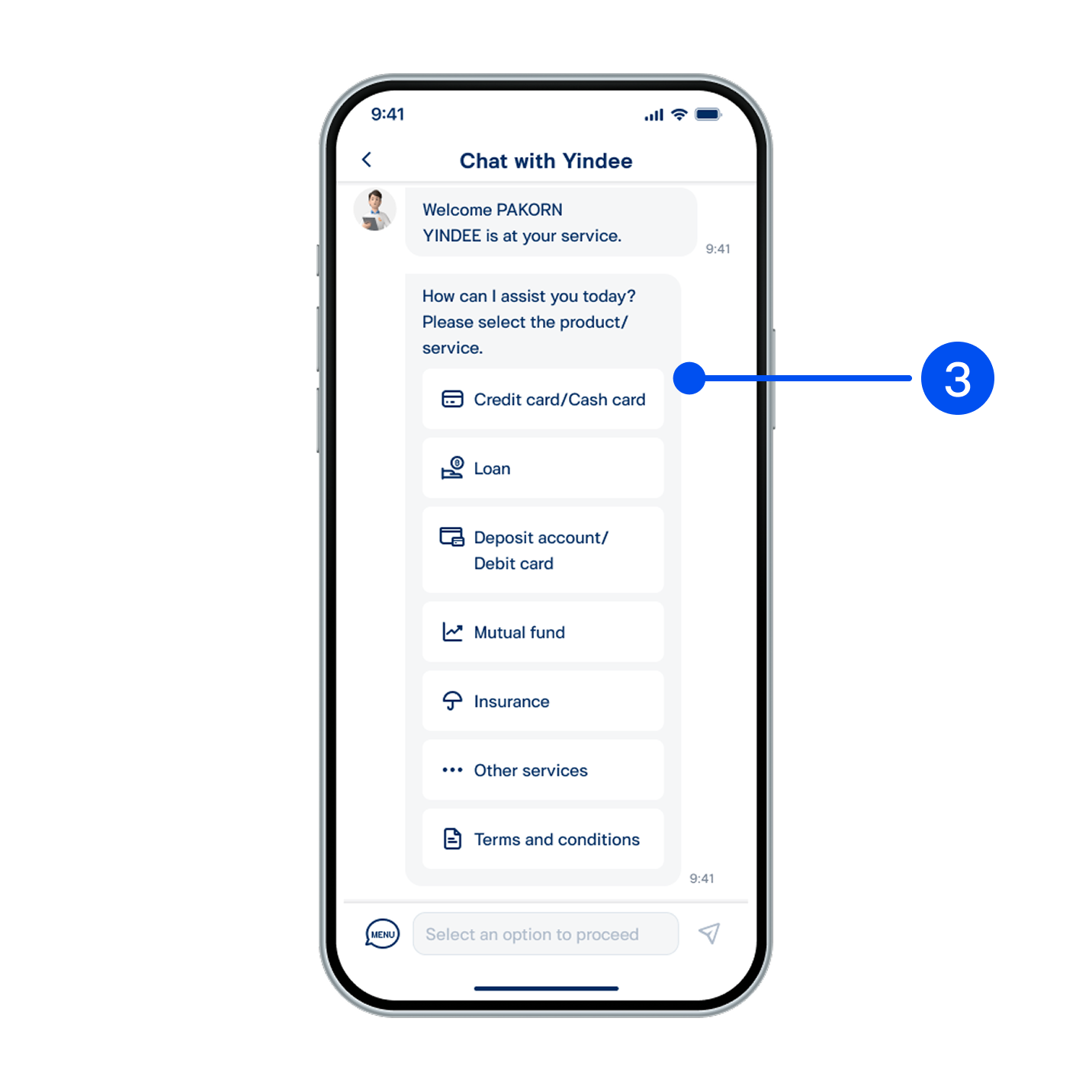
3. Select product/service topic you want Yindee to assist with.
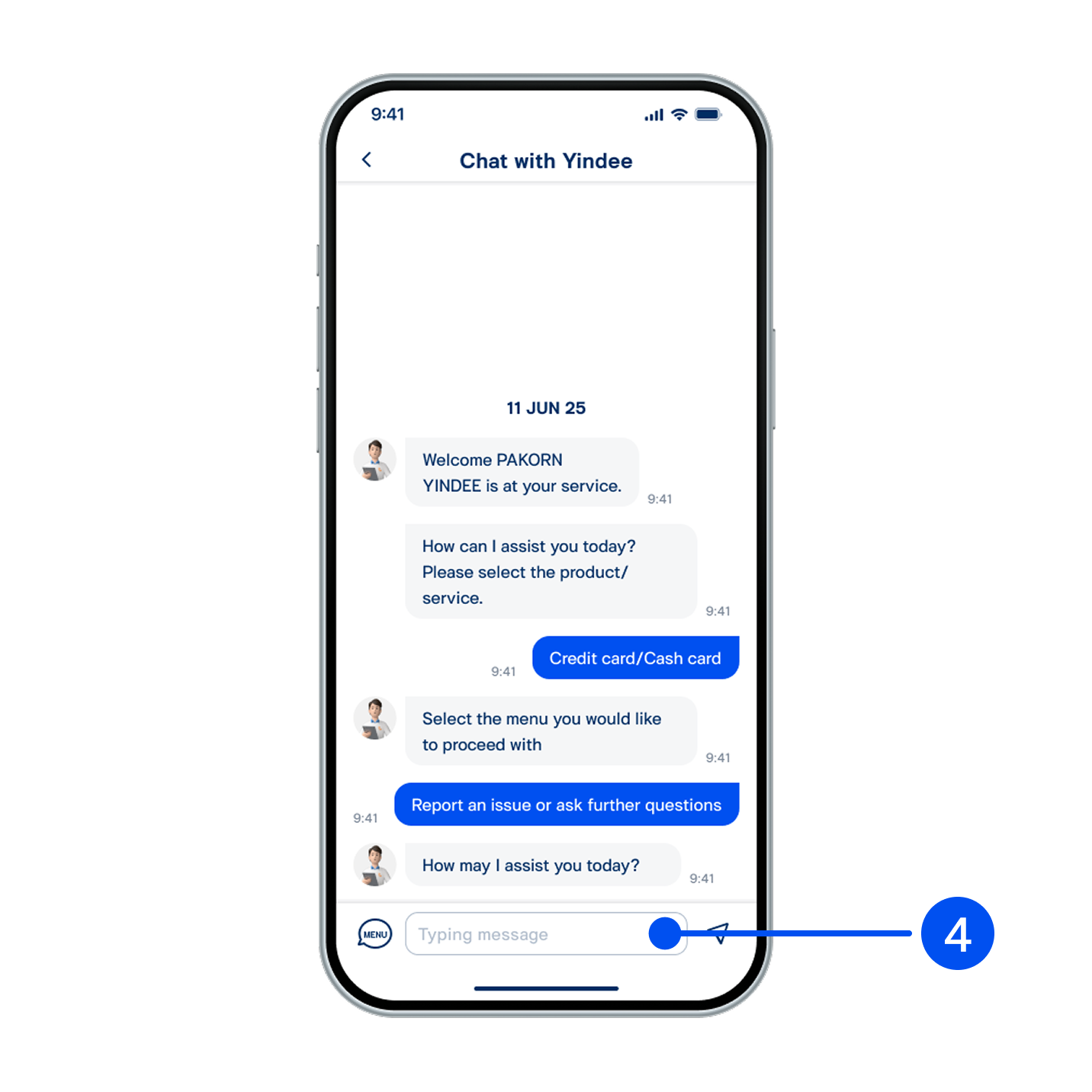
4. To chat with an agent, please select Other services > Report an issue or ask further questions. You can then type your query directly.
4. To chat with an agent, please select "Other services > Report an issue or ask further questions". You can then type your query directly.
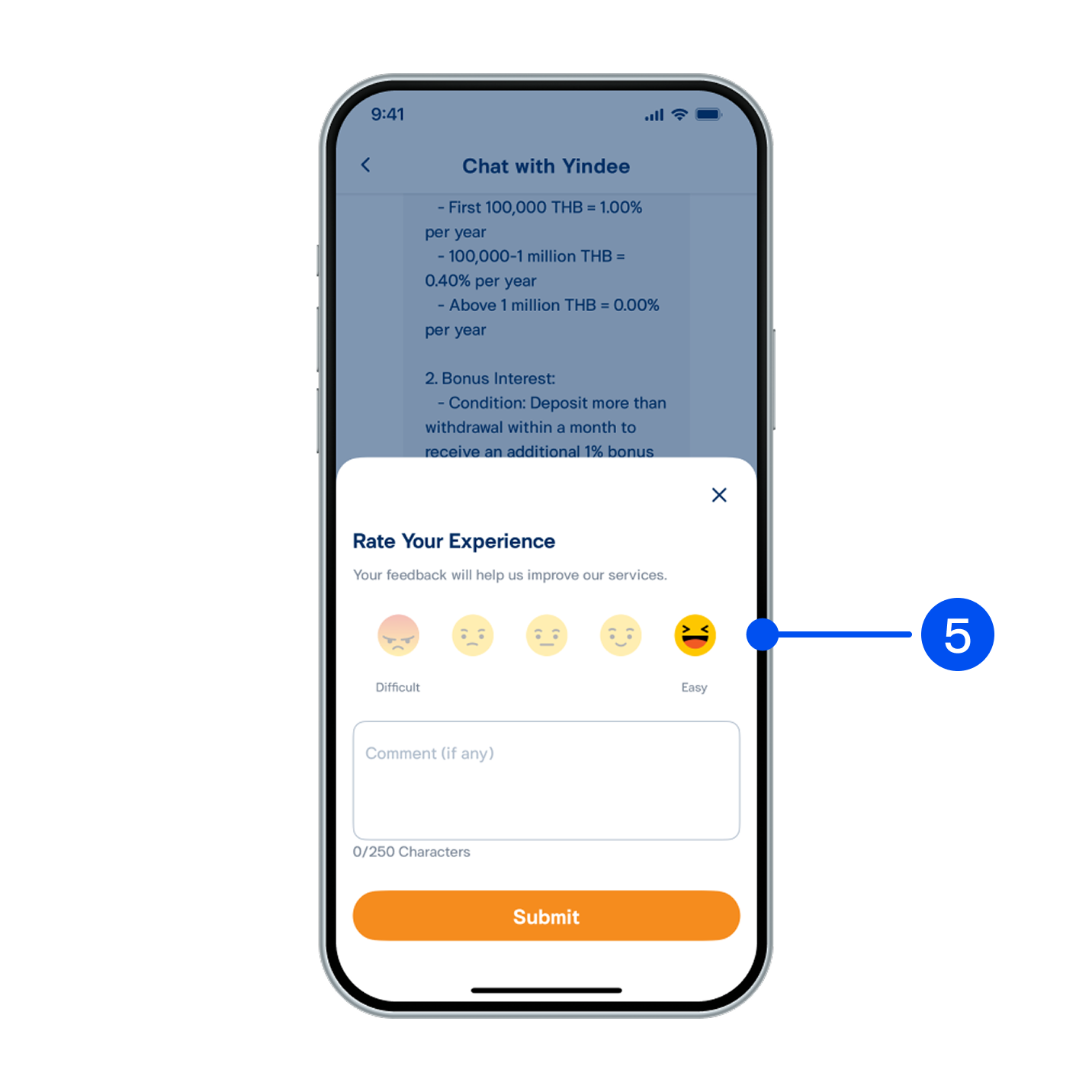
5. Once answered, select I've received a complete answer to end the conversation and rate your satisfaction with Yindee.
5. Once answered, select "I've received a complete answer" to end the conversation and rate your satisfaction with Yindee.