

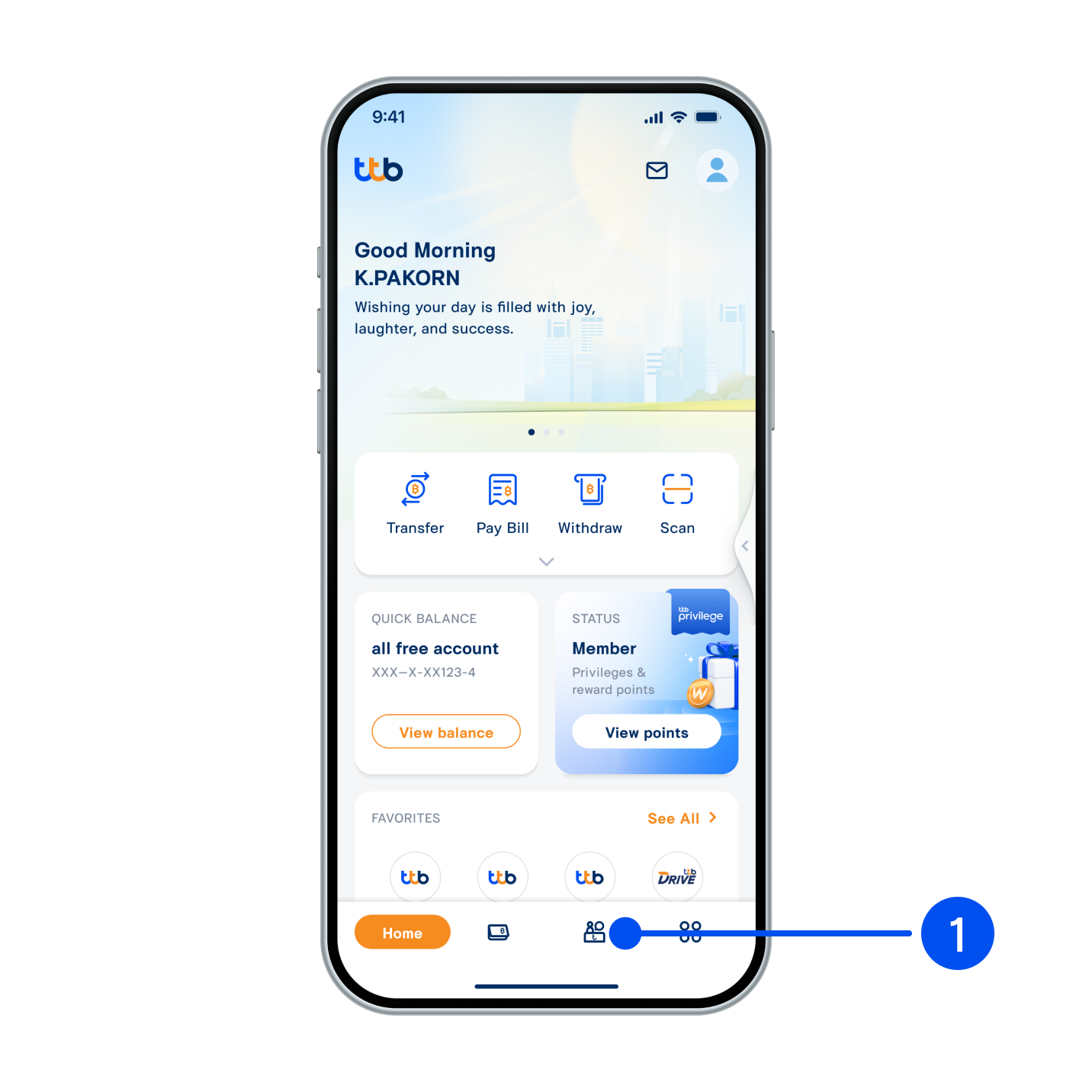
1. Select “Service”, the 3rd menu from the bottom.
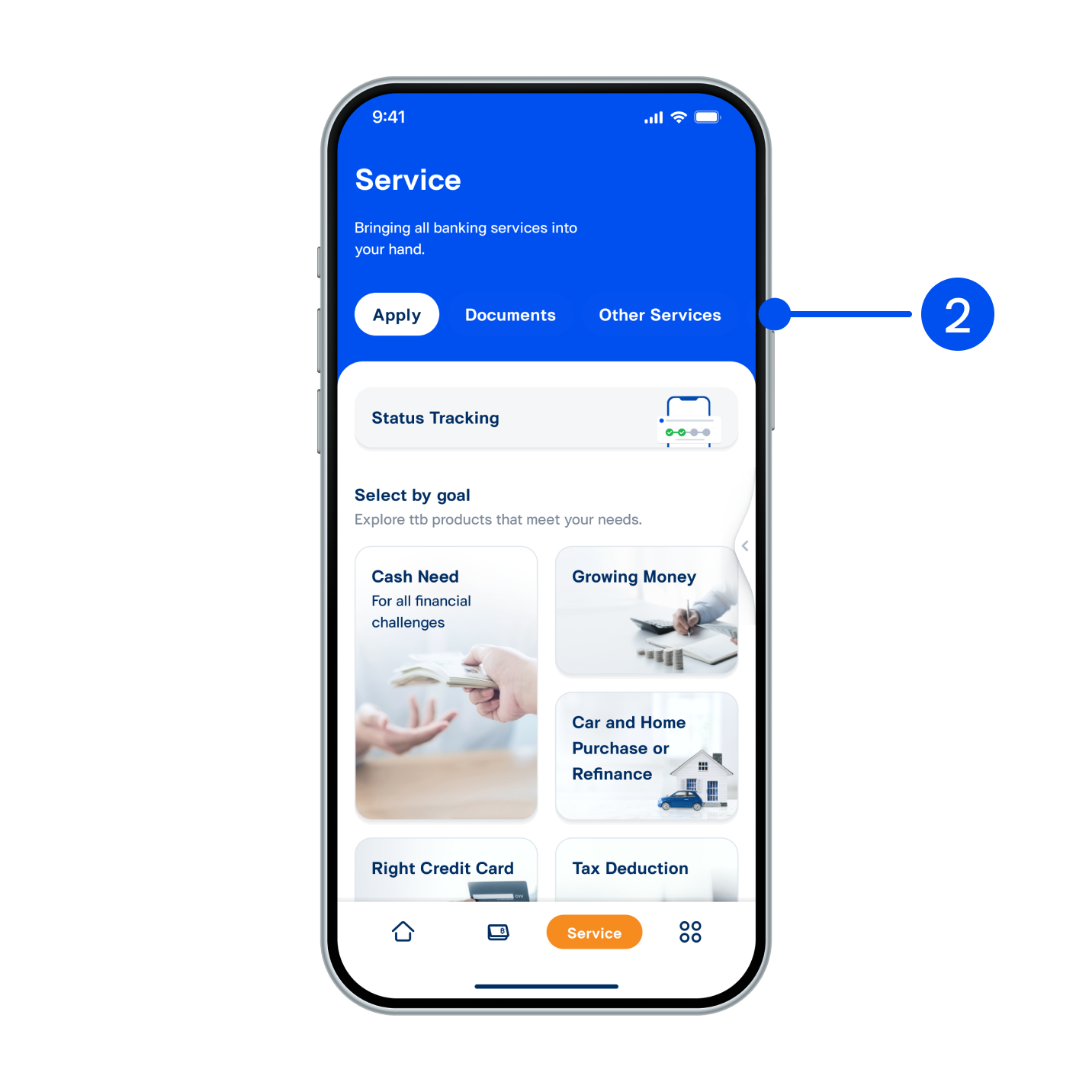
2. On Service page, select “Contact ttb”.
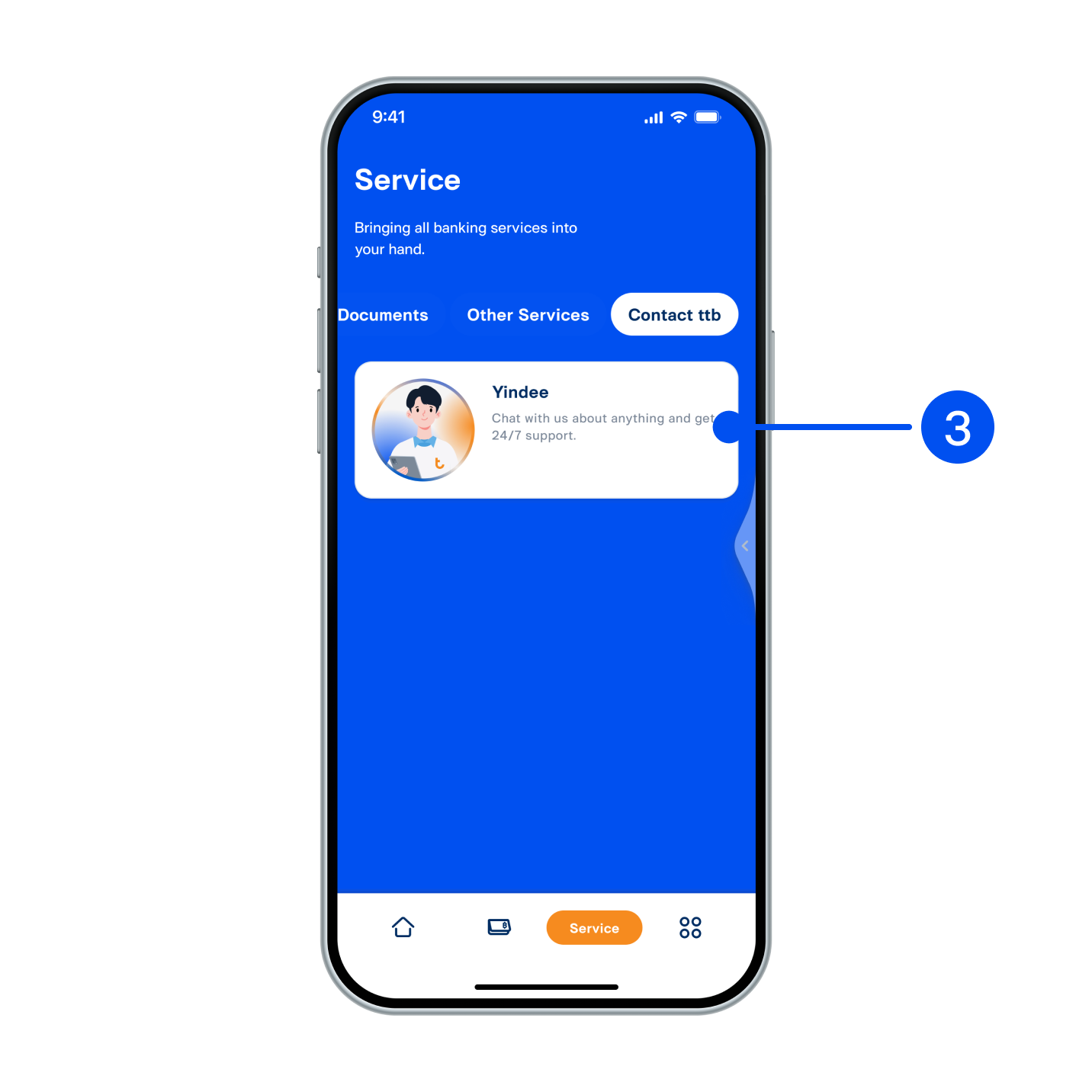
3. Select “Yindee” card to enter “Chat with Yindee”.
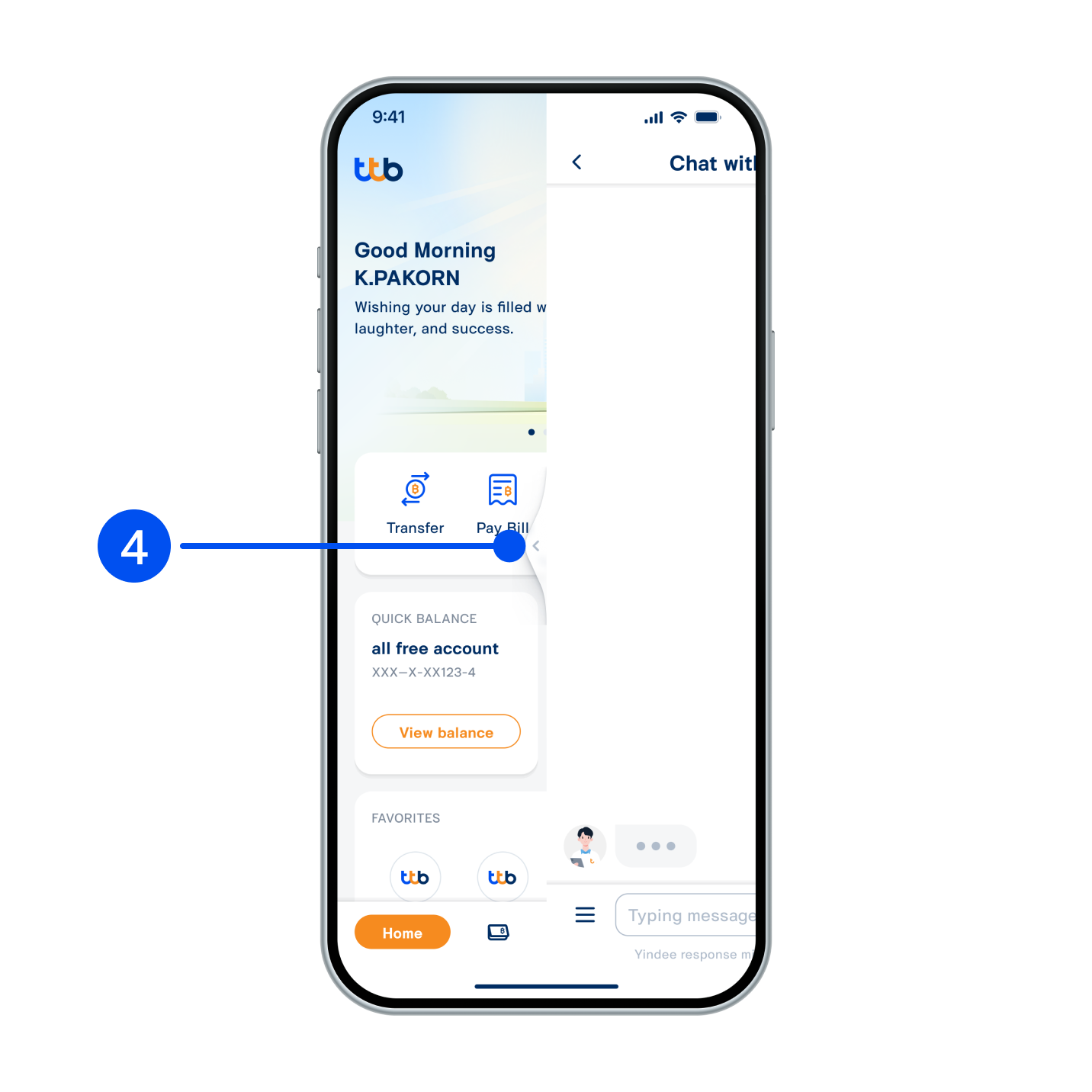
4. Alternatively, you may access “Chat with Yindee” from any screen by swiping the side panel to the left.
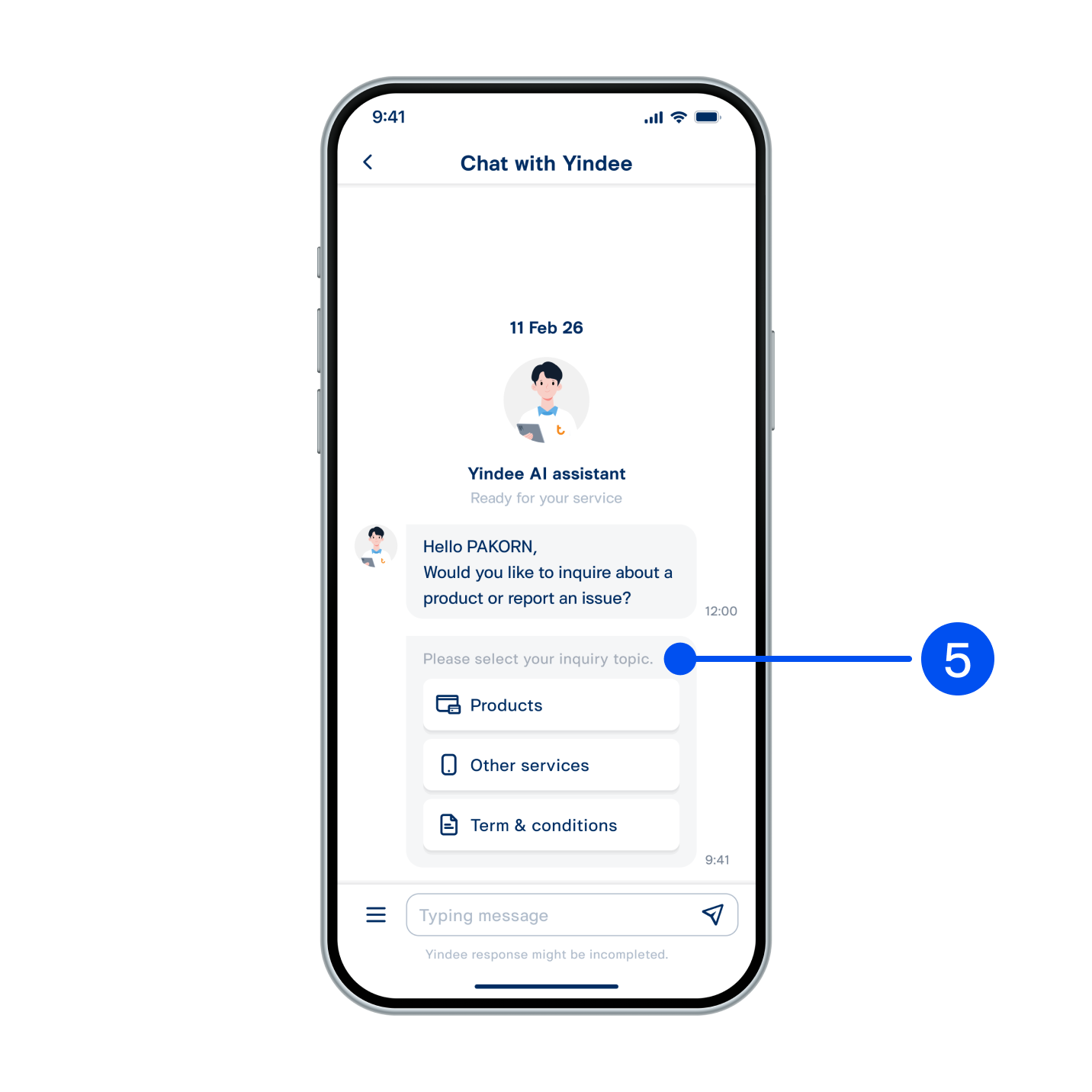
5. Select your inquiry topic or type your message to ask Yindee.
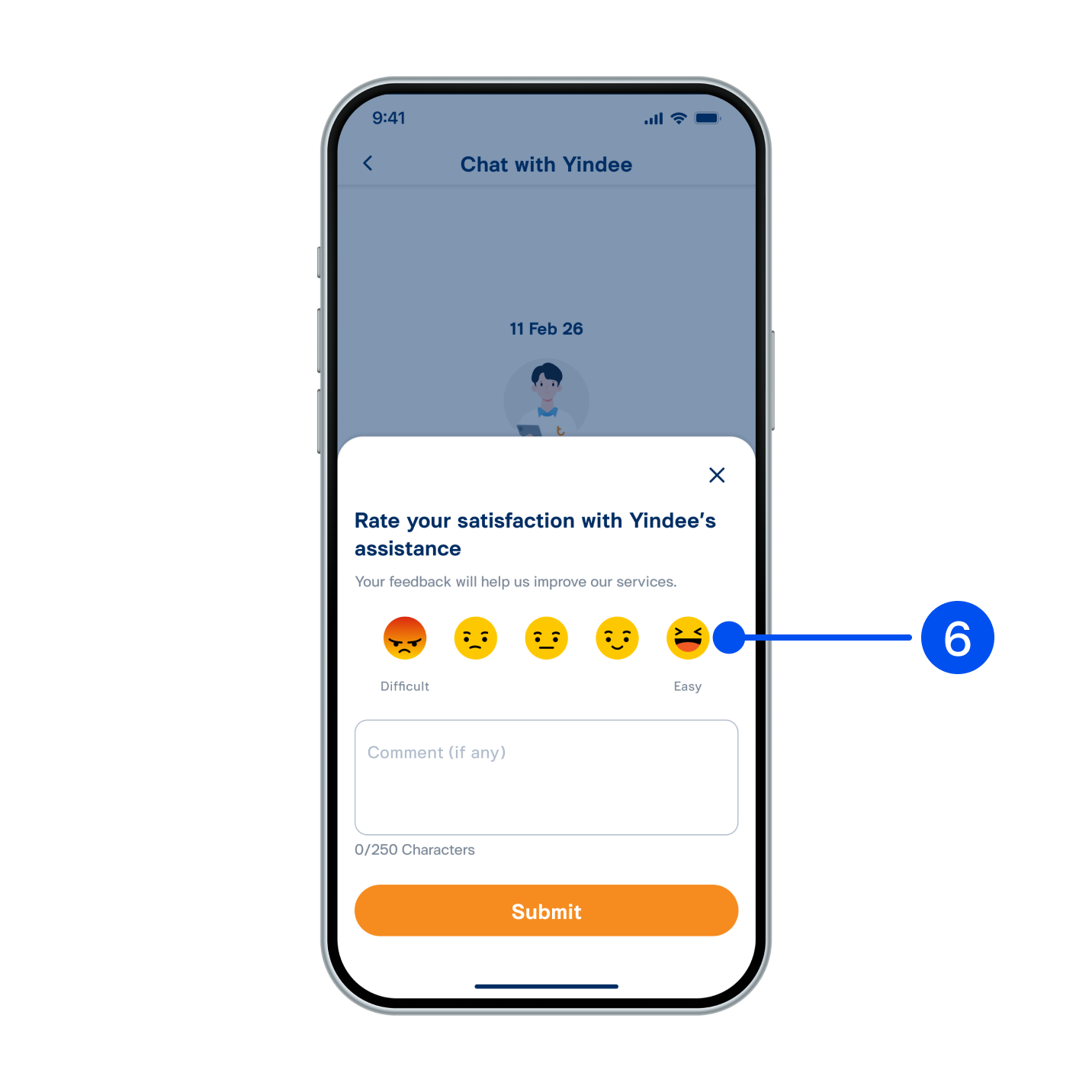
6. After you have received a complete answer, you may rate your satisfaction with Yindee.