

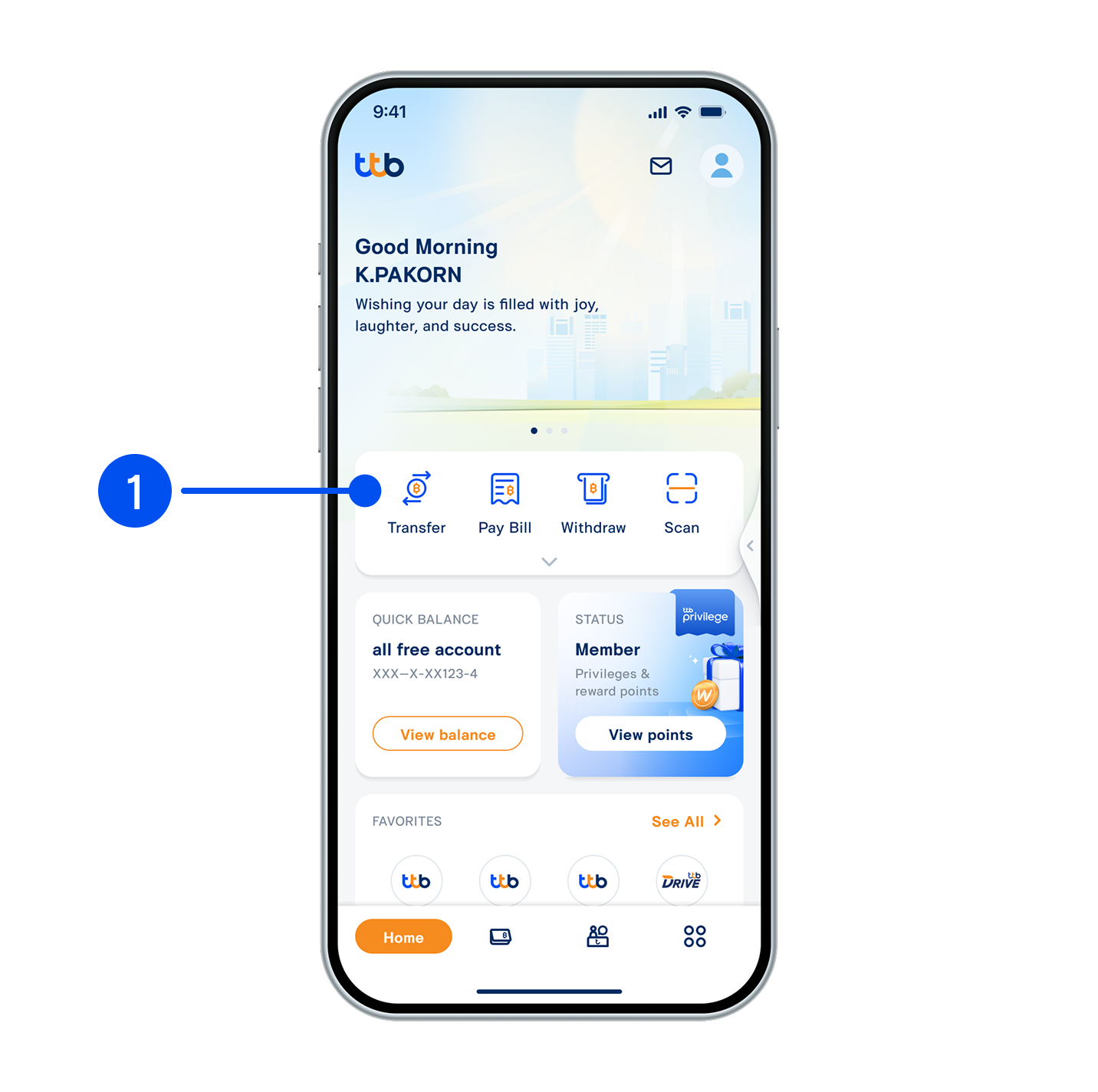
1. Select "Transfer".
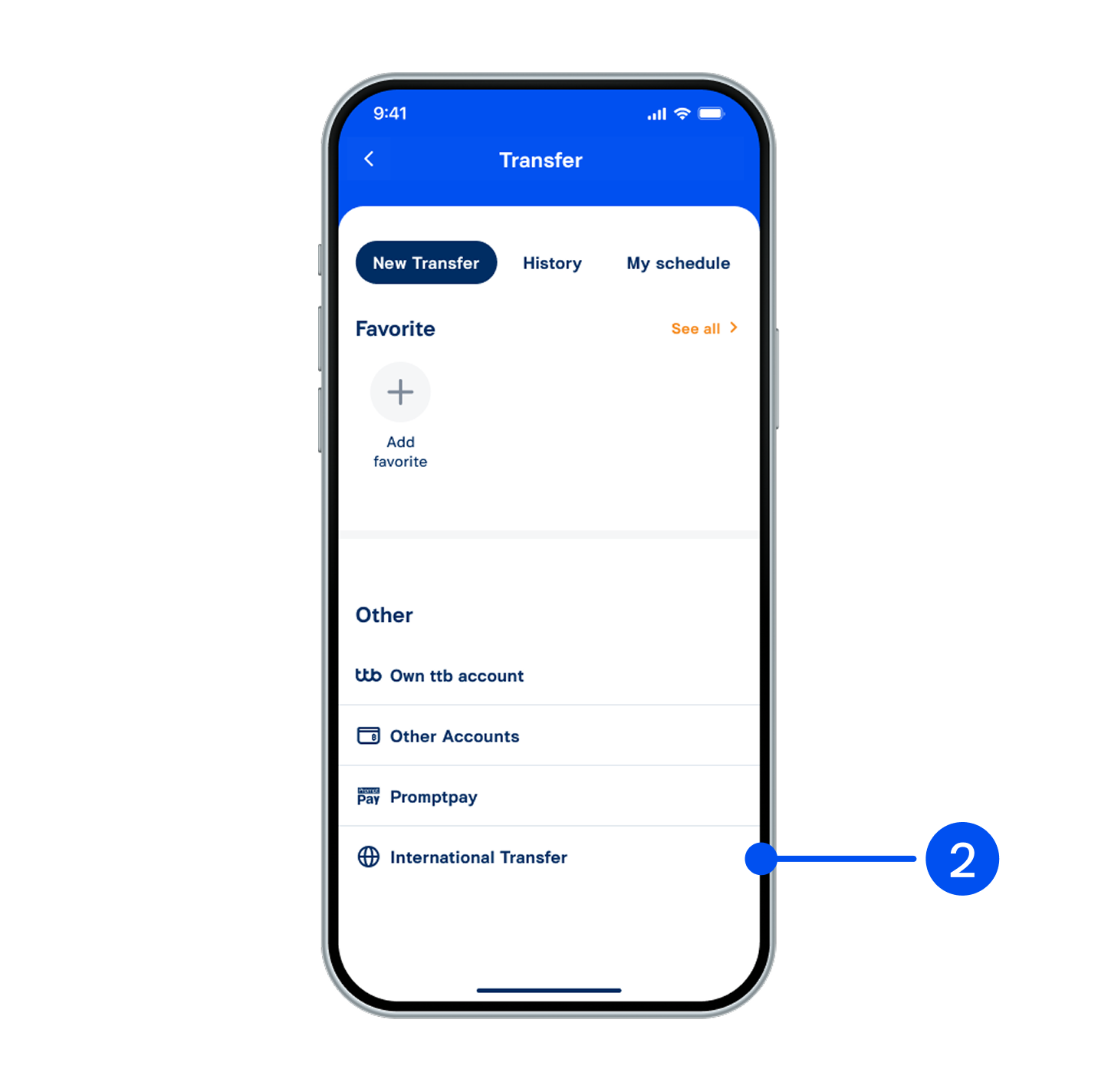
2. Select “International transfer”.
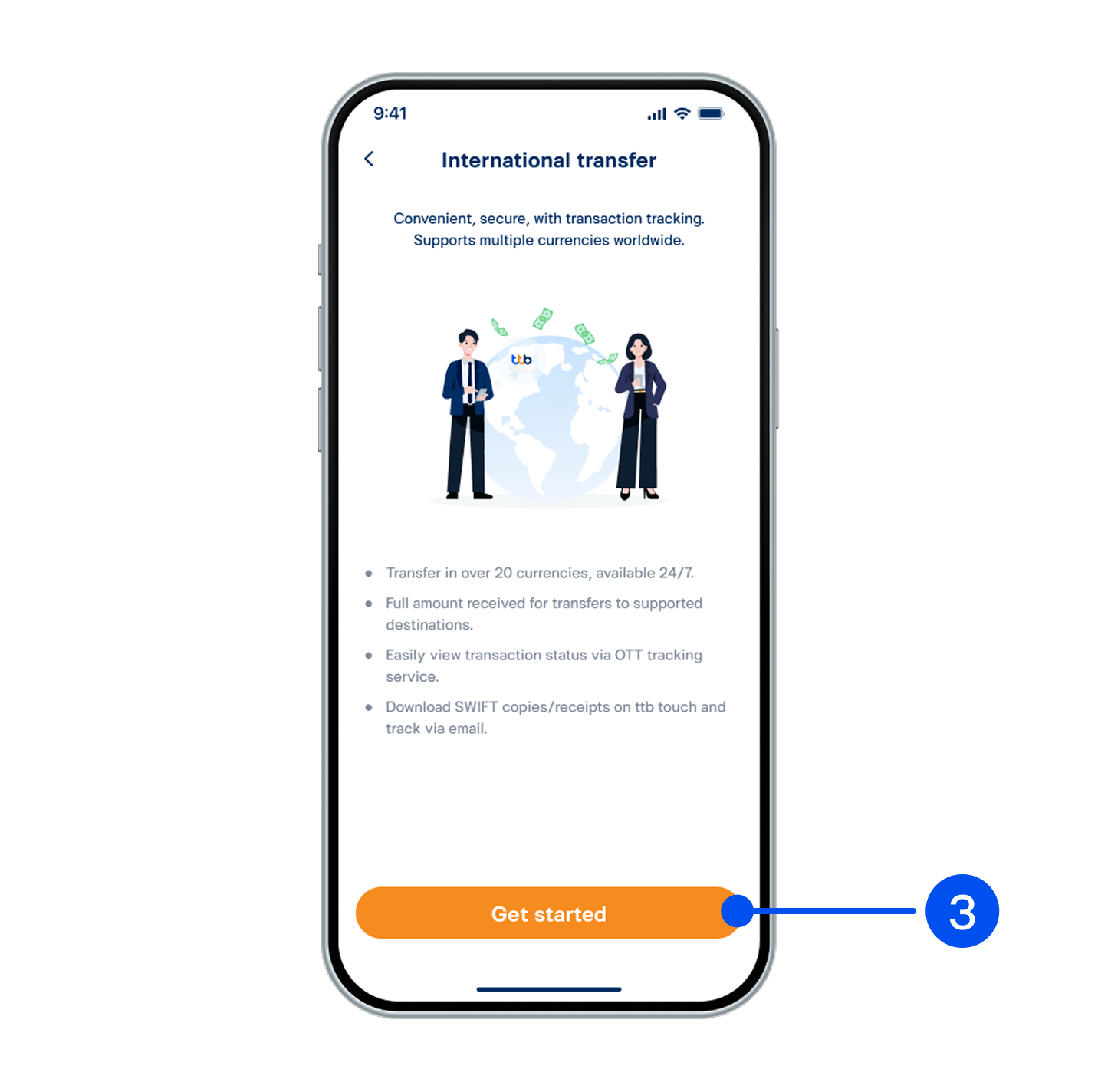
3. Read service details, then select “Get started”.
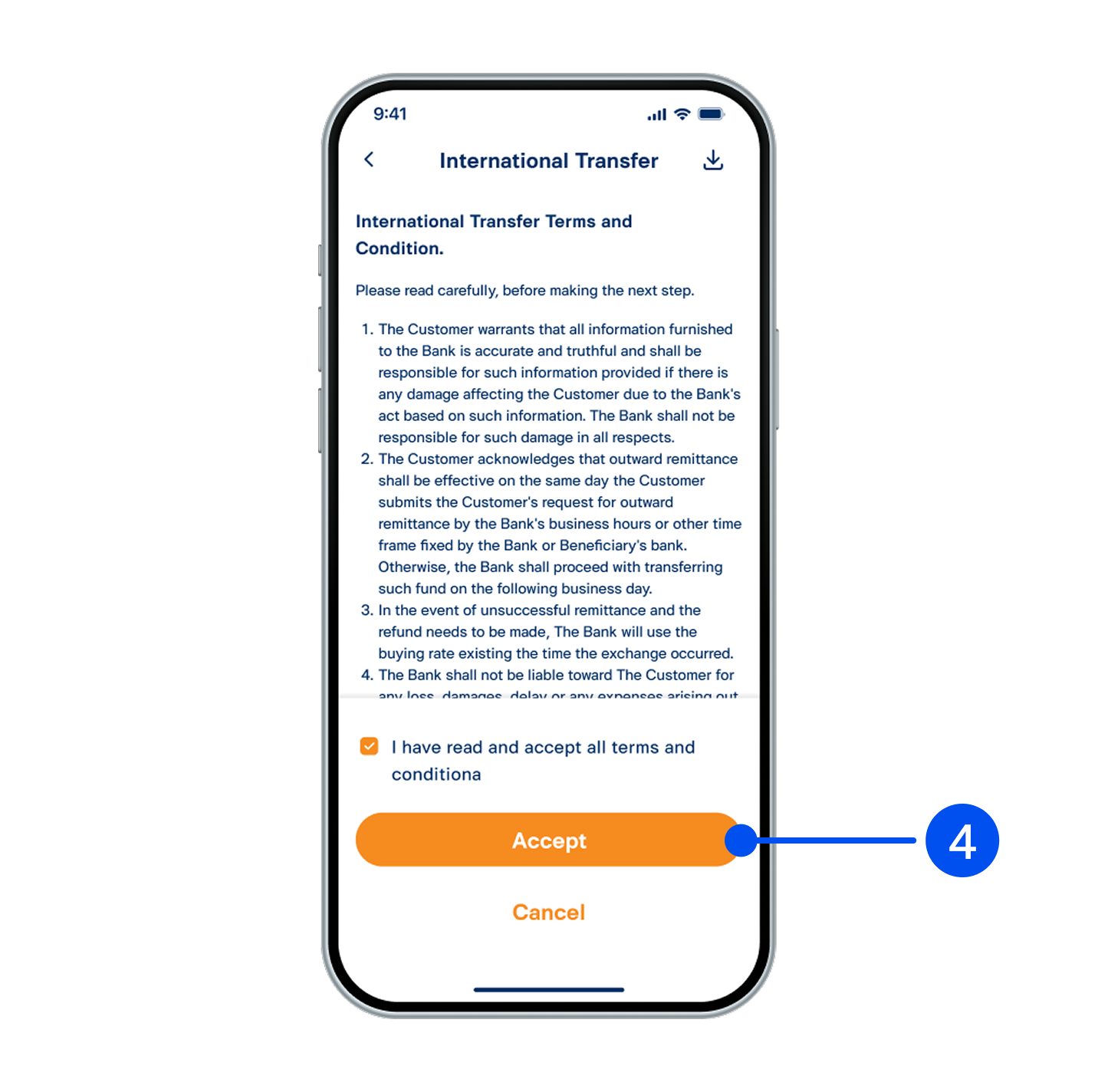
4. Read and accept terms and conditions, then select "Accept".
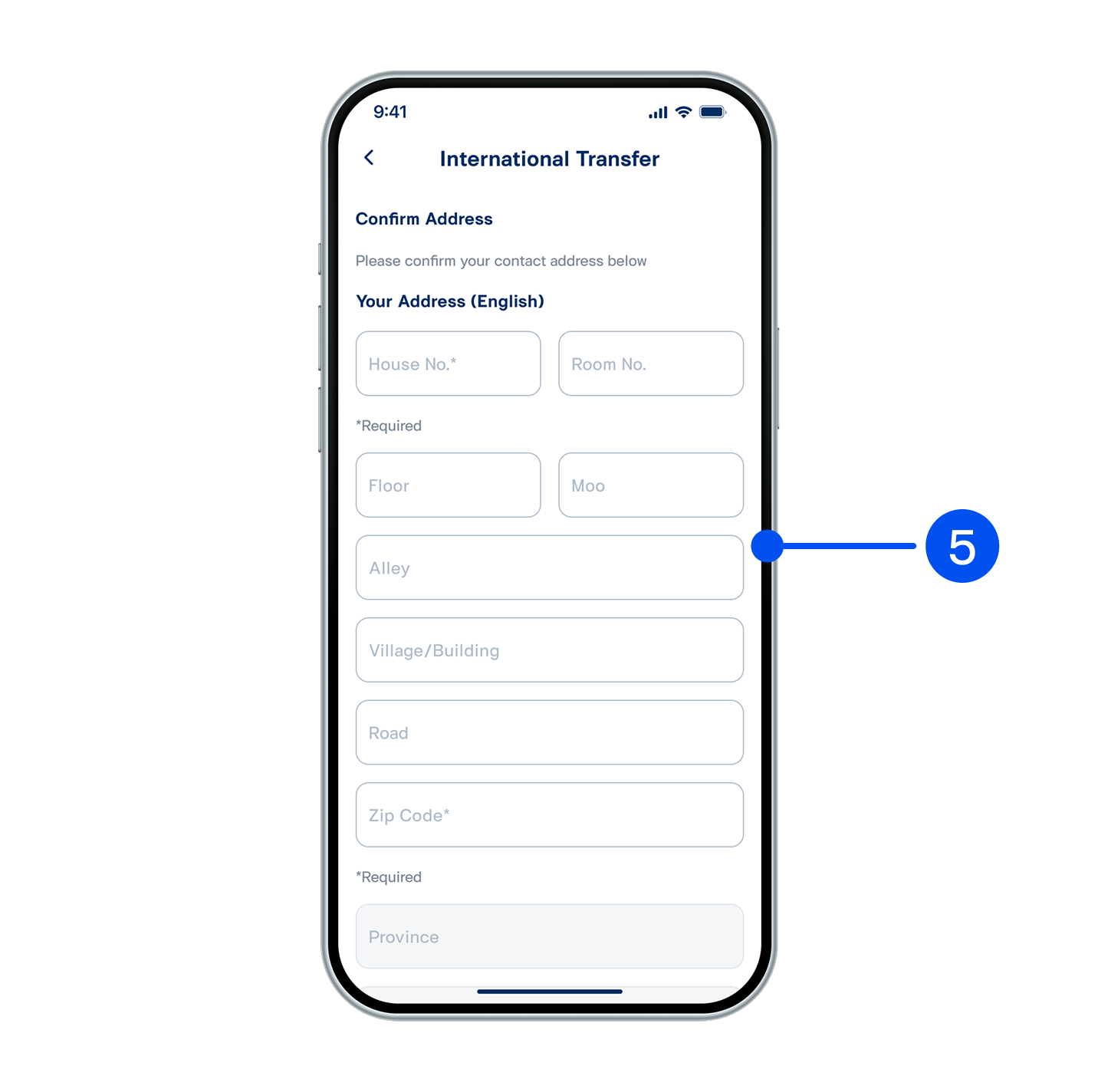
5. Enter sender’s details in English, then select “Confirm”.
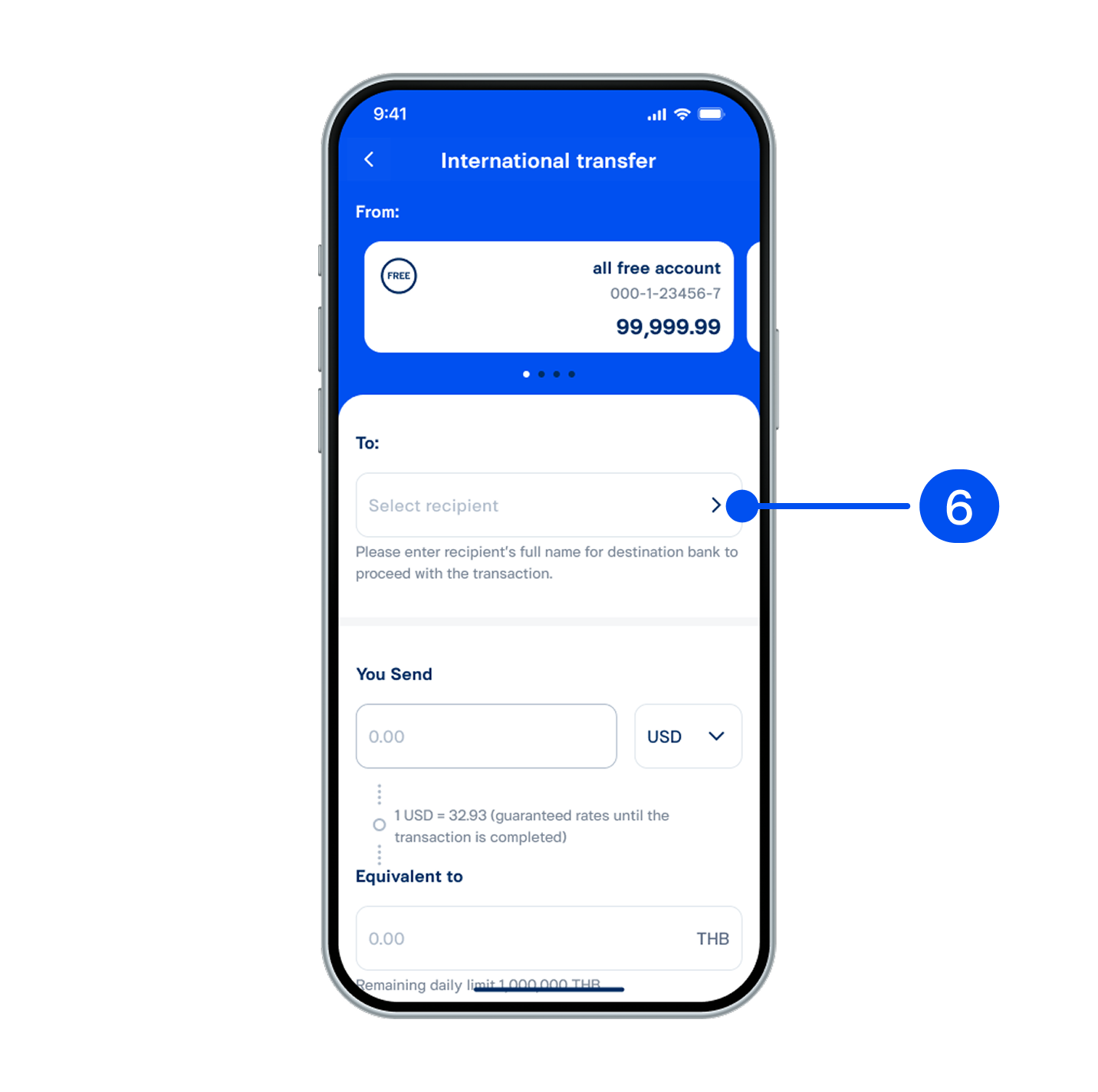
6. On “International transfer” page, then select “Select recipient”.
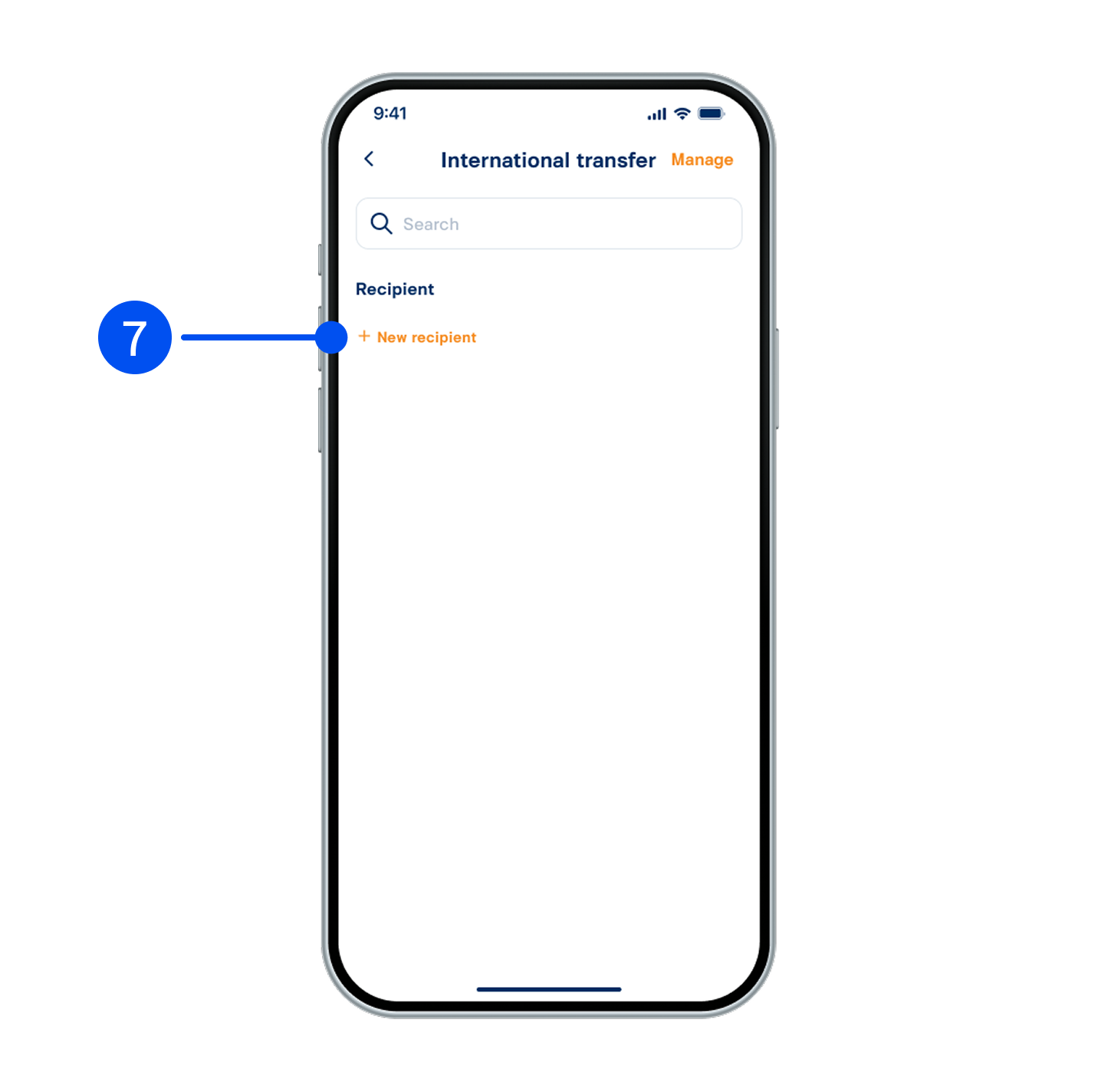
7. Select “New recipient”.
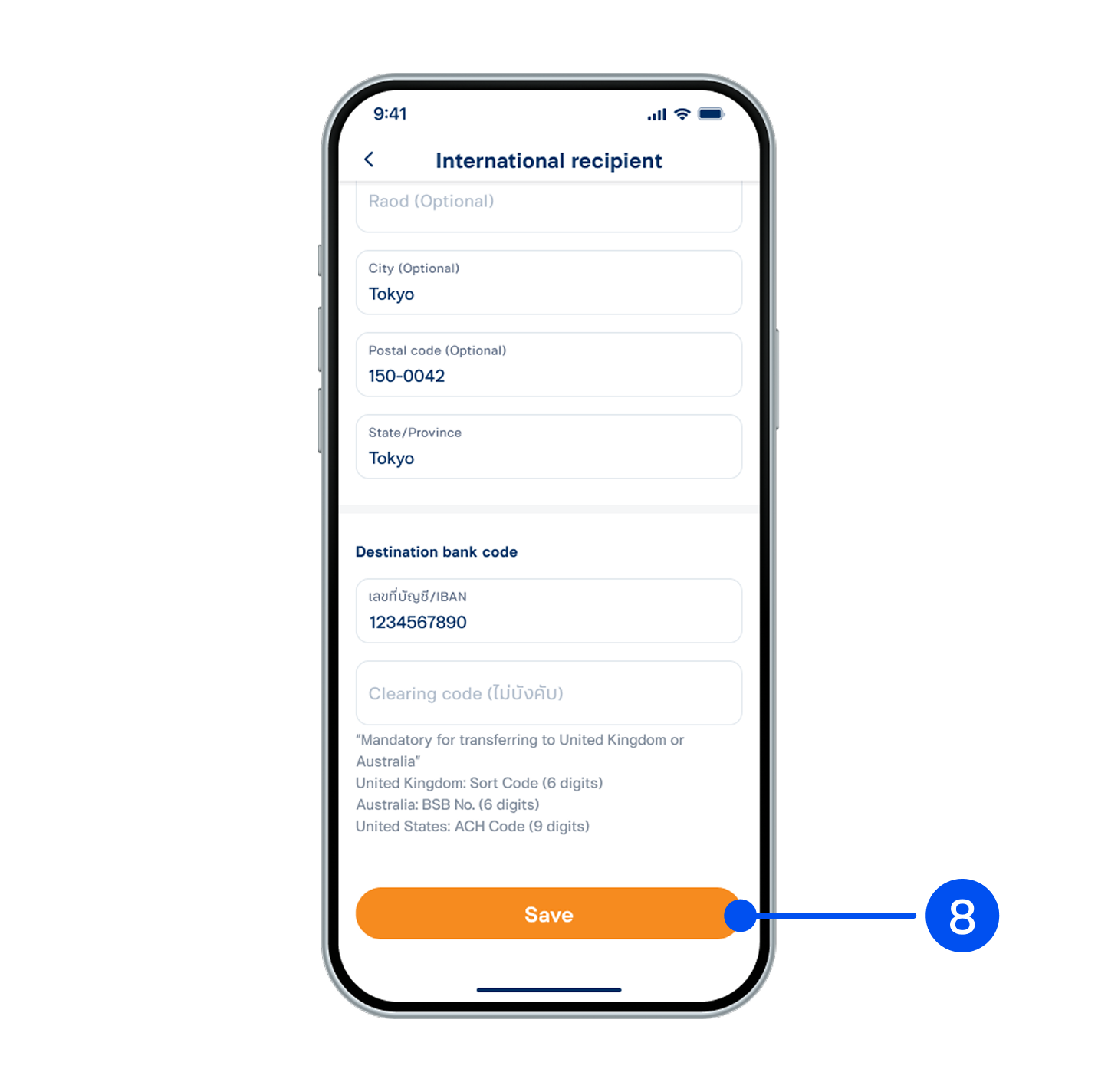
8. Enter recipient's details in English, then select "Save".
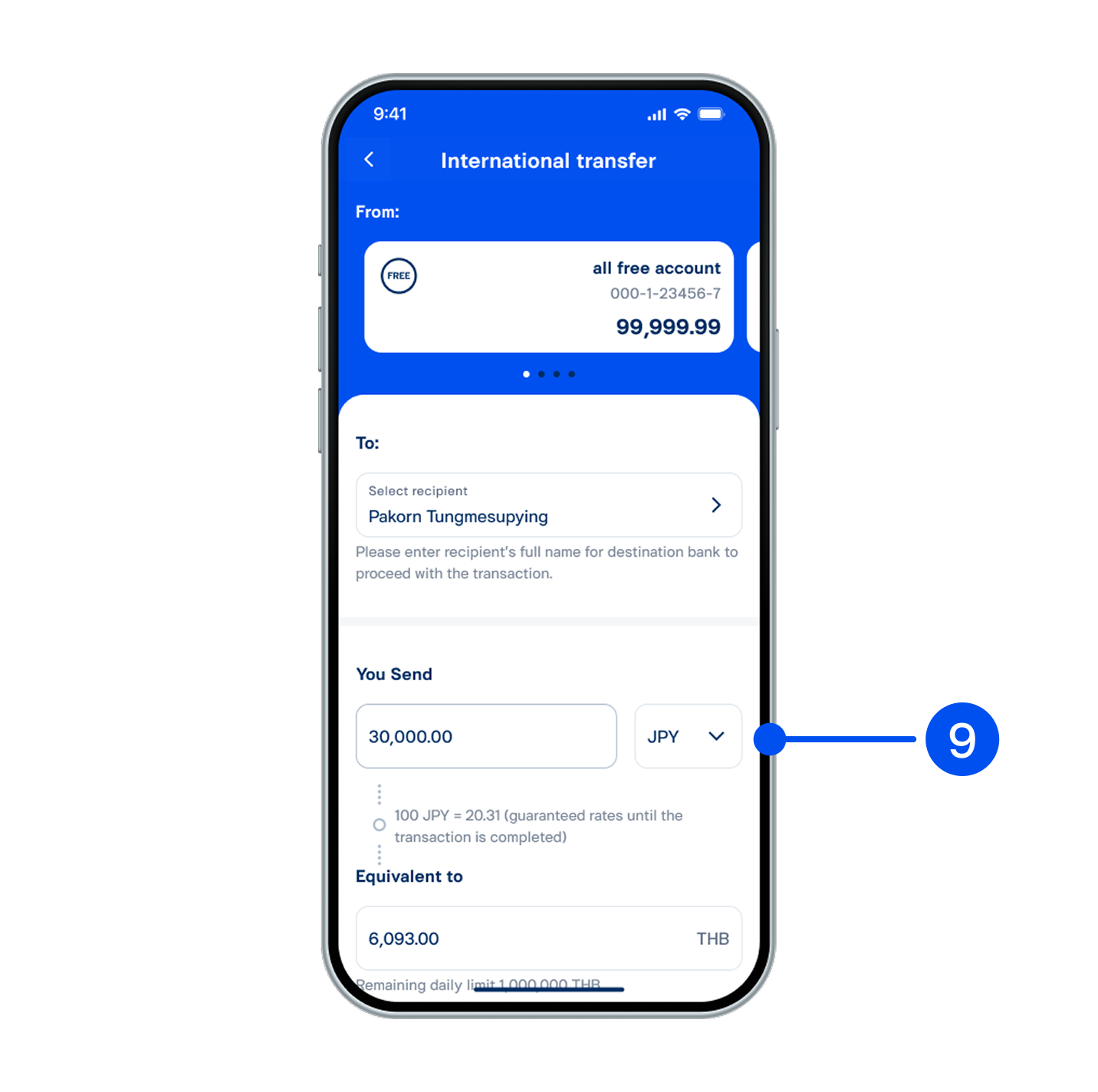
9. Enter transfer amount and currency, then select “Next”.
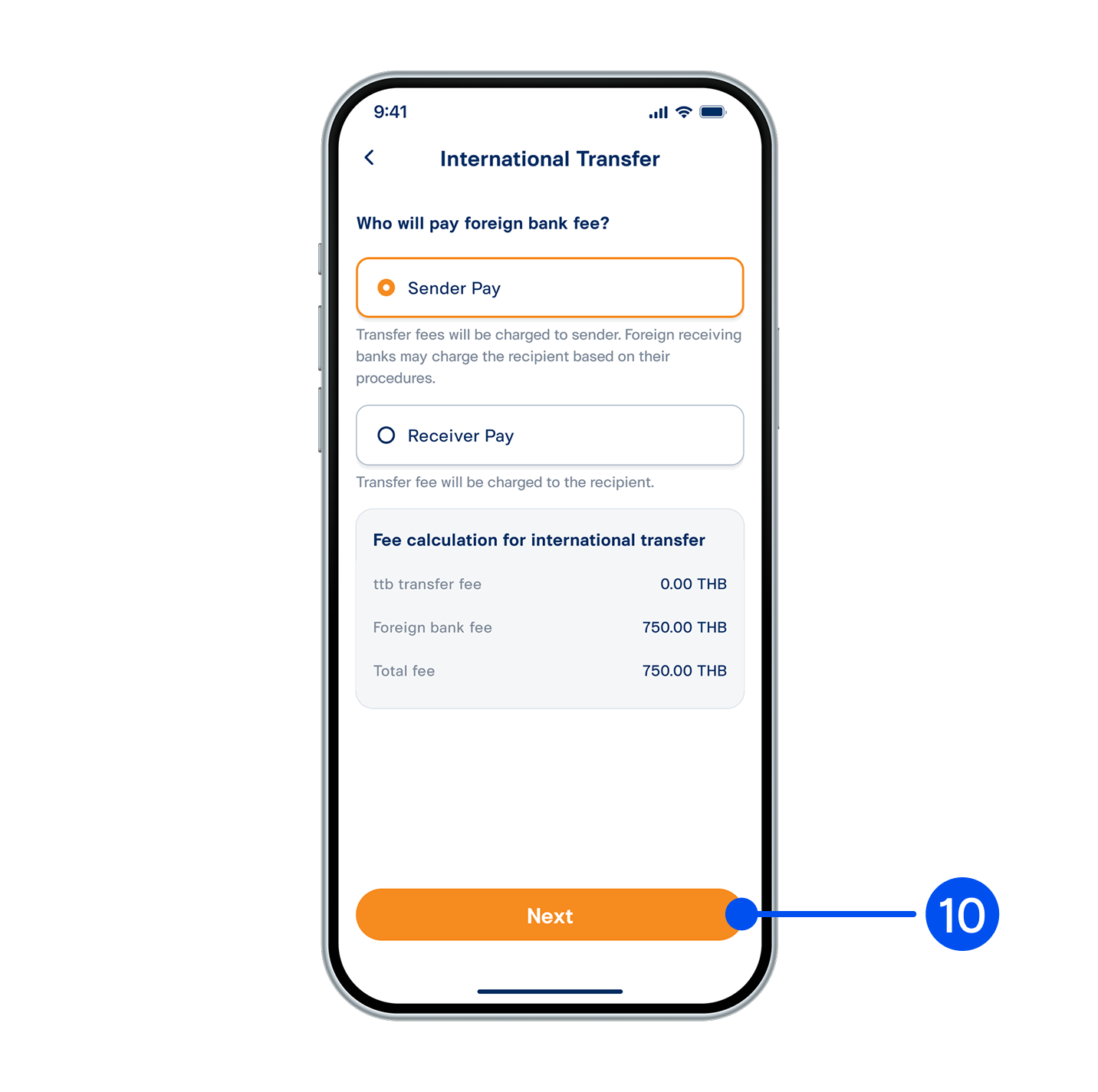
10. Select the fee payer for international transfer, then select “Next”.
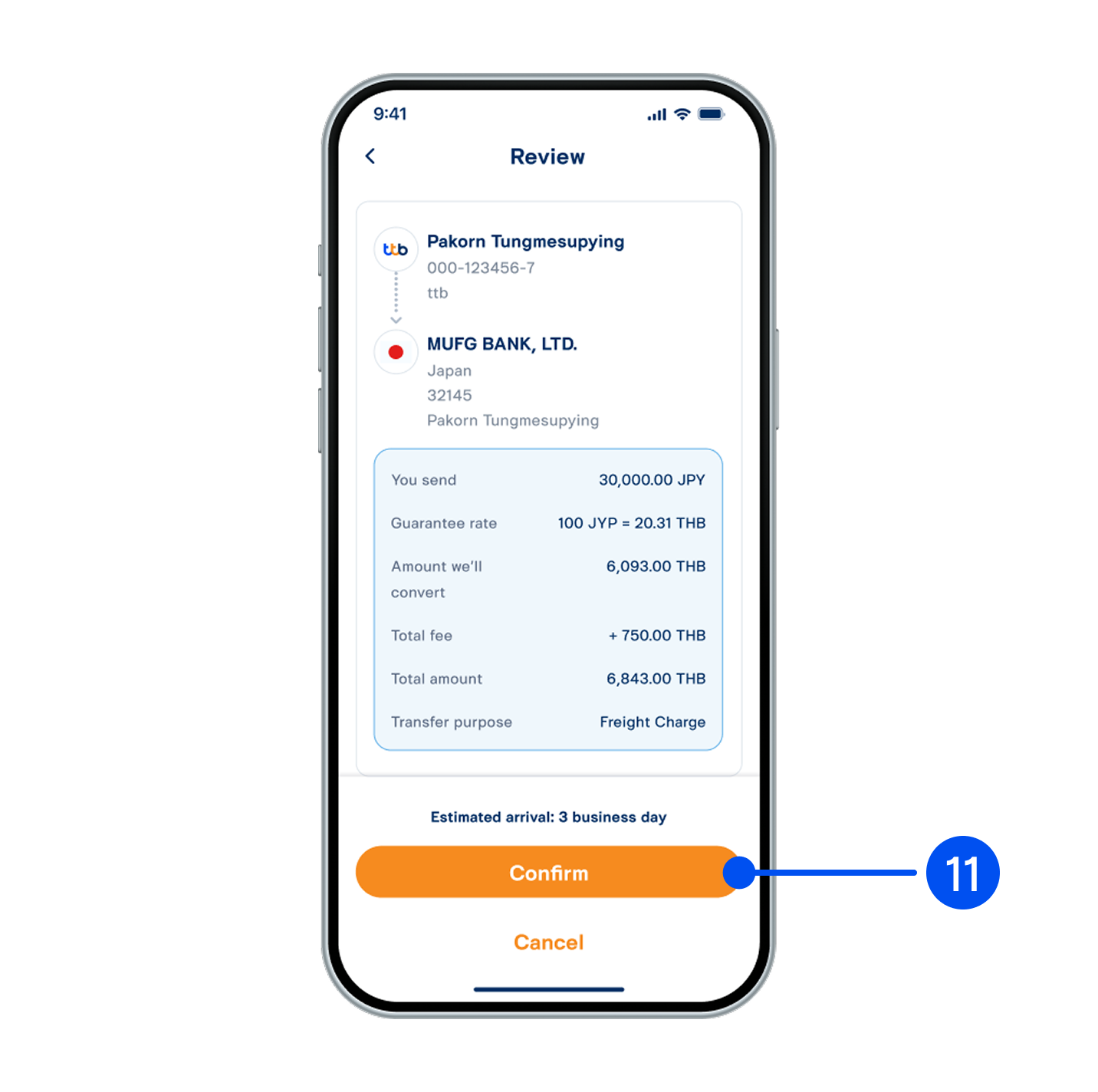
11. Review transfer details, then select “Confirm”.
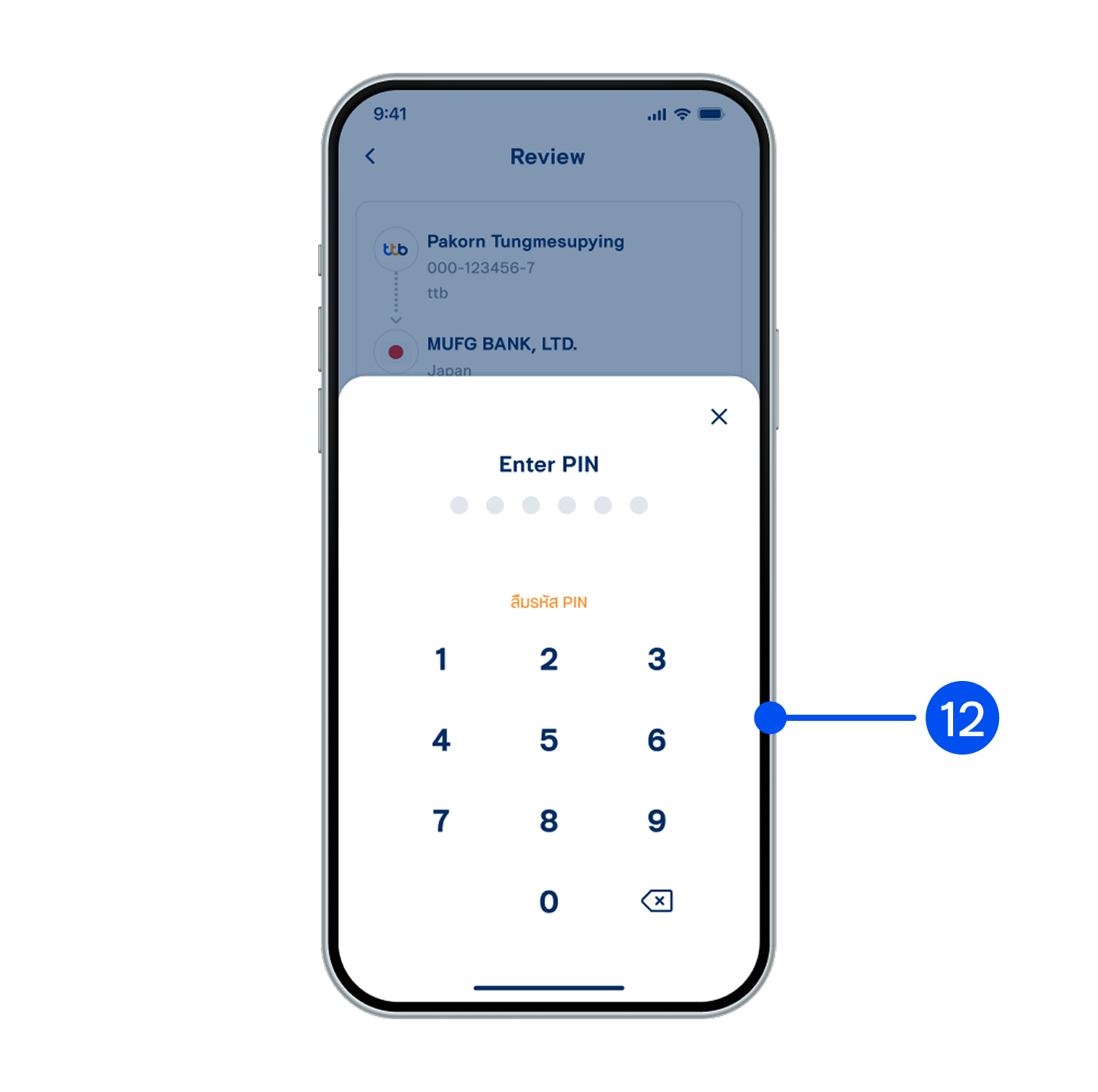
12. Enter PIN to confirm.
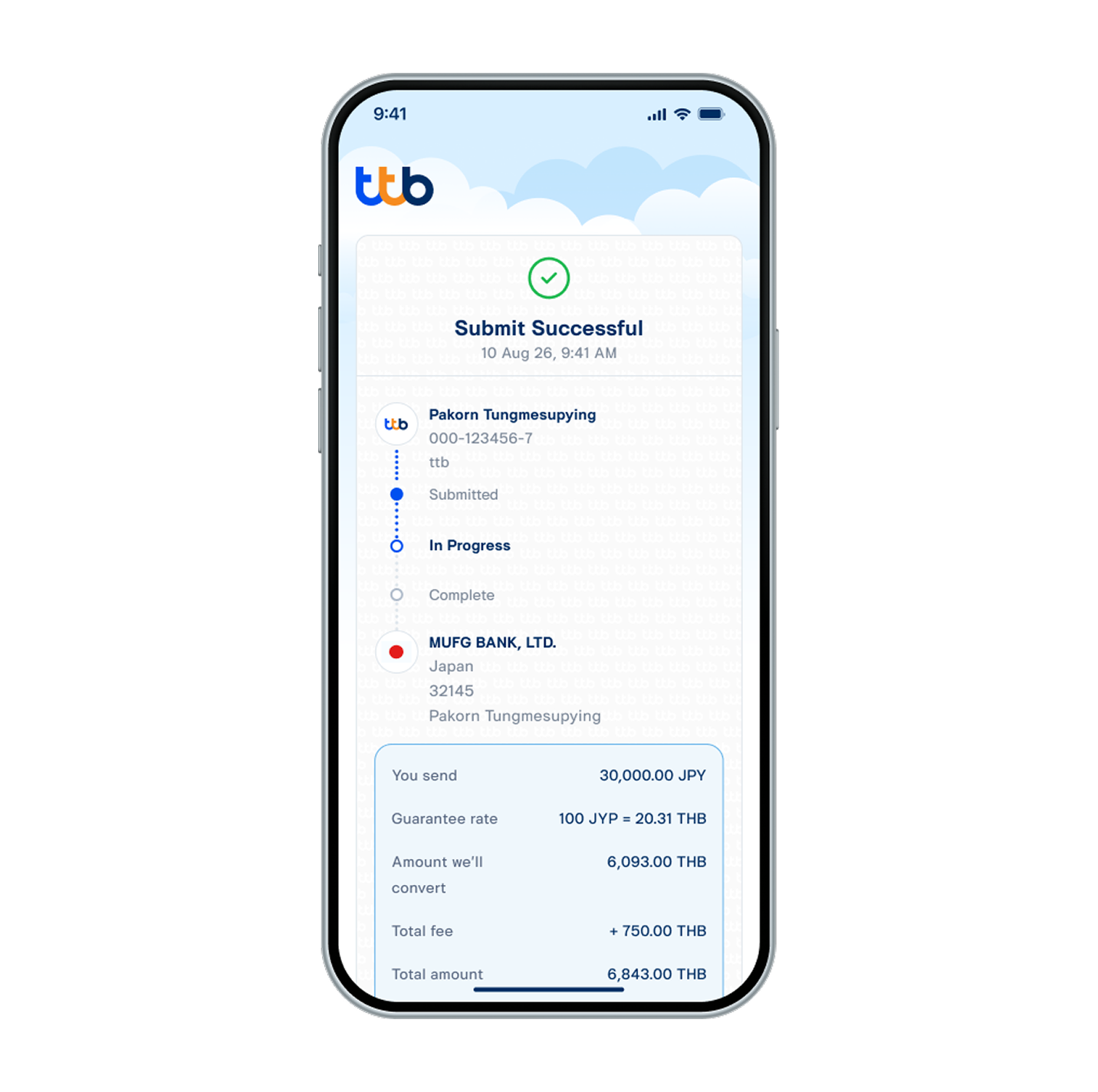
13. Transfer successful. You will receive transfer slip and confirmation email later.