

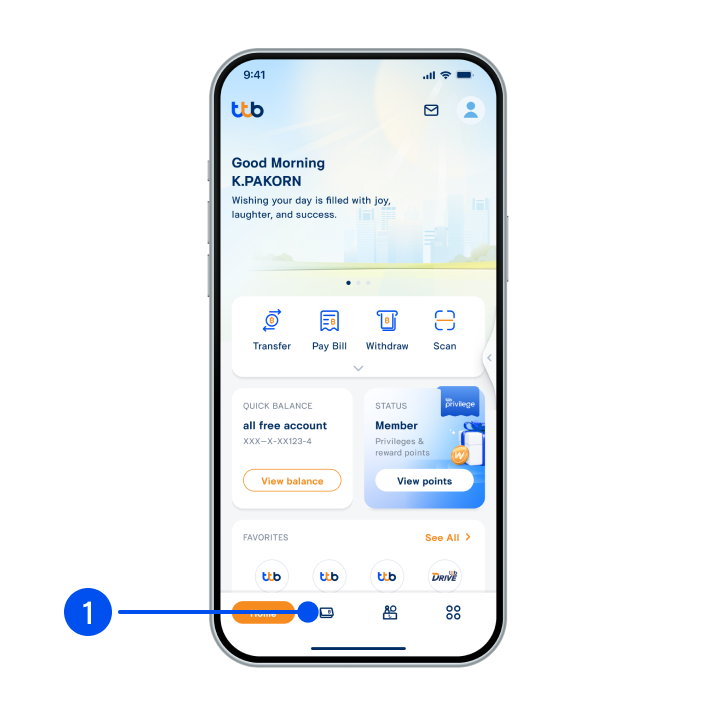
1. Select “Account”, the 2nd menu from the bottom.
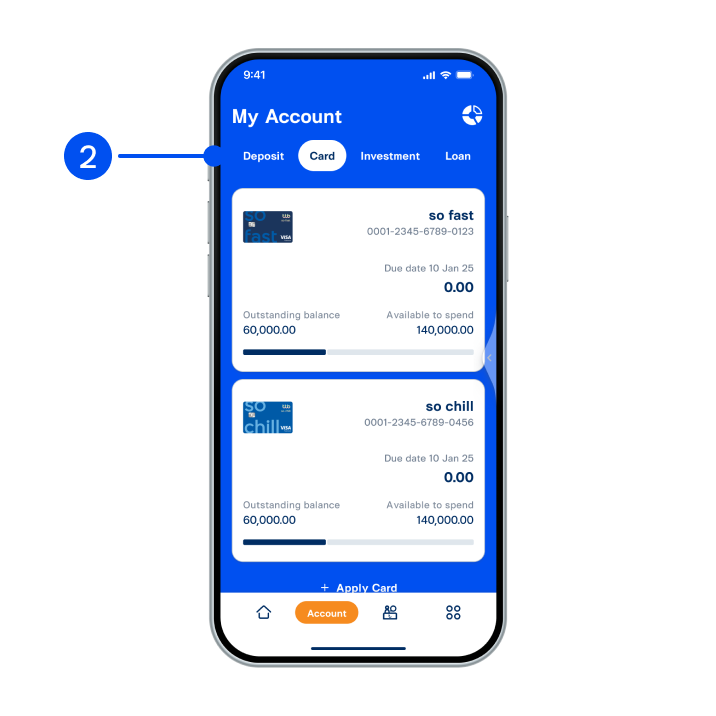
2. Select “Card” tab at the top, then select the card you wish to adjust credit limit.
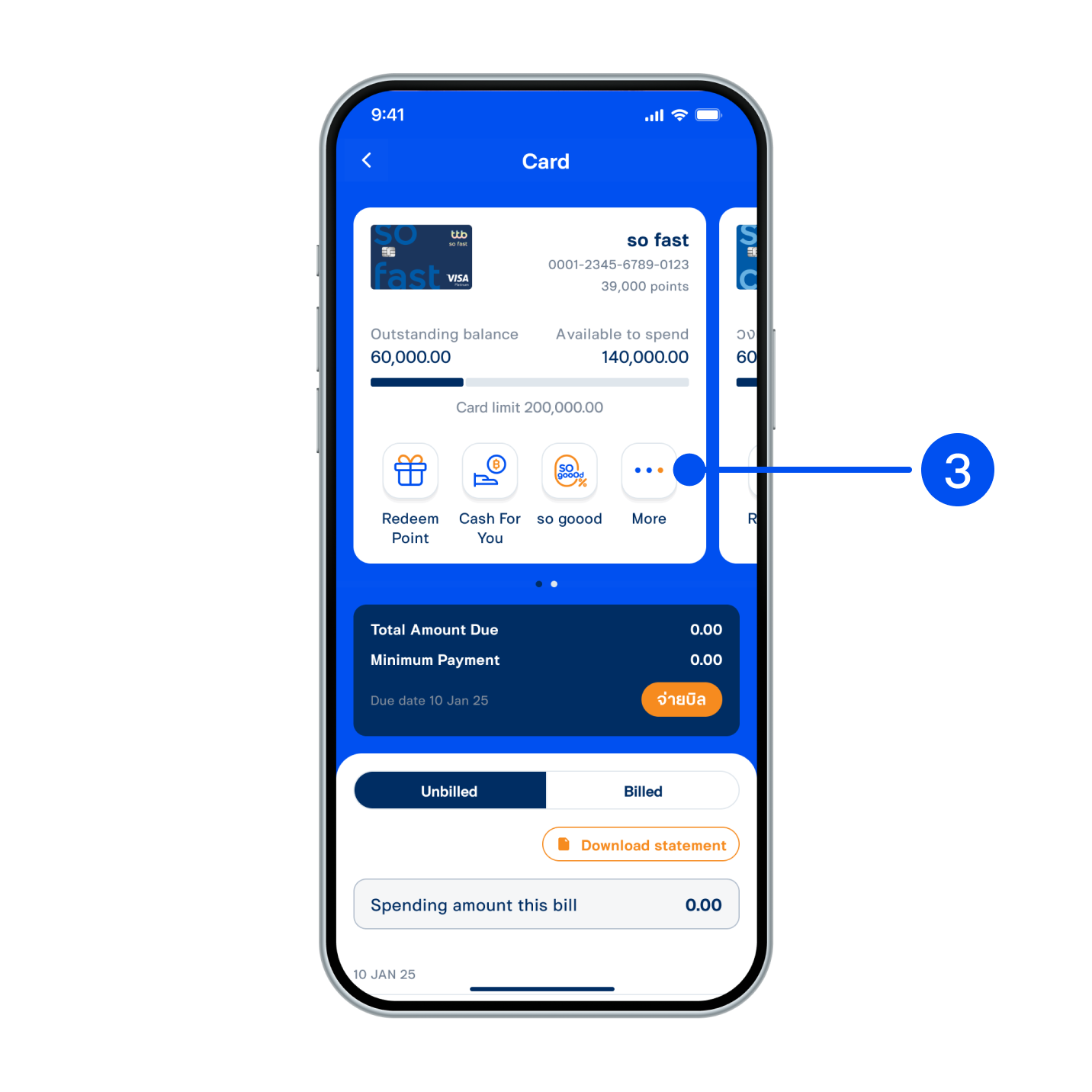
3. Select “More”.
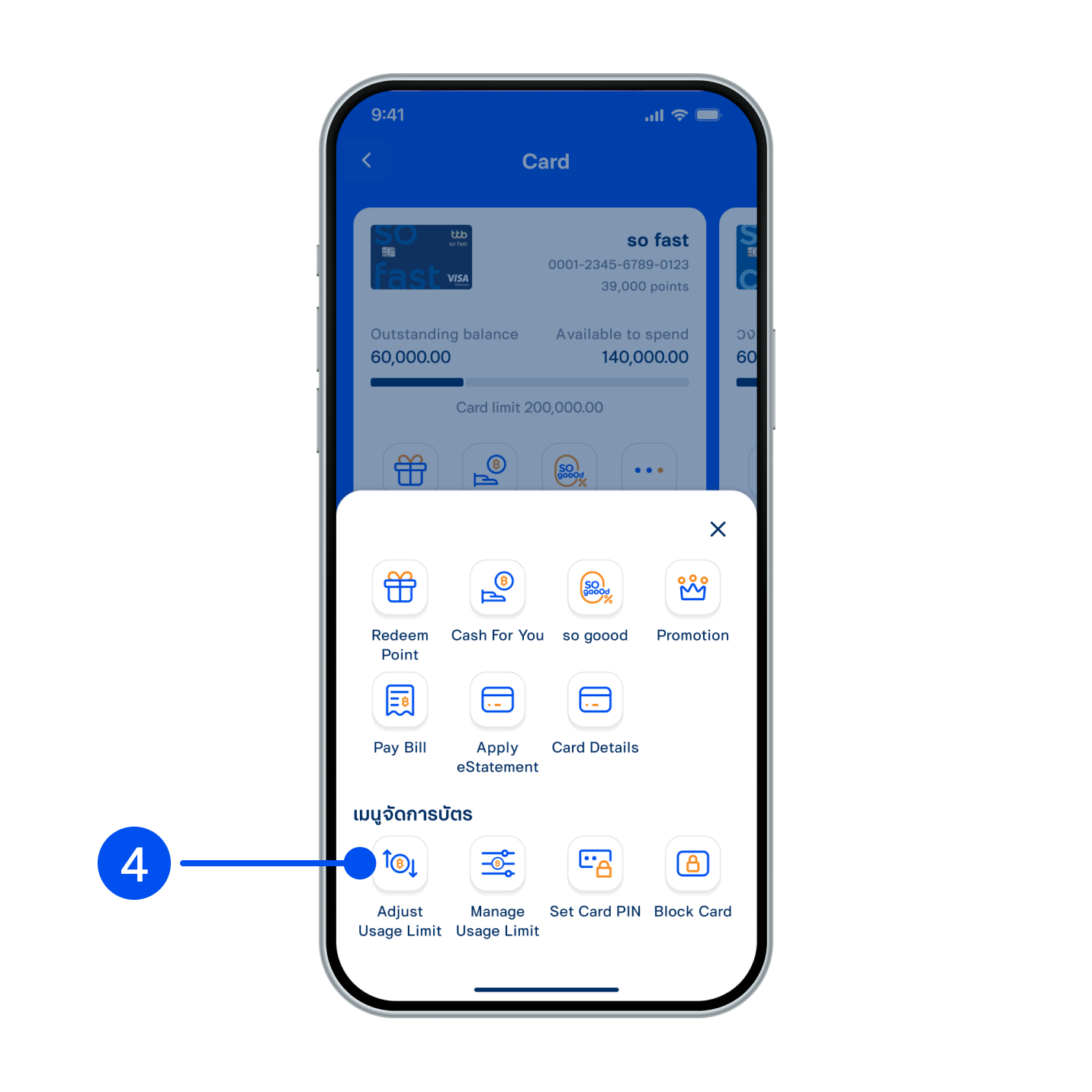
4. Select “Manage Usage Limit”.
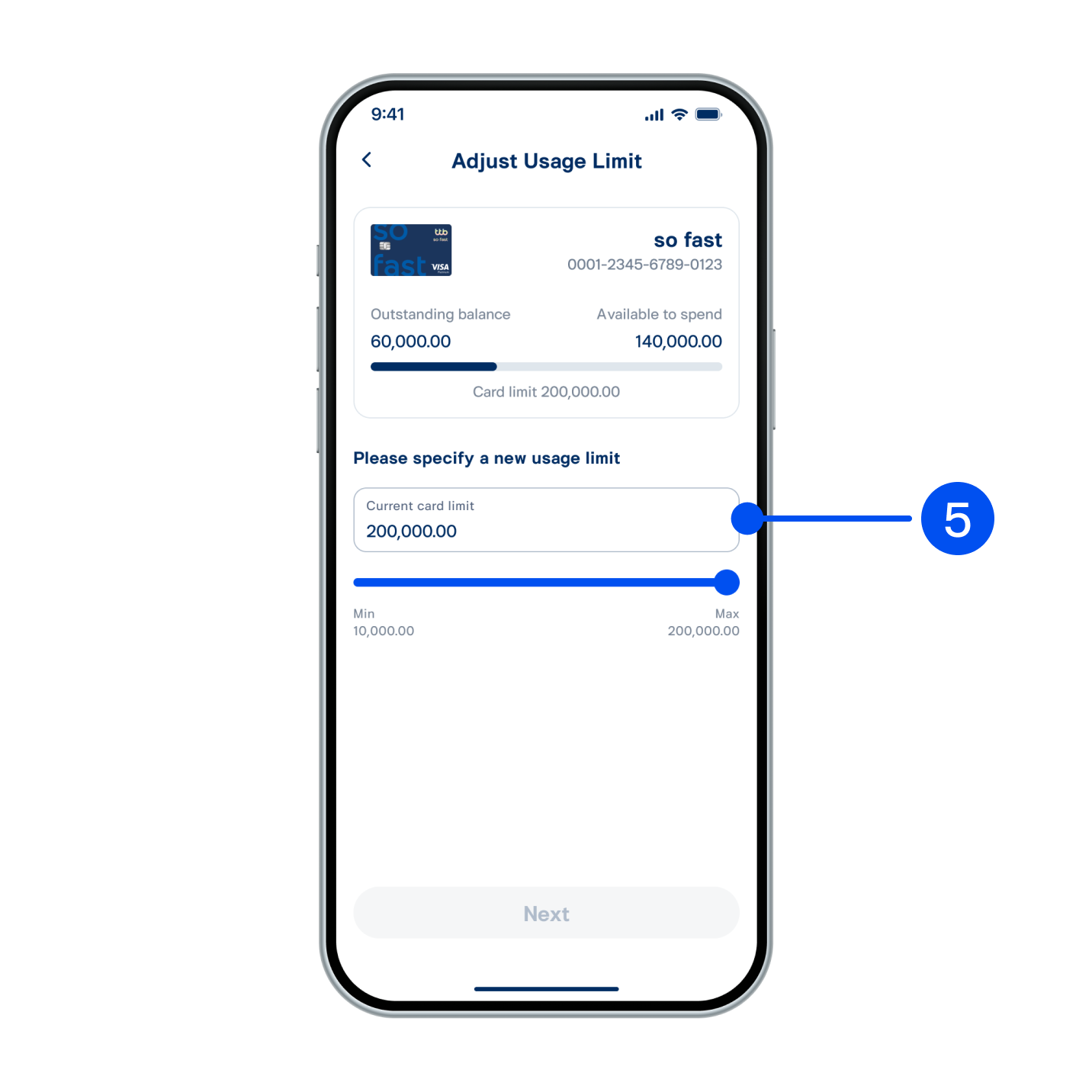
5. Please specify a new usage limit by sliding left-right to adjust current card limit or enter amount.
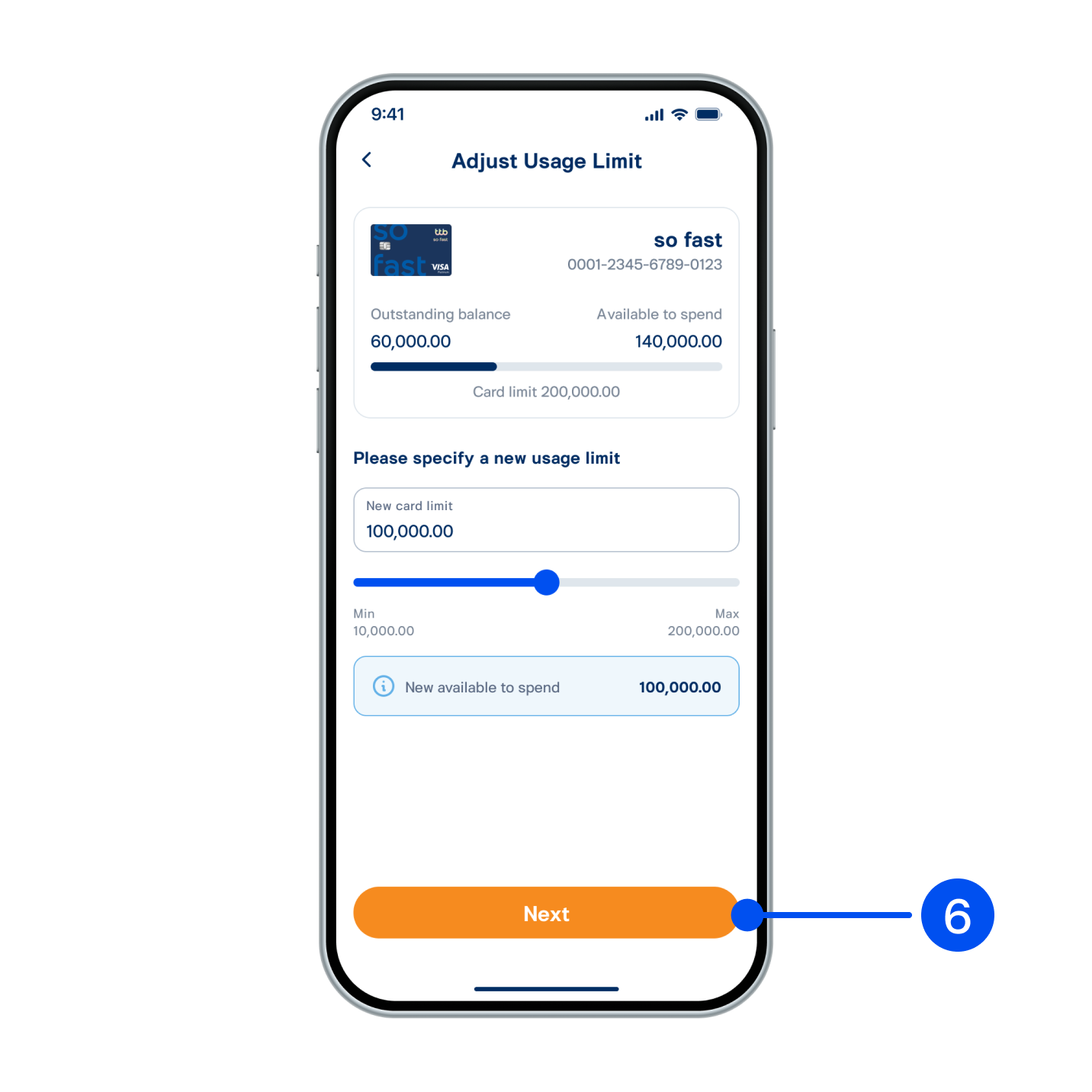
6. The system will display New available to spend, then select “Next”.
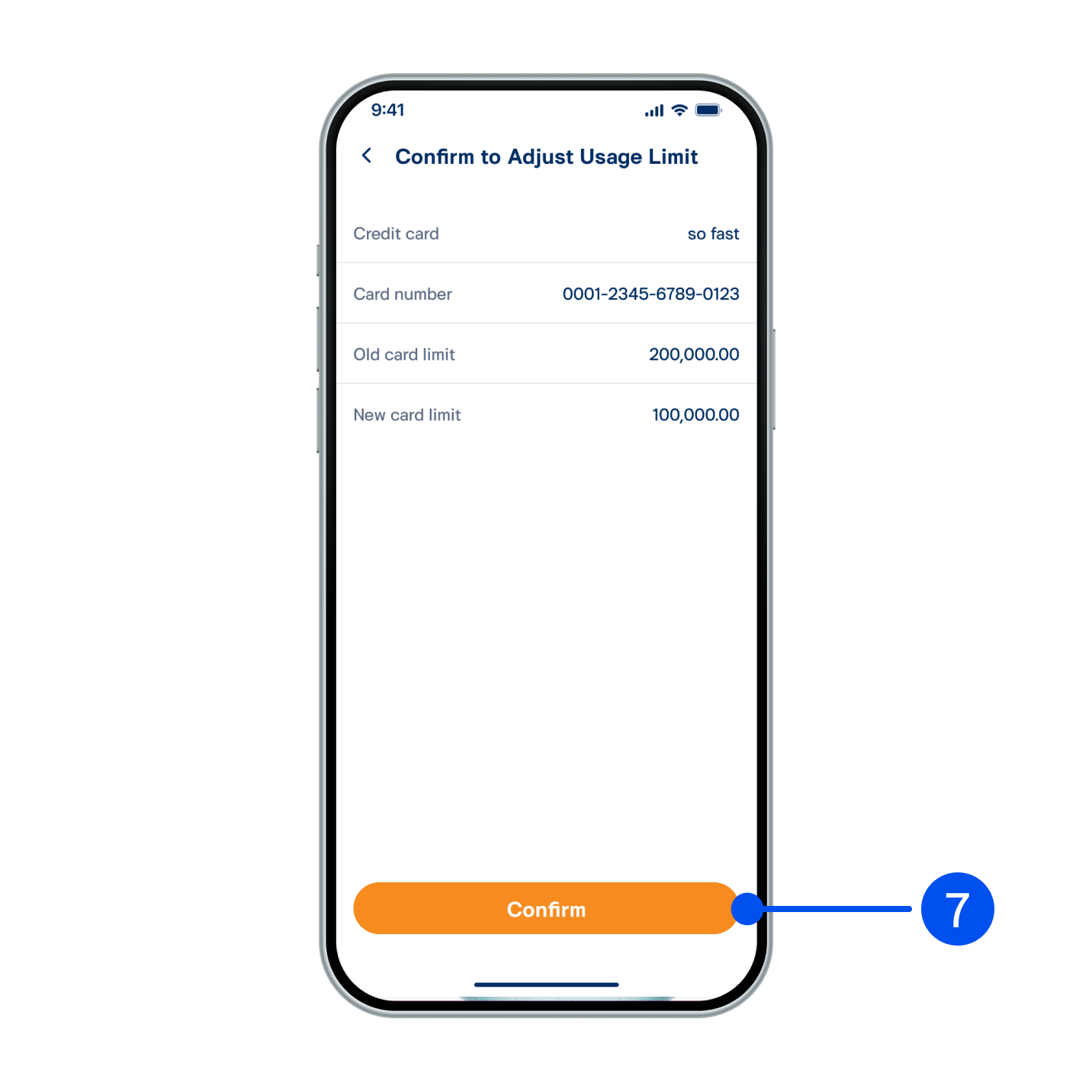
7. Review the transaction, then select “Confirm”.
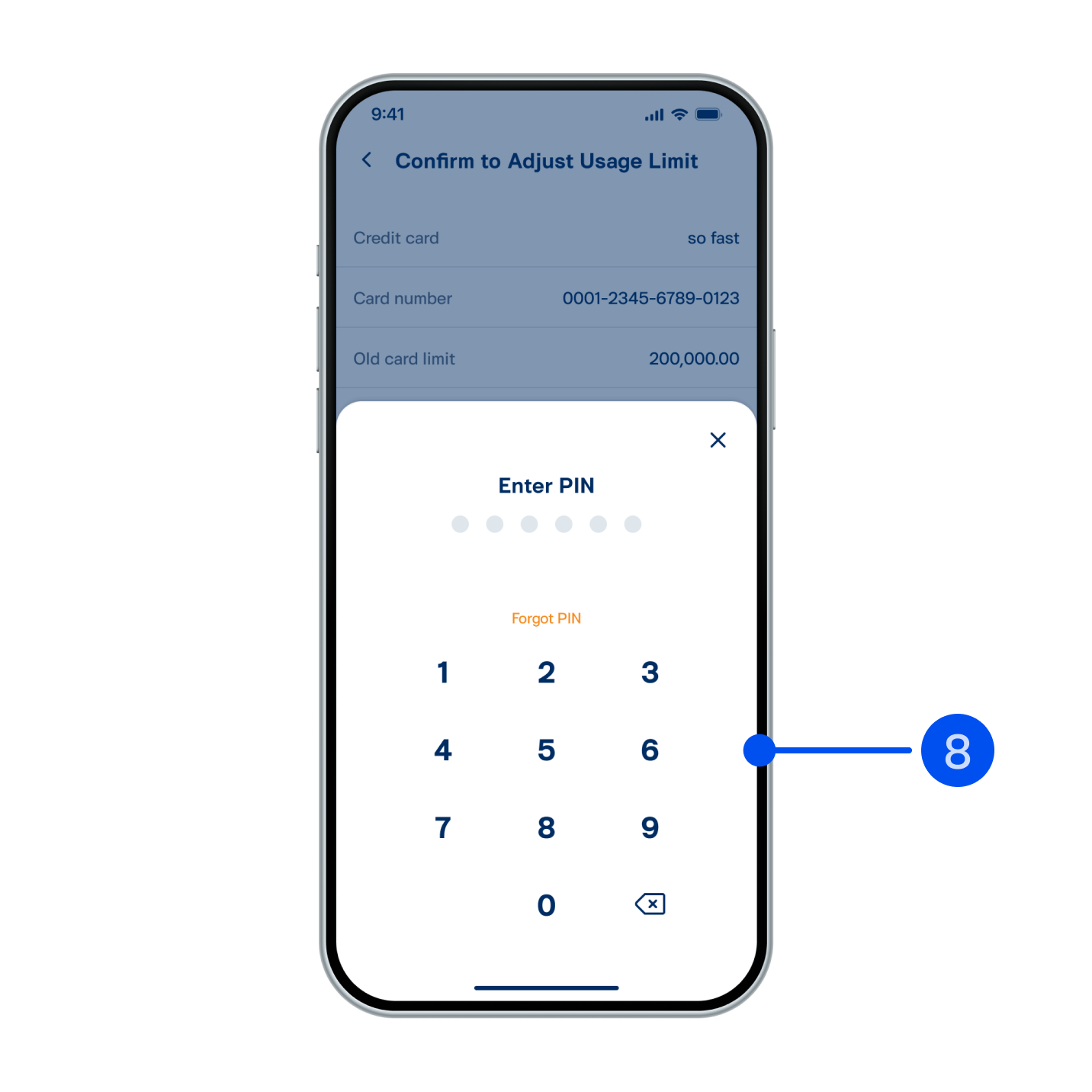
8. Enter PIN to confirm.
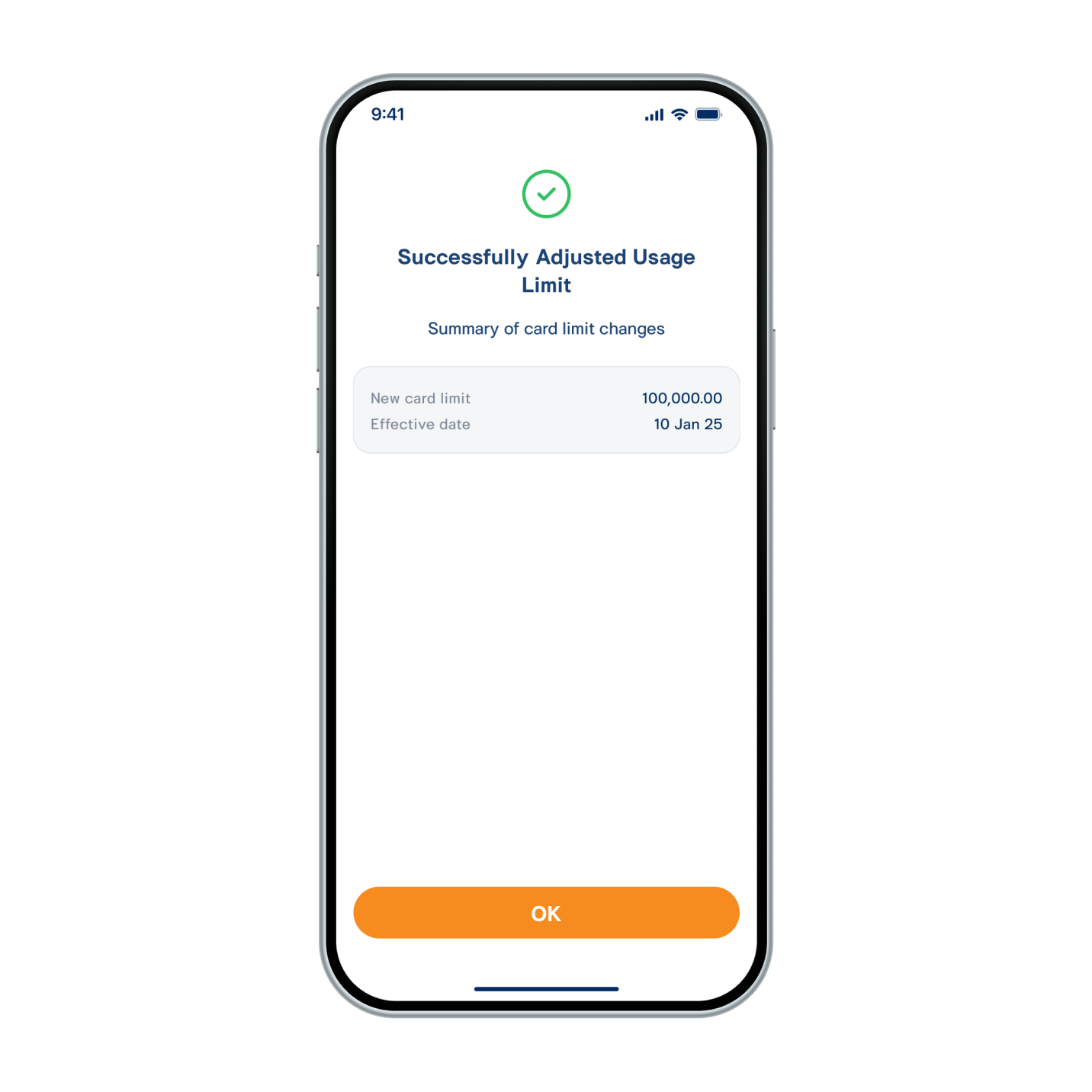
9. Limit usage has been managed successfully.