

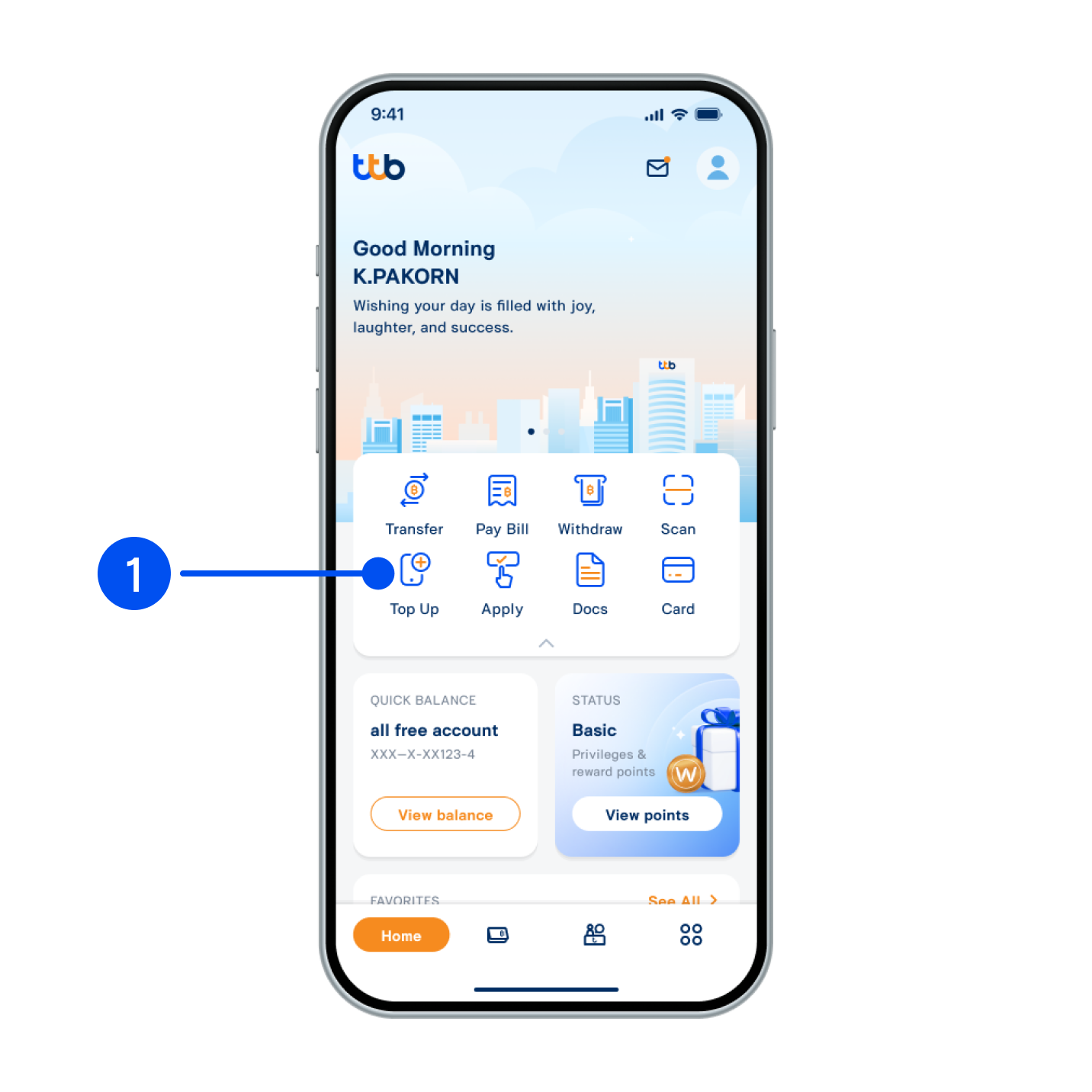
1. Select “Top up”.
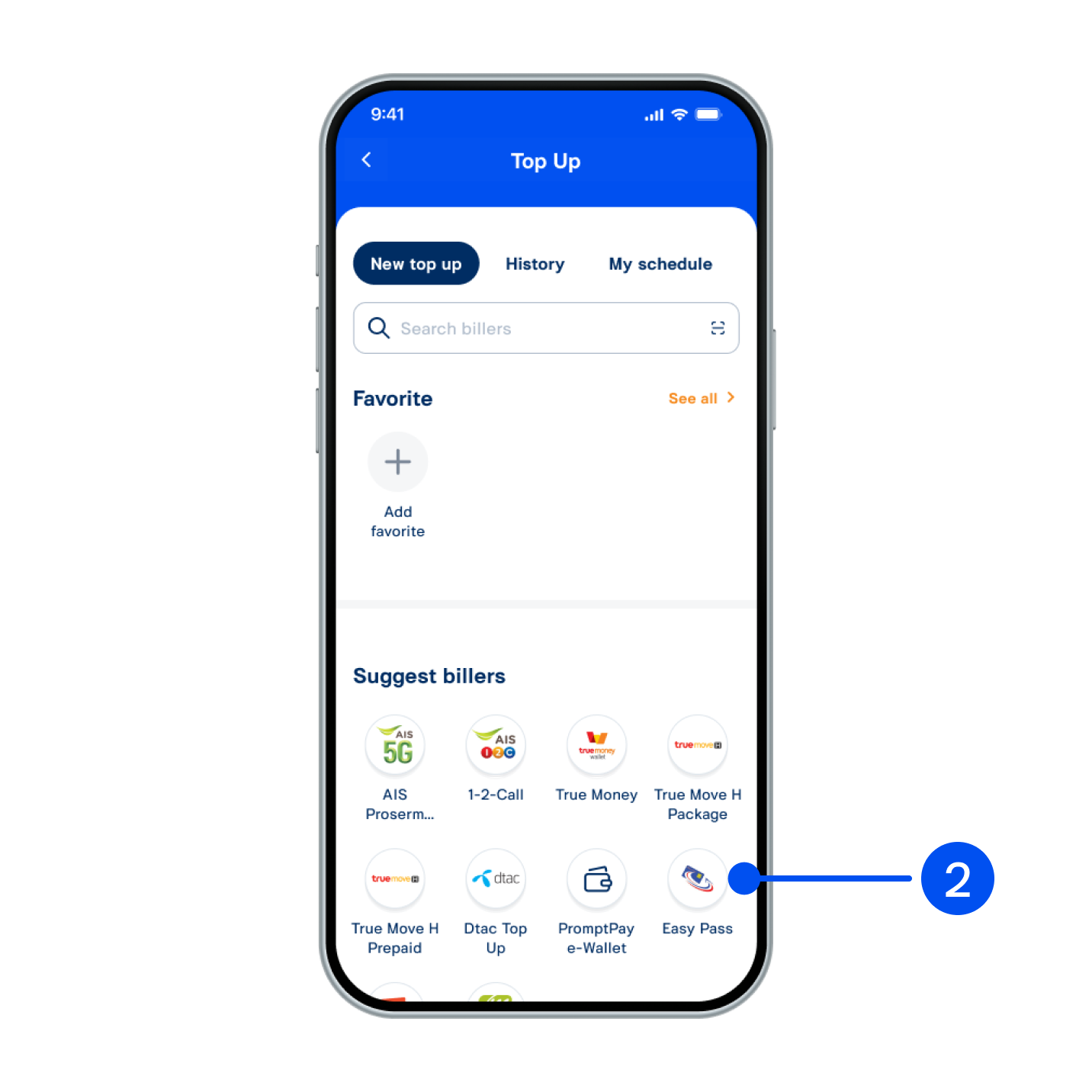
2. Select “Easy Pass”.
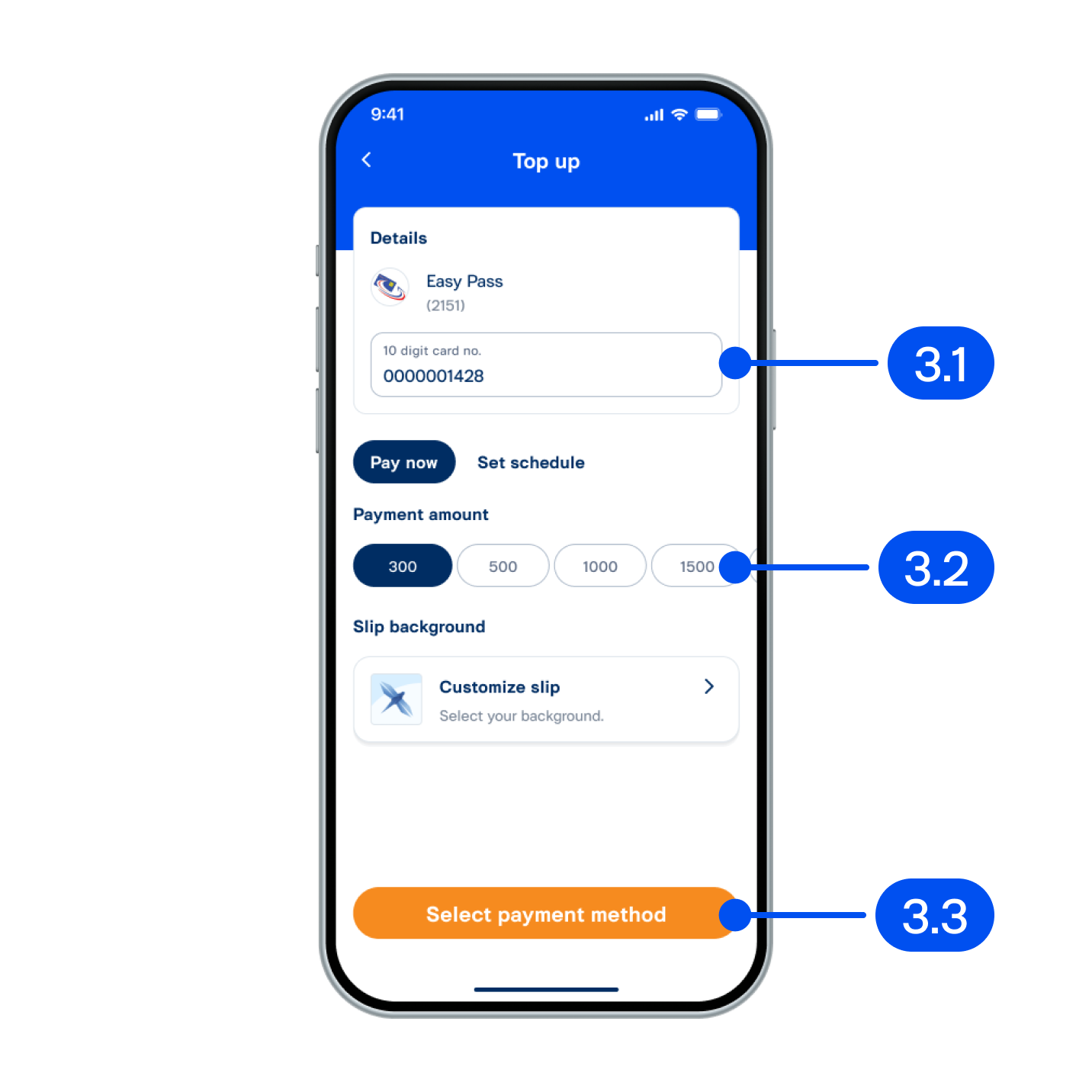
3. On “Top up” page,
3.1) Enter 10-digit Easy Pass no.
3.2) Select payment amount.
3.3) Tap “Select payment method”.
3.1) Enter 10-digit Easy Pass no.
3.2) Select payment amount.
3.3) Tap “Select payment method”.
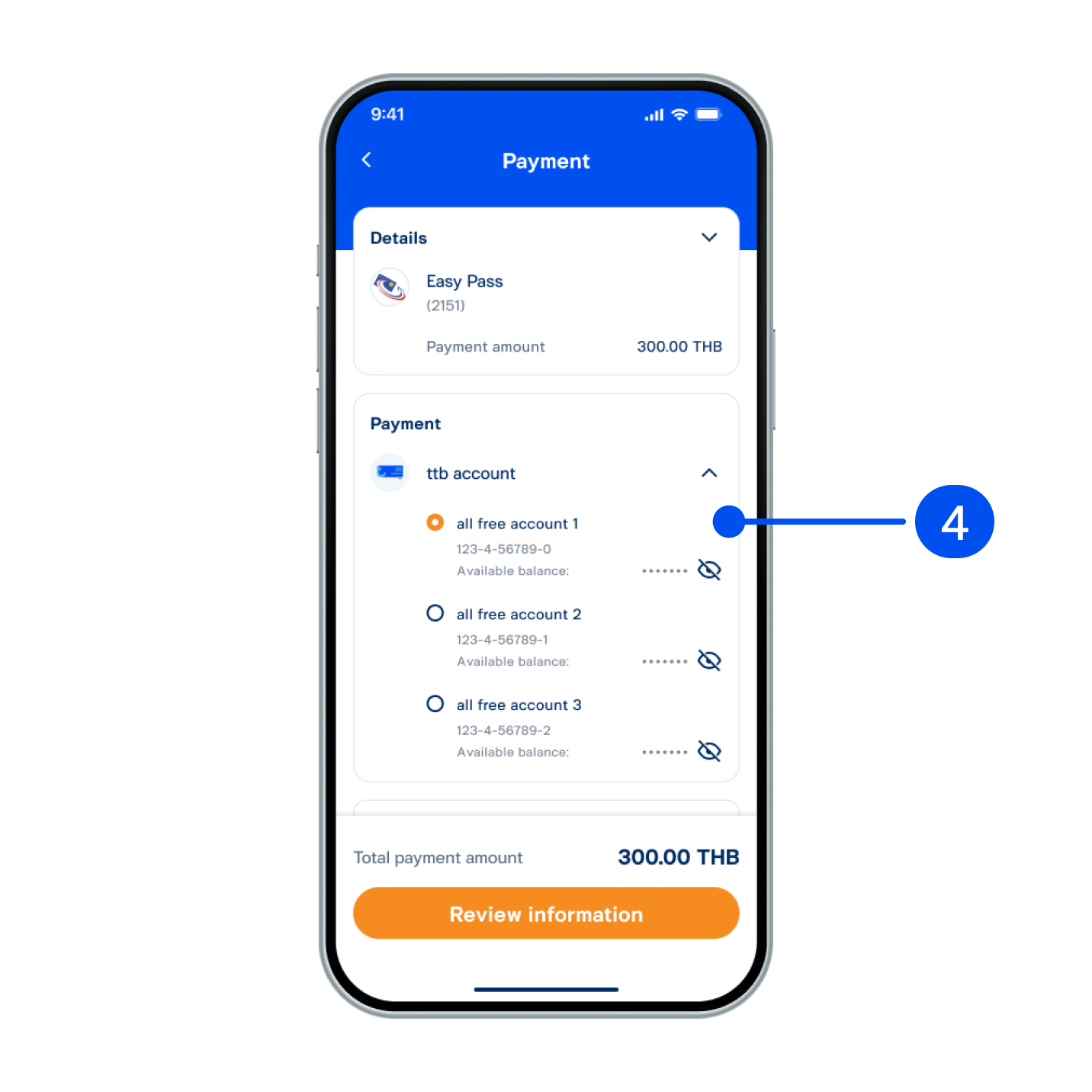
4. Select account for payment.
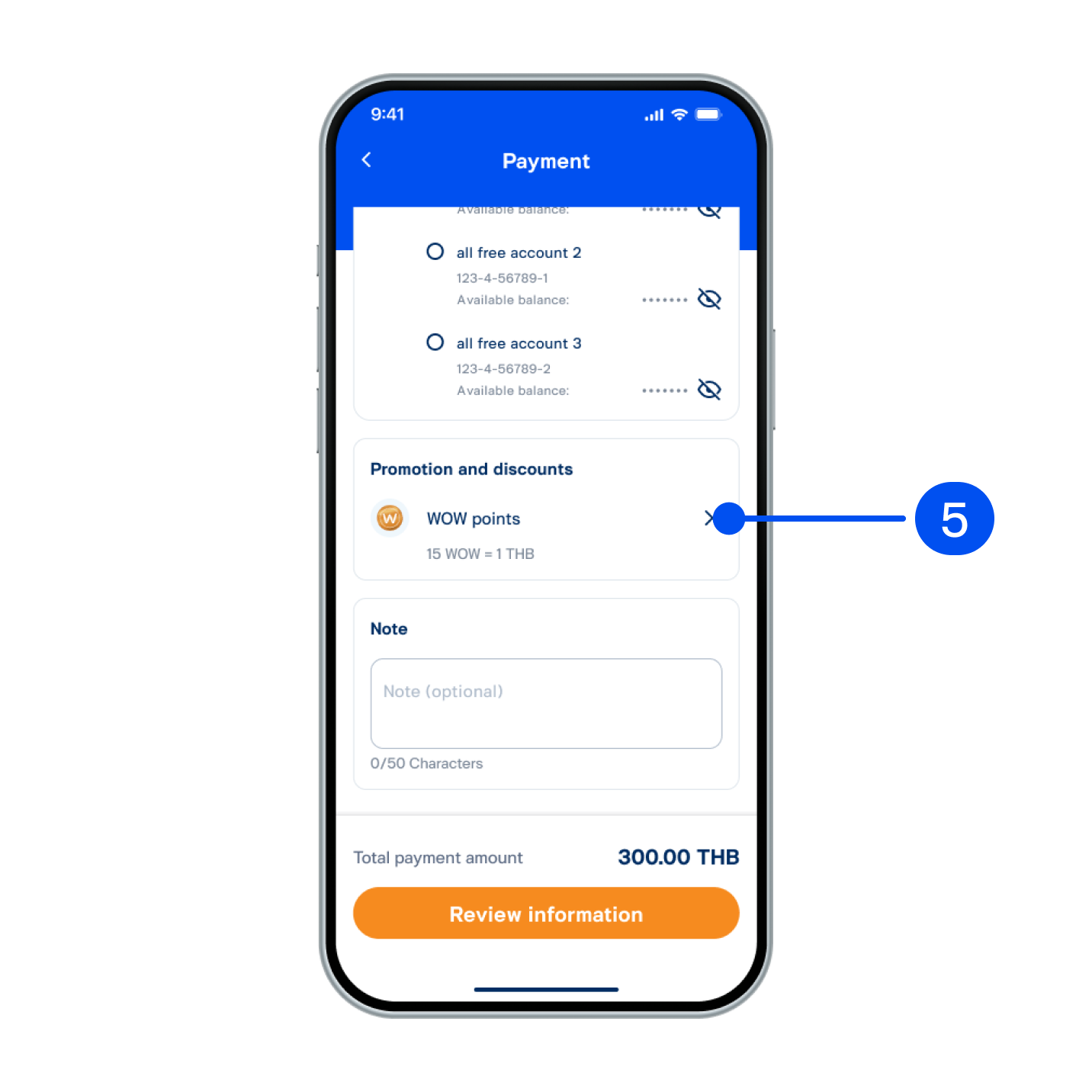
5. Select “WOW points”.
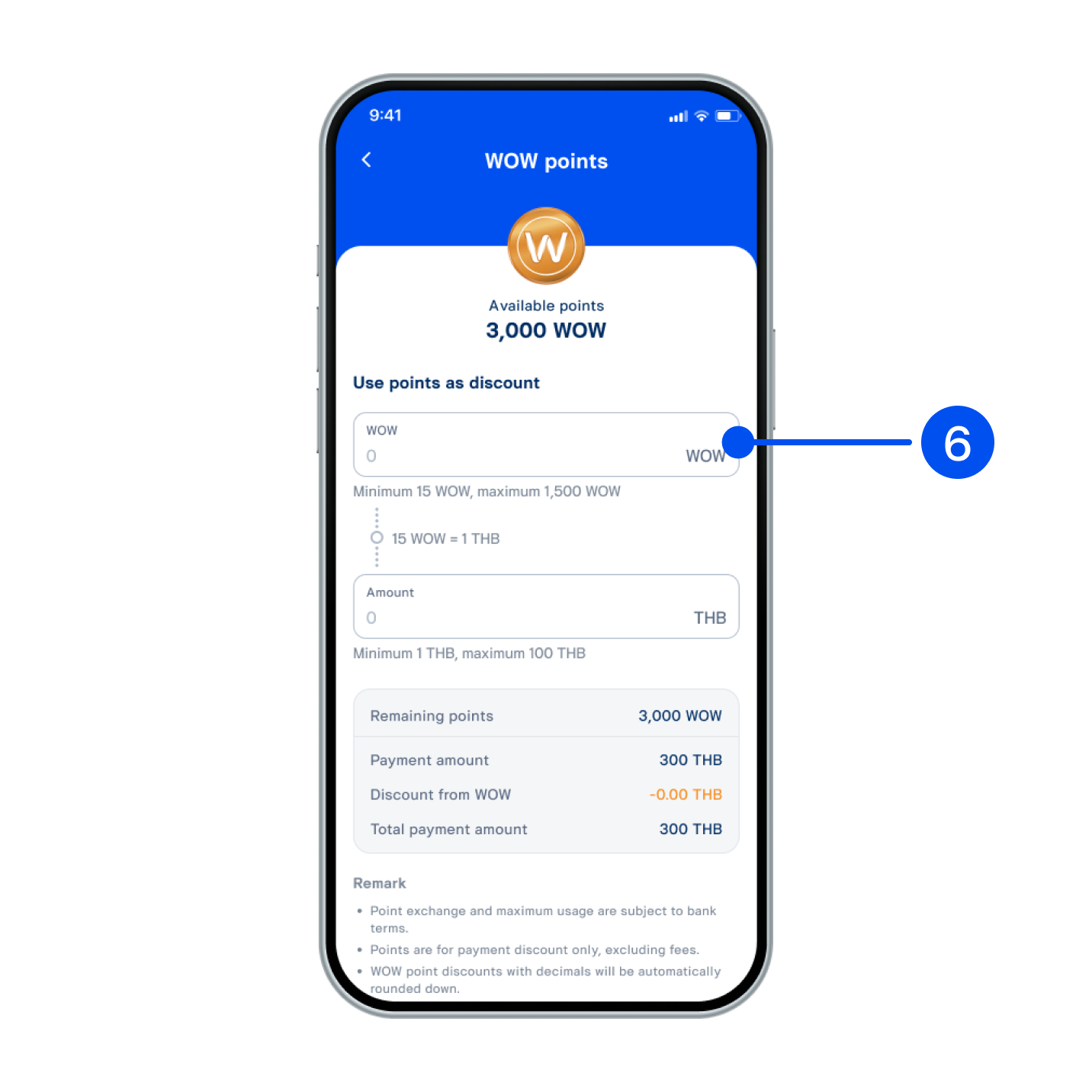
6. Enter WOW points for discount.
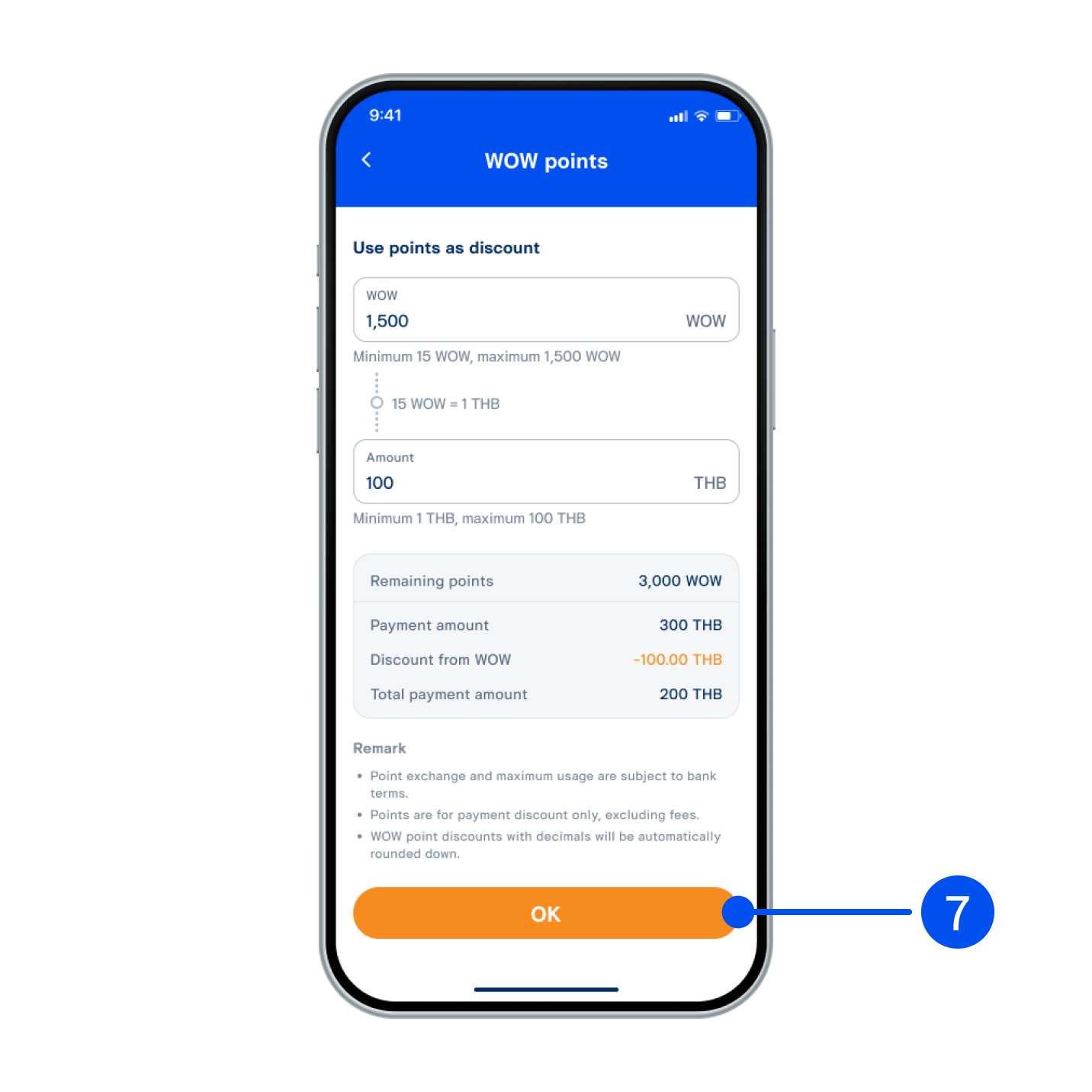
7. Review details, then select “OK”.
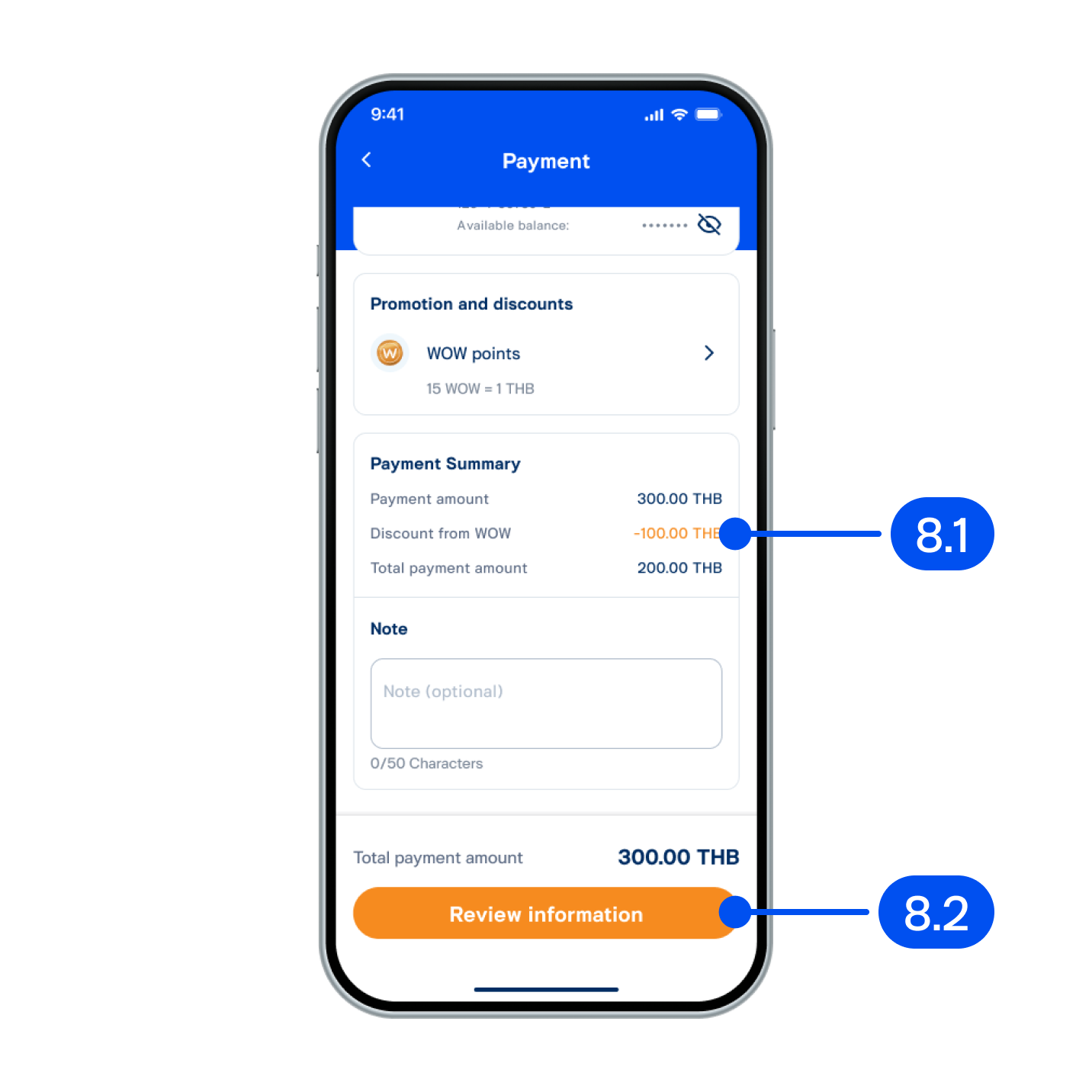
8. On "Payment" page,
8.1) Review discount amount from WOW points.
8.2 ) Select “Review information”.
8.1) Review discount amount from WOW points.
8.2 ) Select “Review information”.
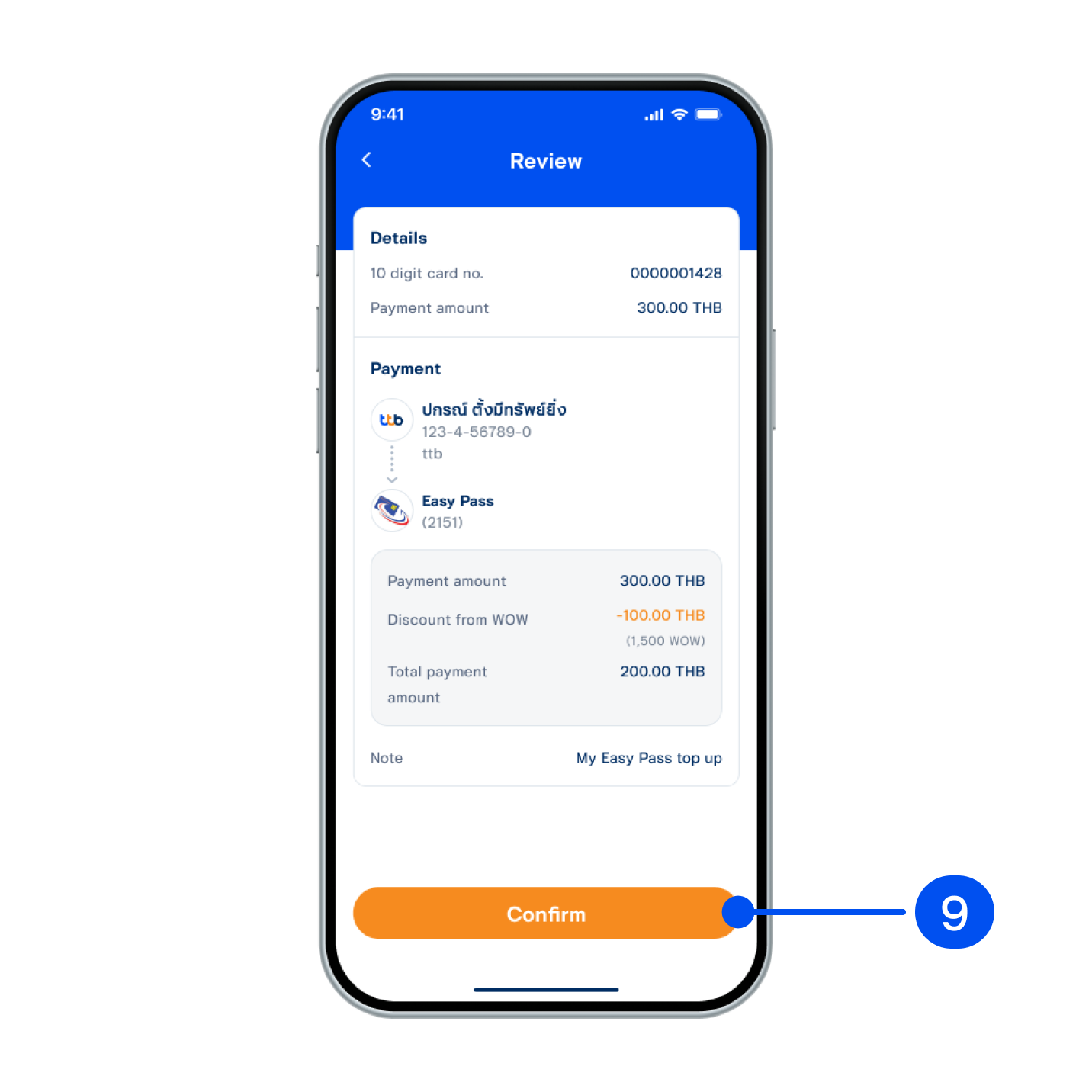
9. Review details, then select “Confirm”.
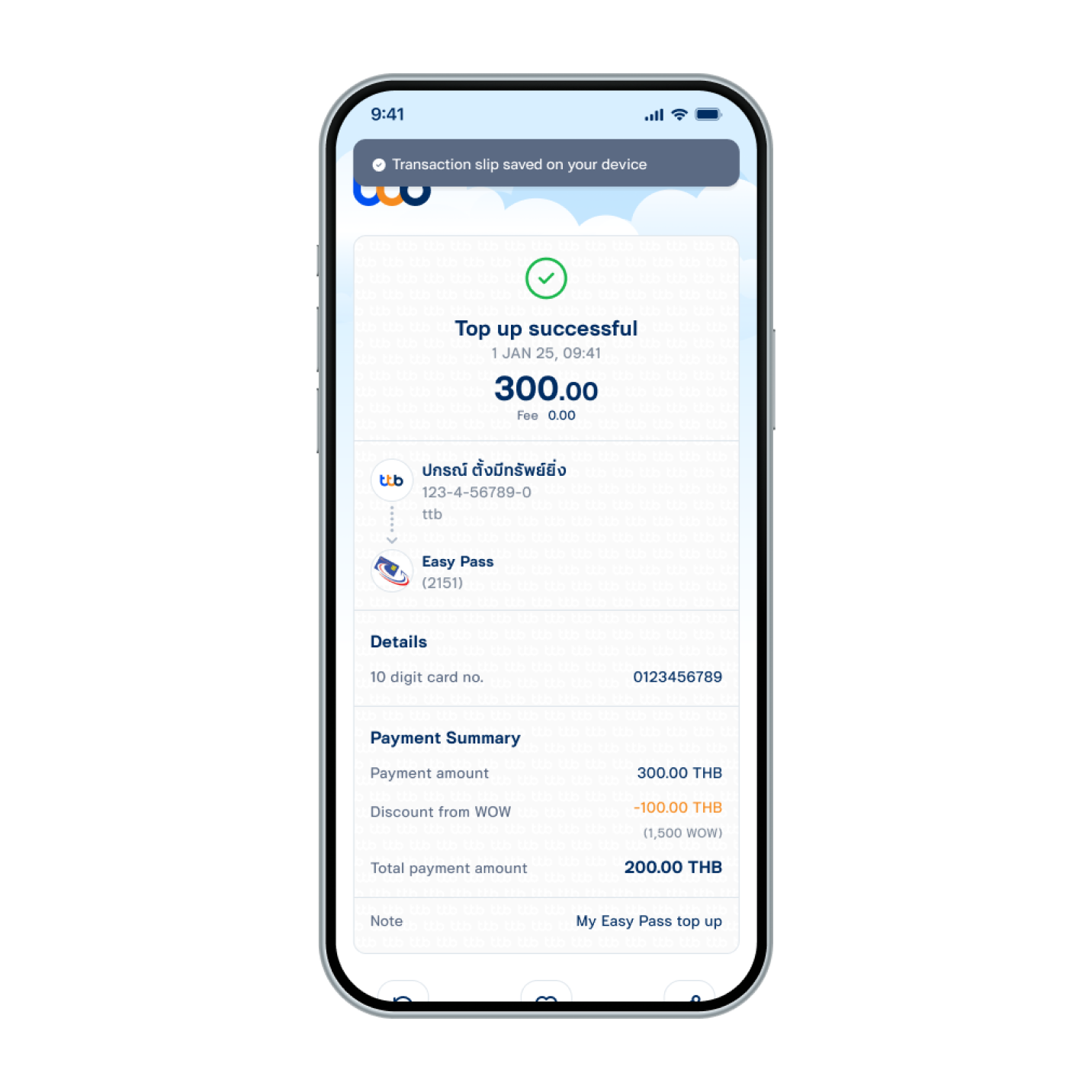
10. WOW points used as discount for Easy Pass top-up successfully.