
external-popup-close

You are being redirected to

https://www.ttbbank.com/

Proceed

View transaction history from self-designed plan

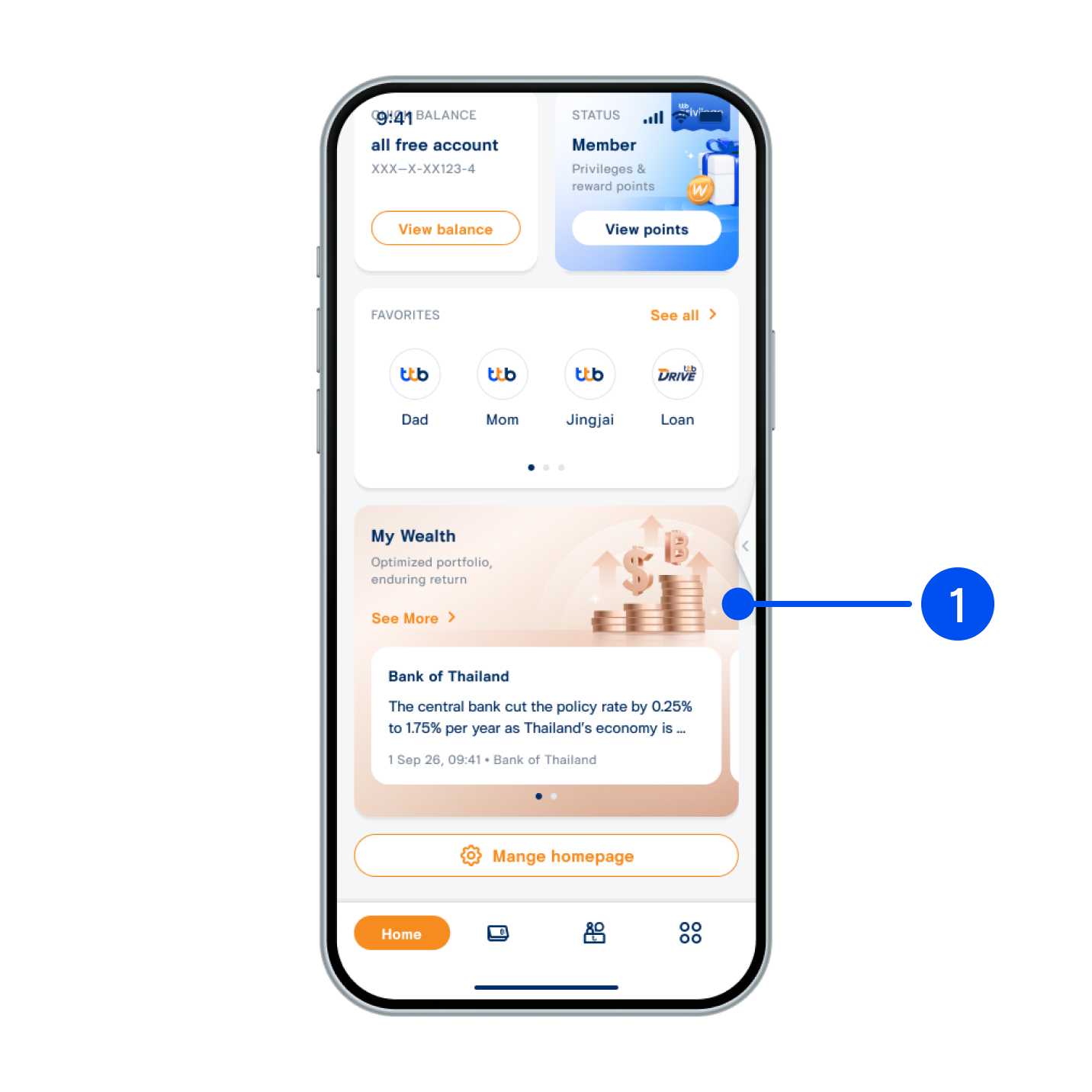
Scroll down, then select “My Wealth” widget.
1. Scroll down, then select “My Wealth” widget.
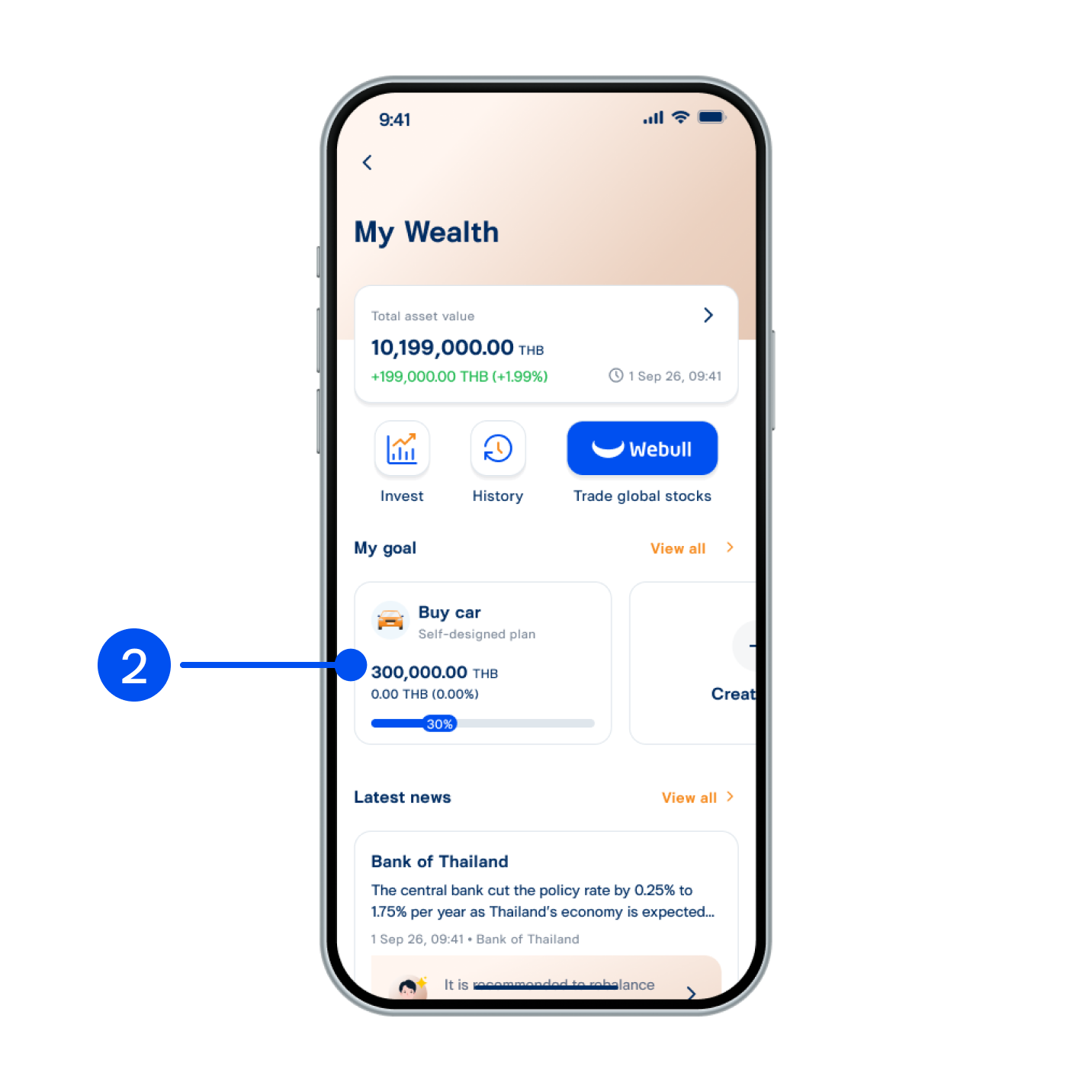
Select your goal to view transaction history.
2. Select your goal to view transaction history.
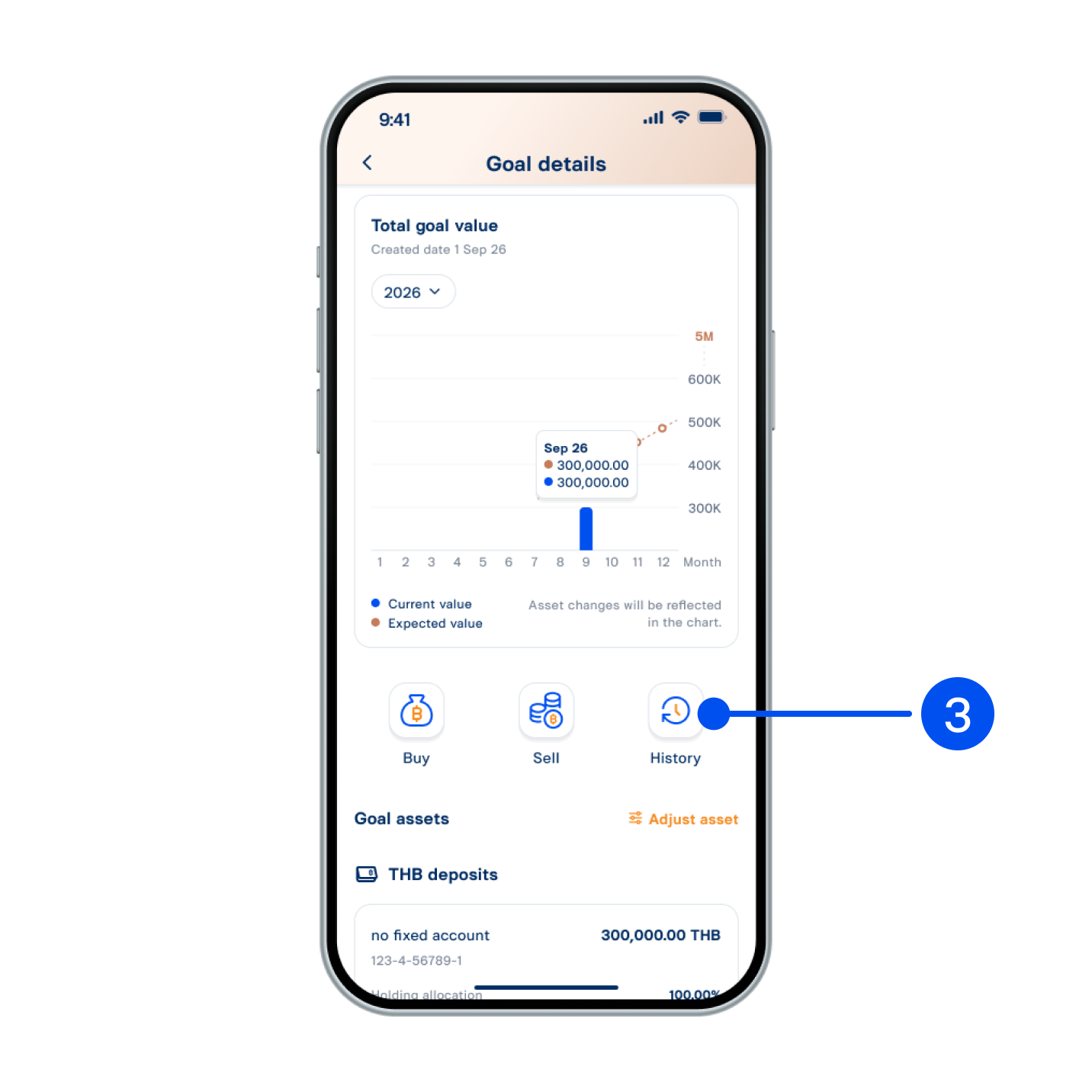
Select “History”.
3. Select “History”.
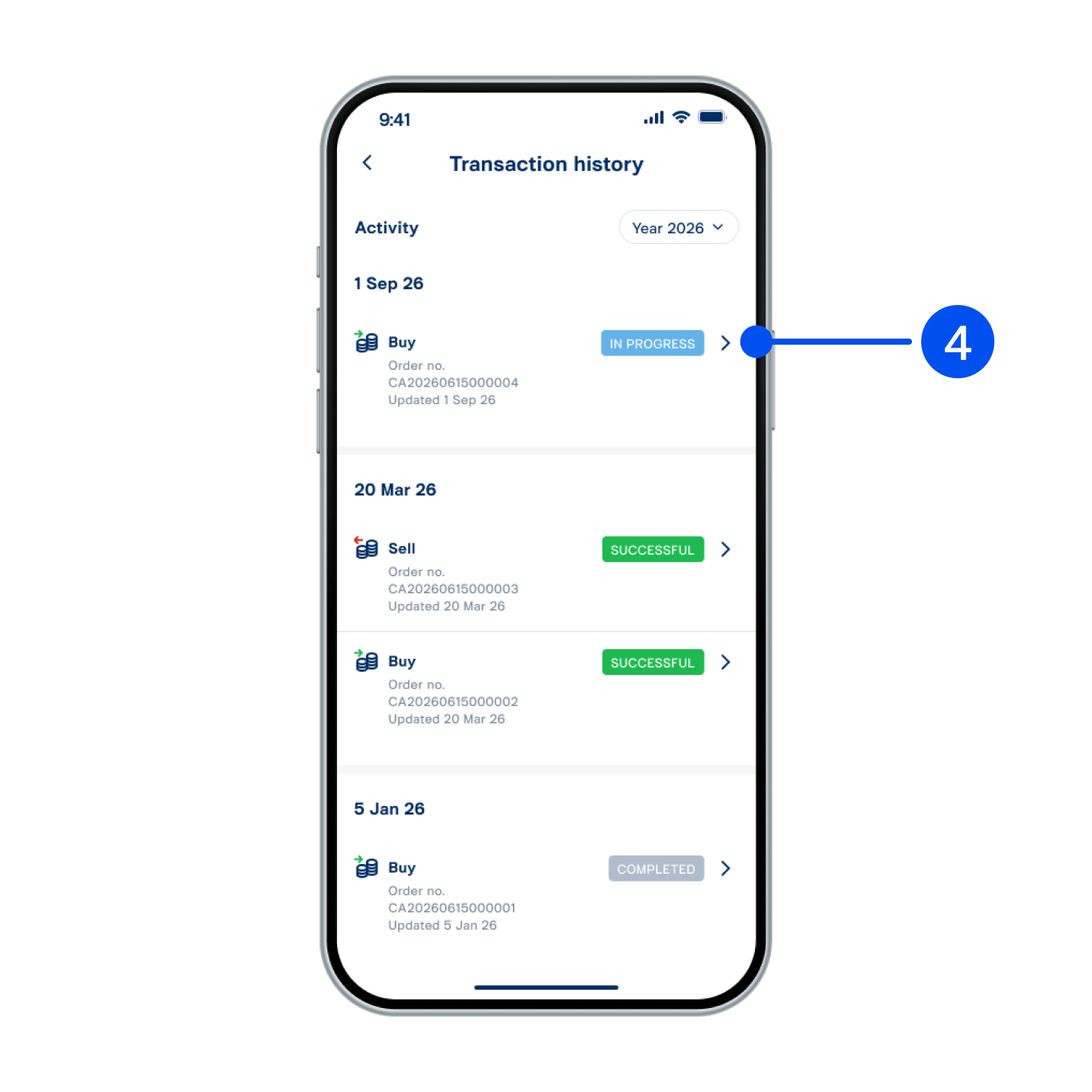
Select your preferred activity.
4. Select your preferred activity.
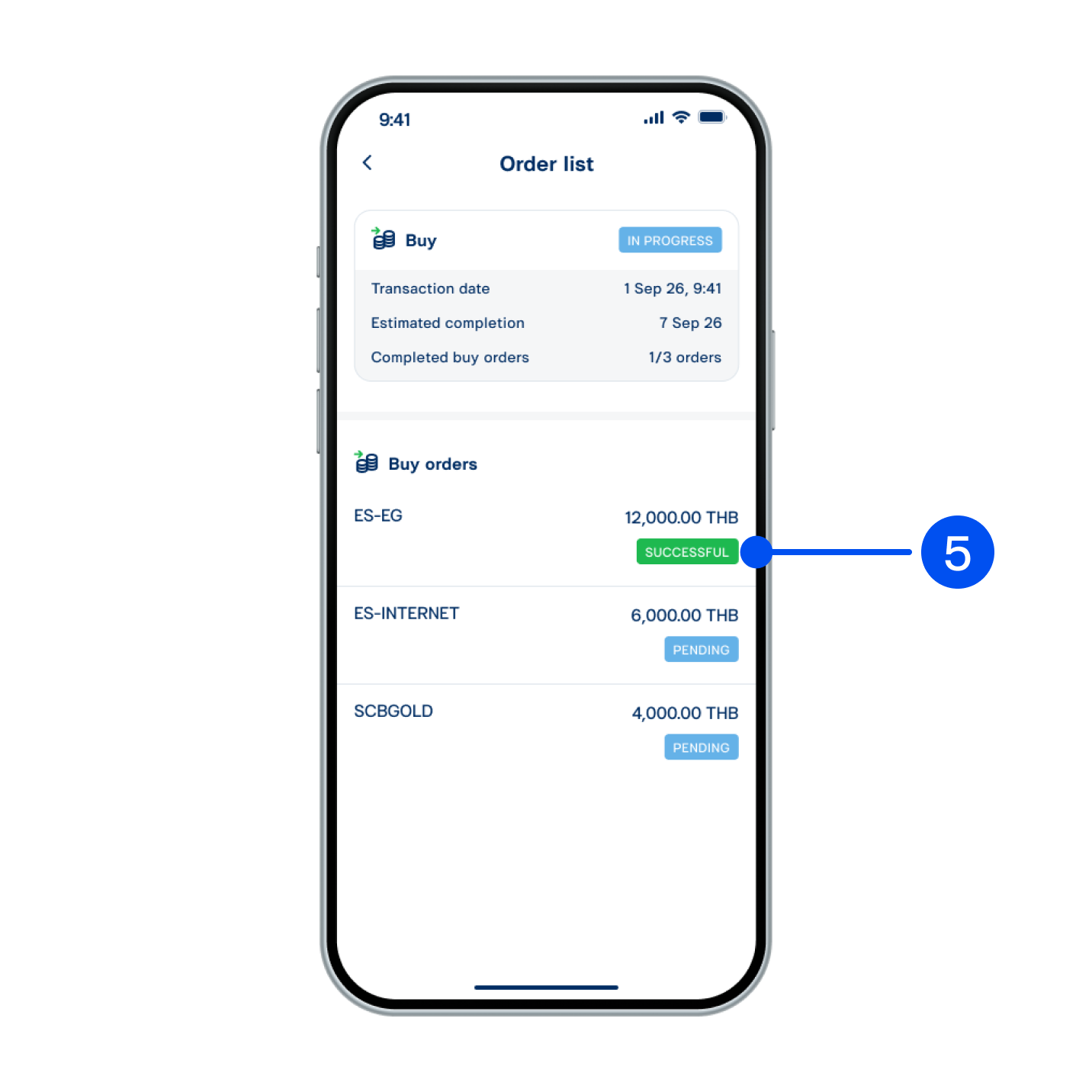
View transaction history on this page.
5. View transaction history on this page.