

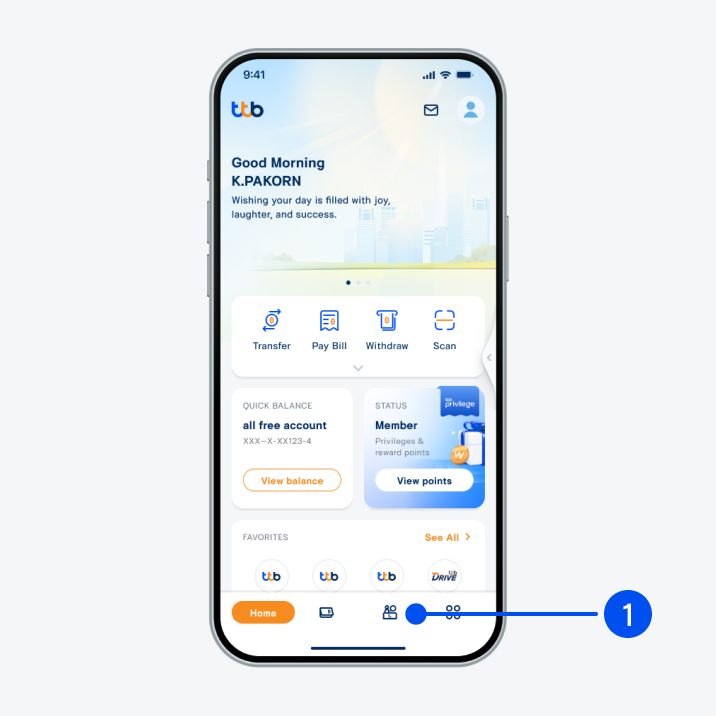
1. Select “Service”, the 3rd menu from the bottom.
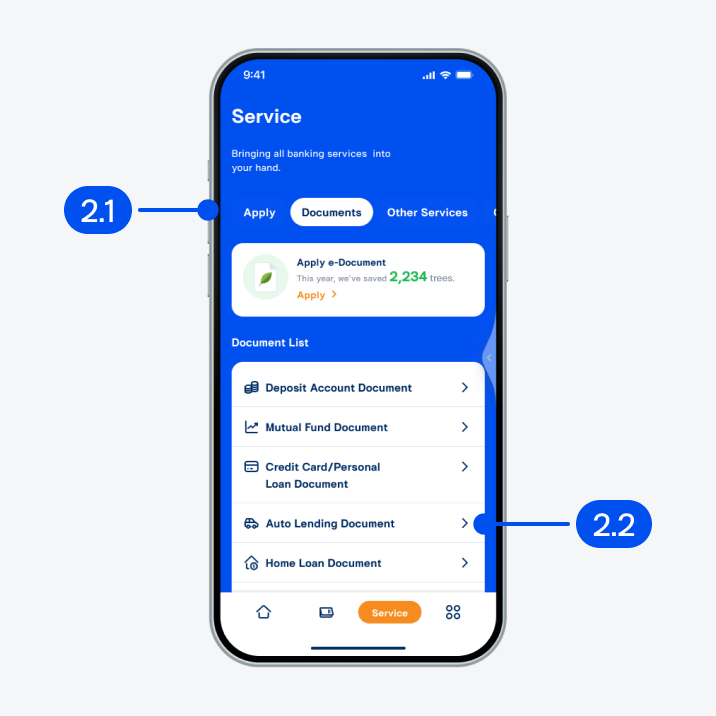
2. On “Service” page,
2.1) Select “Documents”.
2.2) Select “Auto lending document”.
2.1) Select “Documents”.
2.2) Select “Auto lending document”.
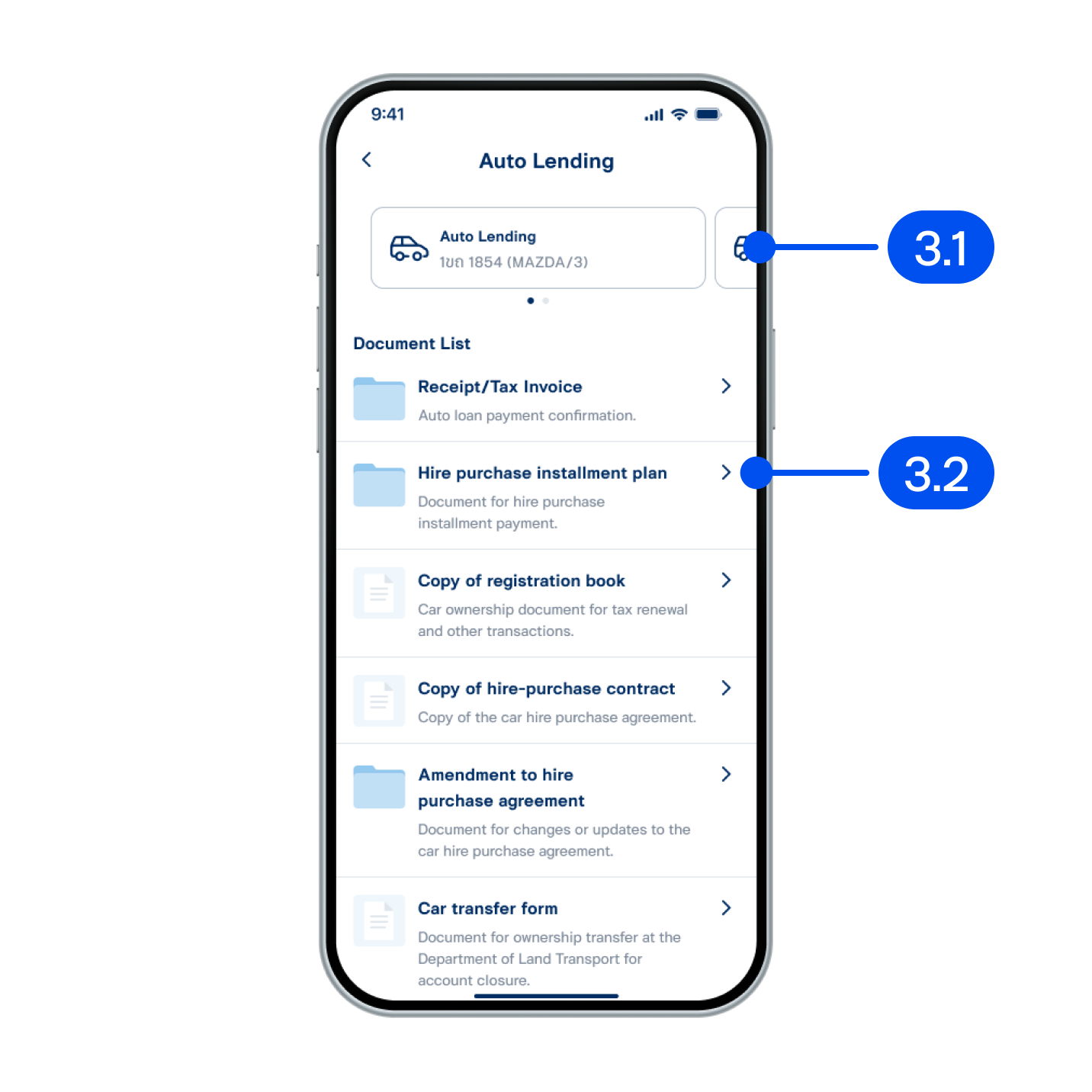
3. On “Auto lending” page,
3.1) Select auto lending to view details.
3.2) Select “Hire purchase installment plan”.
3.1) Select auto lending to view details.
3.2) Select “Hire purchase installment plan”.
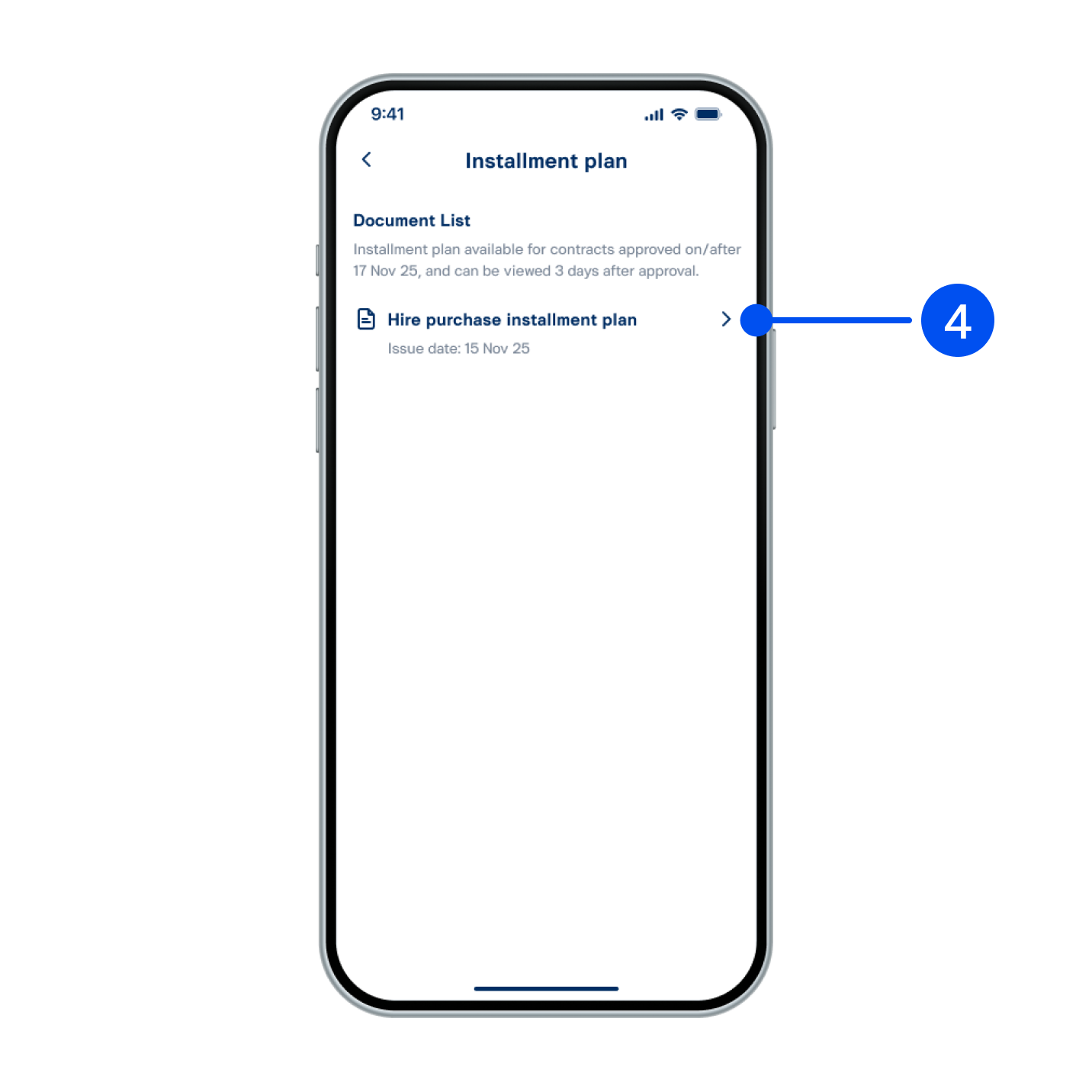
4. Select document list you want to view.
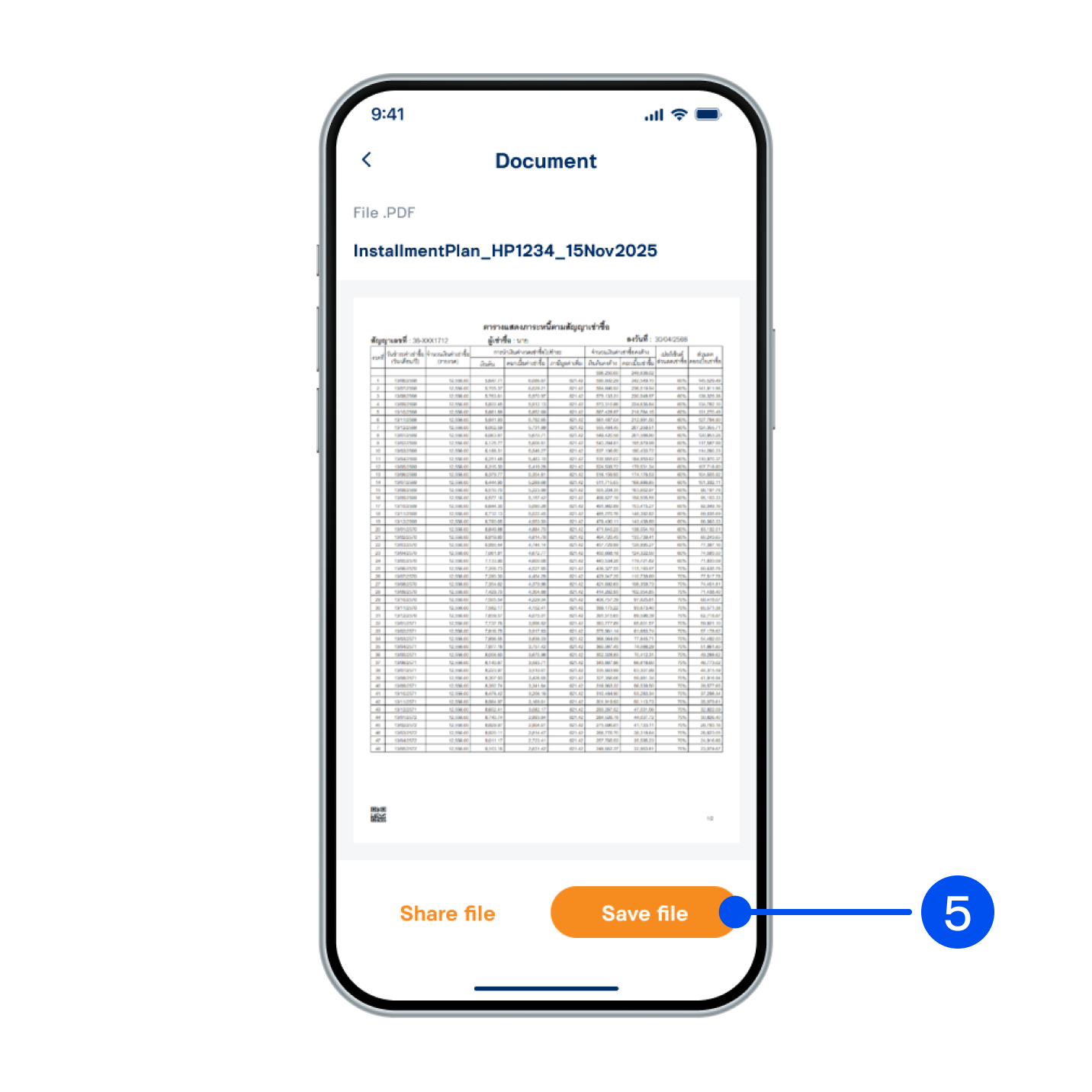
5. Document will be displayed. You can save or share the file.