

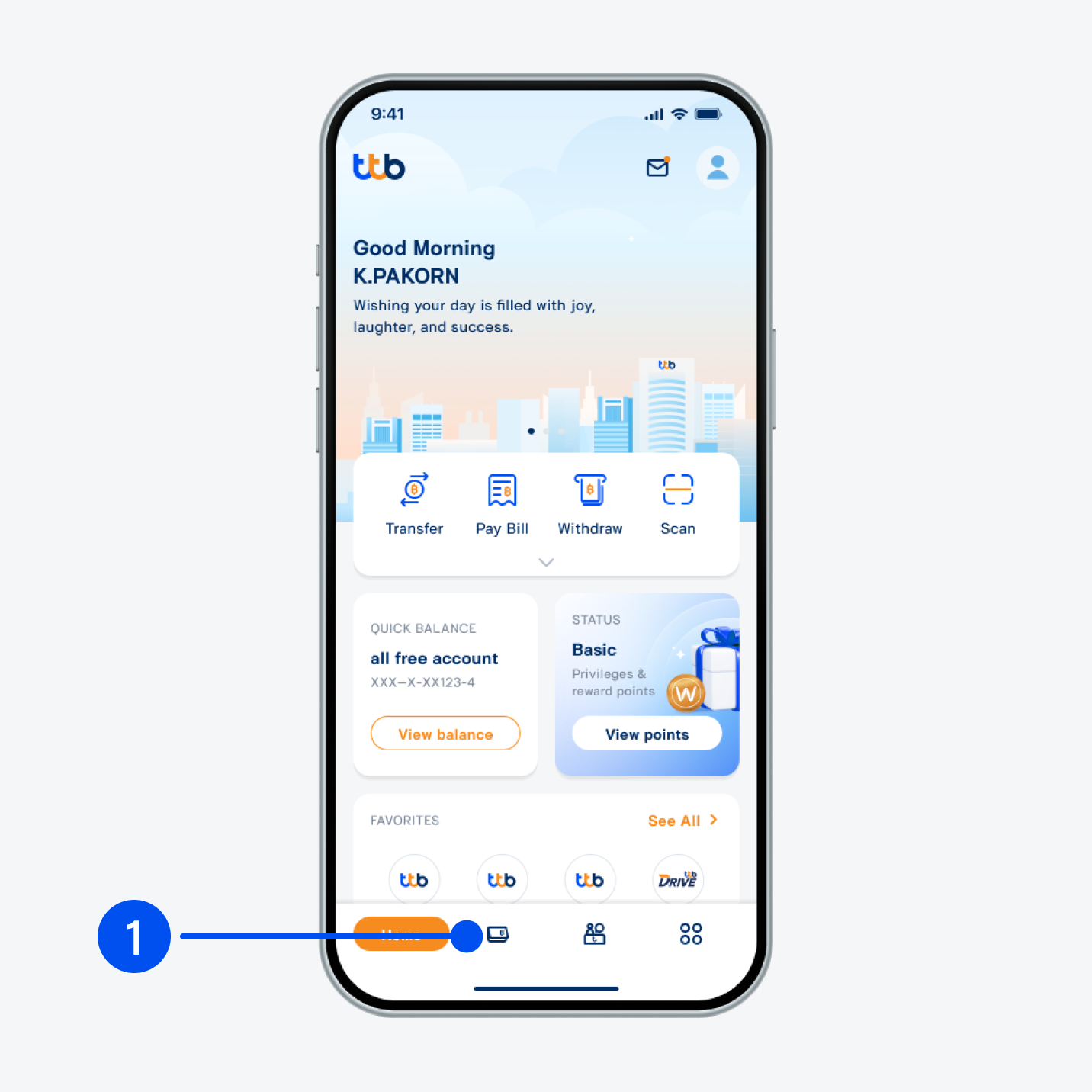
1. Select “Account”, the 2nd menu from the bottom.
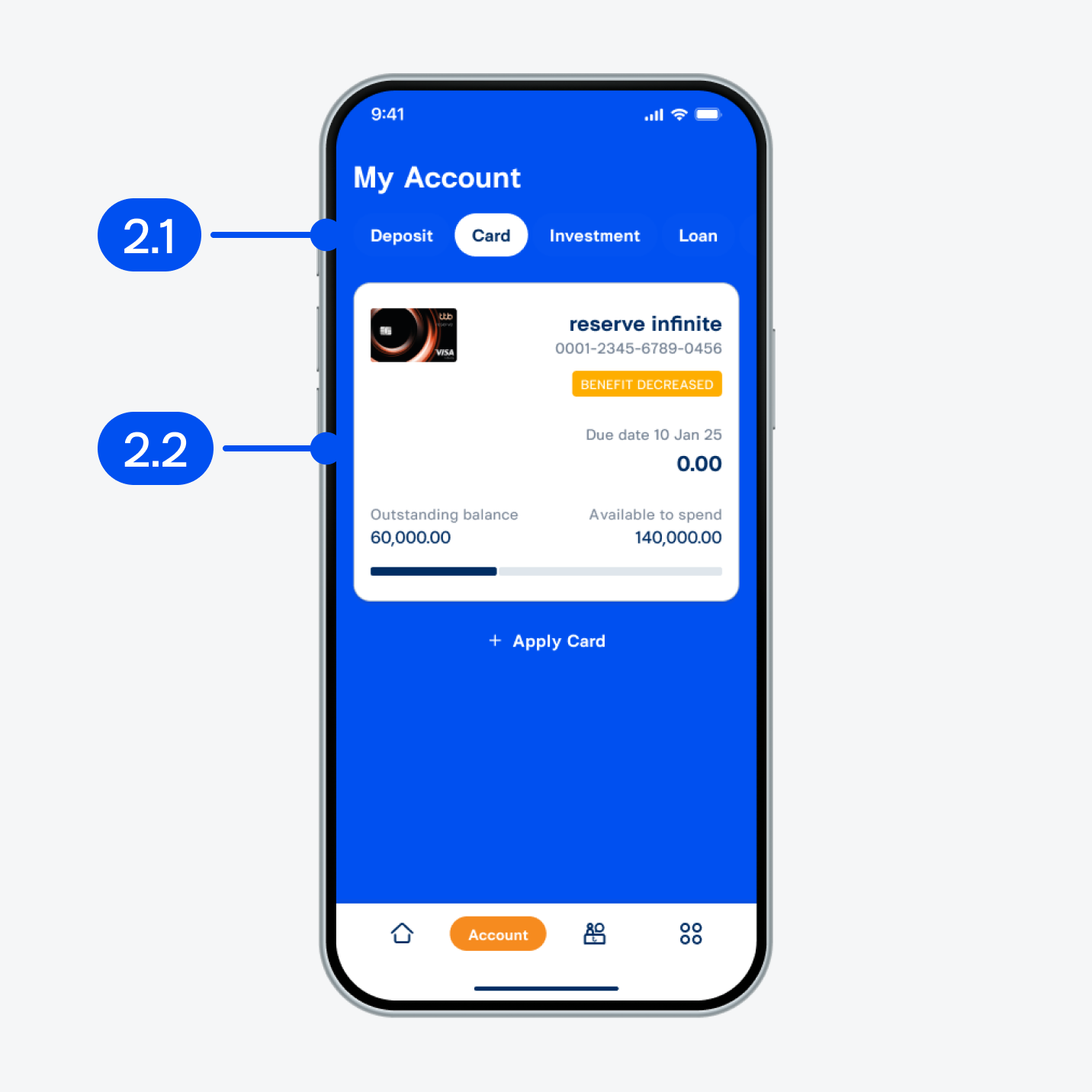
2. From “My account” page,
2.1) Select “Card” tab at the top.
2.2) Select “reserve infinite” or “reserve signature” with BENEFIT DECREASED status.
2.1) Select “Card” tab at the top.
2.2) Select “reserve infinite” or “reserve signature” with BENEFIT DECREASED status.
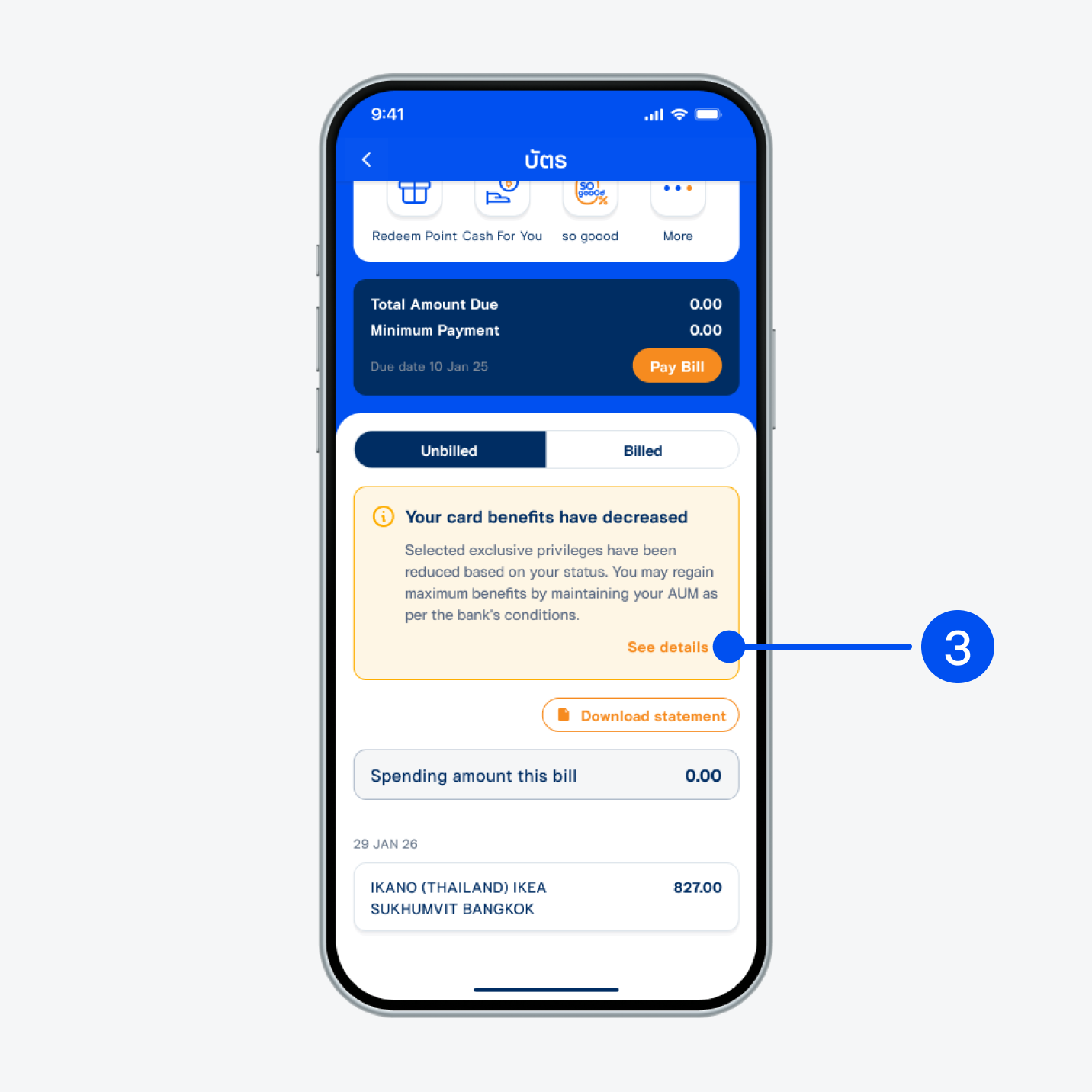
3. Select “See details”.
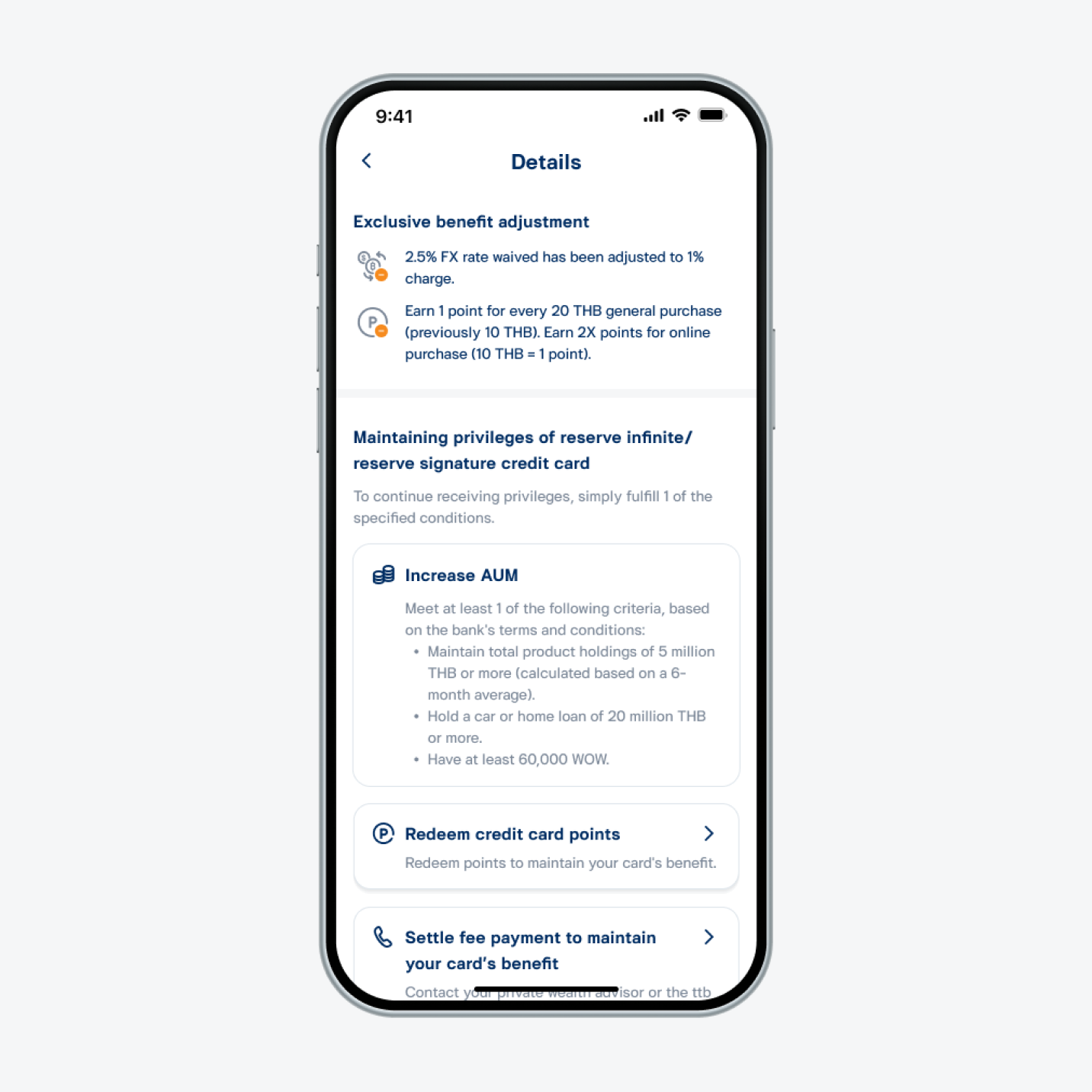
4. Read benefit adjustment details and select 1 of these options to maintain your benefits:
- Increase AUM.
- Redeem credit card points.
- Settle fee payment.