

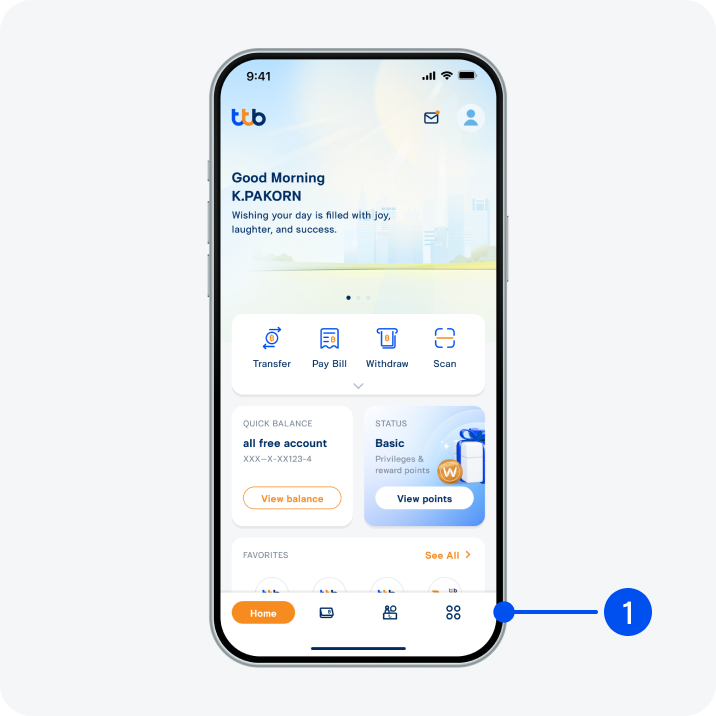
1. Select menu “More”, the 4th menu from the bottom.
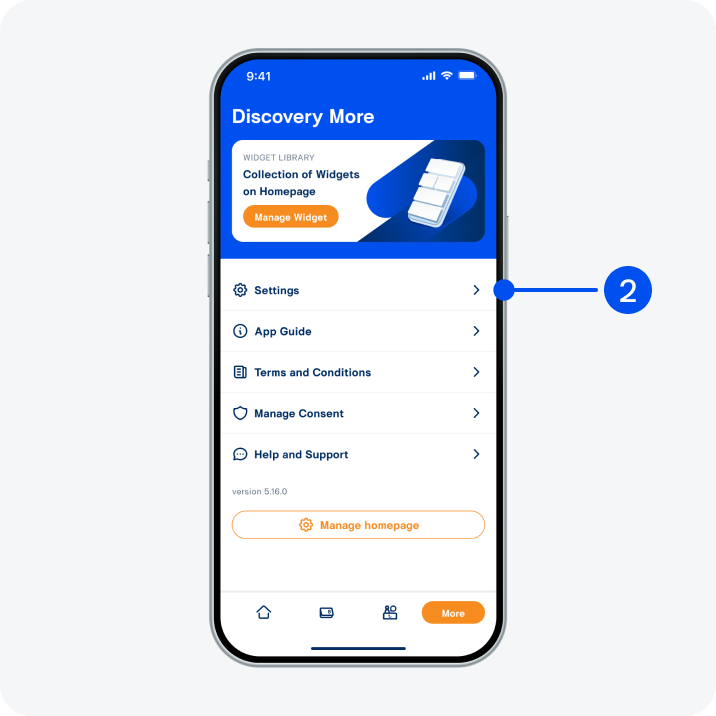
2. Select “Settings”.
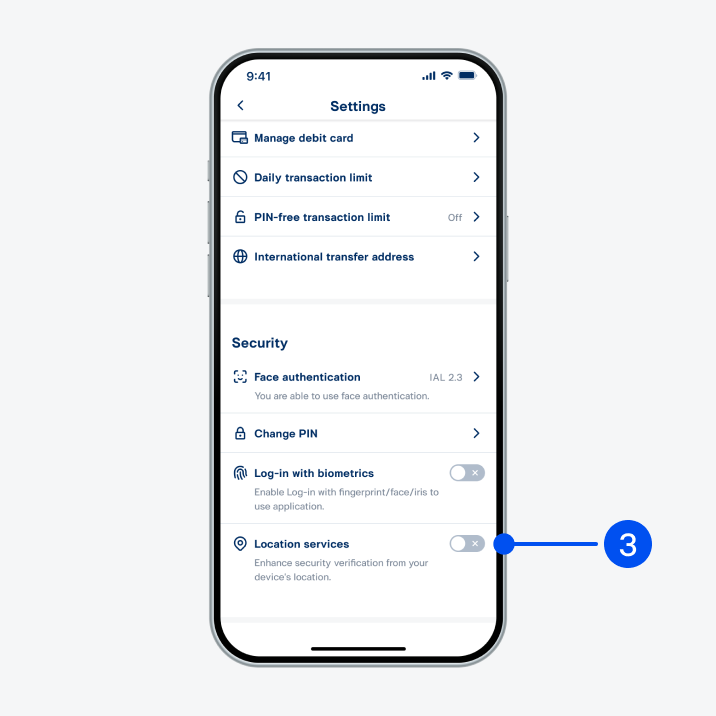
3. Turn on “Location services”.
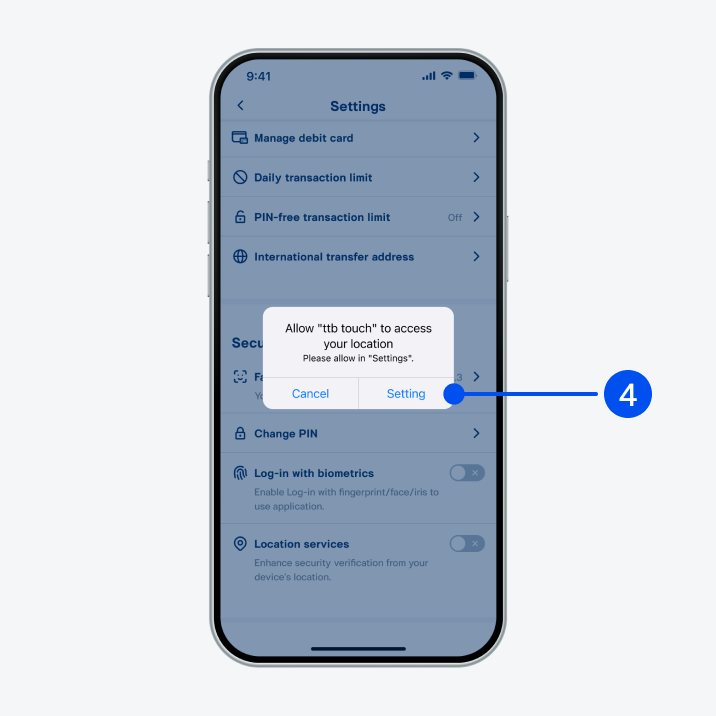
4. Select “Setting”.
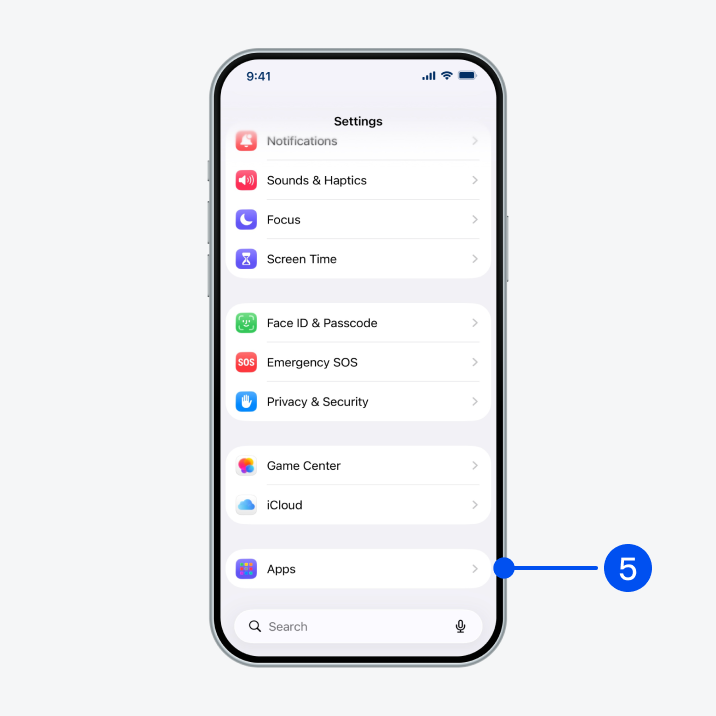
5. Select “Apps”.
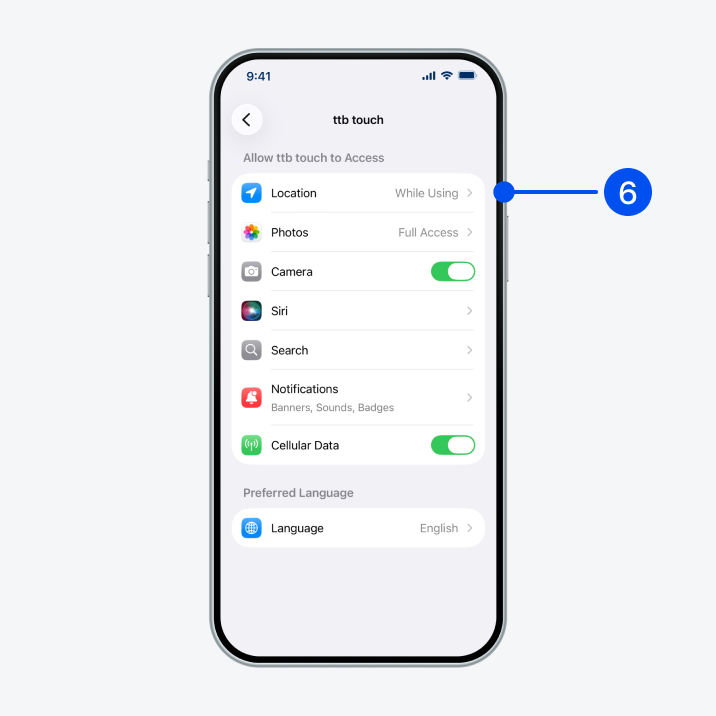
6. Select “ttb touch”, then select “Location”.
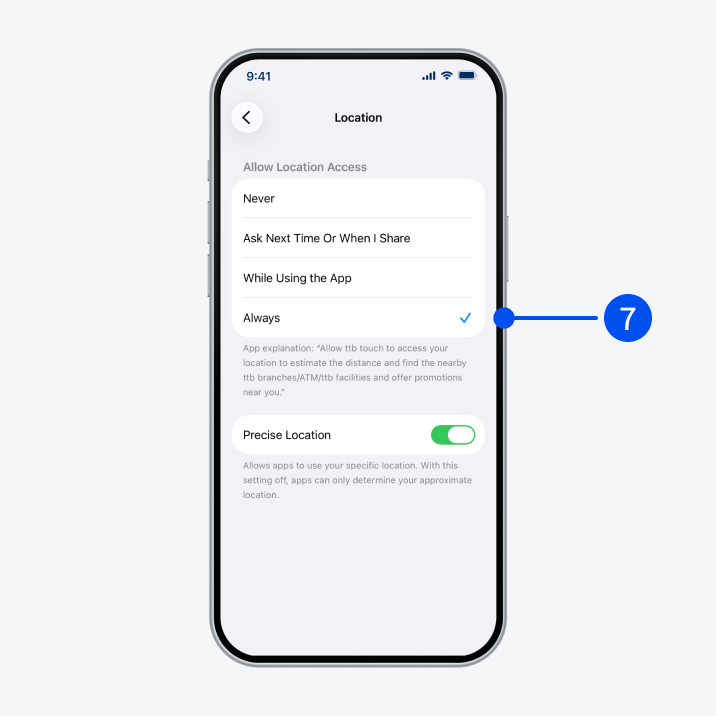
7. Select “While Using the App” or “Always” to allow app to access your location more precisely.
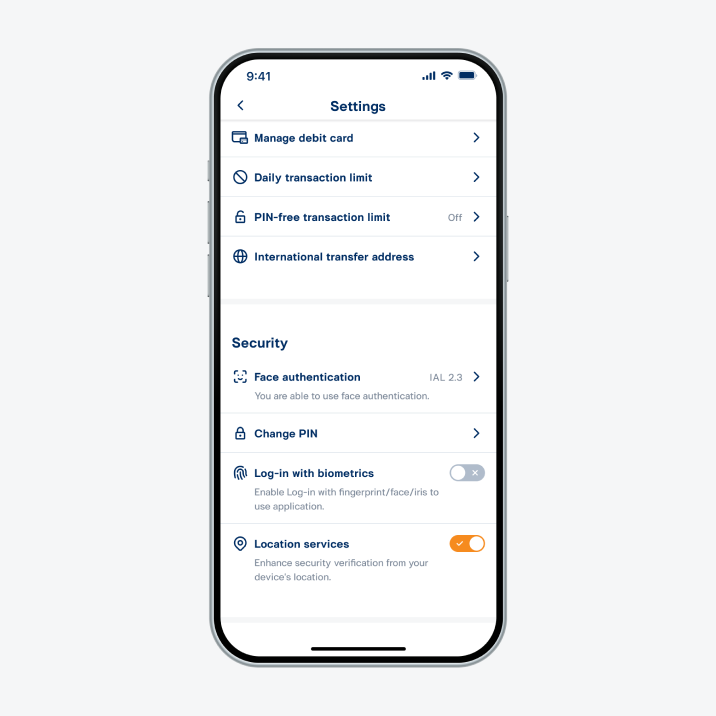
8. Location services turned on successfully.