external-popup-close

You are being redirected to

https://www.ttbbank.com/

Proceed

Transfer by sharing QR code

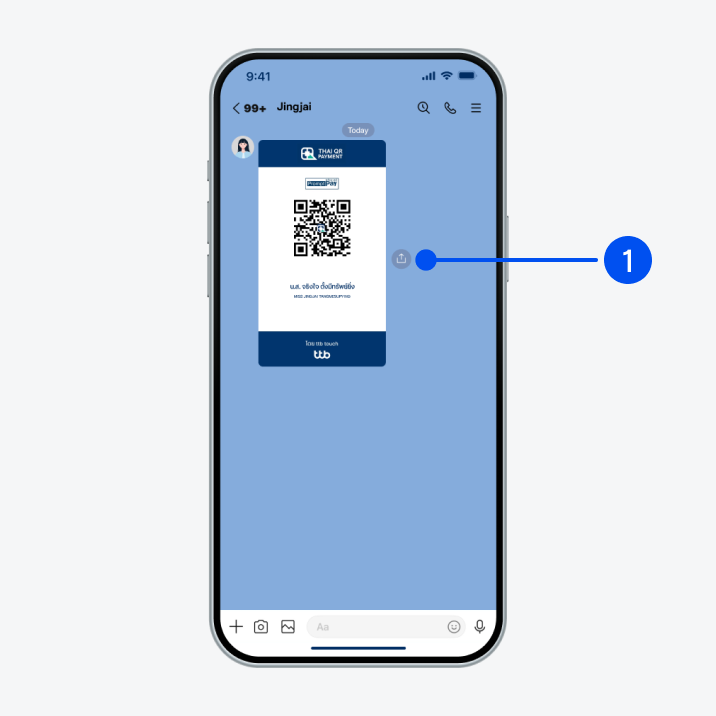
Open LINE, select QR code, then select “Share” icon.
1. Open LINE, select QR code, then select “Share” icon.
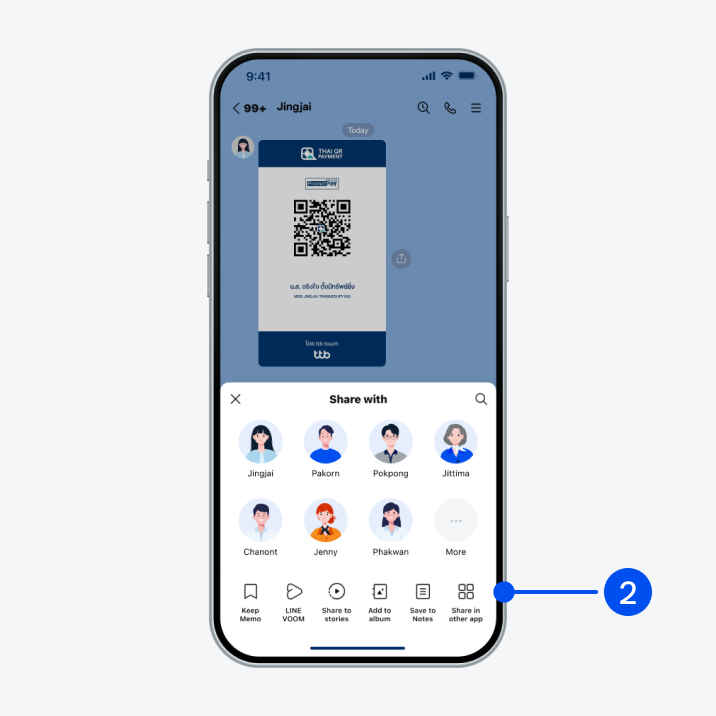
Select “Share in other app”.
2. Select “Share in other app”.
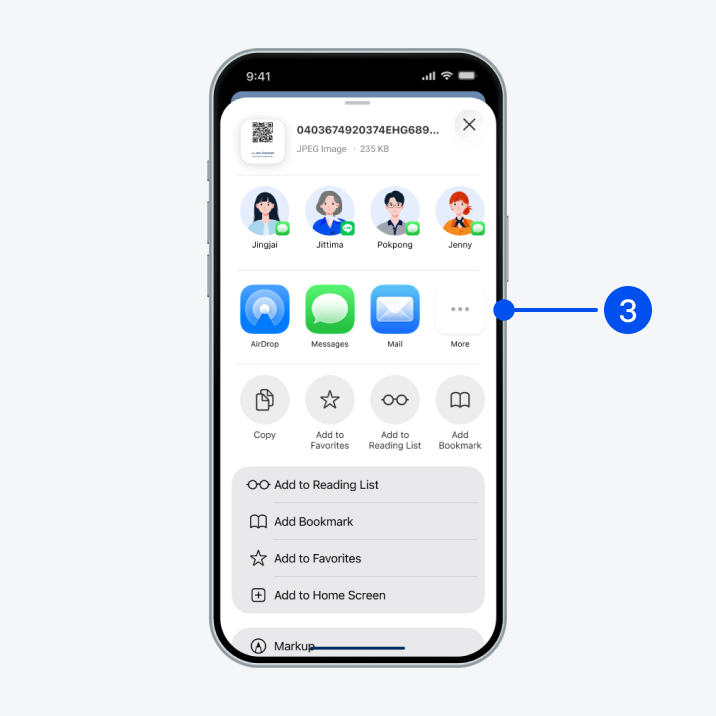
Select “More”.
3. Select “More”.
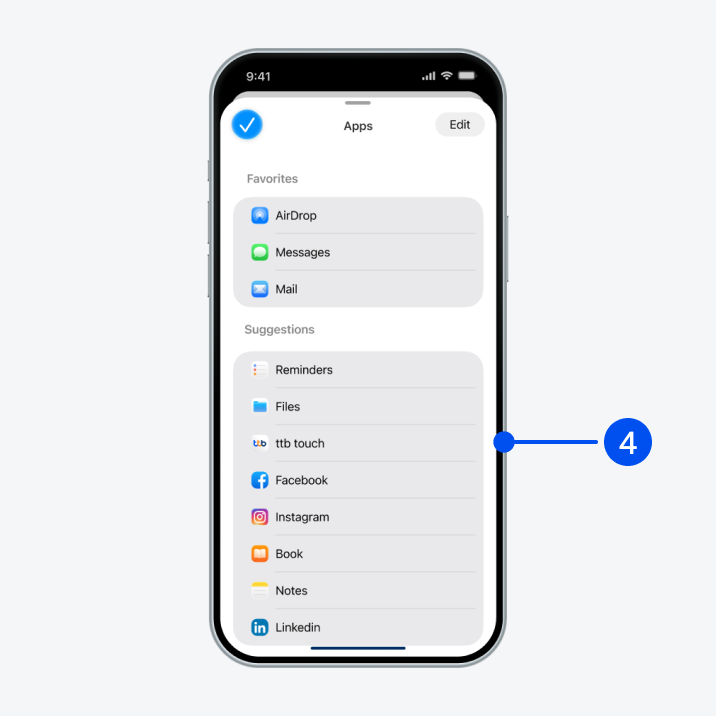
Select “ttb touch”.
4. Select “ttb touch”.
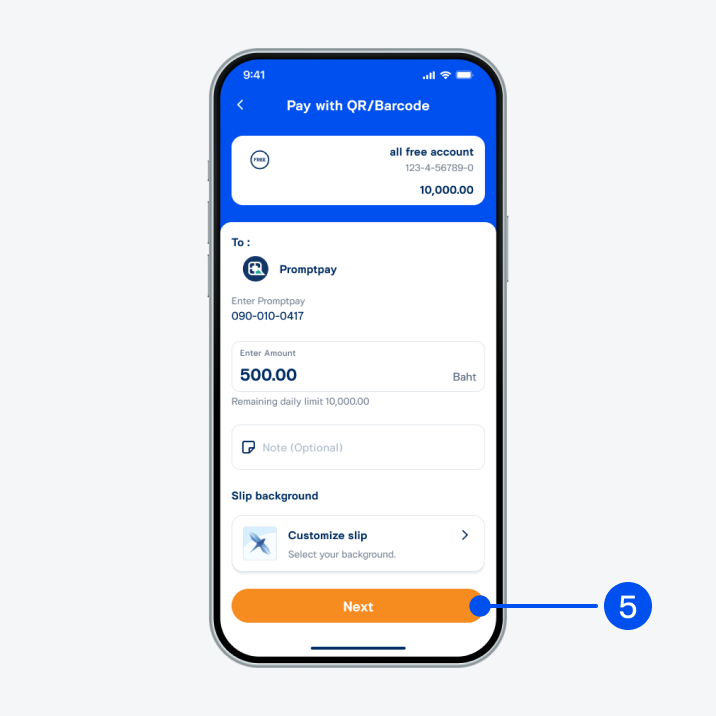
Enter amount to transfer and select “Next”.
5. Enter amount to transfer and select “Next”.
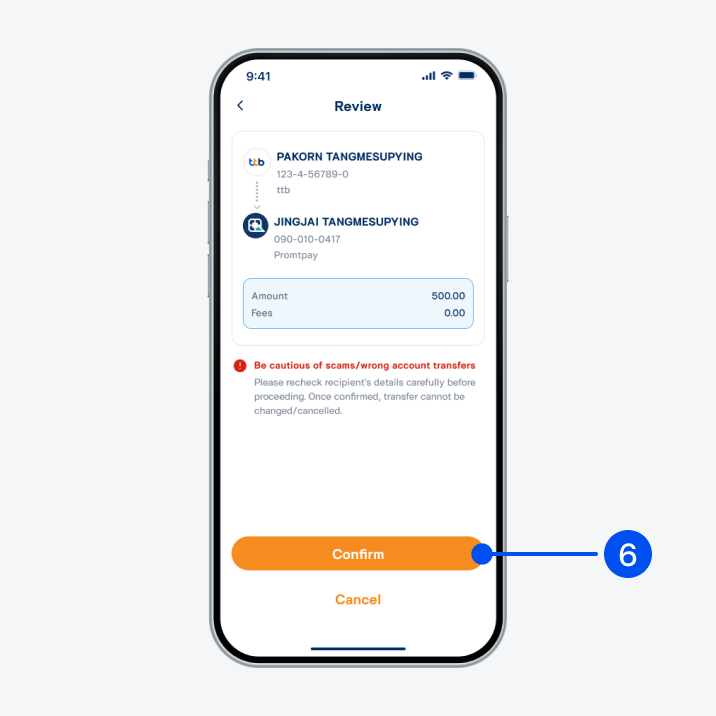
Review information and select “Confirm”.
6. Review information and select “Confirm”.
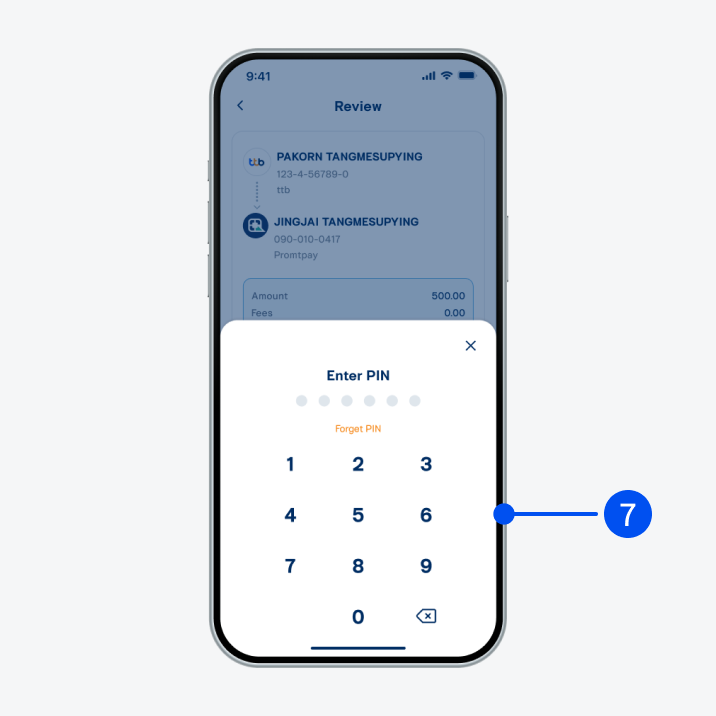
Enter PIN to confirm.
7. Enter PIN to confirm.
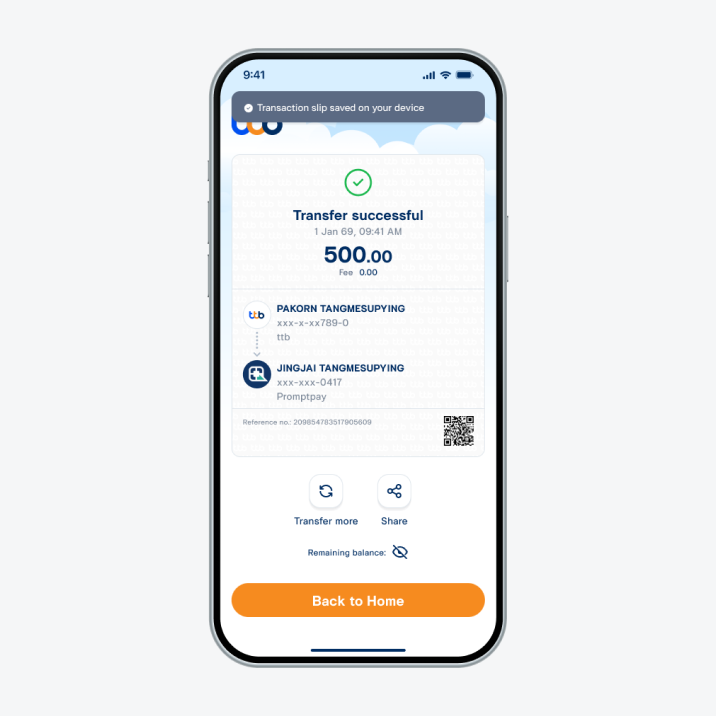
Transfer successful.
8. Transfer successful.