

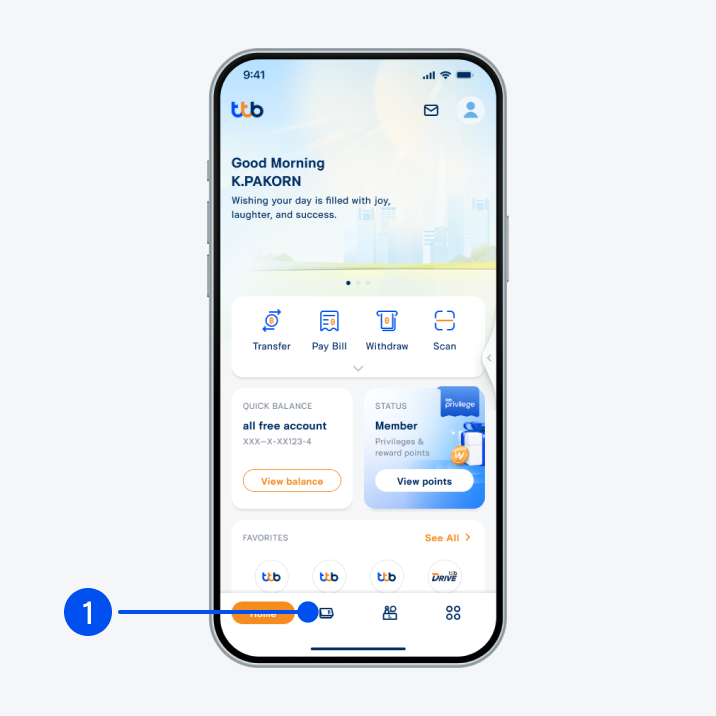
1 .Select “Account”, the 2nd menu from the bottom.
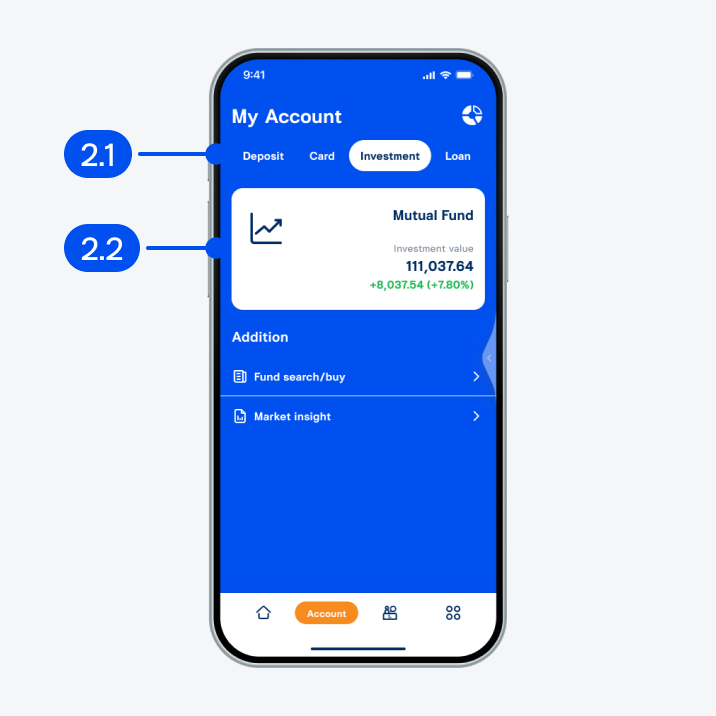
2. On My account page,
2.1) Select “Investment”.
2.2) Select “Mutual fund”.
2.1) Select “Investment”.
2.2) Select “Mutual fund”.
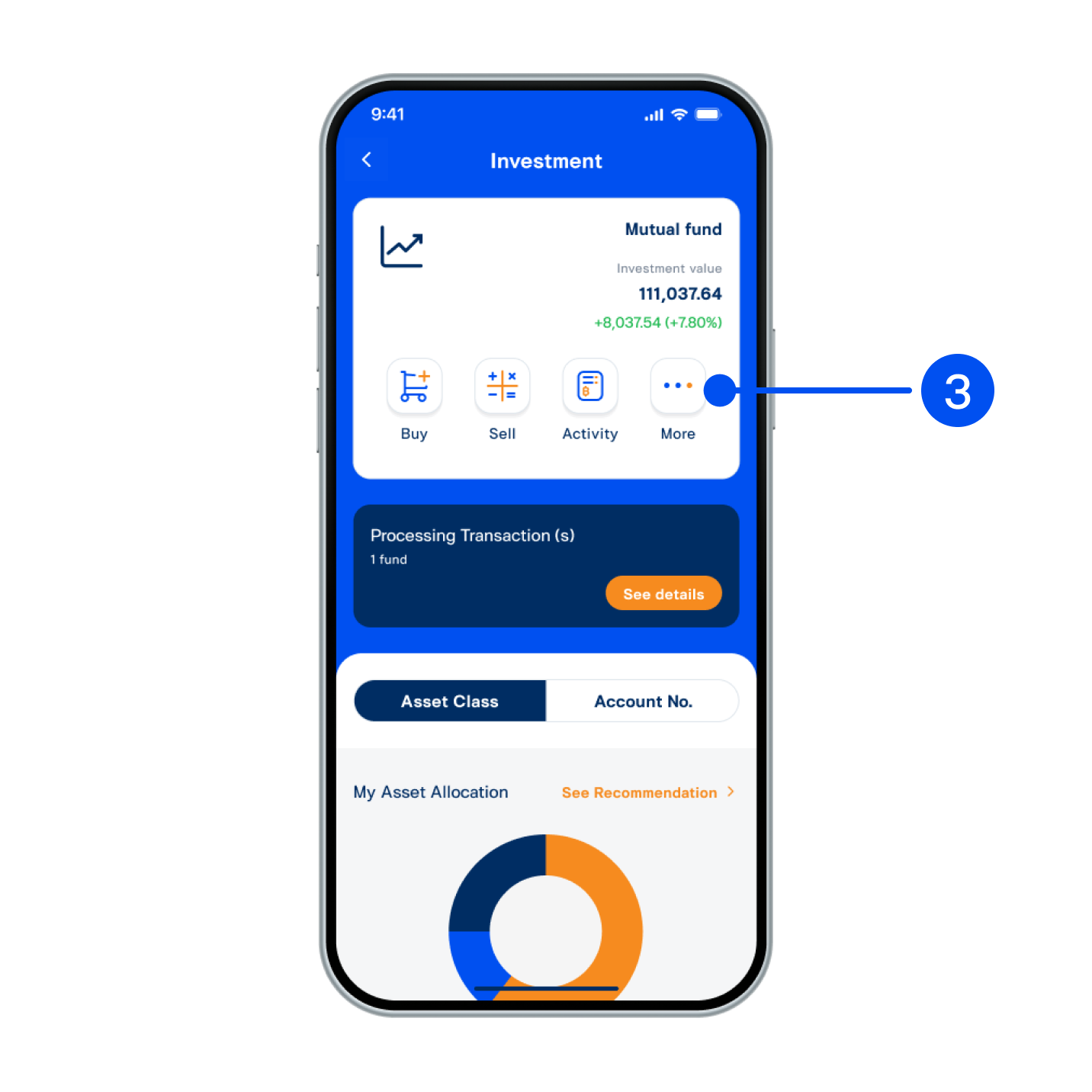
3. Select “More”.
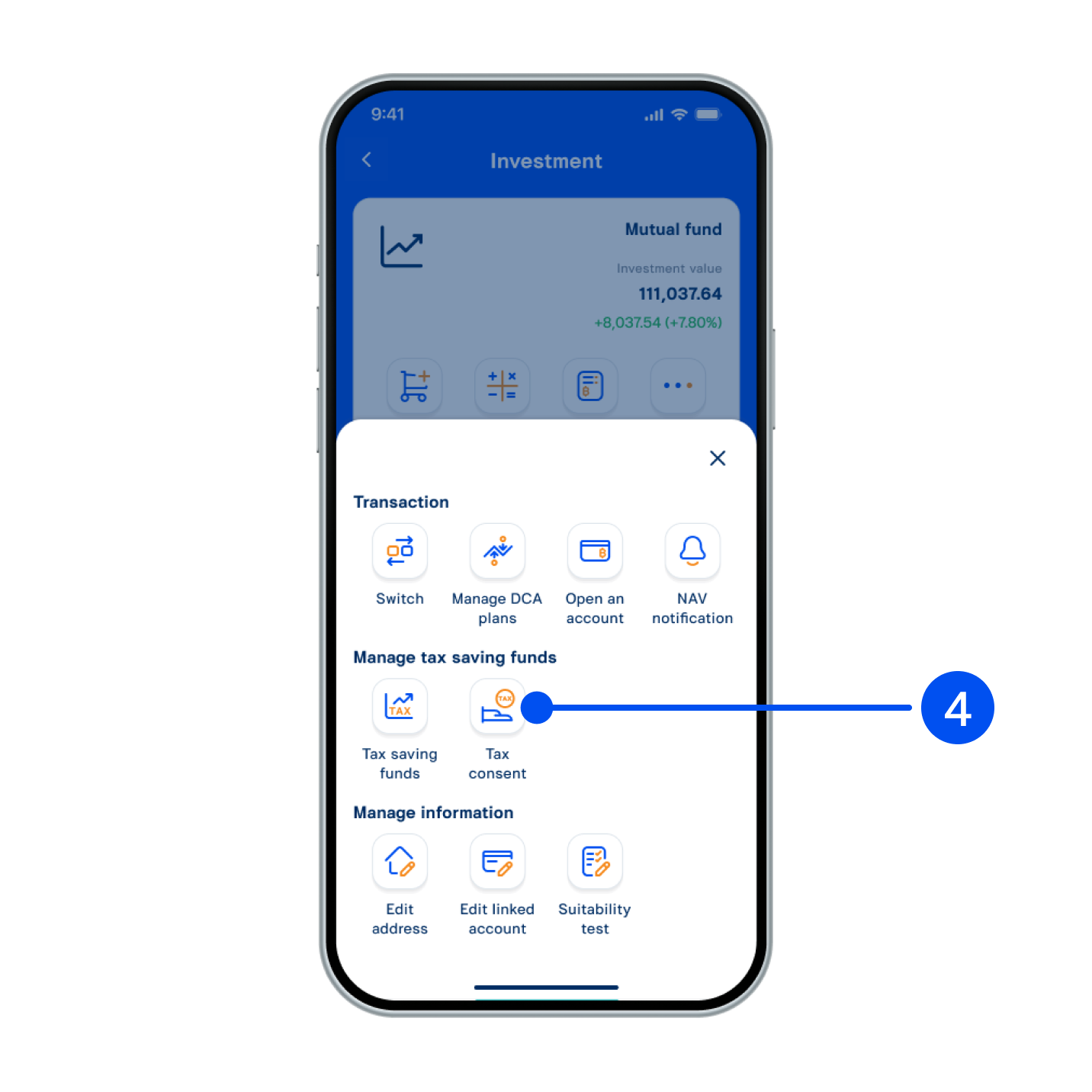
4. Select “Tax consent”.
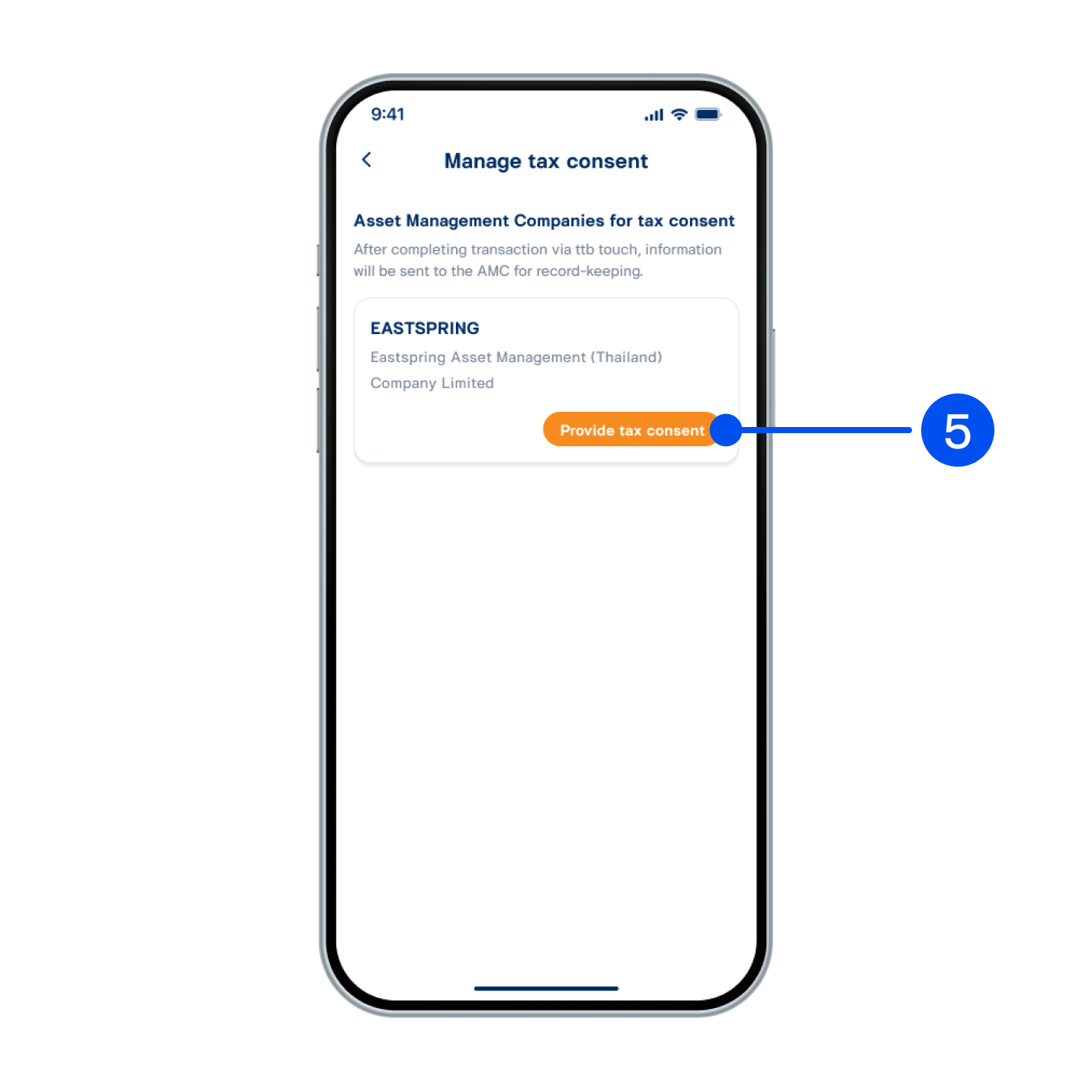
5. Select “Provide tax consent”.
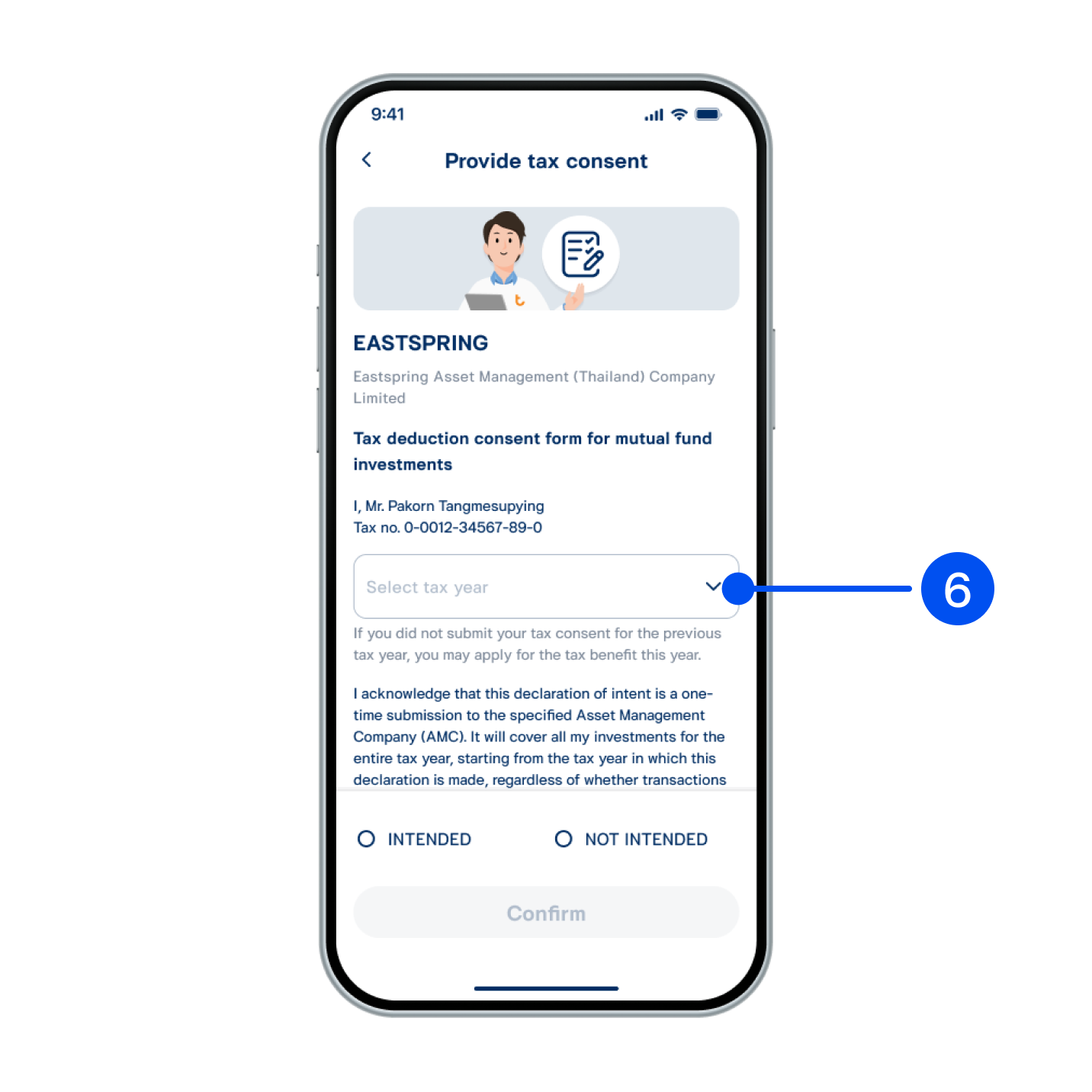
6. Select tax year.
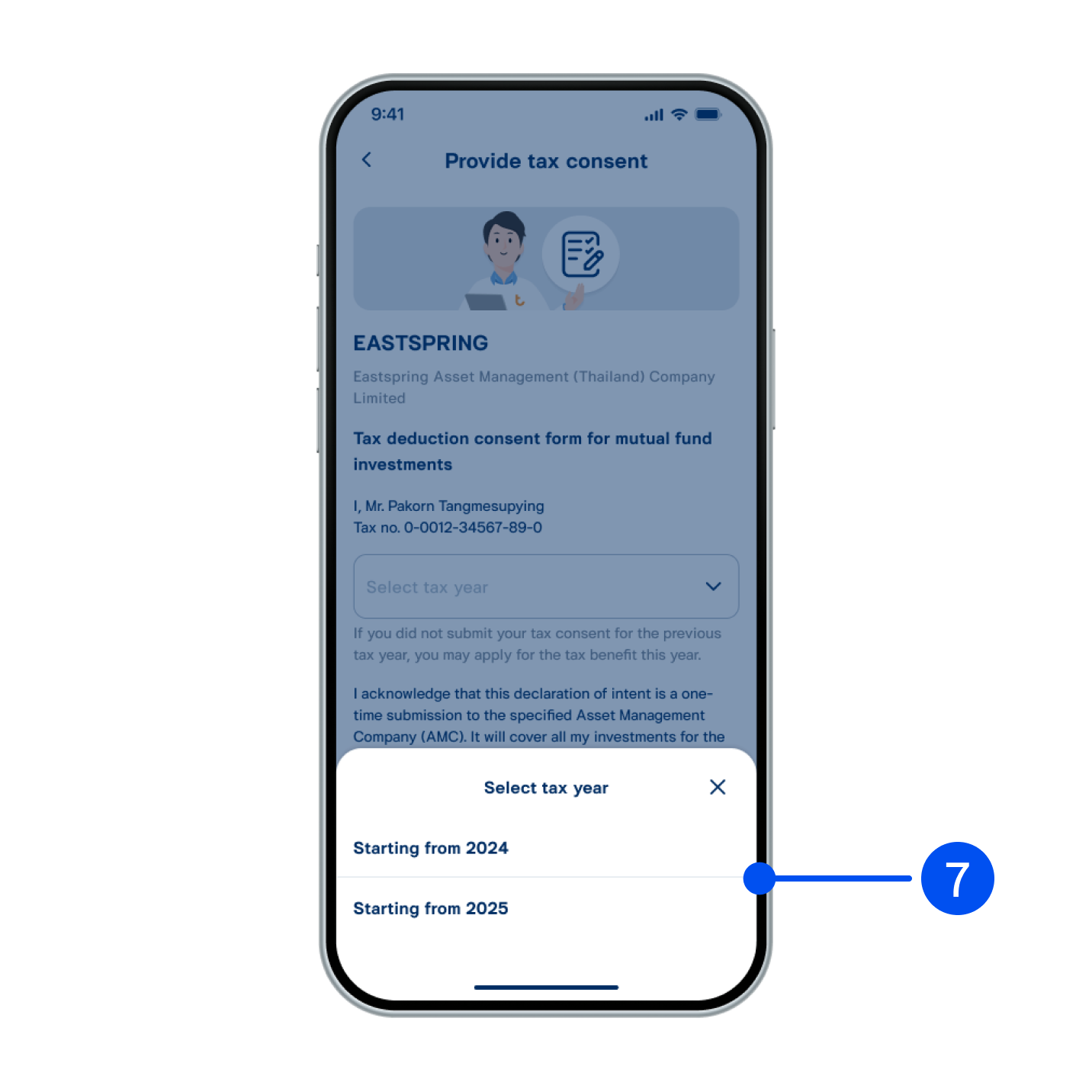
7. Select year for tax deduction.
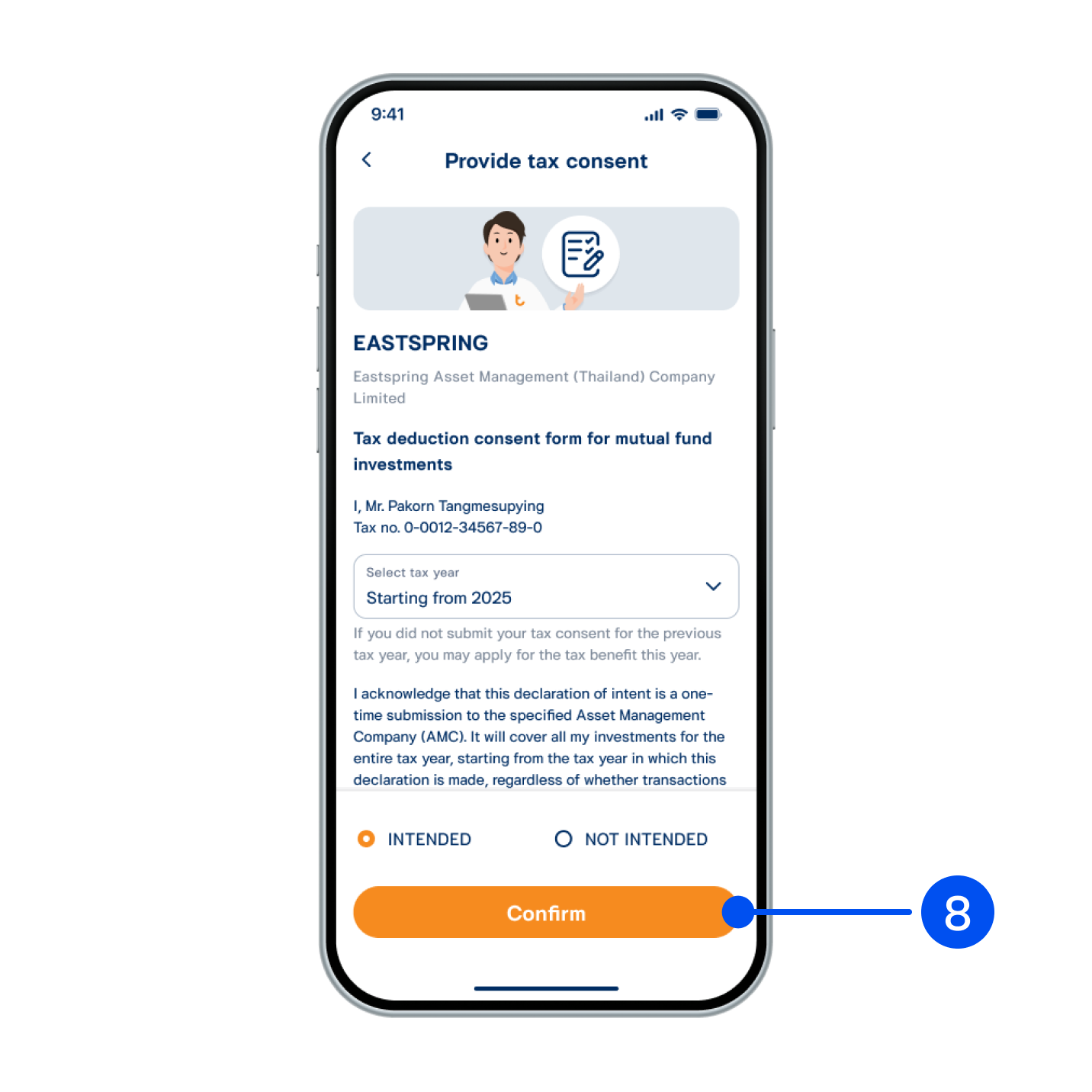
8. Select “Intended”, then select “Confirm”.
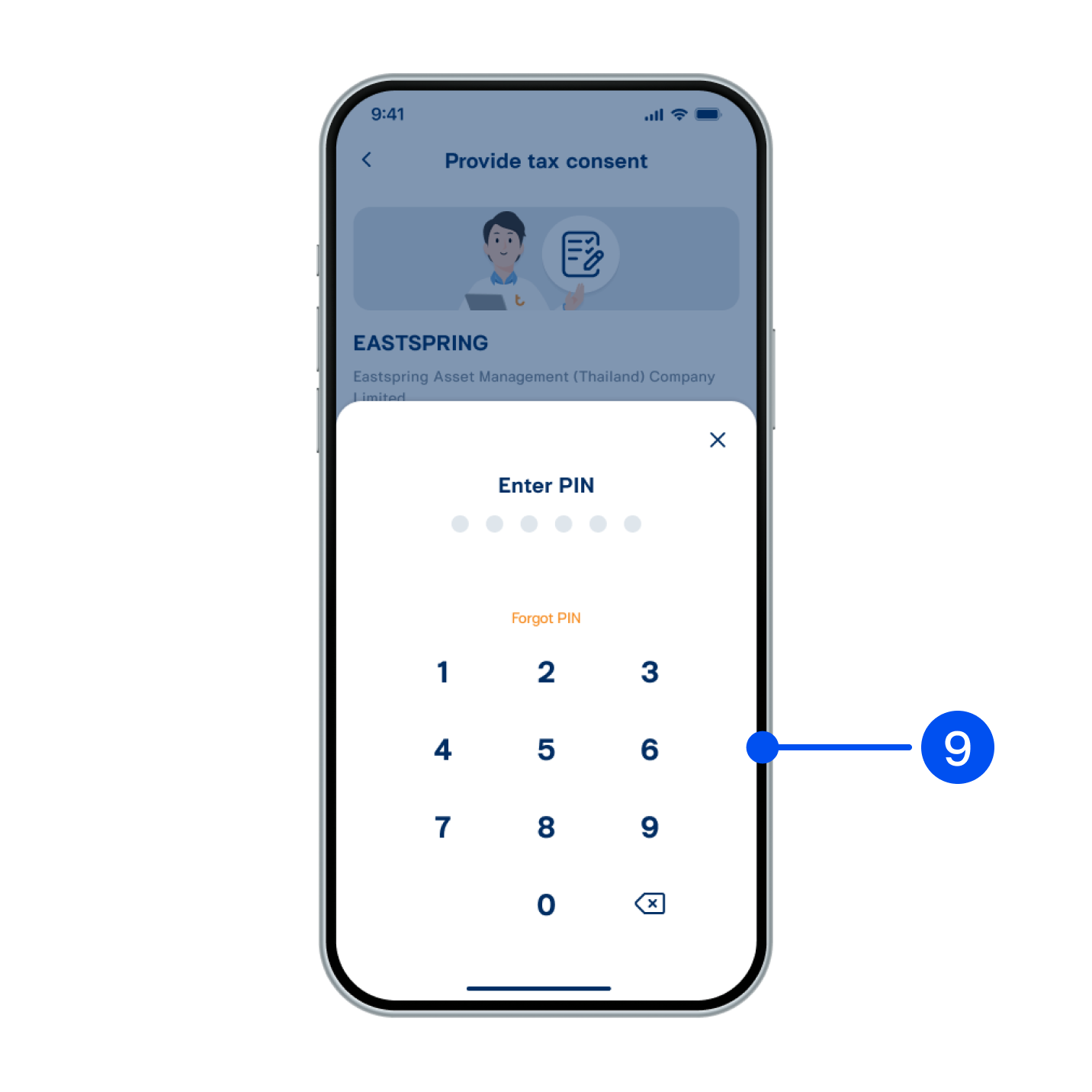
9. Enter PIN to confirm.

10. Tax deduction intent submitted successfully.