

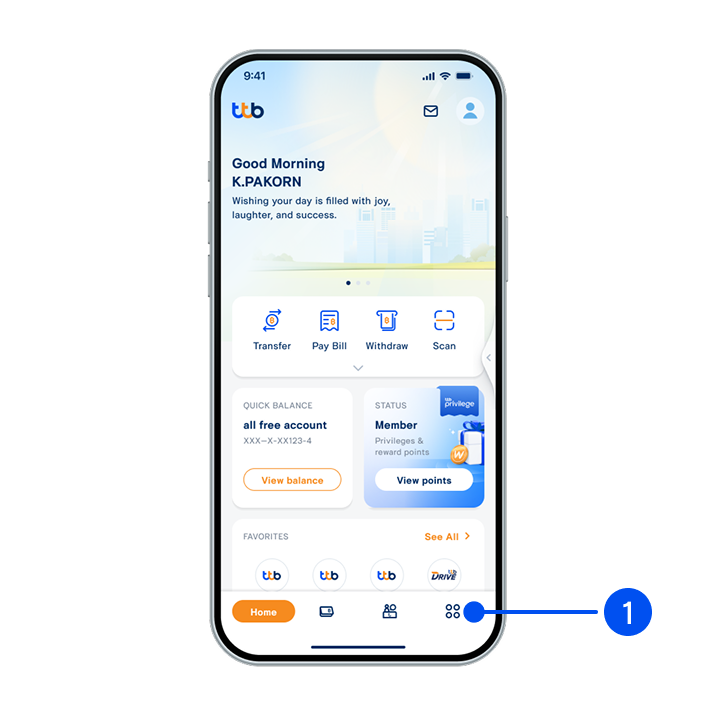
1. Select “More”, the 4th menu from the bottom.
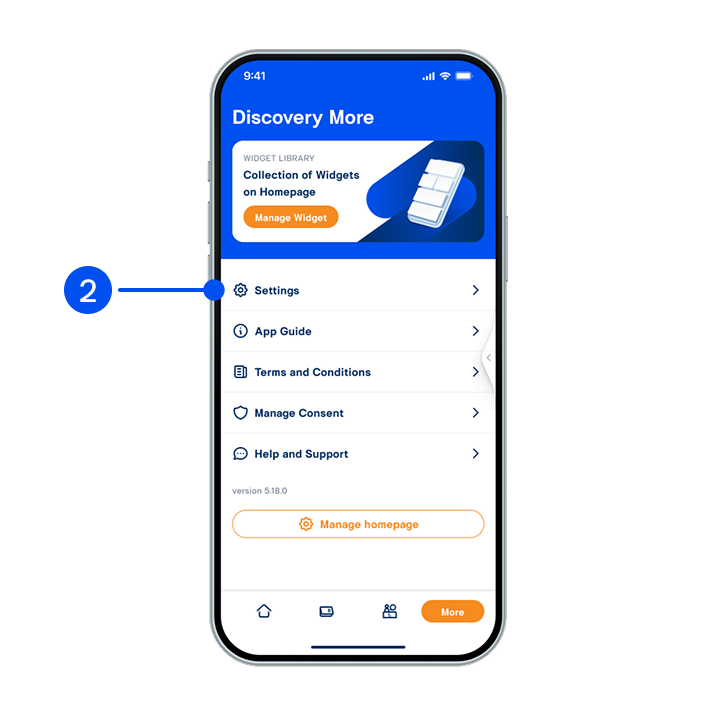
2. Select “Setting”.
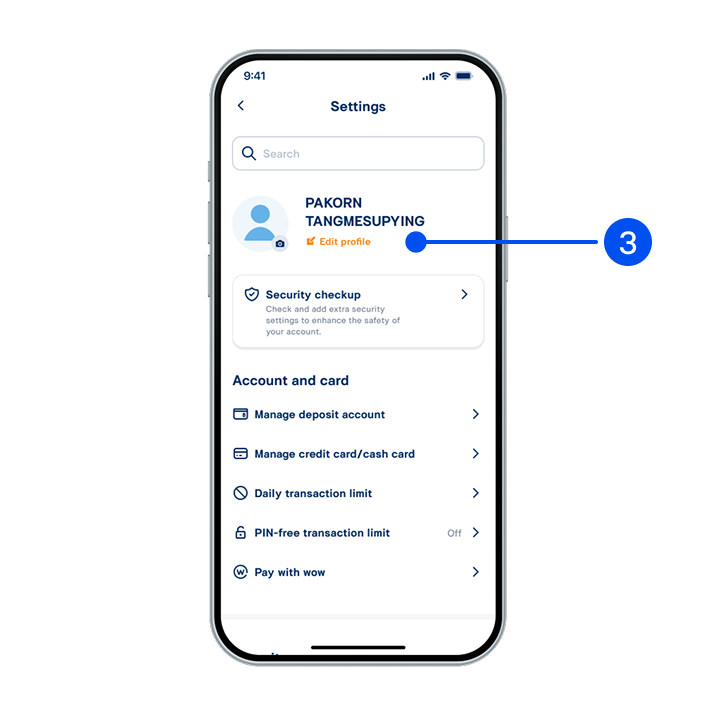
3. Under username, select “Edit profile”.
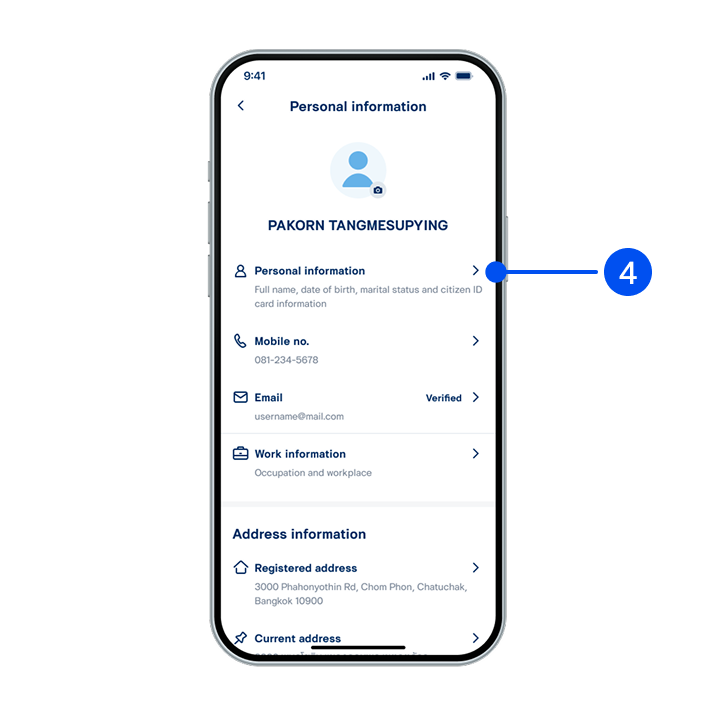
4. On "Personal information" page, select the item you to edit:
- Personal information
- Email
- Work information
- Current address
To update your mobile no. and registered address, please contact ttb branch.
- Personal information
- Work information
- Current address
To update your mobile no. and registered address, please contact ttb branch.