

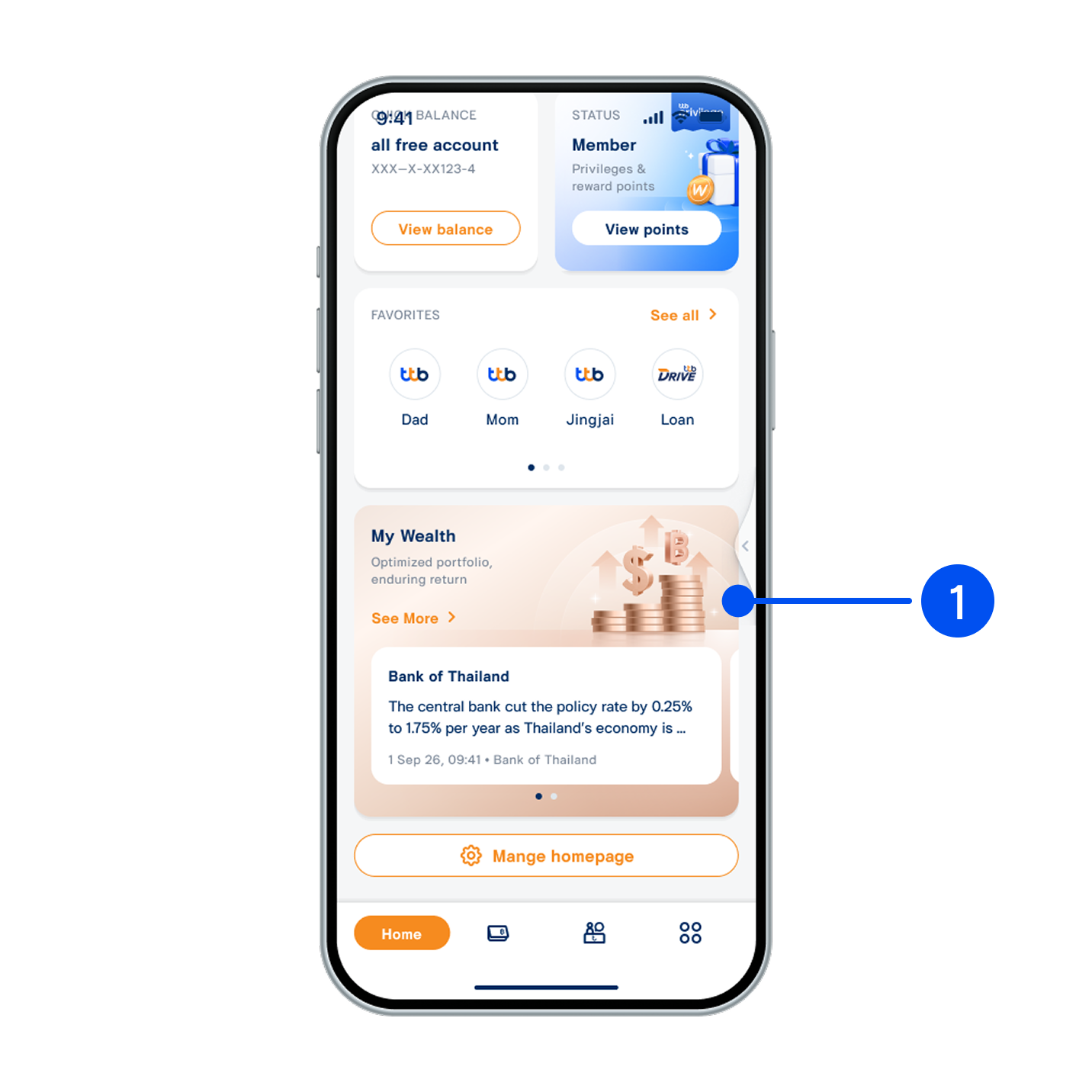
1. Scroll down, then select “My Wealth” widget.
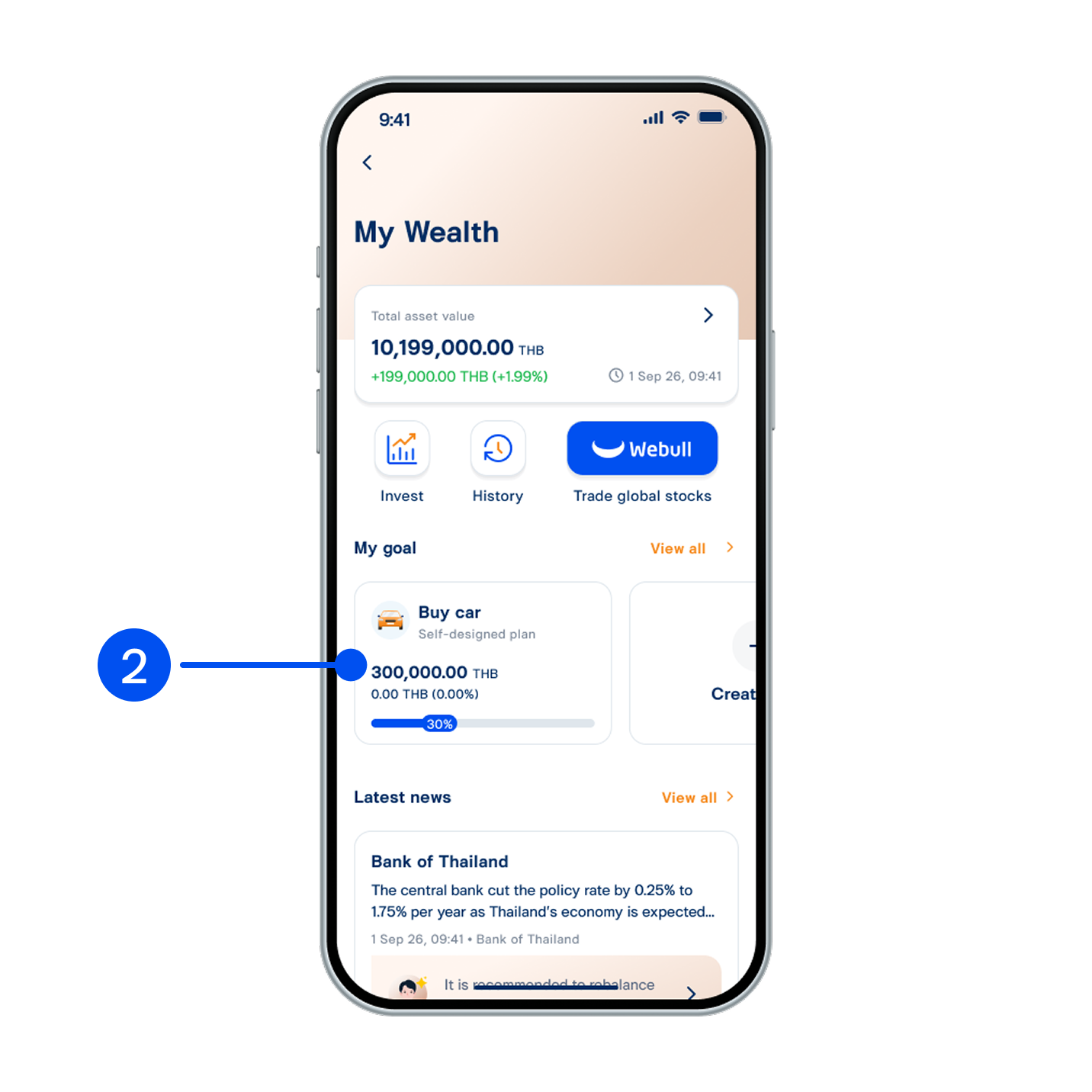
2. Select your preferred goal.
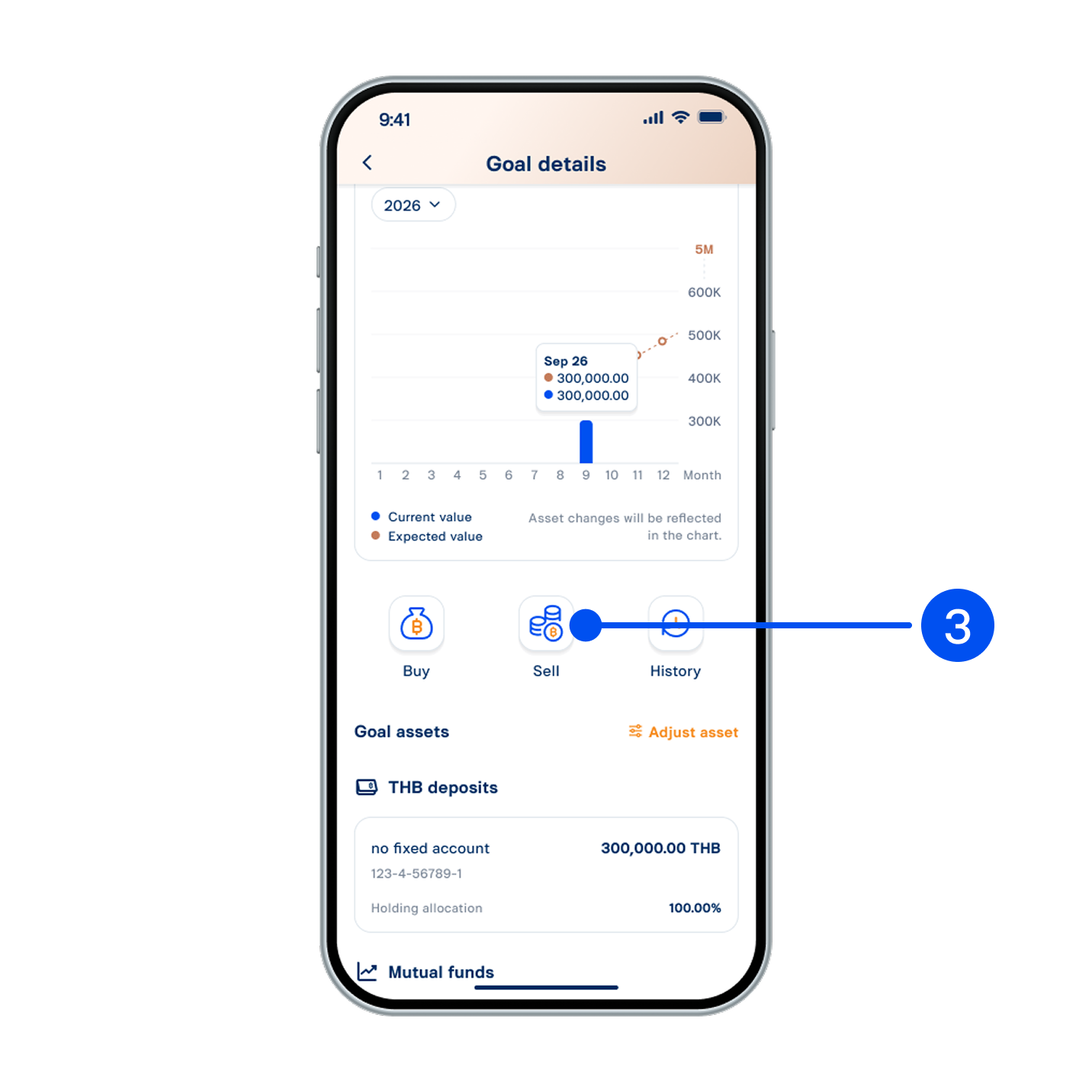
3. Select “Sell”.
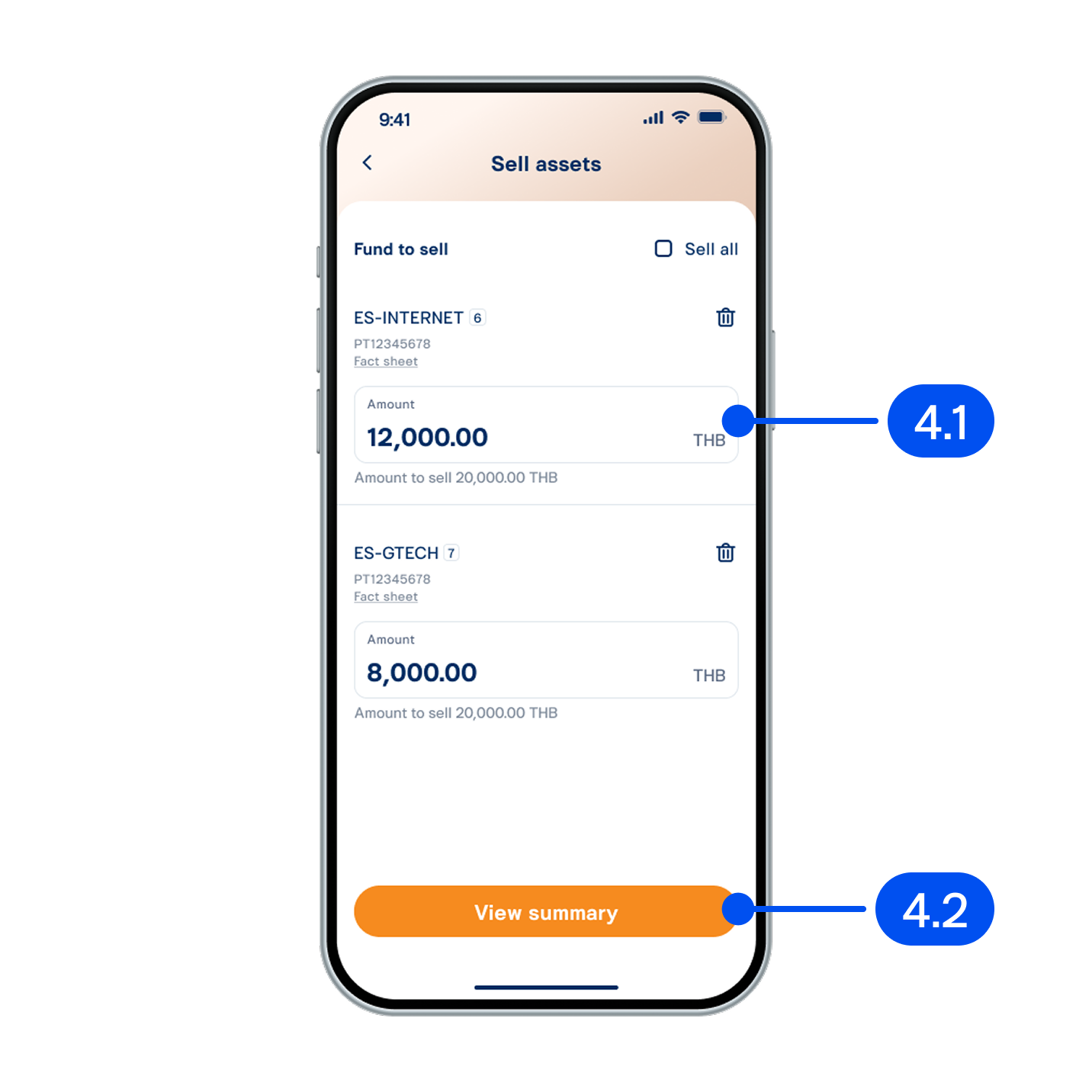
4. On “Sell assets” page,
4.1) Enter the amount to sell.
4.2) Select “View summary”.
4.1) Enter the amount to sell.
4.2) Select “View summary”.
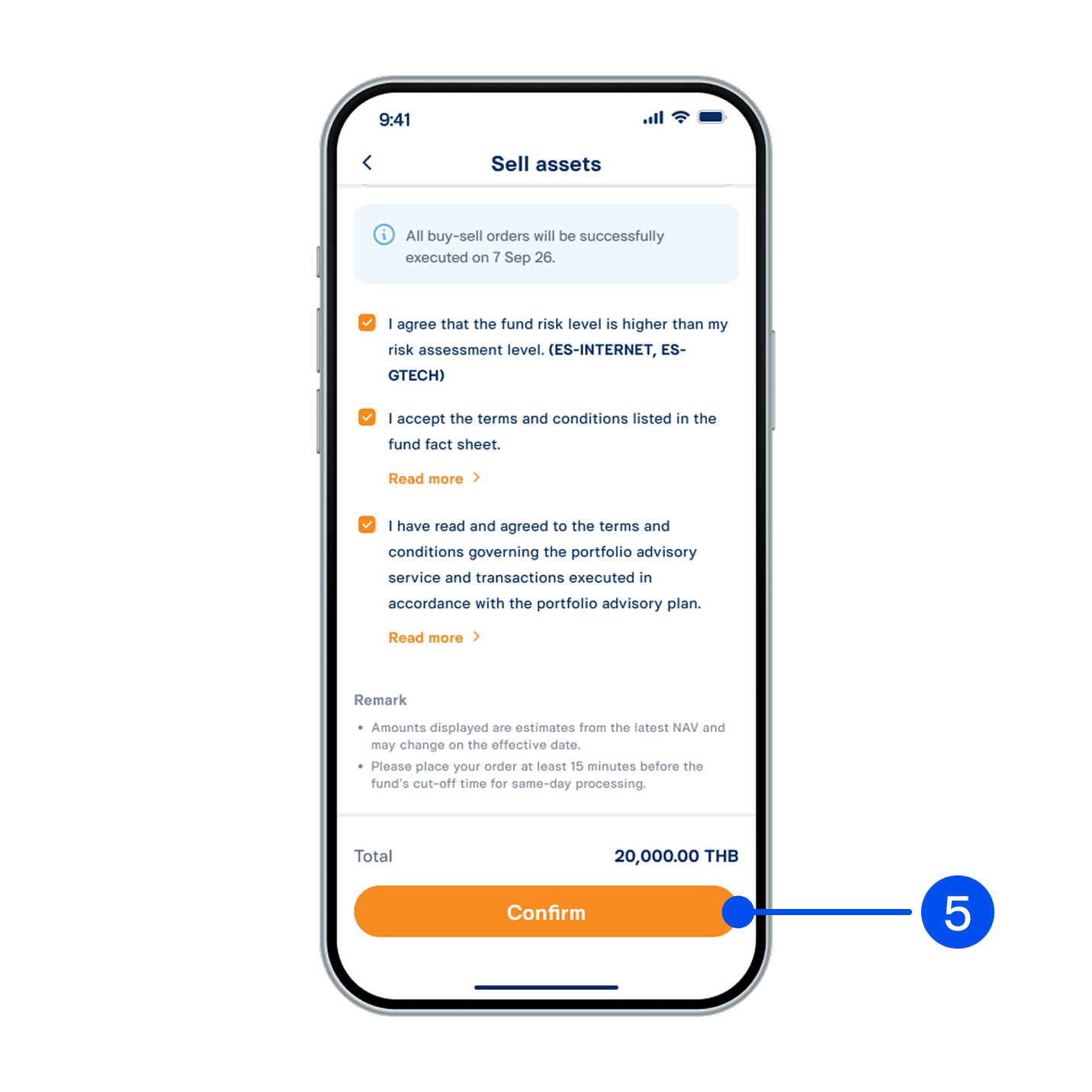
5. Review sell order details, read and accept investment terms and conditions, then select “Confirm”.
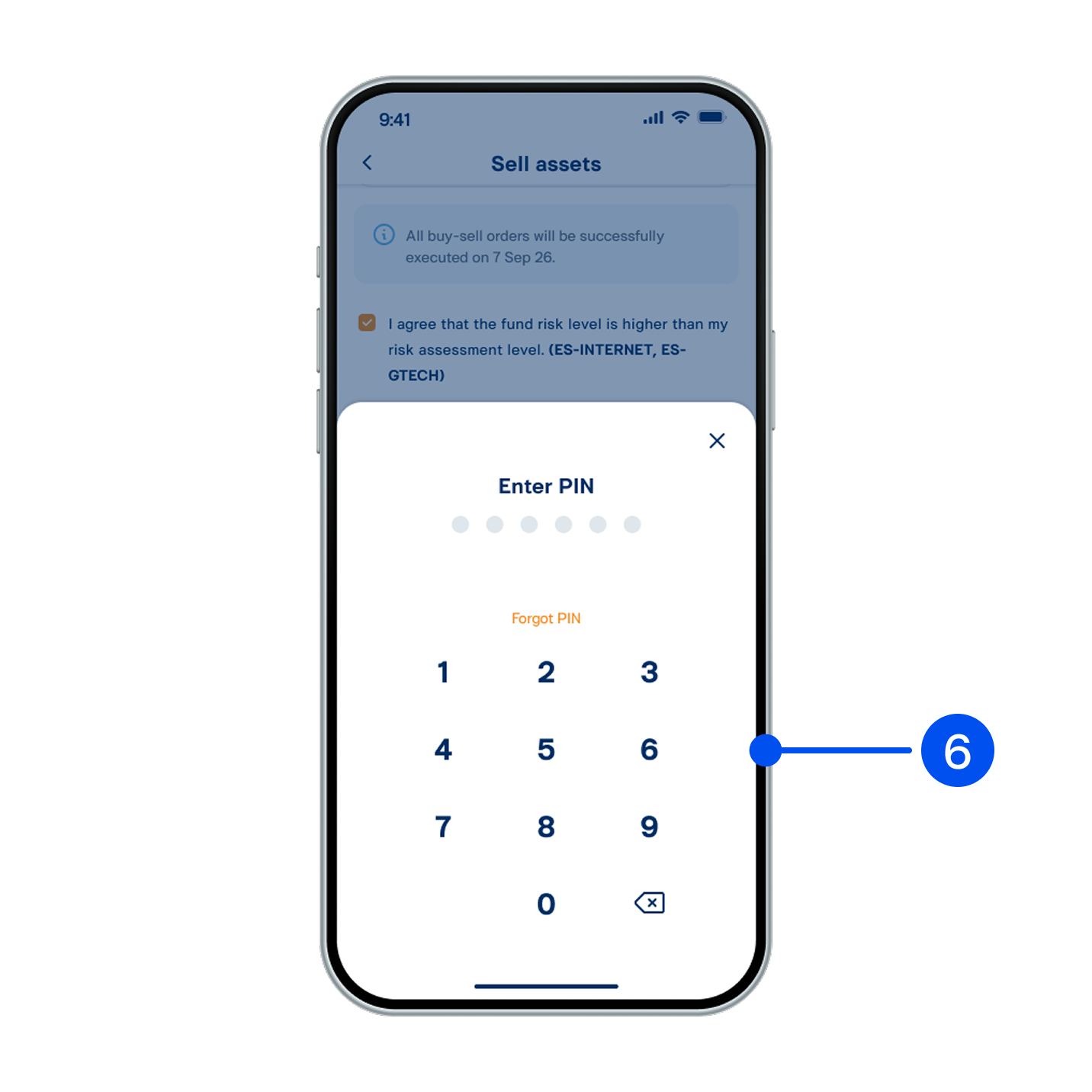
6. Enter PIN to confirm.
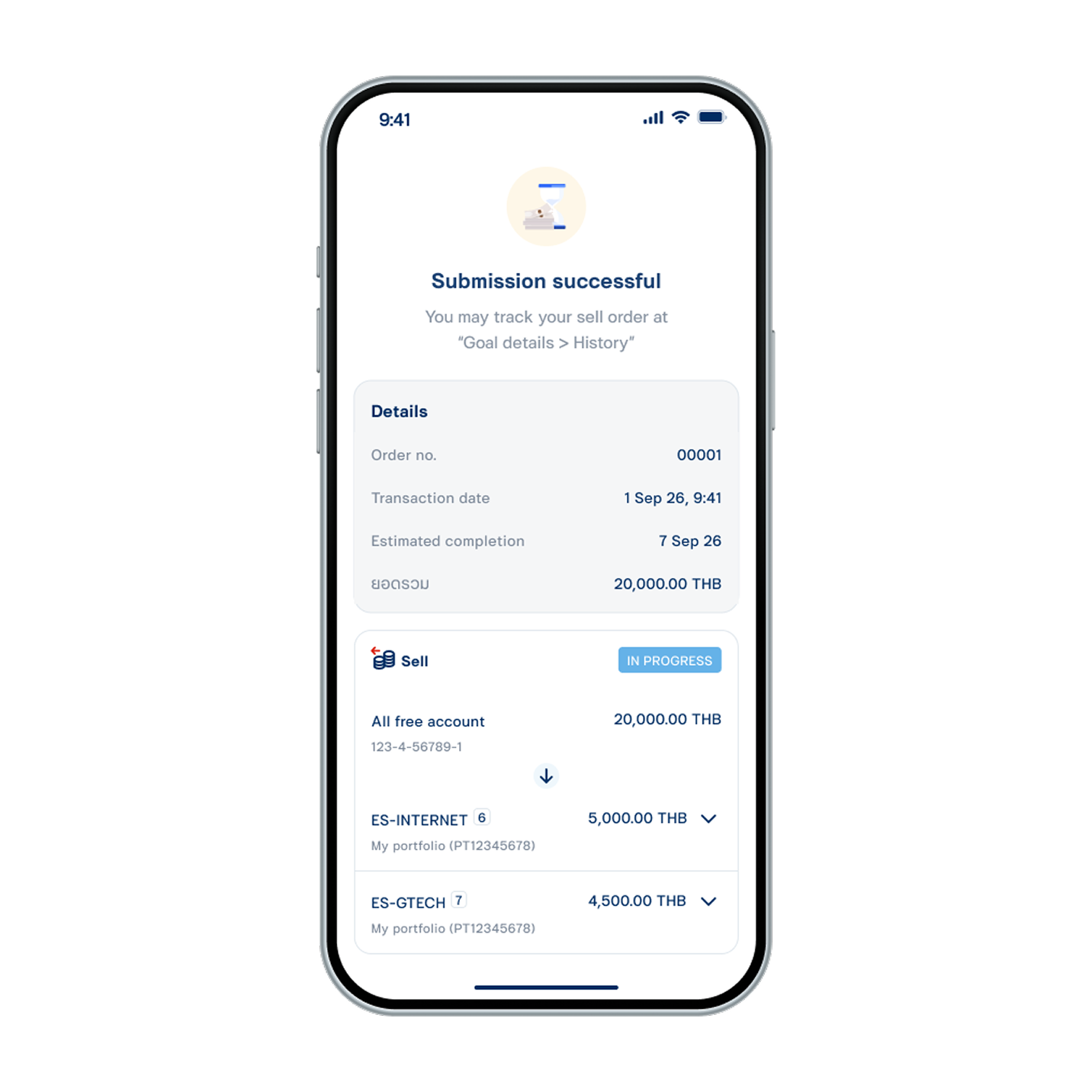
7. Sell order submitted successfully.