

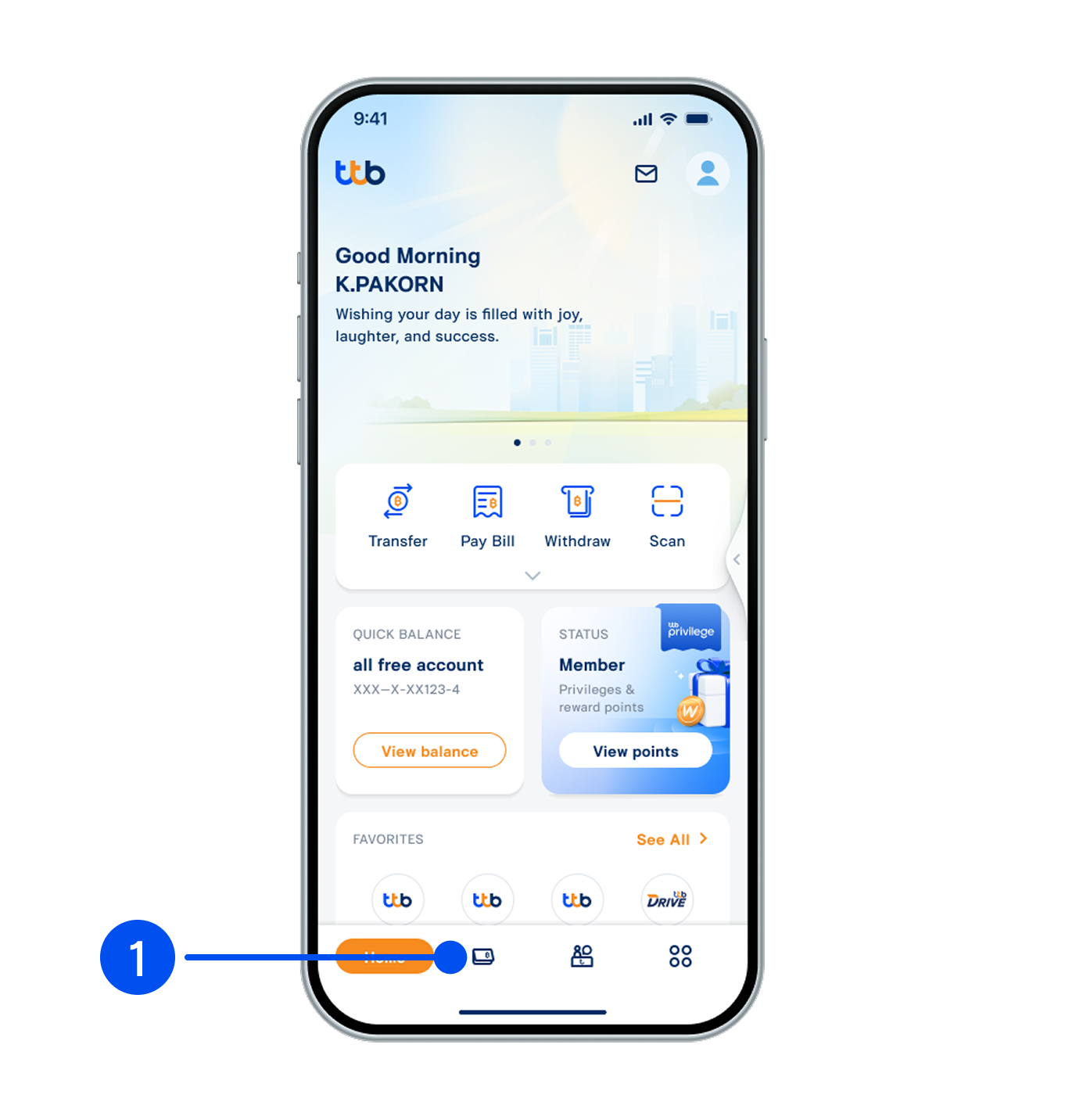
1. Select “Account”, the 2nd menu from the bottom.
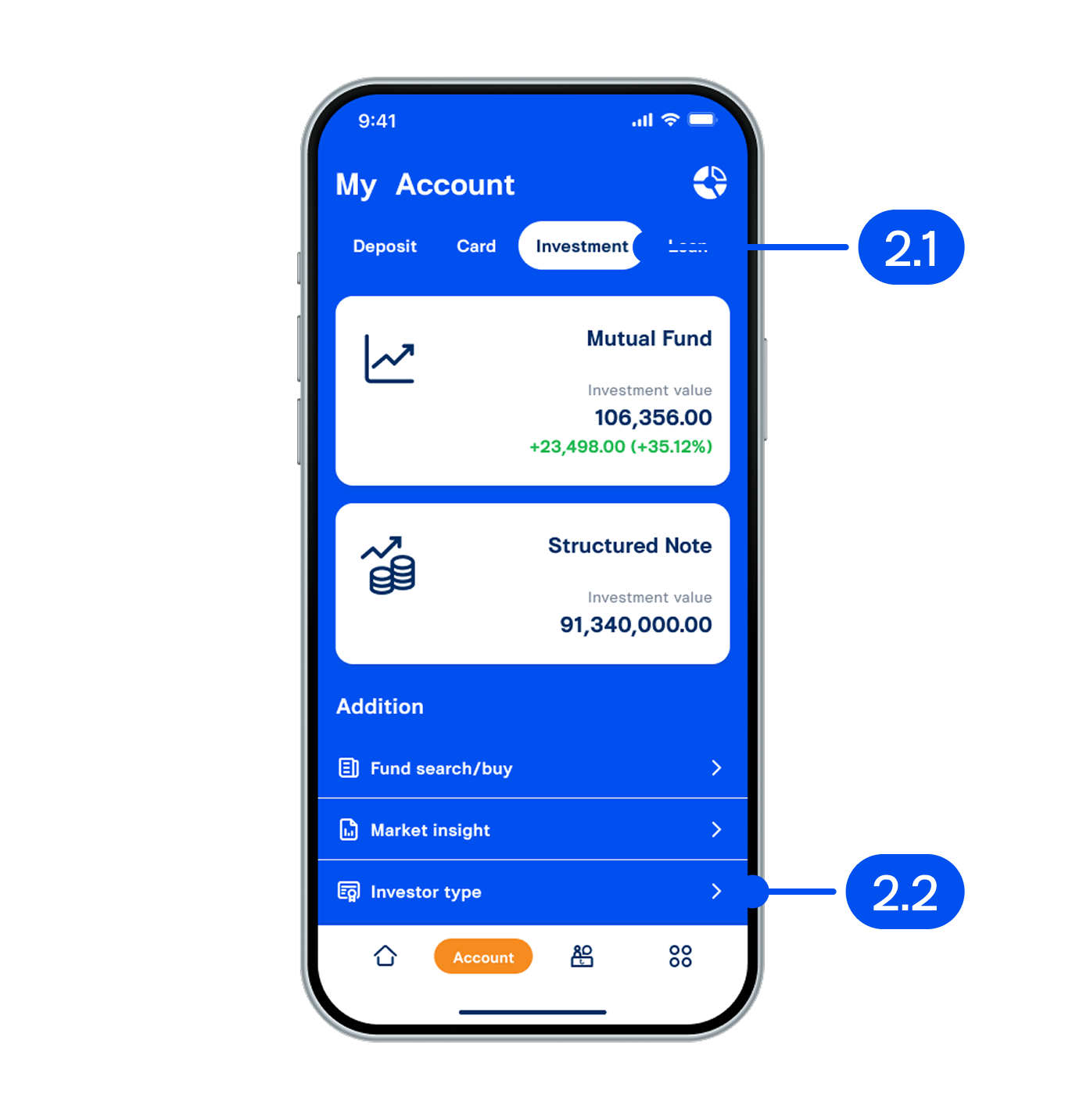
2. On "My account" page,
2.1) Select "Investment".
2.2) Select "Investor type".
2.1) Select "Investment".
2.2) Select "Investor type".
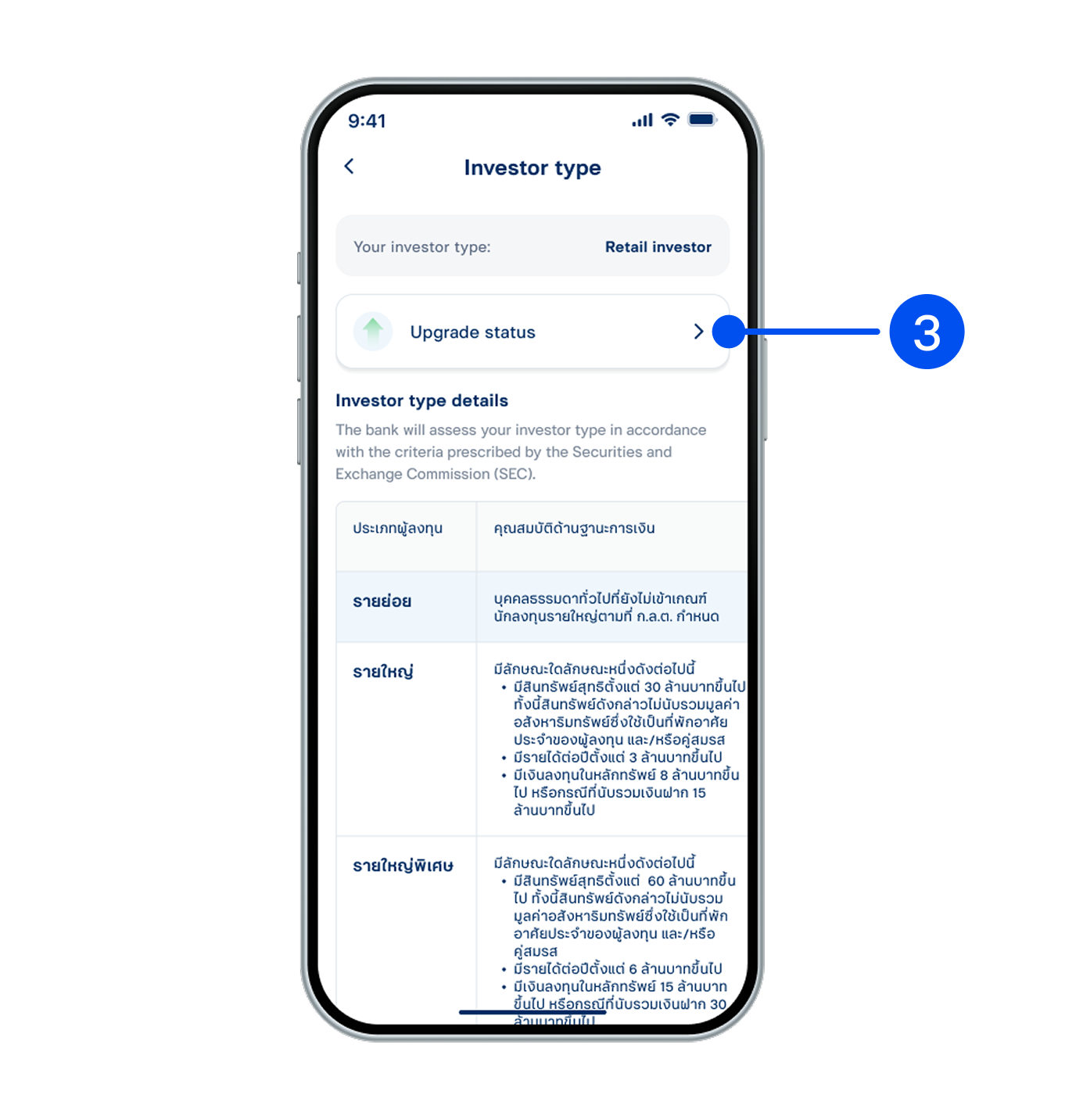
3. Select “Upgrade status”.
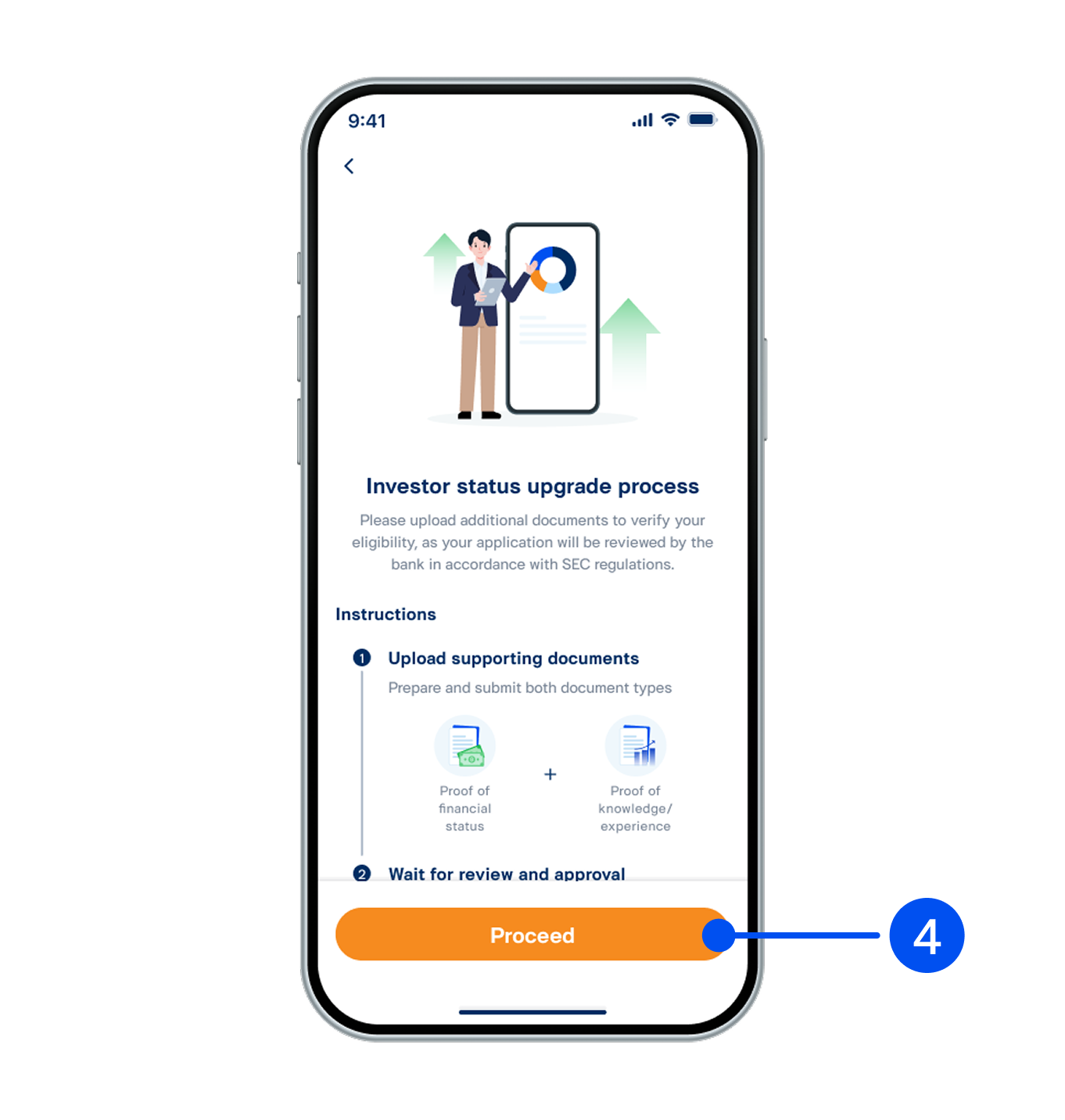
4. Read the investor status upgrade process, then select "Proceed".
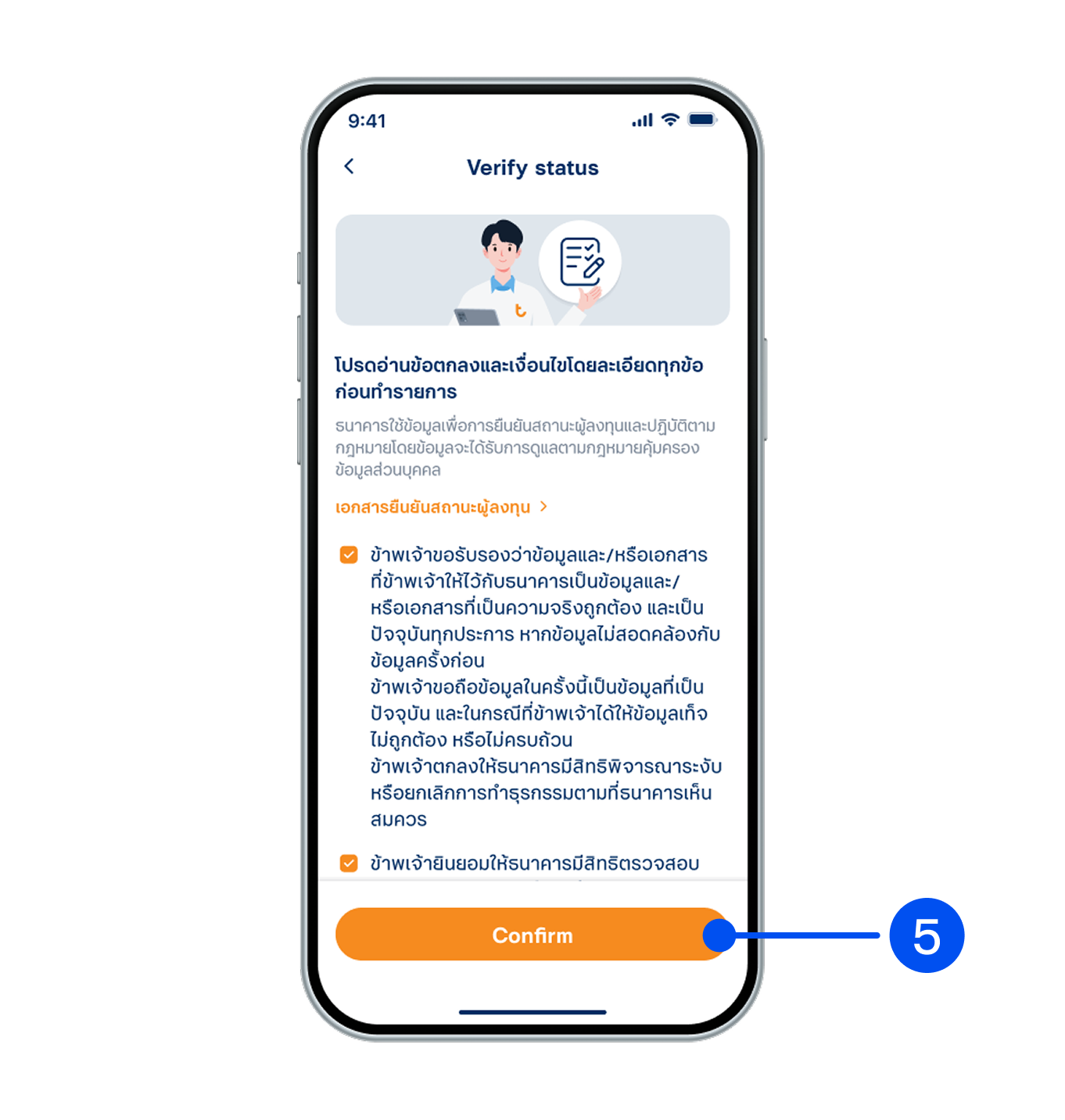
5. Read and accept terms and conditions, then select "Confirm".
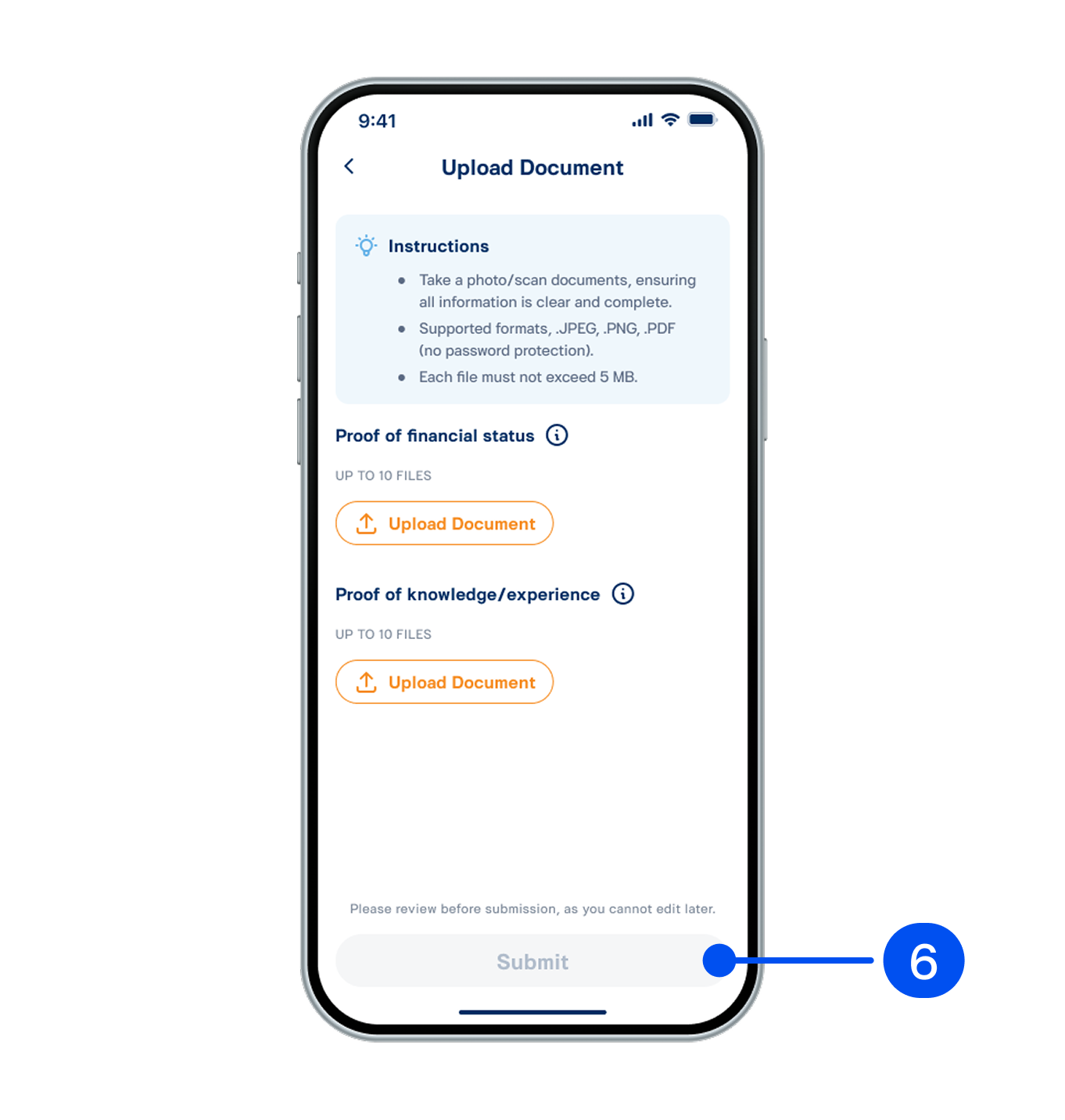
6. Upload the documents, then select “Submit”.
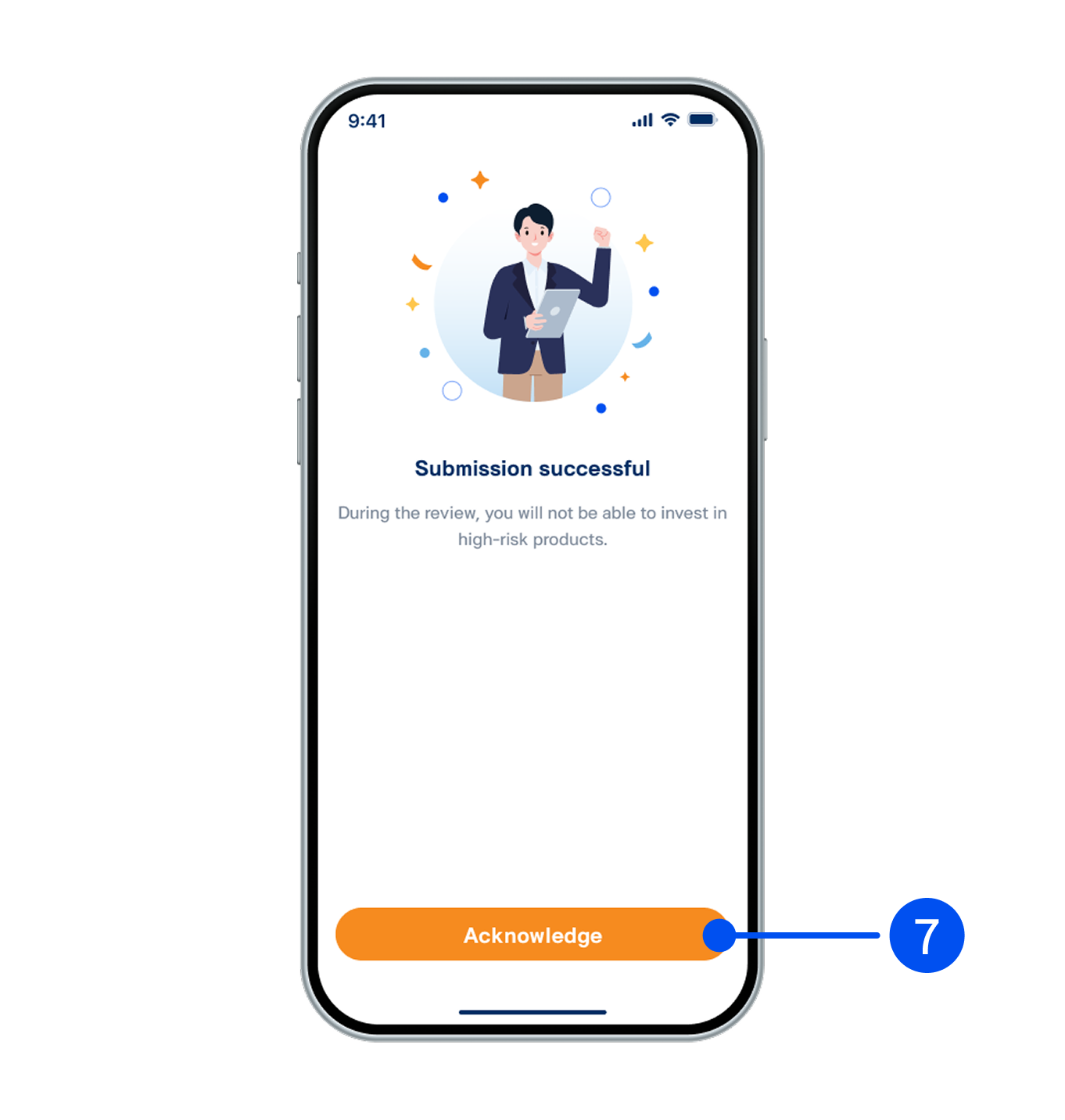
7. Select "Acknowledge".
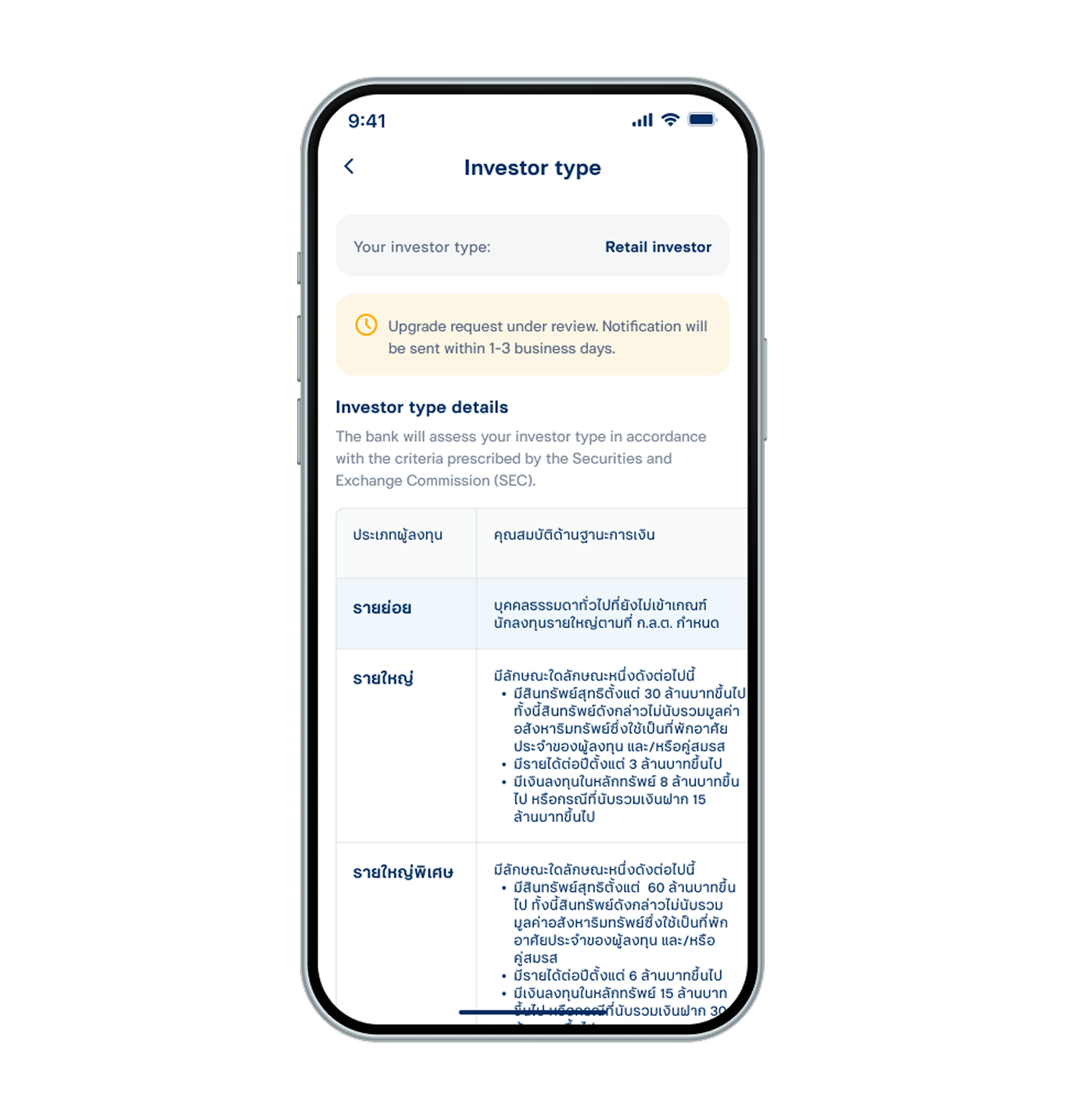
8. Your upgrade request has been submitted successfully. You will be notified once the review is complete.