

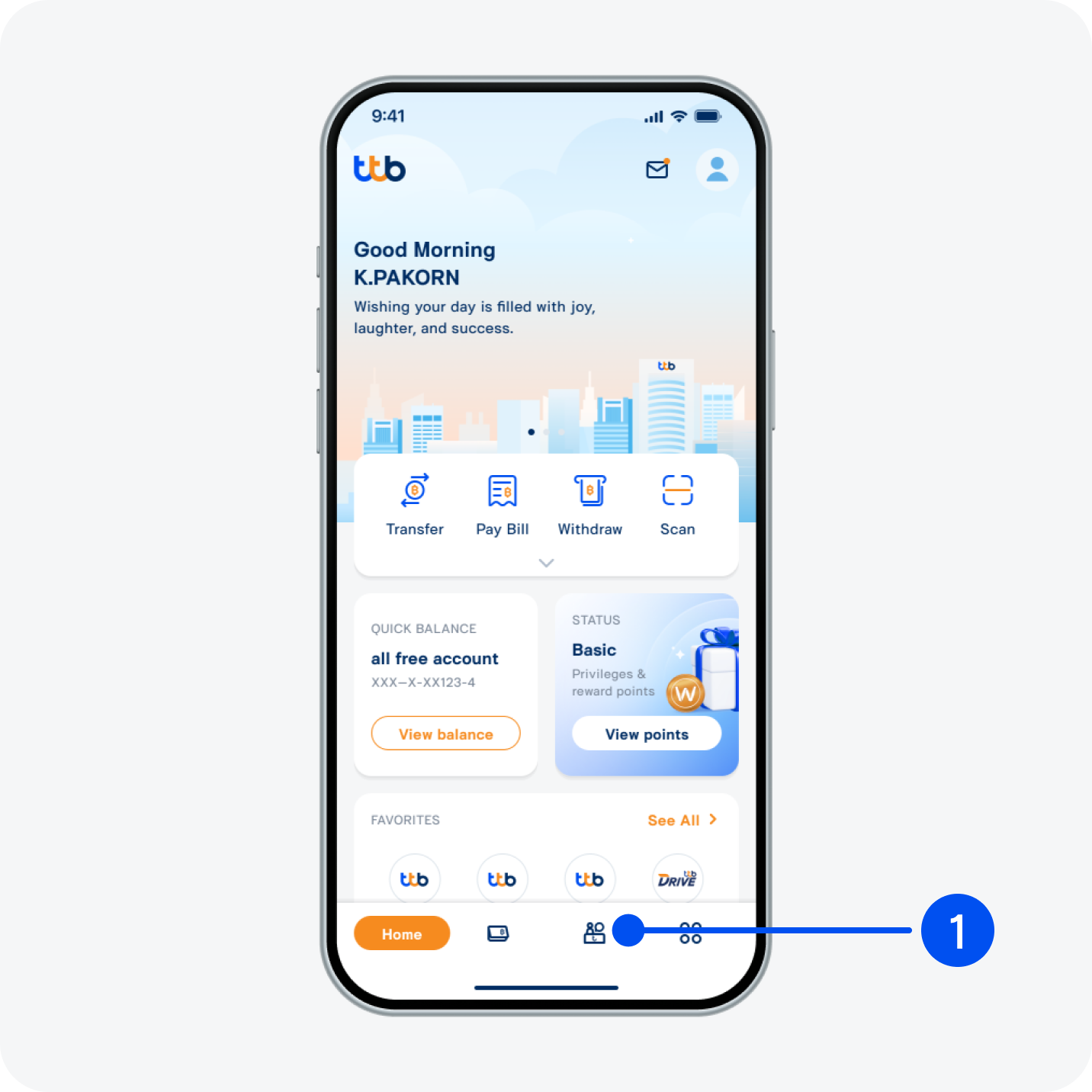
1. Select “Service”, the 3rd menu from the bottom.
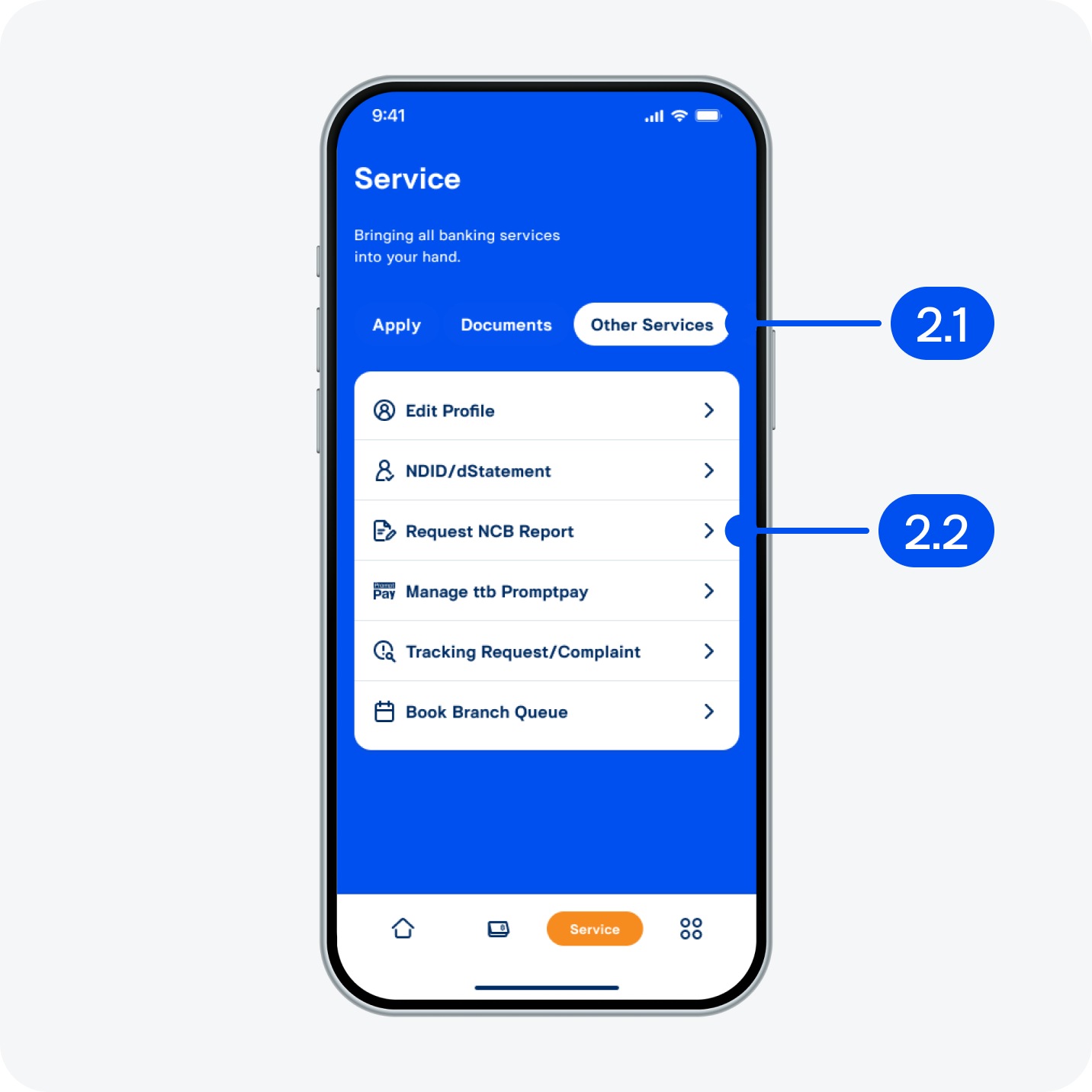
2. On “Service” page,
2.1) Select “Other services”.
2.2) Select “Request NCB Report”.
2.1) Select “Other services”.
2.2) Select “Request NCB Report”.
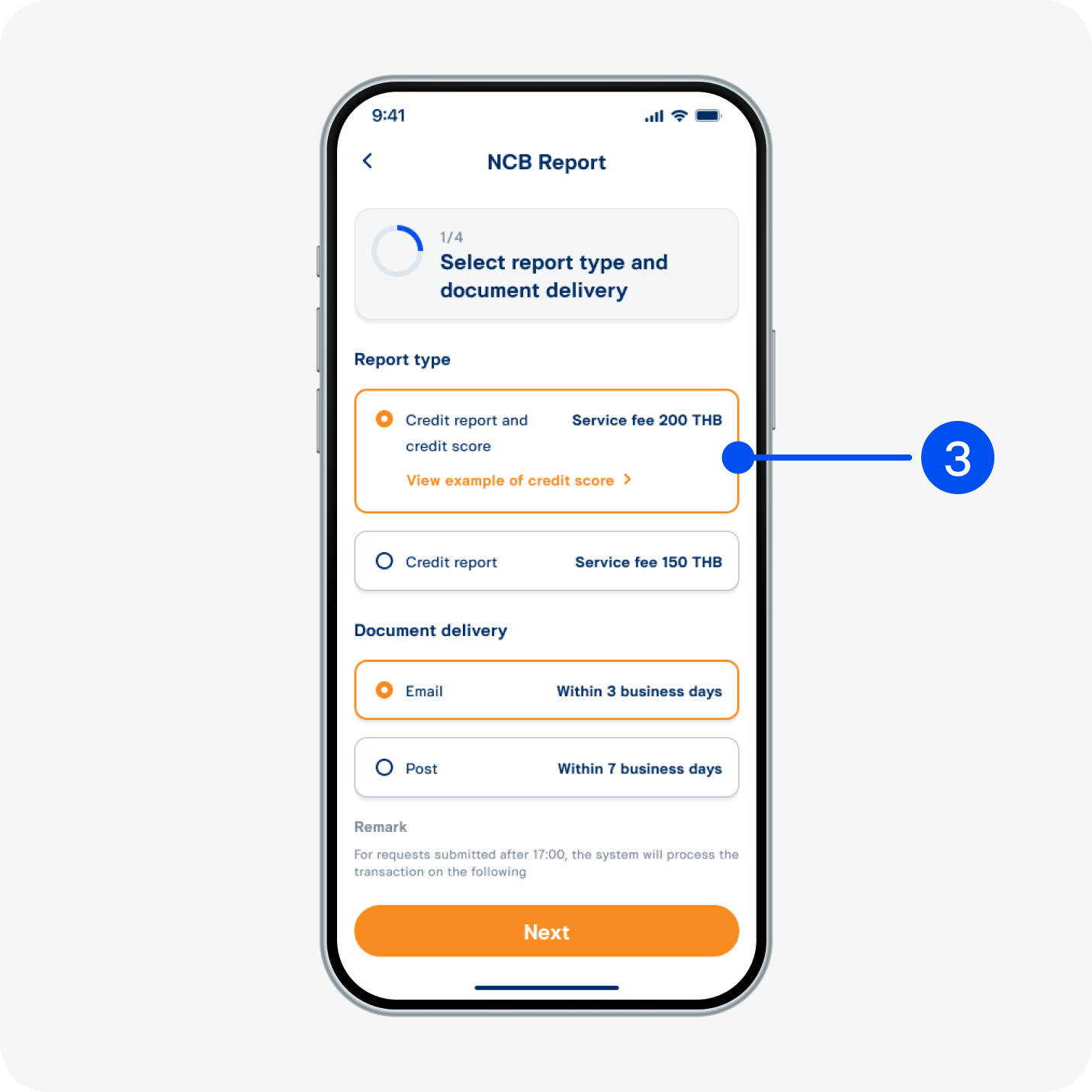
3. Select report type and delivery channel, then select “Next”.
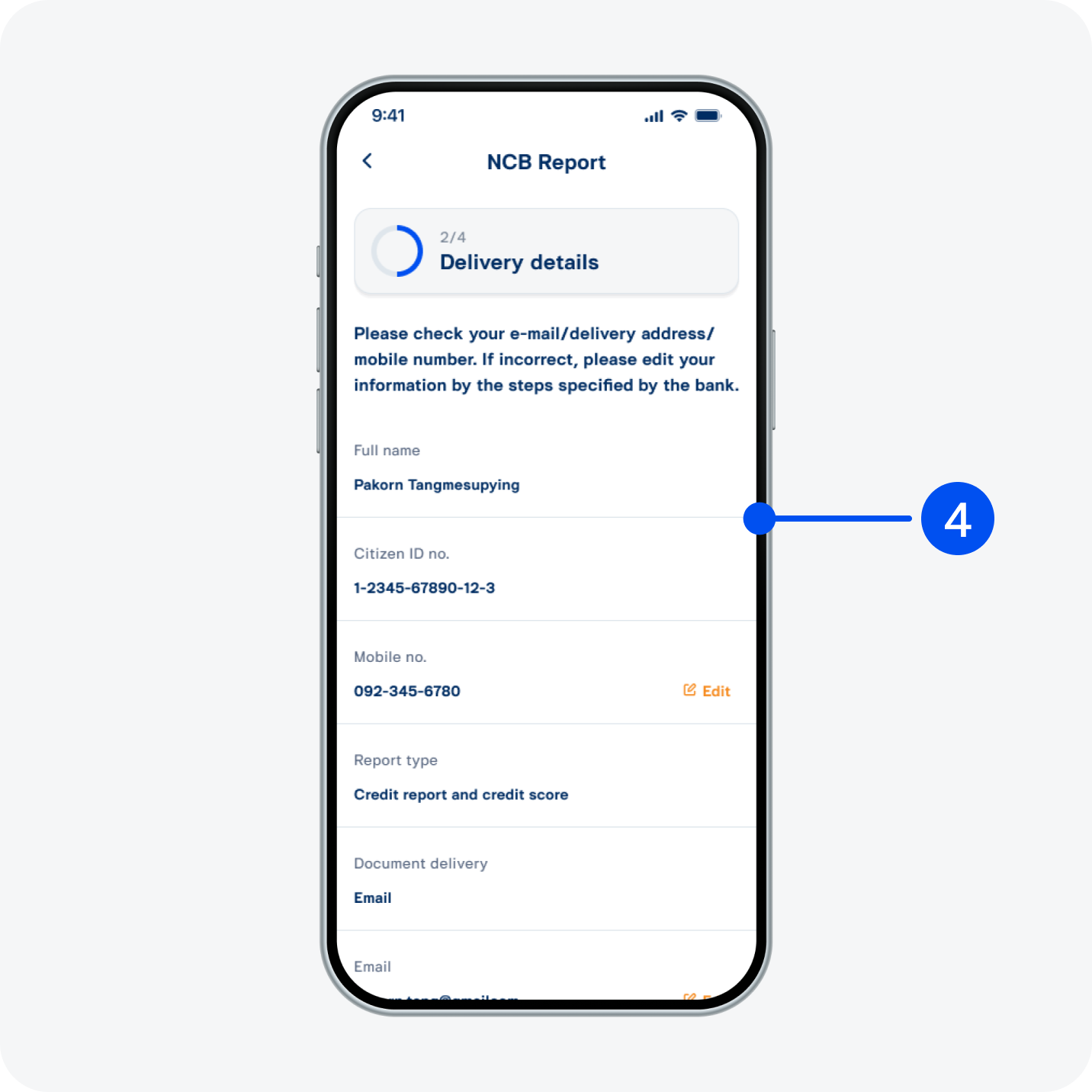
4. Review details, then select “Next”.
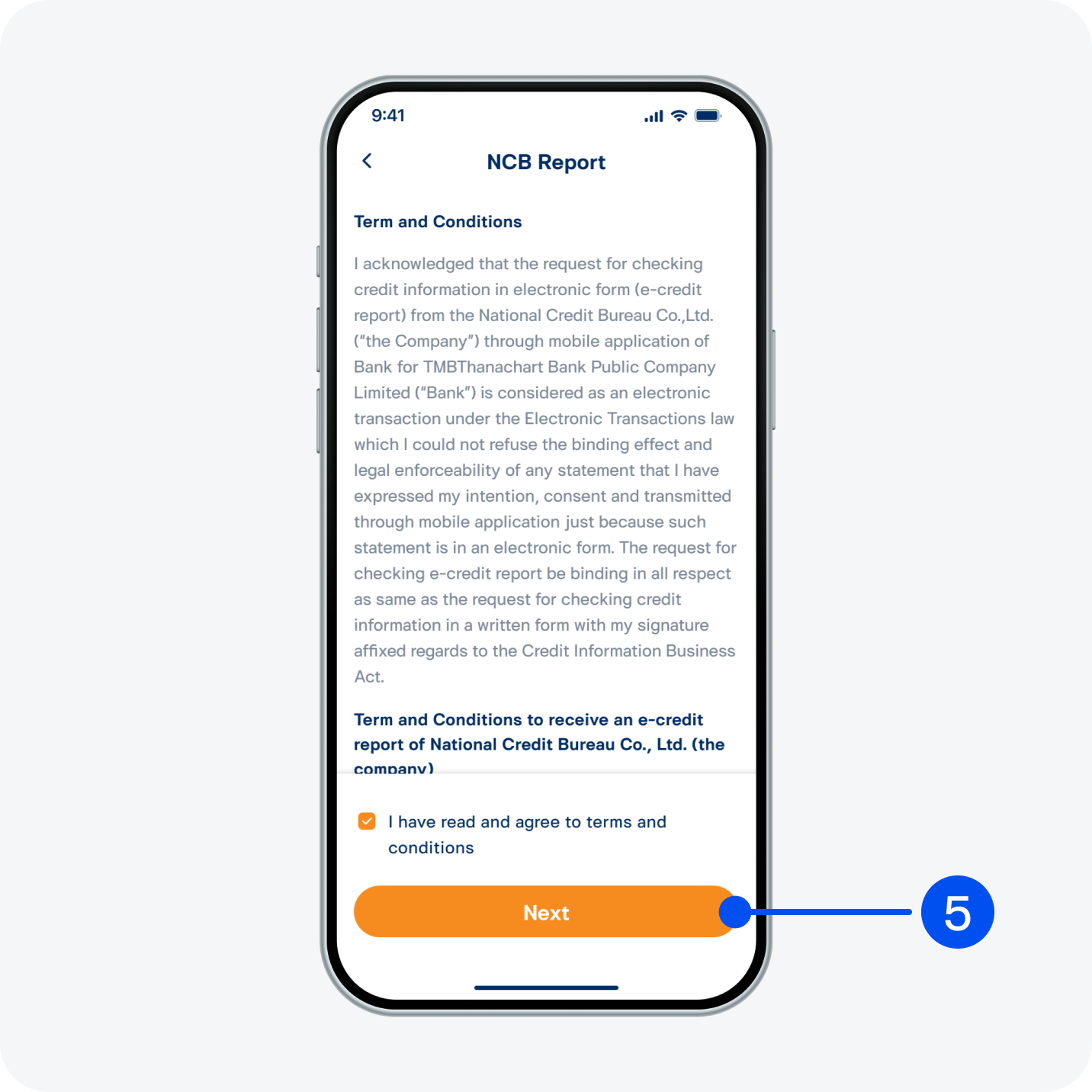
5. Read and accept terms and conditions, then select "Next".
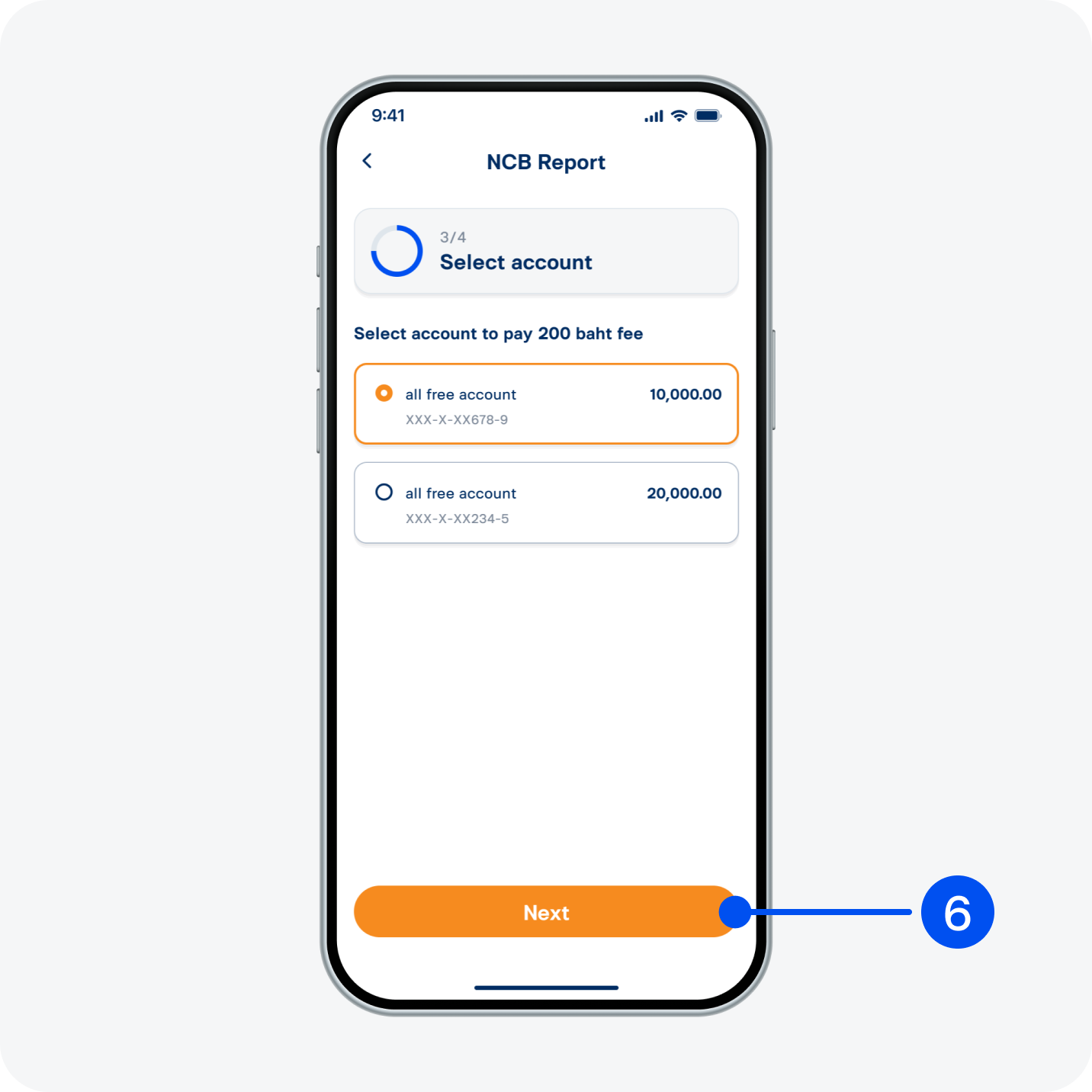
6. Select deposit account to pay the service fee, then select “Next”.
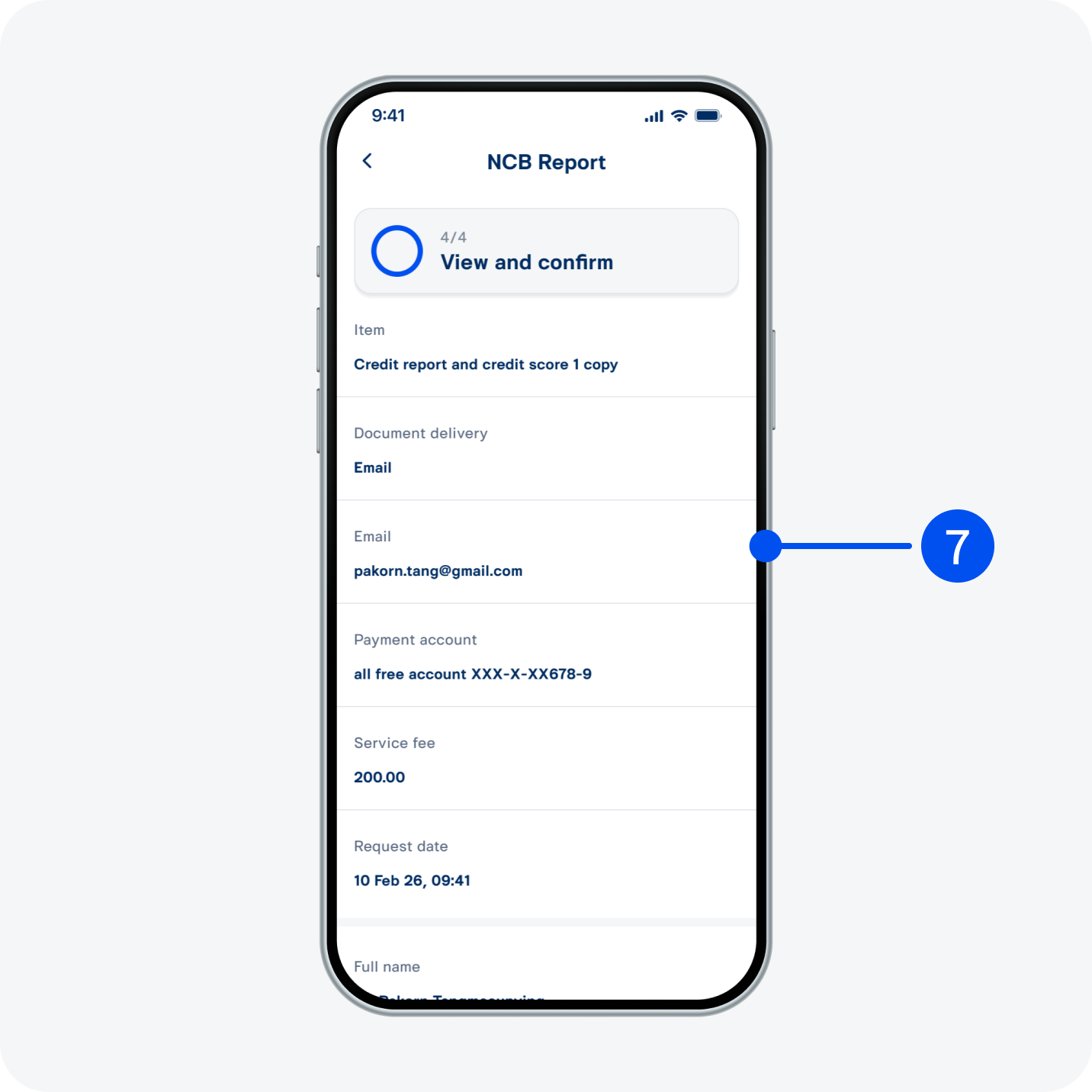
7. Review details, then select “Confirm”.
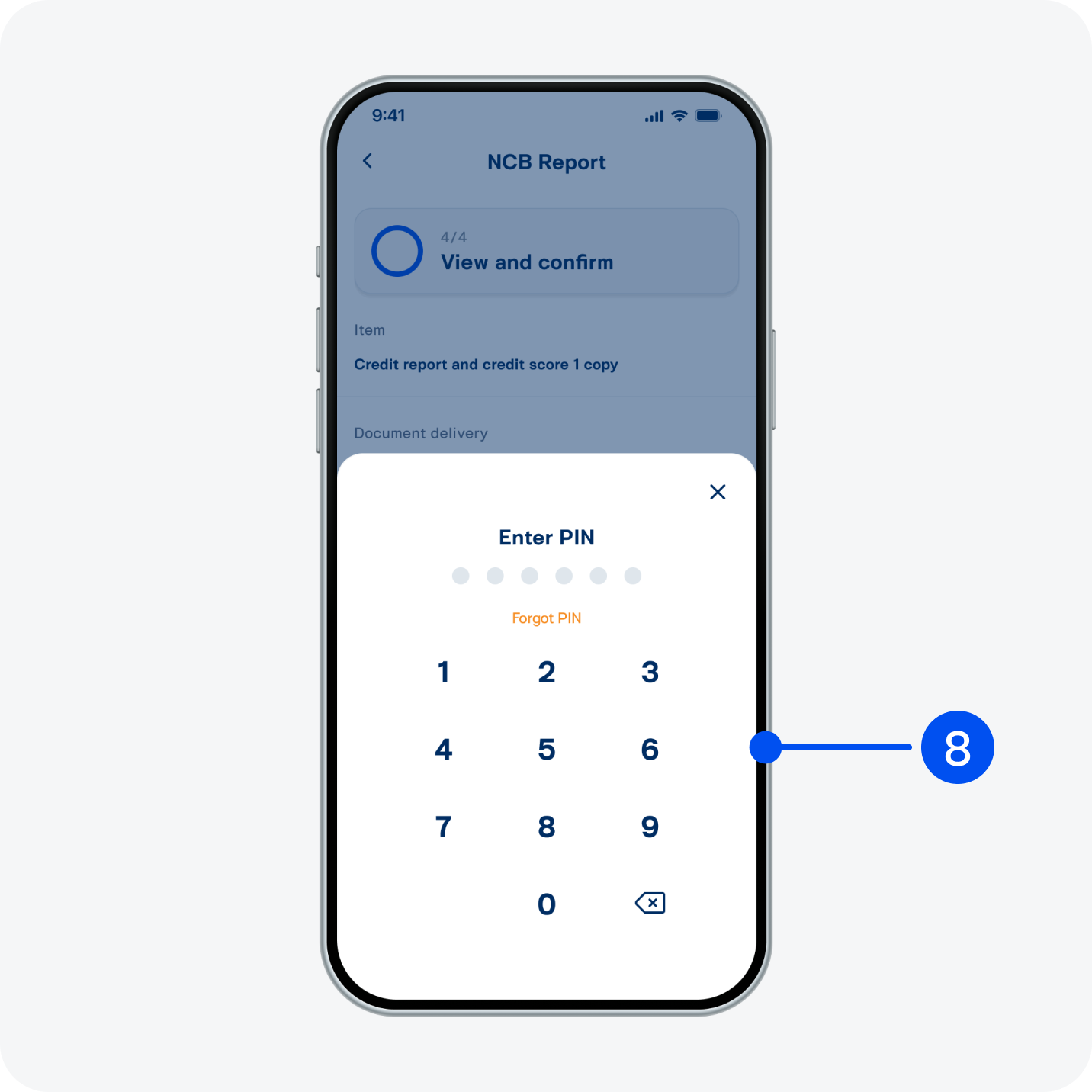
8. Enter PIN to confirm.
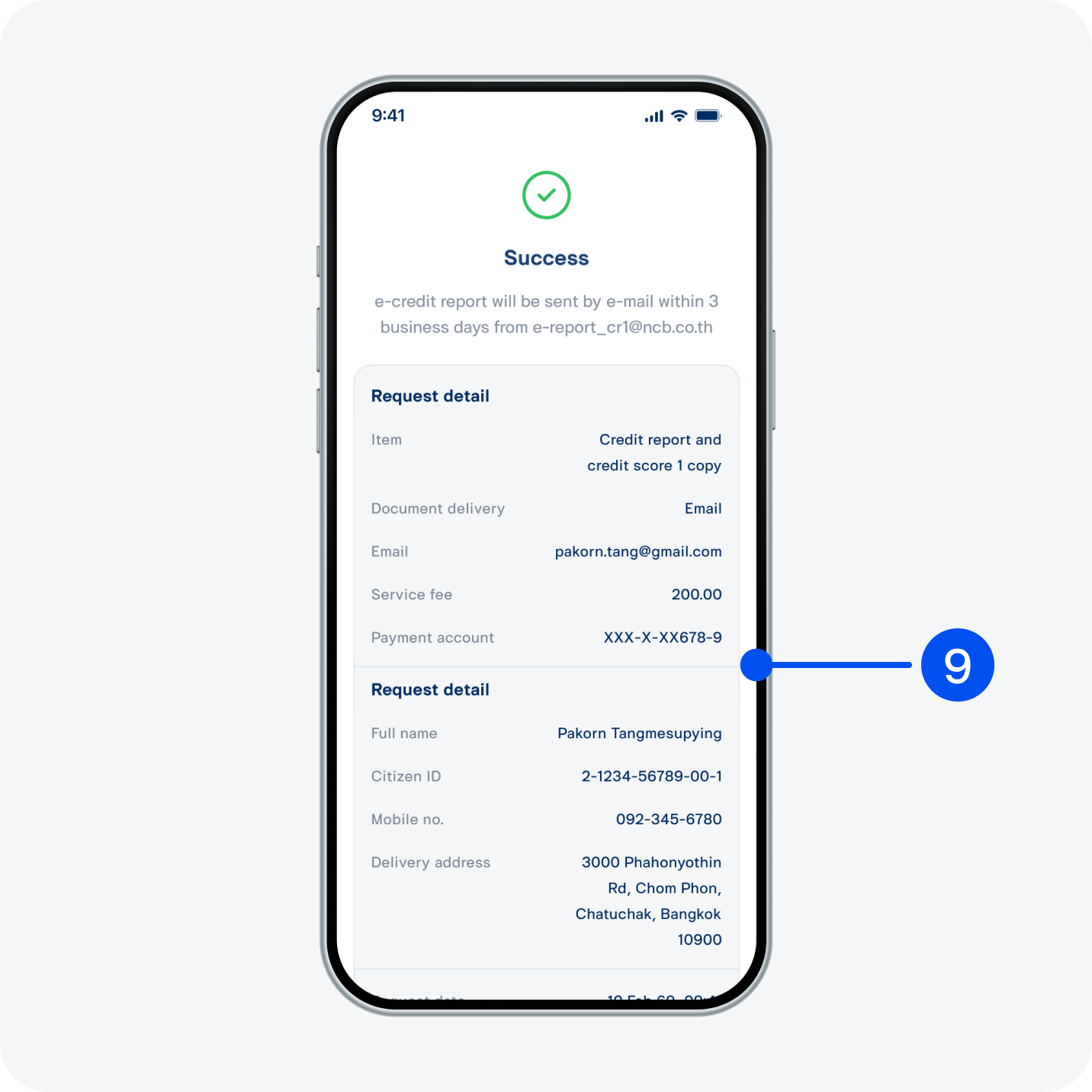
9. Credit report requested successfully.