

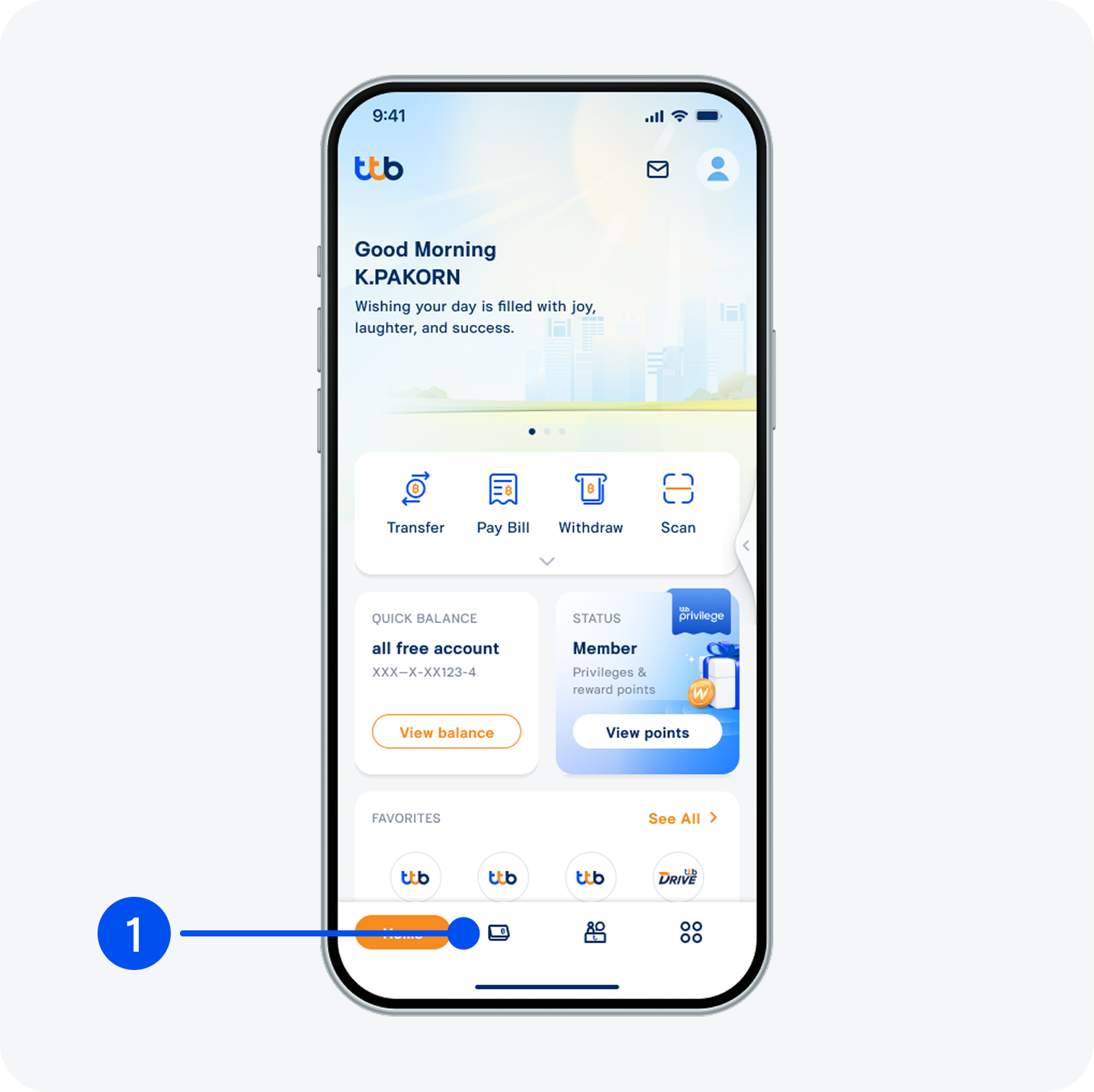
1. Select “Account”, the 2nd menu from the bottom.
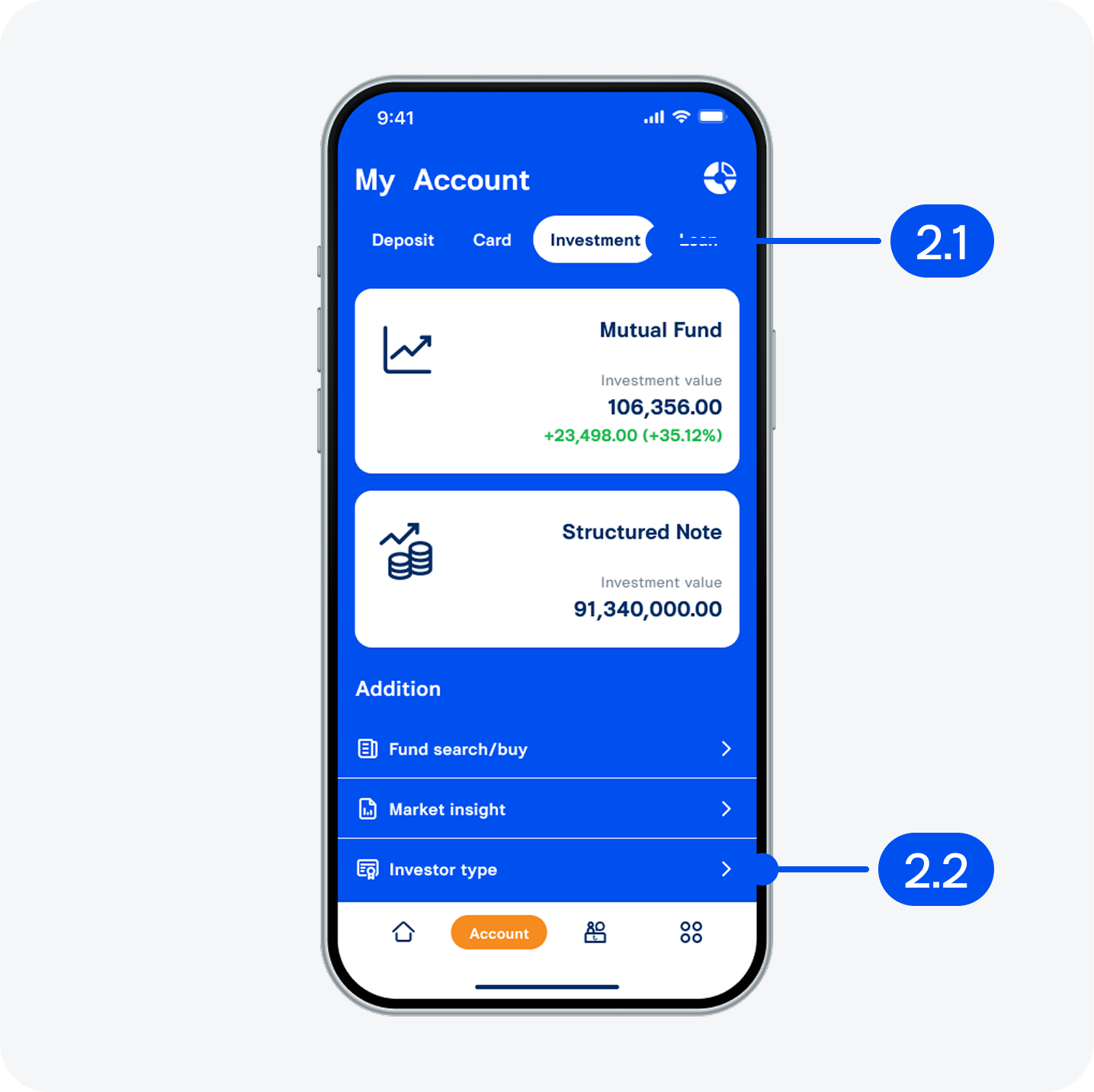
2. On "My account" page,
2.1) Select "Investment".
2.2) Select "Investor type".
2.1) Select "Investment".
2.2) Select "Investor type".
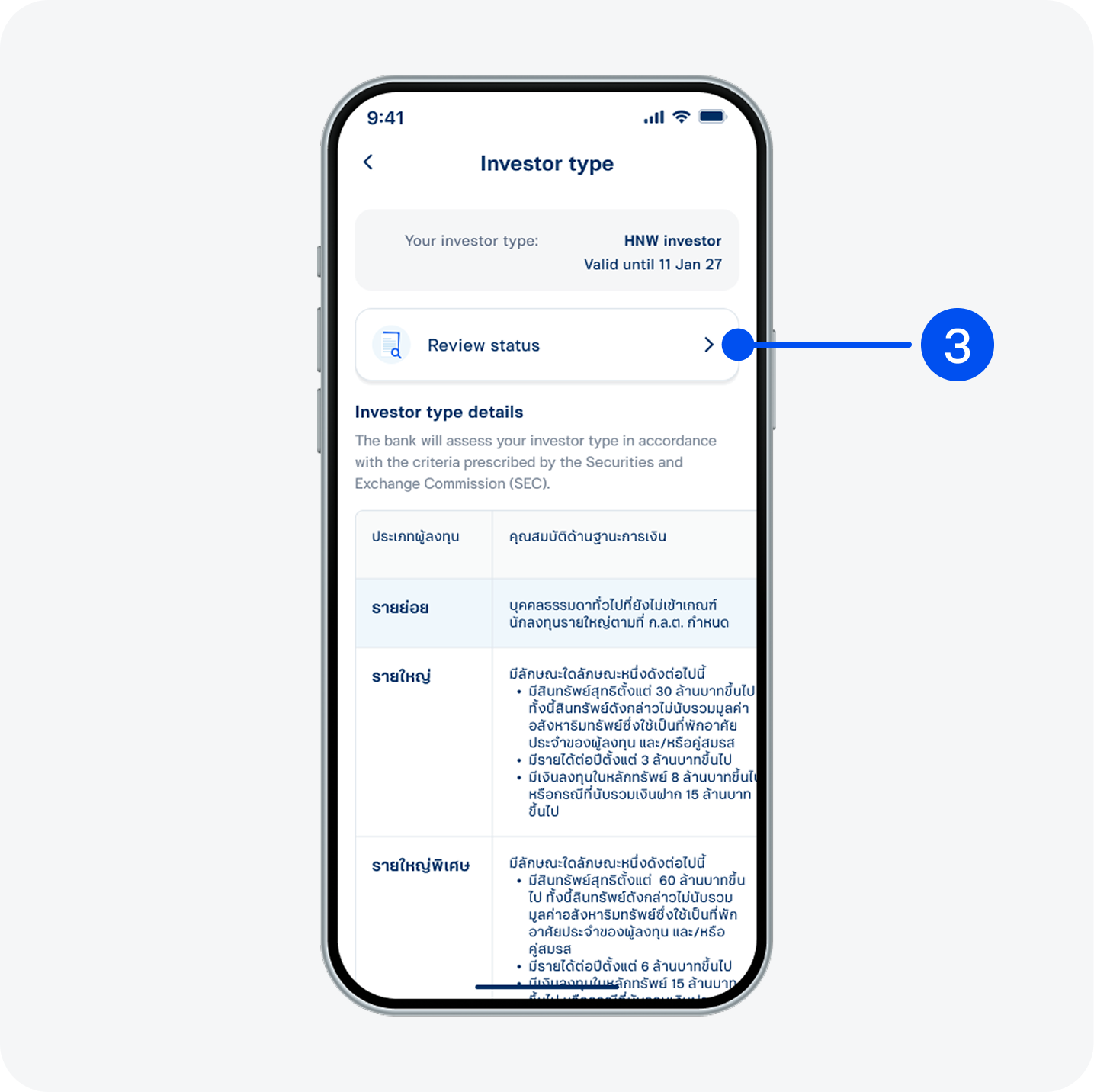
3. Select “Review status”.
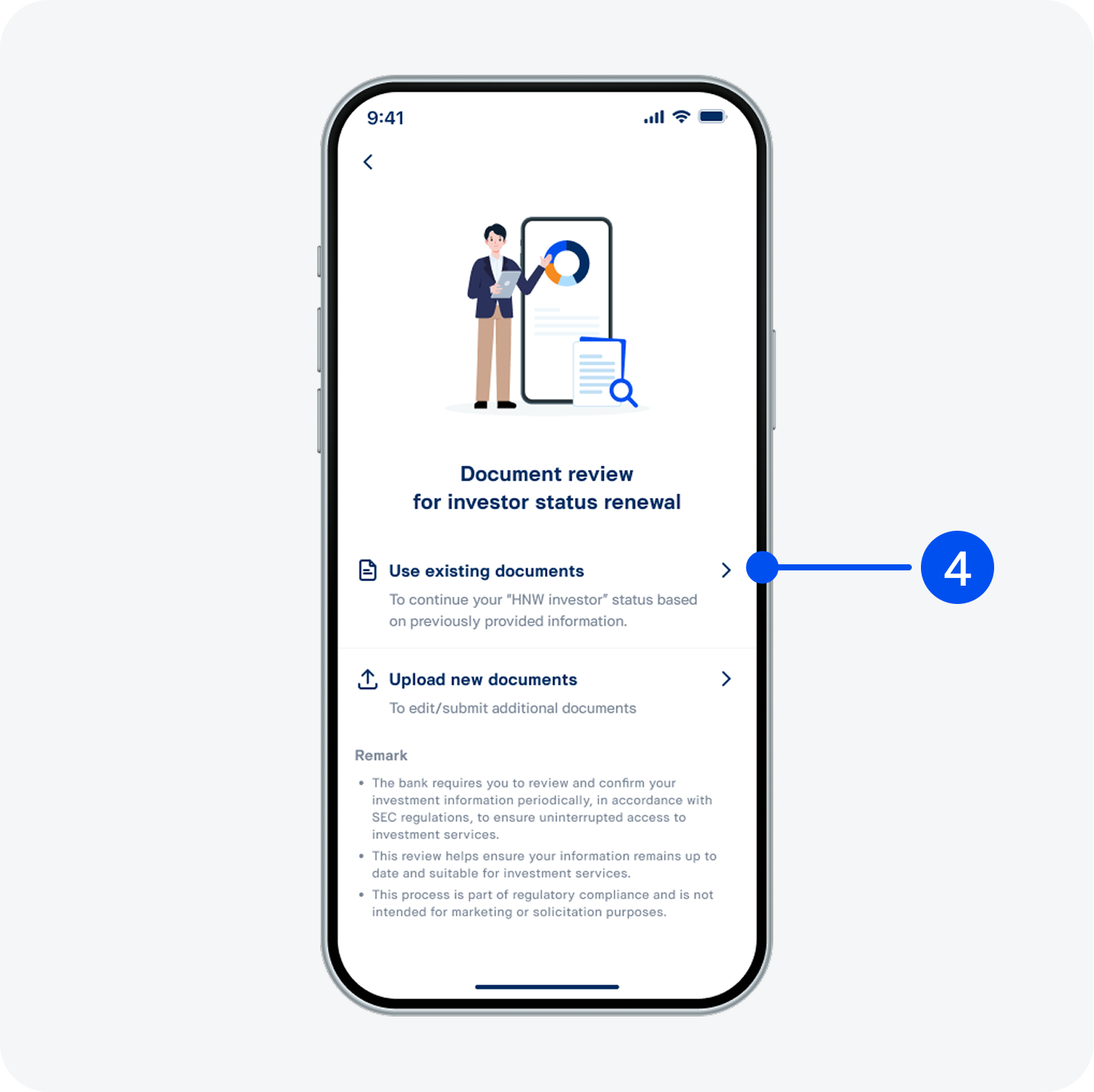
4. Read the document review for investor status renewal, then select "Use existing documents".
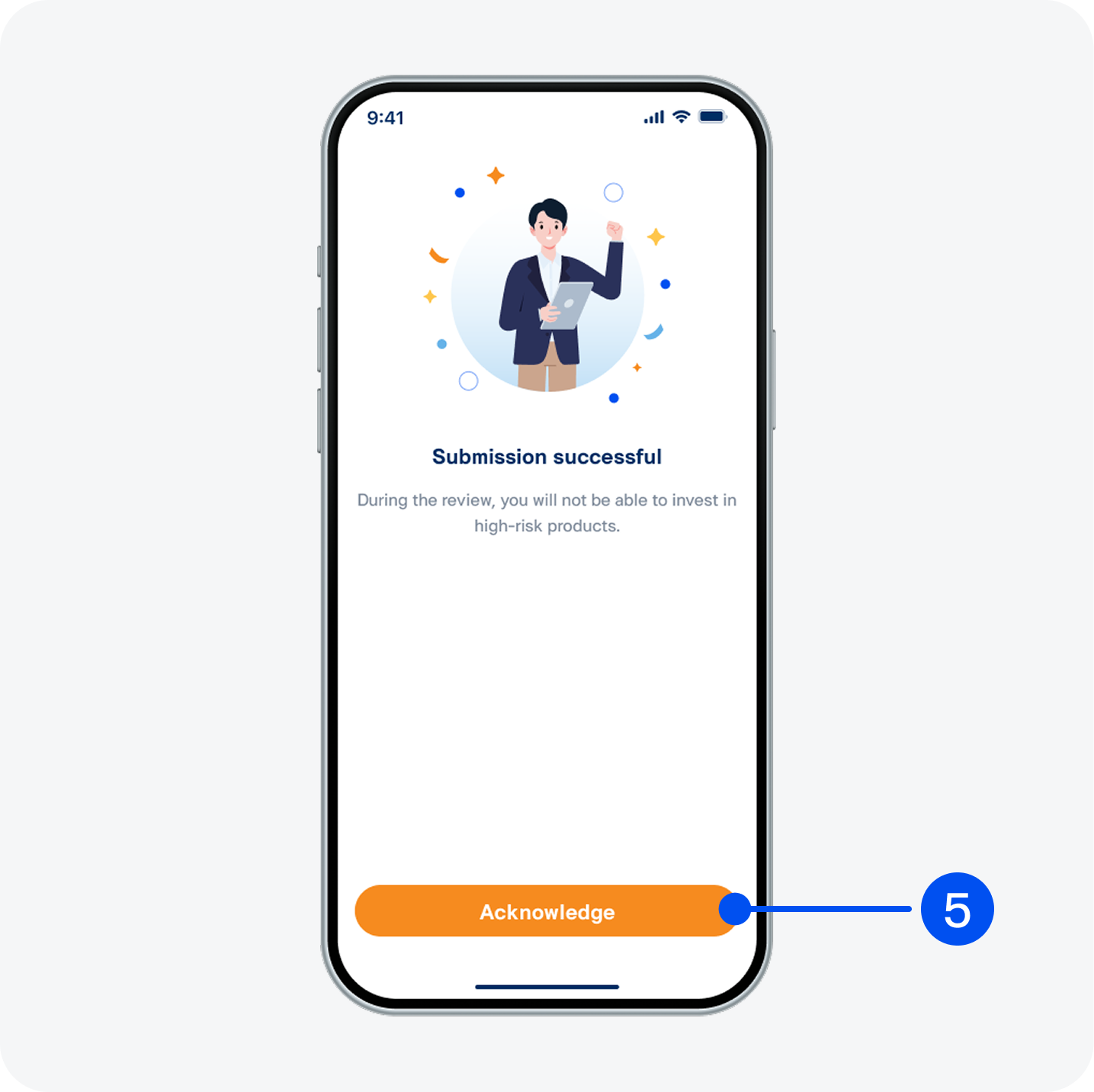
5. Select “Acknowledge”.
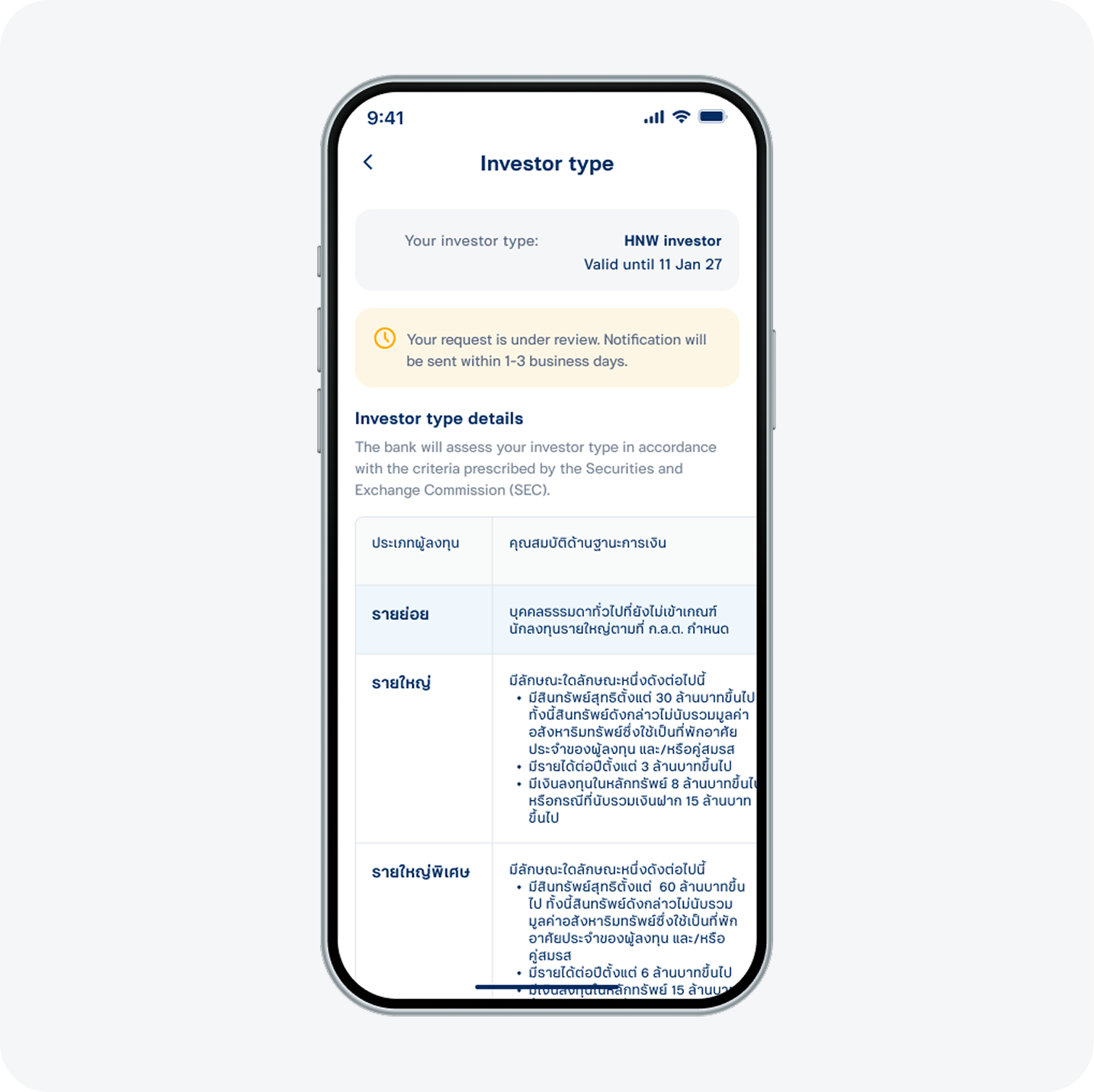
6. Your status review request has been submitted successfully. You will be notified once the review is complete.