

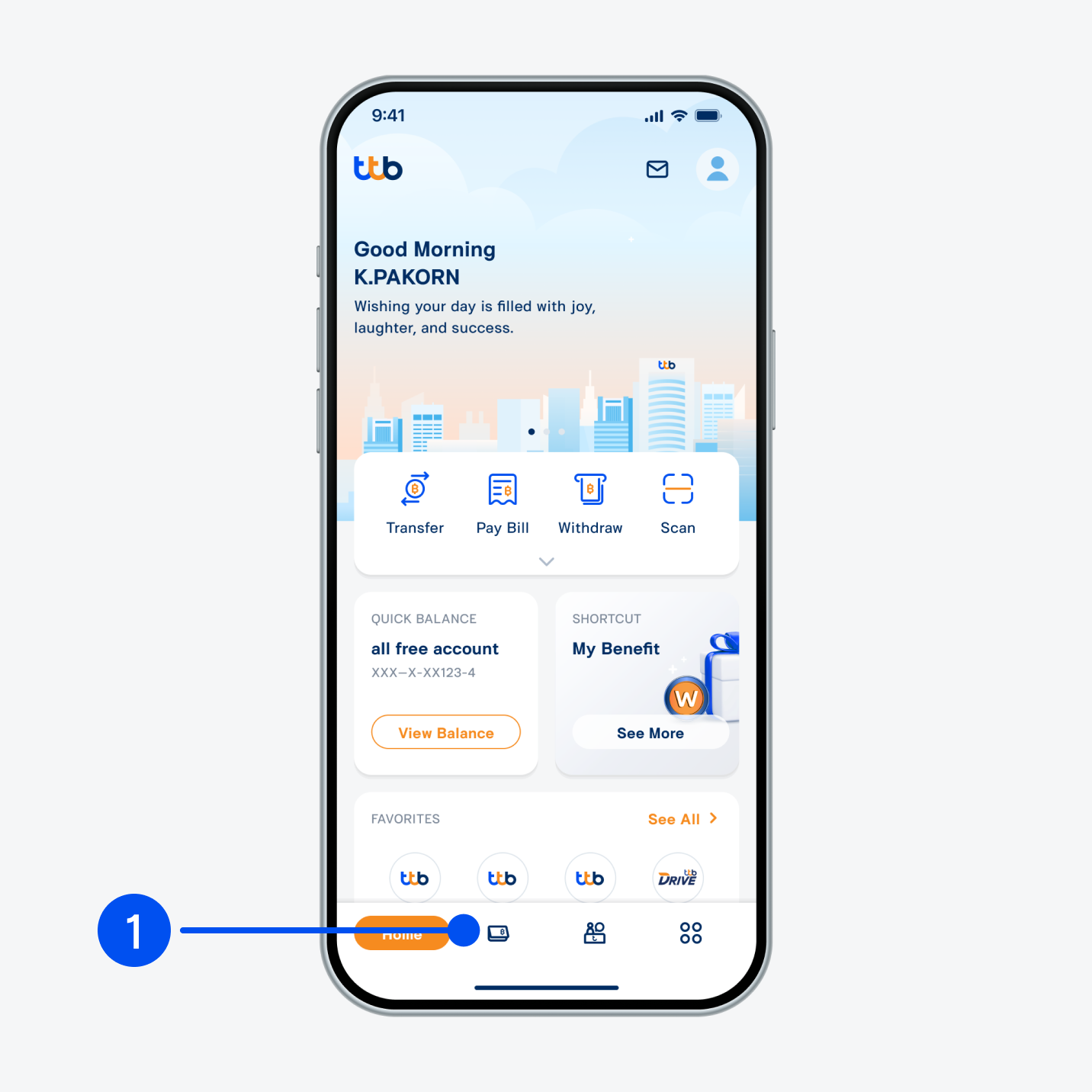
1. Select “Account”, the 2nd menu from the bottom.
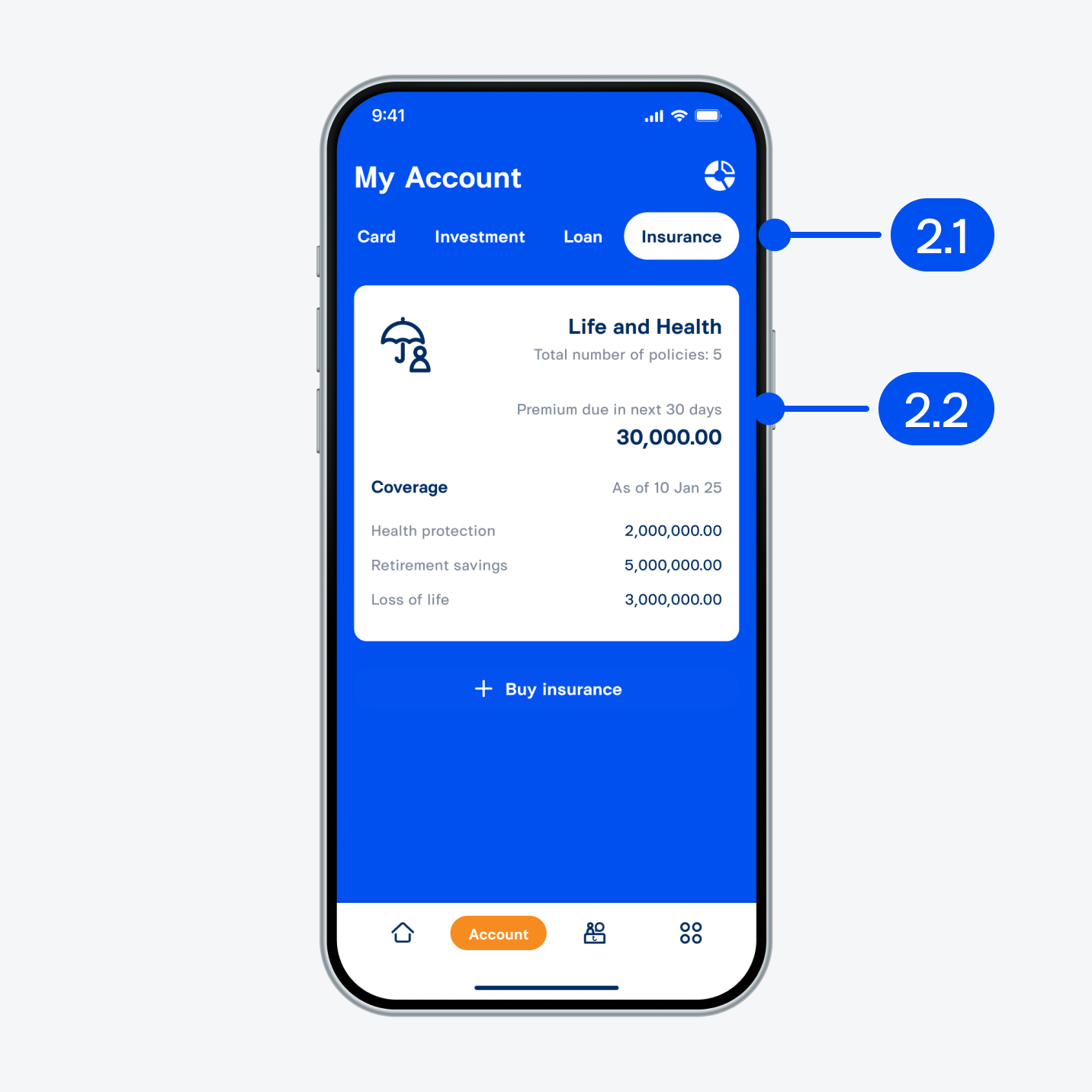
2. On “My account” page,
2.1) Slide right and select “Insurance”.
2.2) Select “Life and health”.
2.1) Slide right and select “Insurance”.
2.2) Select “Life and health”.
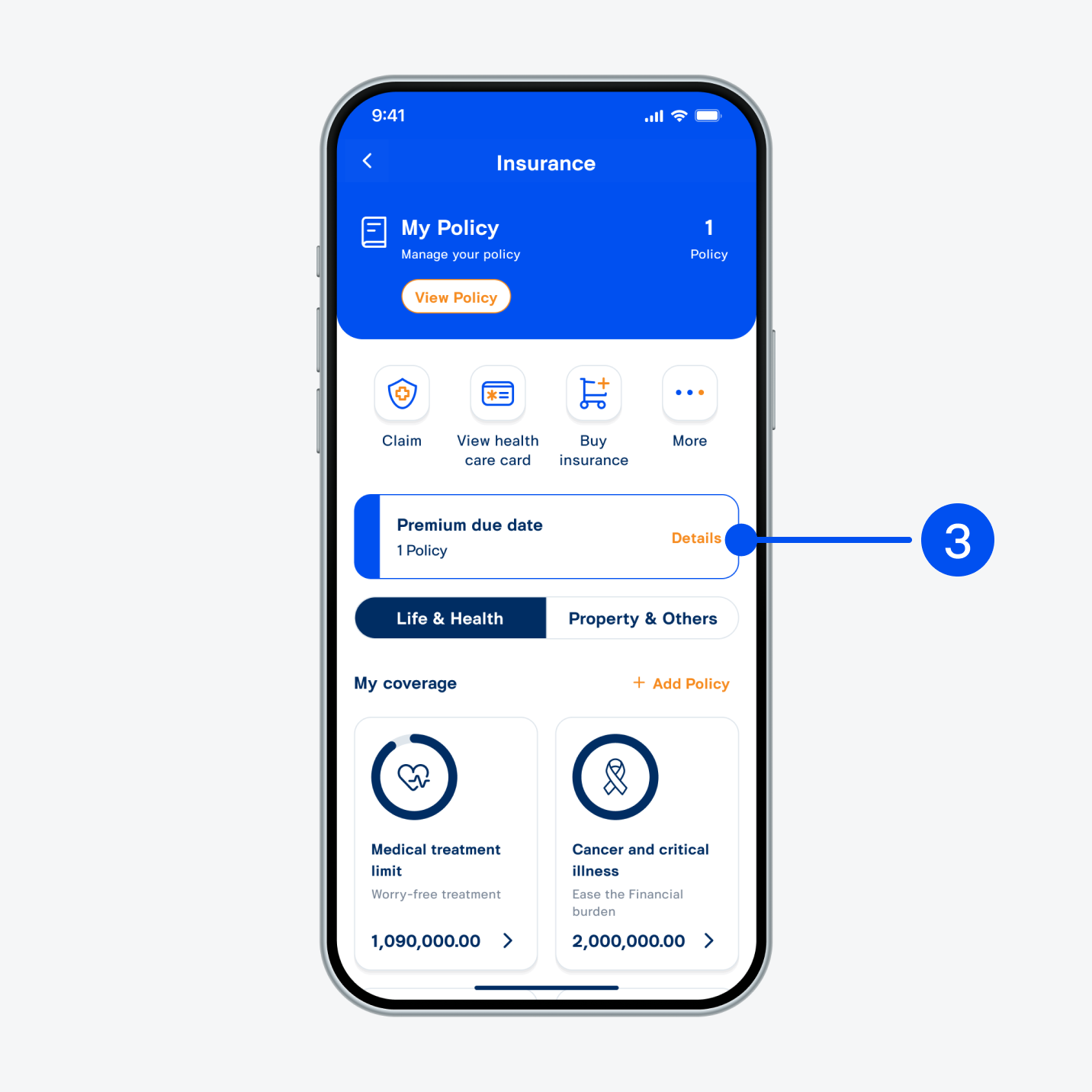
3. Select “Details”.
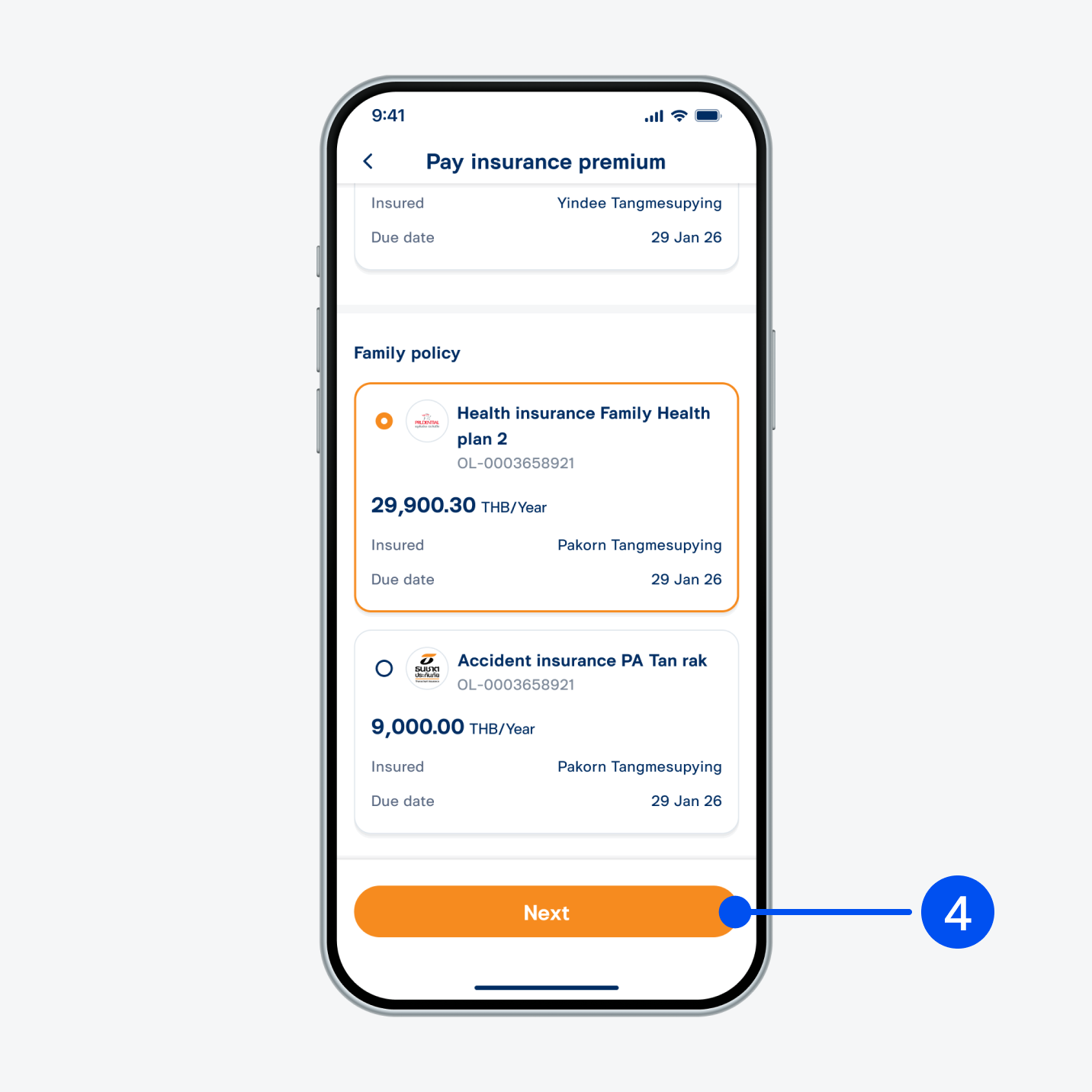
4. Select the plan to pay for—you may make a payment for your own and others' policies. Then, select “Next”.
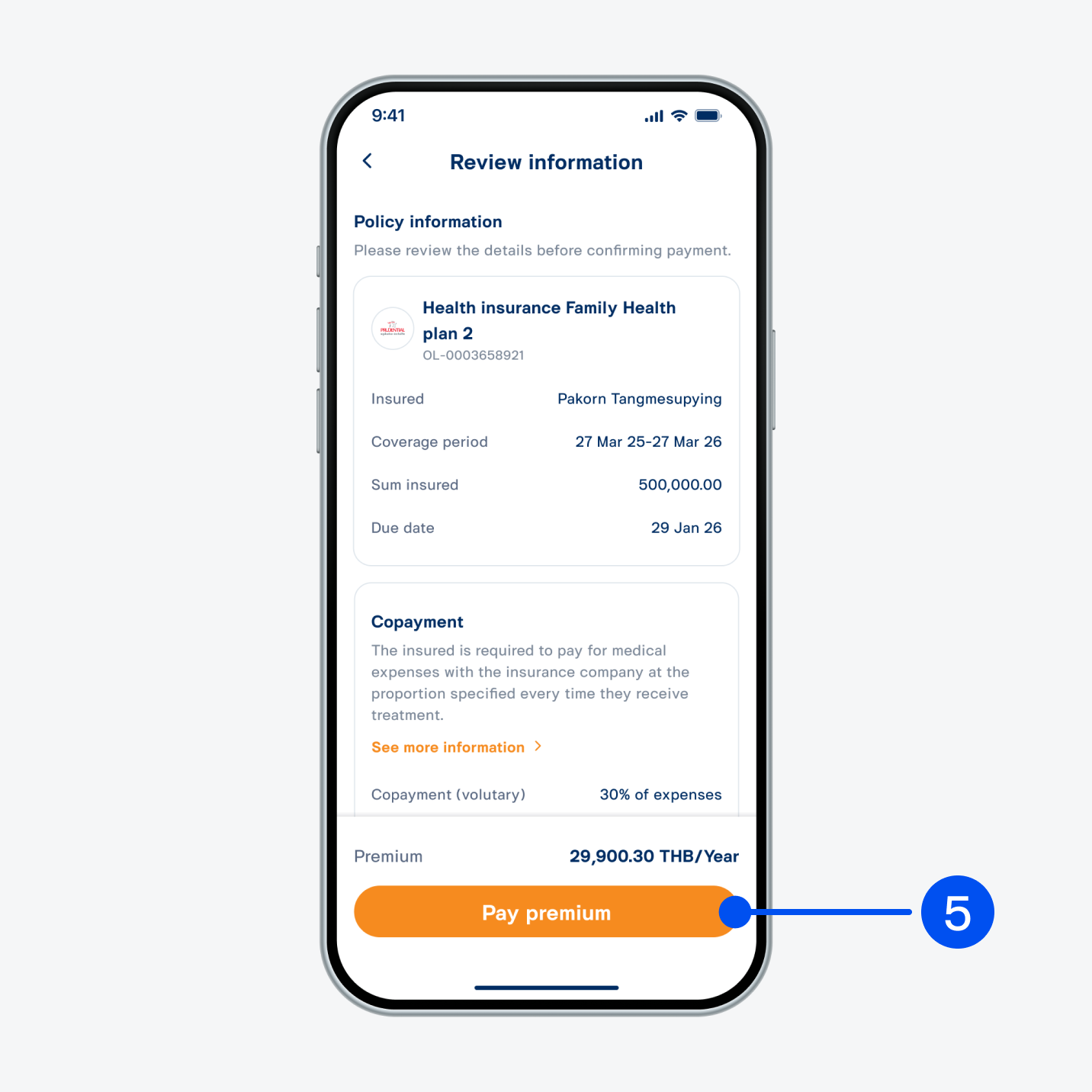
5. Review details, then select “Pay premium”.
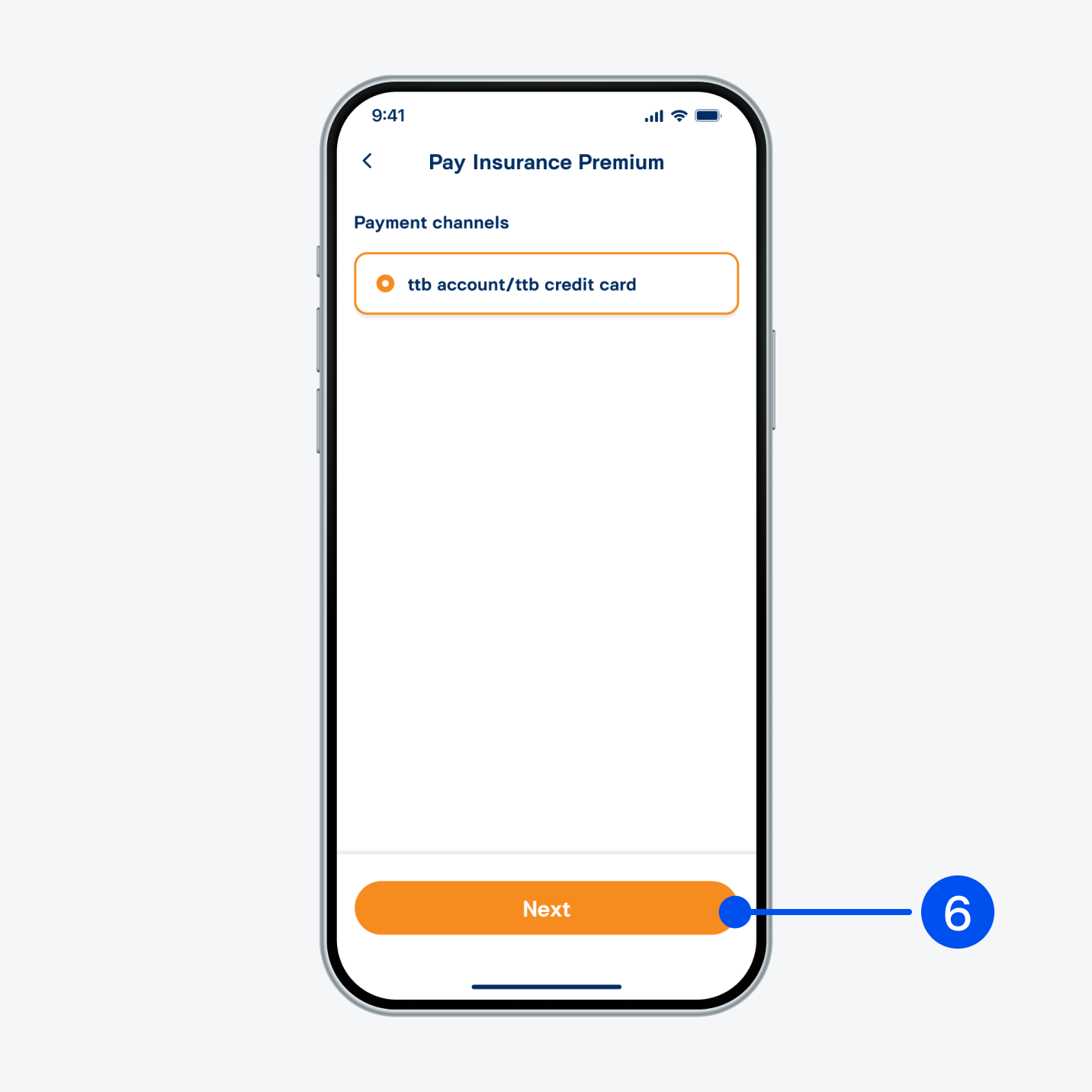
6. Select “ttb account/ttb credit card”.
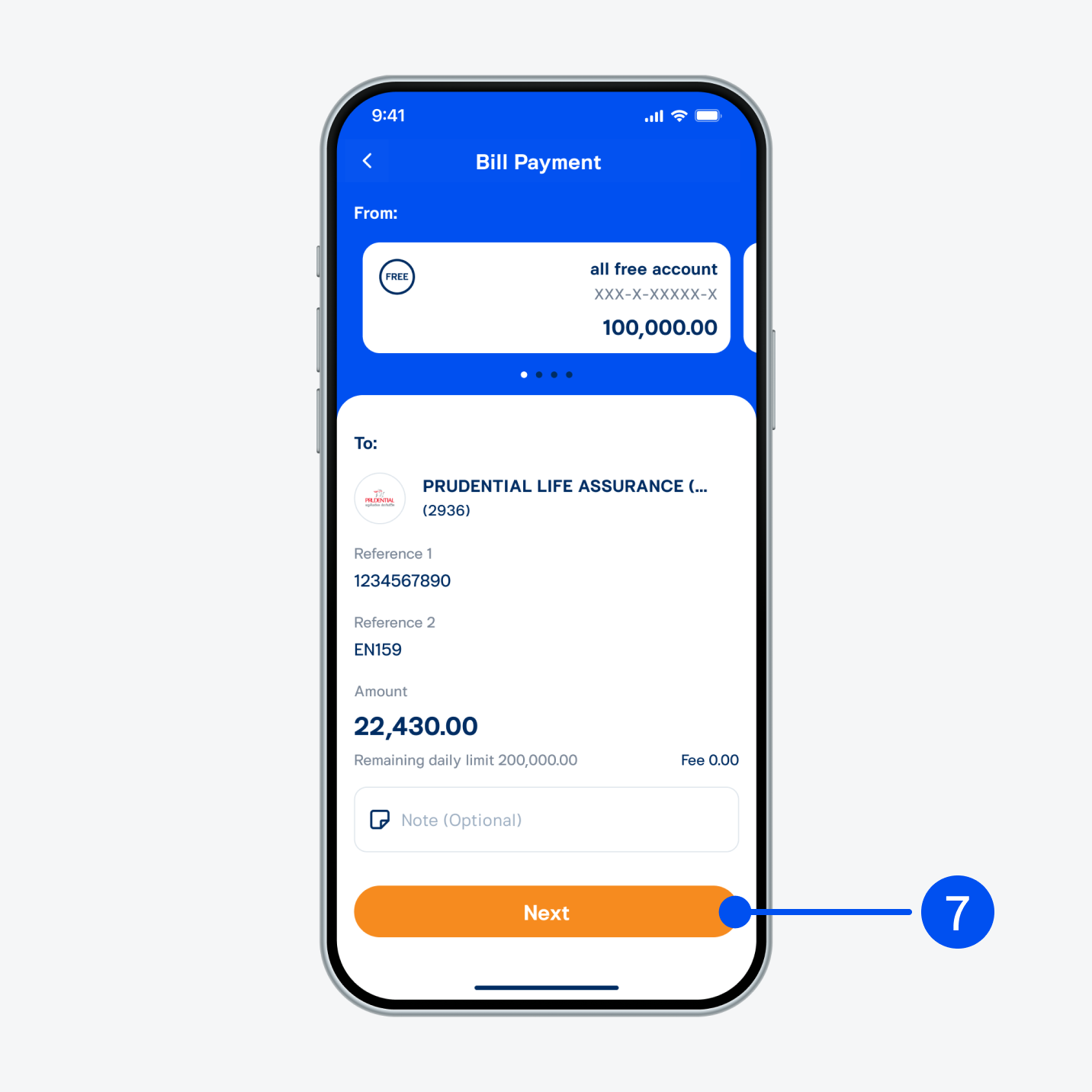
7. On “Bill payment” page,
7.1) Select payment account.
7.2) Select “Next”.
7.1) Select payment account.
7.2) Select “Next”.
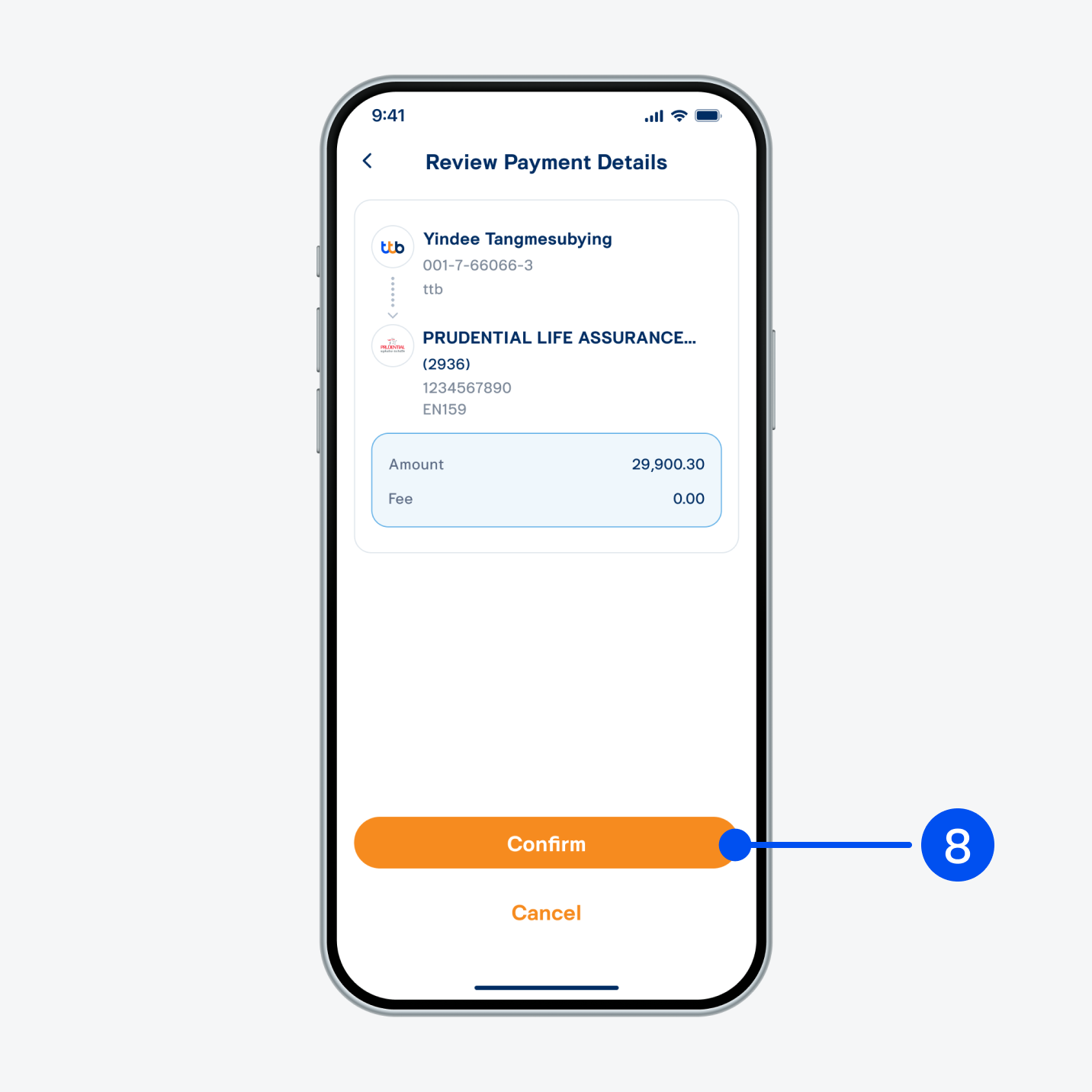
8. Review payment details, then select "Confirm".
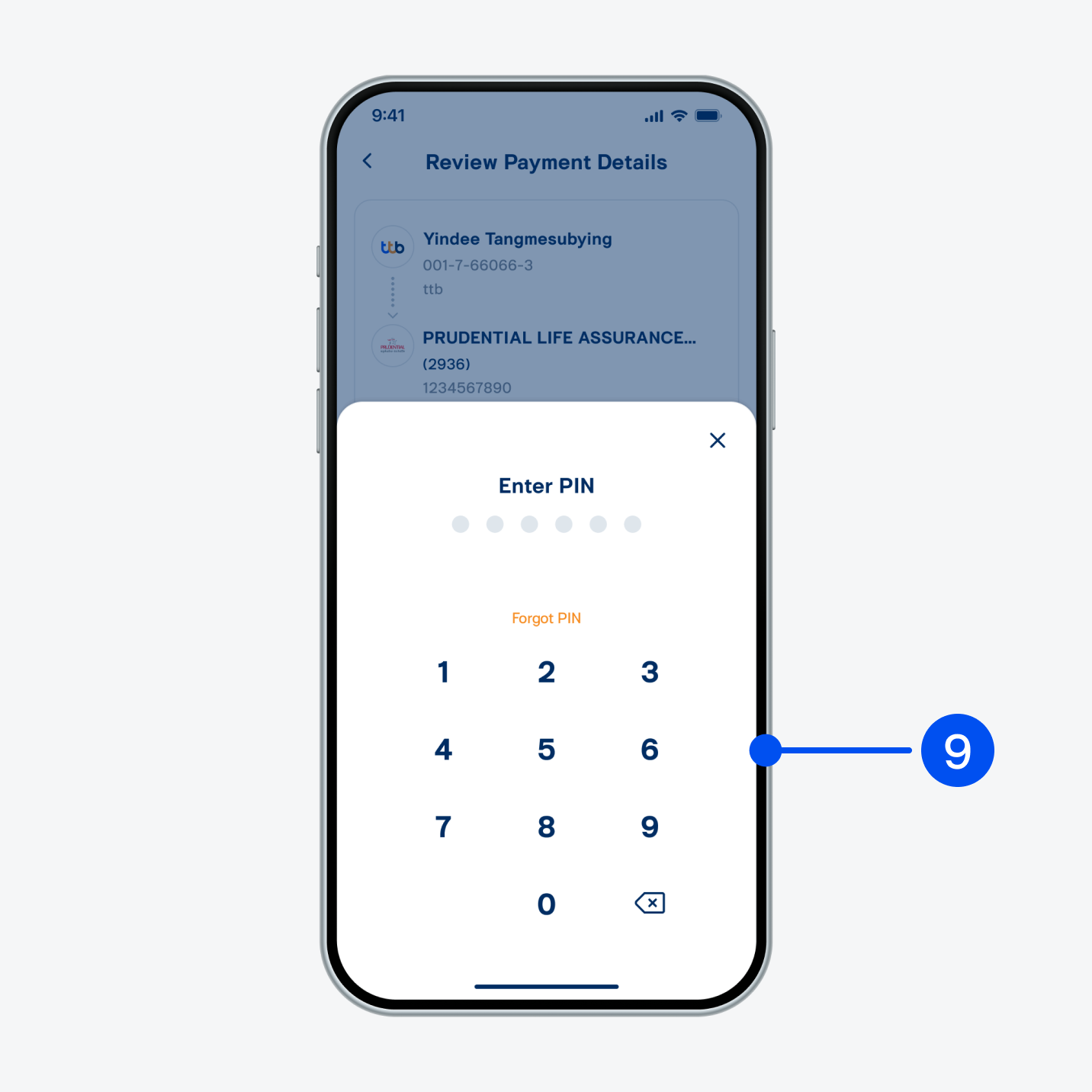
9. Enter PIN to confirm.
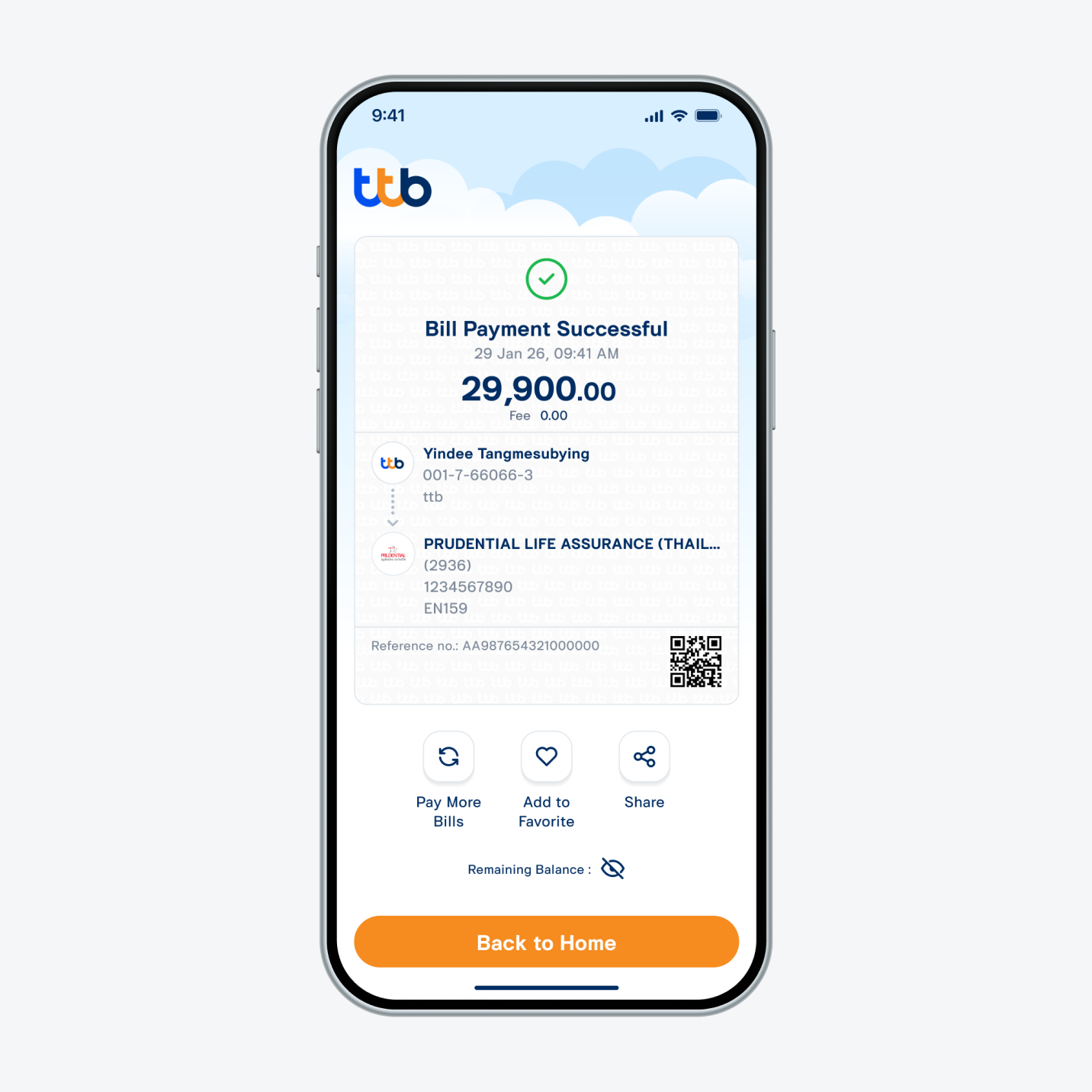
10. Insurance premium has been paid successfully.