

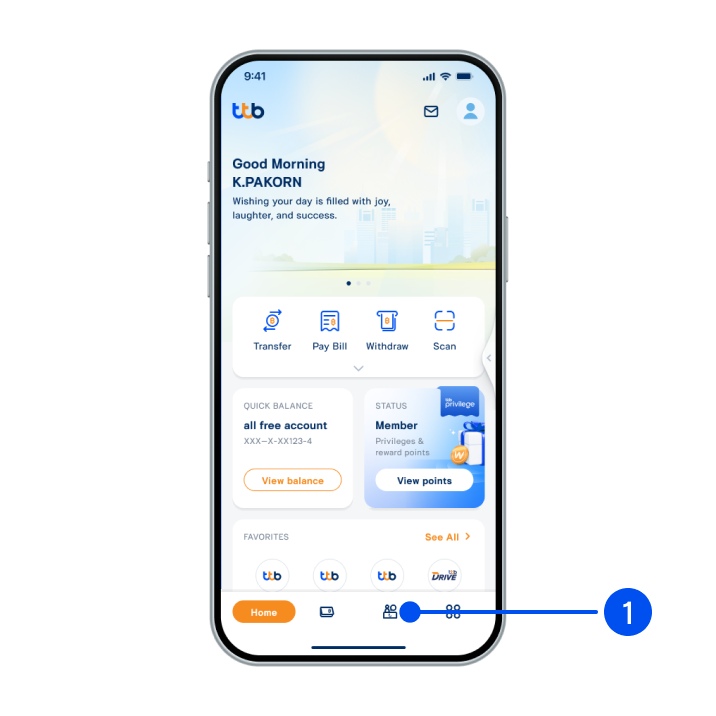
1. Select “Service”, the 3rd menu from the bottom.
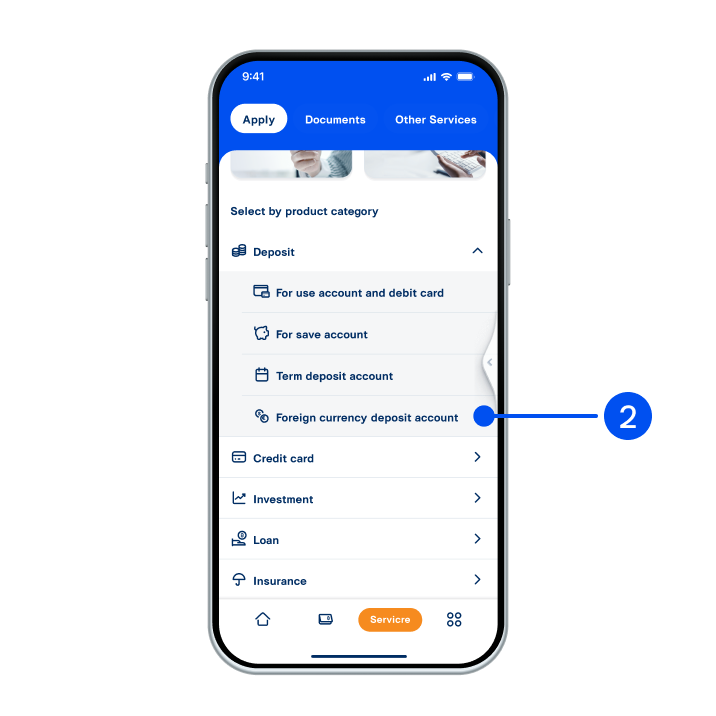
2. Select “Deposit”, then select “Foreign currency deposit account”.
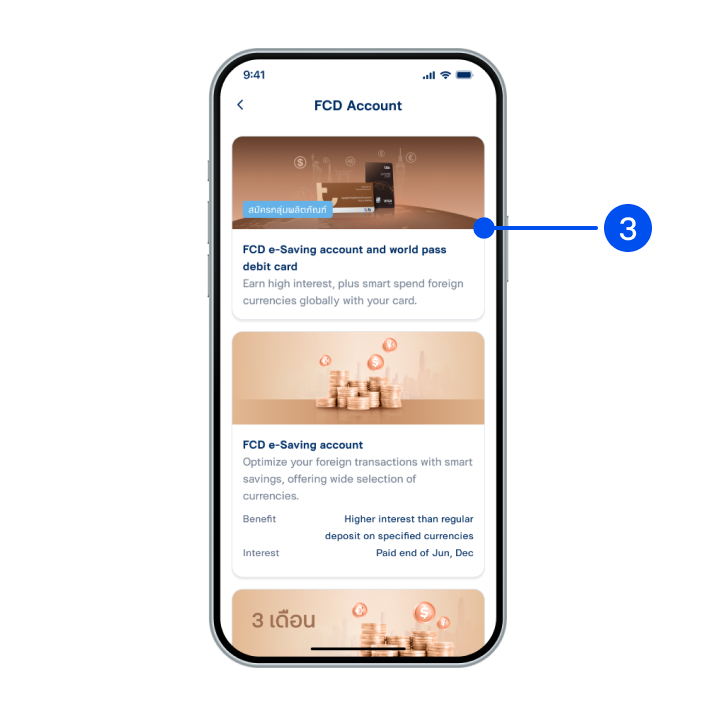
3. Select ”FCD e-Saving account and world pass debit card”.
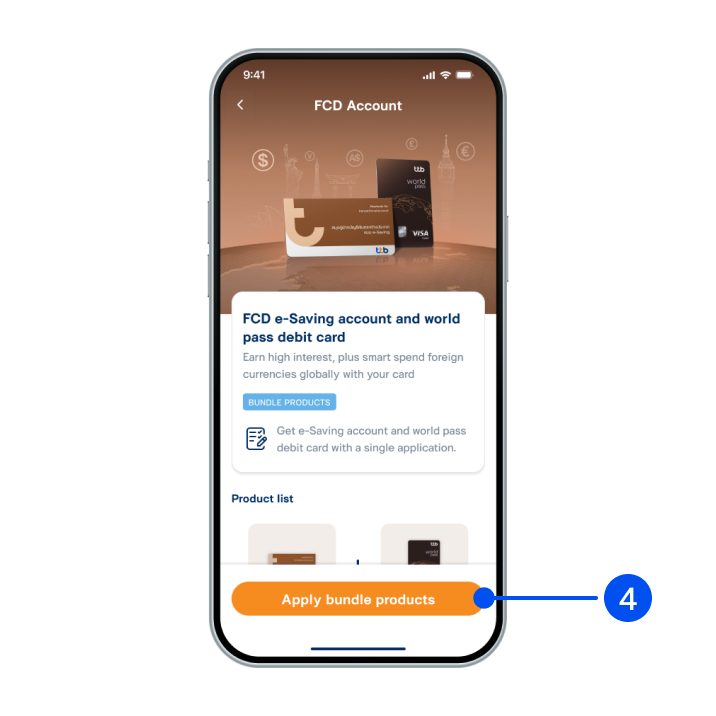
4. Select “Apply bundle products”.
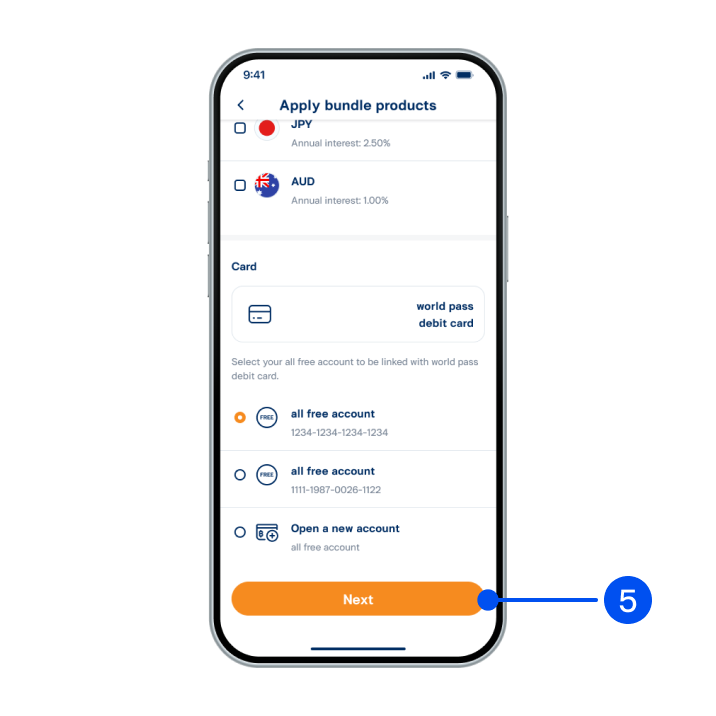
5. Select your preferred currency.
(1 account/currency, up to 3 accounts). Then, select your all free account to be linked with world pass debit card, and select “Next”.
(1 account/currency, up to 3 accounts). Then, select your all free account to be linked with world pass debit card, and select “Next”.
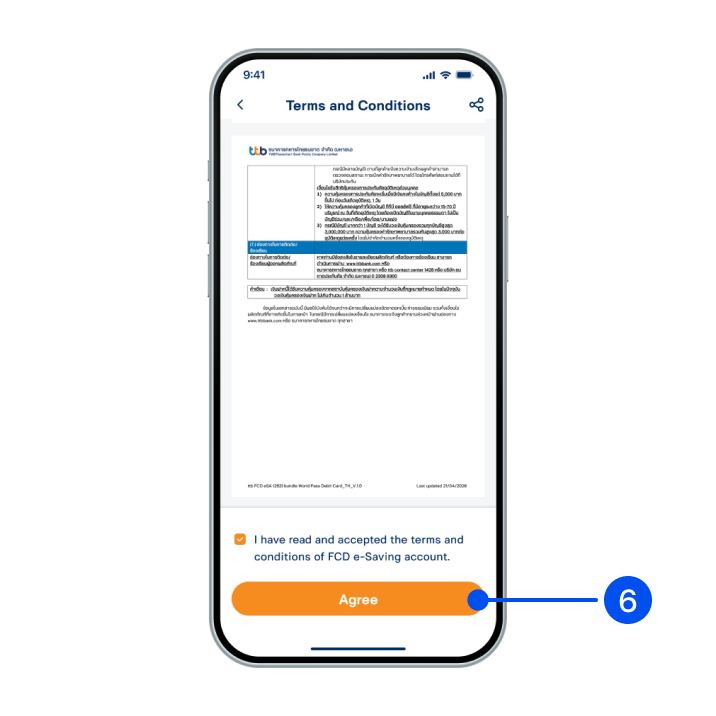
6. Read and accept terms and conditions, then select "Agree".
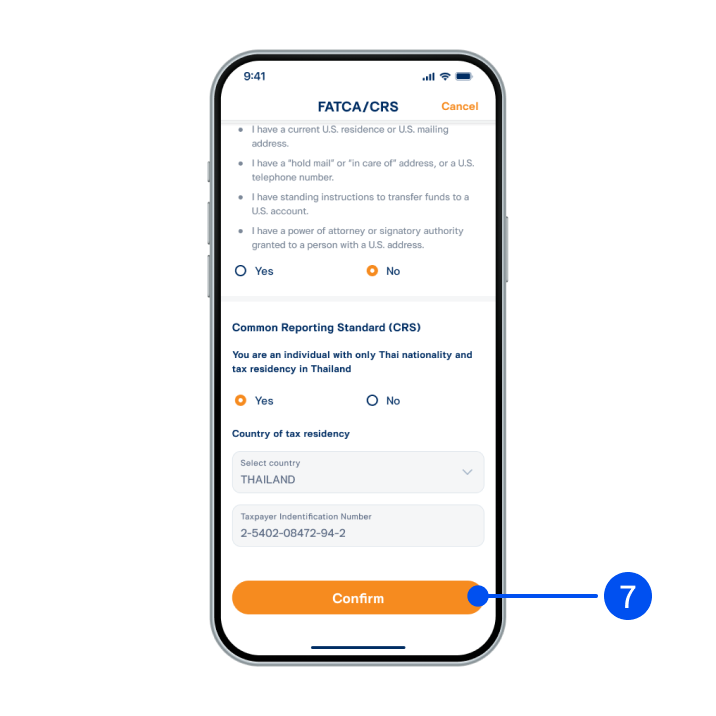
7. Provide an answer for FATCA/CRS, then select “Confirm”.
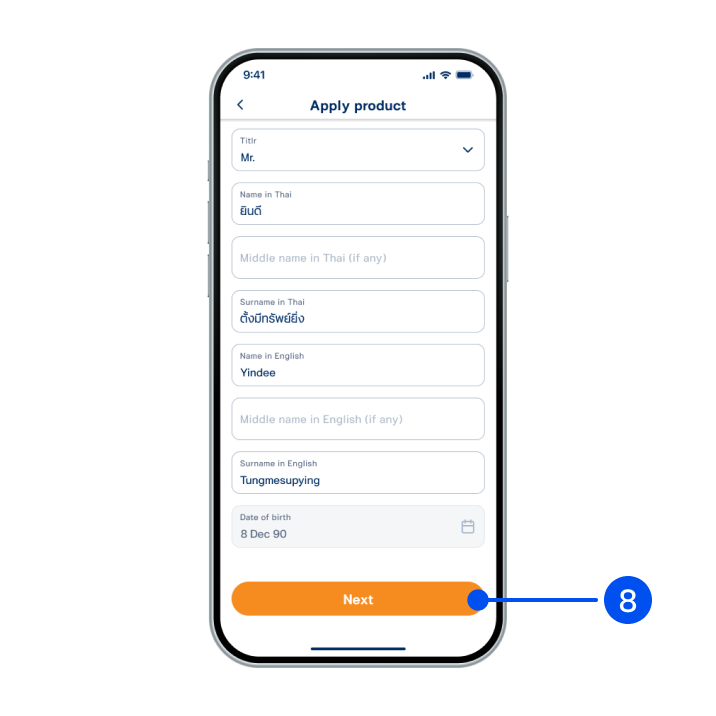
8. Enter your ID card laser code and review your personal information, then select "Next".
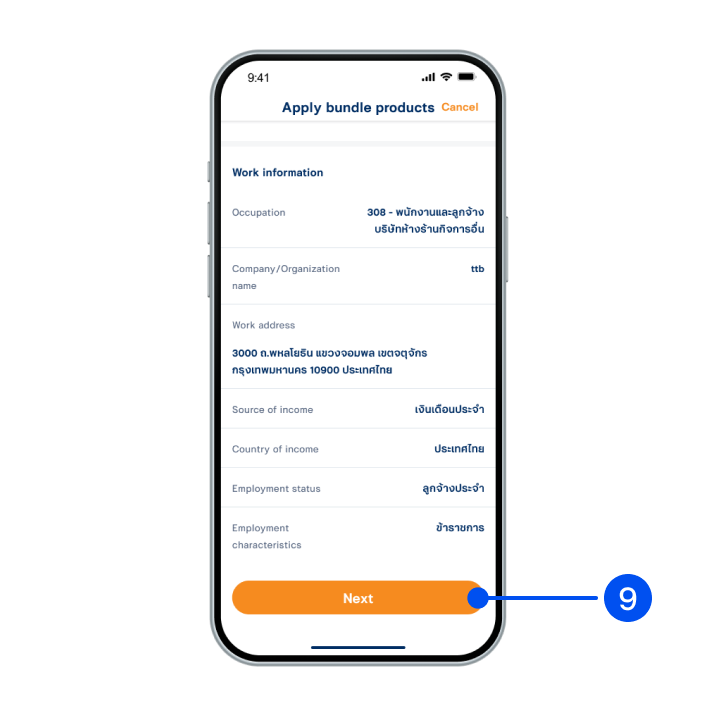
9. Review your contact and work information, then select “Next”.
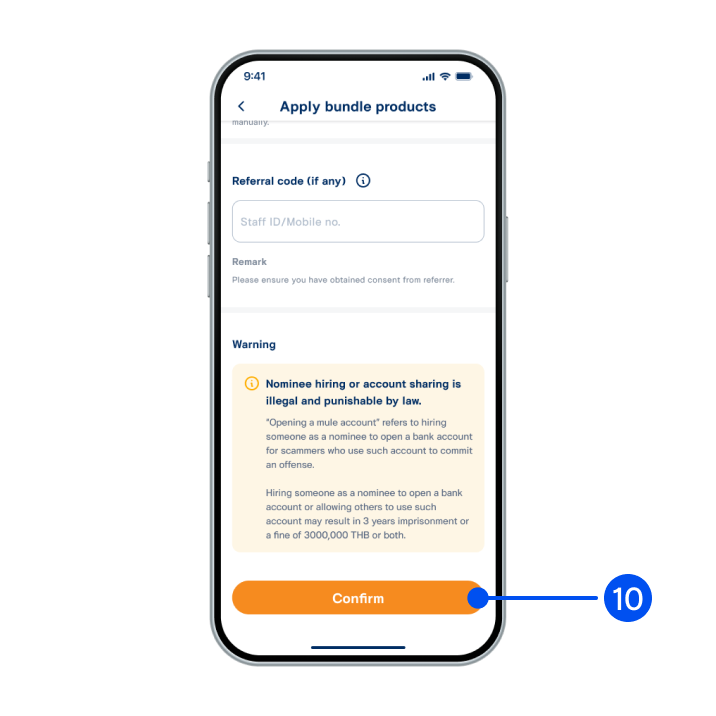
10. Review your account and card details, then select “Confirm”.
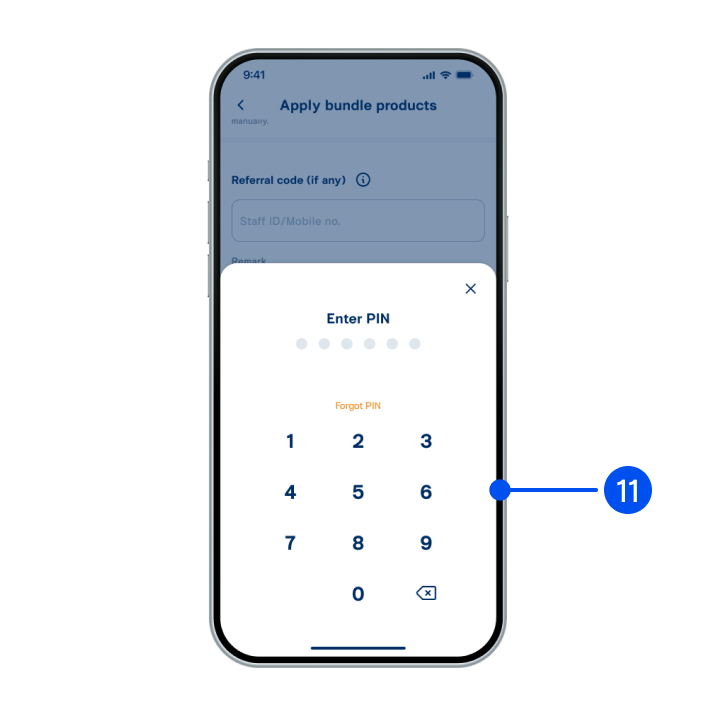
11. Enter PIN to confirm.
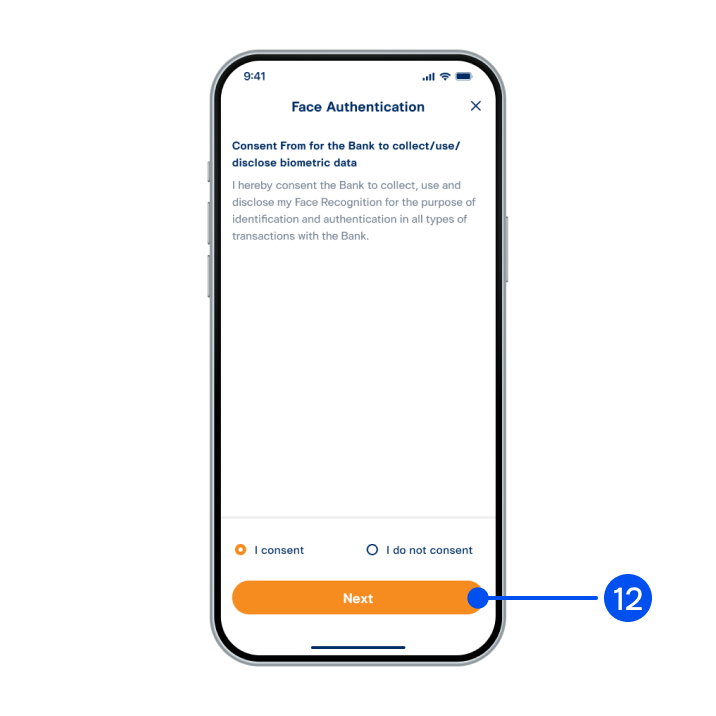
12. Read consent form for the bank to collect/use/disclose biometric data. Select “Accept” then select "Next”.
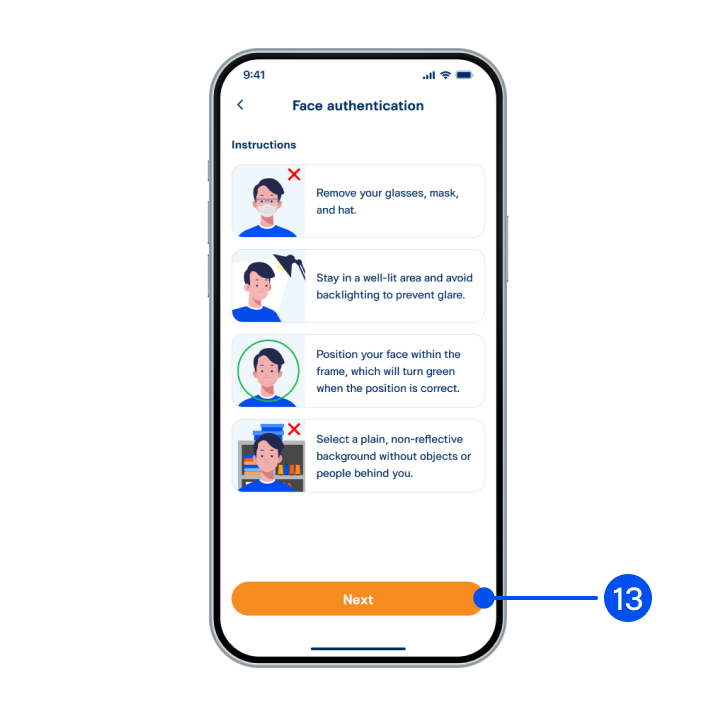
13. Read the face authentication instructions, then select "Next”.
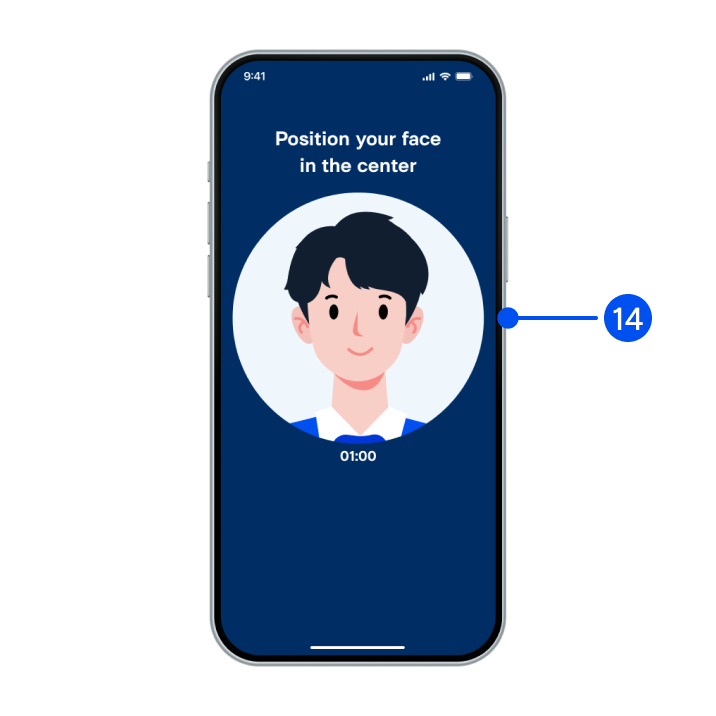
14. Adjust your face within the frame for facial comparison.
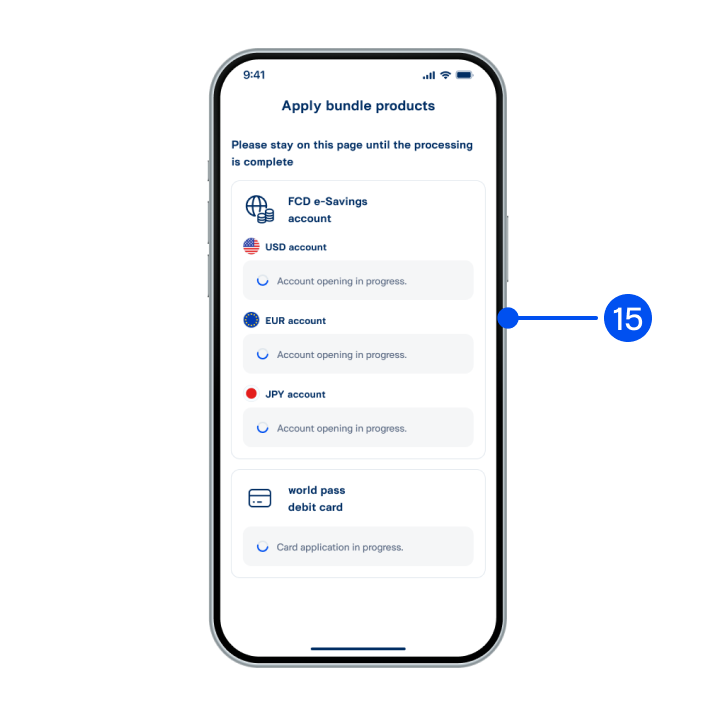
15. Please stay on this page while your account is being processed.
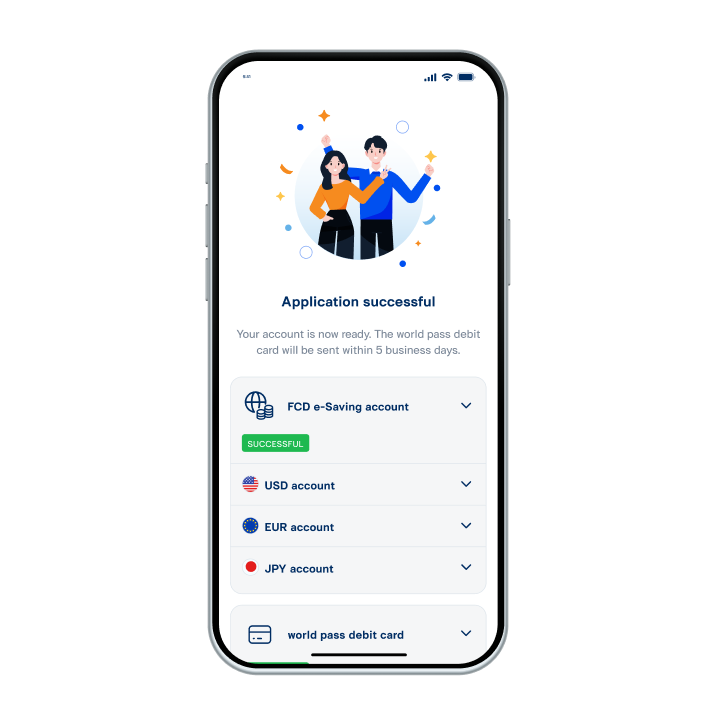
16. Opened FCD e‑Saving account and applied world pass debit card successfully.