
external-popup-close

You are being redirected to

https://www.ttbbank.com/

Proceed

Delete goal in self-designed plan

เลือกการ์ดสถานะของคุณ
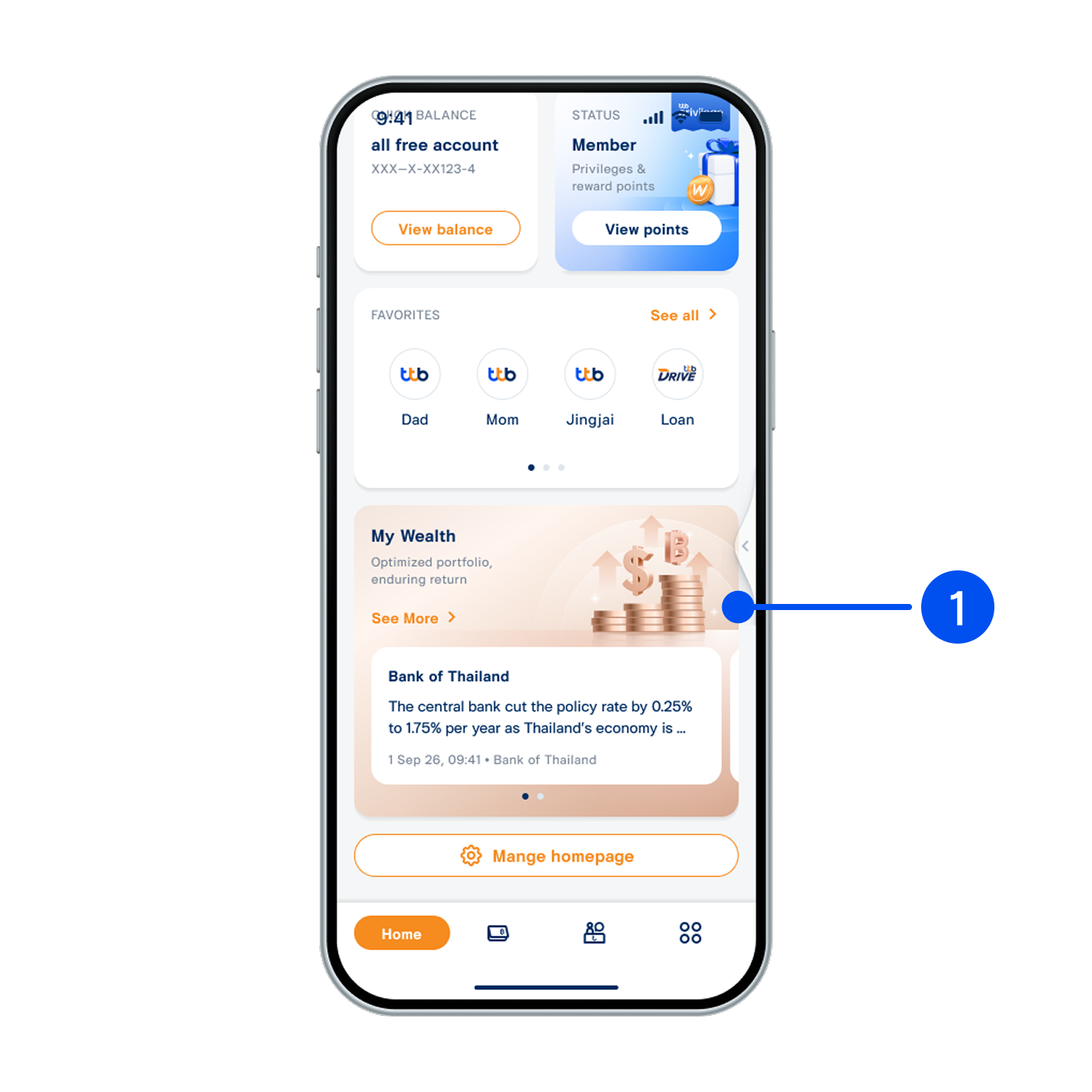
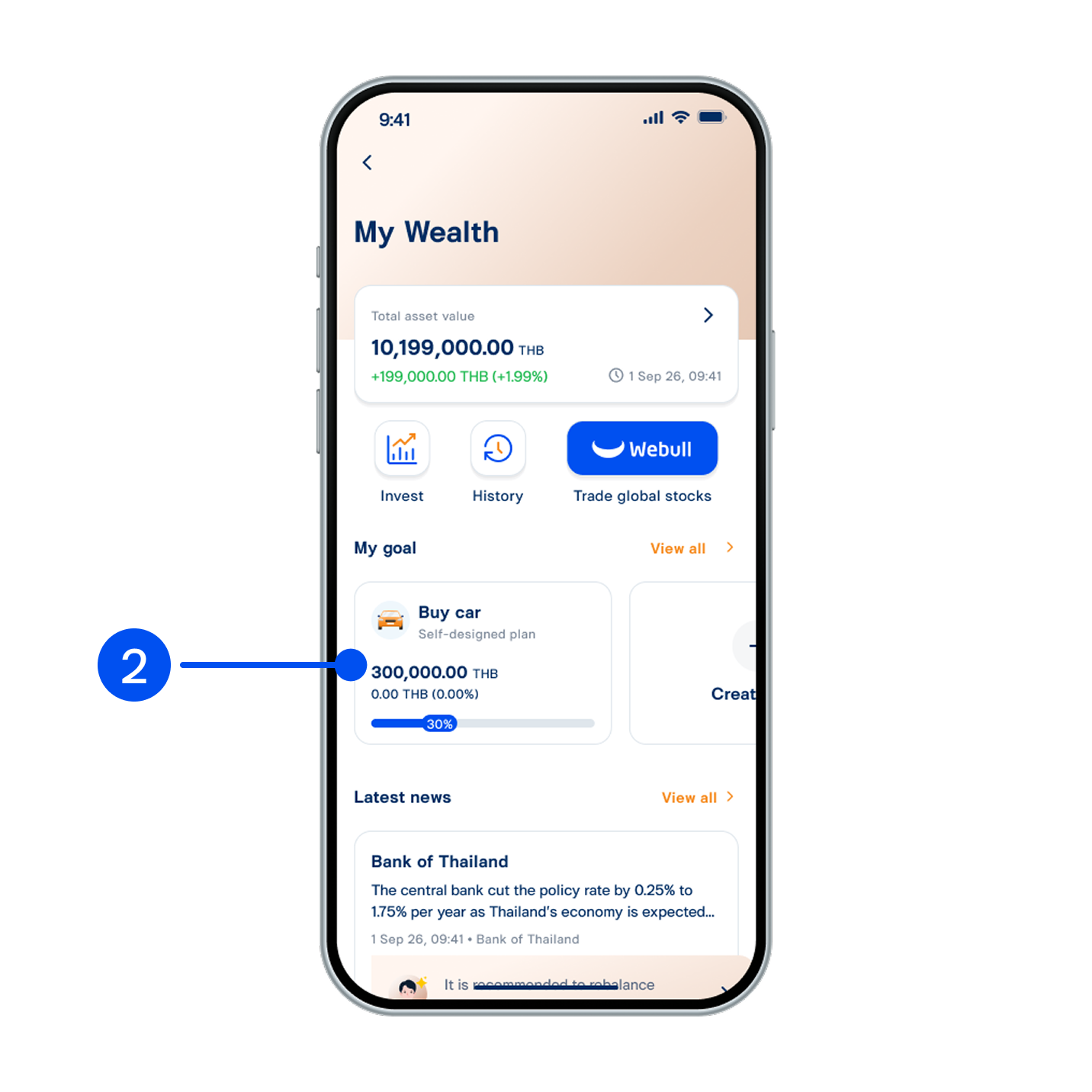
1. Scroll down, then select “My Wealth” widget.
เลือกเมนู “อื่นๆ”
2. Select the goal to delete.
เลือก “โอนเปลี่ยนคะแนน”
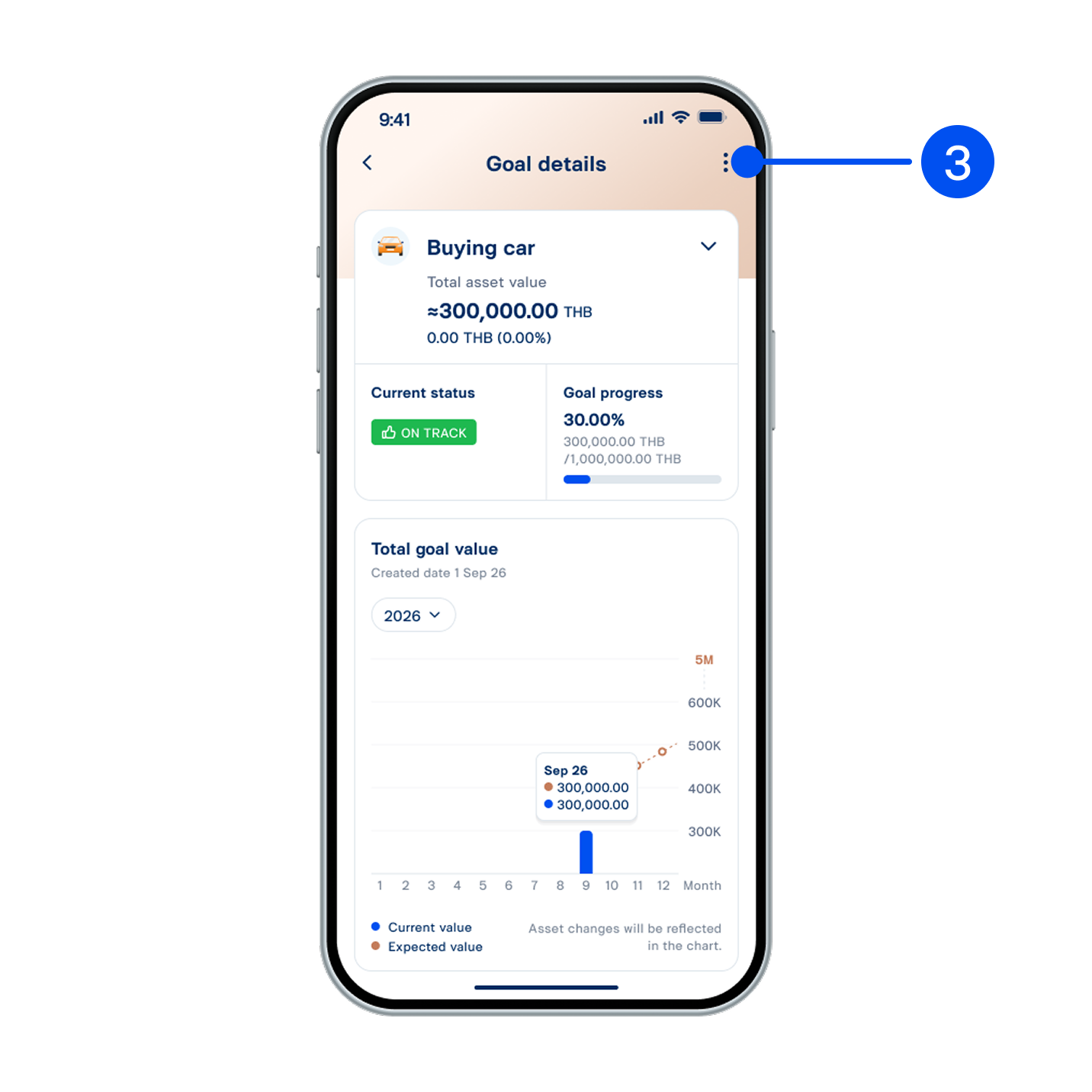
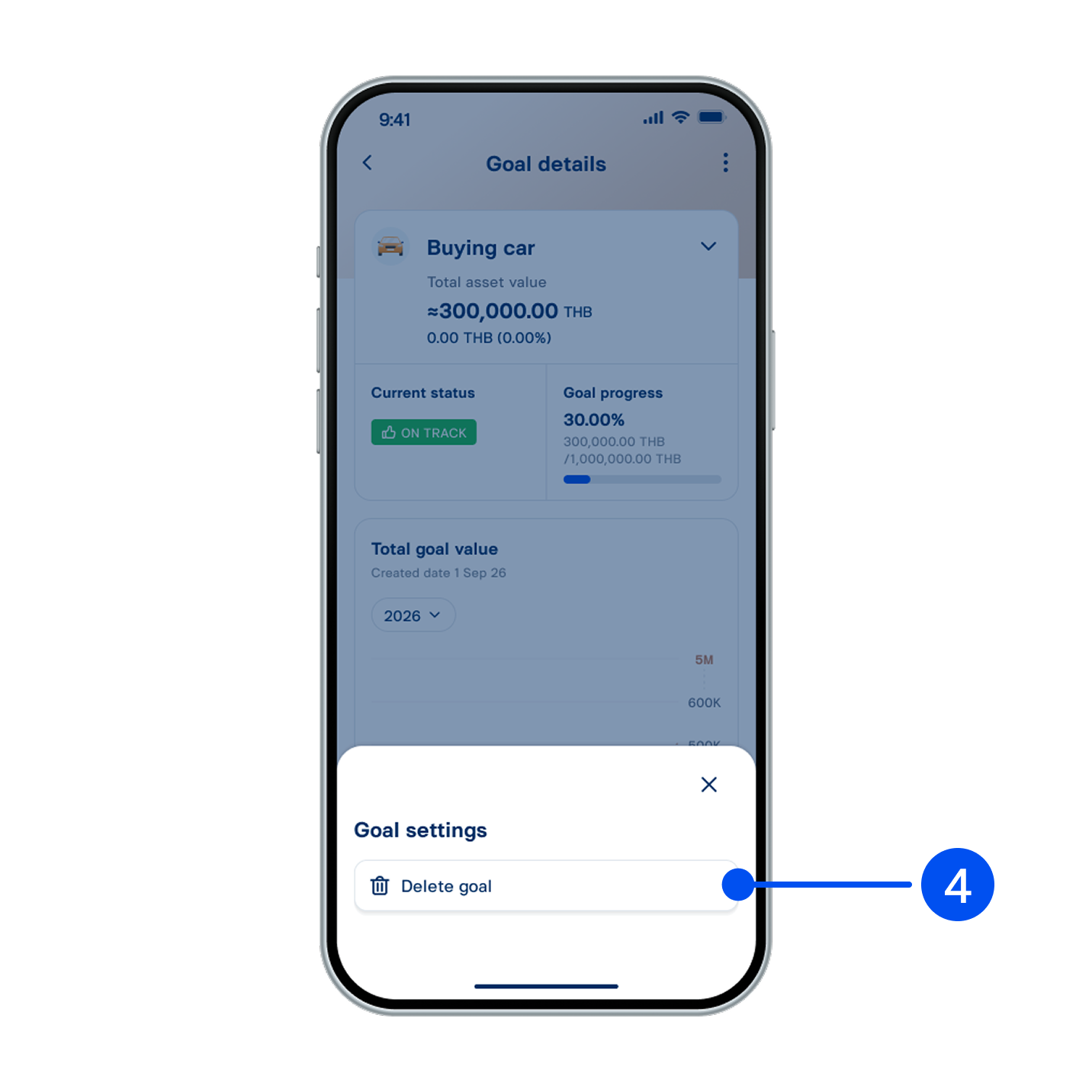
3. Select settings icon in the top-right corner.
เลือก “แลกรับไมล์สะสม Royal Orchid Plus”
4. Select “Delete goal”.
อ่านรายละเอียดบริการ จากนั้นเลือก “แลกรางวัล”
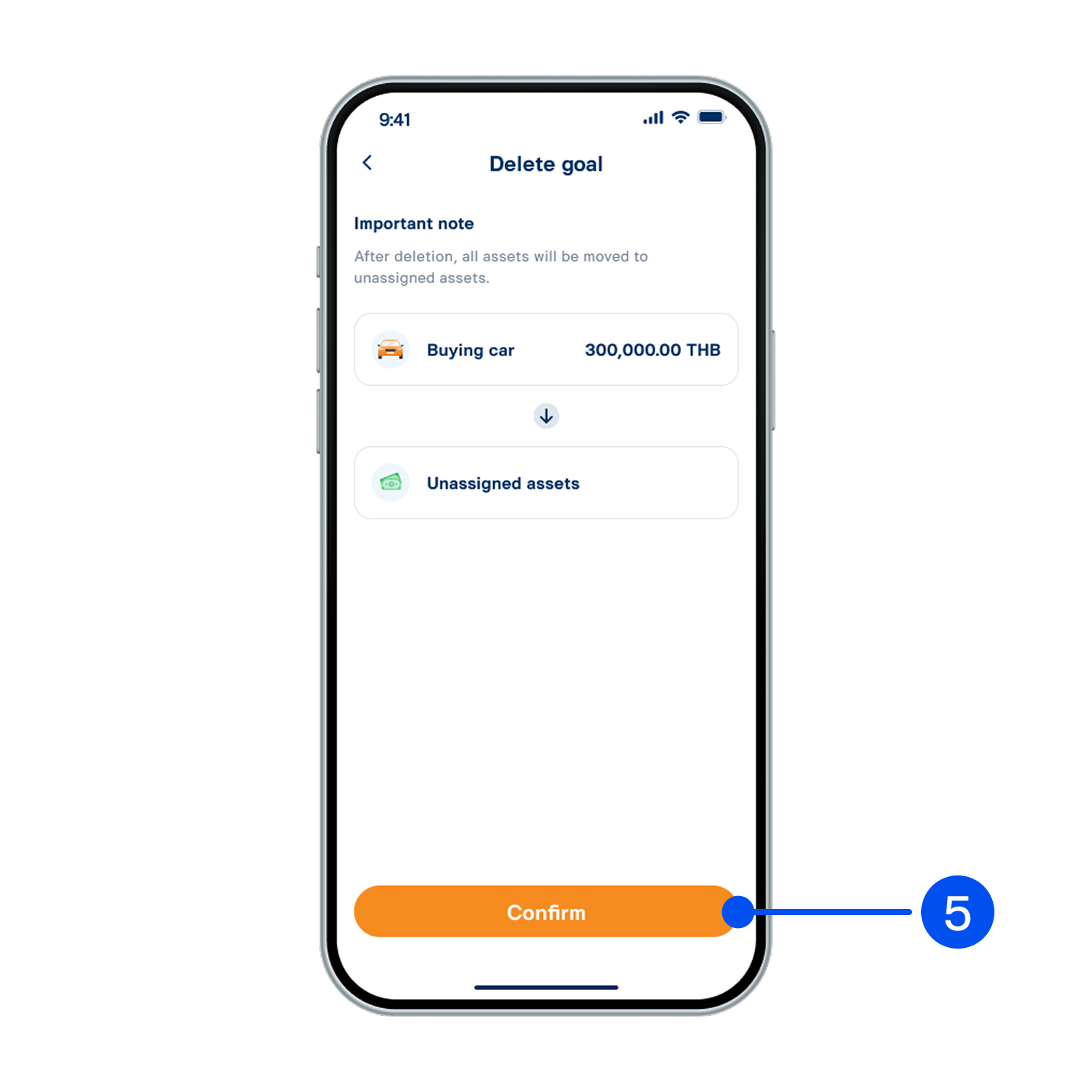
5. Read goal deletion details, then select “Confirm”.
อ่านรายละเอียดบริการ จากนั้นเลือก “แลกรางวัล”
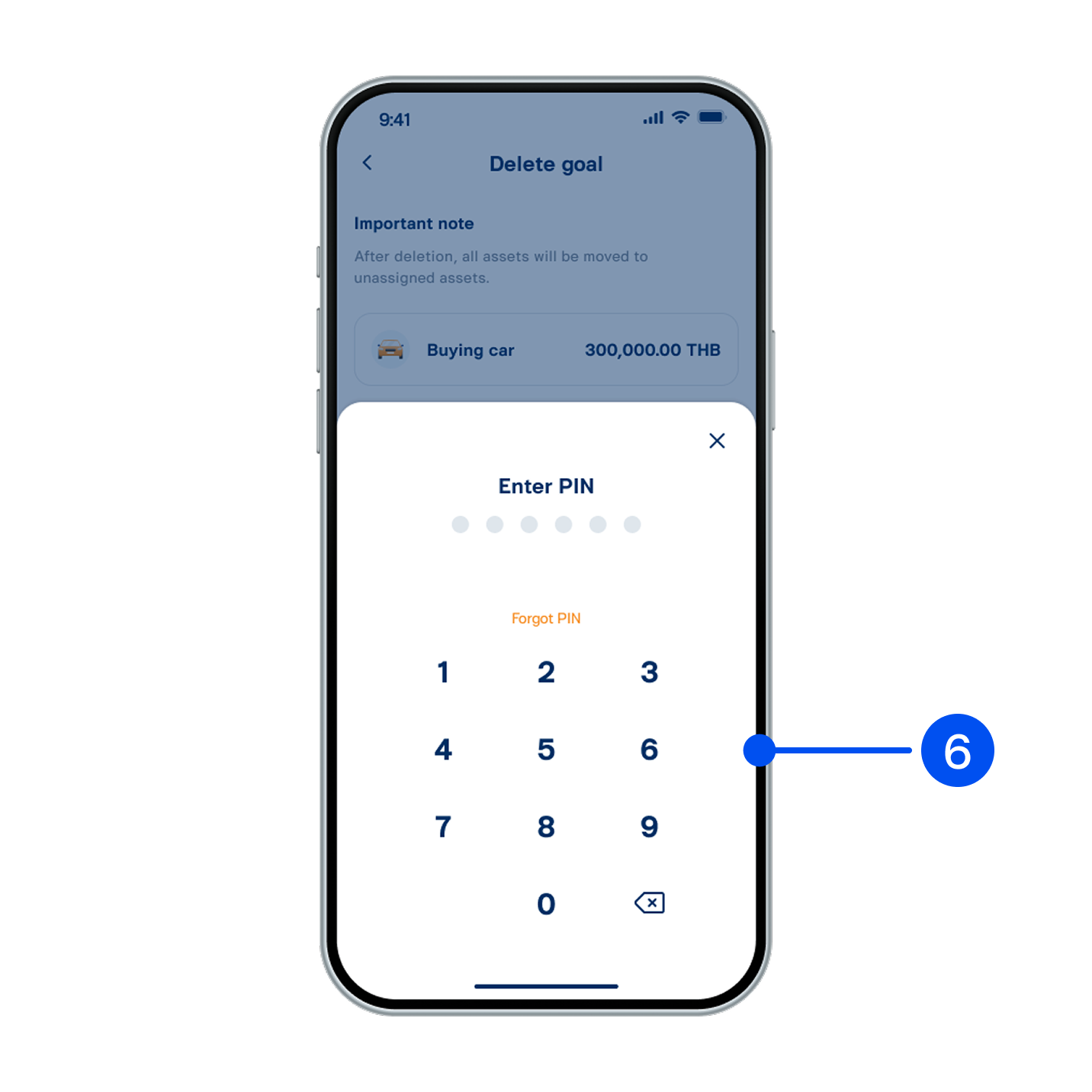
6. Enter PIN to confirm.
อ่านรายละเอียดบริการ จากนั้นเลือก “แลกรางวัล”
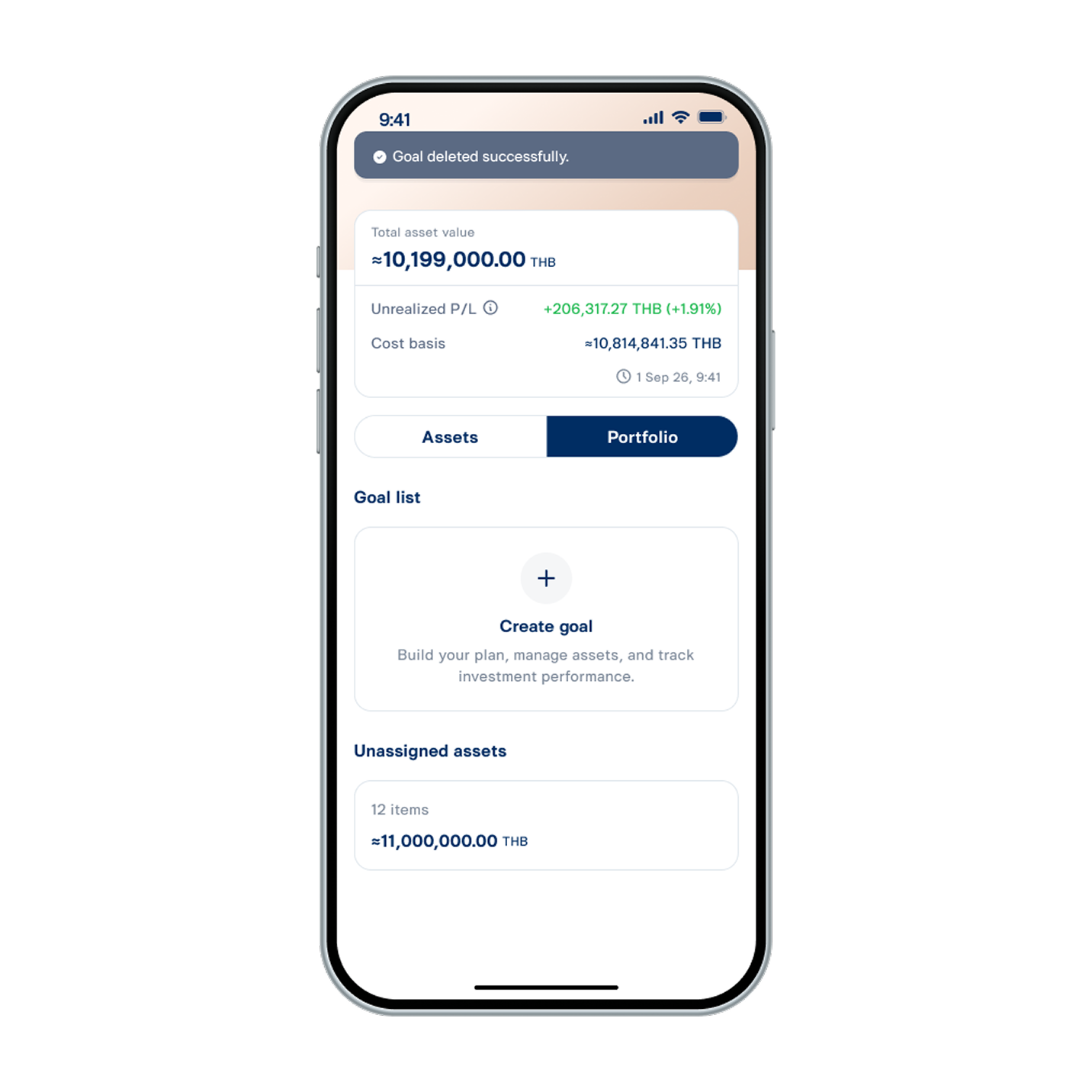
7. Goal deleted successfully. Assets from the deleted goal will be moved to unassigned assets.