
external-popup-close

You are being redirected to

https://www.ttbbank.com/

Proceed

Buy mutual fund via My Wealth

เลือกการ์ดสถานะของคุณ
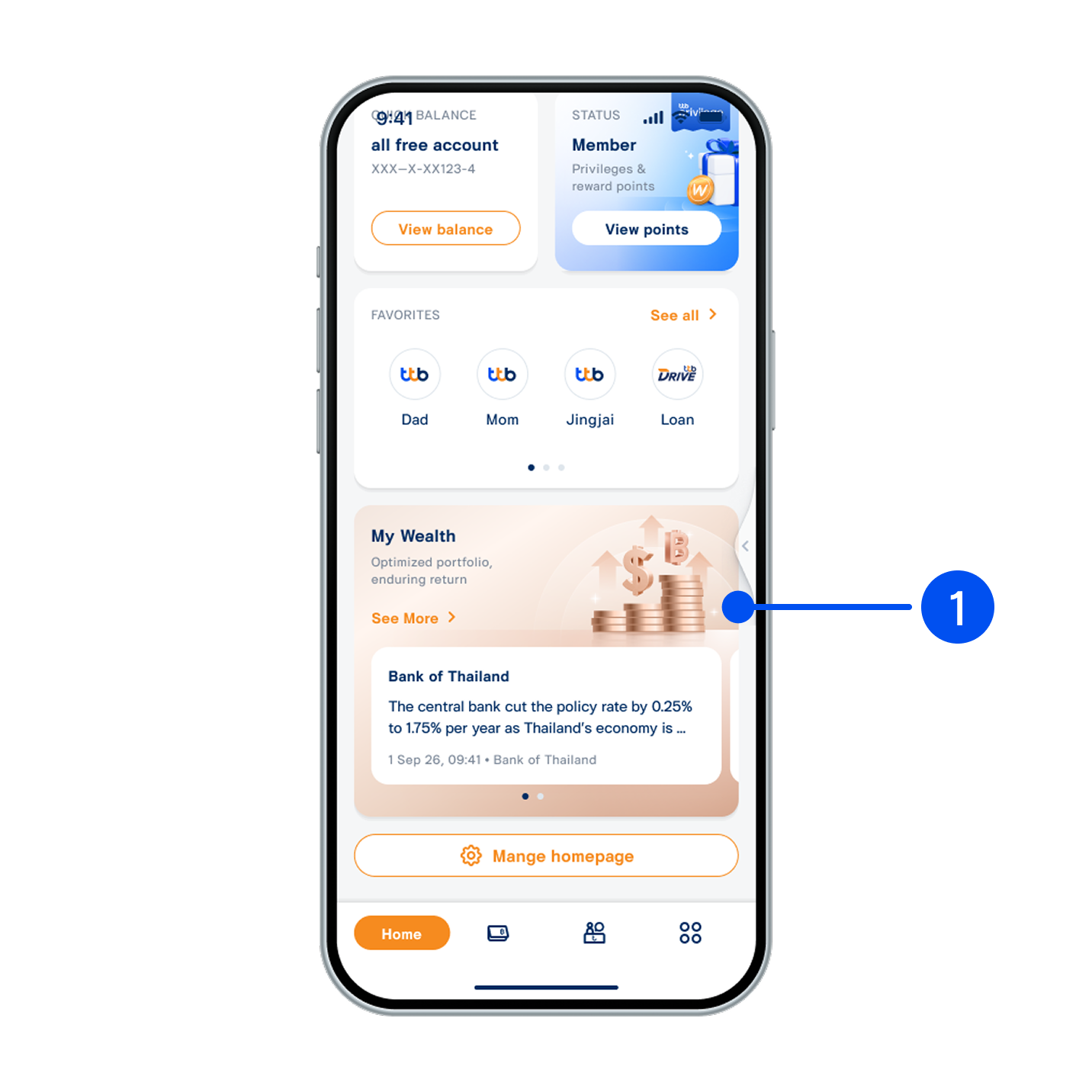
1. Scroll down, then select “My Wealth” widget.
เลือกเมนู “อื่นๆ”
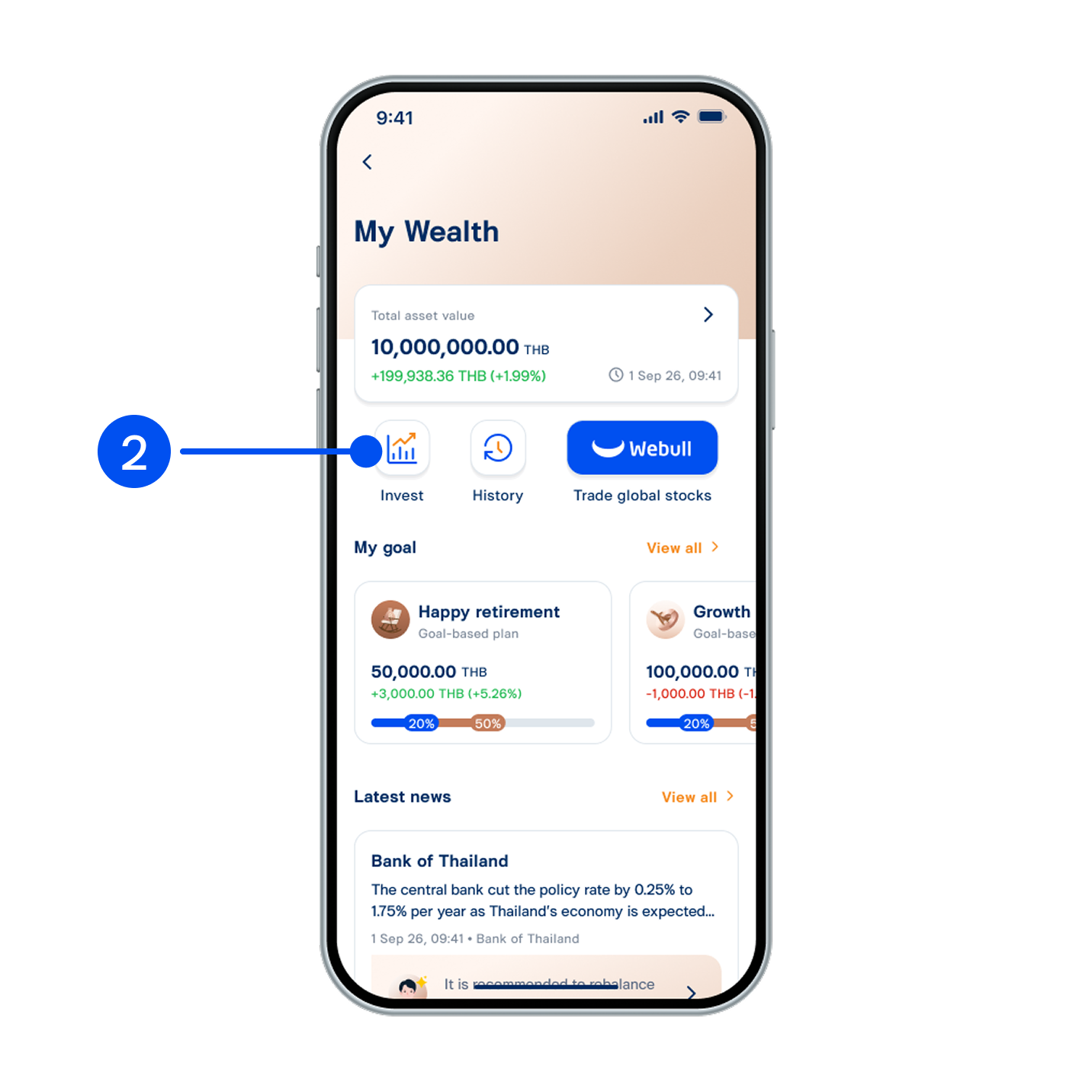
2. Select “Invest”.
เลือก “โอนเปลี่ยนคะแนน”
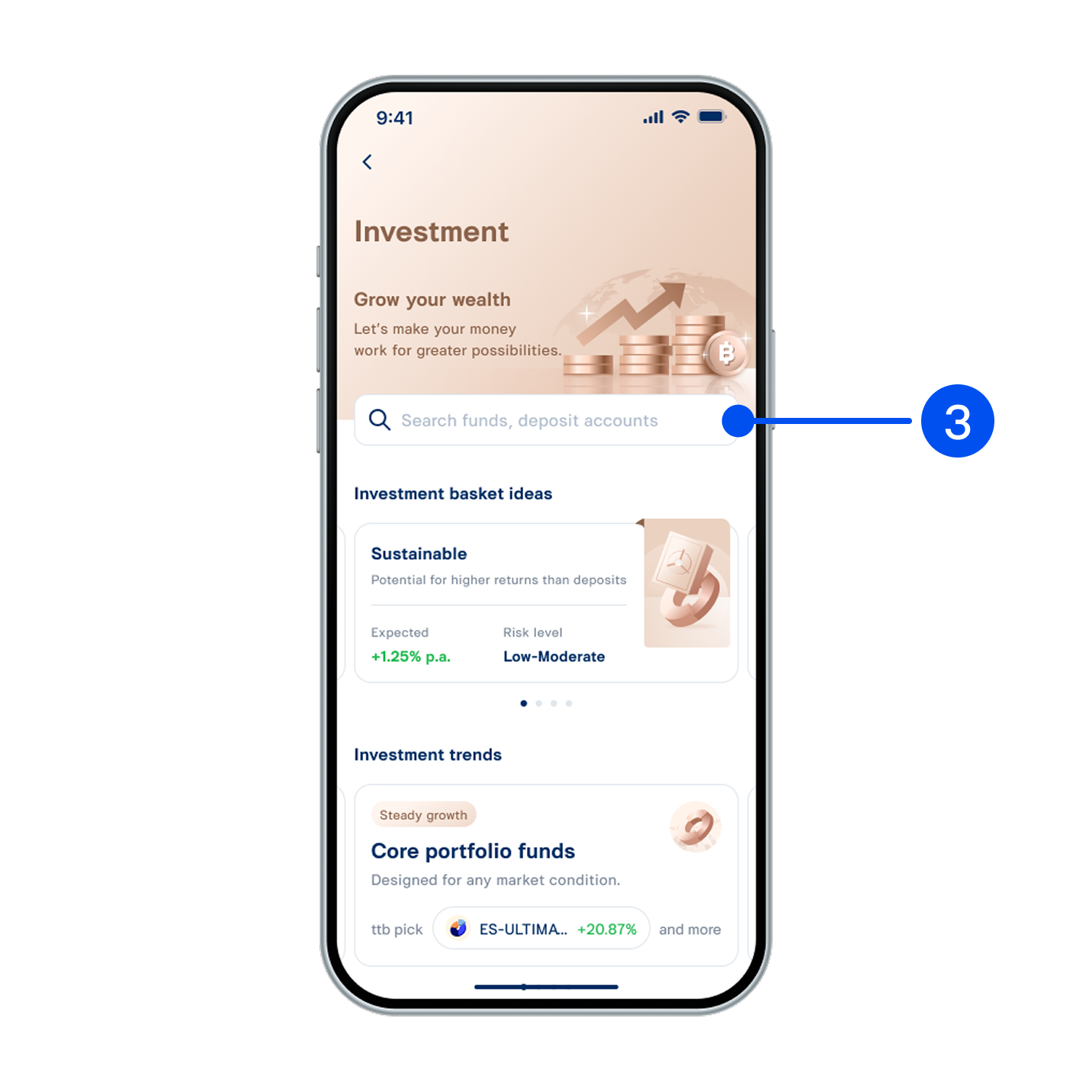
3. Search funds to buy.
เลือก “แลกรับไมล์สะสม Royal Orchid Plus”
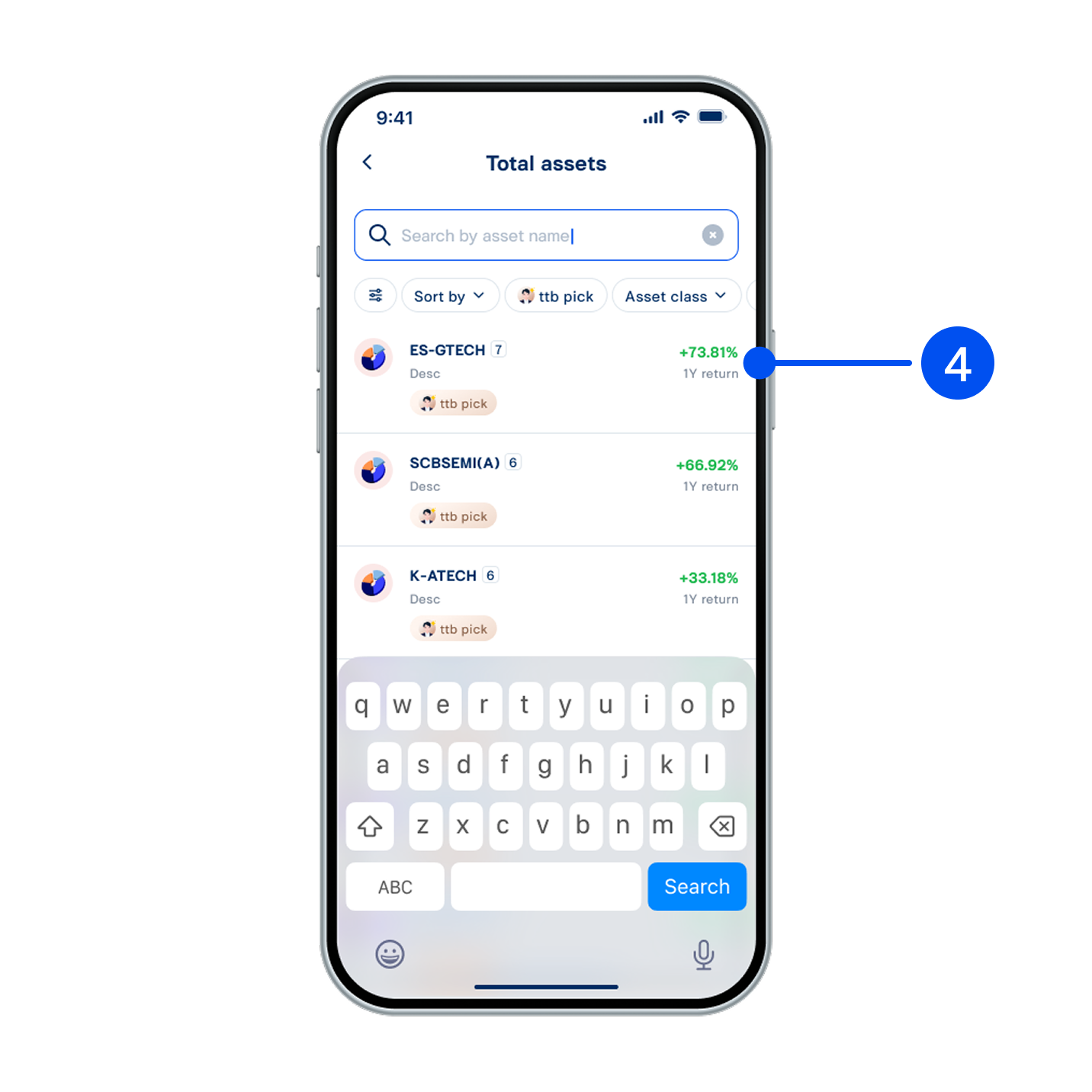
4. Select your preferred fund.
อ่านรายละเอียดบริการ จากนั้นเลือก “แลกรางวัล”
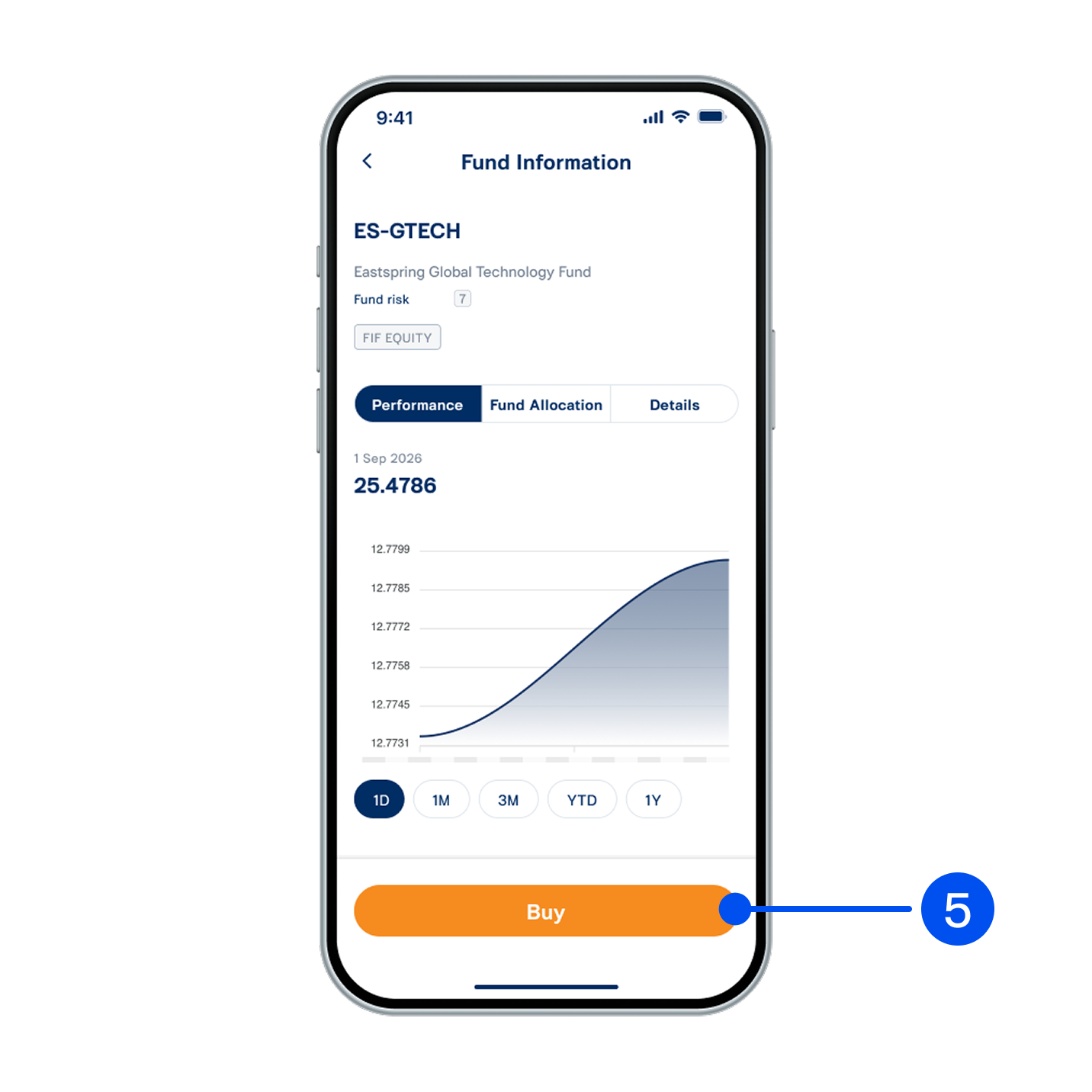
5. View fund information, then select “Buy”.
อ่านรายละเอียดบริการ จากนั้นเลือก “แลกรางวัล”
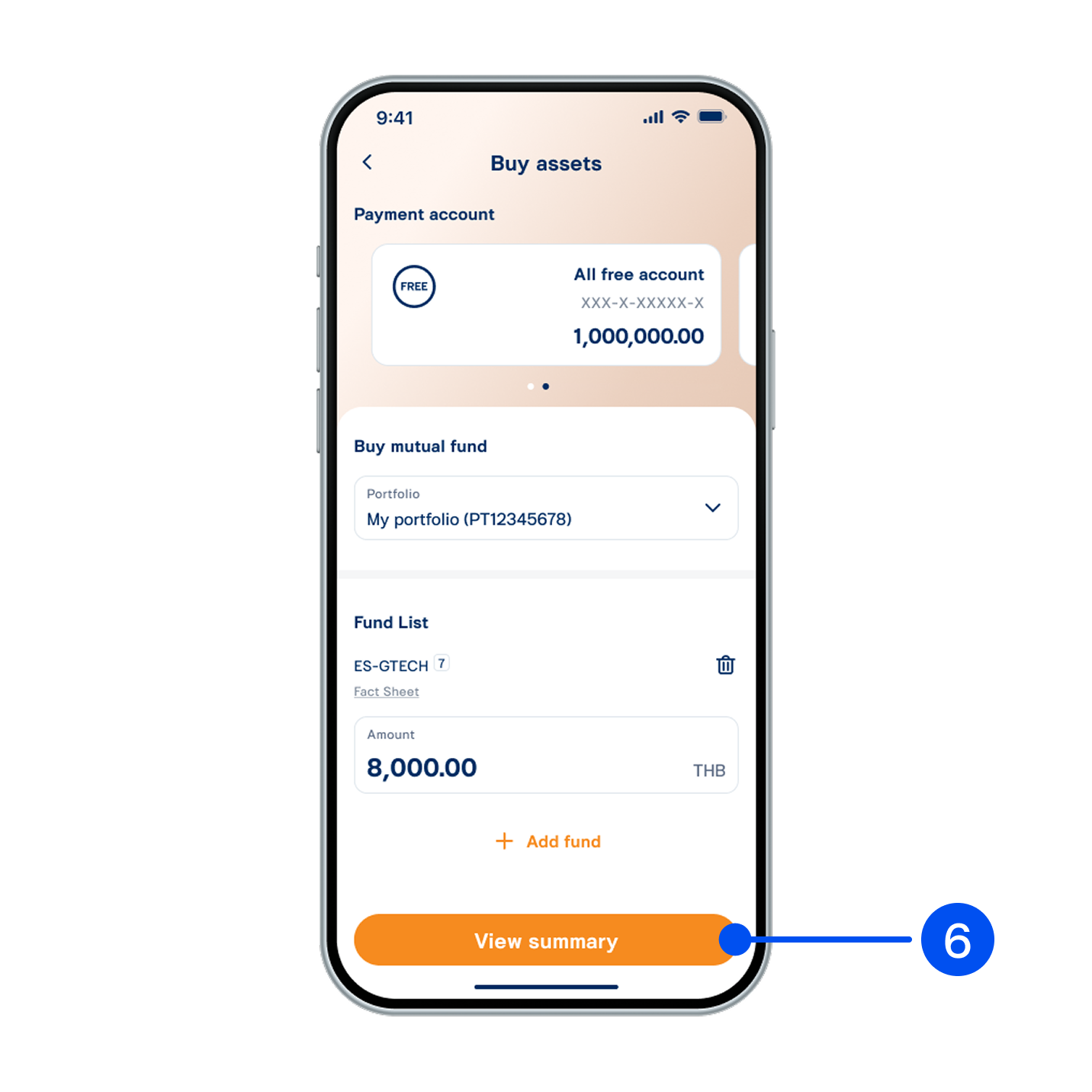
6. Enter your investment amount, then select “View summary”.
อ่านรายละเอียดบริการ จากนั้นเลือก “แลกรางวัล”
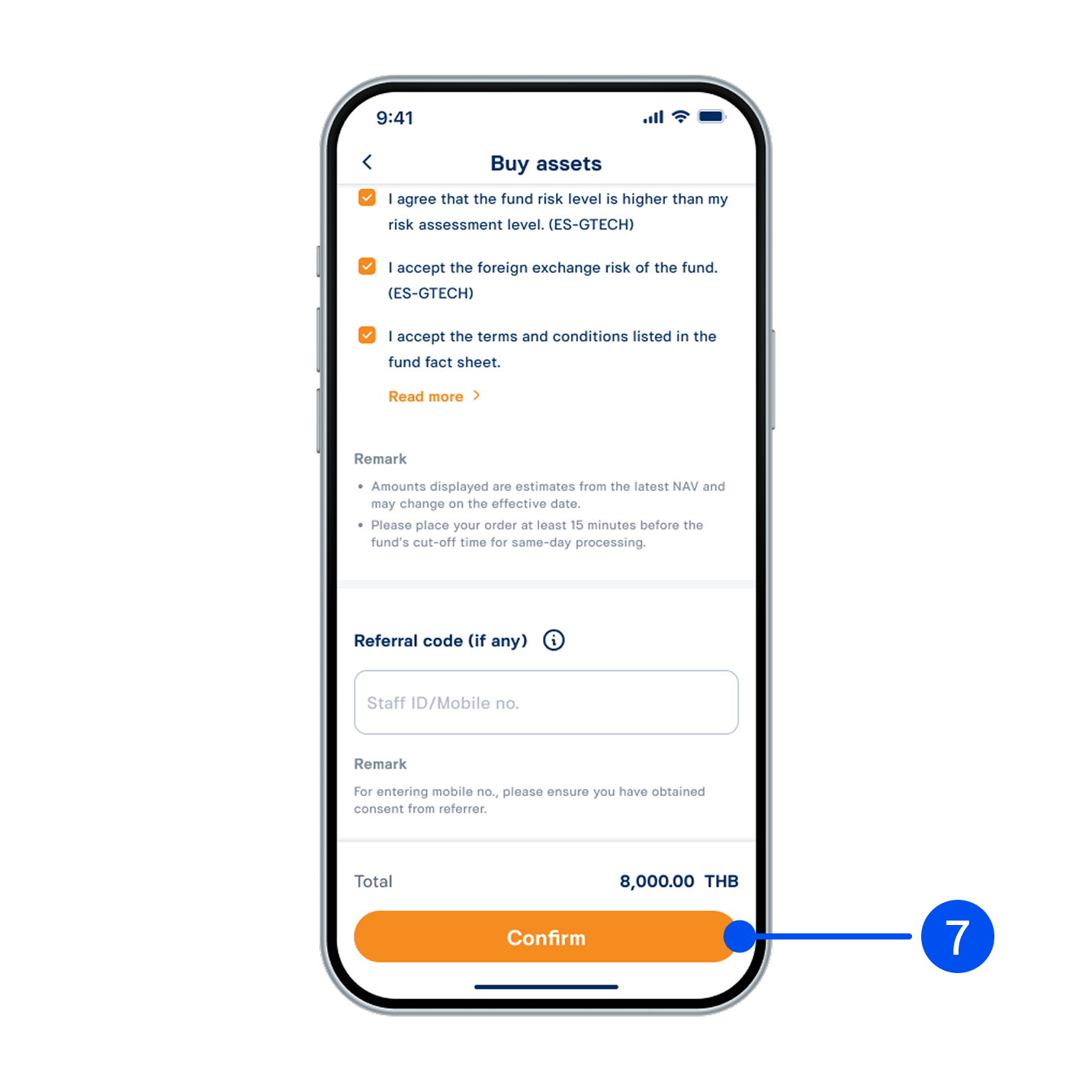
7. Review buy order details, read and accept investment terms and conditions, then select “Confirm”.
อ่านรายละเอียดบริการ จากนั้นเลือก “แลกรางวัล”
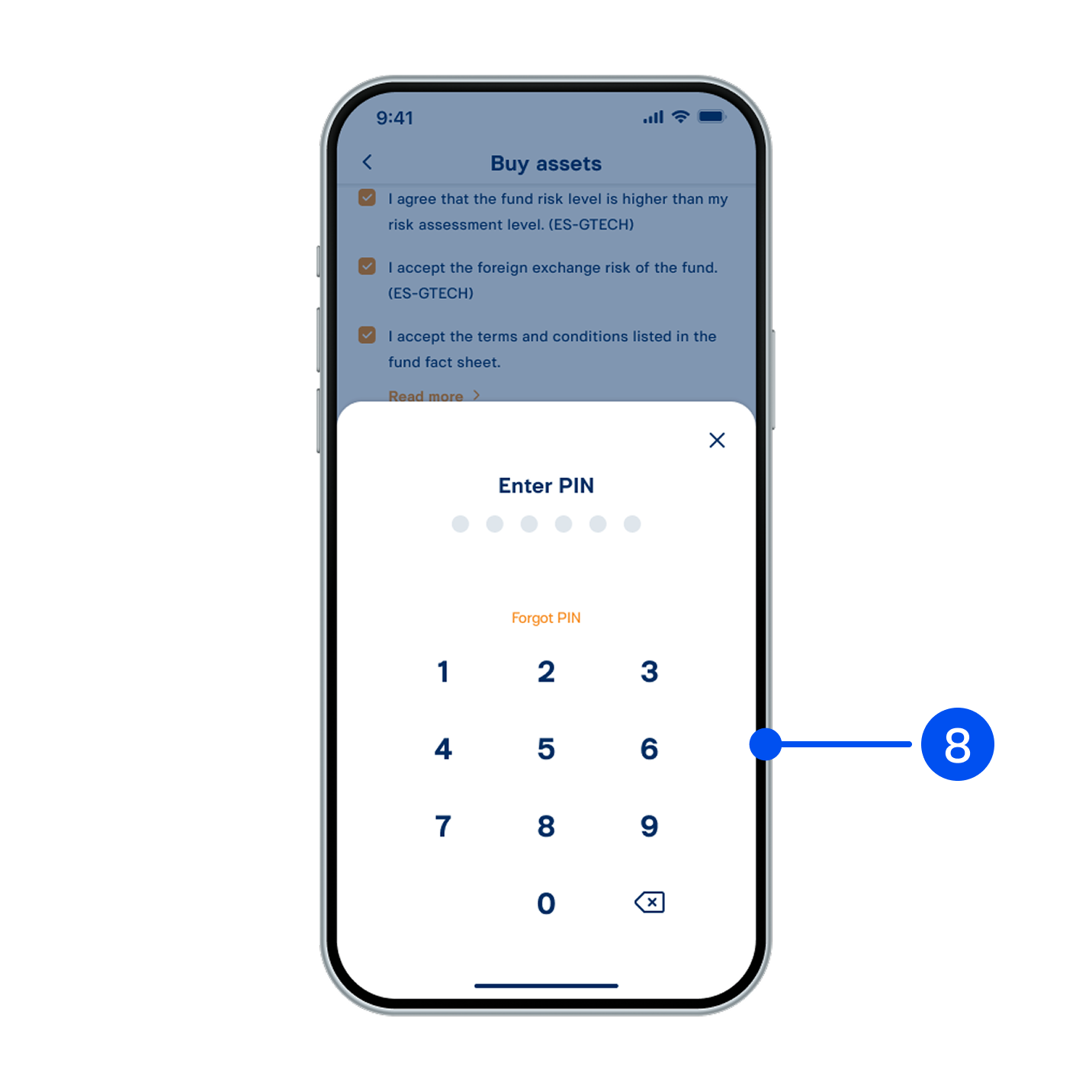
8. Enter PIN to confirm.
อ่านรายละเอียดบริการ จากนั้นเลือก “แลกรางวัล”
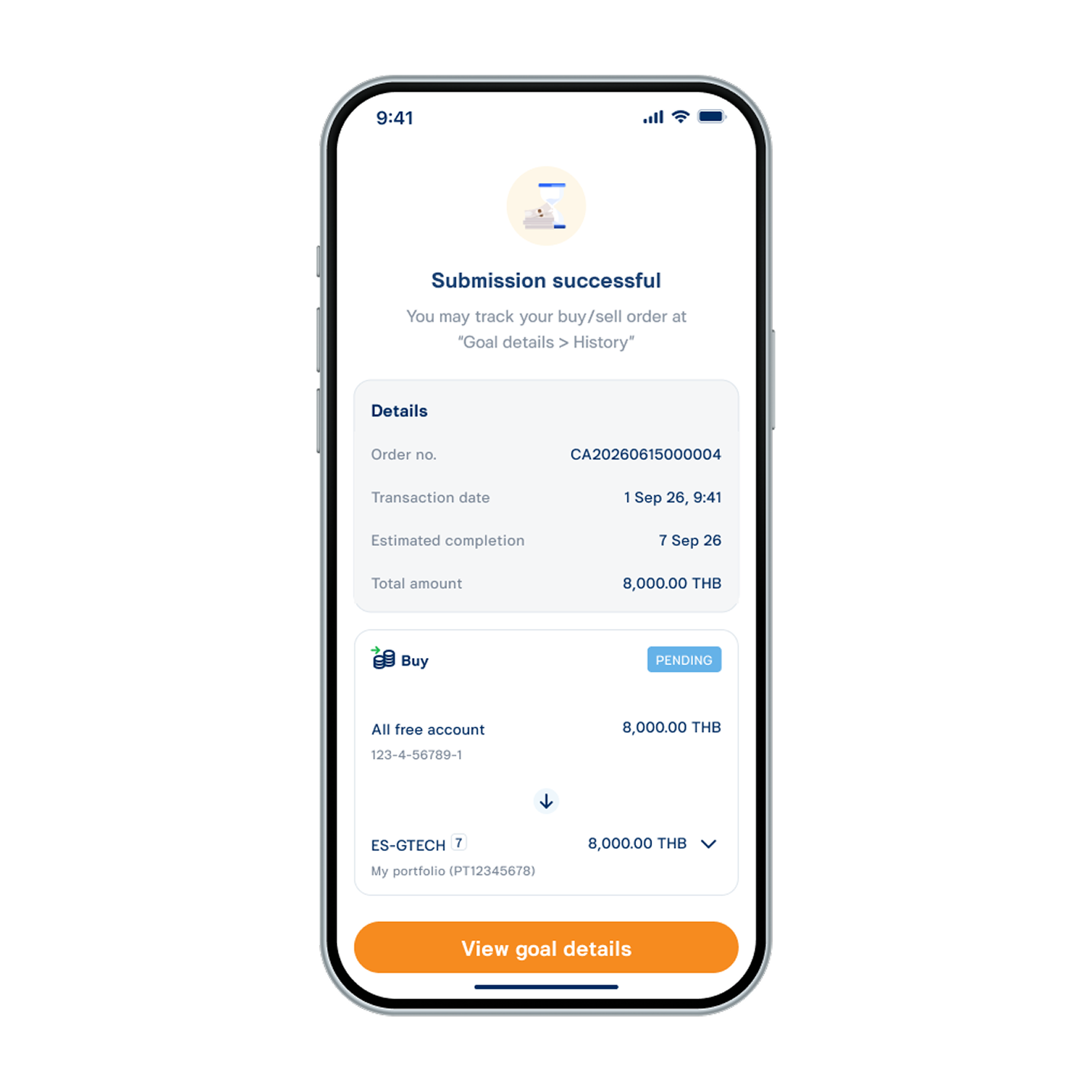
9. Buy order submitted successfully.