

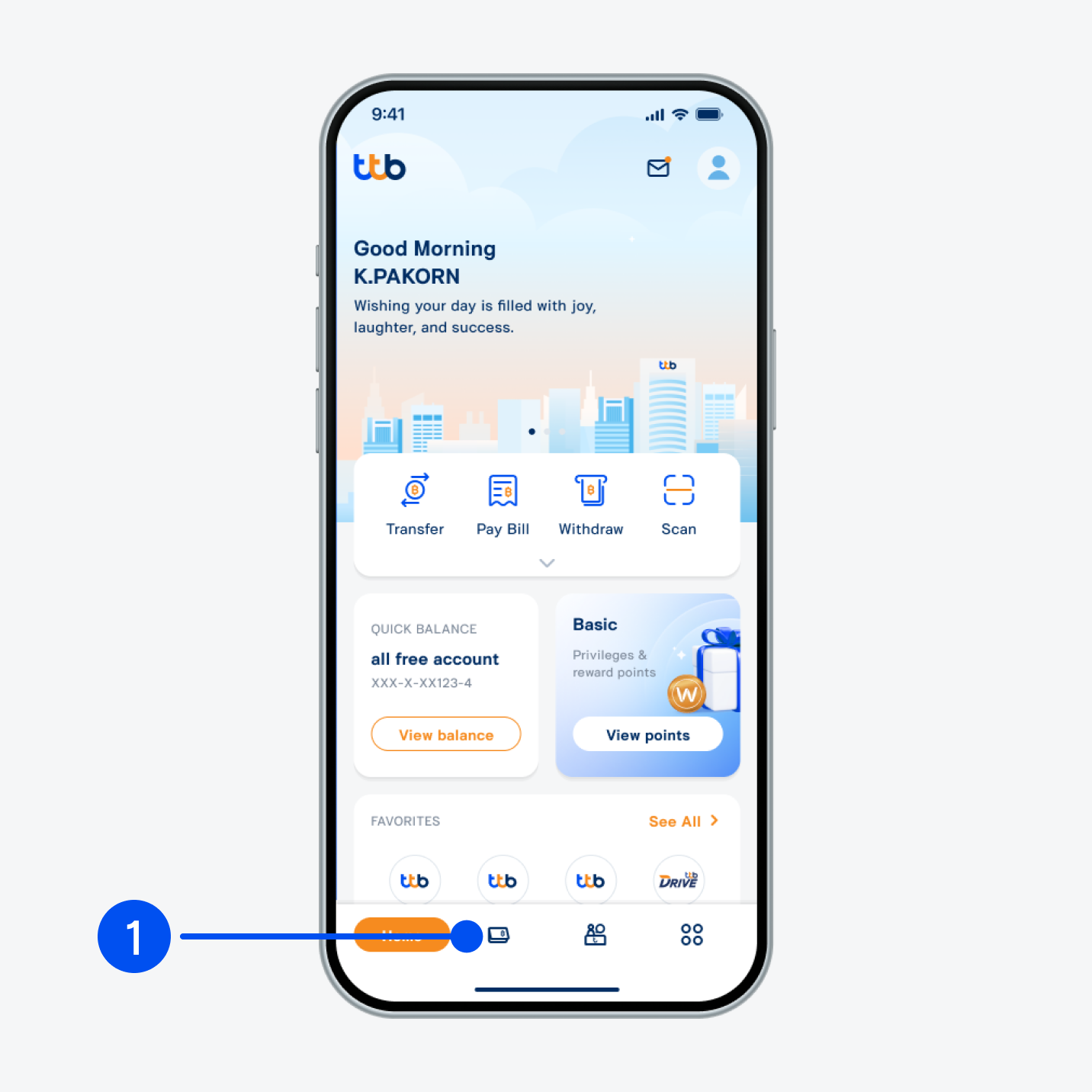
1. Select “Account”, the 2nd menu from the bottom.
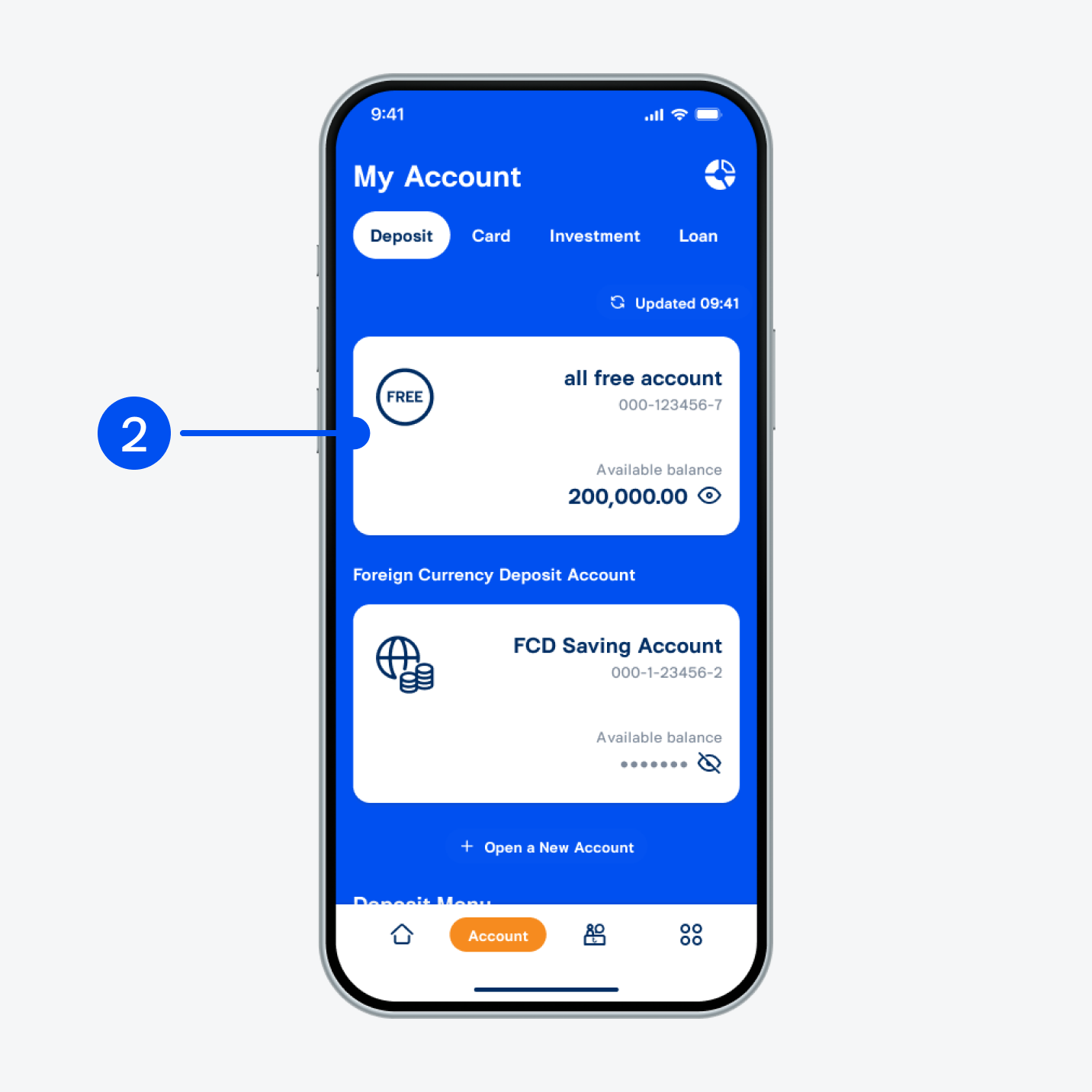
2. Select all free account or FCD Saving Account linked to world pass debit card.
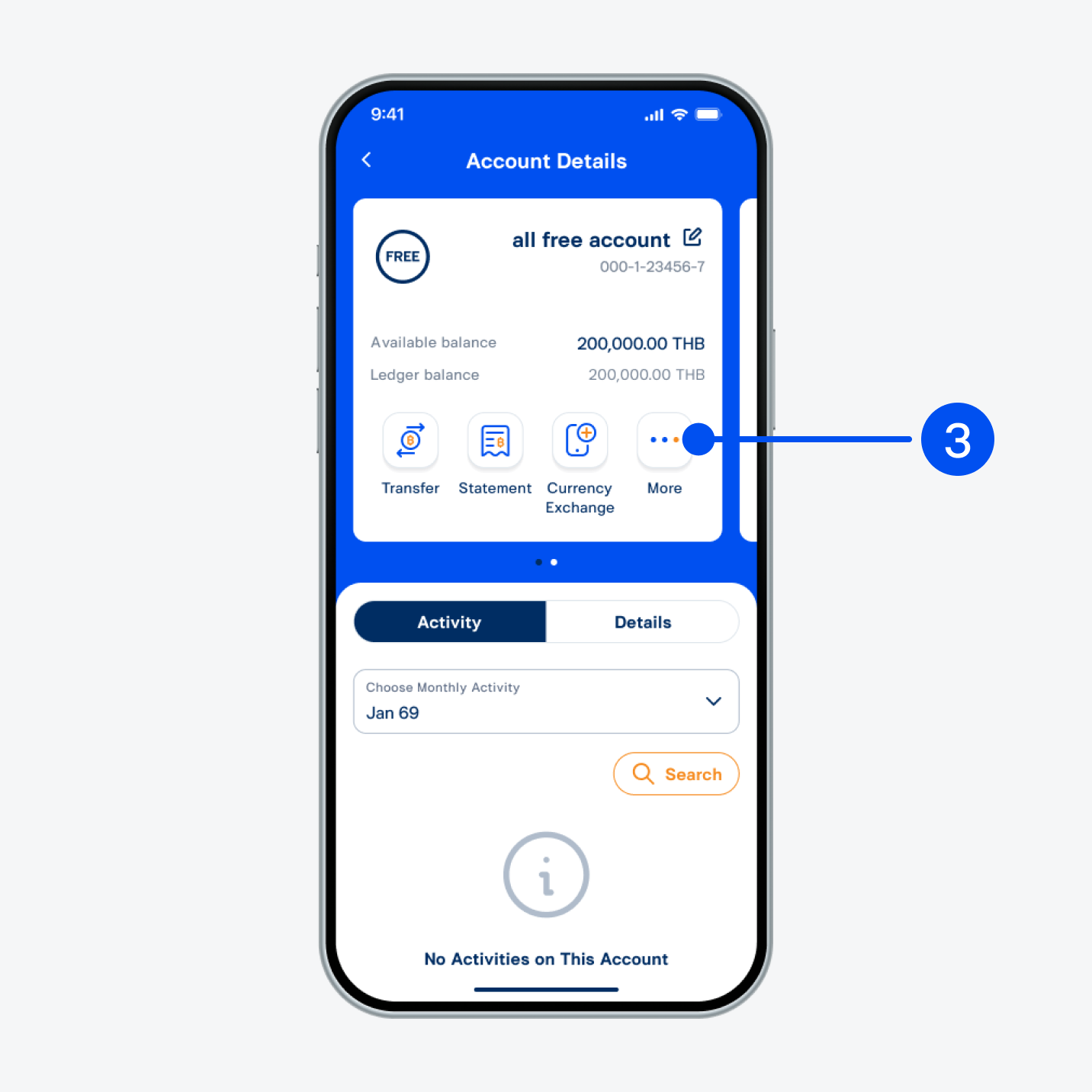
3. Select “More”.
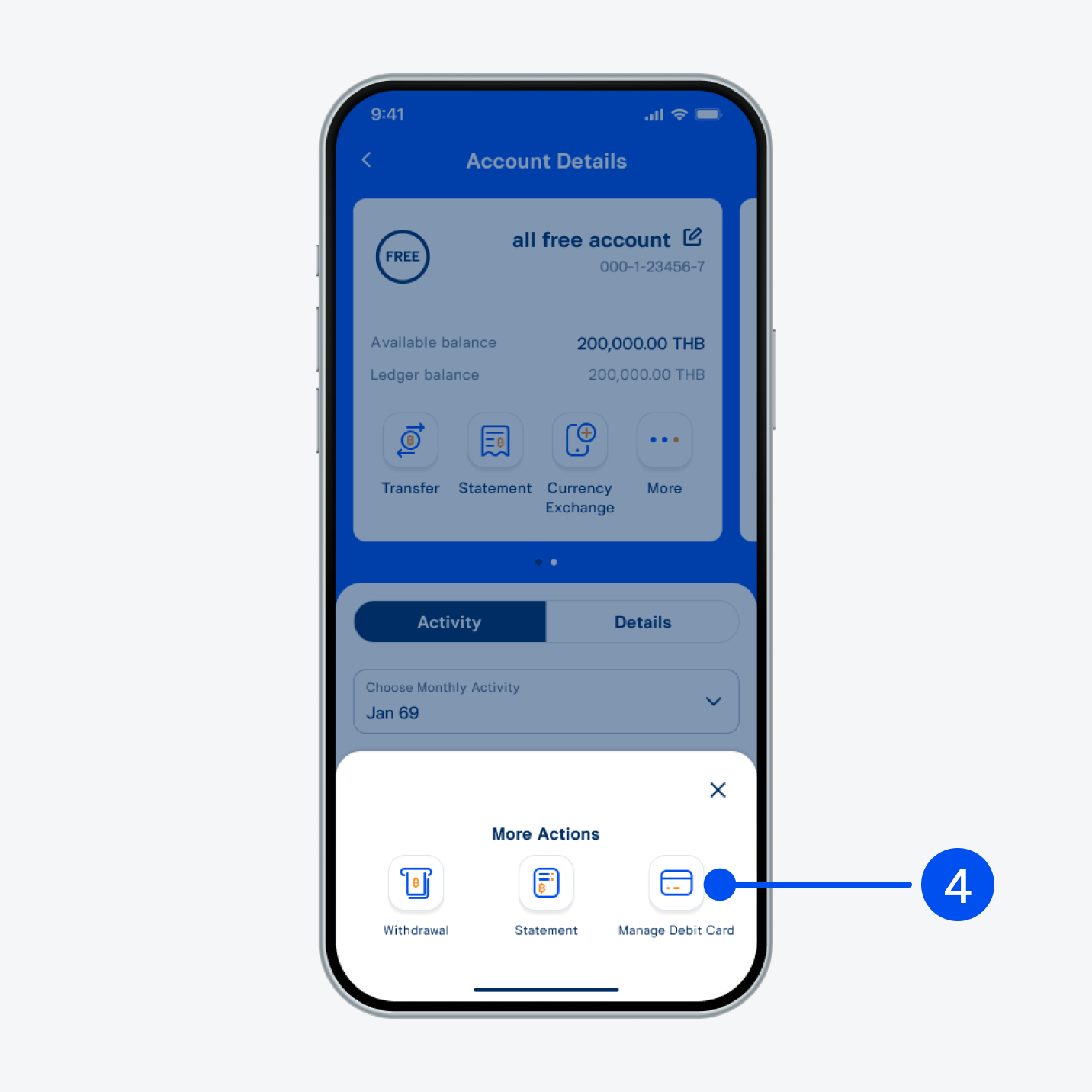
4. Select “Manage debit card”.
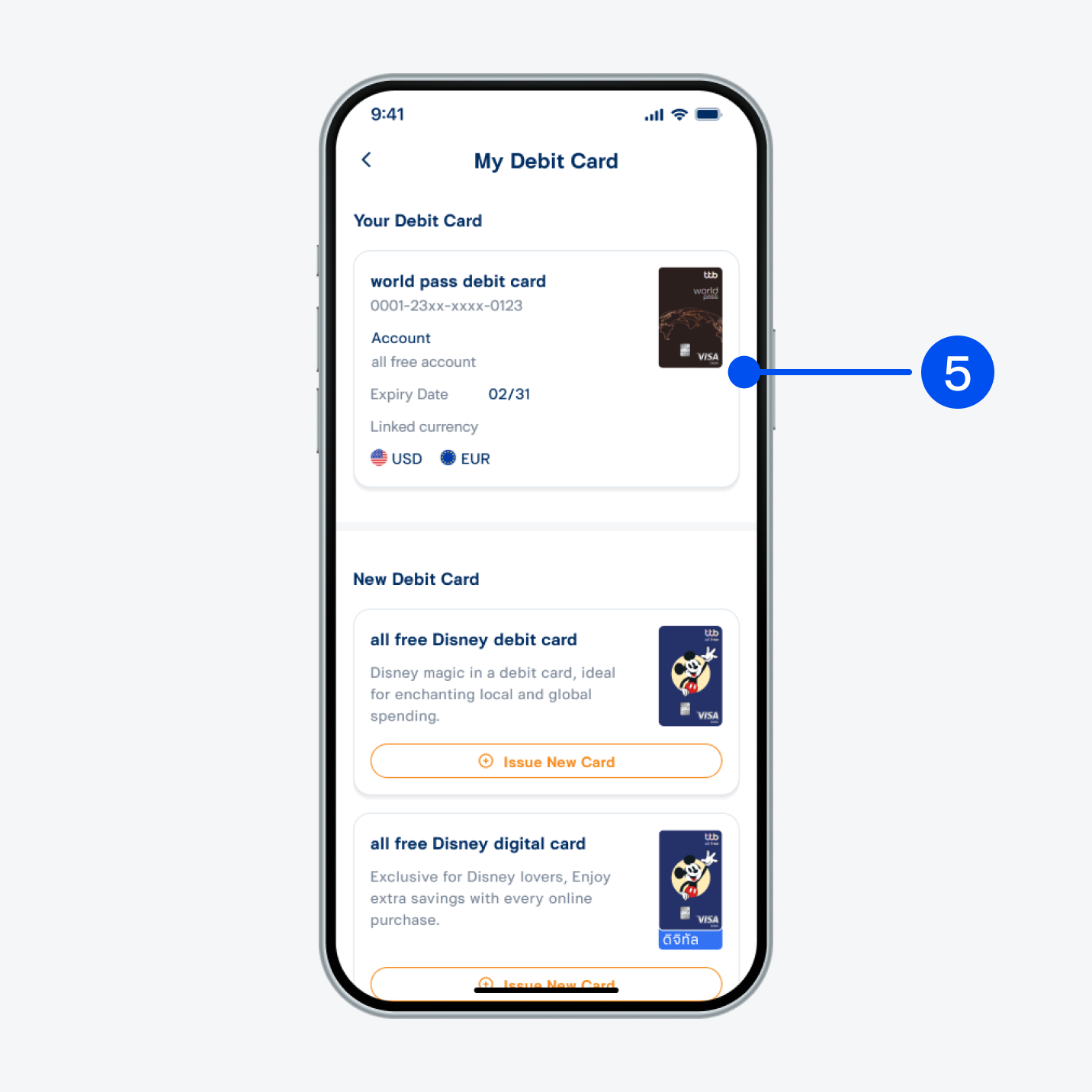
5. Select “world pass debit card”.
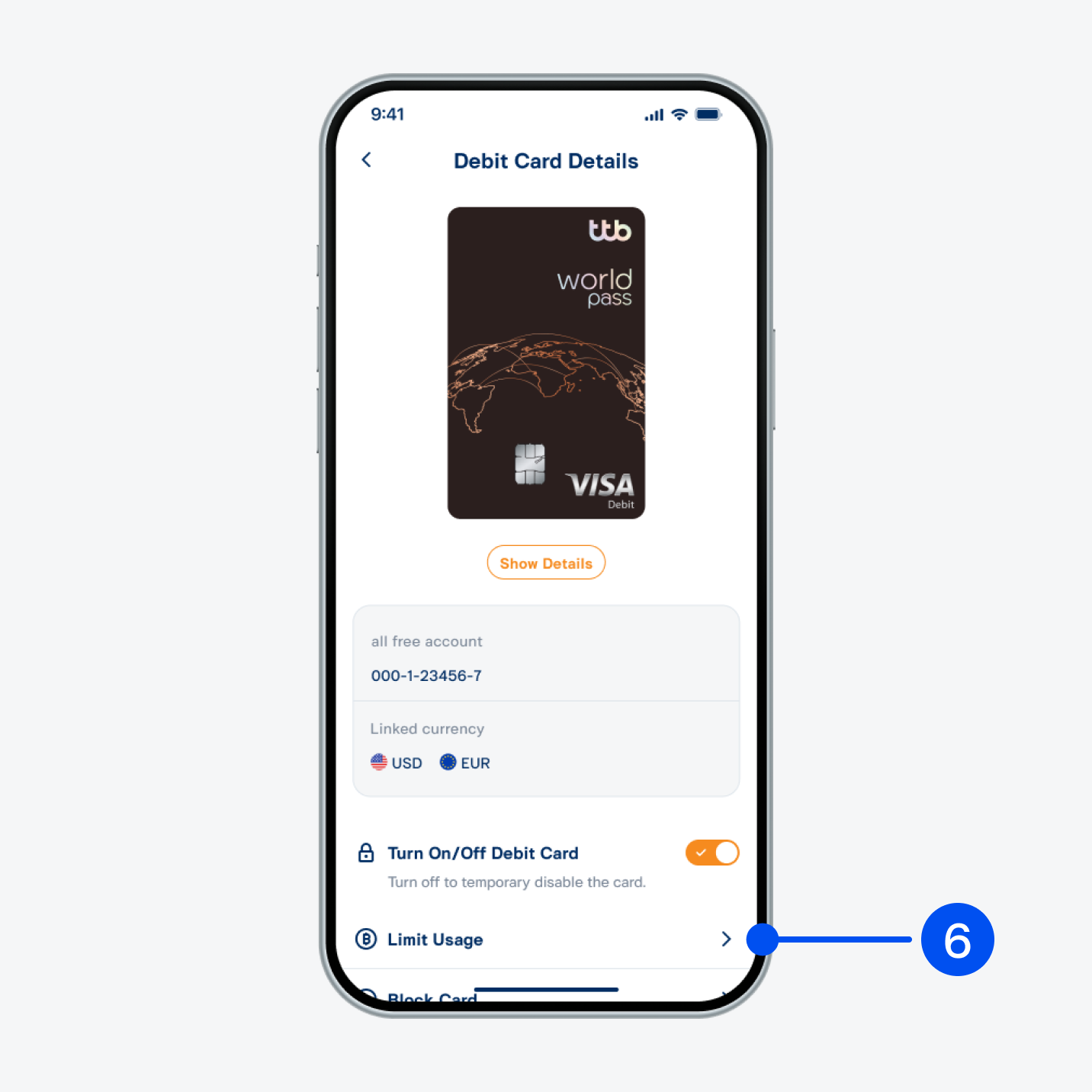
6. Select “Limit usage”.
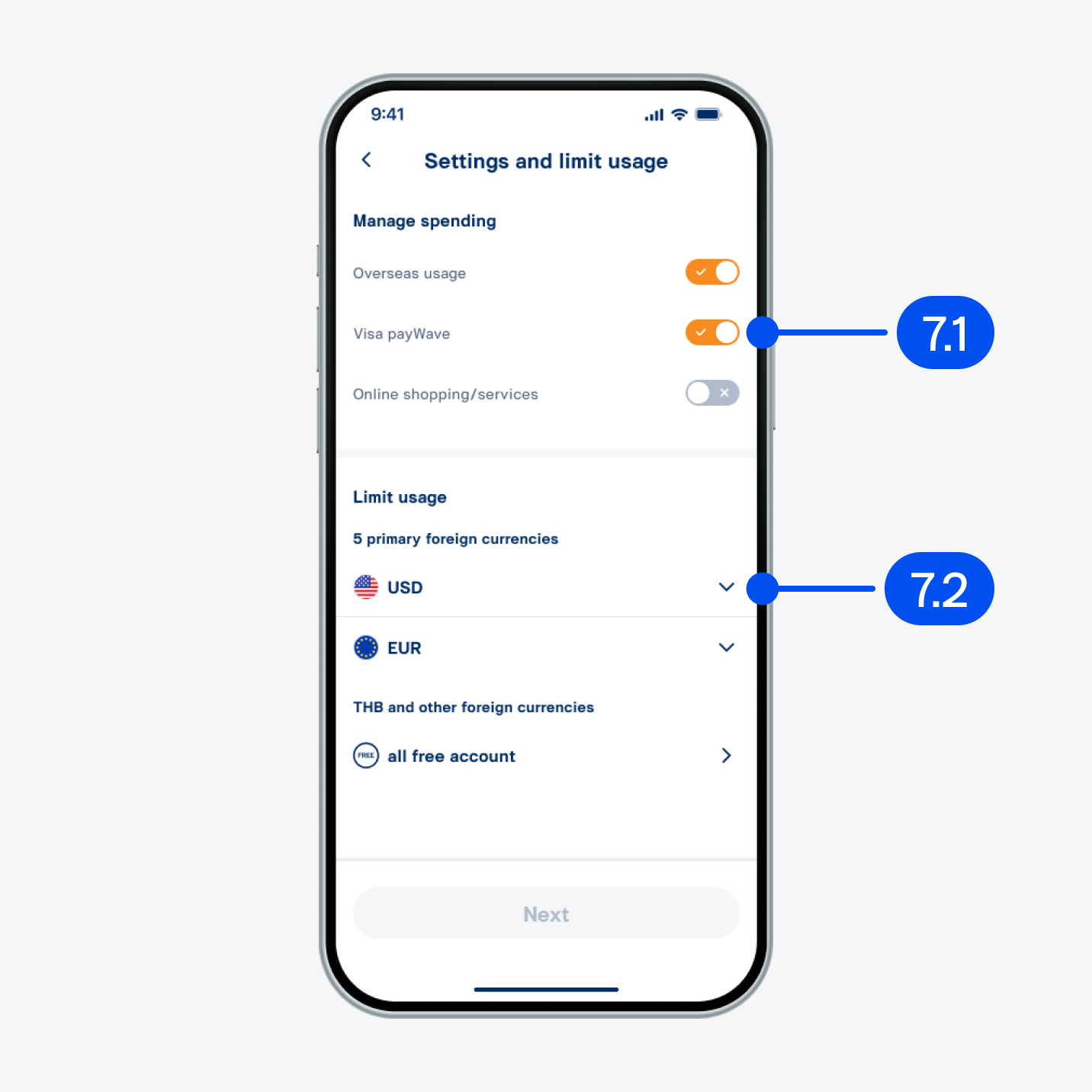
7. On “Settings and limit usage” page,
7.1) Turn on/off to manage your spending.
7.2) Select the foreign currency to set the limit.
7.1) Turn on/off to manage your spending.
7.2) Select the foreign currency to set the limit.
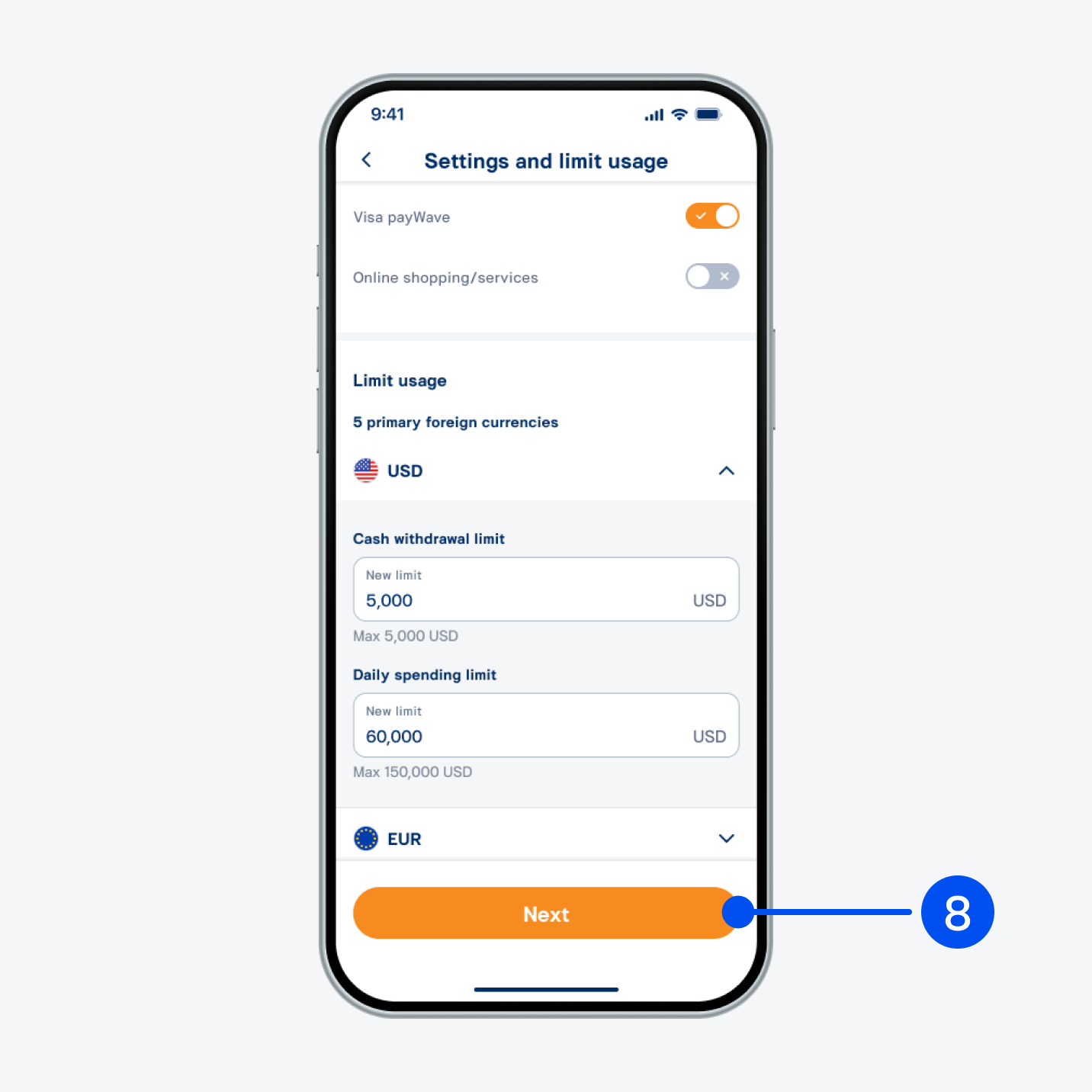
8. Enter your preferred spending limit and select “Next”.
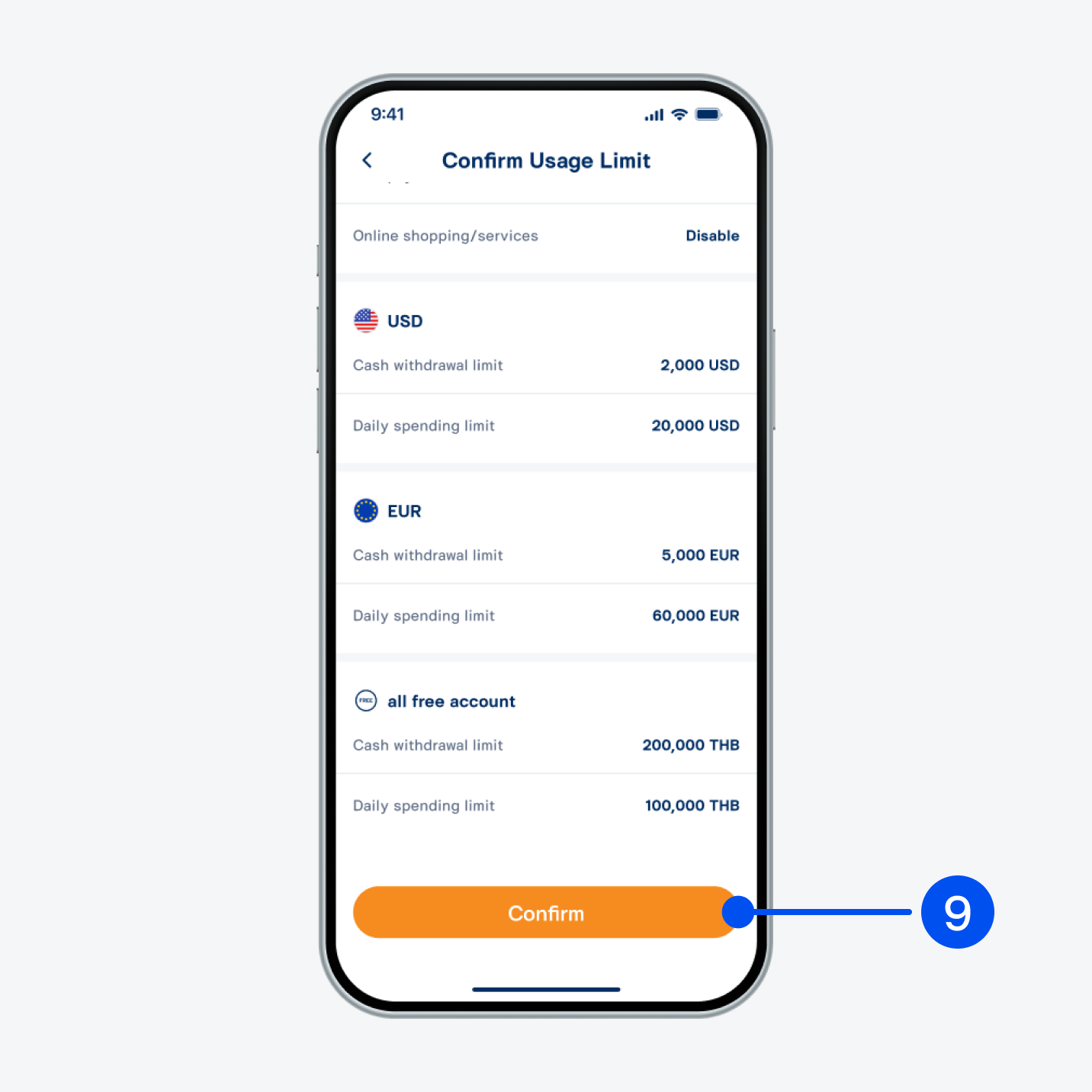
9. Review your settings and spending limits, then select “Confirm”.
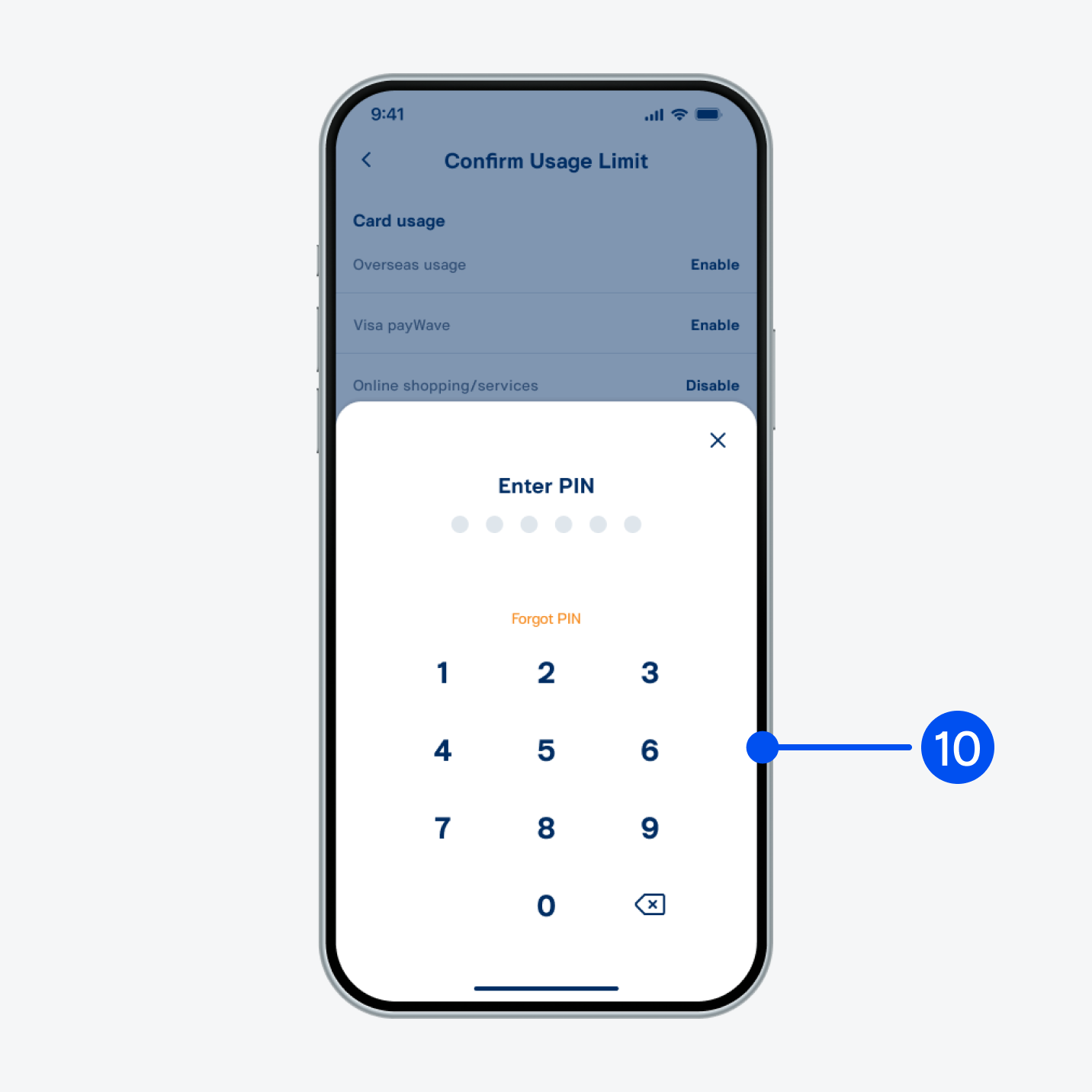
10. Enter PIN to confirm.
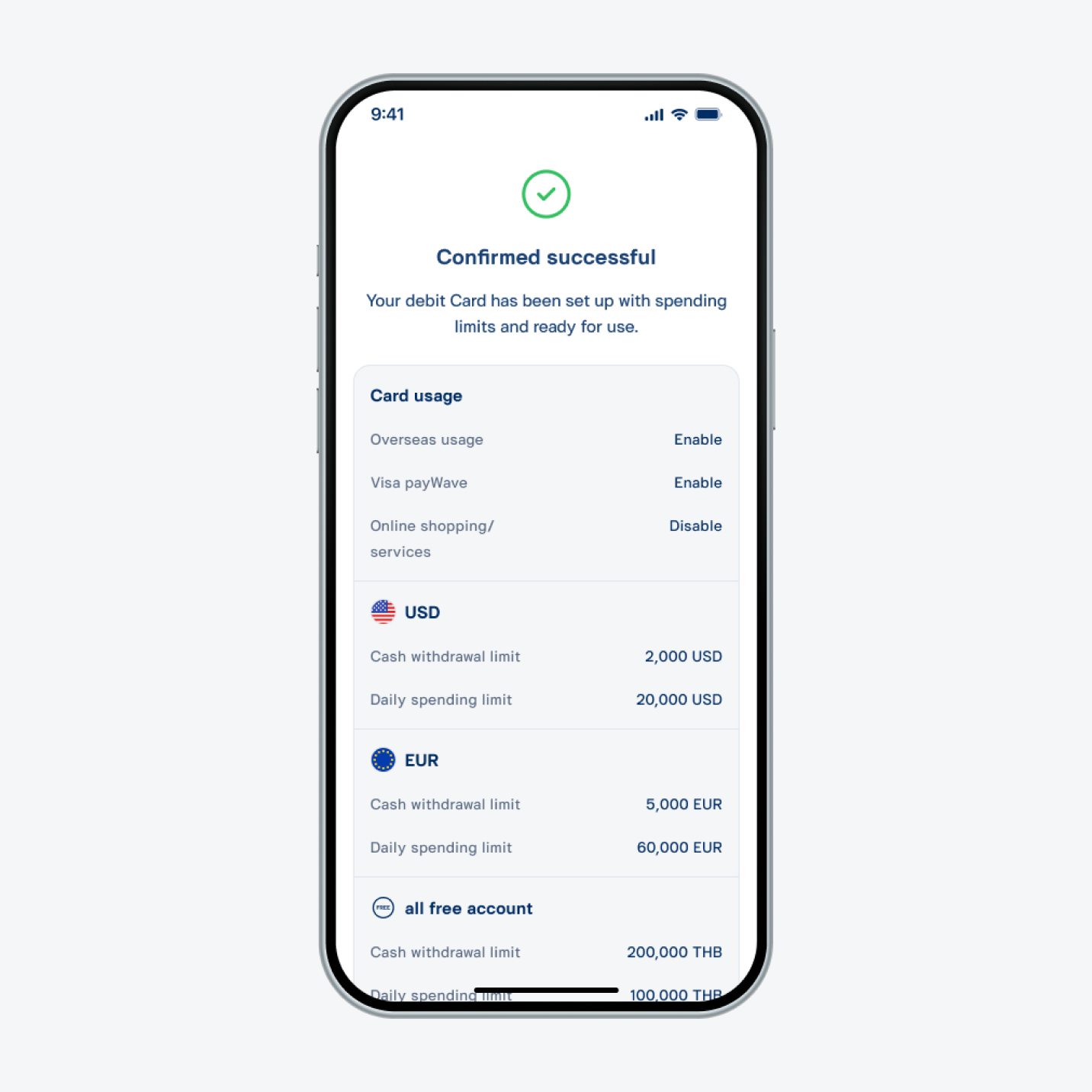
11. Spending limit set successfully.