


external-popup-close

You are being redirected to

https://www.ttbbank.com/

Proceed

Manage credit card limit by transaction type

1. Select “Account”, the 2nd menu from the bottom.
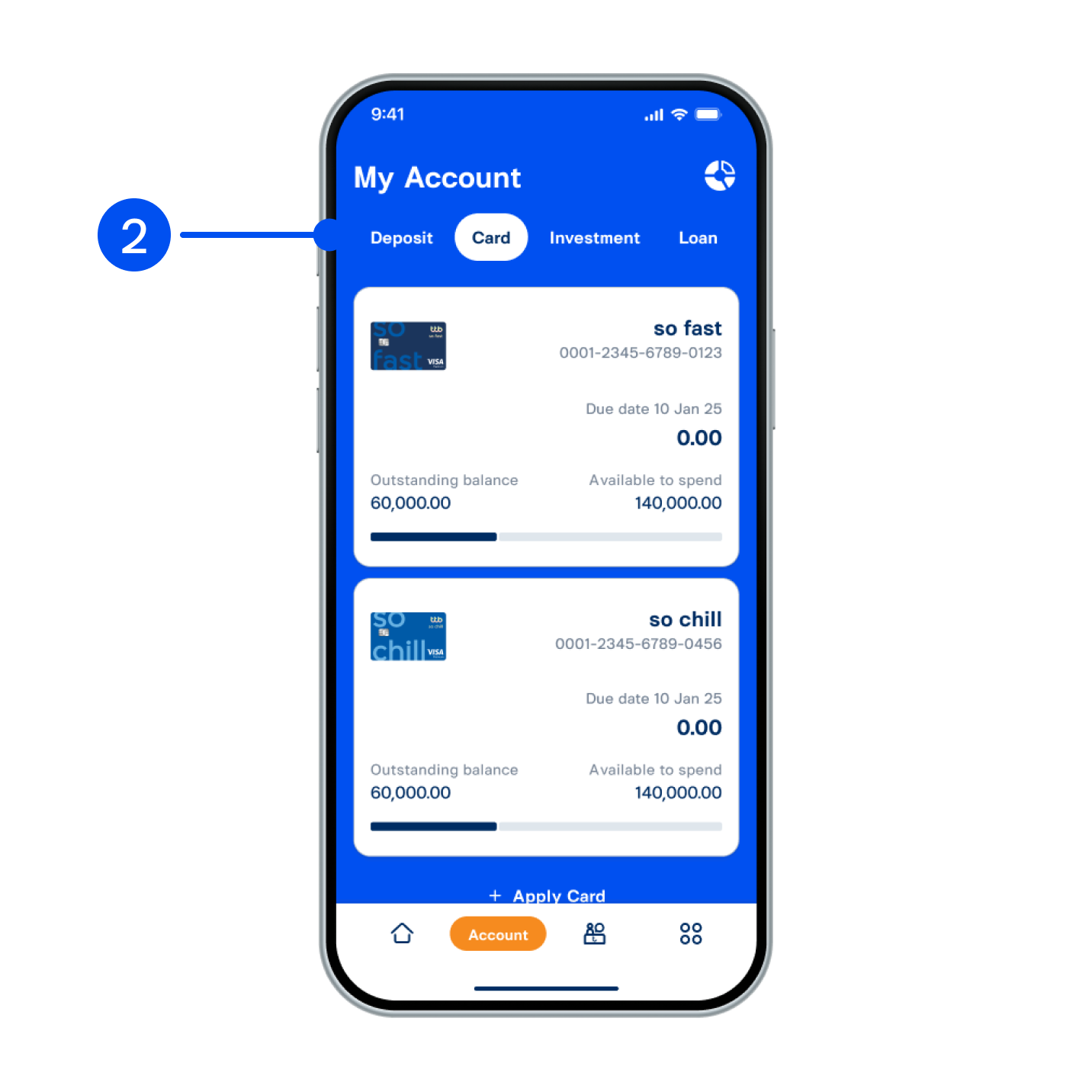
2. Select Card tab at the top, then select the card you wish to manage limit.
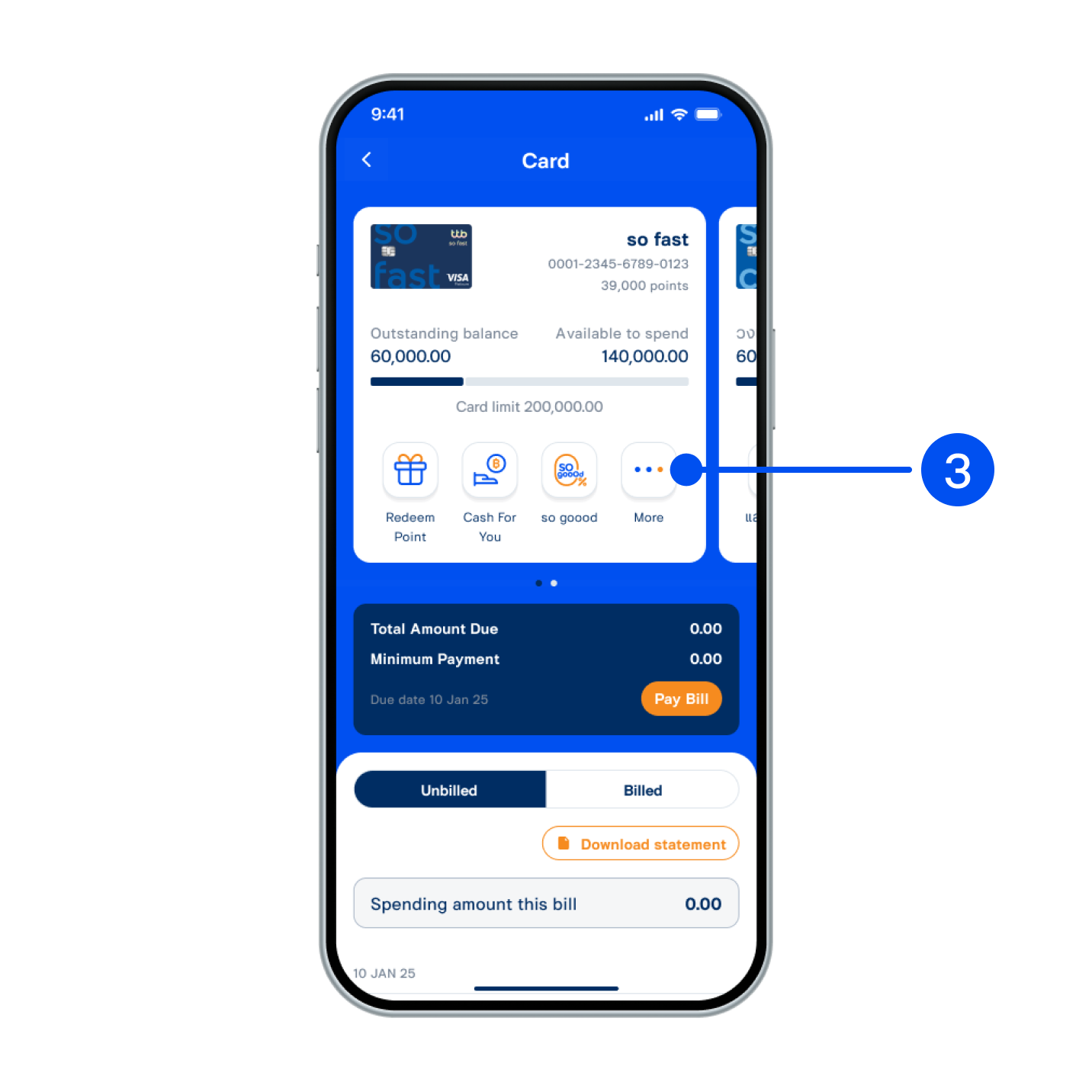
2. Select "Card" tab at the top, then select the card you wish to manage limit.
3. Select “More”.
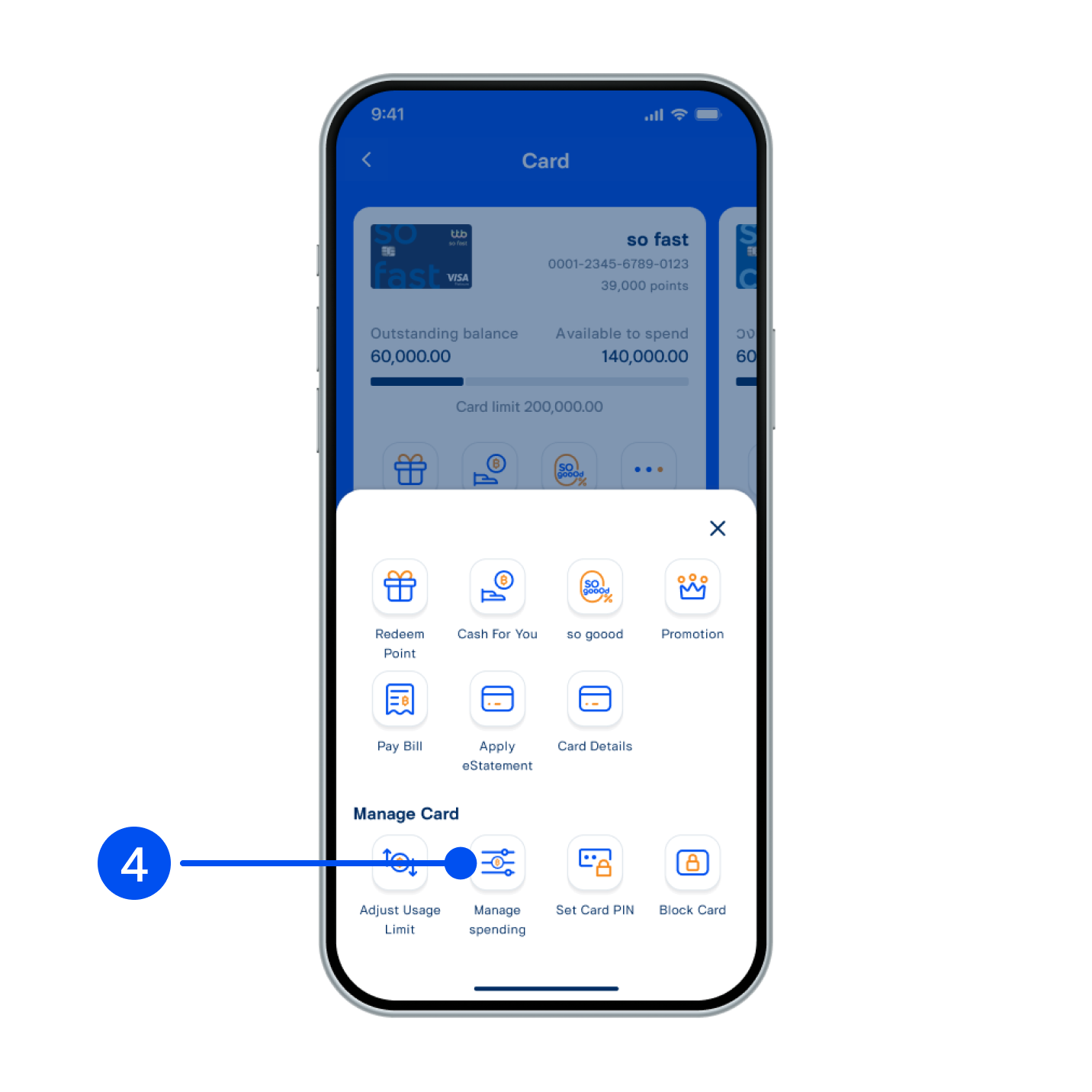
3. Select “More”.
4. Select “Manage spending”.
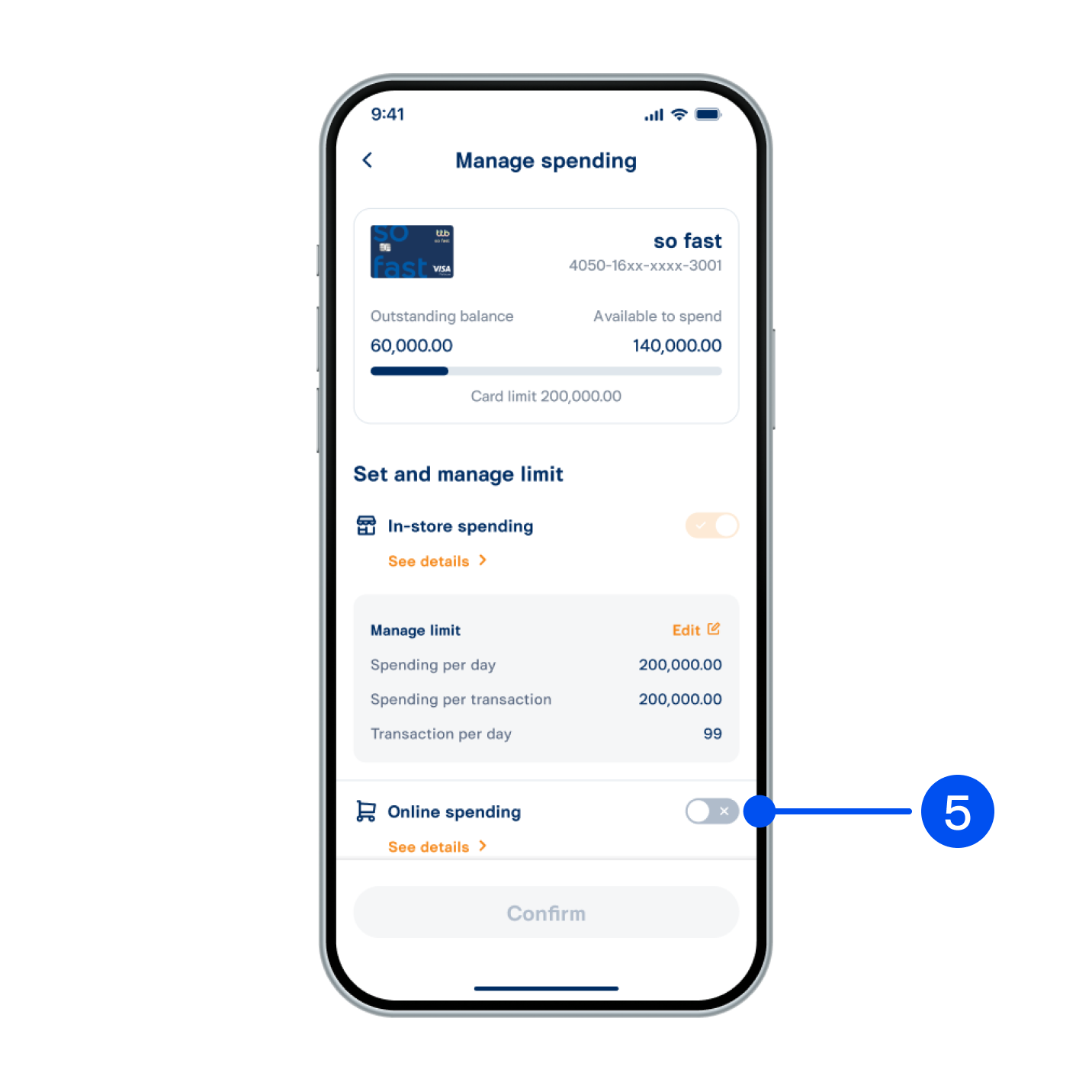
5. Enable the transaction to manage limit.
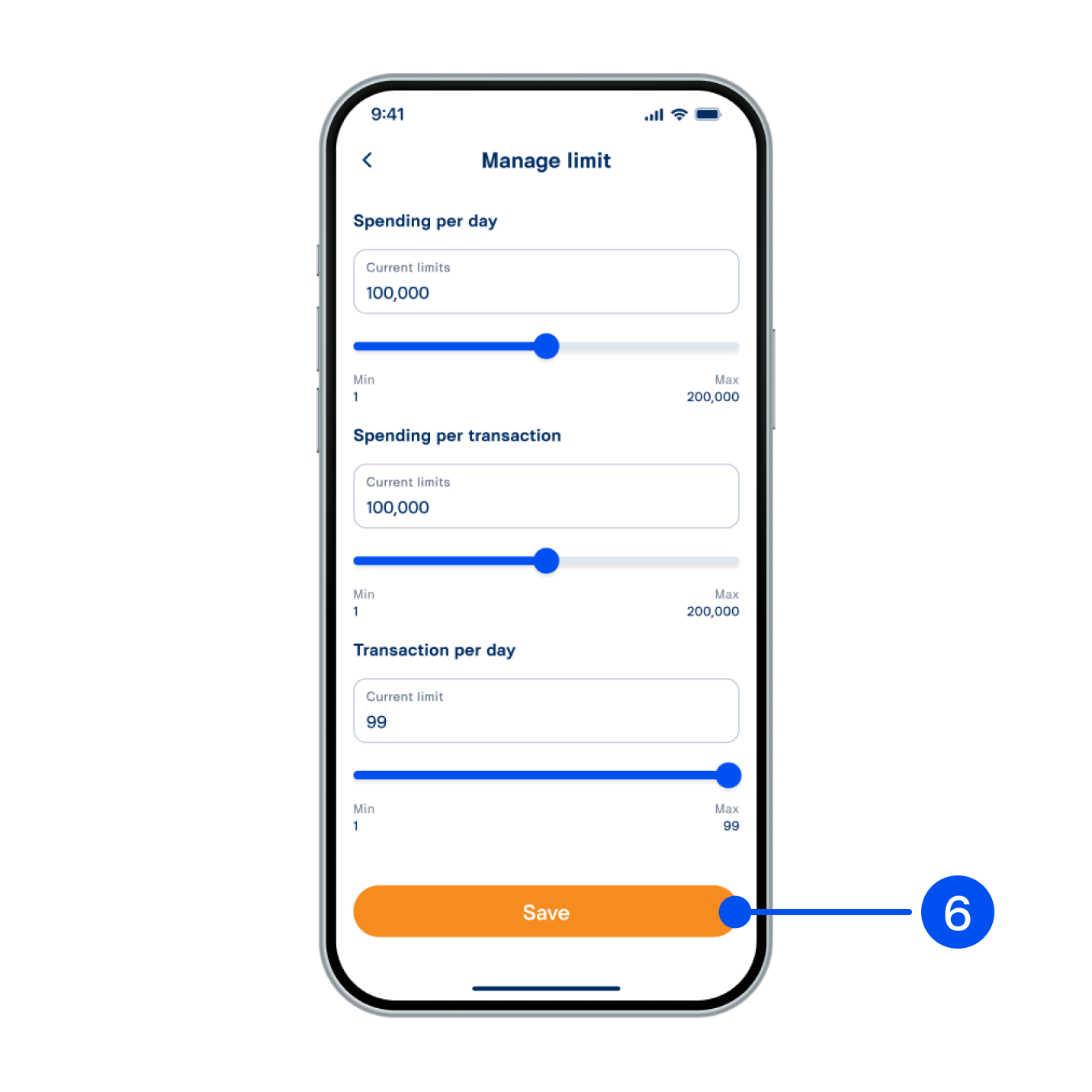
6. Enter the credit limit amount and transaction per day, then select “Save”
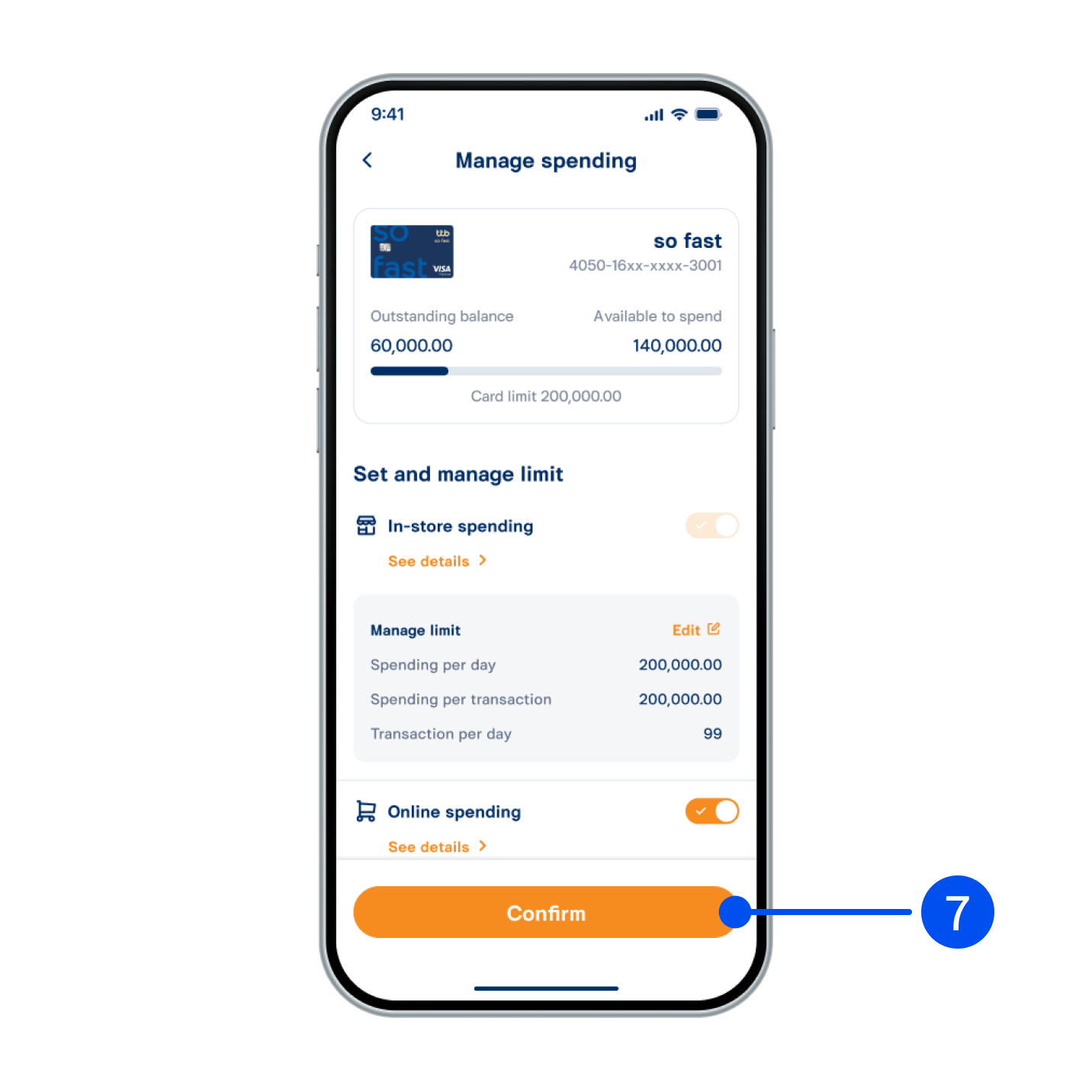
7. Select “Confirm”.
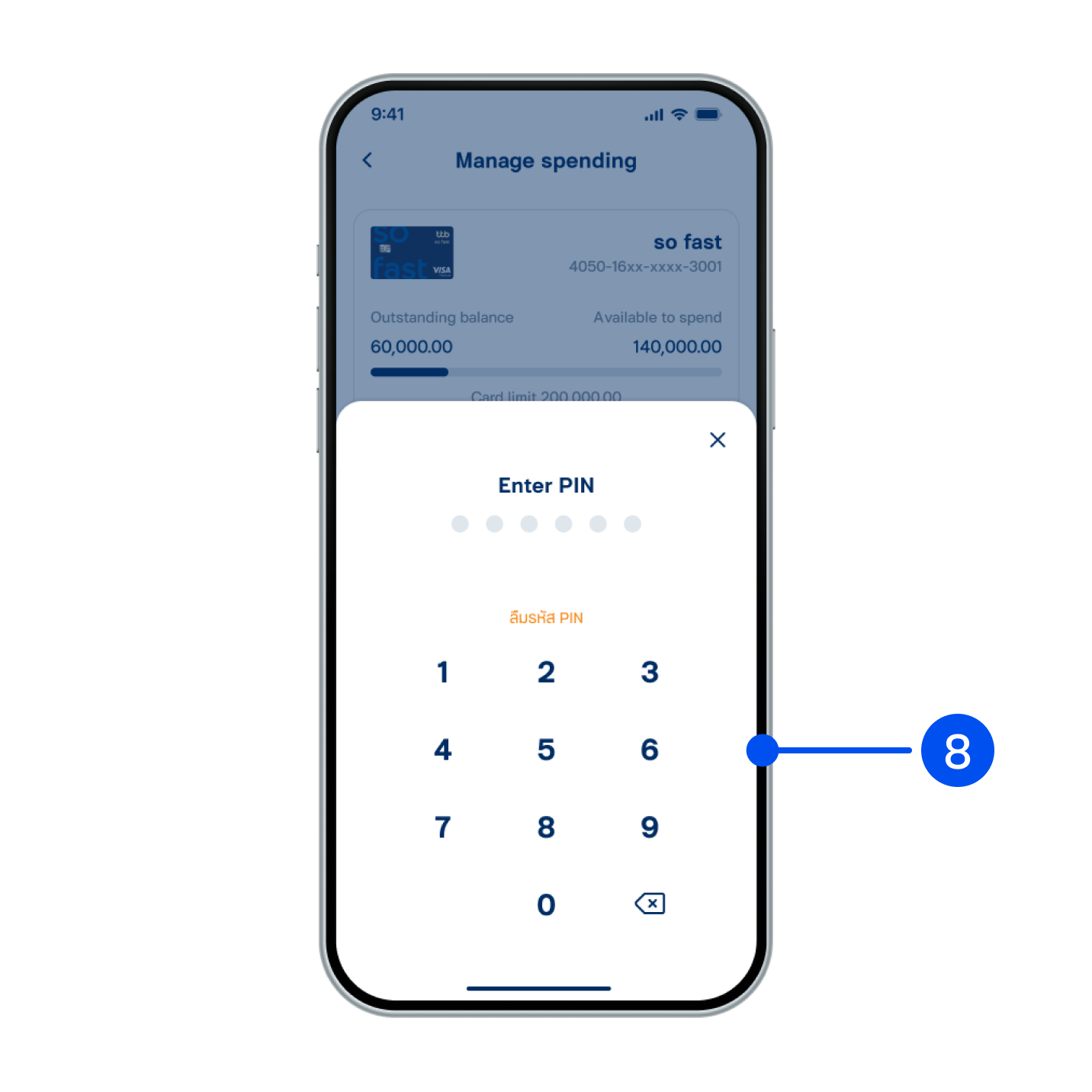
8. Enter PIN to confirm.
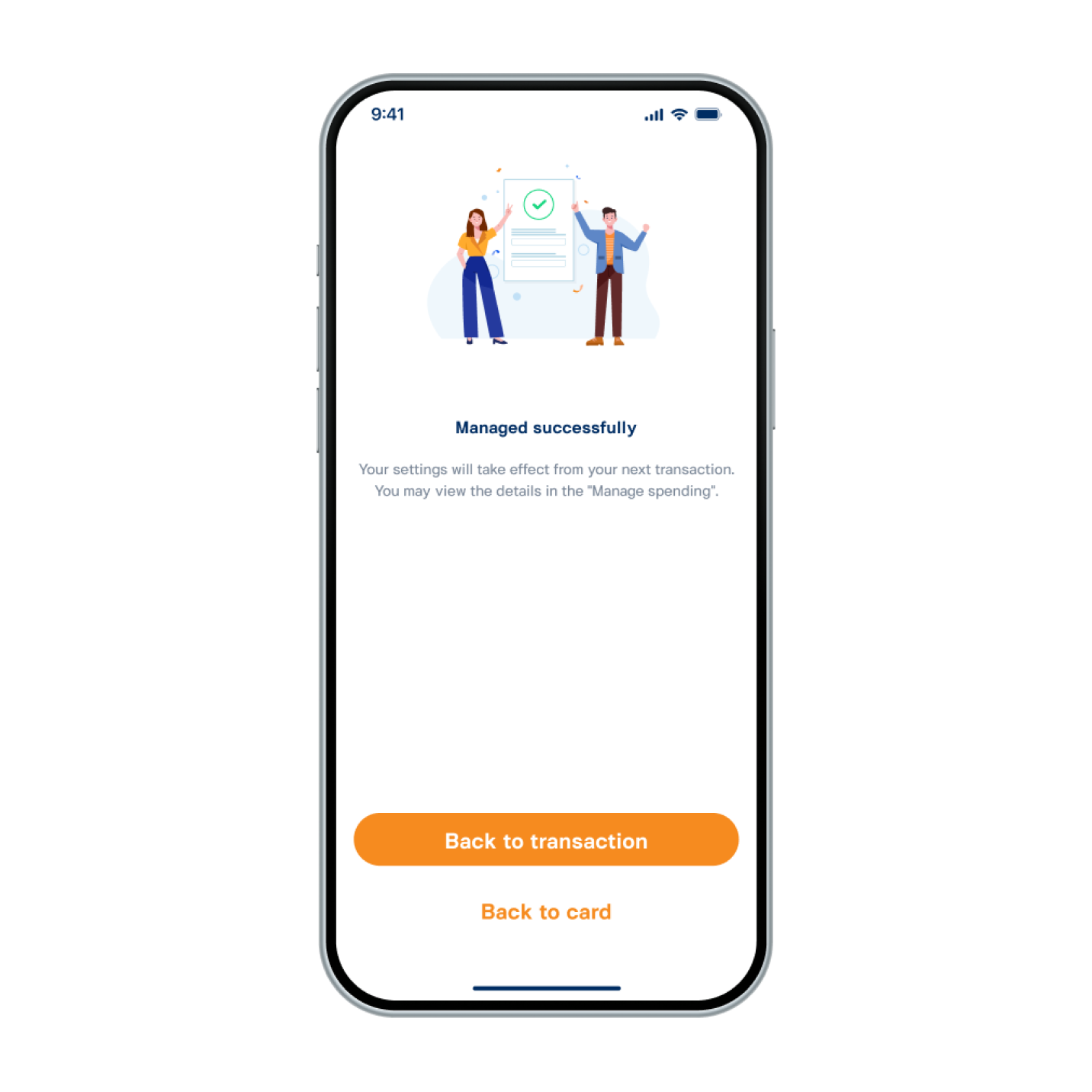
9. Managed limit successfully.