

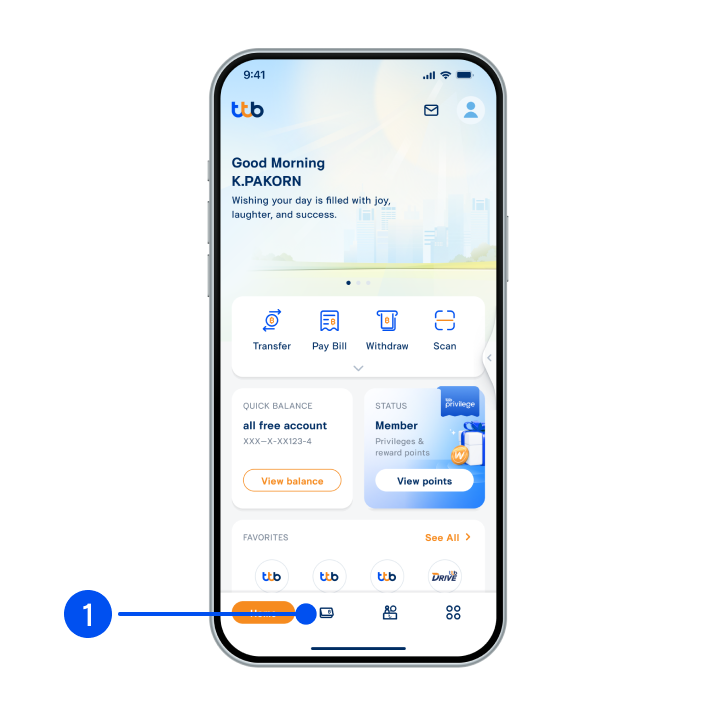
1. Select menu “Account”, the 2nd menu from the bottom.
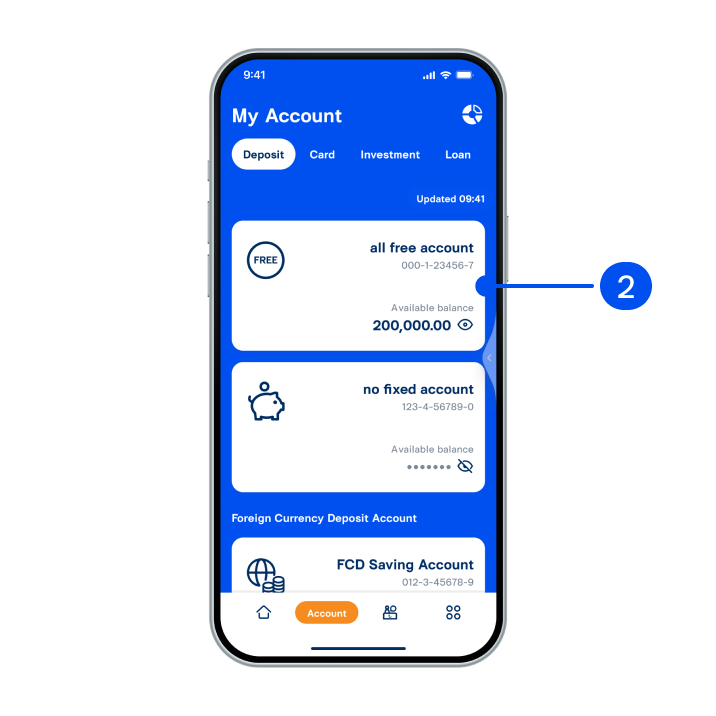
2. Select all free account.
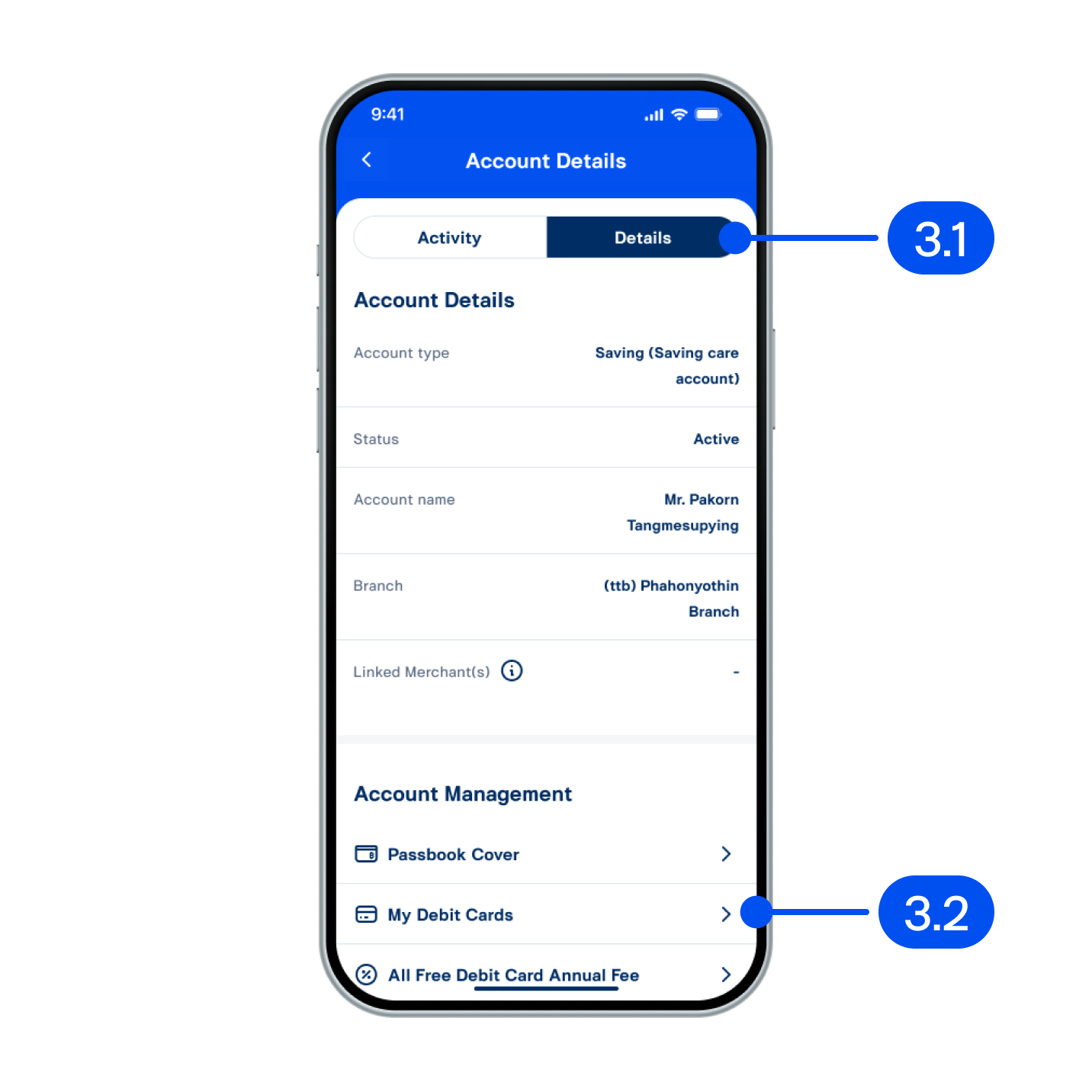
3. In account details page,
3.1) Select “details”.
3.2) Select “My debit cards”.
3.1) Select “details”.
3.2) Select “My debit cards”.
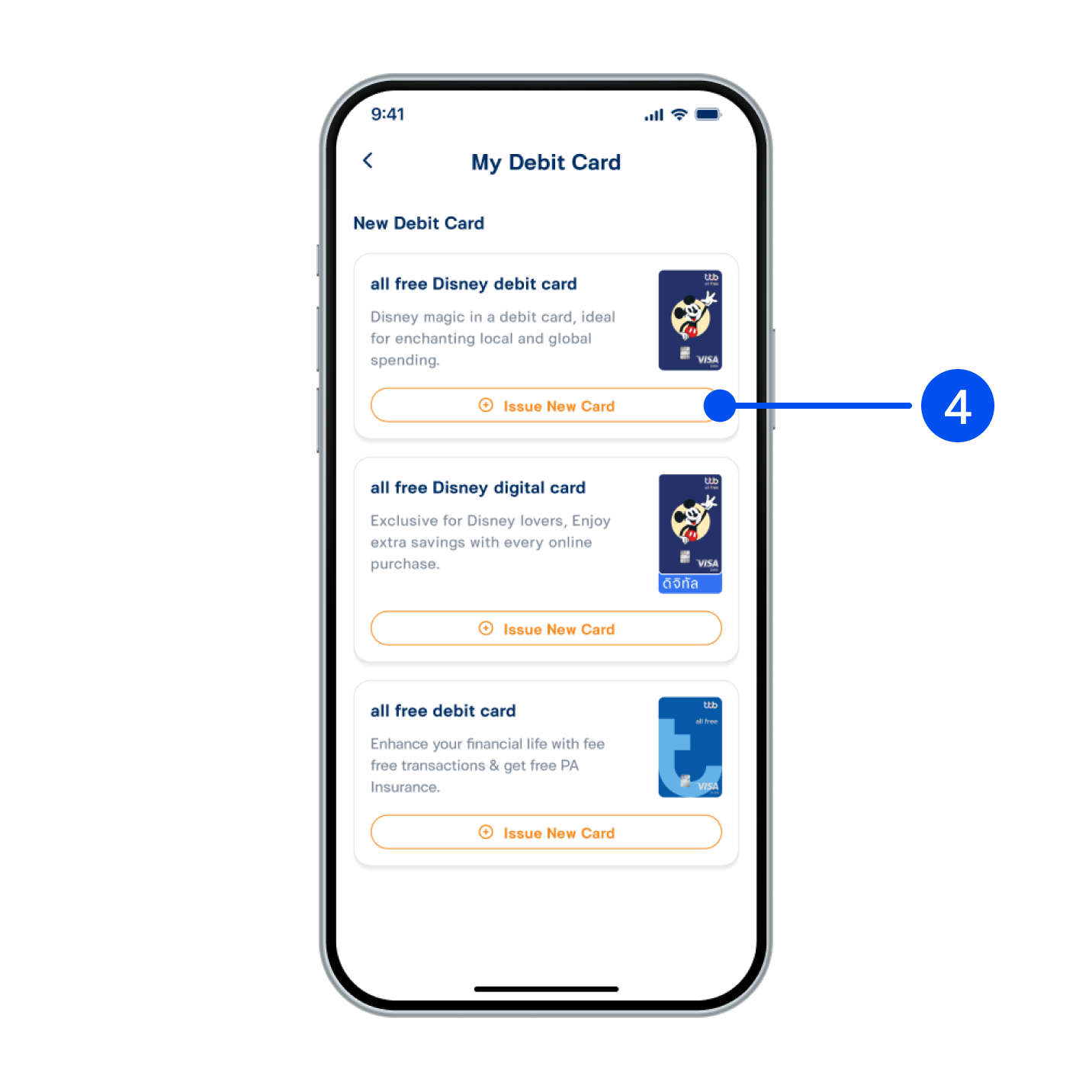
4. Select type of debit card, then select “Issue new card”.
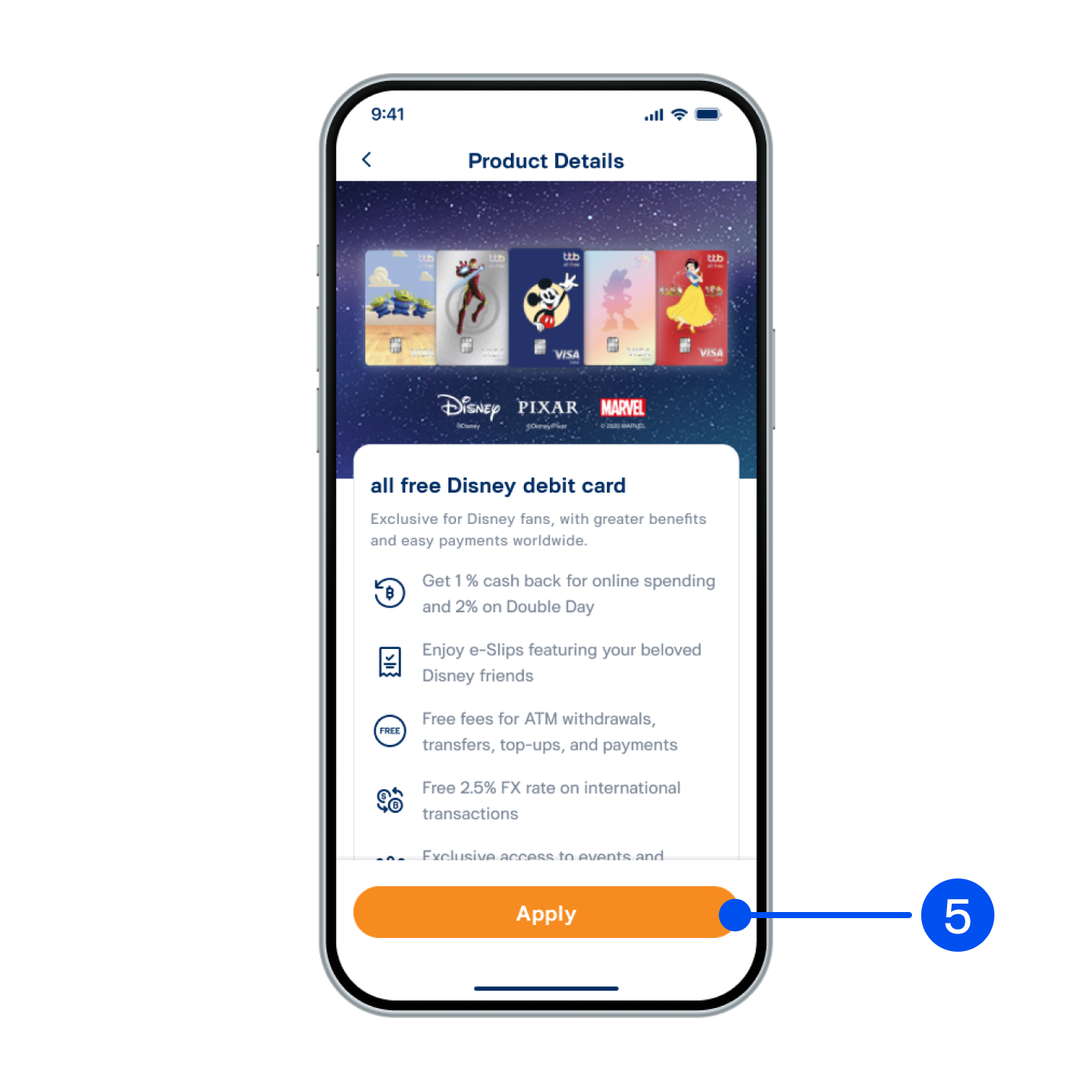
5. Review product detail, then select “Apply”.
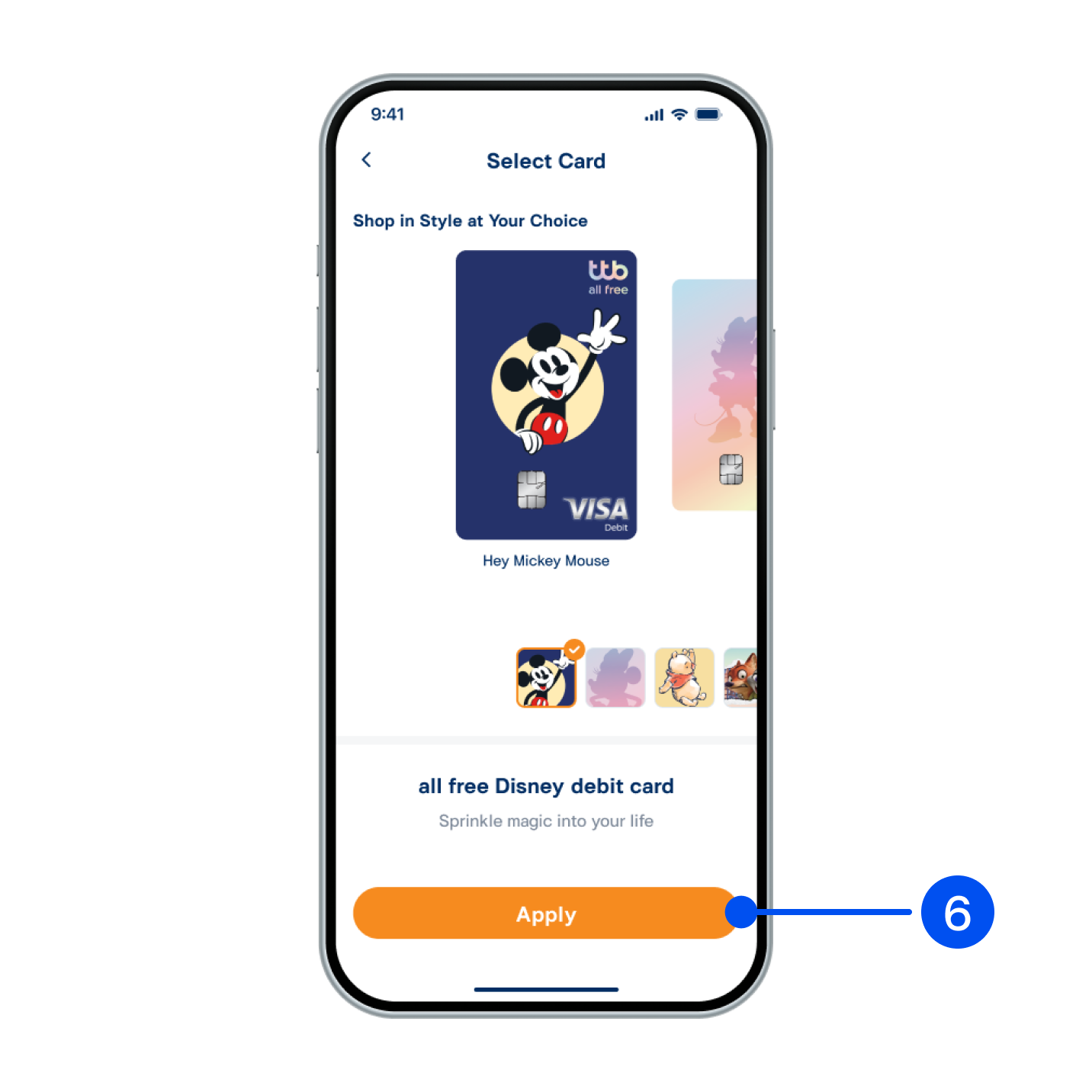
6. Select card design, then select “Next”.
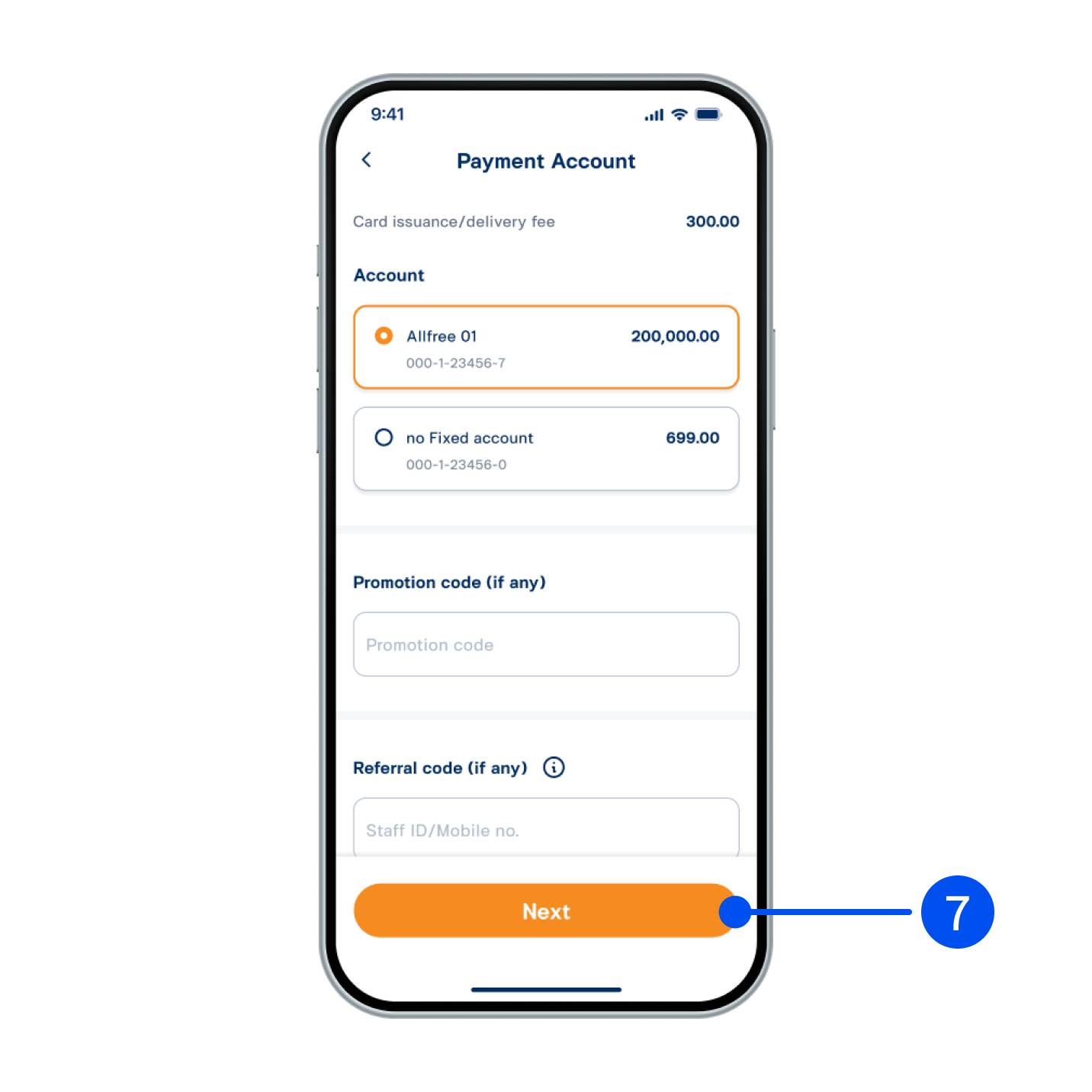
7. Select account to pay for card issuance, then select “Next”.
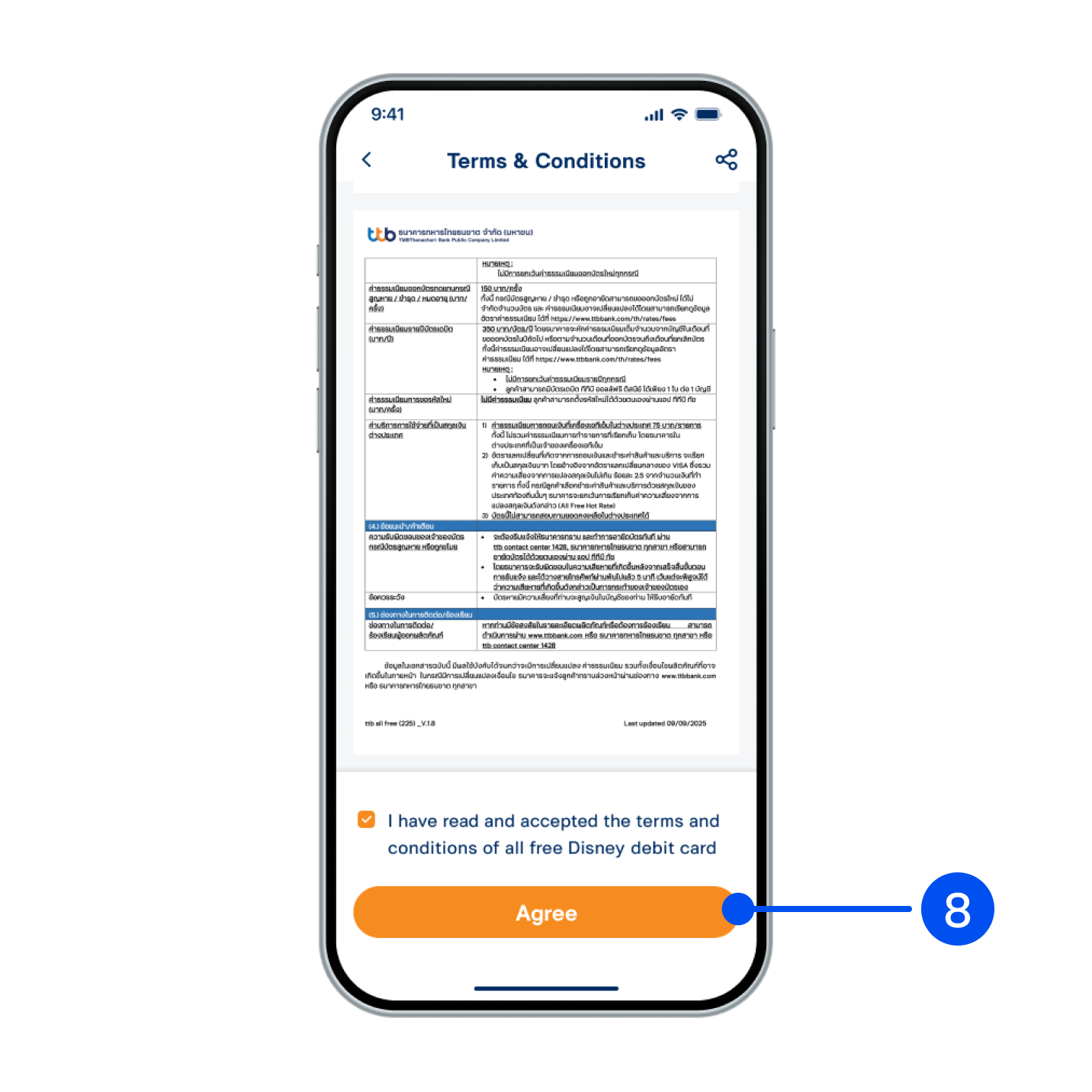
8. Read and accept terms and conditions, then select “Agree”.
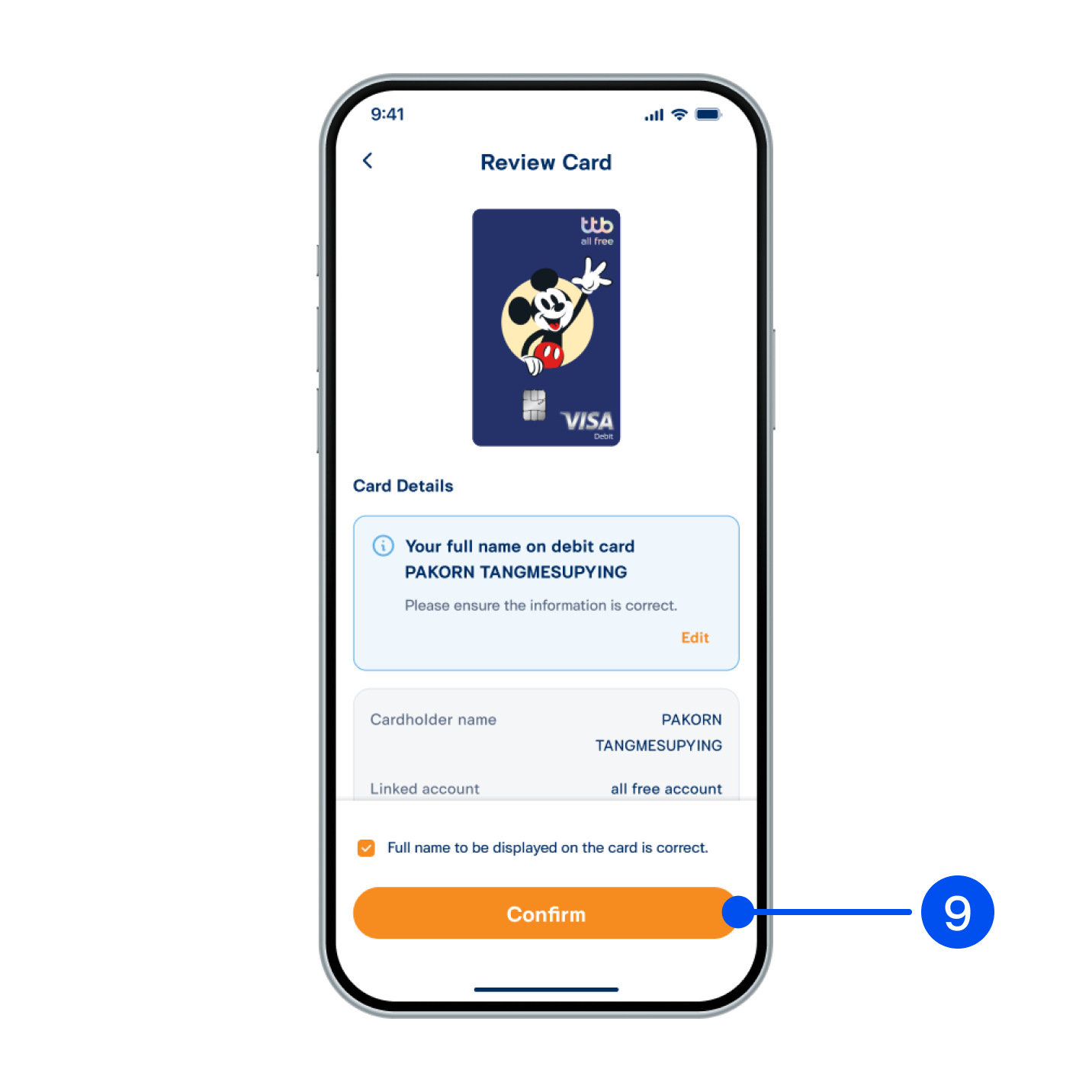
9. Review debit card information, then select “Confirm”.
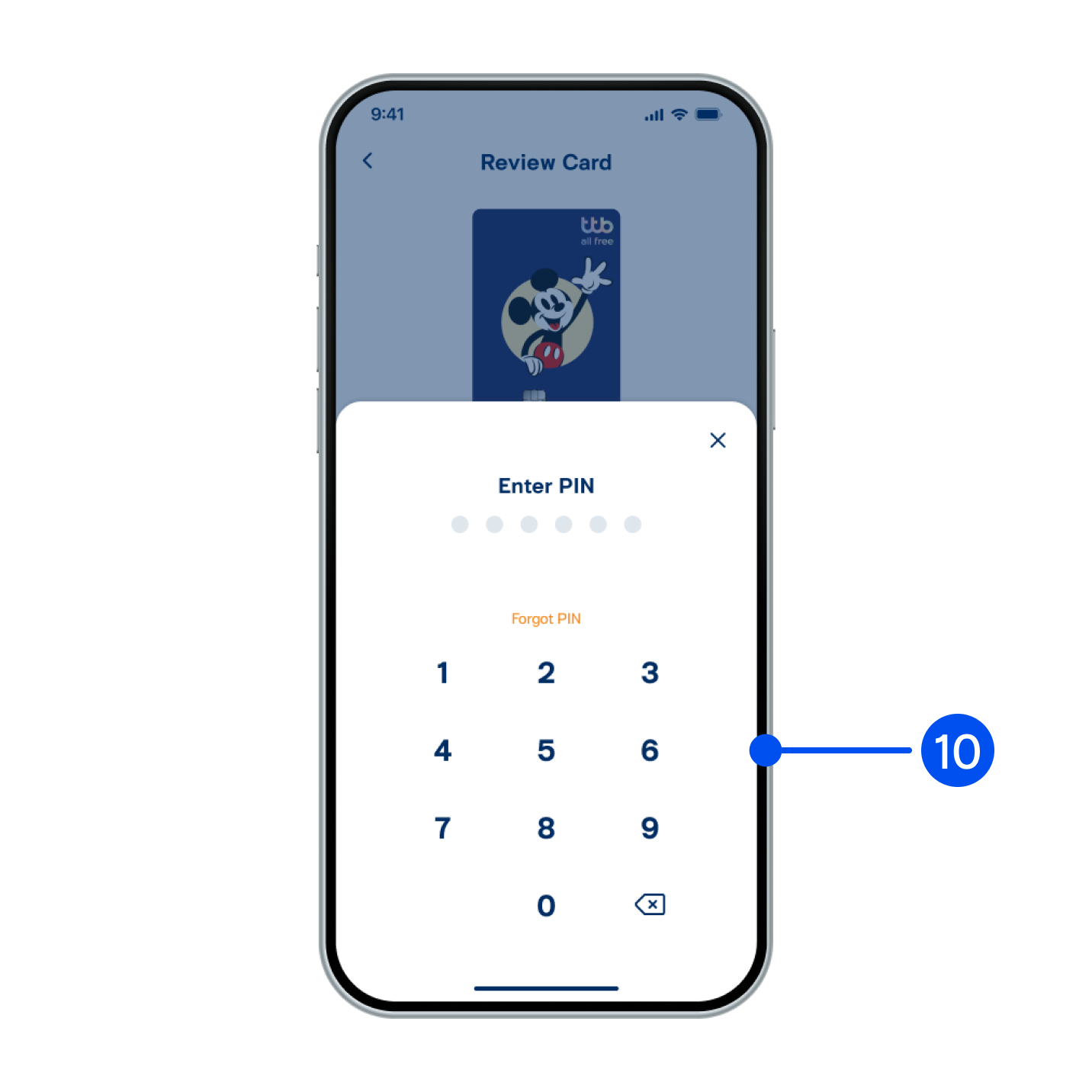
10. Enter PIN to confirm.
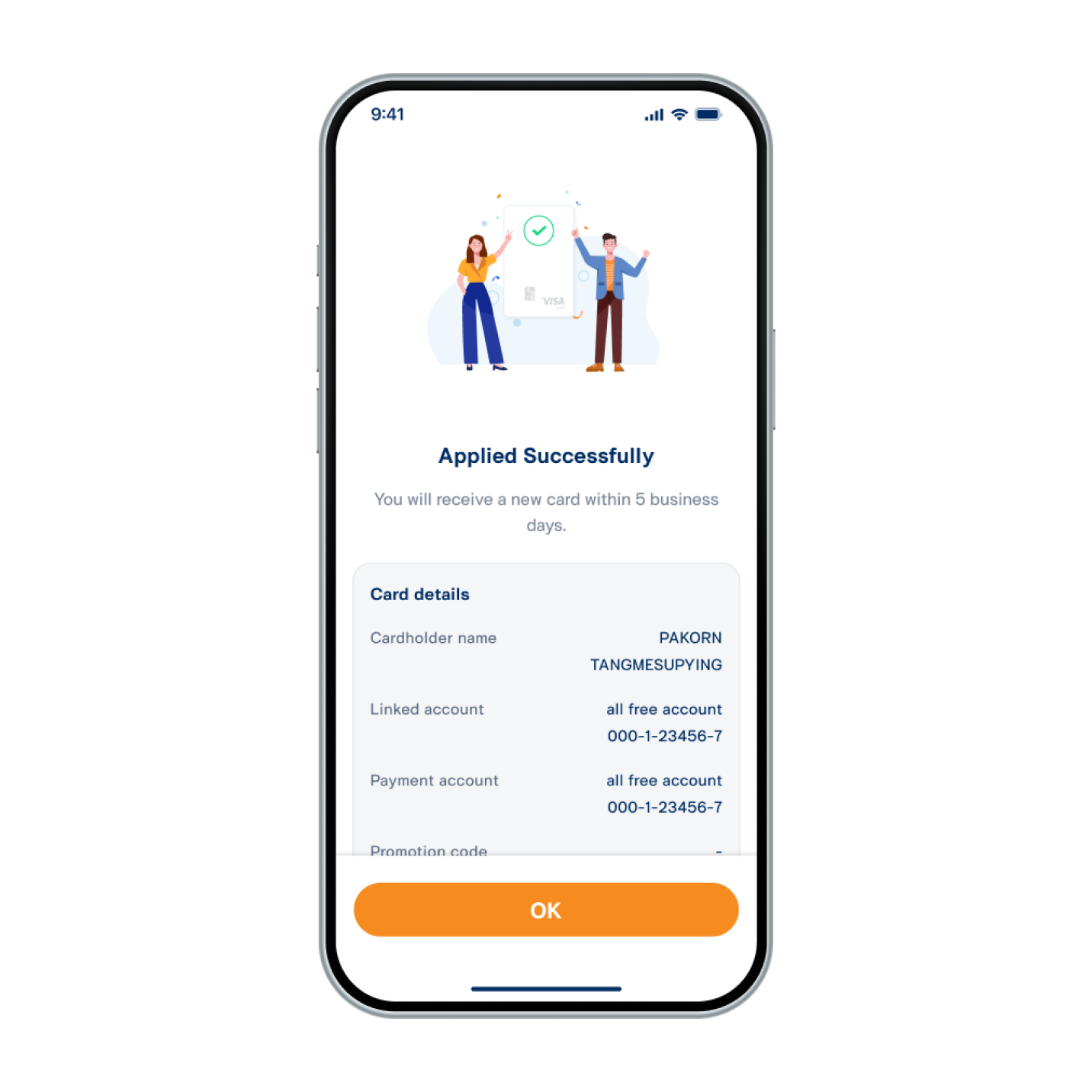
11. Debit card issued successfully.
The card will be delivered to the address provided to the bank within 5 business days.
The card will be delivered to the address provided to the bank within 5 business days.