

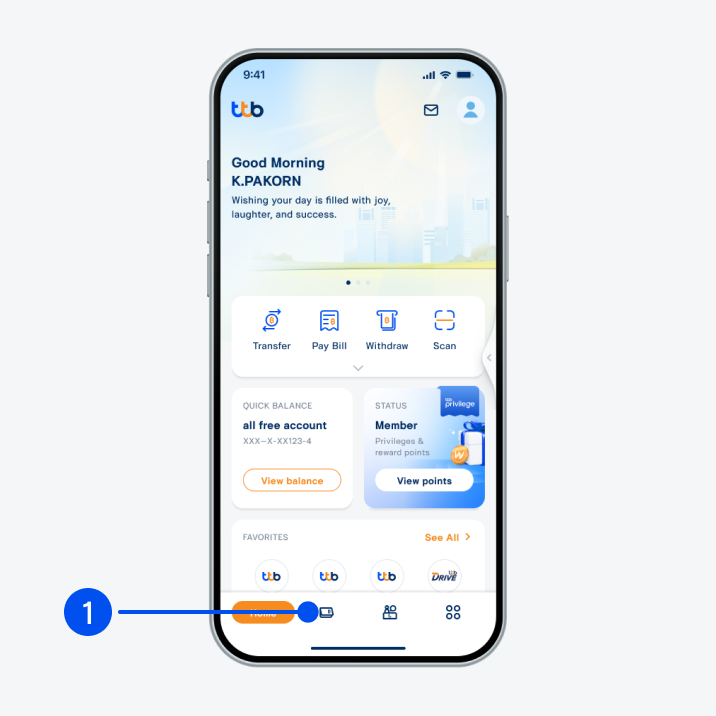
1. Select menu “Account”, the 2nd menu from the bottom.
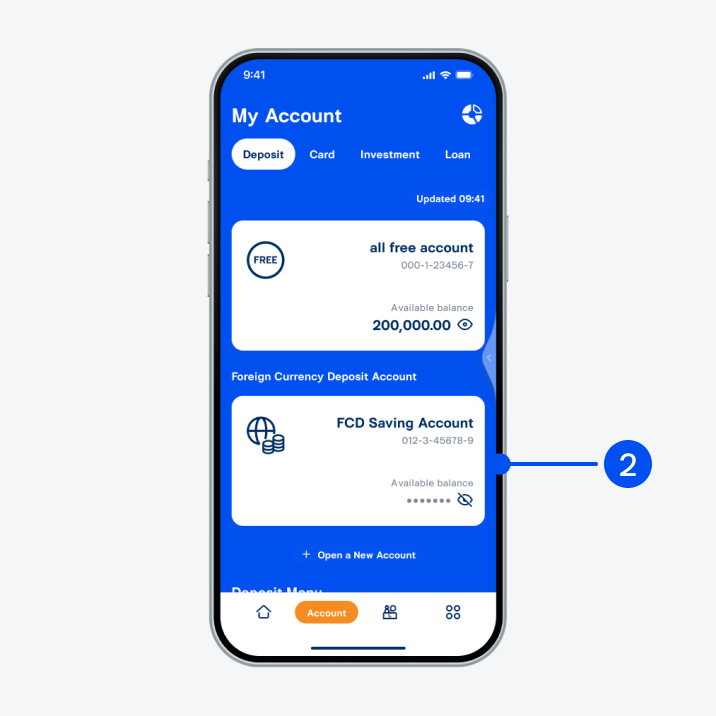
2. Select “FCD Saving Account”.
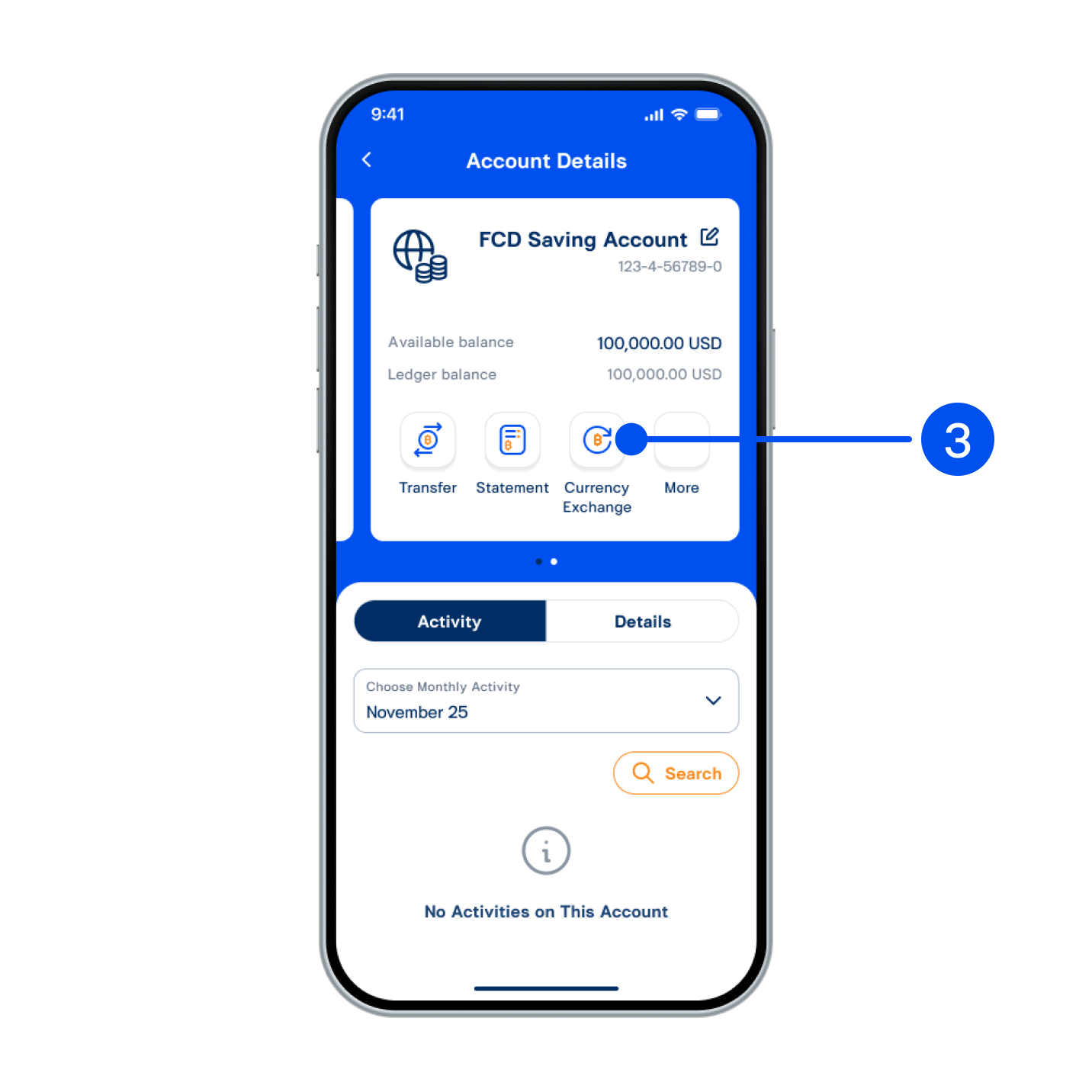
3. Select “Currency Exchange”.
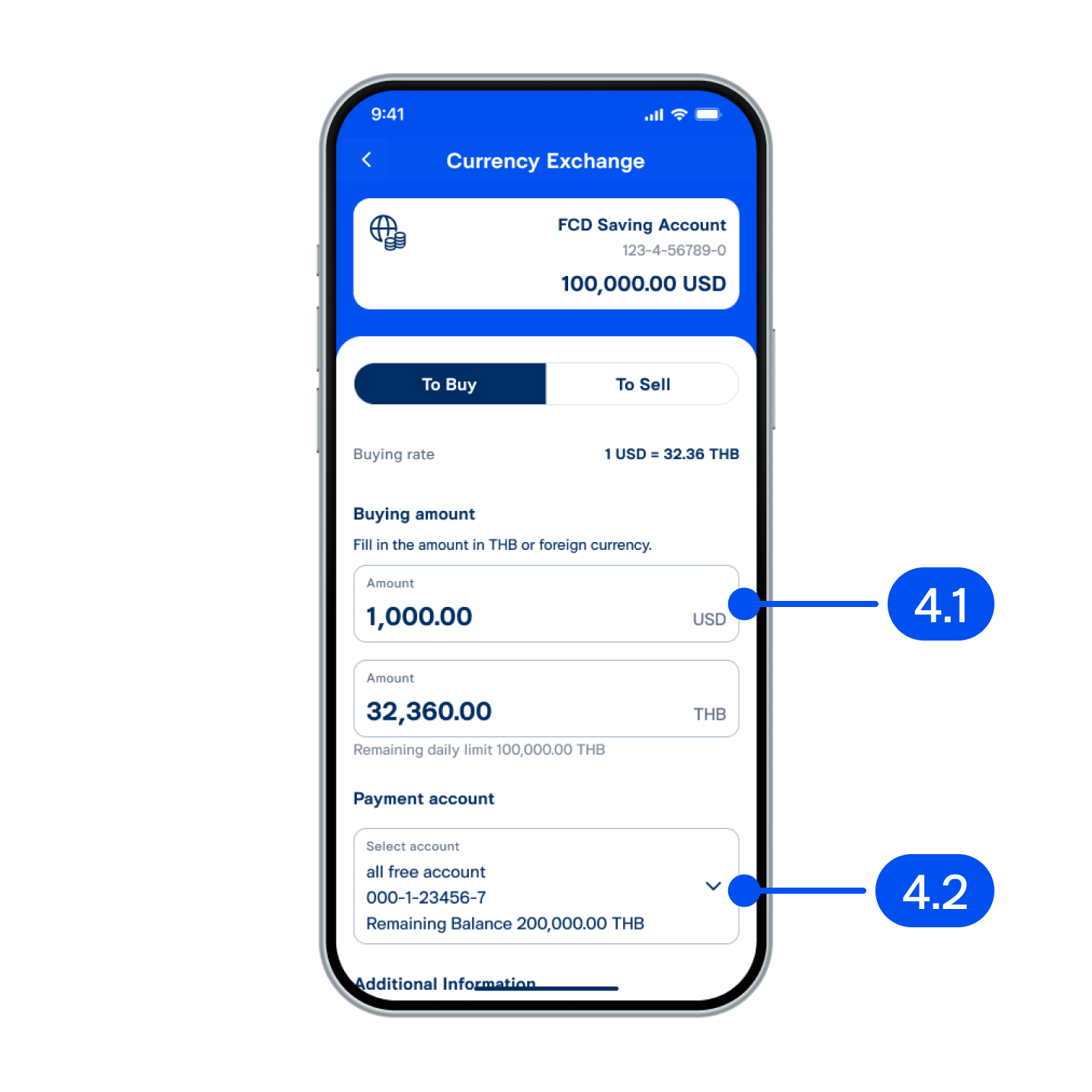
4. In currency exchange step,
4.1) Enter amount to exchange.
4.2) Select payment account, then select Next".
4.1) Enter amount to exchange.
4.2) Select payment account, then select Next".
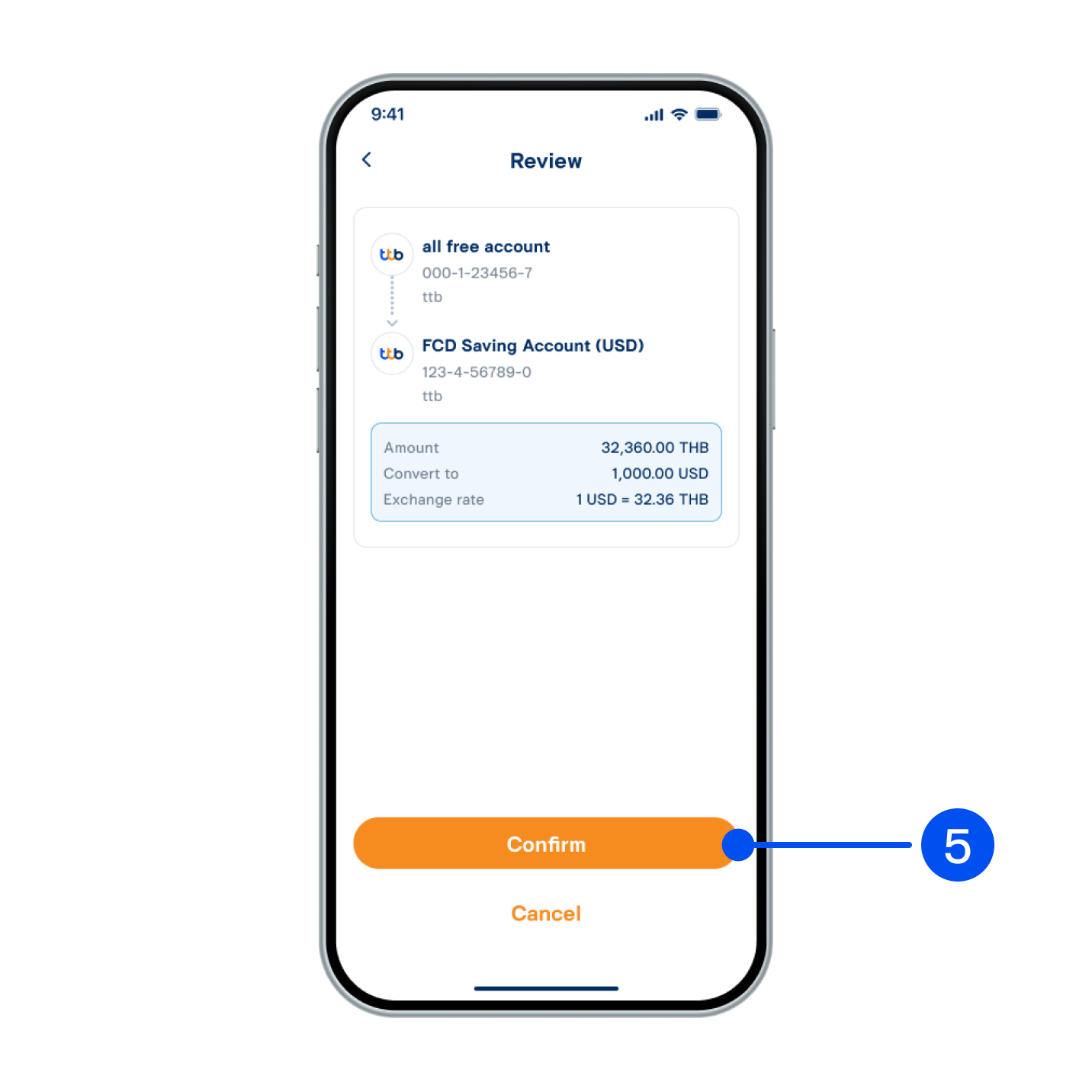
5. Review exchange details, then select “Confirm”.
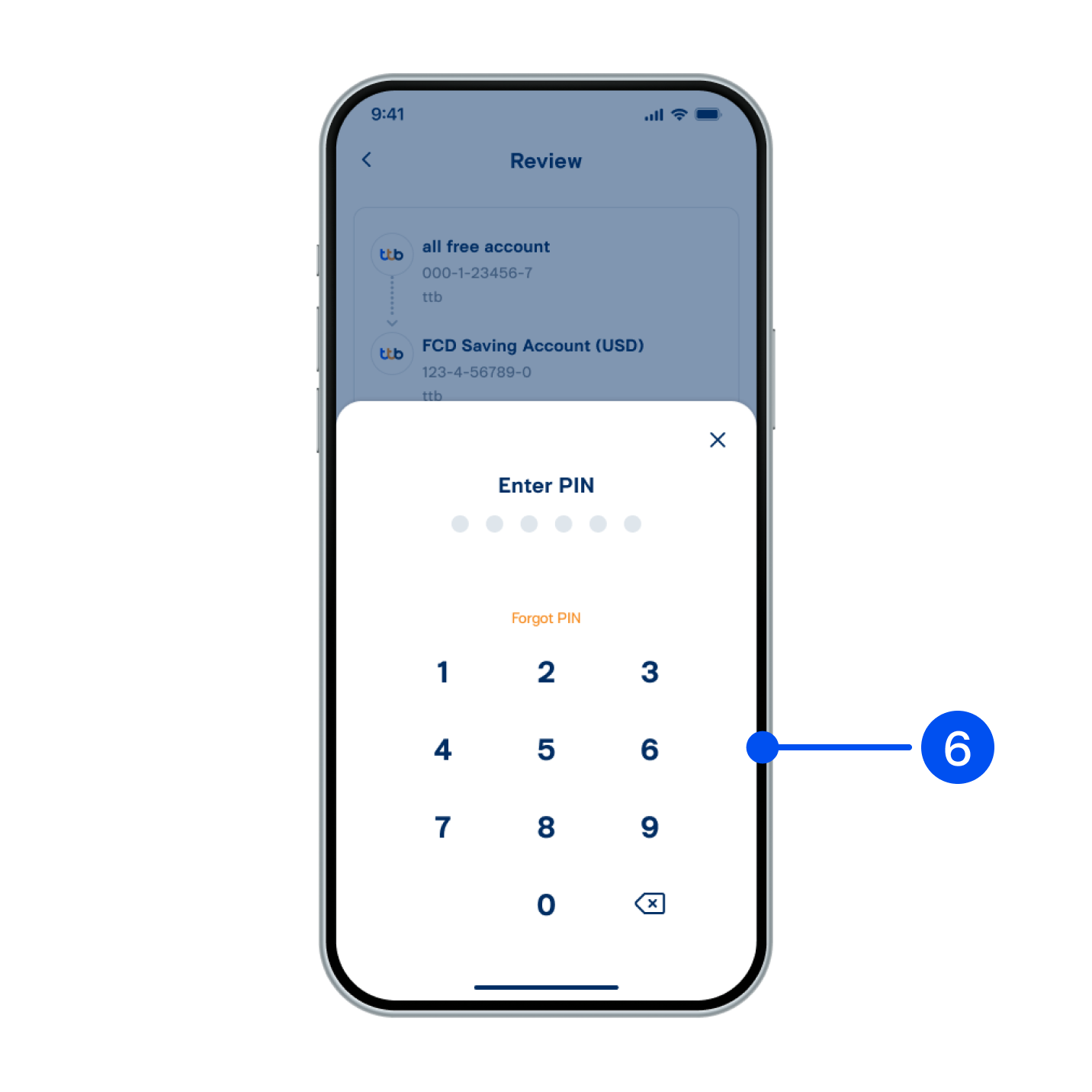
6. Enter PIN to confirm.
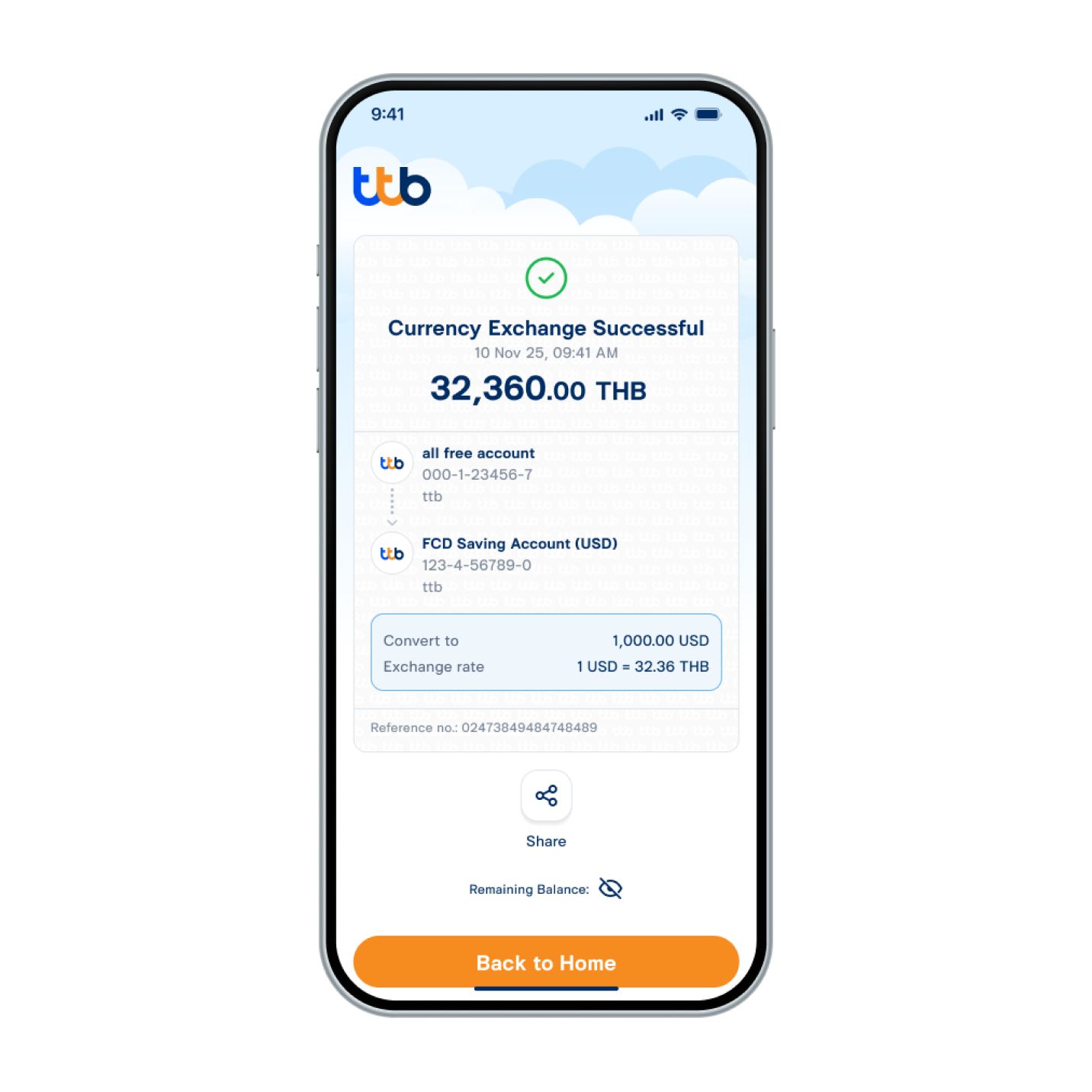
7. Exchanged currency successfully.