

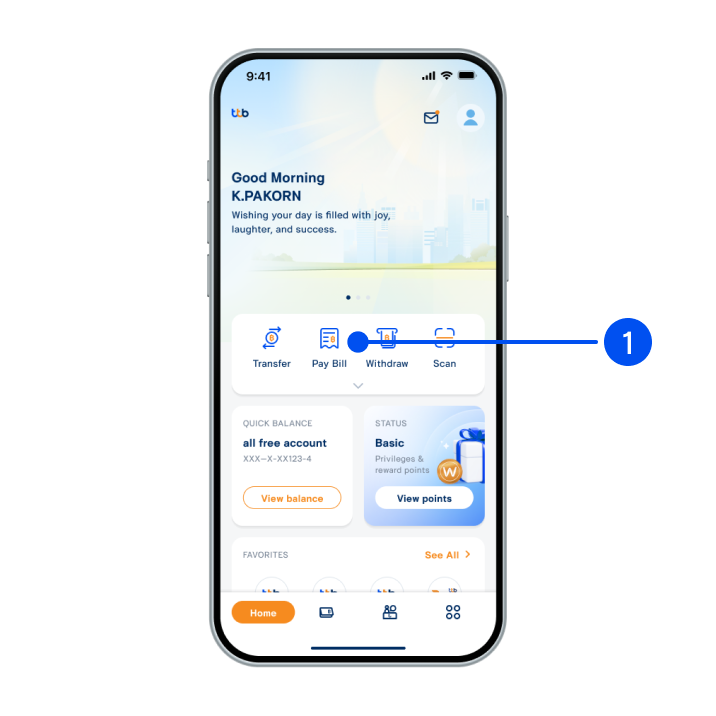
1. Select “Pay bill”.
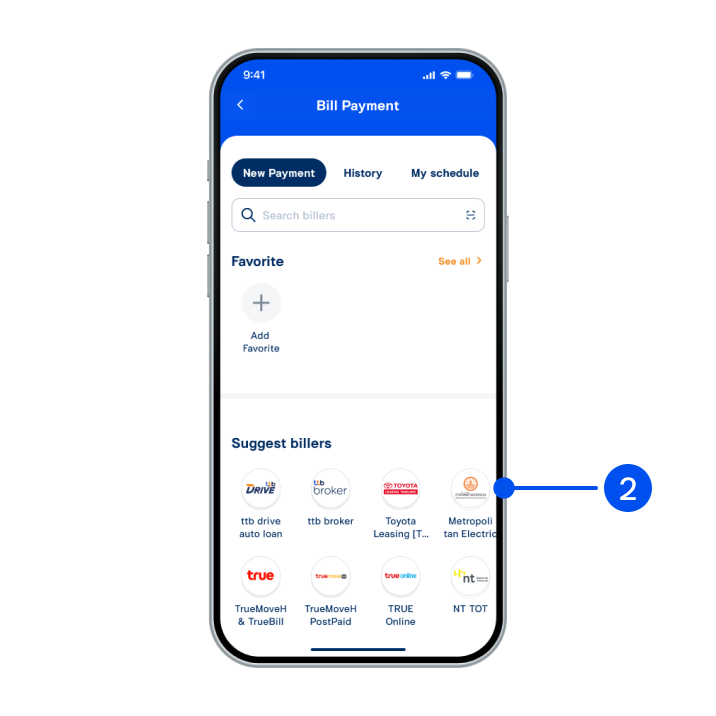
2. Select billers.
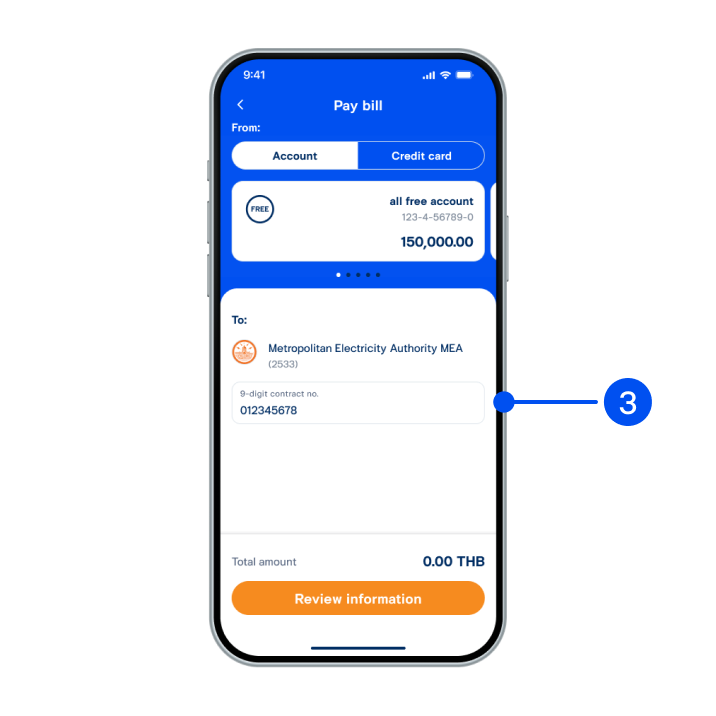
3. Enter customer details.
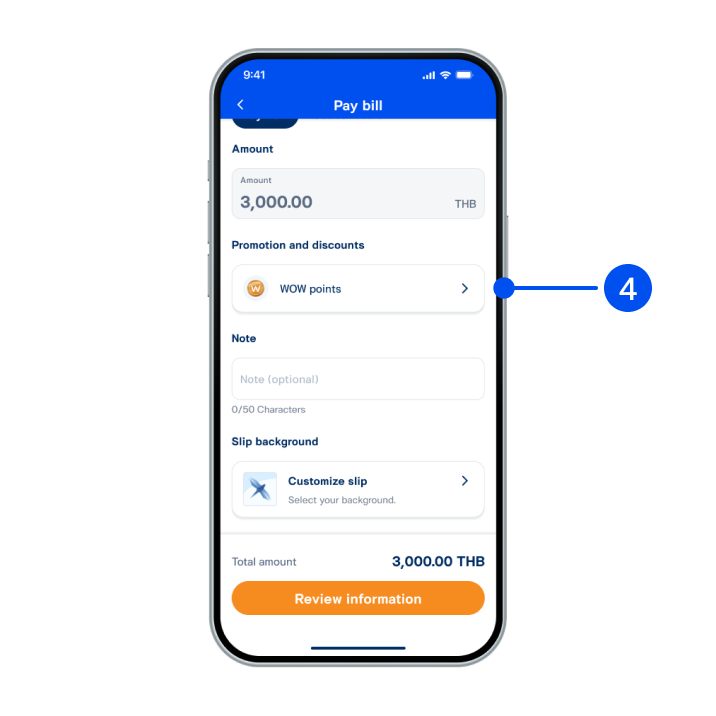
4. Select “WOW points”.
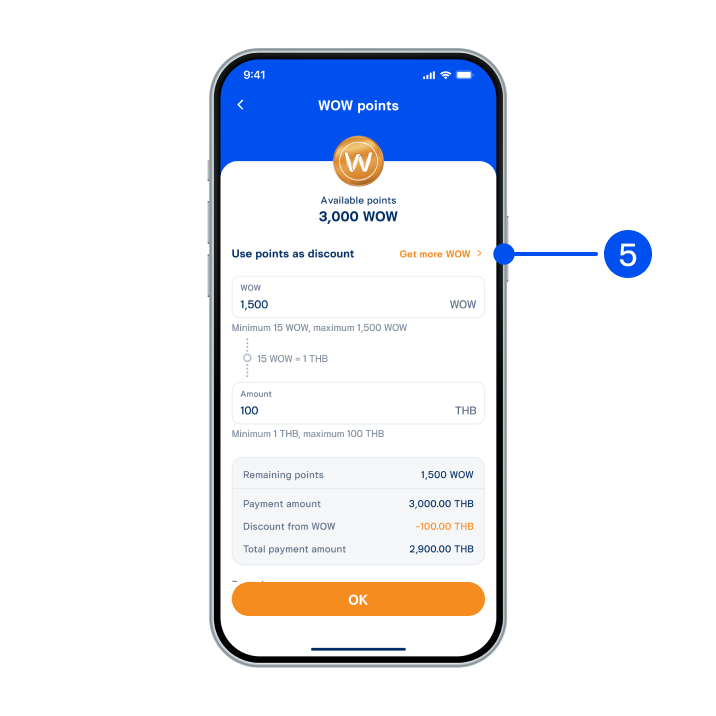
5. Select “Get more WOW”.
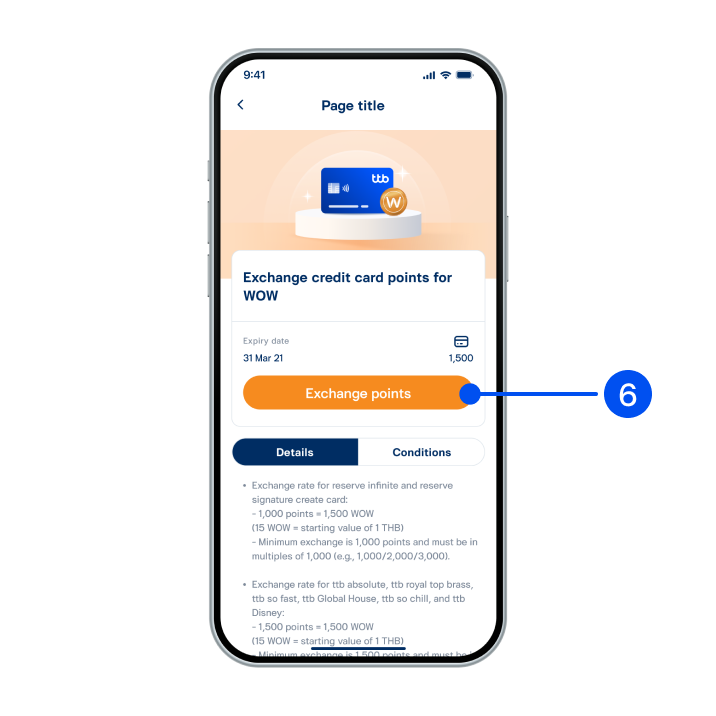
6. Read redemption details, then select “Exchange points”.
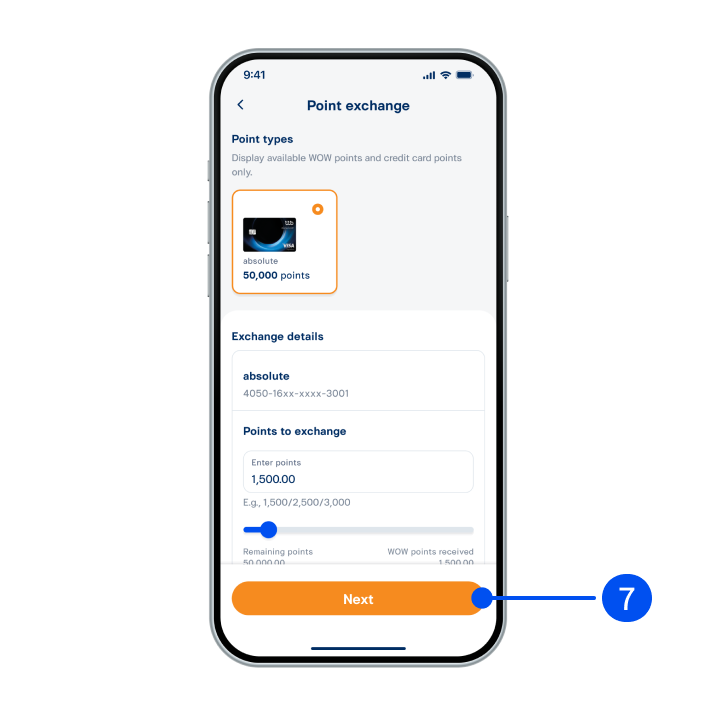
7. Select point type, enter points to exchange, then select “Next".
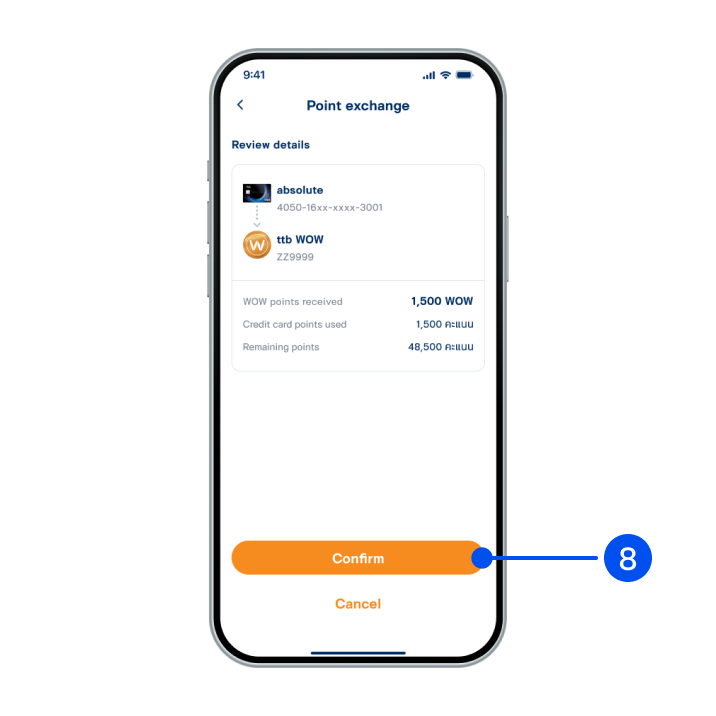
8. Review details, then select “Confirm”.
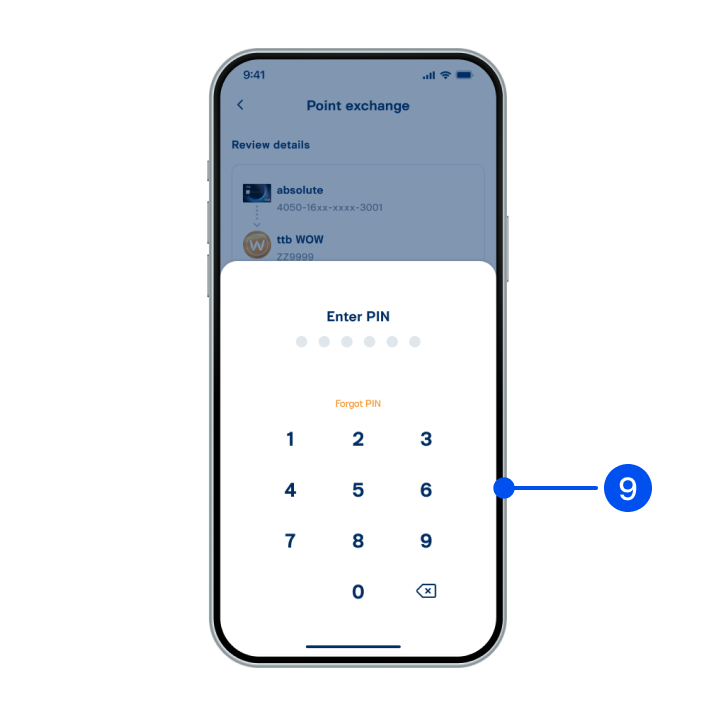
9. Enter PIN to confirm.
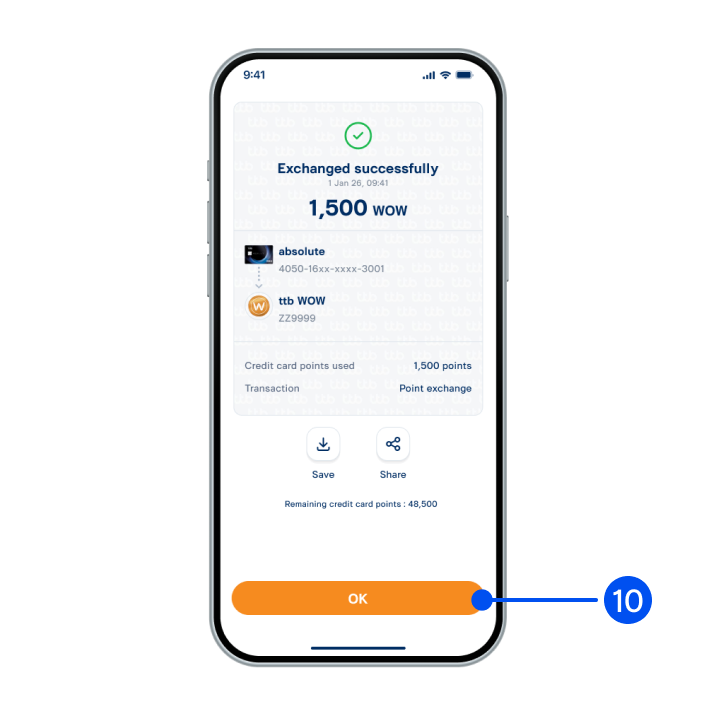
10. Select “OK”
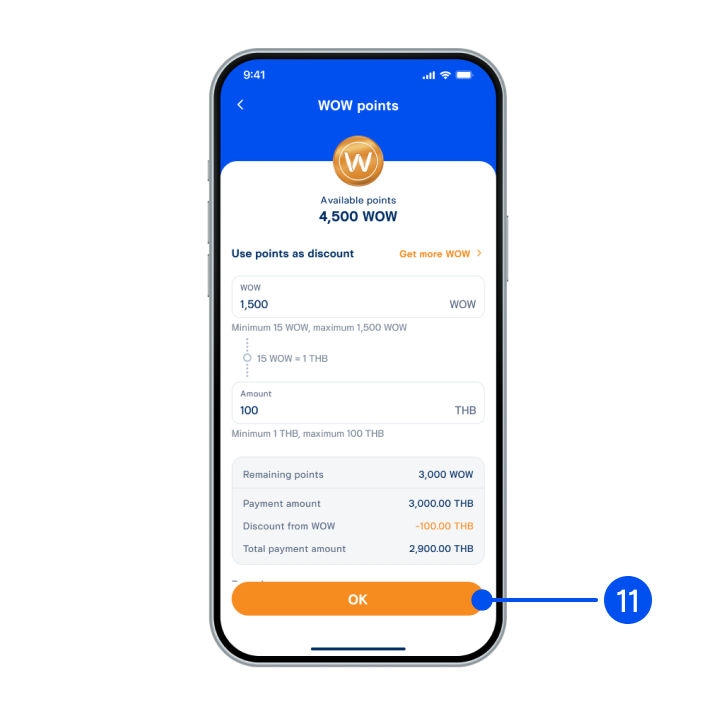
11. Review details, then select “OK”.
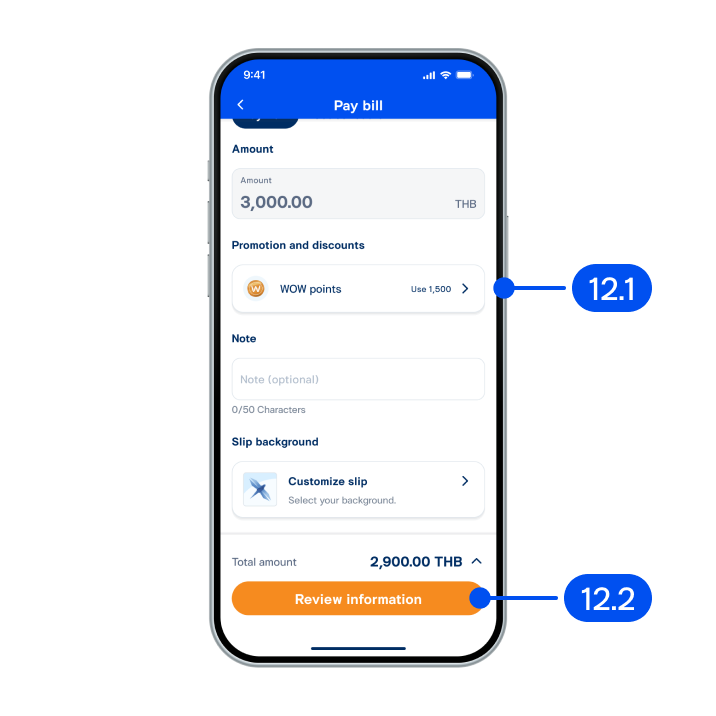
12. On "Payment" page,
12.1) Review discount amount from WOW points.
12.2) Select “Review information”.
12.1) Review discount amount from WOW points.
12.2) Select “Review information”.
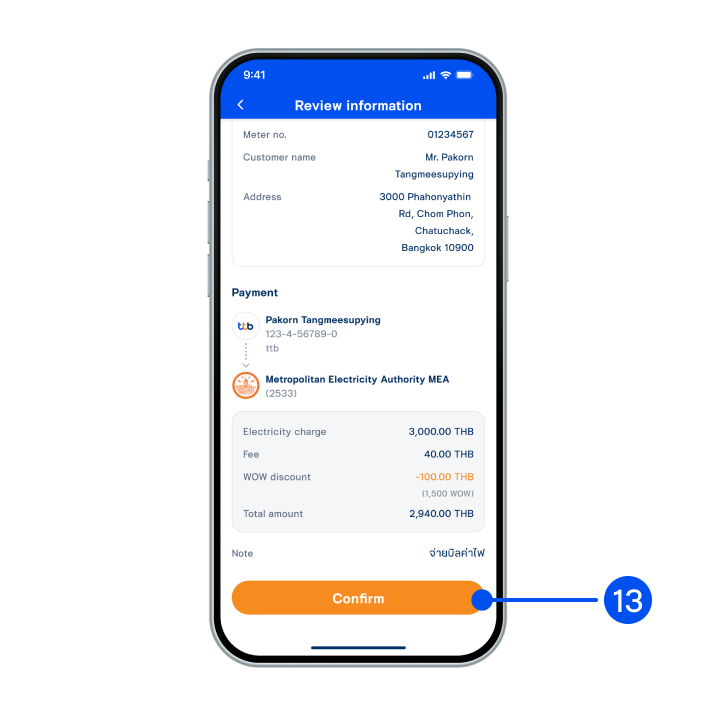
13. Review details, then select “Confirm”.
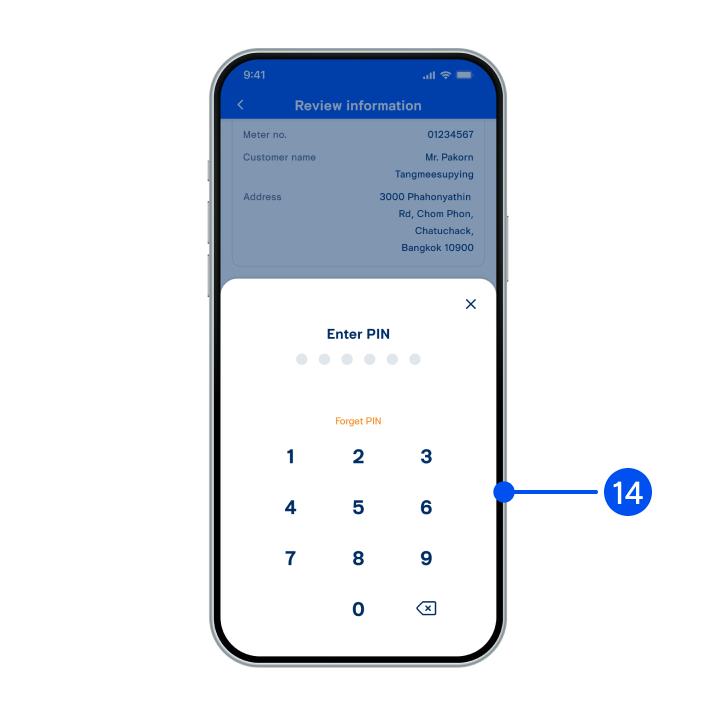
14. Enter PIN to confirm.
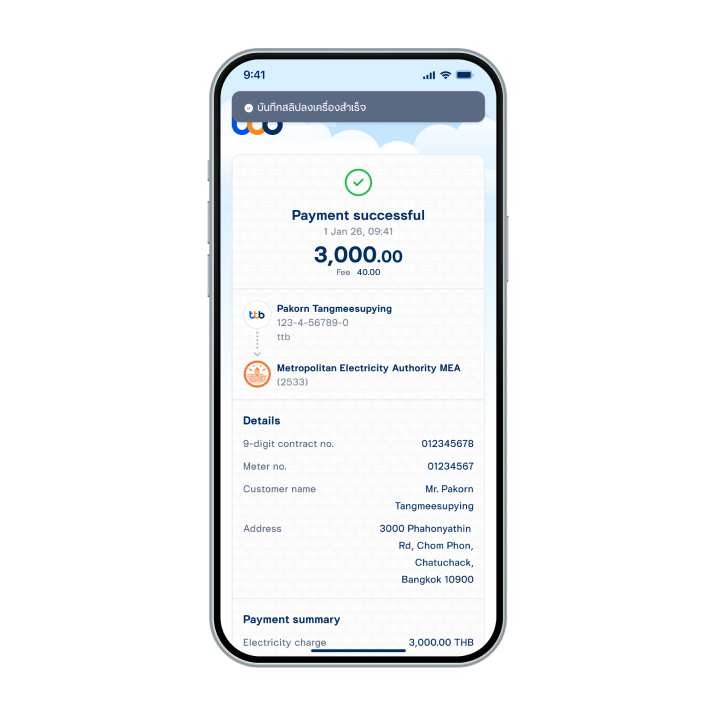
15. Payment successful.