

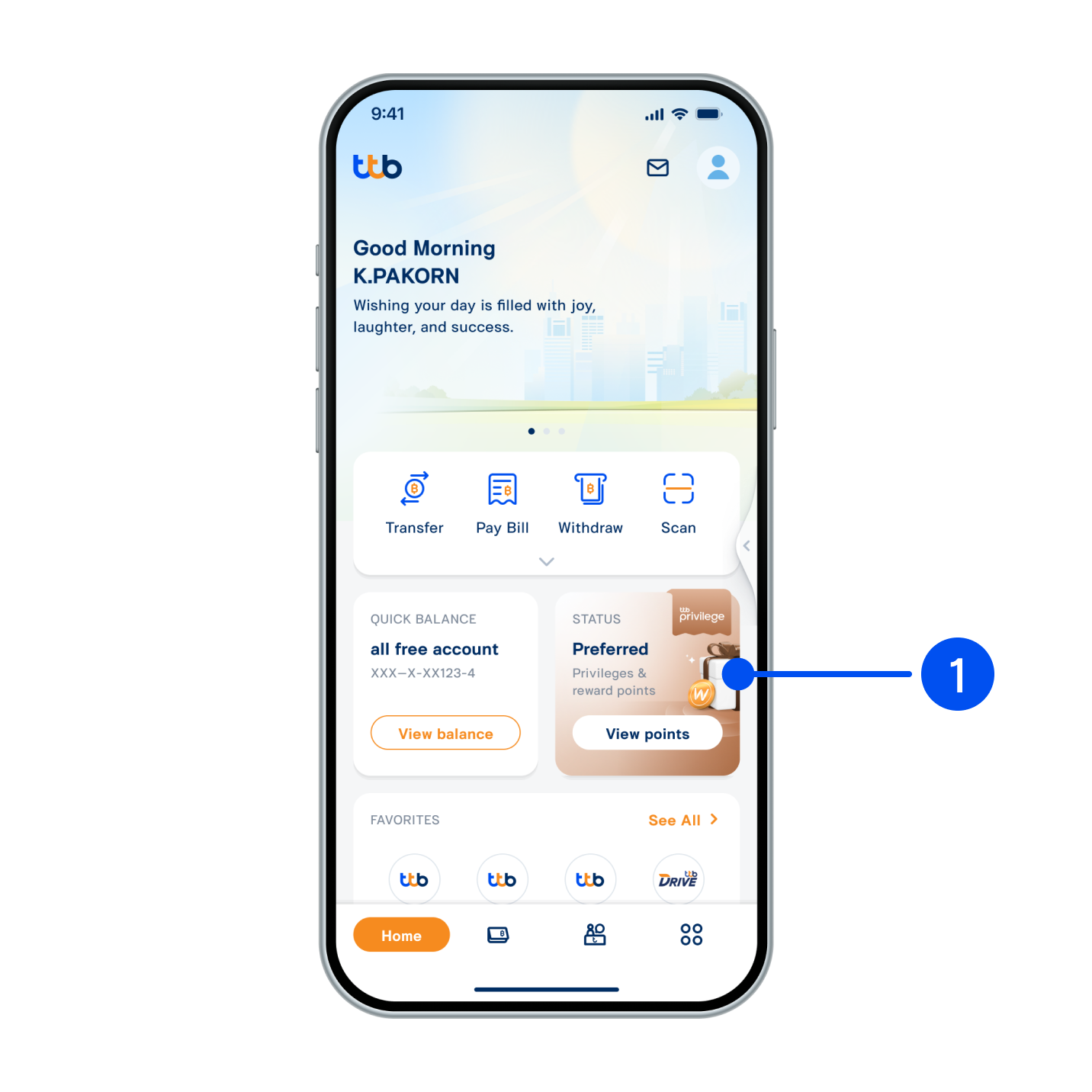
1. Select your status card.
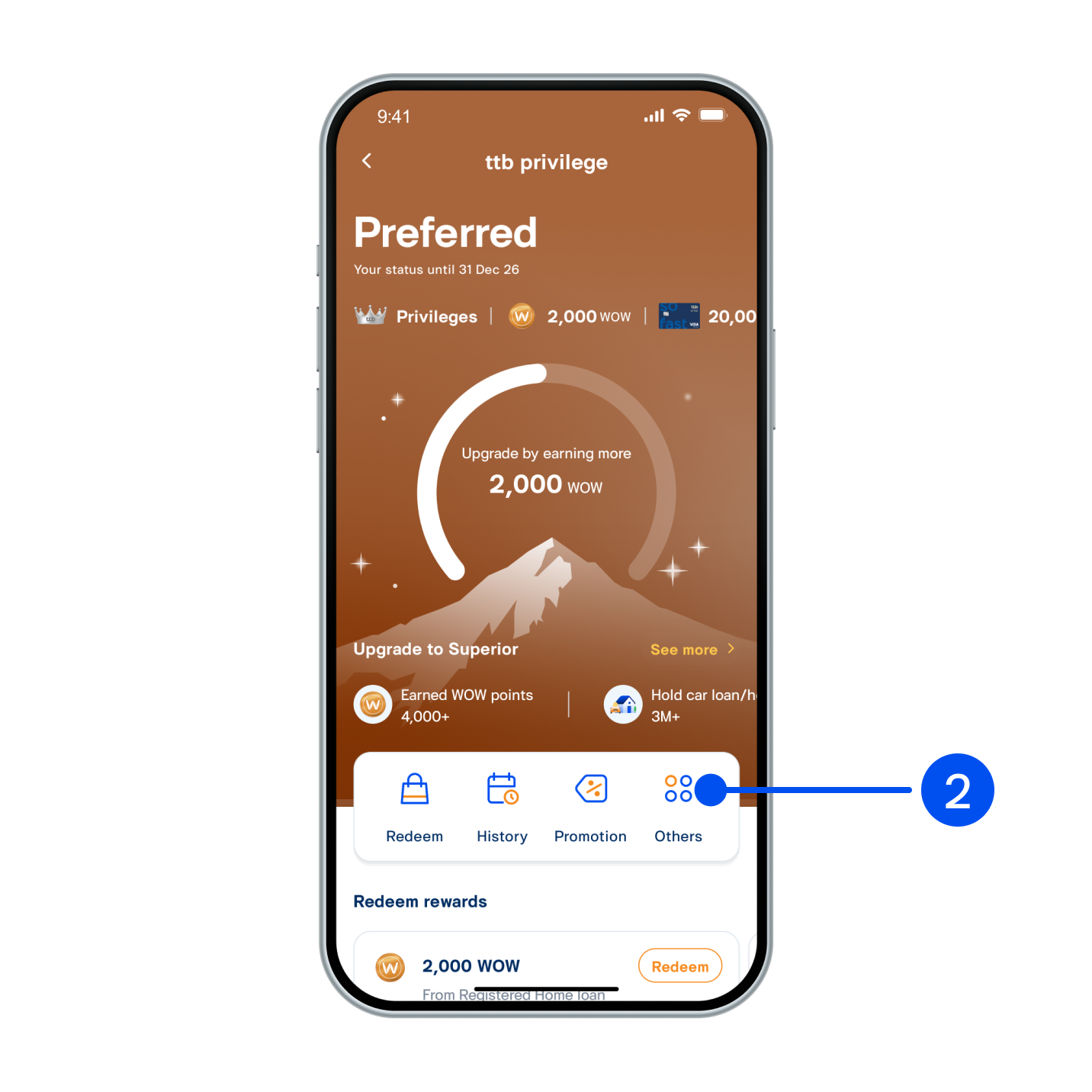
2. Select “Others”
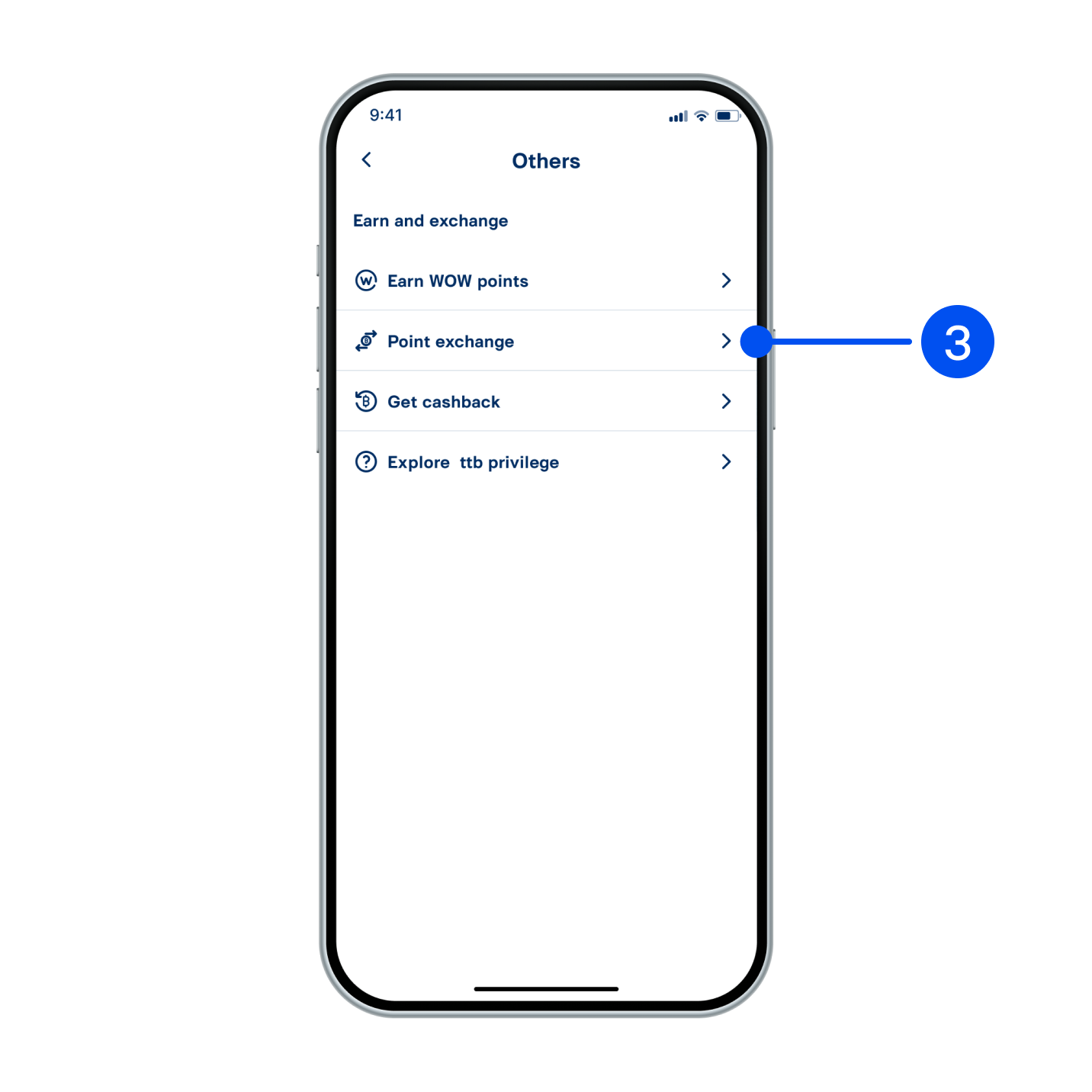
3. Select “Point exchange”.
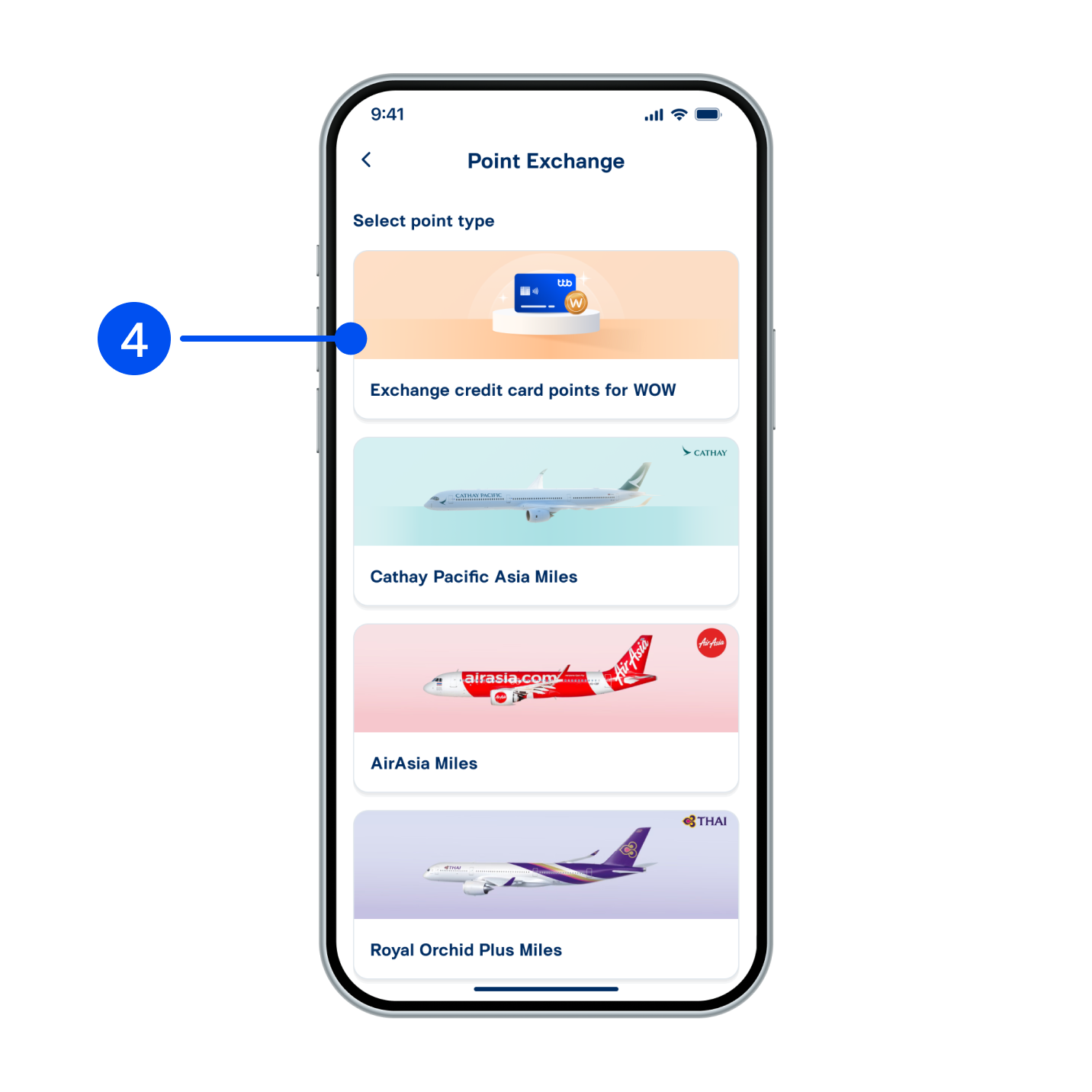
4. Select “Exchange credit card points for WOW”.
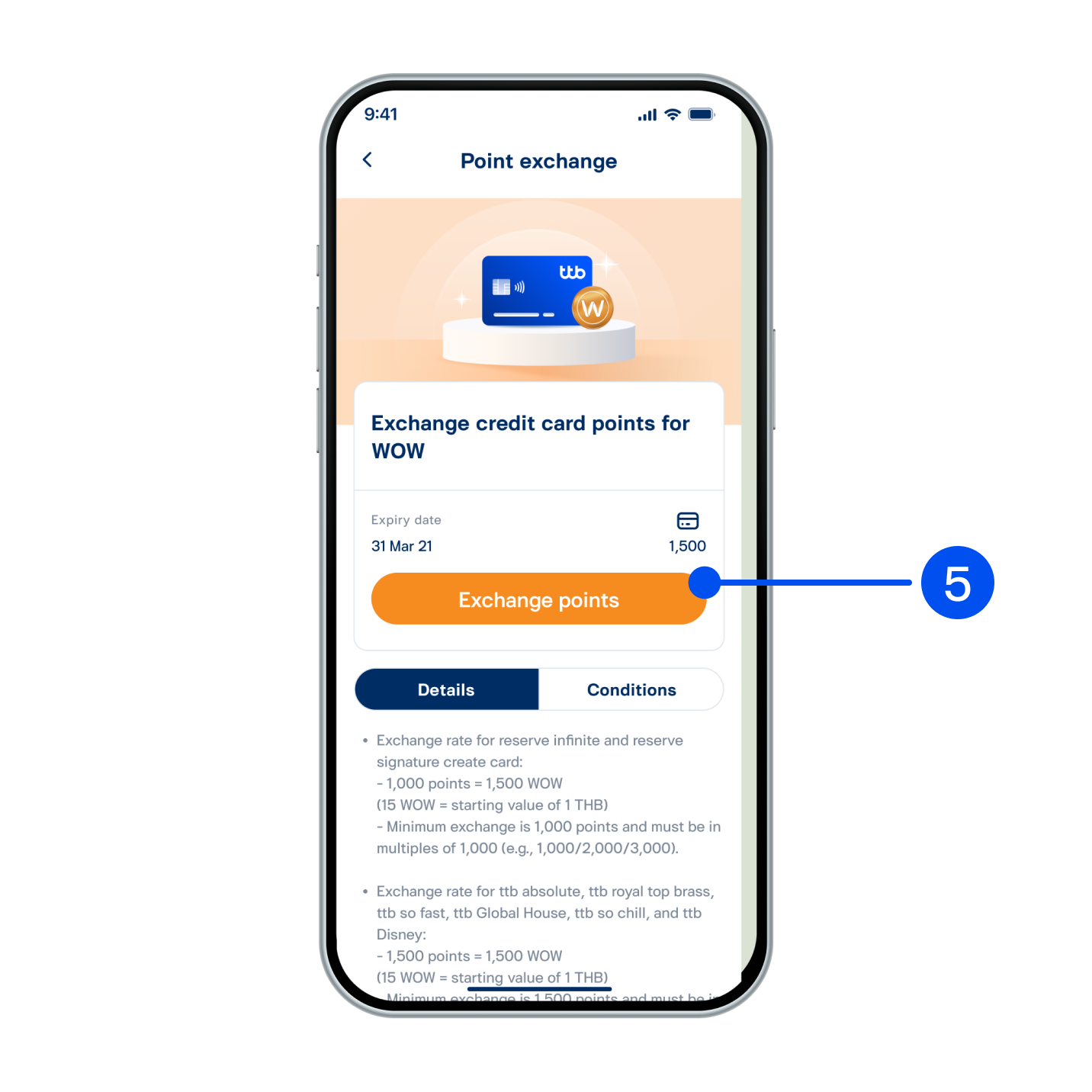
5. Read details, then select “Exchange points”.
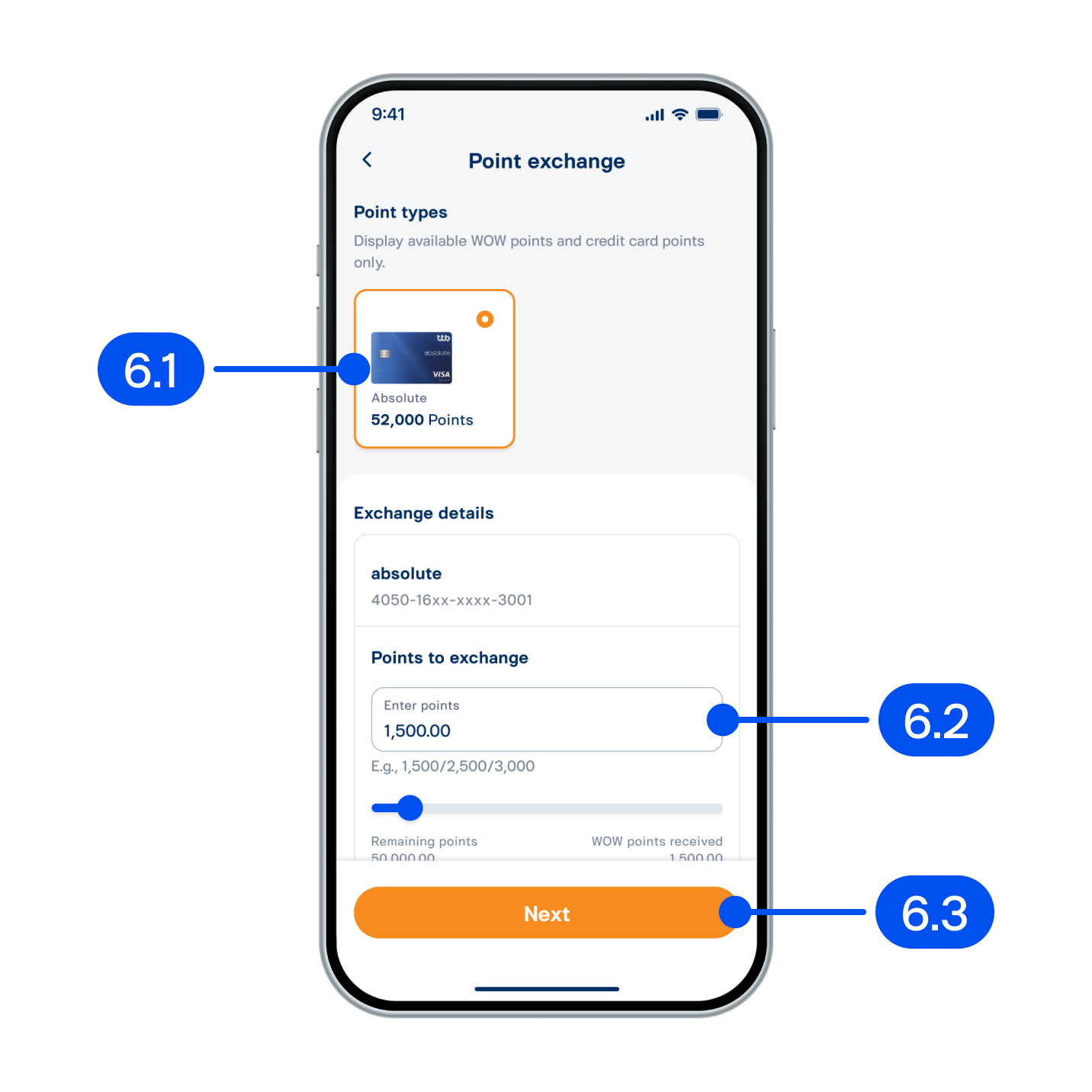
6. From “Point exchange” page,
6.1) Select point type.
6.2) Enter points to exchange.
6.3) Select "Next".
6.1) Select point type.
6.2) Enter points to exchange.
6.3) Select "Next".
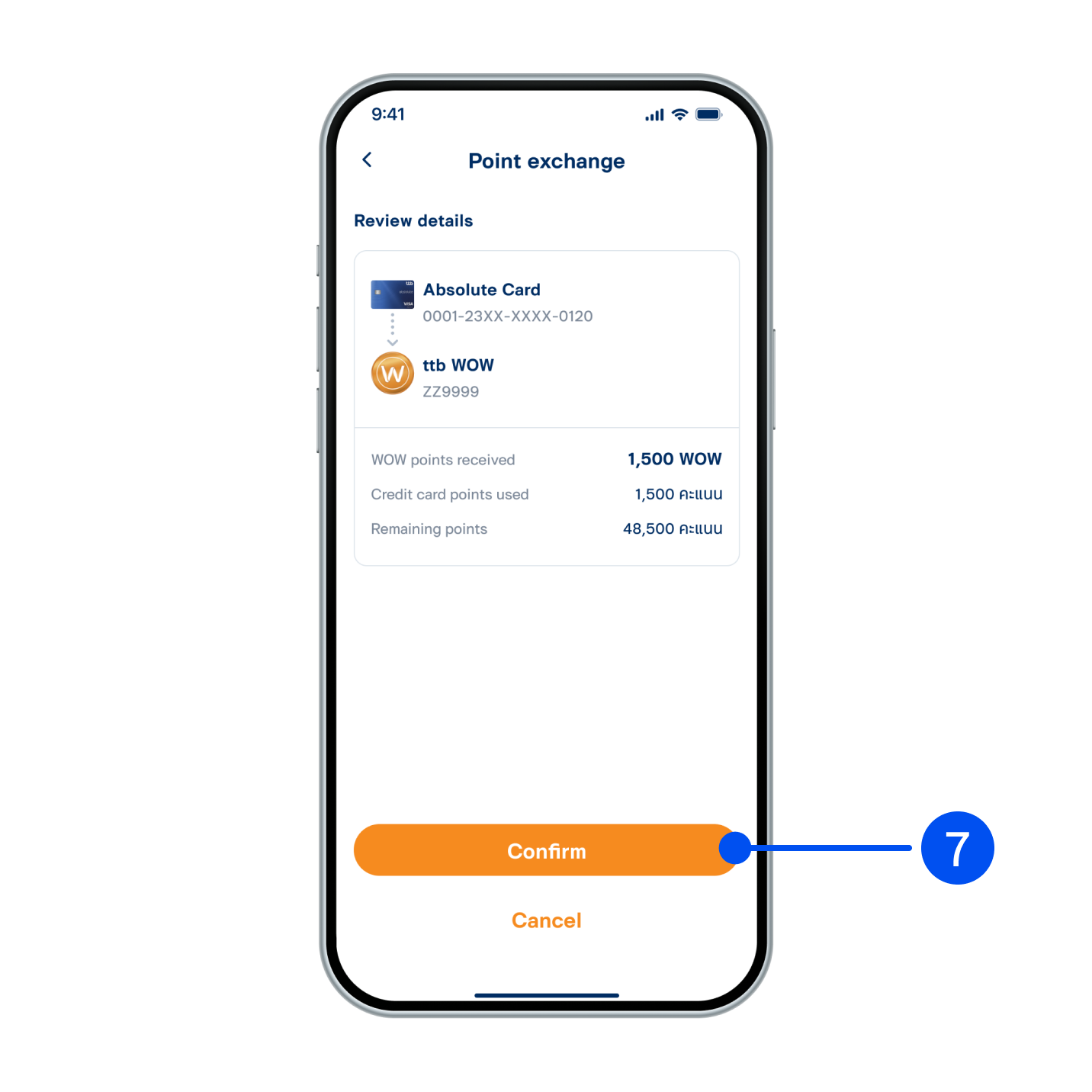
7. Review the transaction, then select “Confirm”.
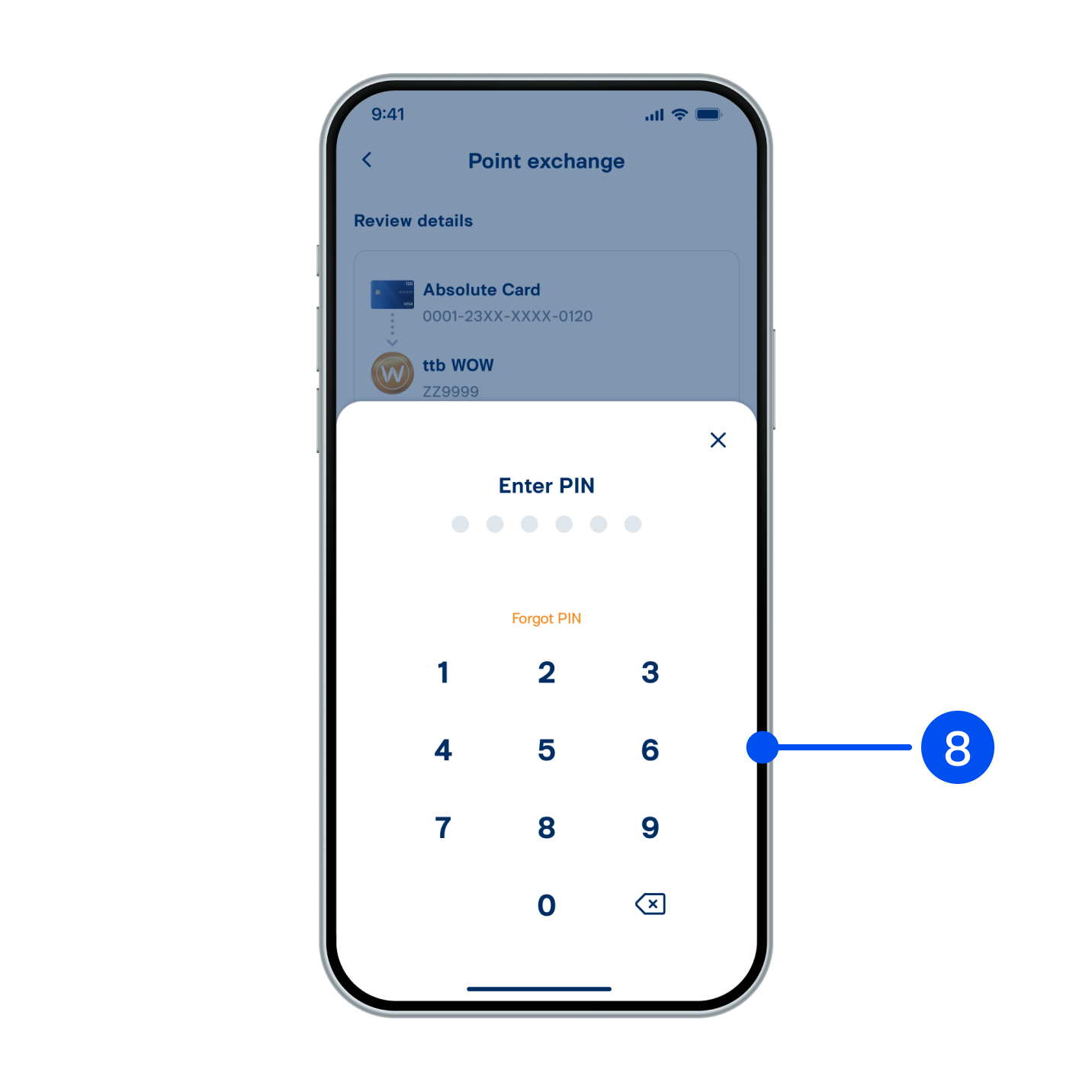
8. Enter PIN to confirm.
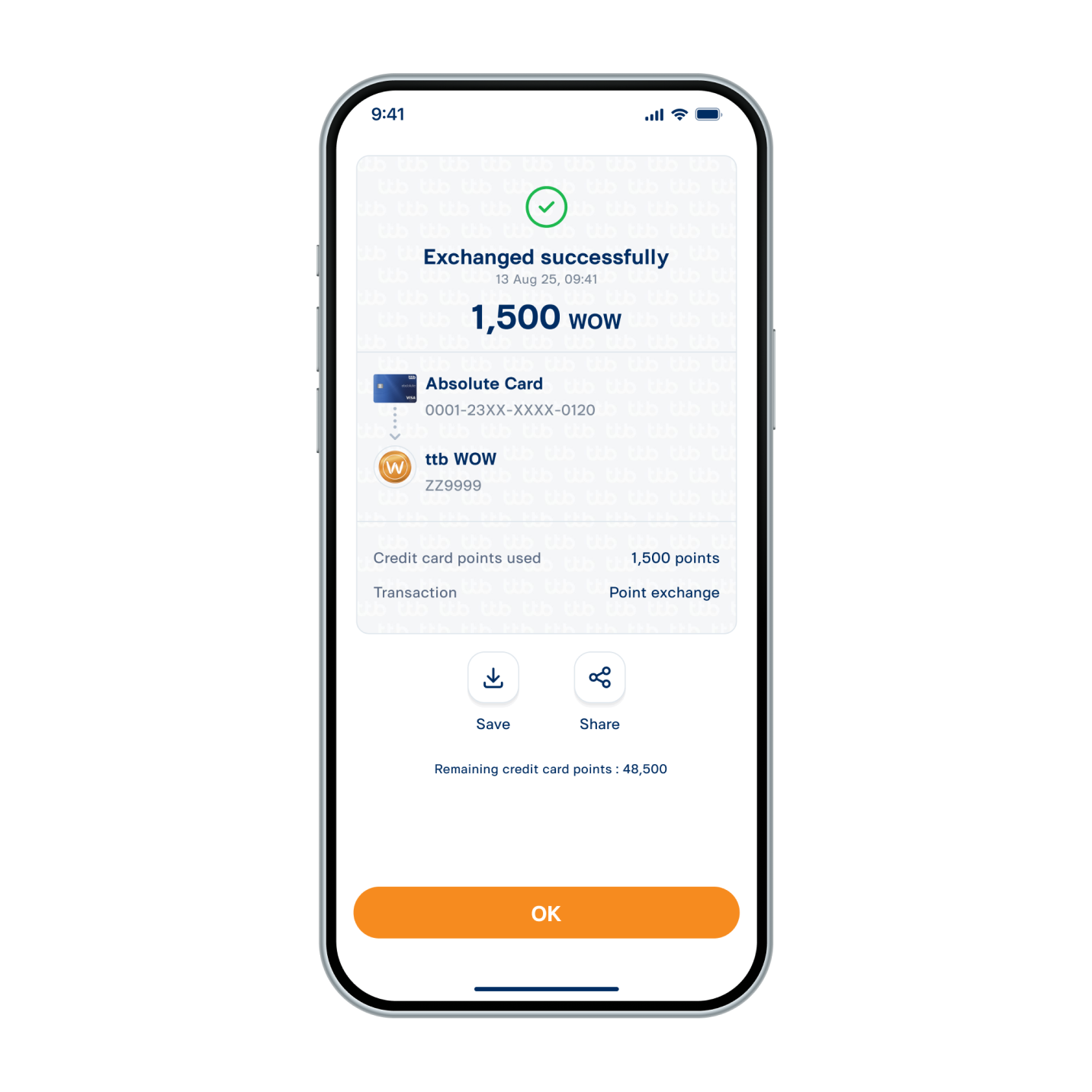
9. Credit card points have been exchanged to WOW successfully.