

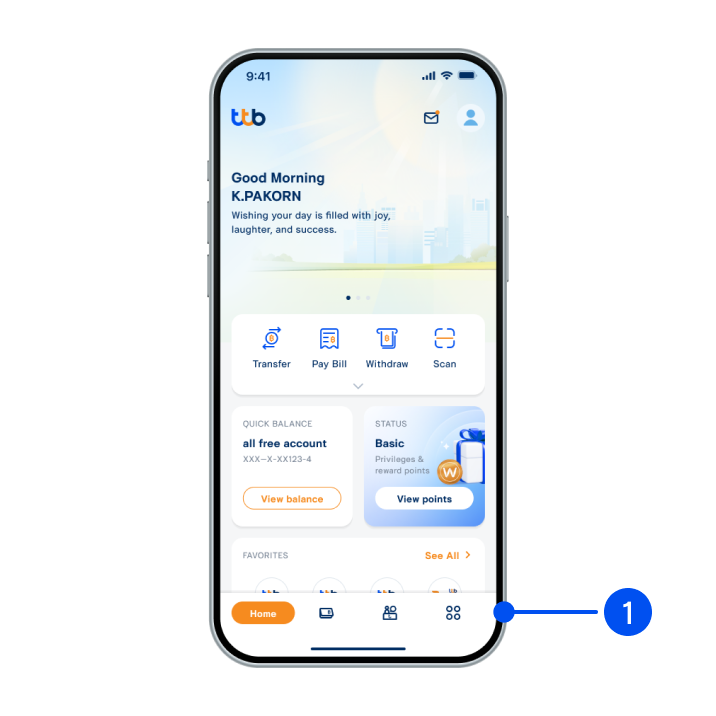
1. Select menu “More”, the 4th menu from the bottom.
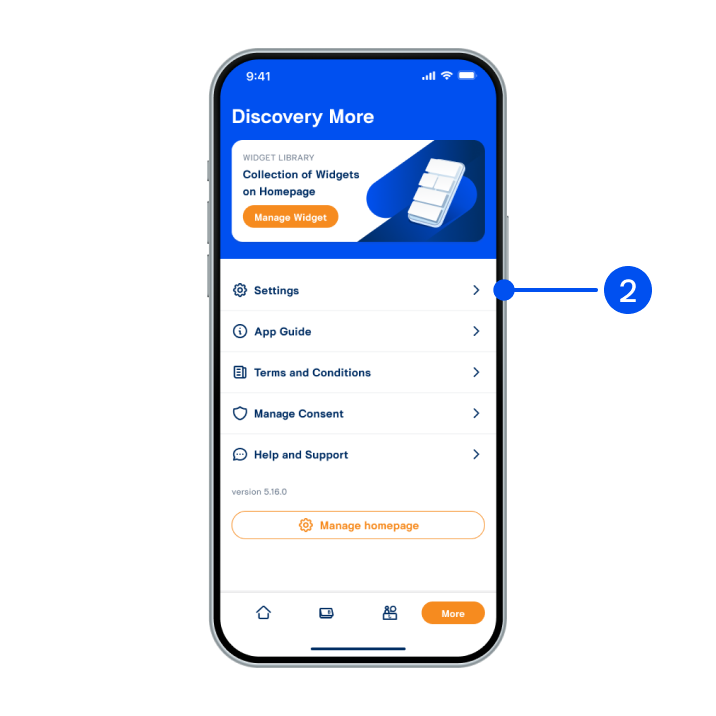
2. Select “Settings”.
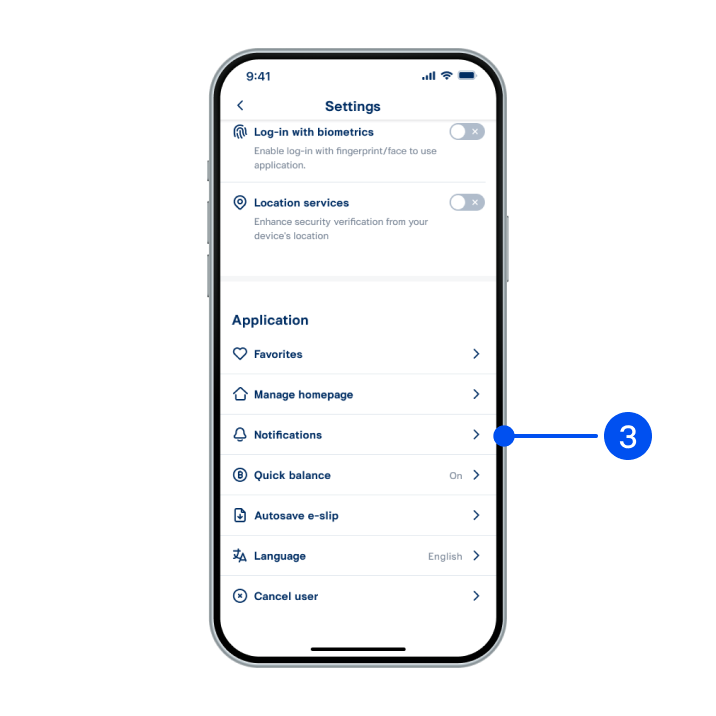
3. Select “Notifications”.
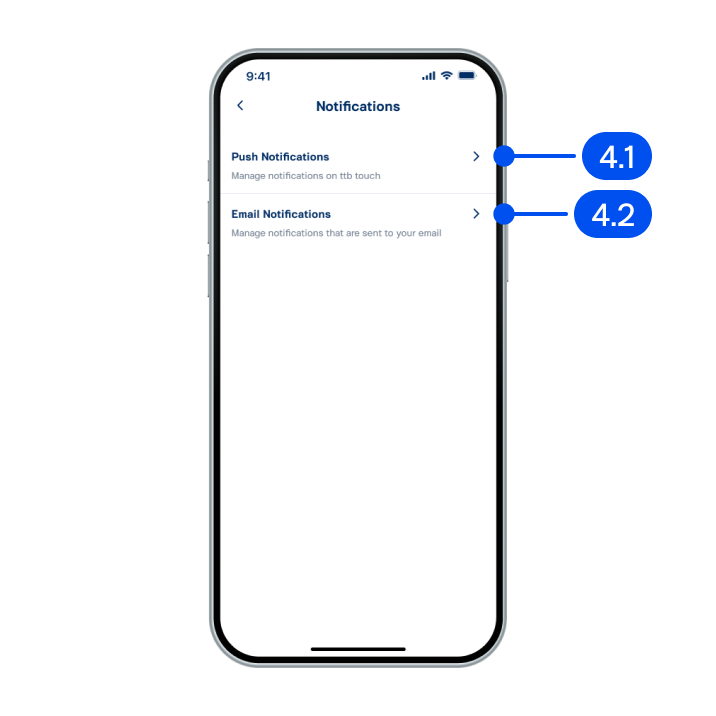
4. On notifications page,
4.1) Select “Push notifications”.
4.2) Select “Email notifications”.
or enable both.
4.1) Select “Push notifications”.
4.2) Select “Email notifications”.
or enable both.
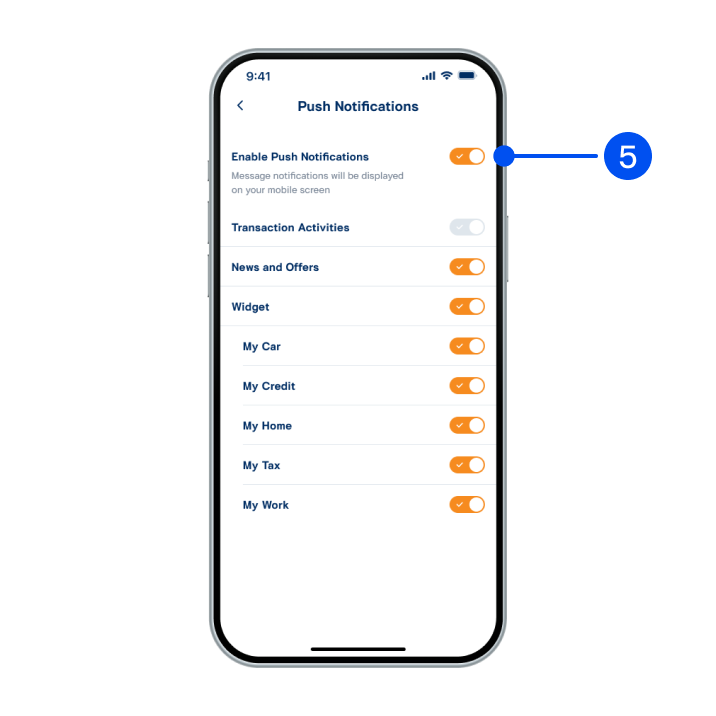
5. Push notifications enabled successfully.
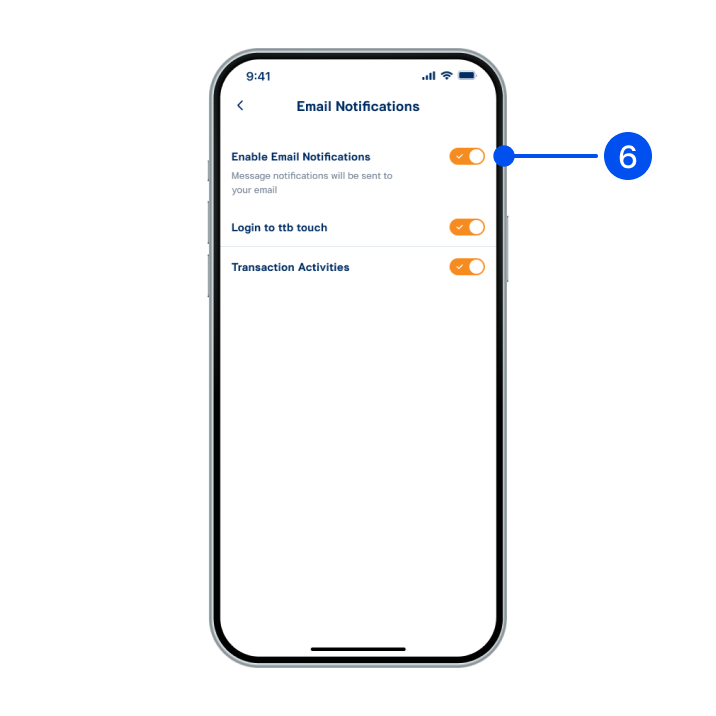
6. Email notifications enabled successfully.