

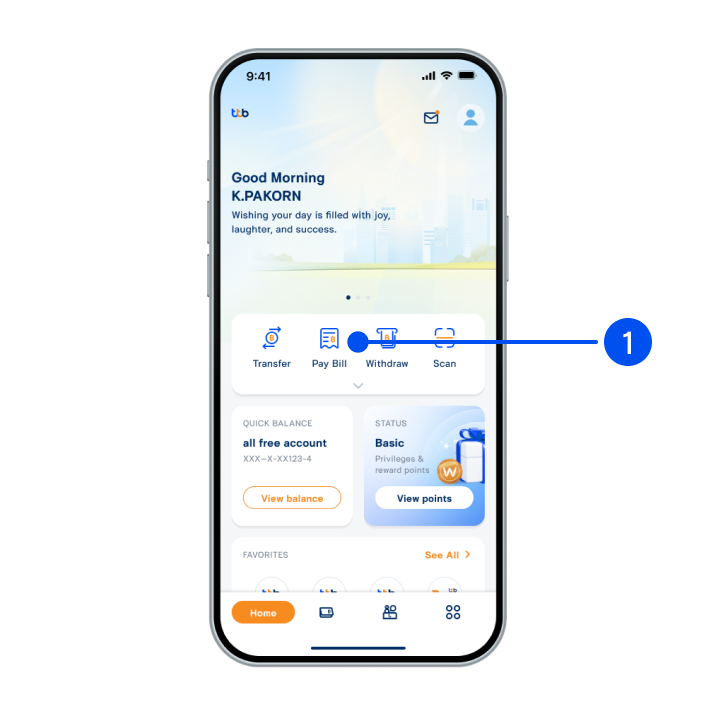
1. Select “Transfer”.
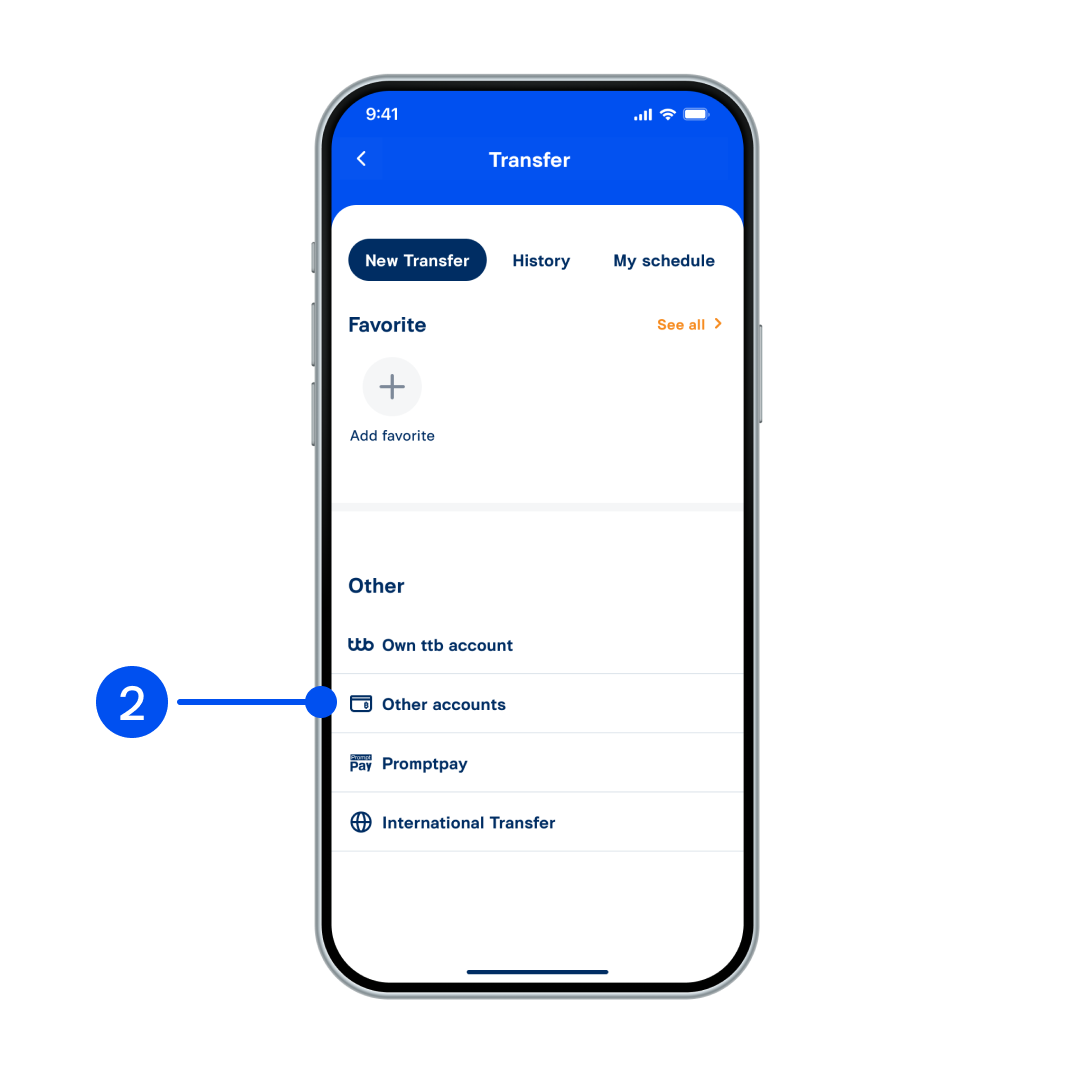
2. Select “Other accounts”.
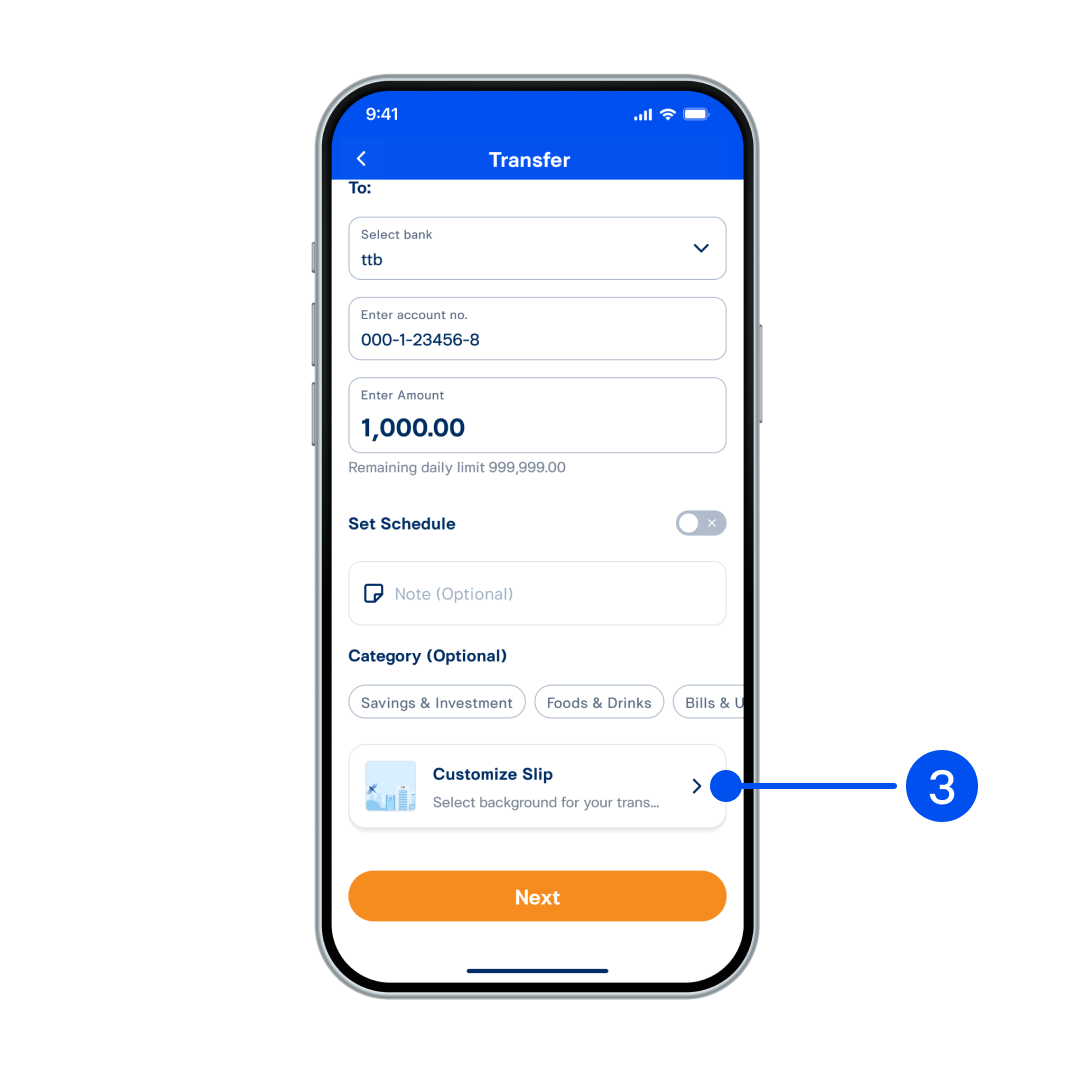
3. Enter transaction details and scroll down, then select “Customize Slip”.
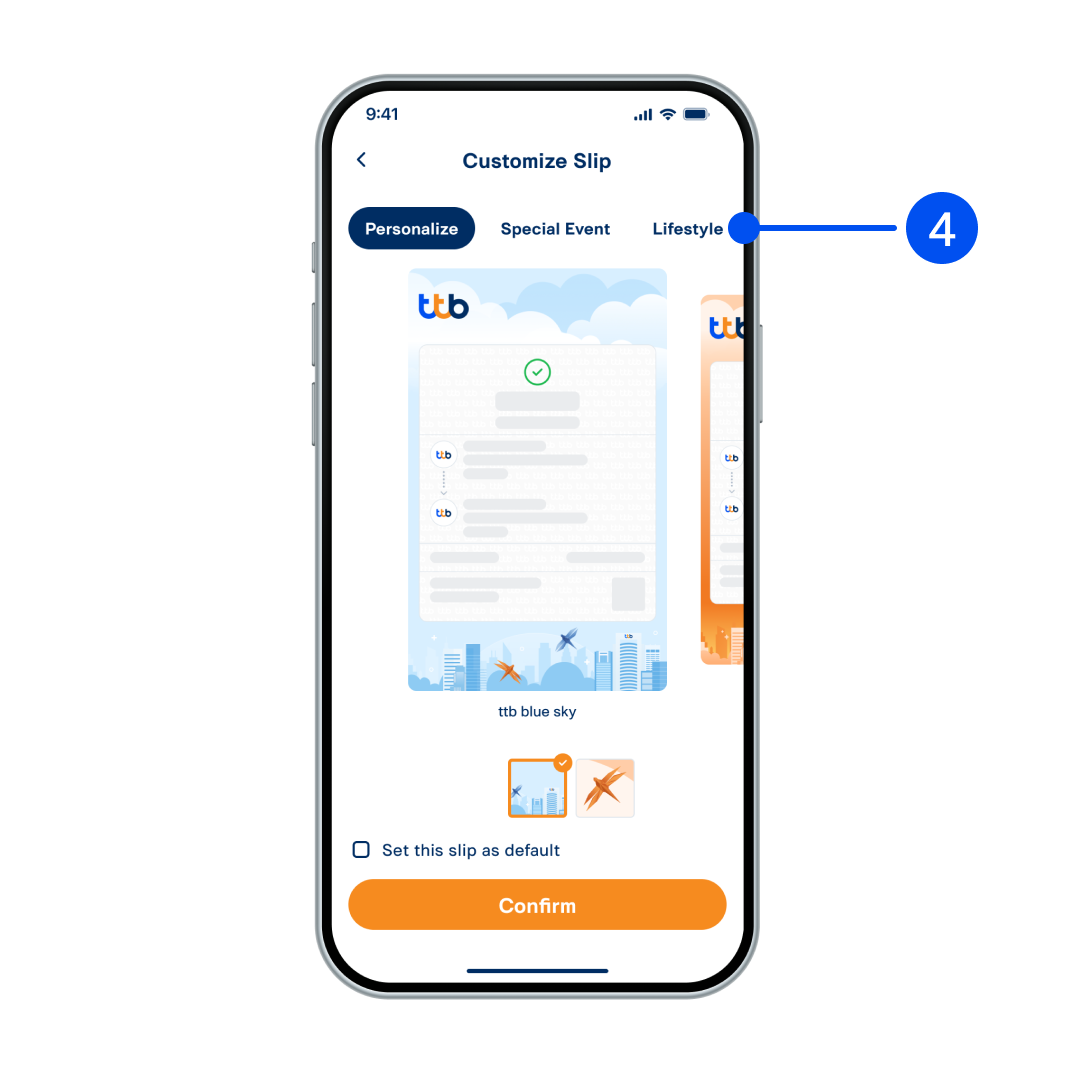
4. Select slip type.
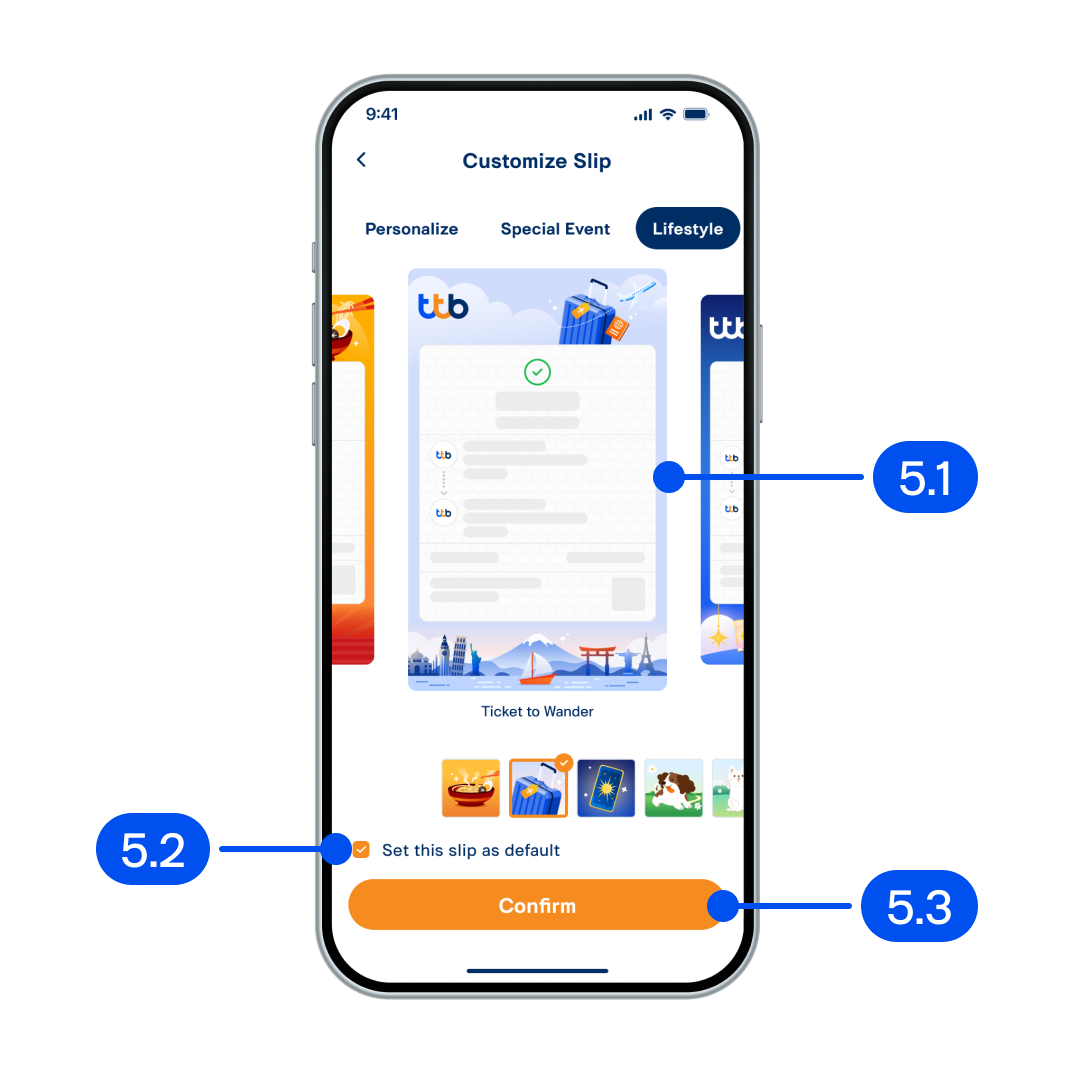
5. In customize slip page
5.1 Swipe to select slip
5.2 You can set this slip as default
5.3 Select “Confirm”.
5.1 Swipe to select slip
5.2 You can set this slip as default
5.3 Select “Confirm”.
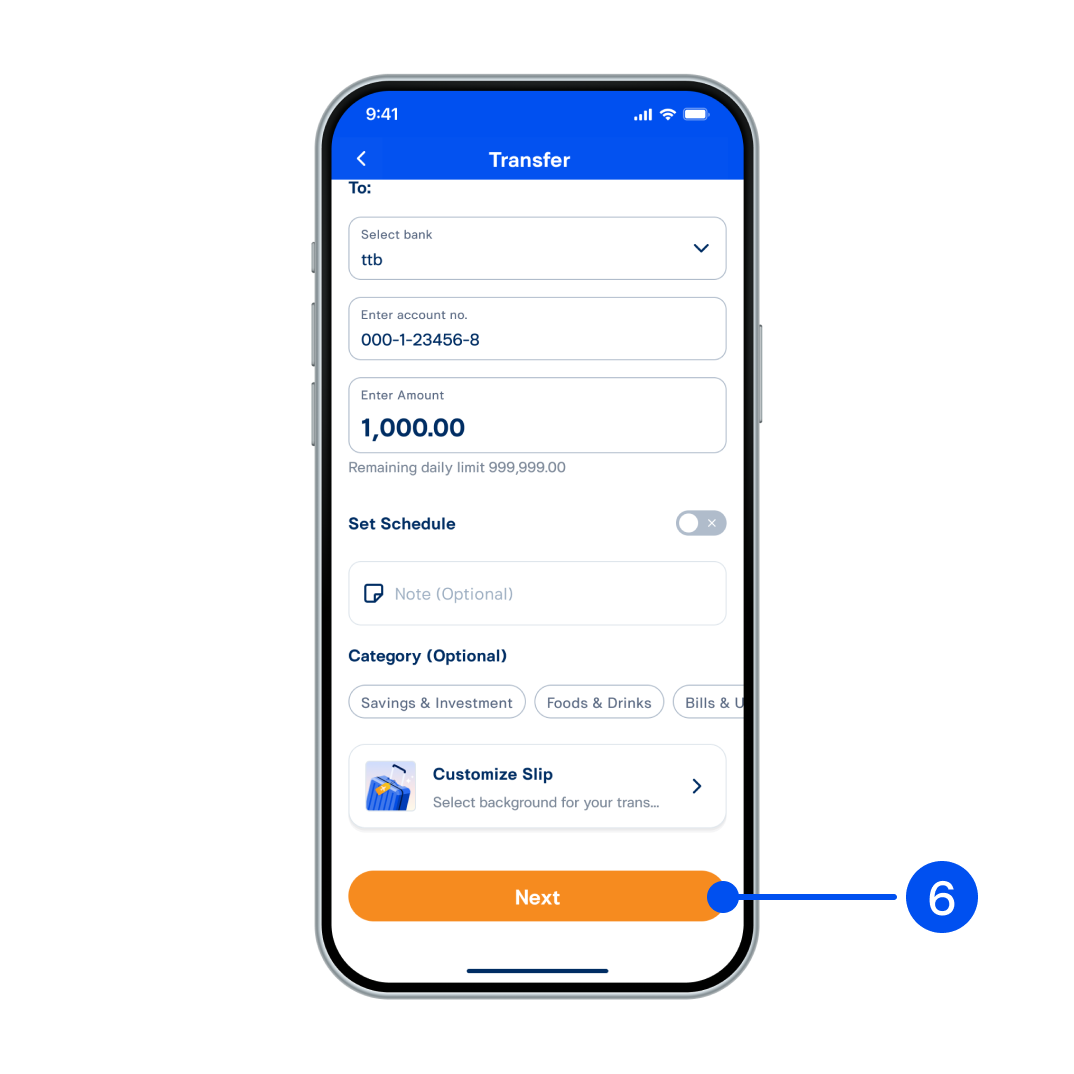
6. Select “Next”.
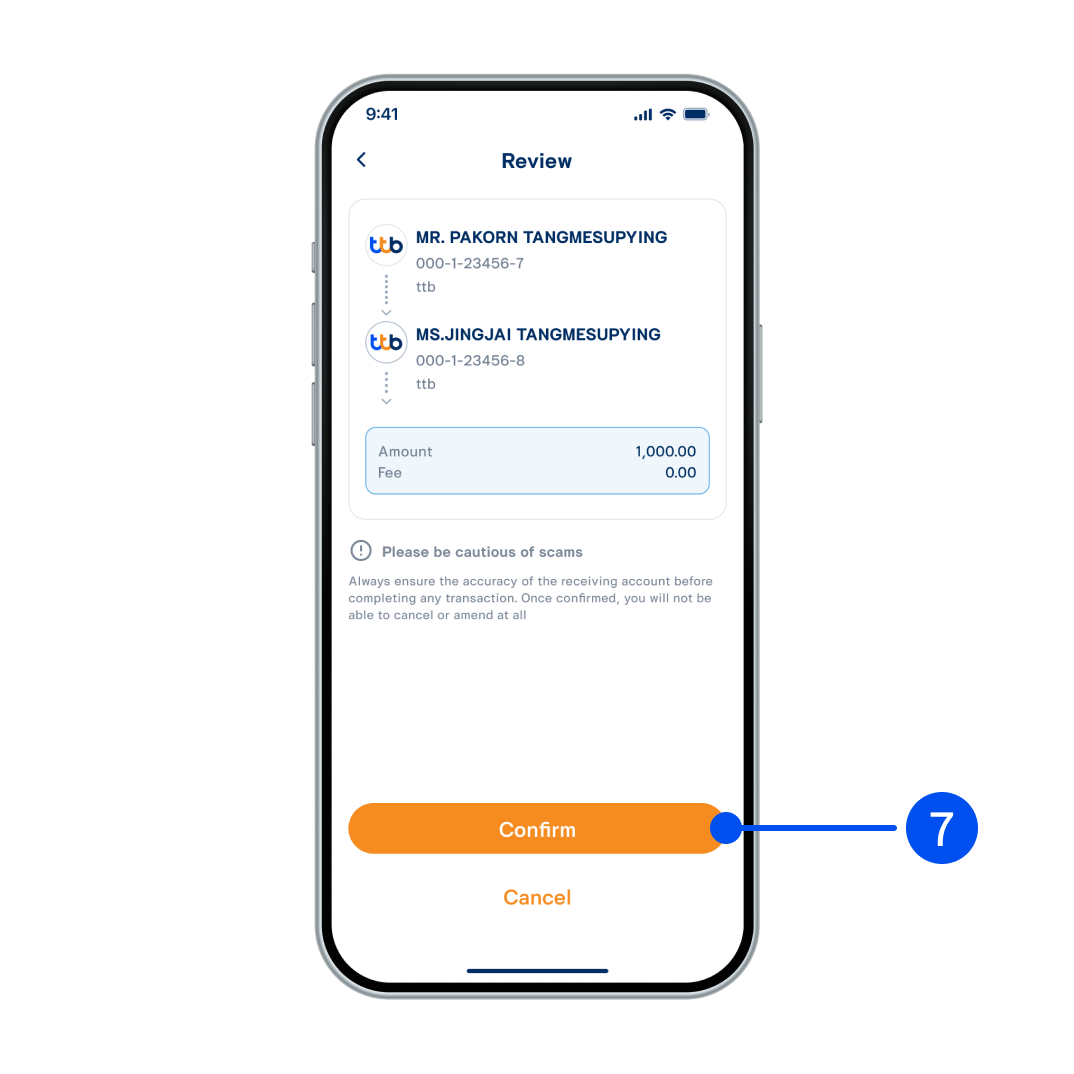
7. Review information, then select “Confirm”.
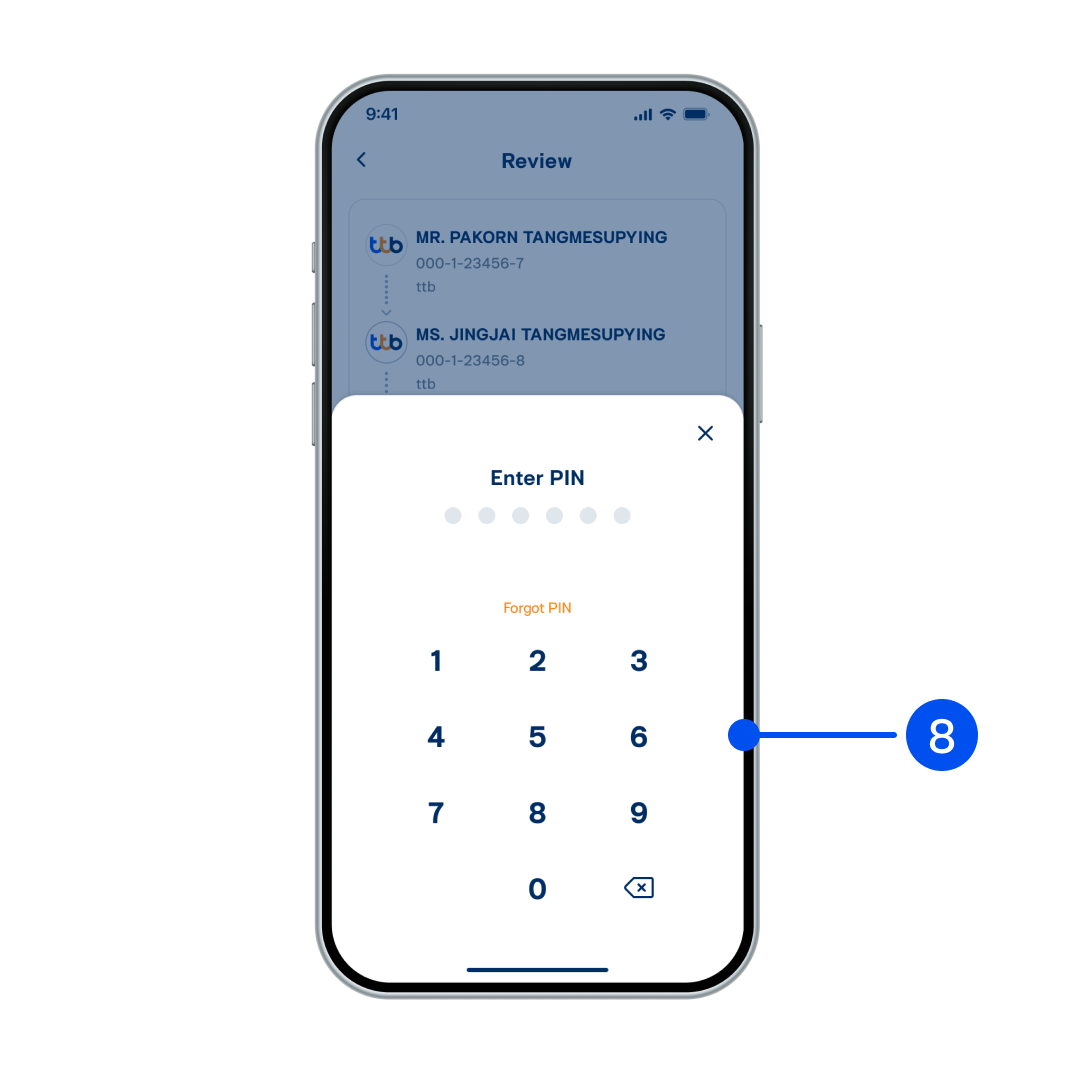
8. Enter PIN to confirm.
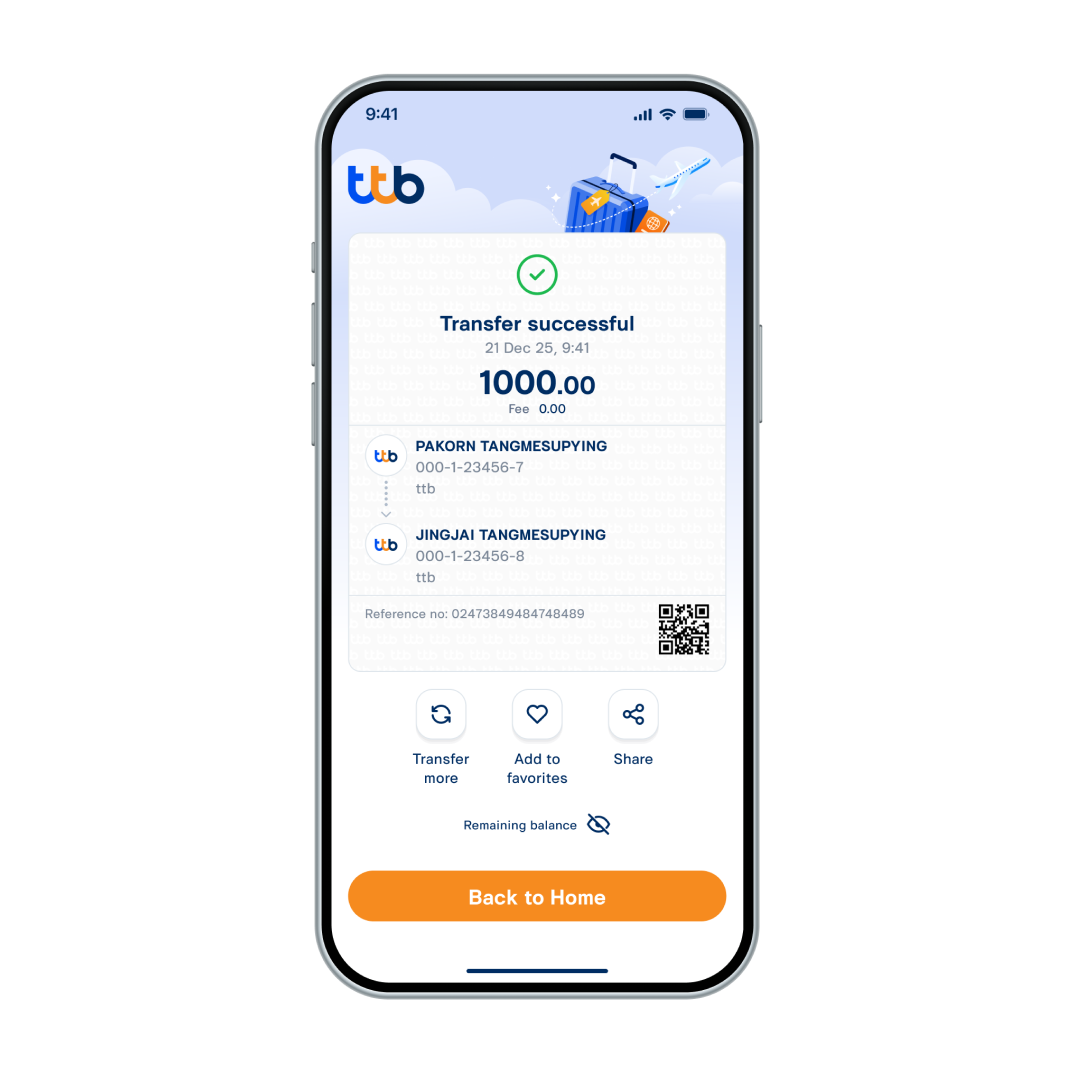
9. Transfer successful, the background image changes according to the slip you have selected.