external-popup-close

You are being redirected to

https://www.ttbbank.com/

Proceed

Change email

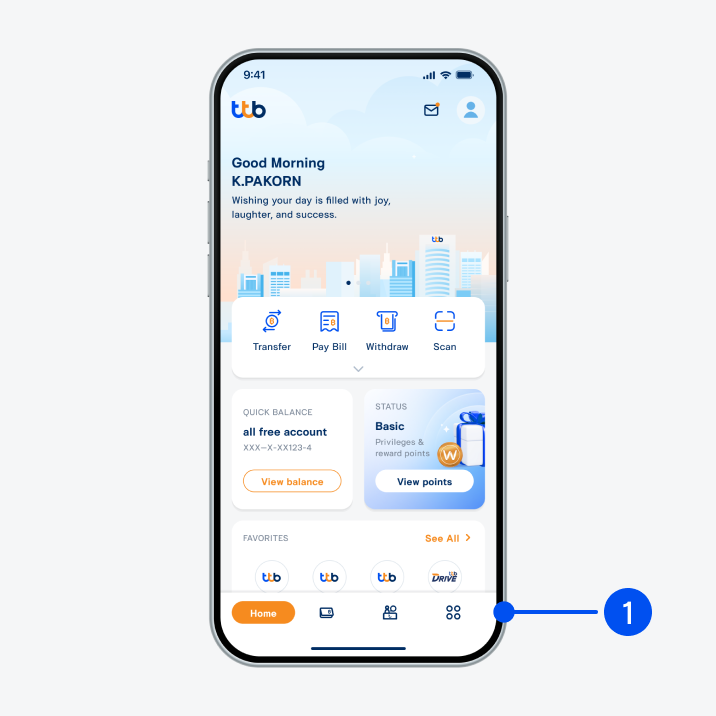
Select menu “More”, the 4th menu from the bottom.
1. Select menu “More”, the 4th menu from the bottom.
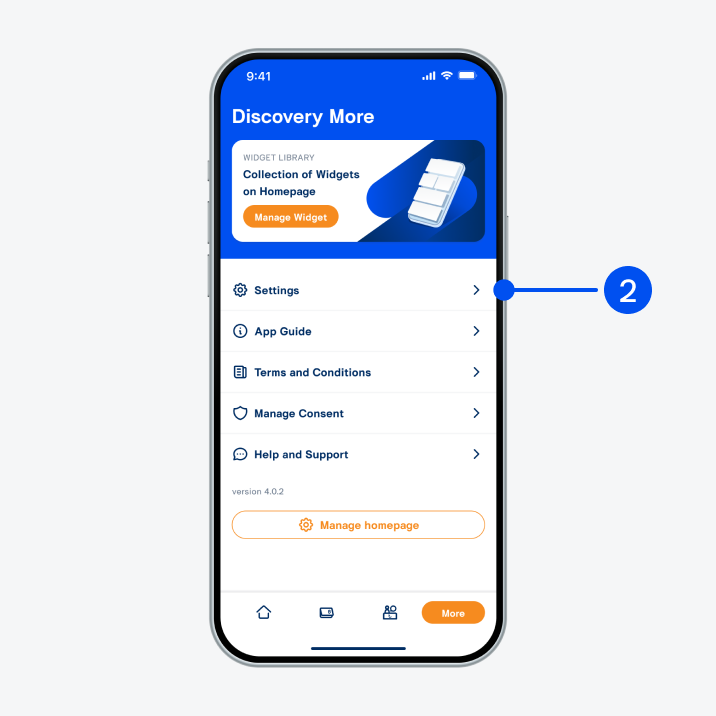
Select “Settings”.
2. Select “Settings”.
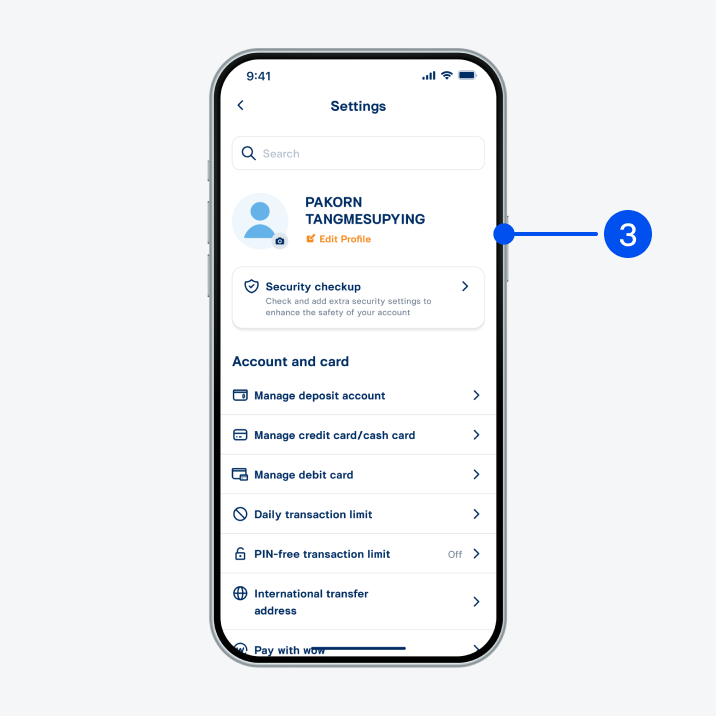
Select “Edit profile”.
3. Select “Edit profile”.
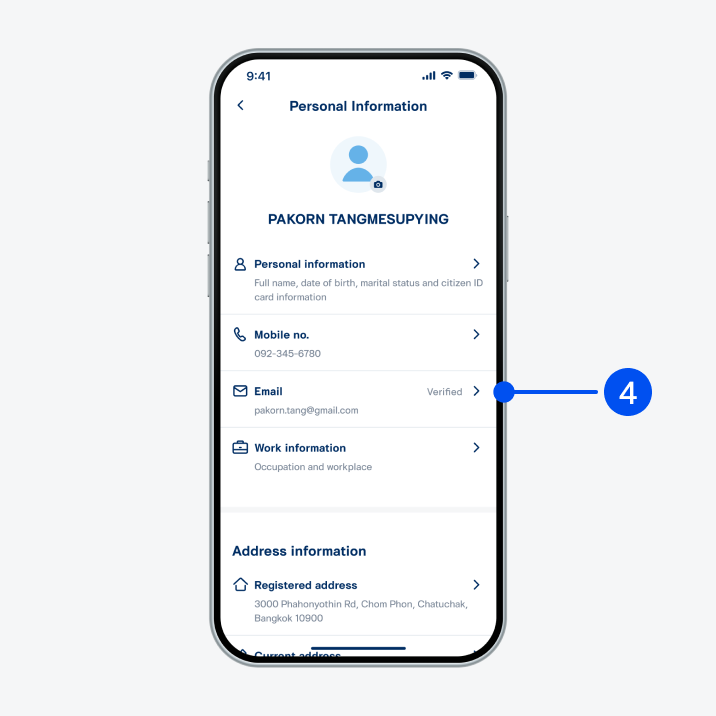
Select “Email”.
4. Select “Email”.
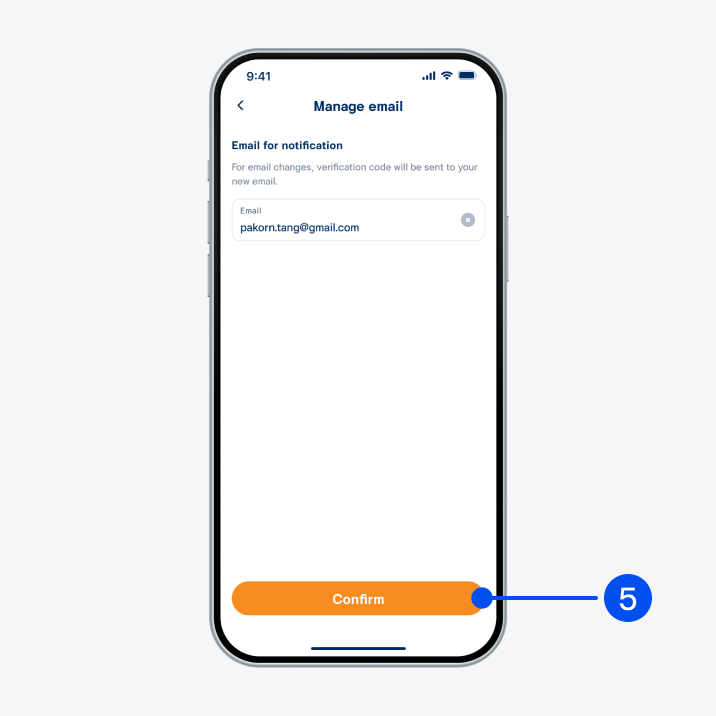
Enter new email address and select “Confirm.
5. Enter new email address and select “Confirm".
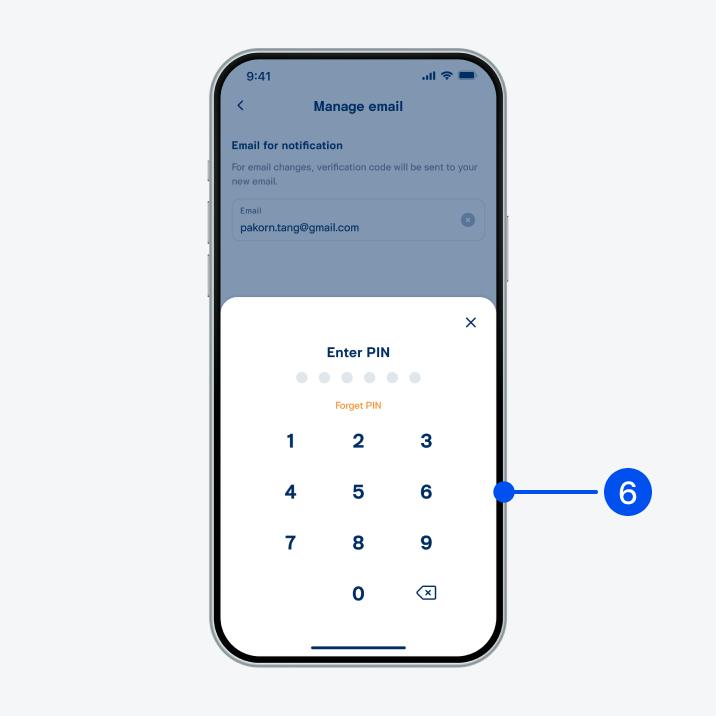
Enter PIN to confirm.
6. Enter PIN to confirm.
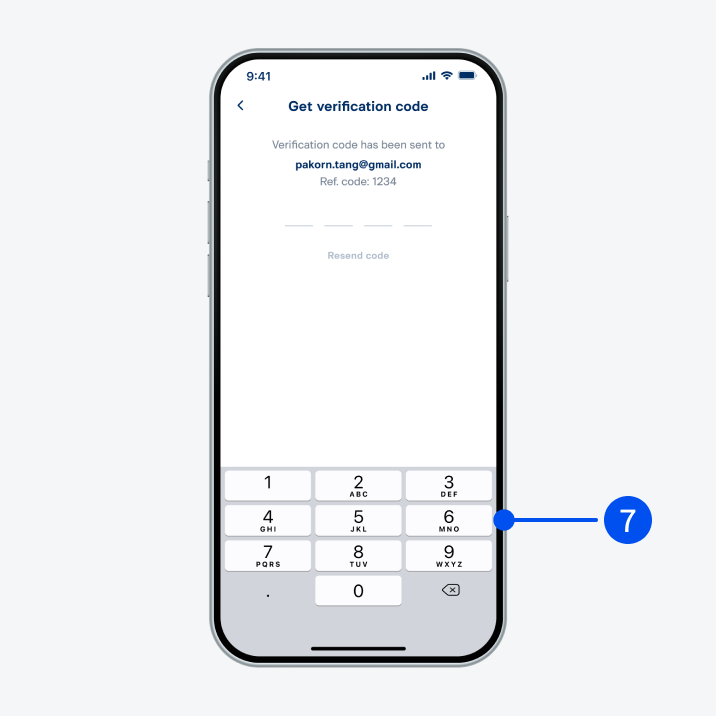
Enter verification code sent to your email to proceed.
7. Enter verification code sent to your email to proceed.
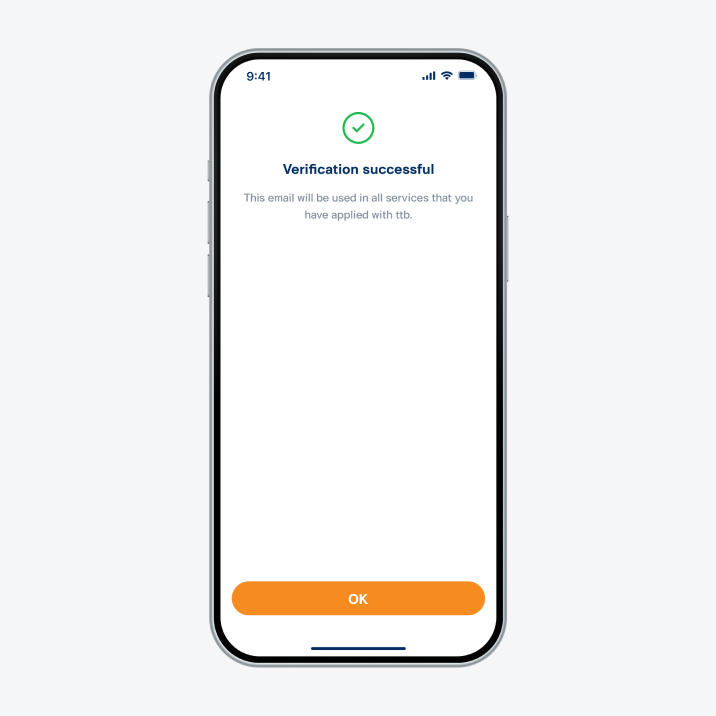
Email changed successfully.
8. Email changed successfully.