
external-popup-close

You are being redirected to

https://www.ttbbank.com/

Proceed

Buy funds for self-designed plan

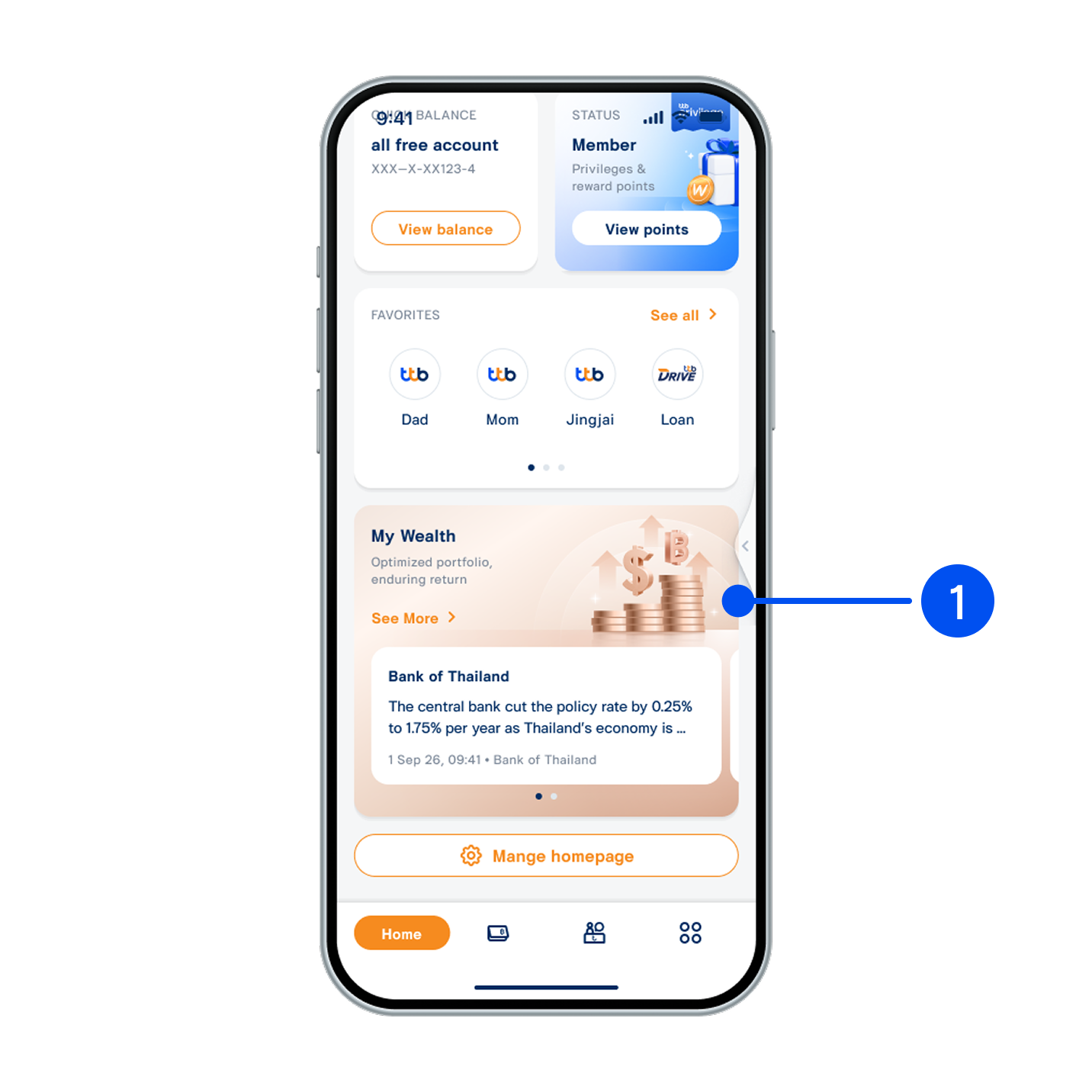
Scroll down, then select “My Wealth” widget.
1. Scroll down, then select “My Wealth” widget.
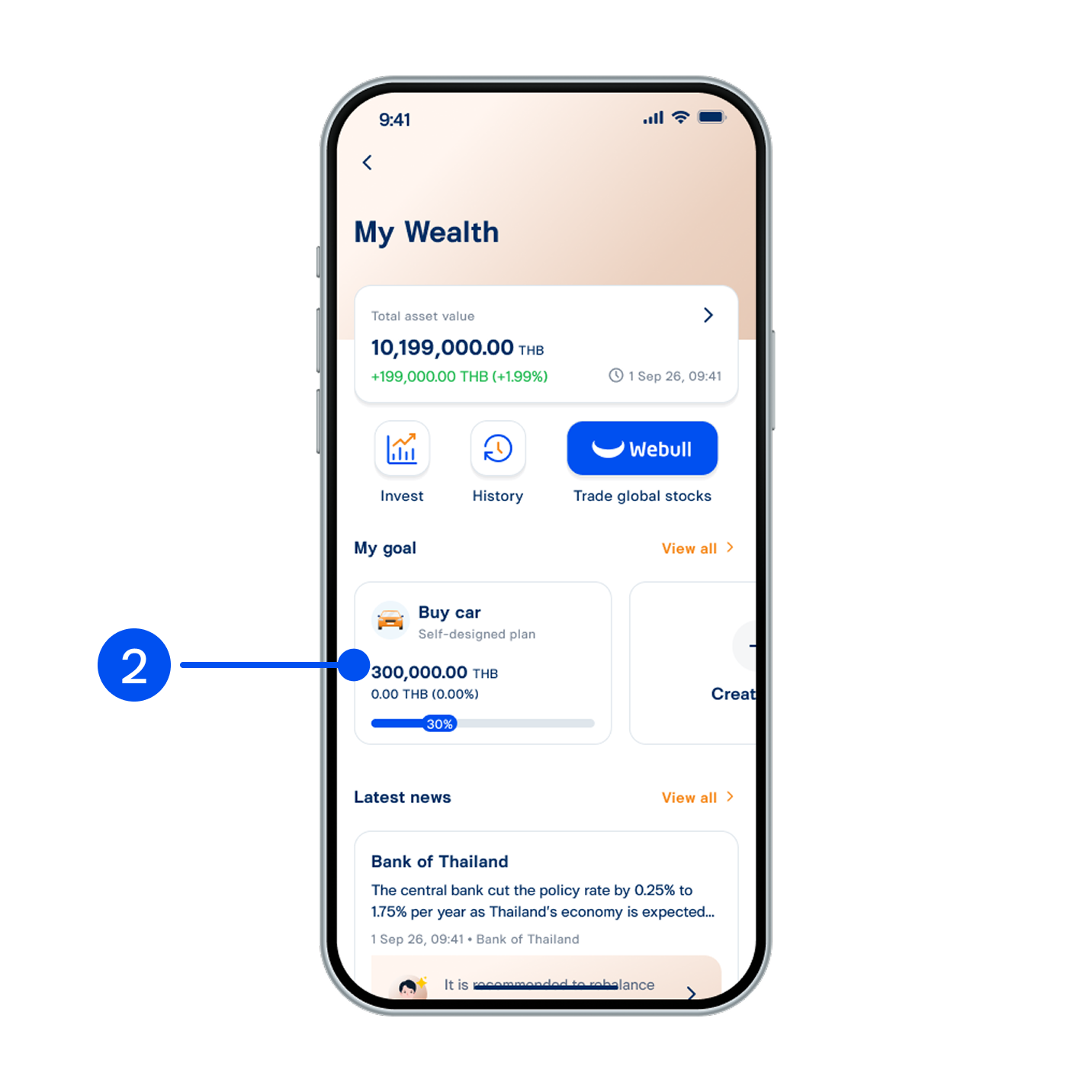
Select your preferred goal.
2. Select your preferred goal.
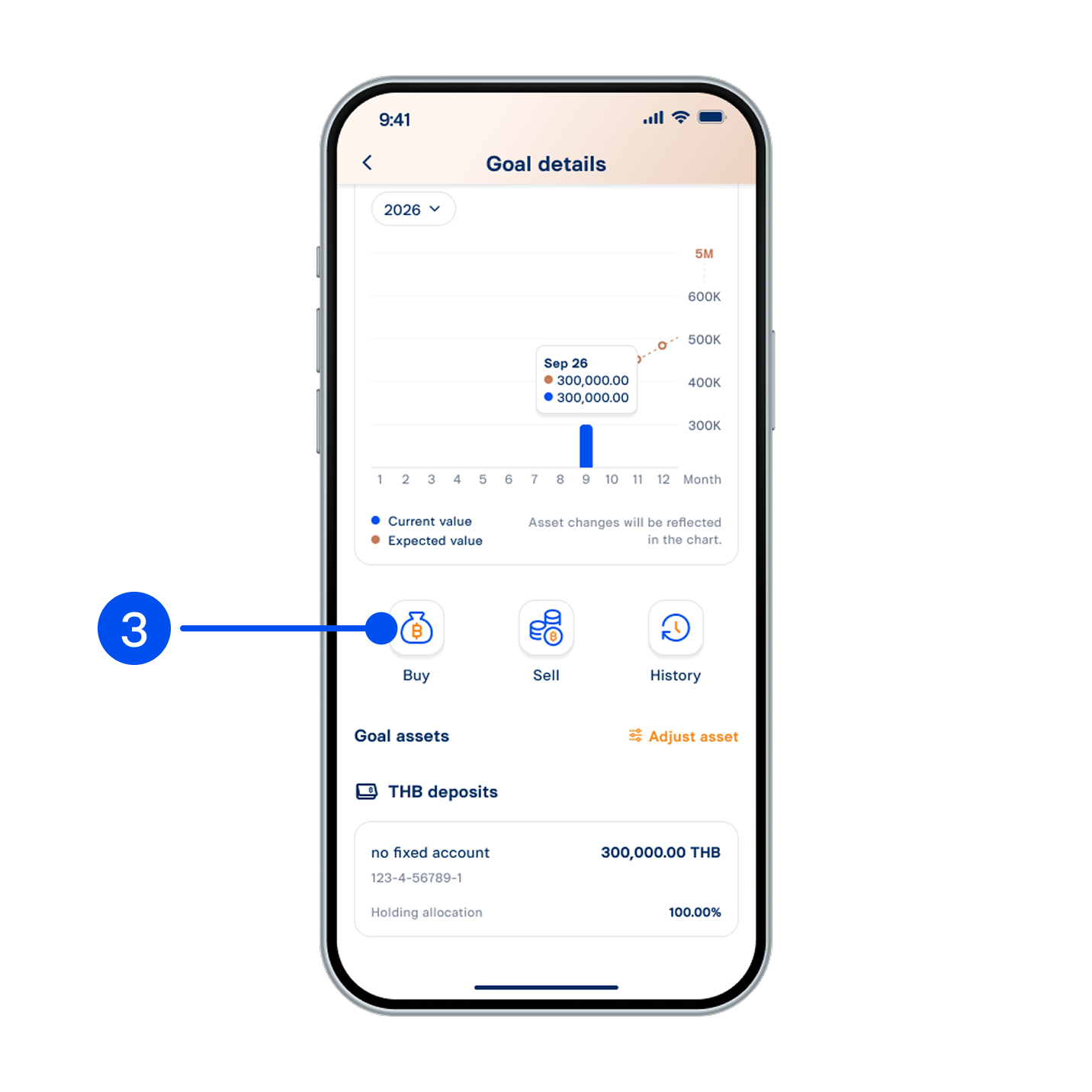
Select “Buy”.
3. Select “Buy”.
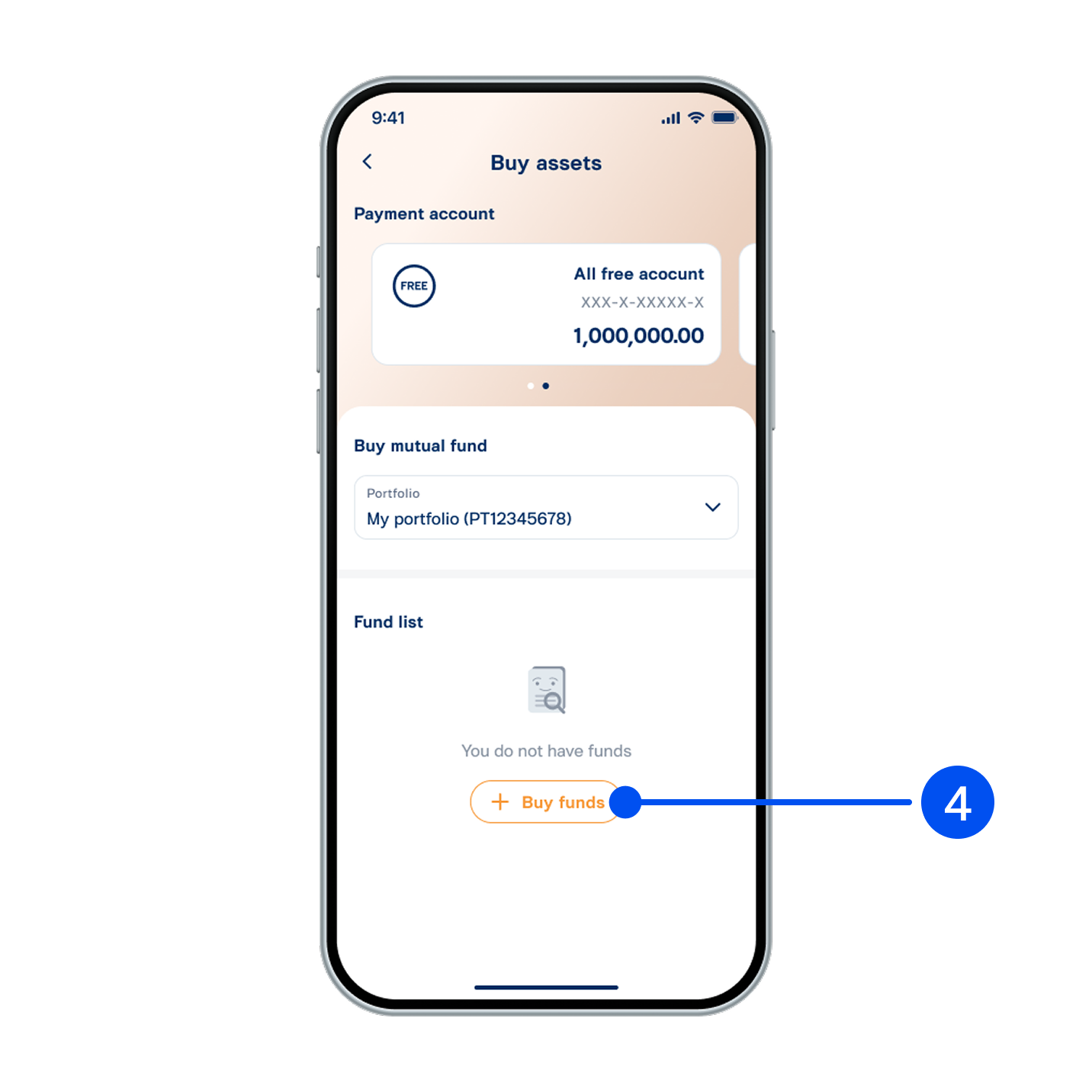
Select “Buy funds”.
4. Select “Buy funds”.
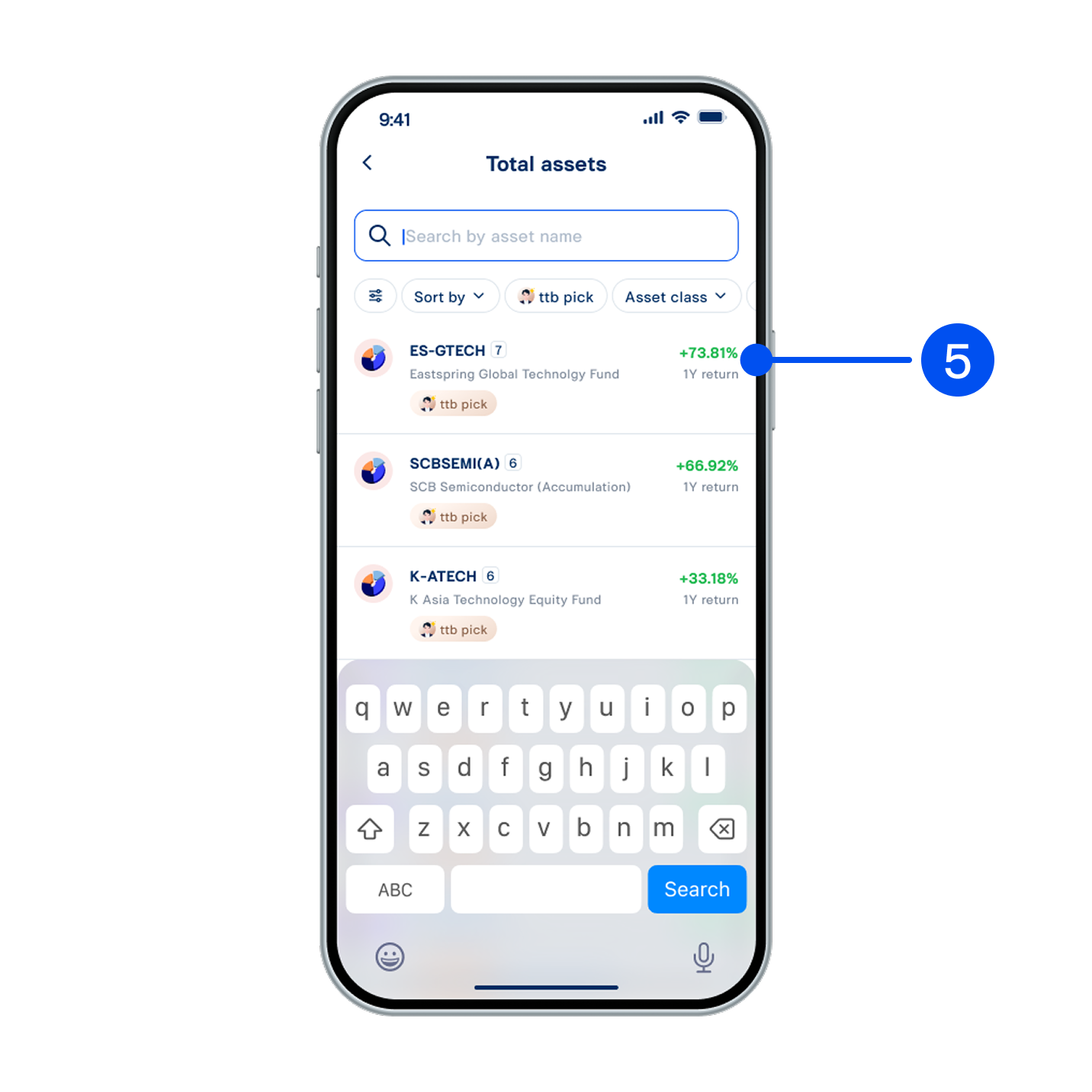
Select your preferred fund.
5. Select your preferred fund.
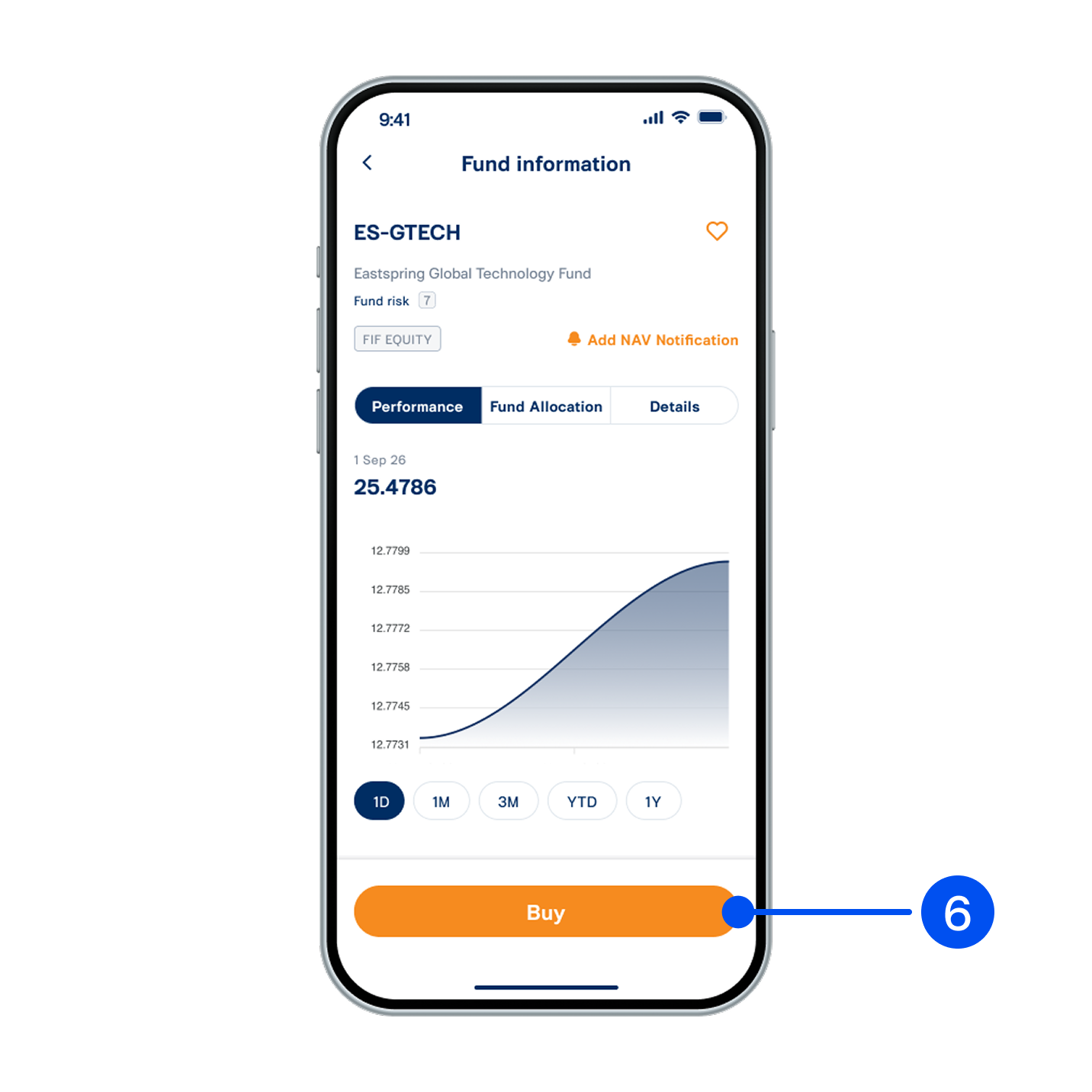
View fund information, then select “Buy”.
6. View fund information, then select “Buy”.
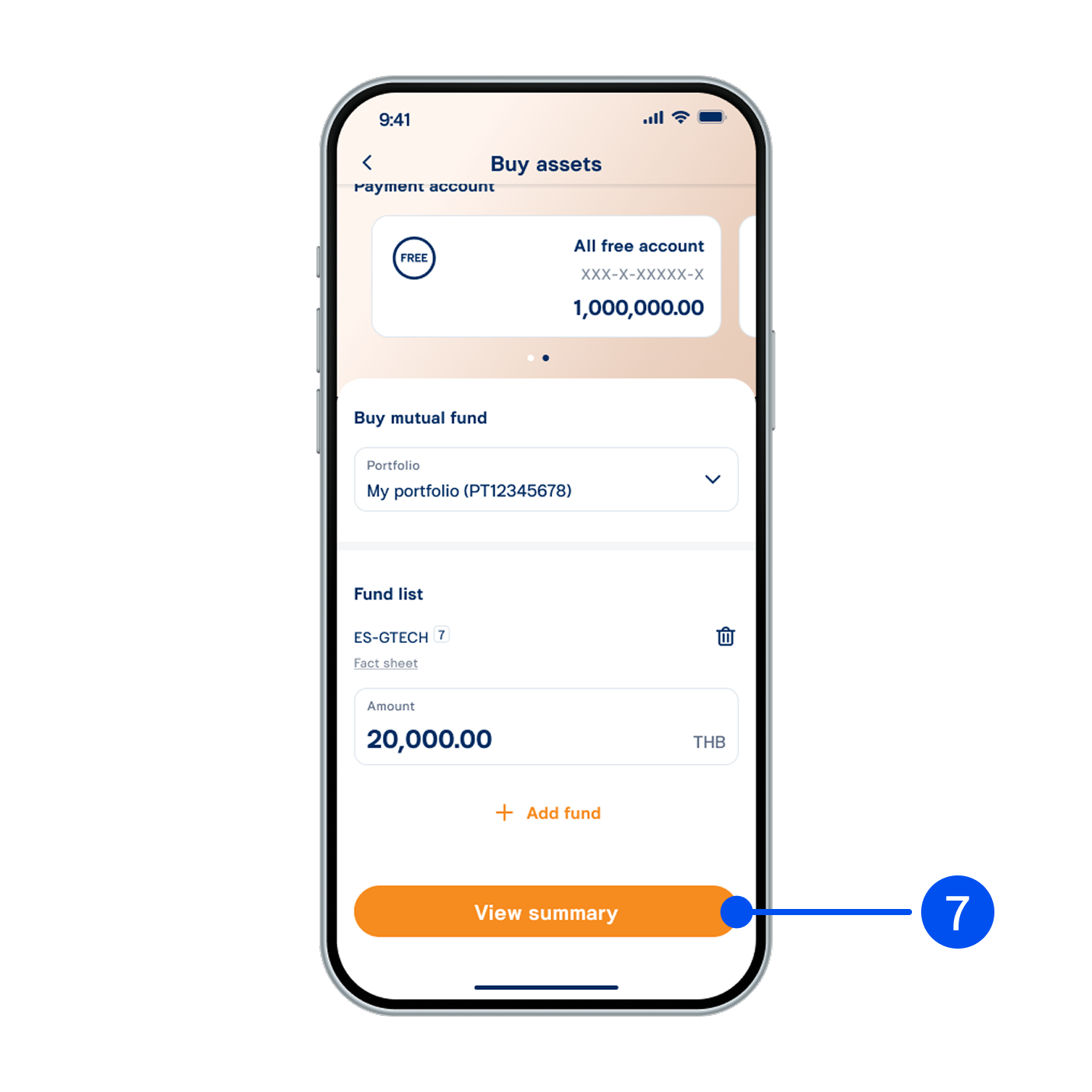
Enter your investment amount, then select “View summary”.
7. Enter your investment amount, then select “View summary”.
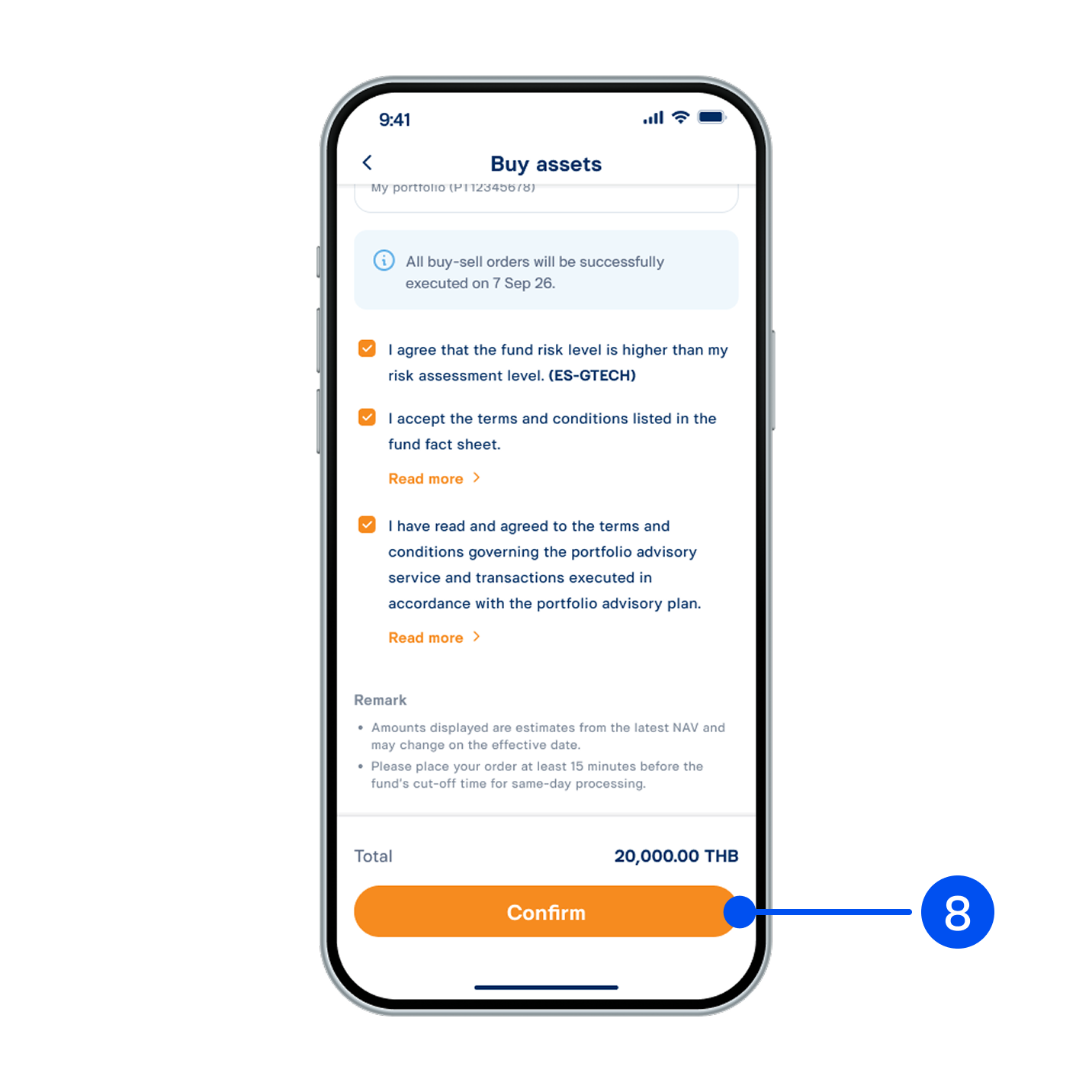
Review buy order details, read and accept investment terms and conditions, then select “Confirm”.
8. Review buy order details, read and accept investment terms and conditions, then select “Confirm”.
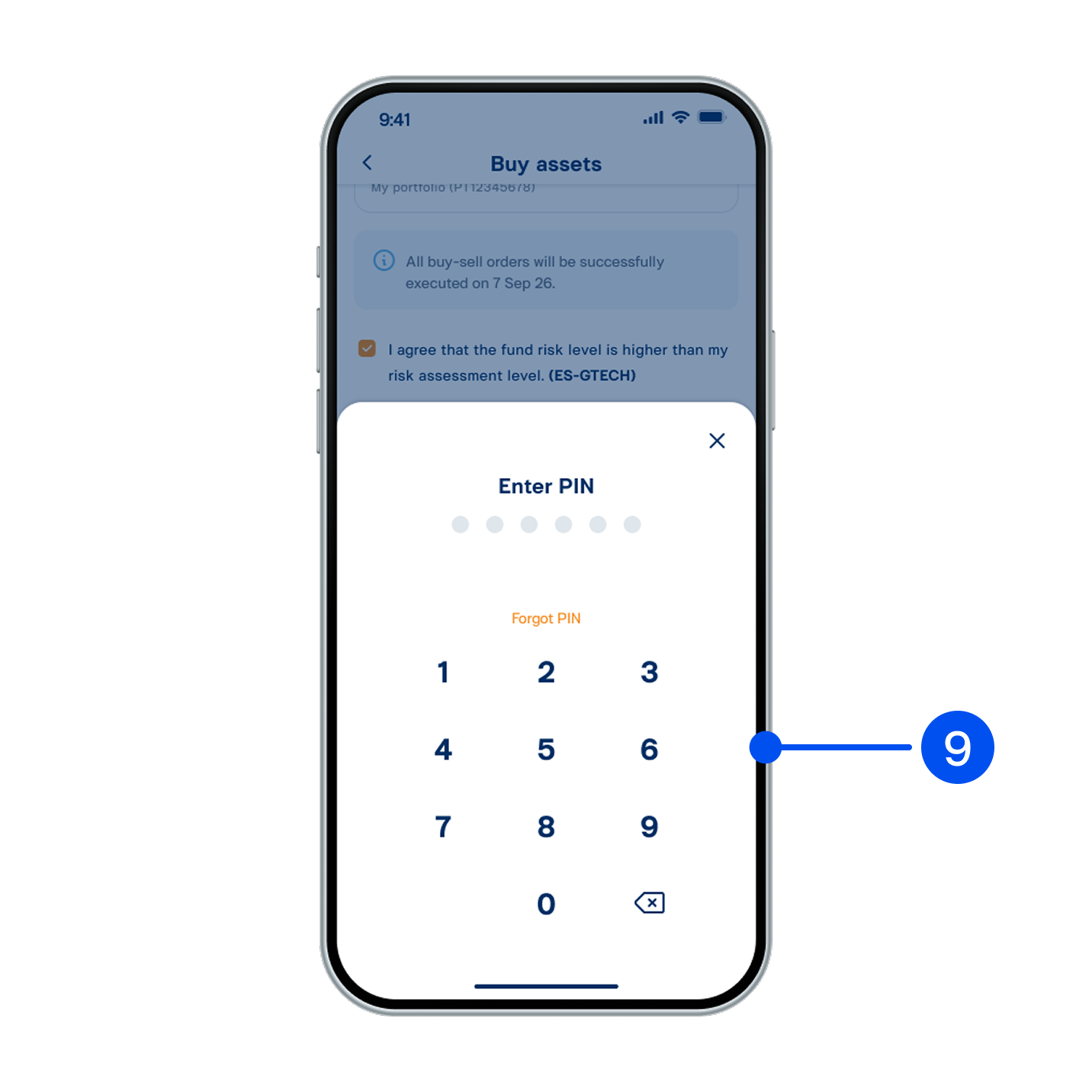
Enter PIN to confirm.
9. Enter PIN to confirm.
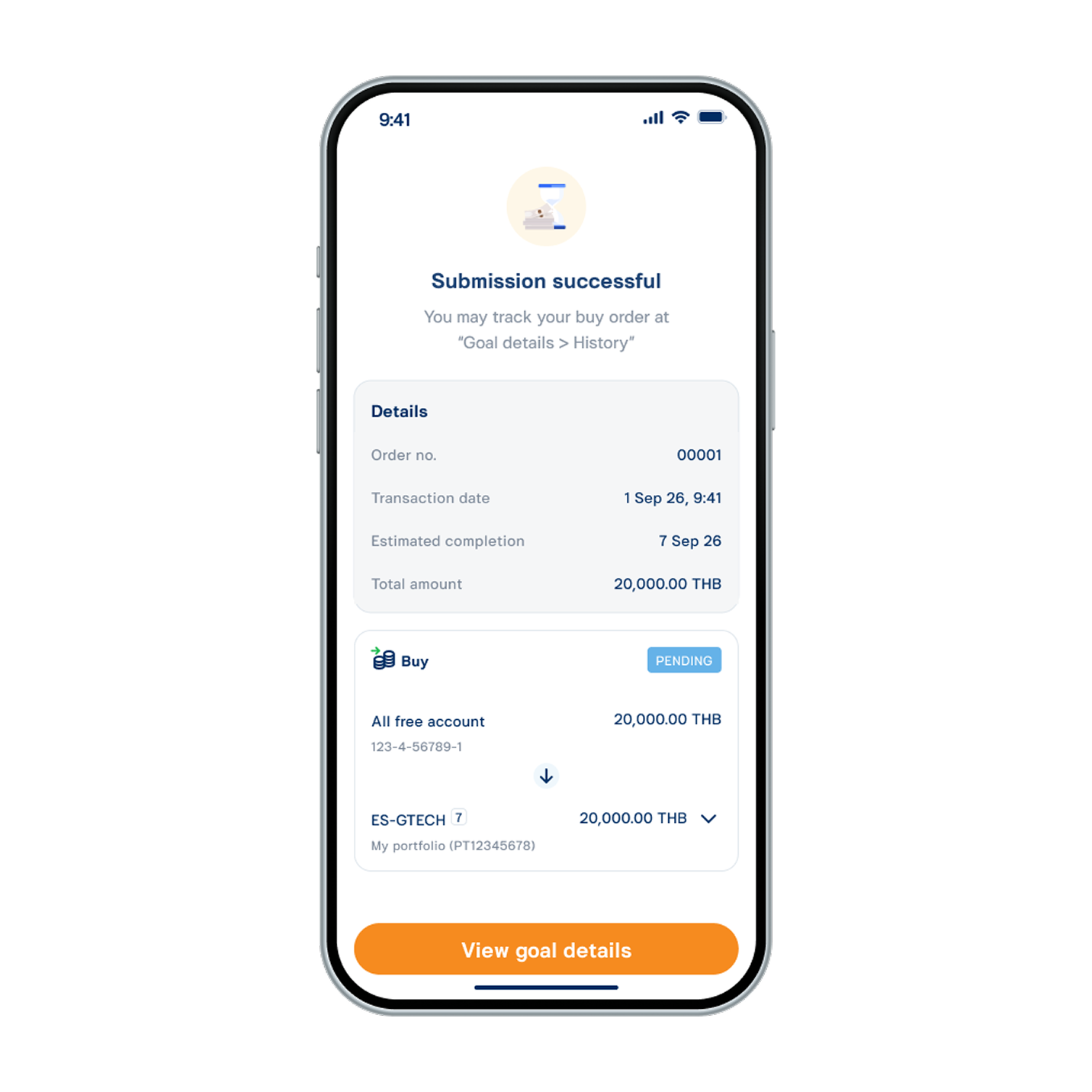
Buy order submitted successfully.
10. Buy order submitted successfully.