external-popup-close

You are being redirected to

https://www.ttbbank.com/

Proceed

Buy fund

Select “Account”, the 2nd menu from the bottom.
1. Select “Account”, the 2nd menu from the bottom.
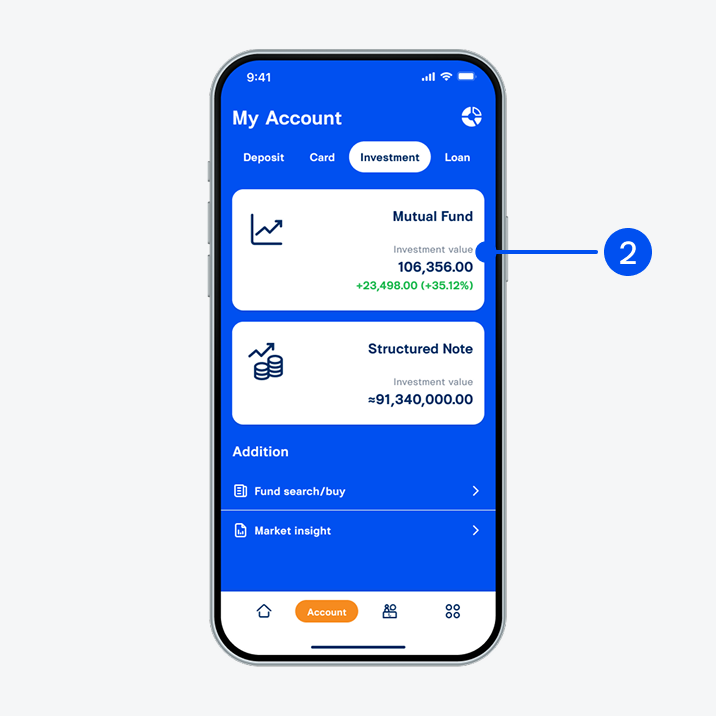
Select “Investment” tab at the top, then select “Mutual fund”.
2. Select “Investment” tab at the top, then select “Mutual fund”.
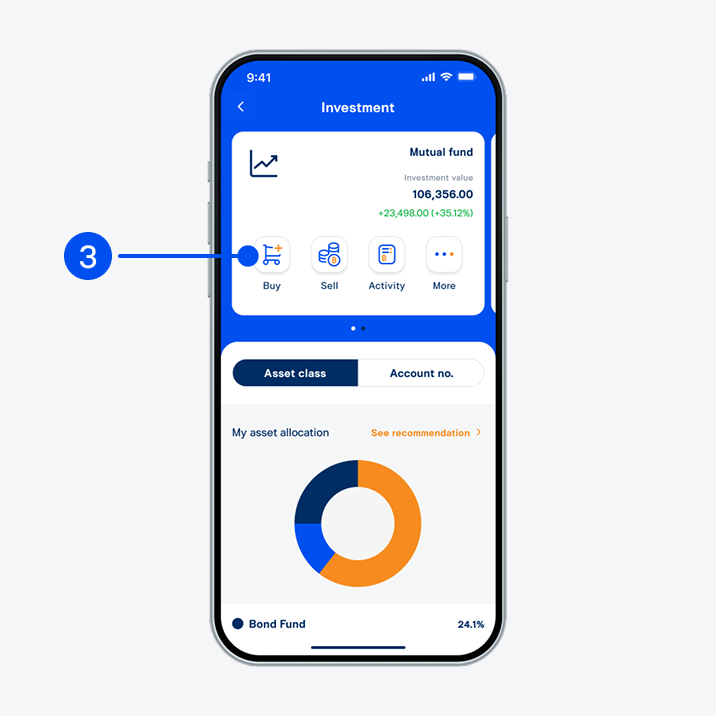
Select “Buy”.
3. Select “Buy”.
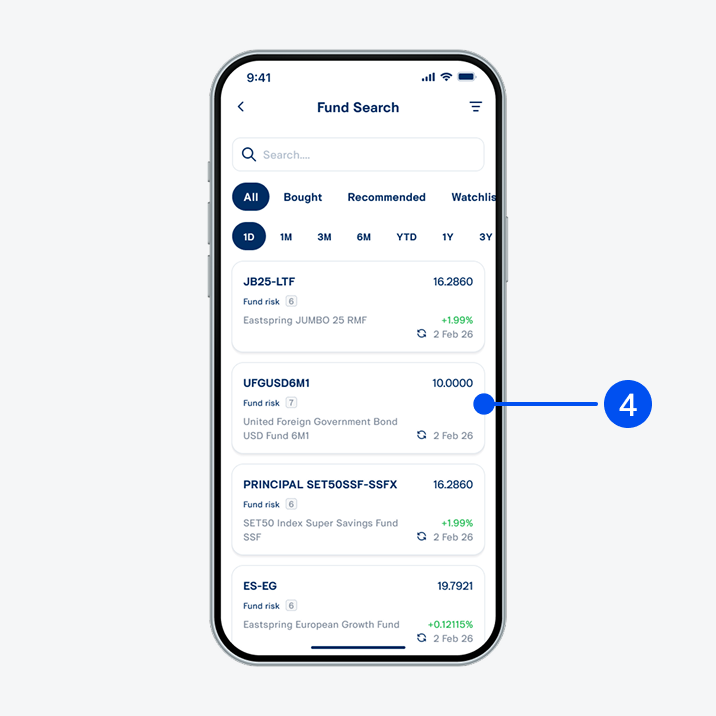
Select a fund to buy.
4. Select a fund to buy.
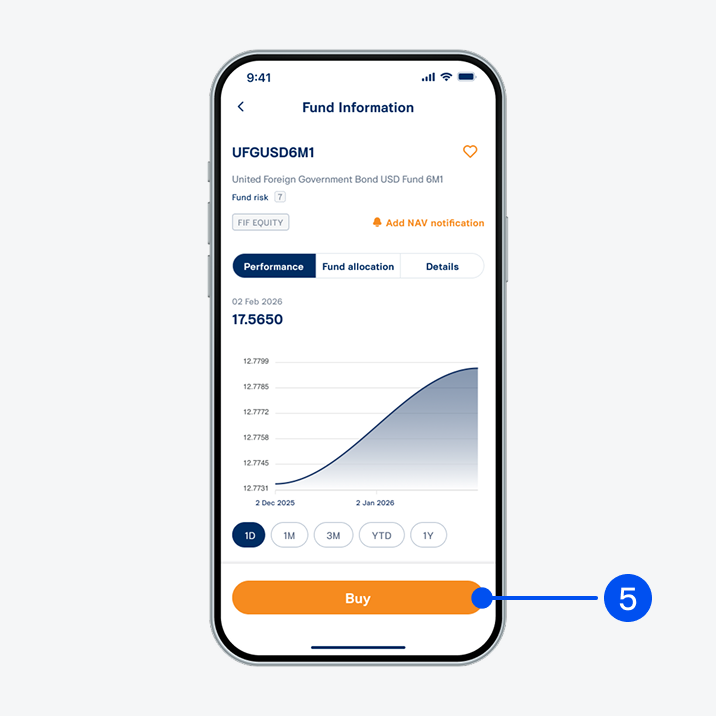
Select Buy”.
5. Select "Buy”.
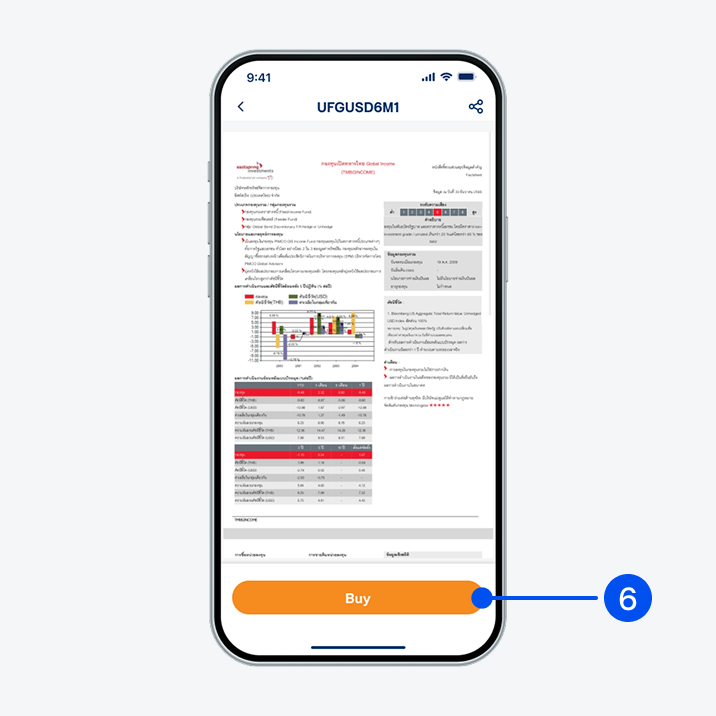
Read fund details, then select “Buy”.
6. Read fund details, then select “Buy”.
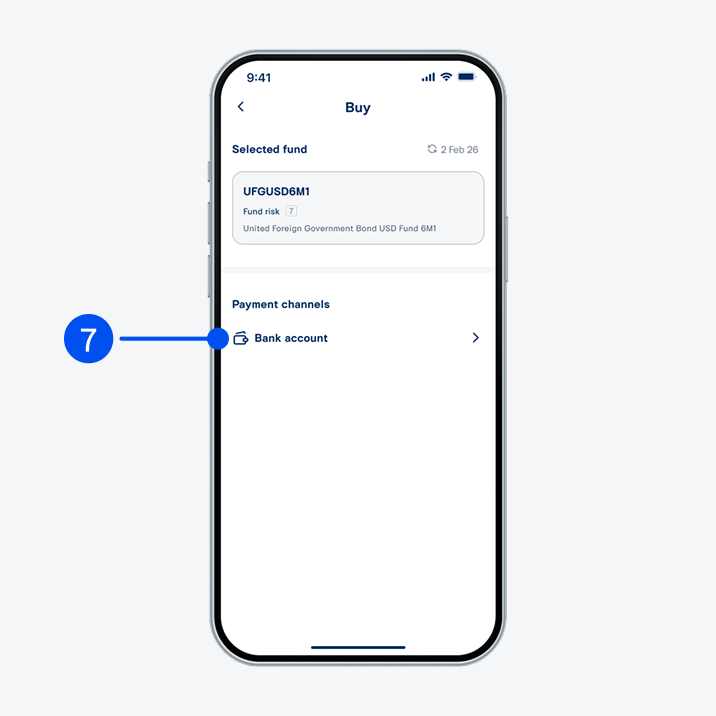
Select Bank account as your payment channel.
7. Select "Bank account" as your payment channel.
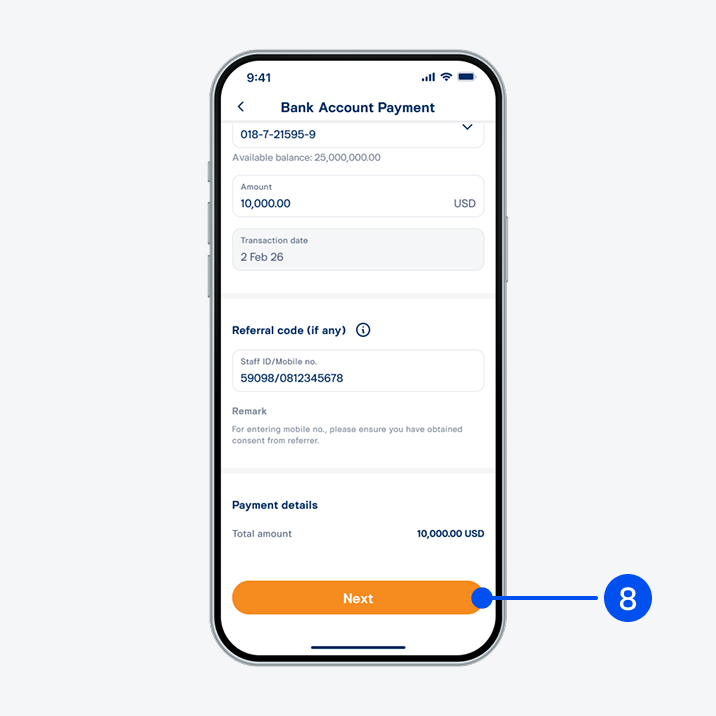
Select your payment account and enter investment amount, then select Next.
8. Select your payment account and enter investment amount, then select "Next".
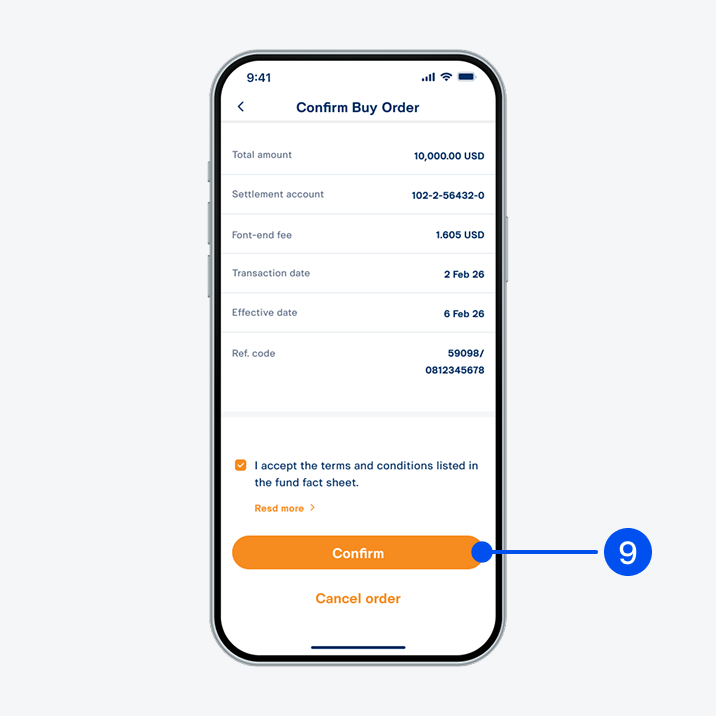
Review buy order details, then select Confirm.
9. Review buy order details, then select "Confirm".
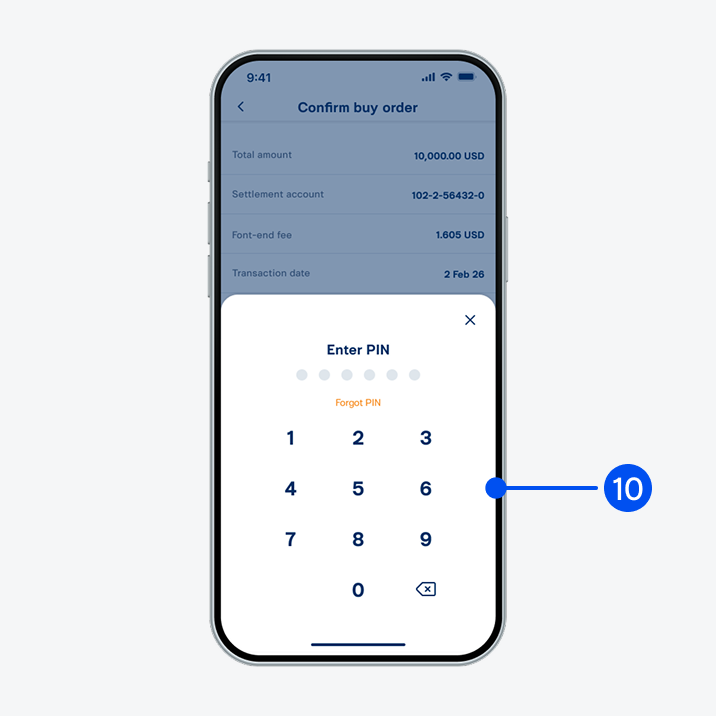
Enter PIN to confirm.
10. Enter PIN to confirm.
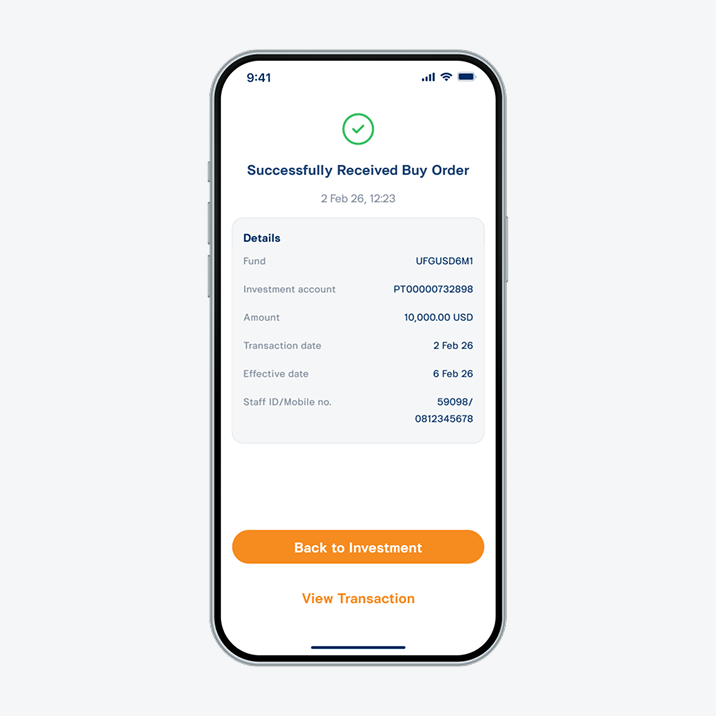
Your order has been processed successfully.
11. Your order has been processed successfully.