

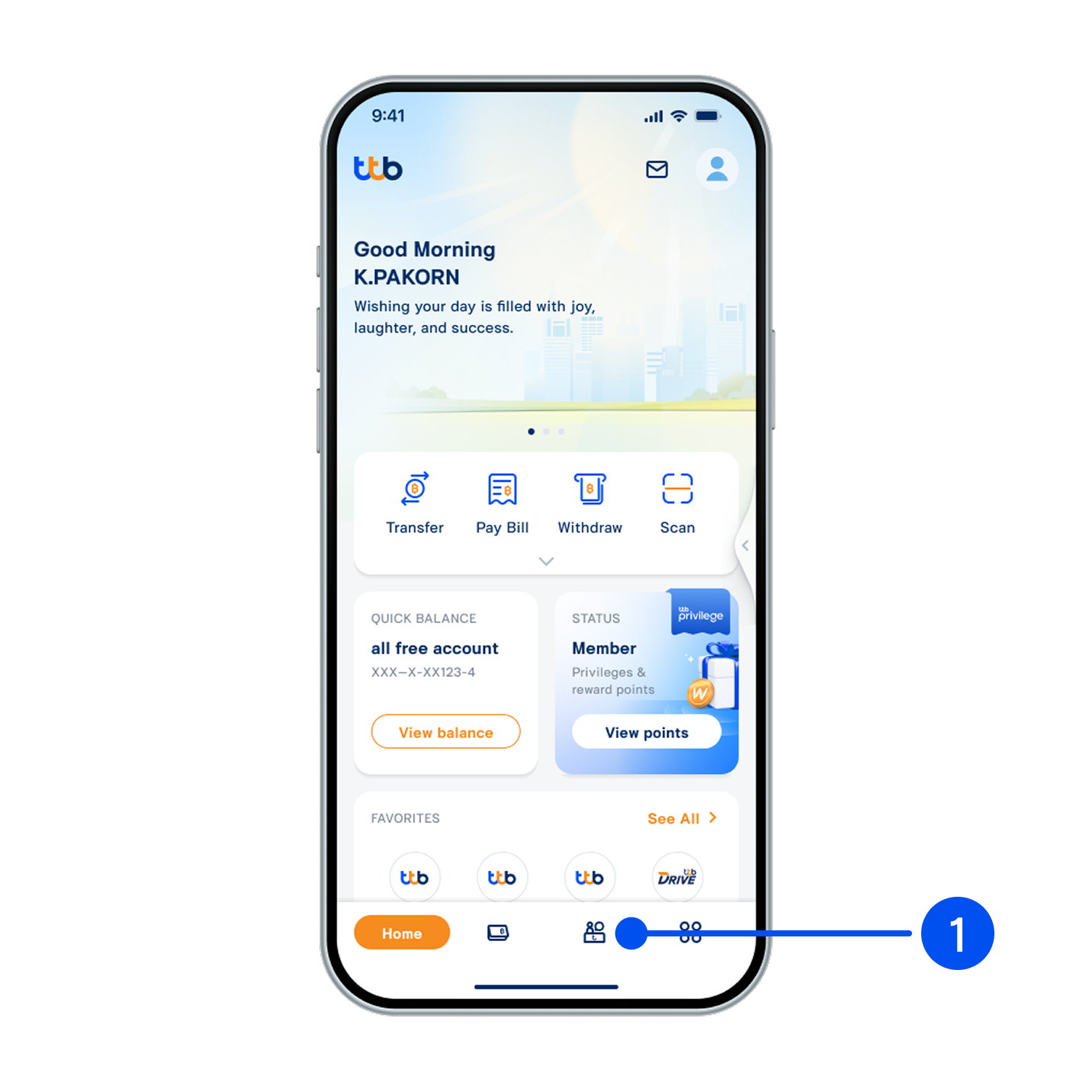
1. Select “Service”, the 3rd menu from the bottom.
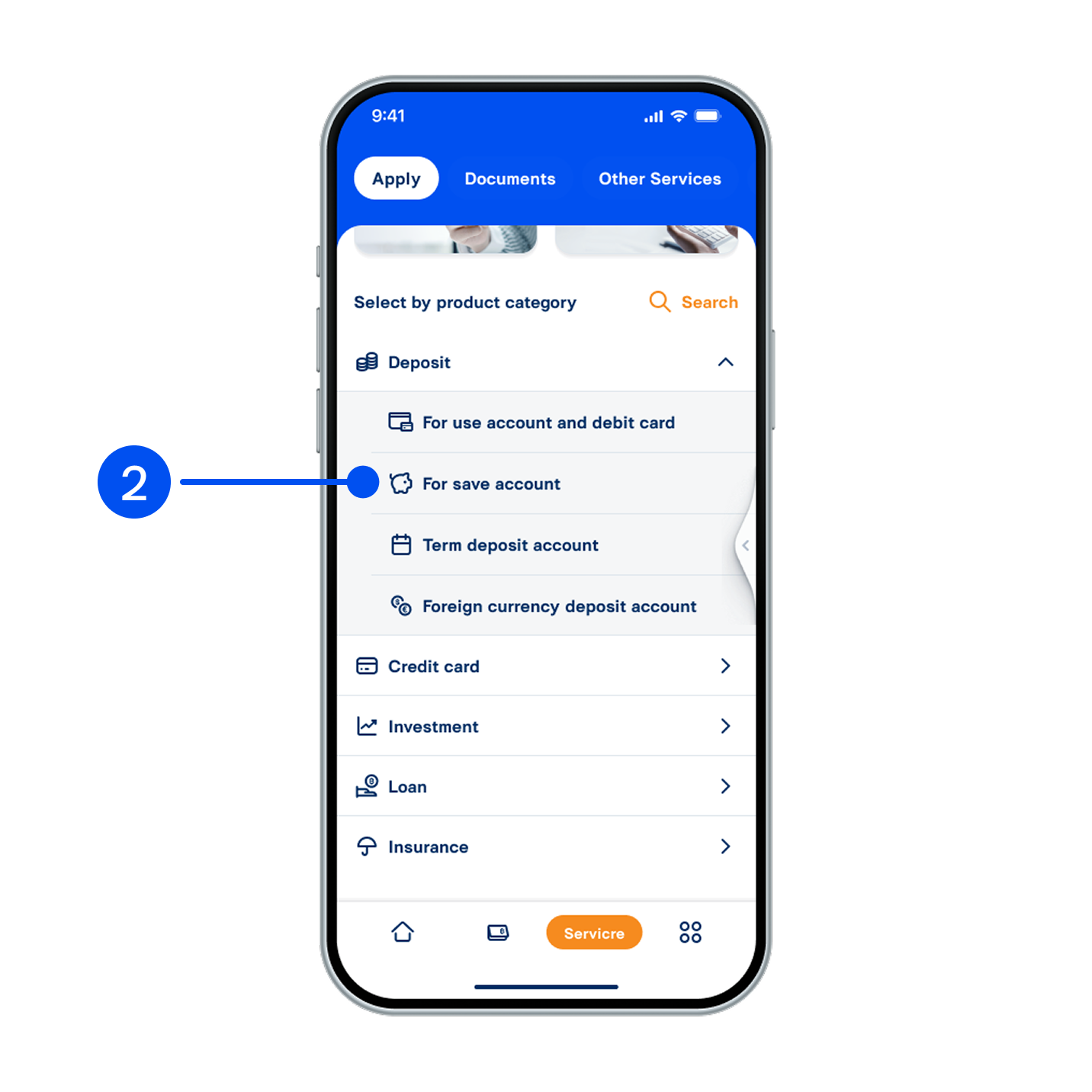
2. From Deposit menu, select “For save account”.
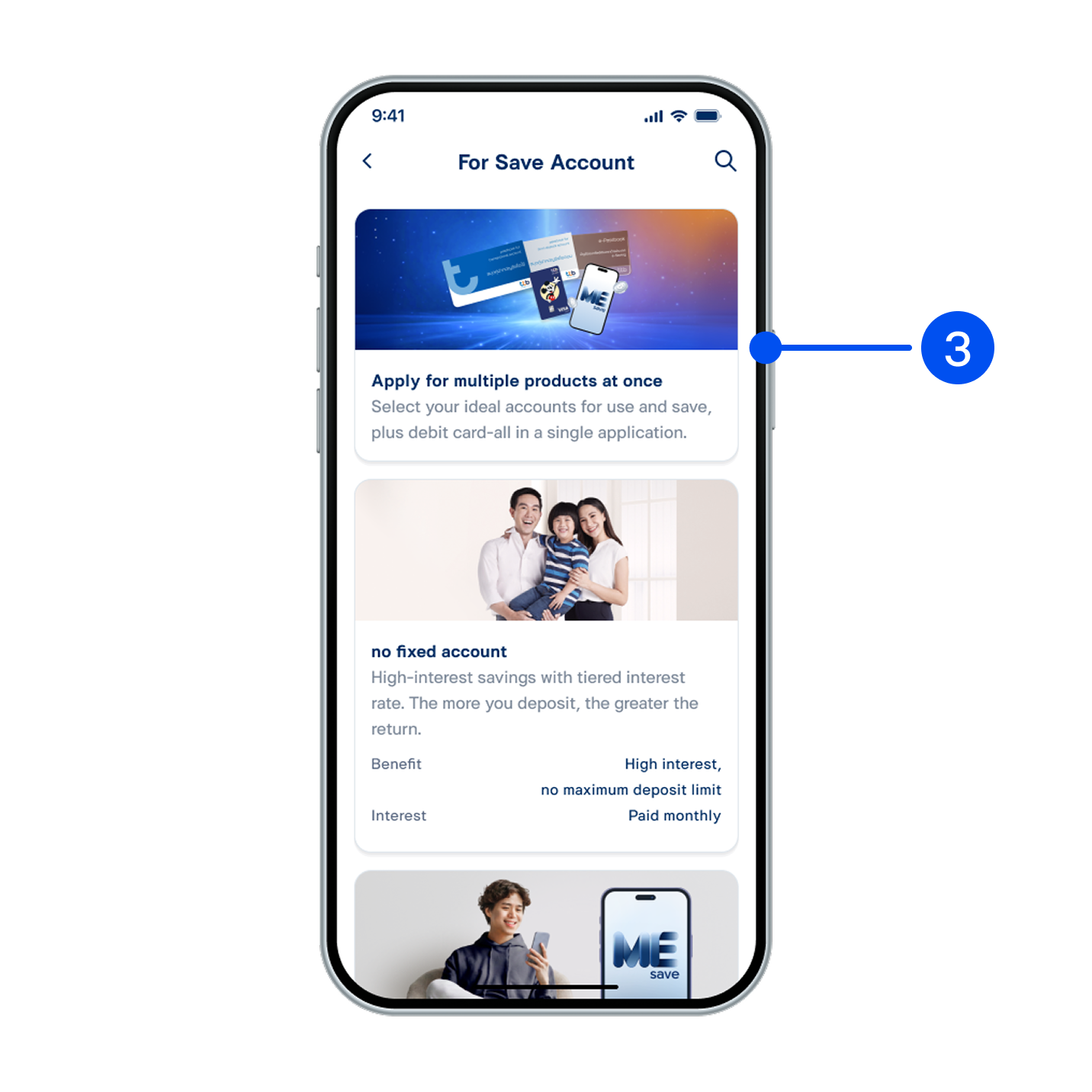
3. Select “Apply for multiple products at once”.
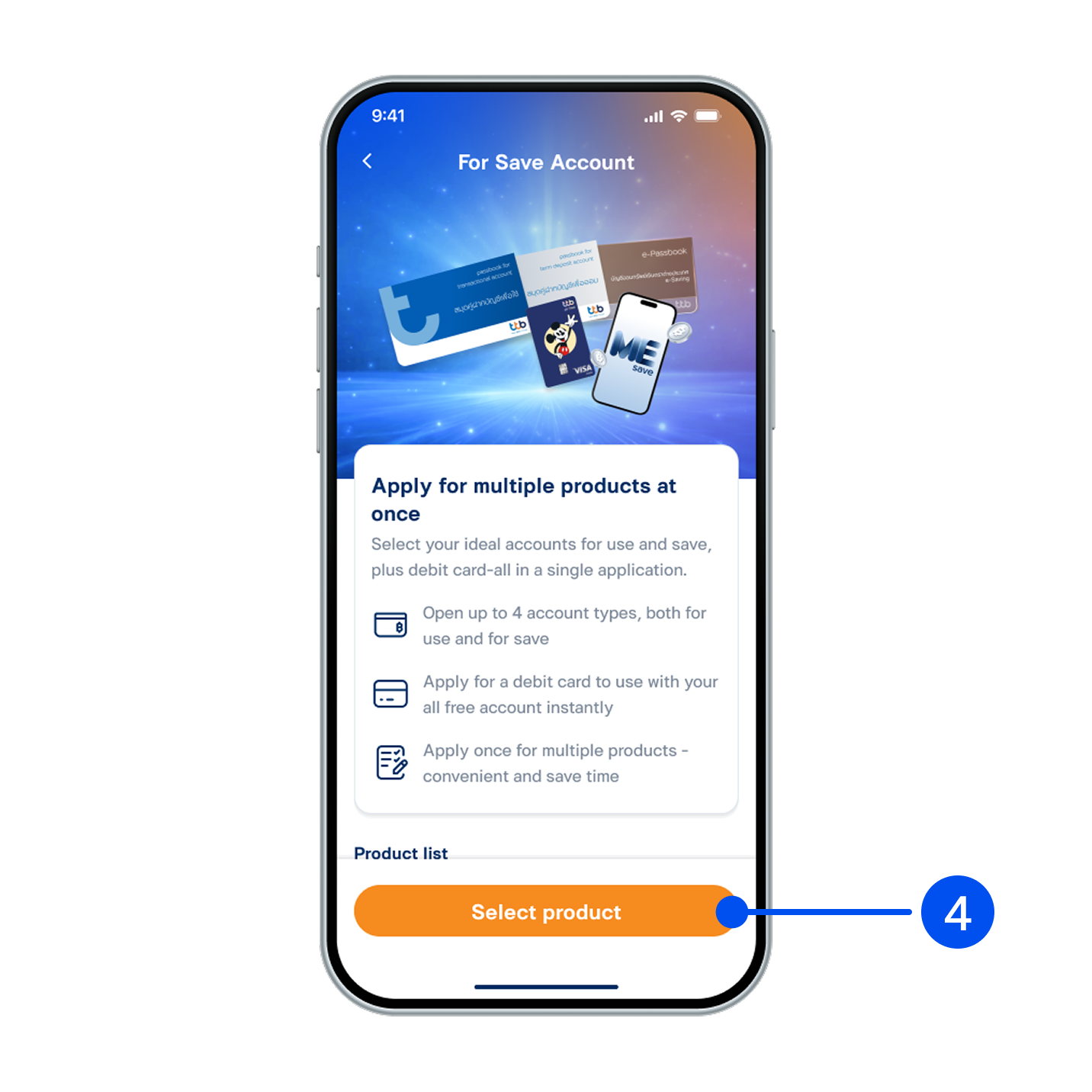
4. Read the product details, then select "Select product".
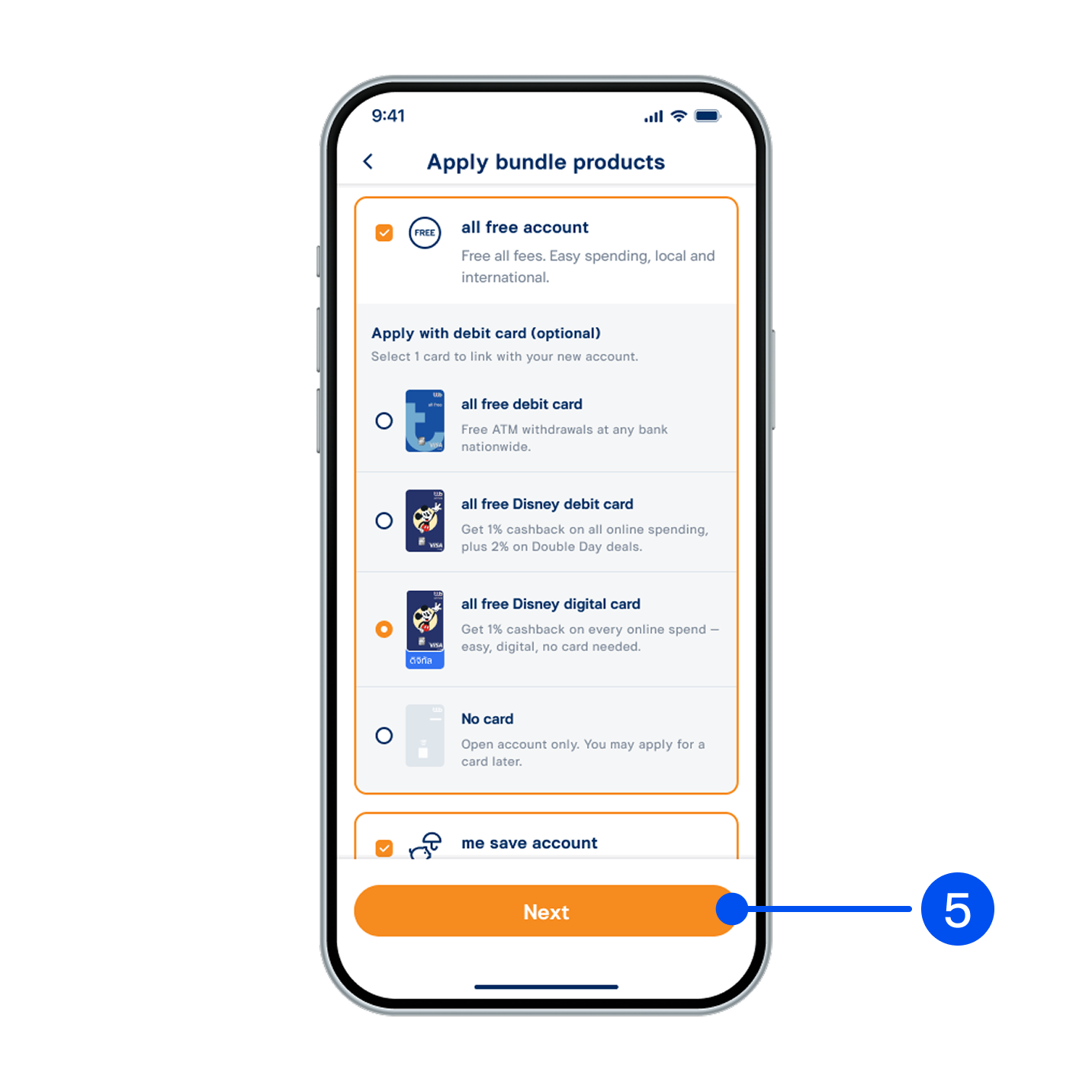
5. Select the products to apply for, then select “Next”.
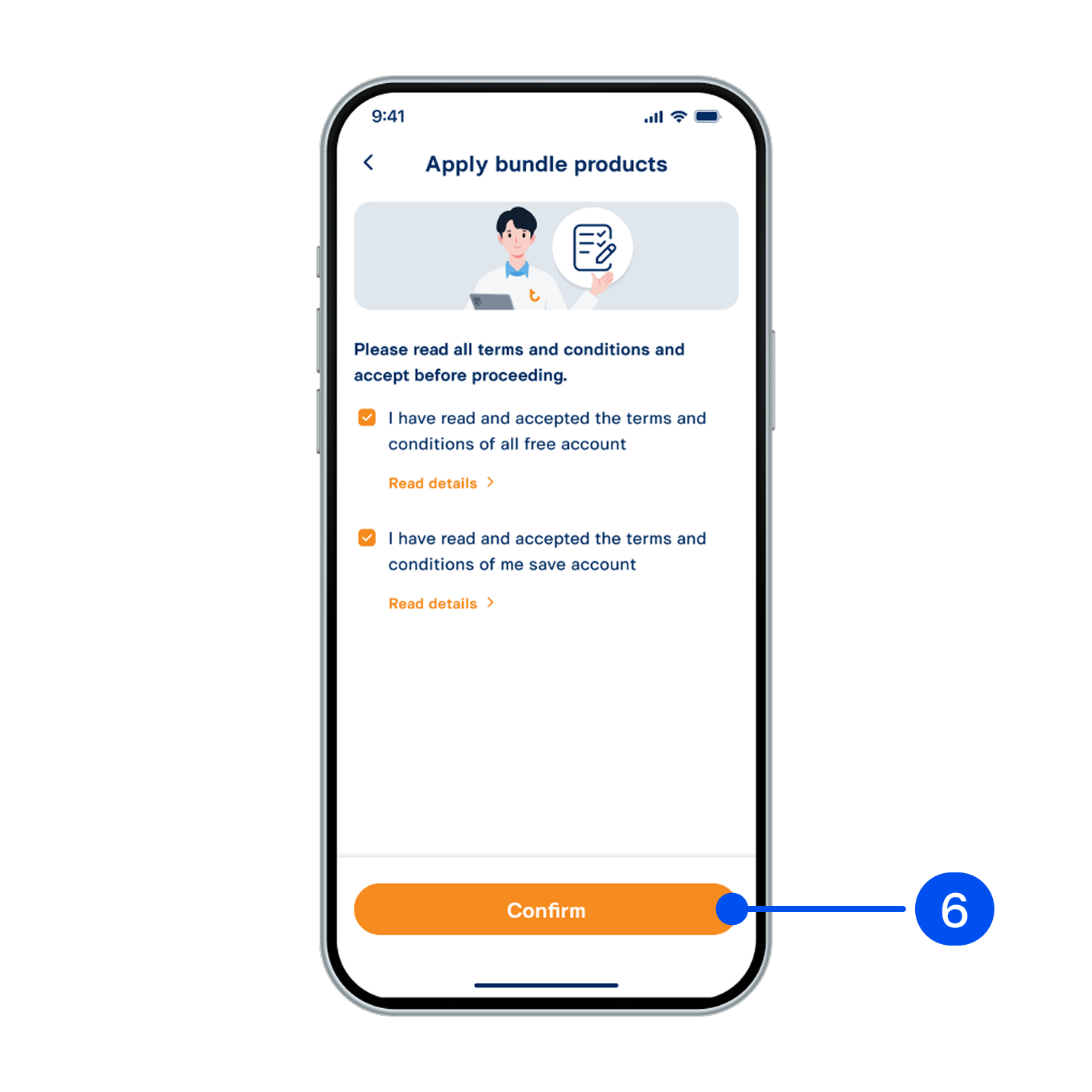
6. Read and accept terms and conditions, then select "Confirm".
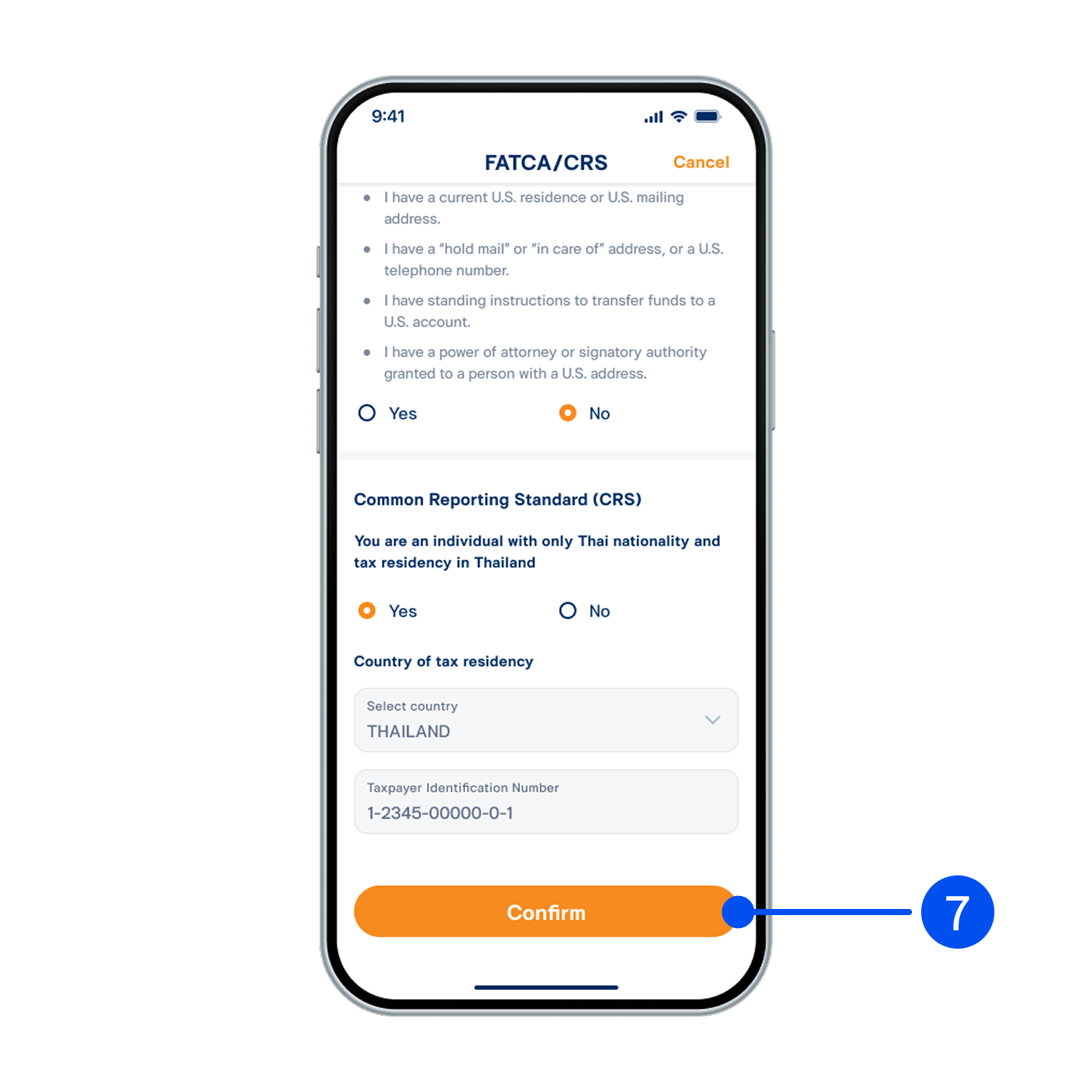
7. Provide an answer for FATCA/CRS, then select “Confirm”.
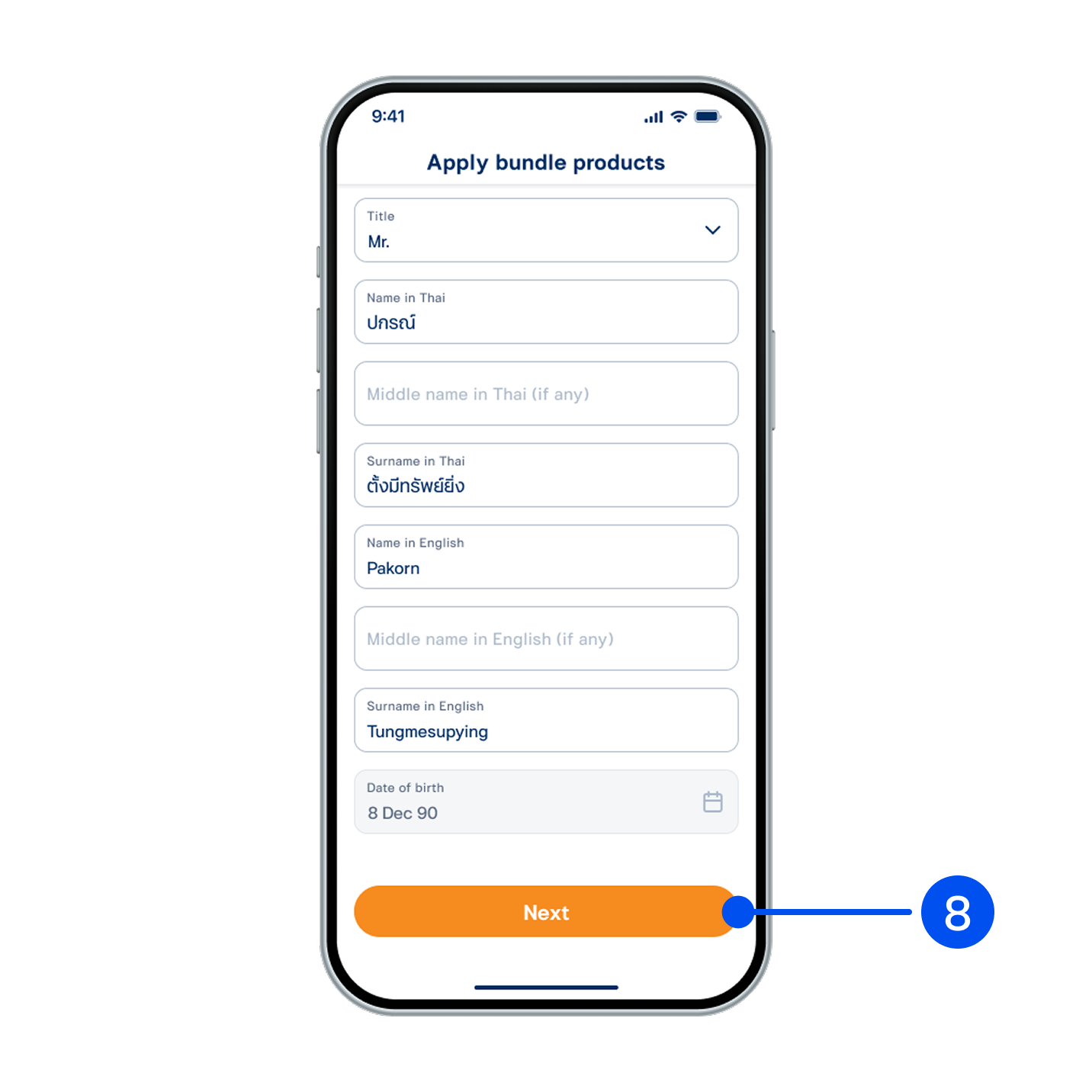
8. Enter your ID card laser code and review your personal information, then select "Next".
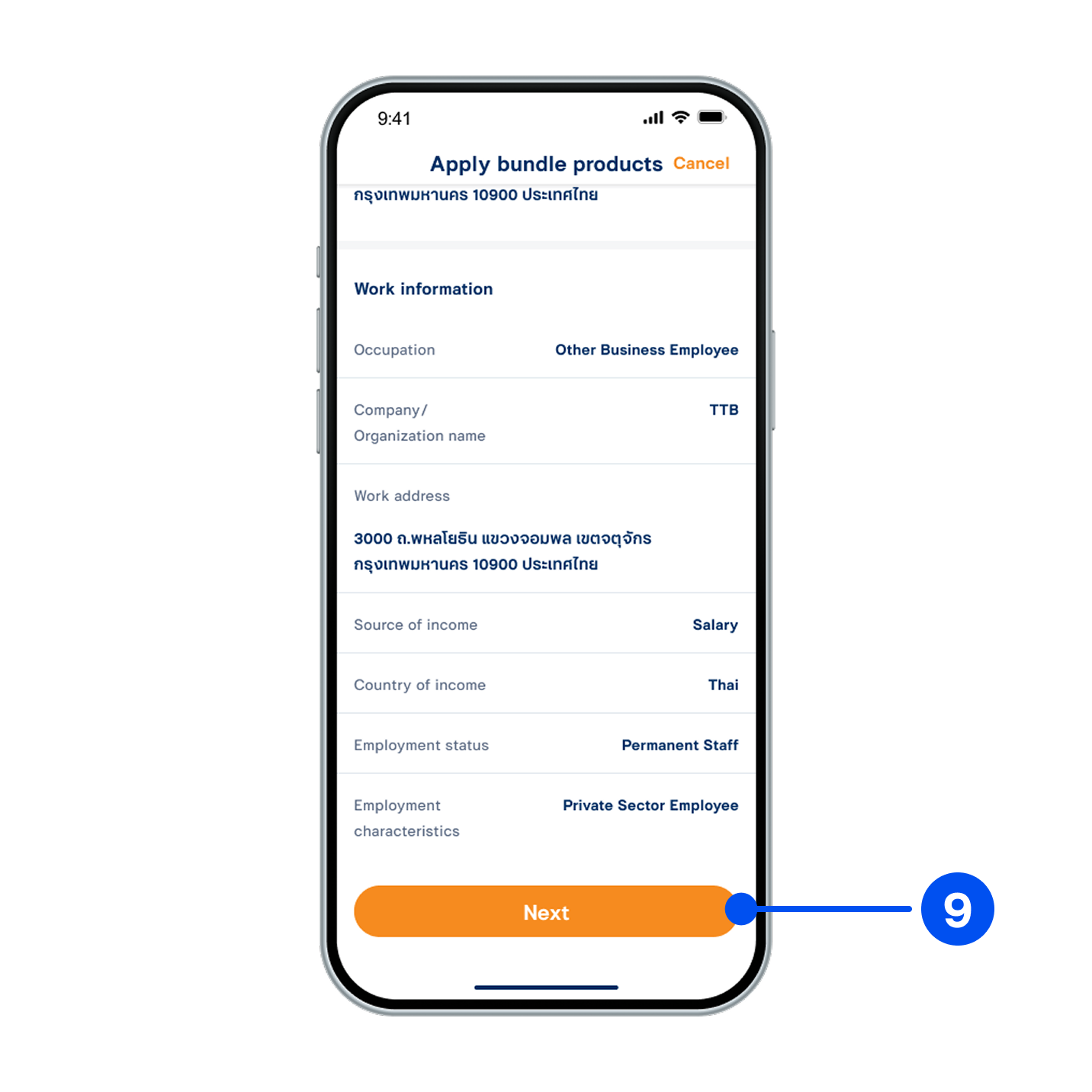
9. Review your contact and work information, then select “Next”.
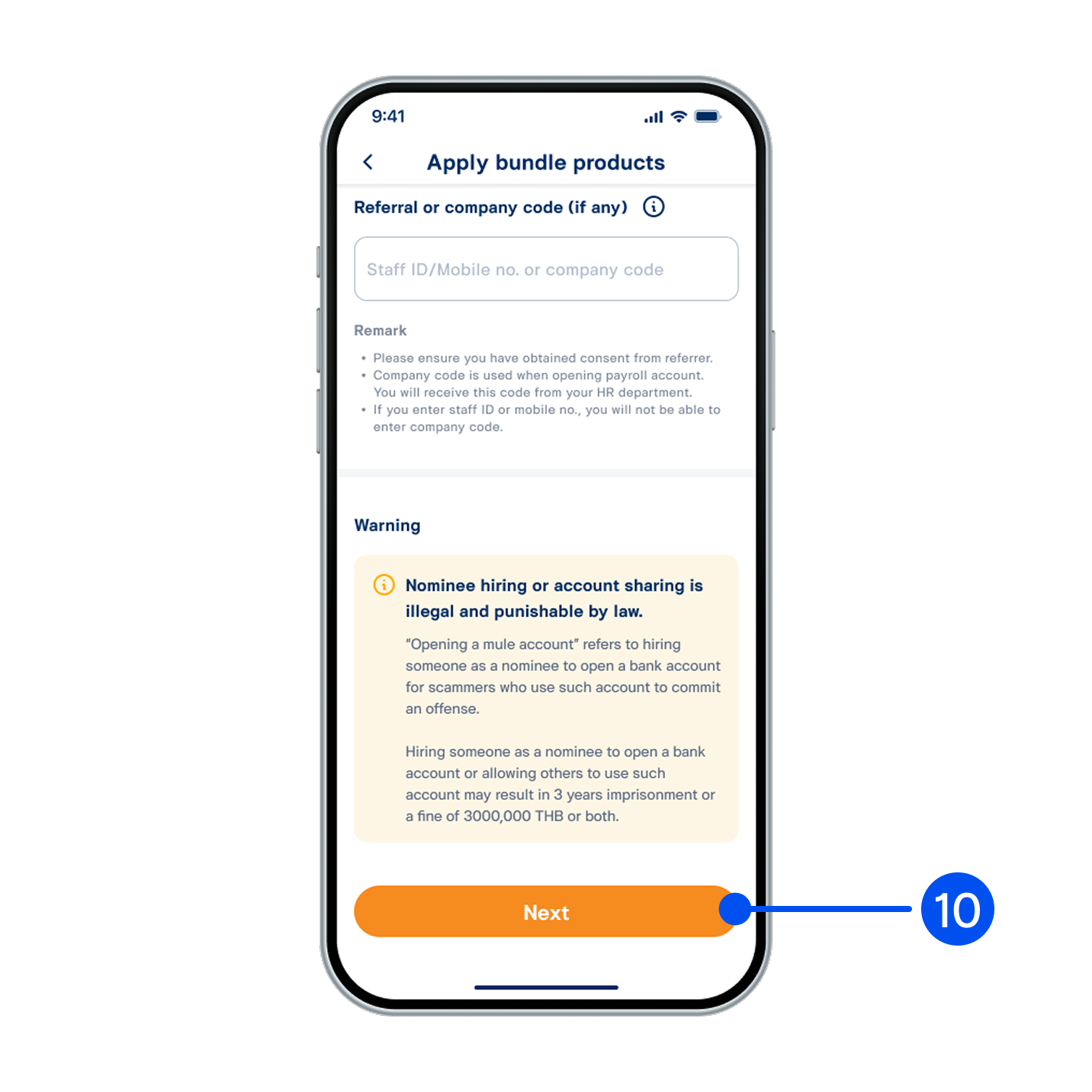
10. Review your product details, then select “Next”.
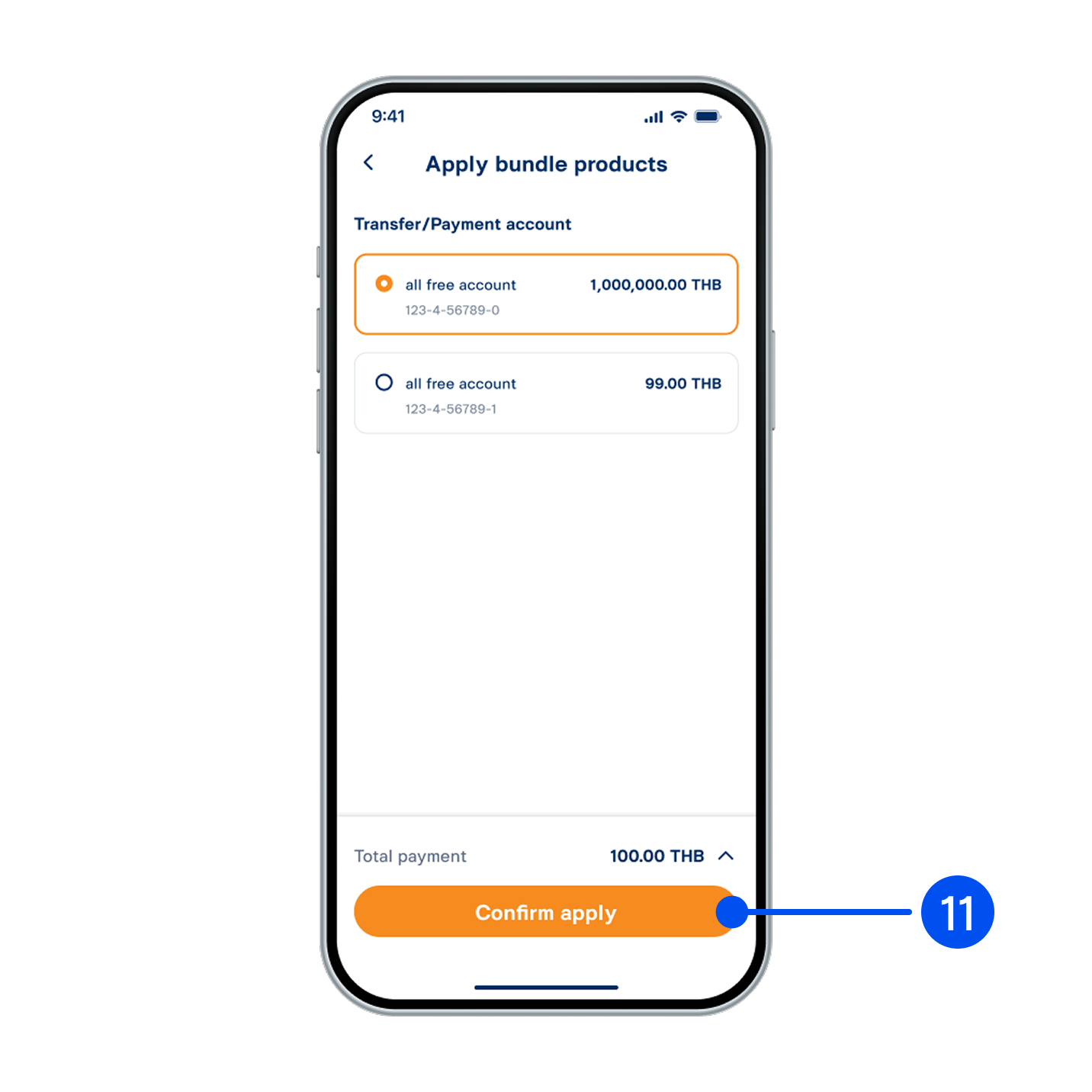
11. Select a transfer/payment account, then select “Confirm apply”.
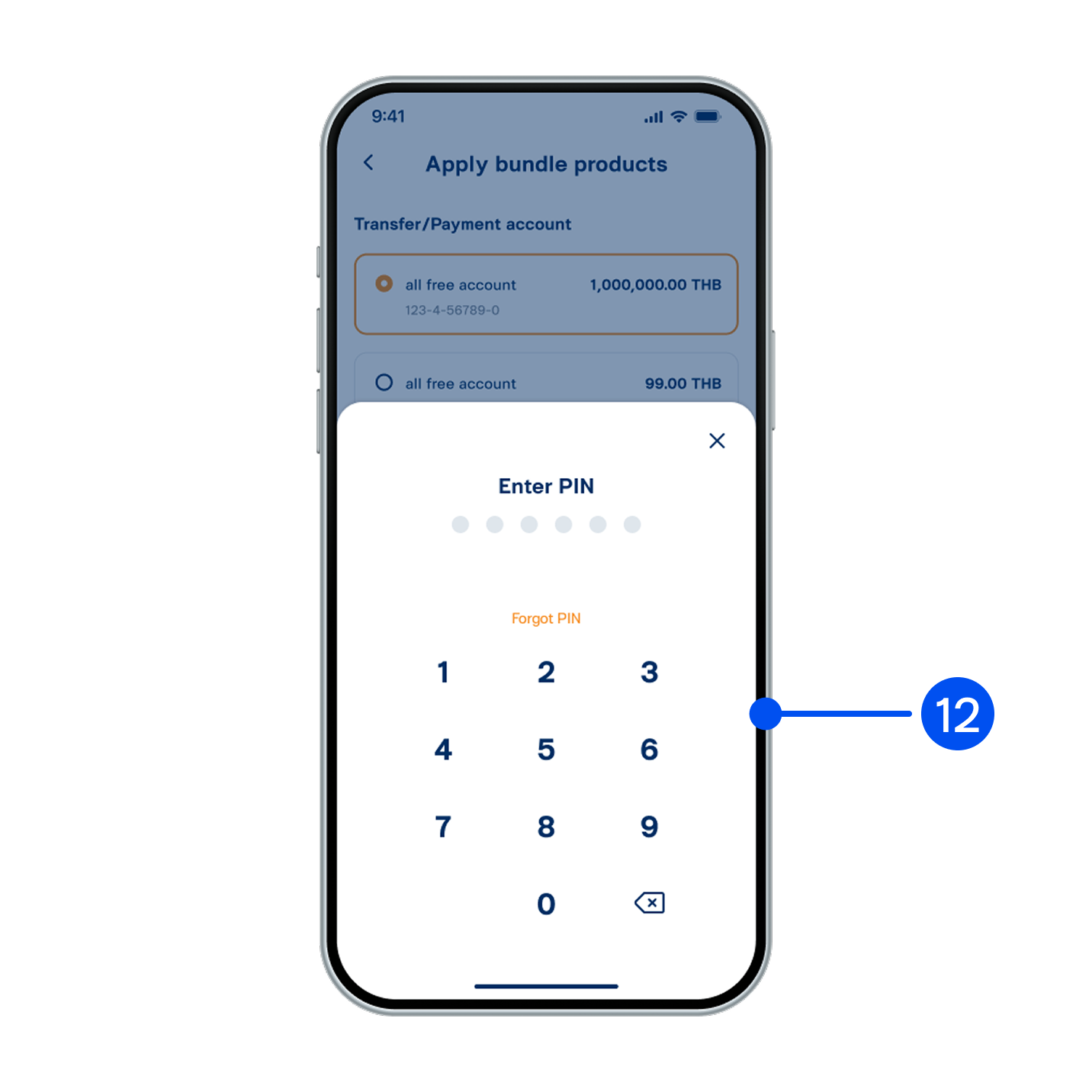
12. Enter PIN to confirm.
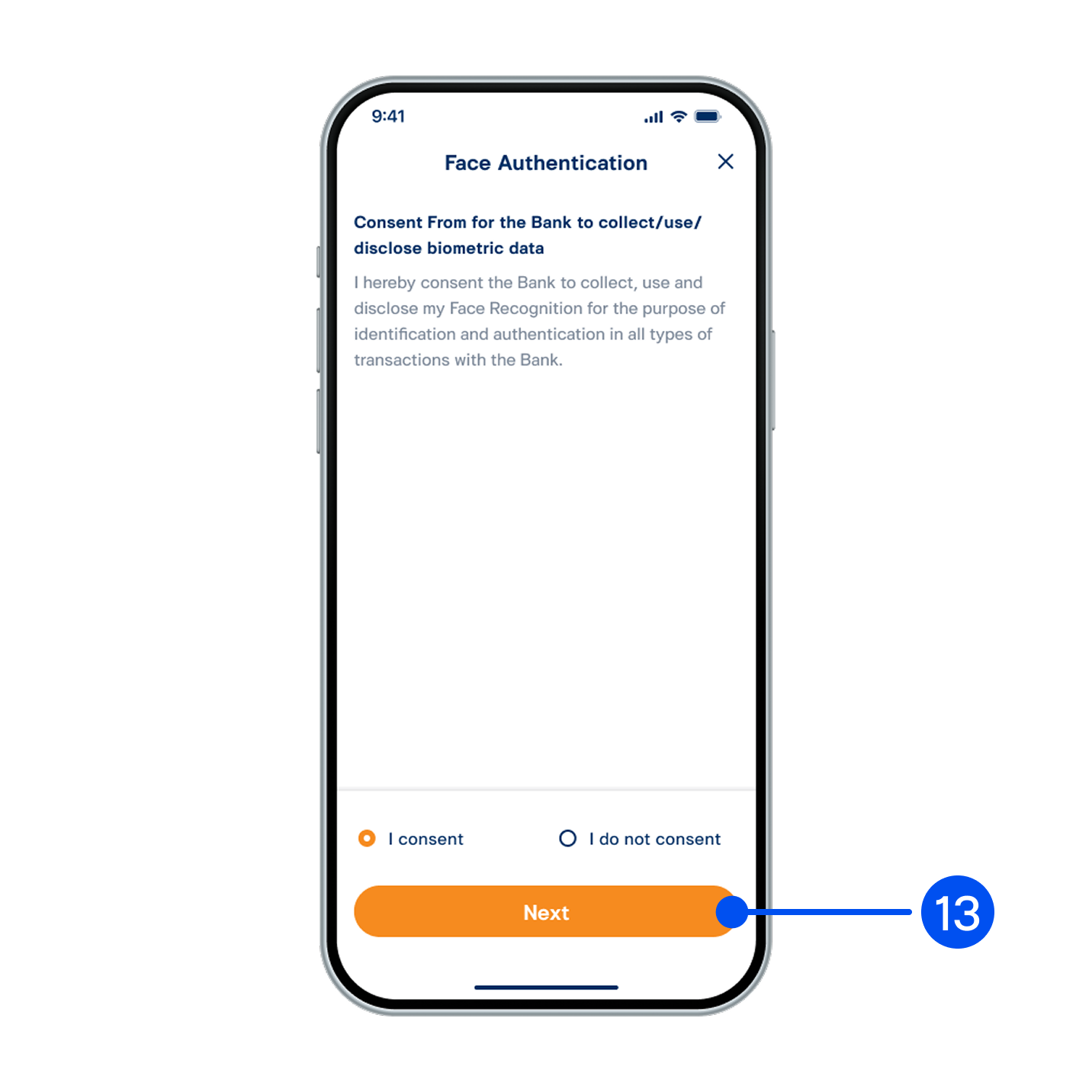
13. Read consent form for the bank to collect/use/disclose biometric data. Select “Accept” then select "Next”.
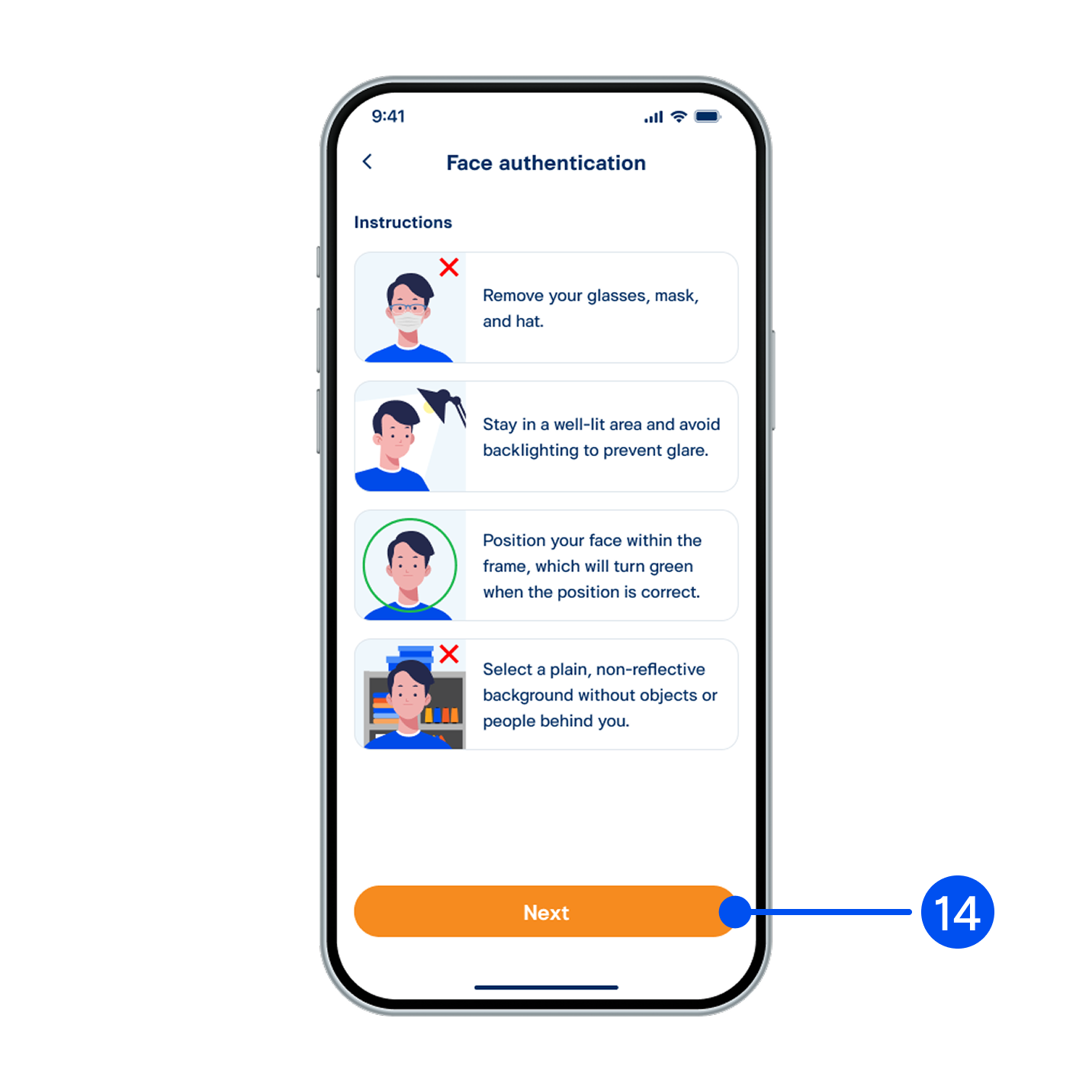
14. Read the face authentication instructions, then select "Next”.
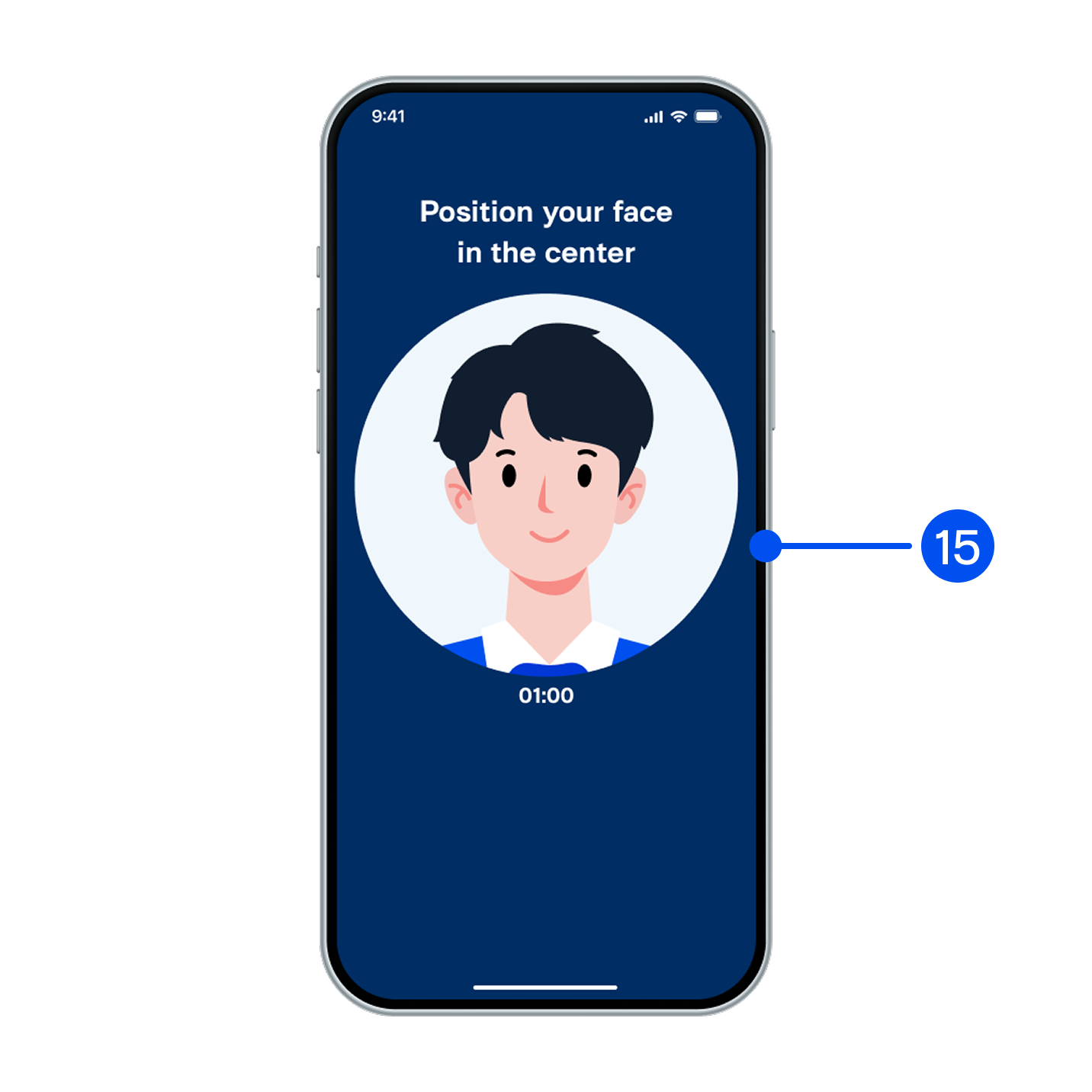
15. Adjust your face within the frame for facial comparison.
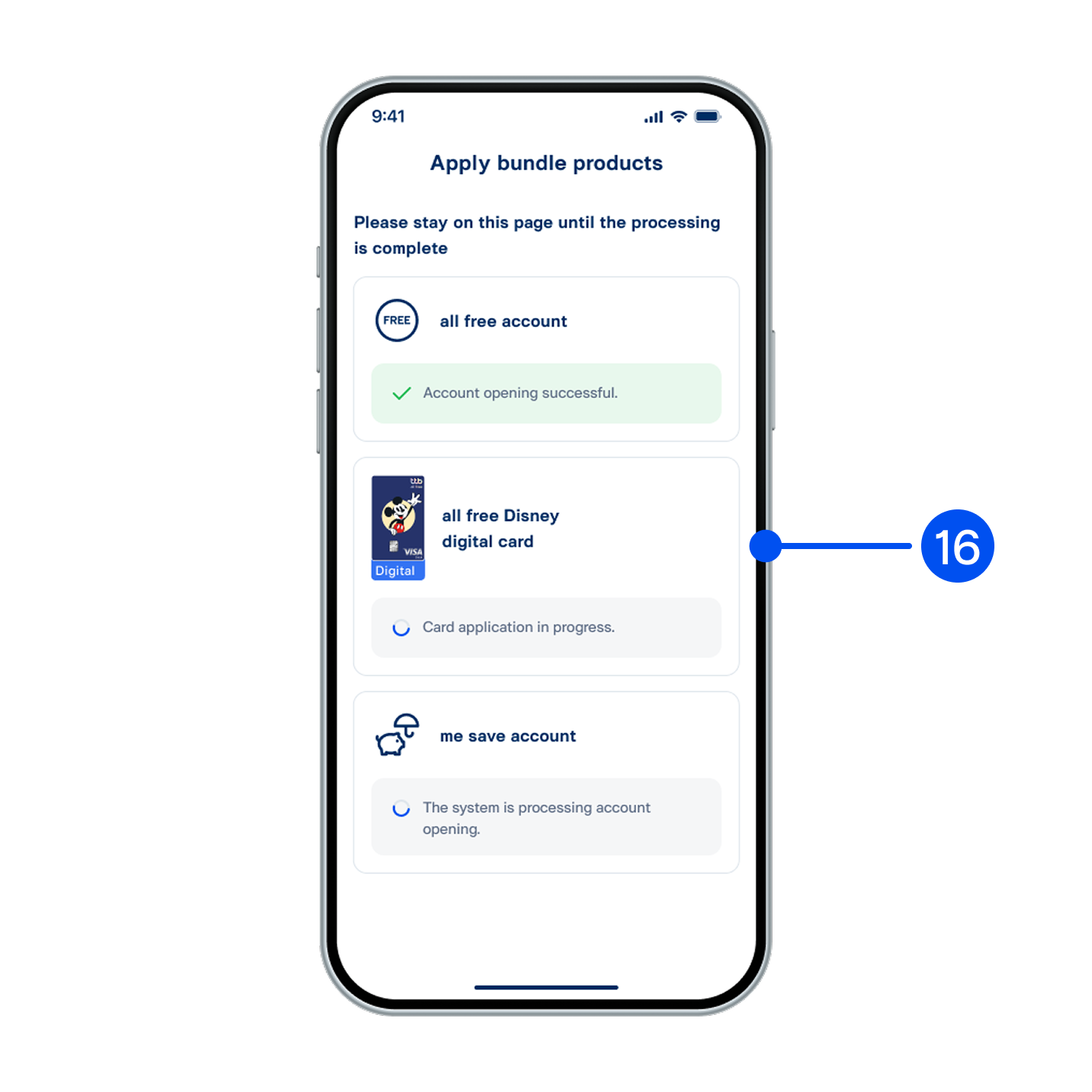
16. Please stay on this page while your account/credit card is being processed.
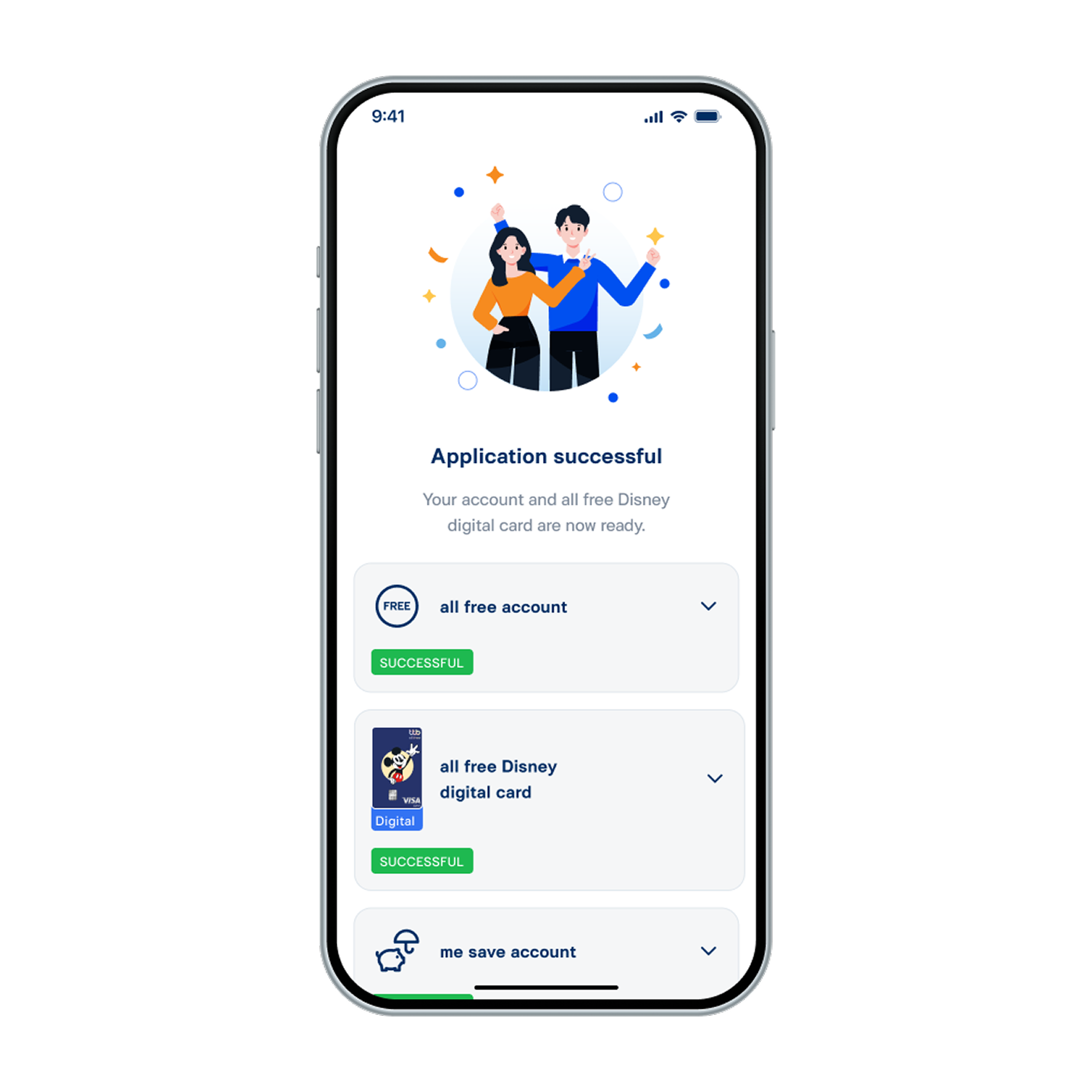
17. Applied for multiple products successfully.