

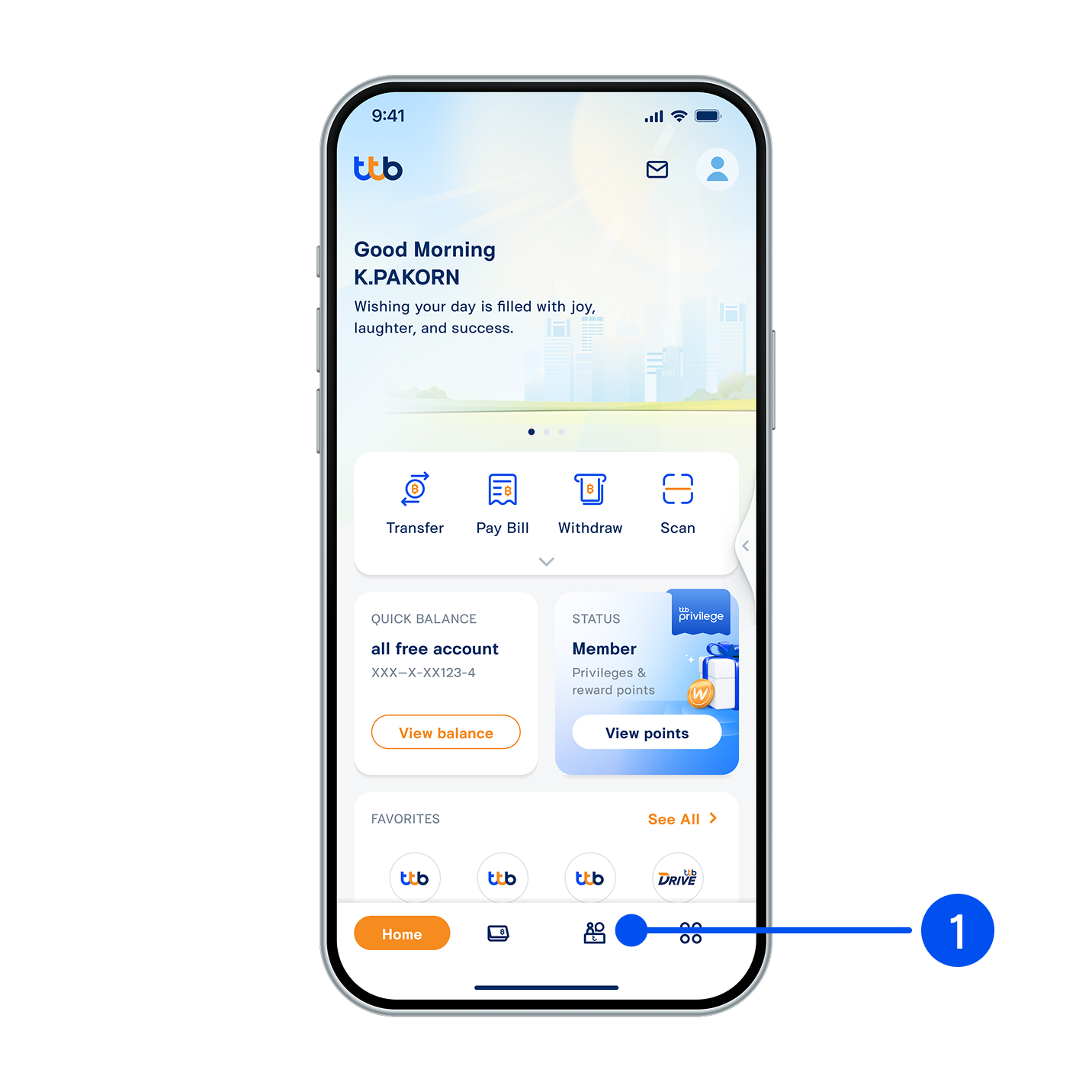
1. Select “Service”, the 3rd menu from the bottom.
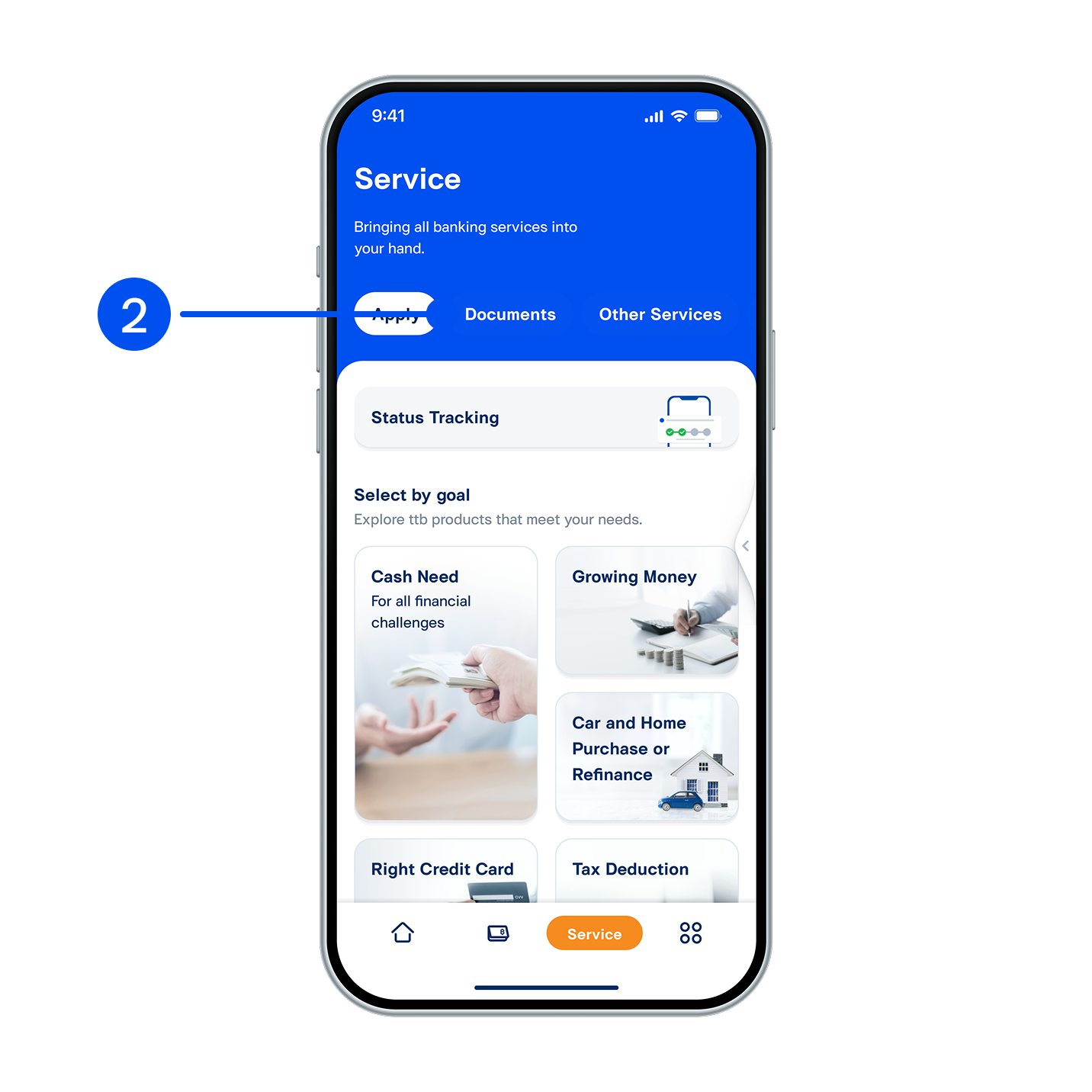
2. Select “Documents”.
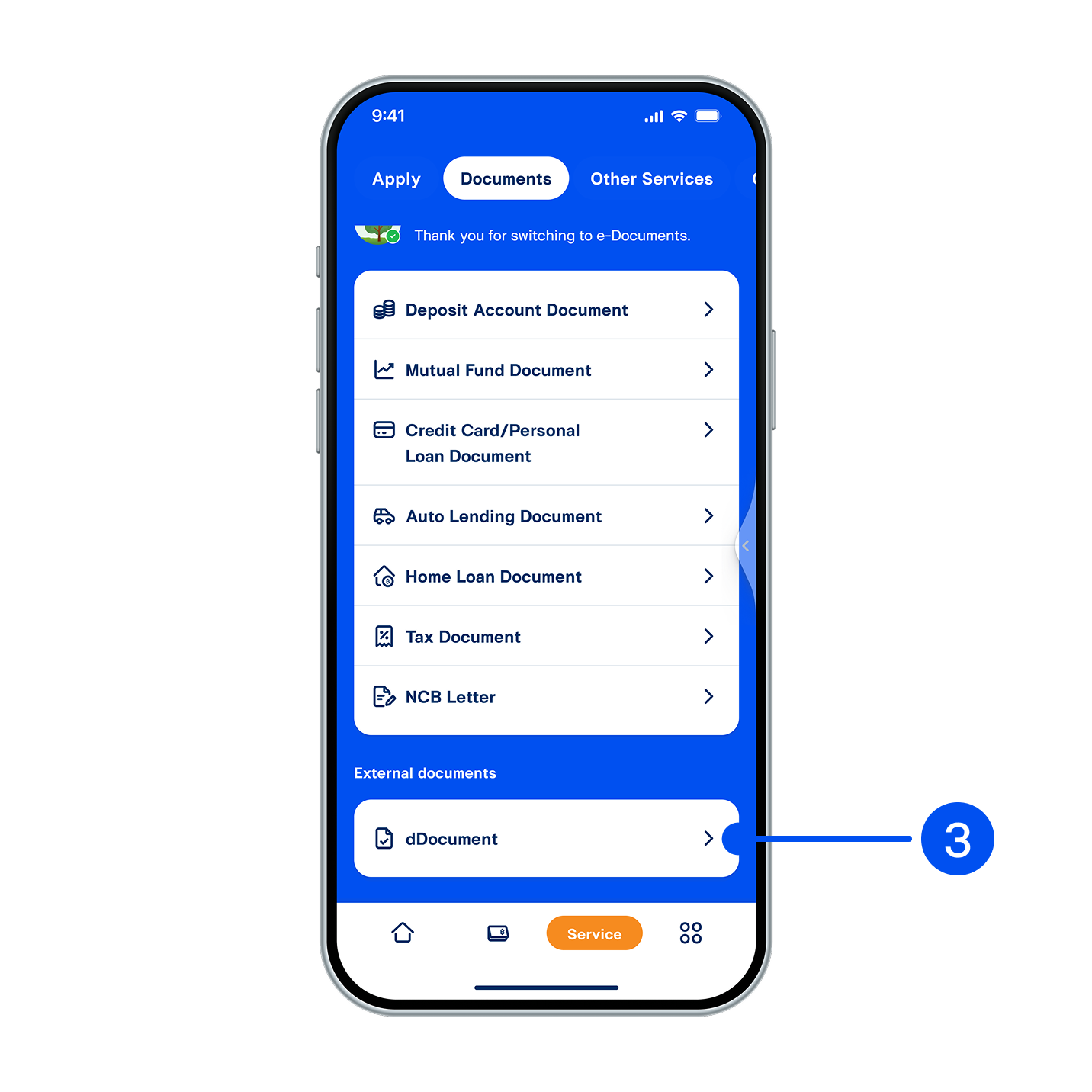
3. Select “dDocument”.
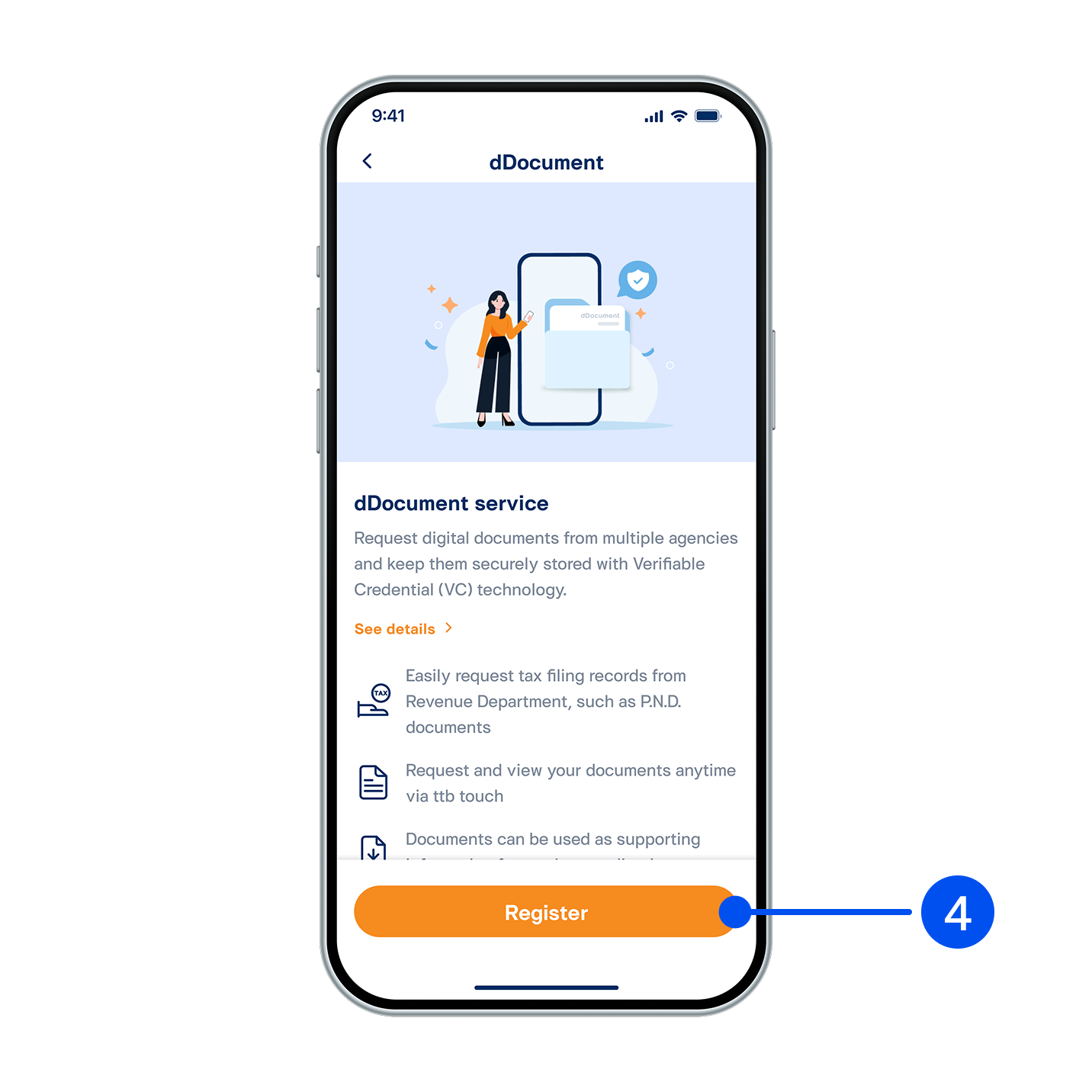
4. Read the service details, then select “Register”.
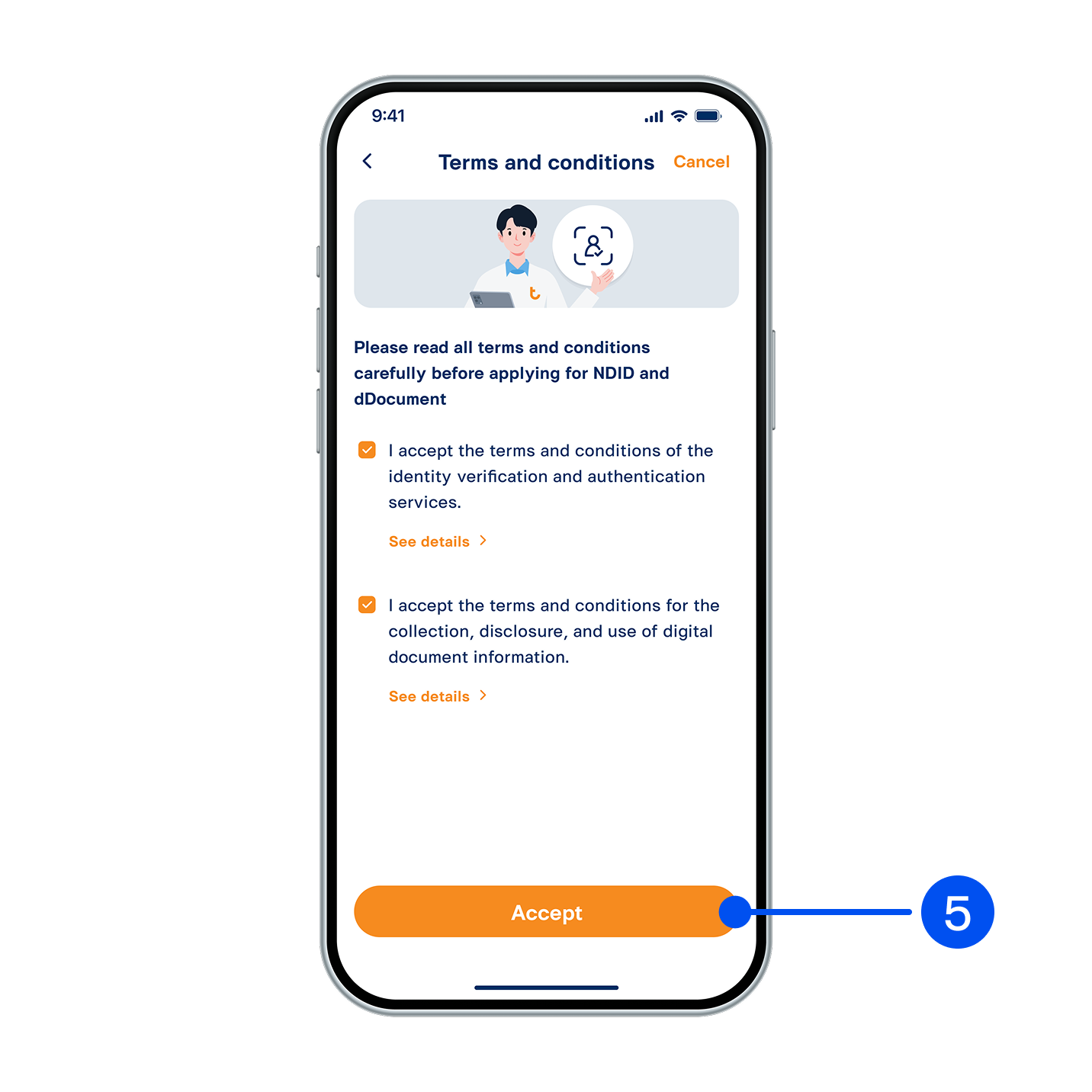
5. Read and accept the terms and conditions, then select "Accept".
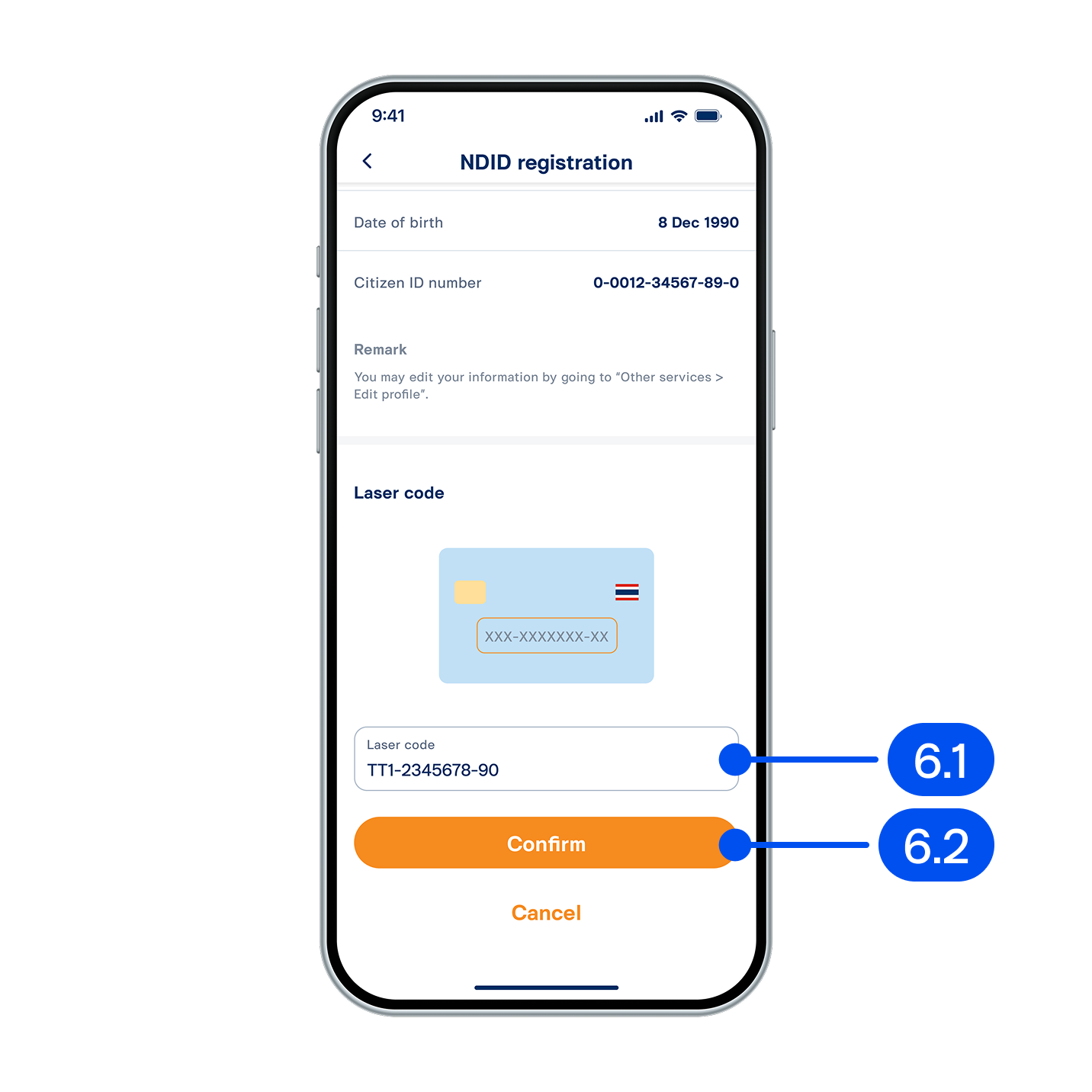
6. On “NDID registration” page,
6.1) Enter ID card laser code.
6.2) Select “Confirm”.
6.1) Enter ID card laser code.
6.2) Select “Confirm”.
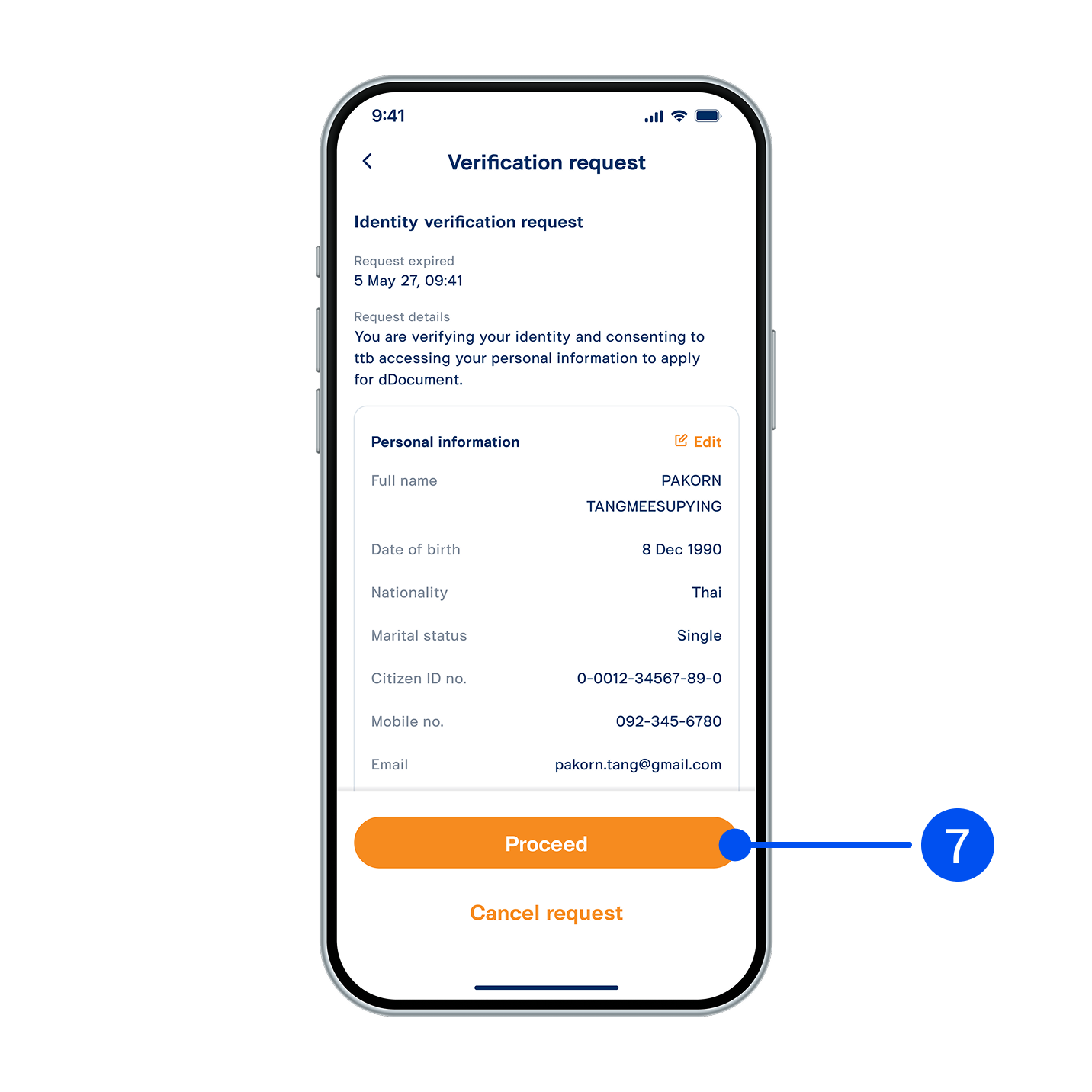
7. Read identity verification request details, then select "Proceed”.
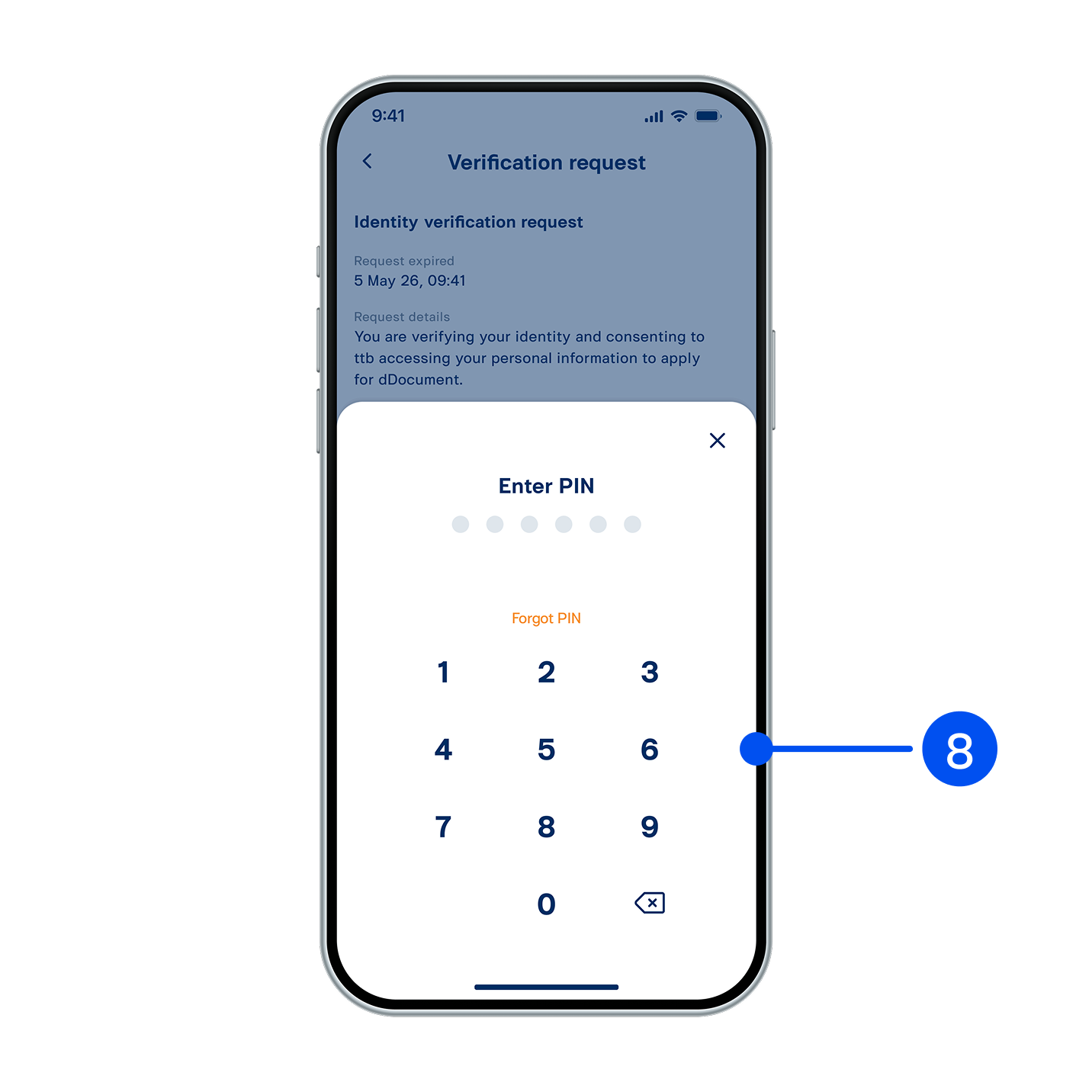
8. Enter PIN to confirm.
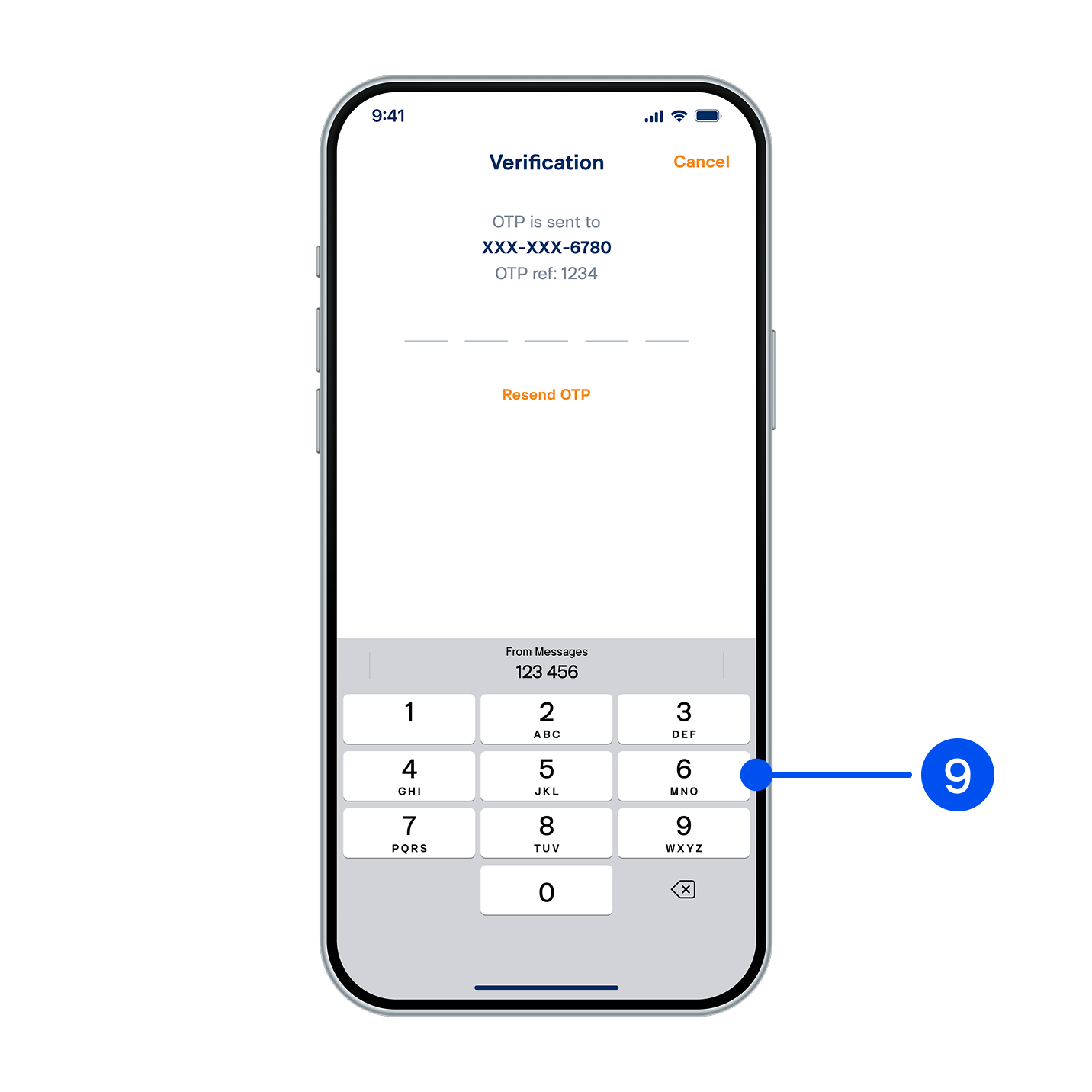
9. Enter OTP sent to you via SMS.
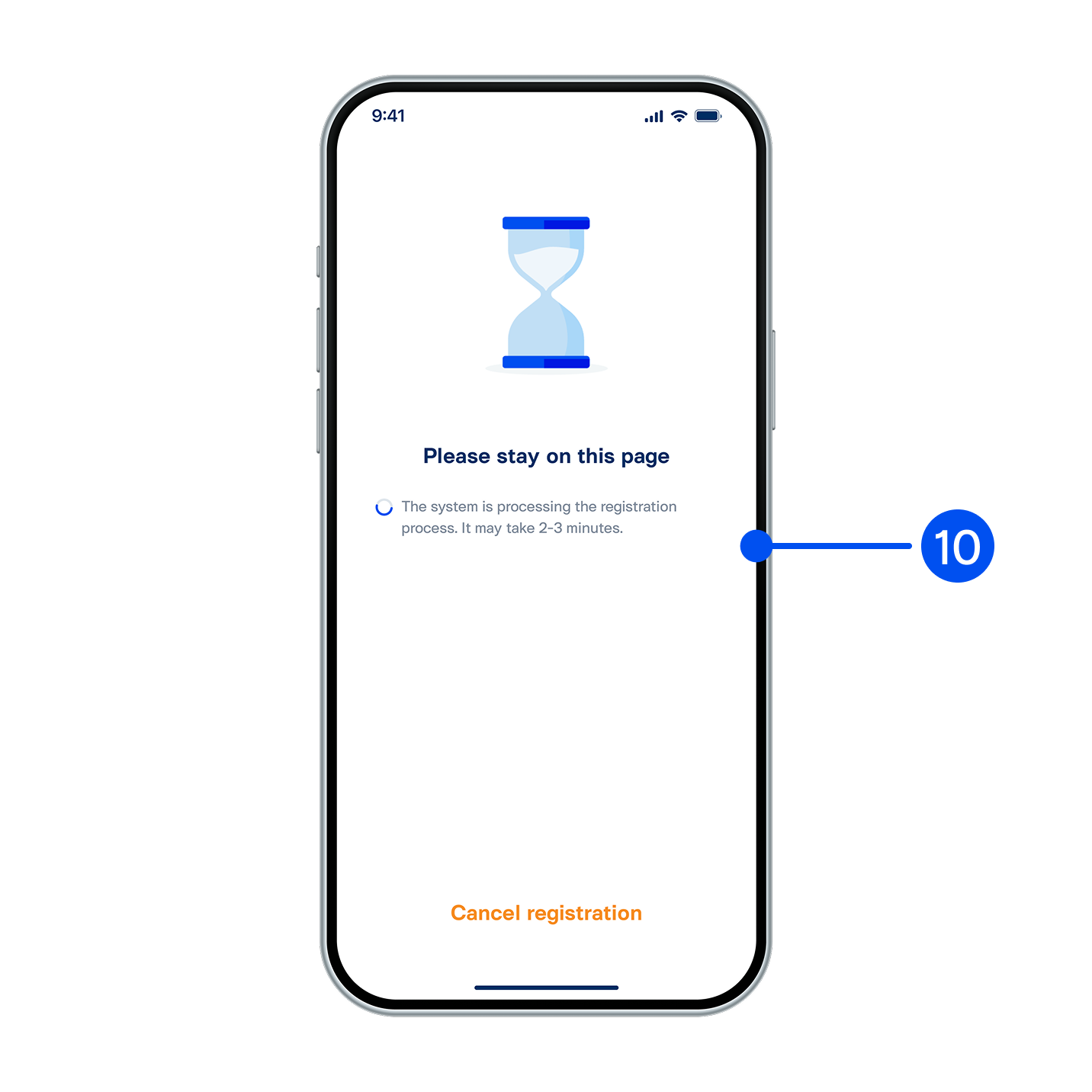
10. Your application is being processed. Please wait 2-3 minutes.
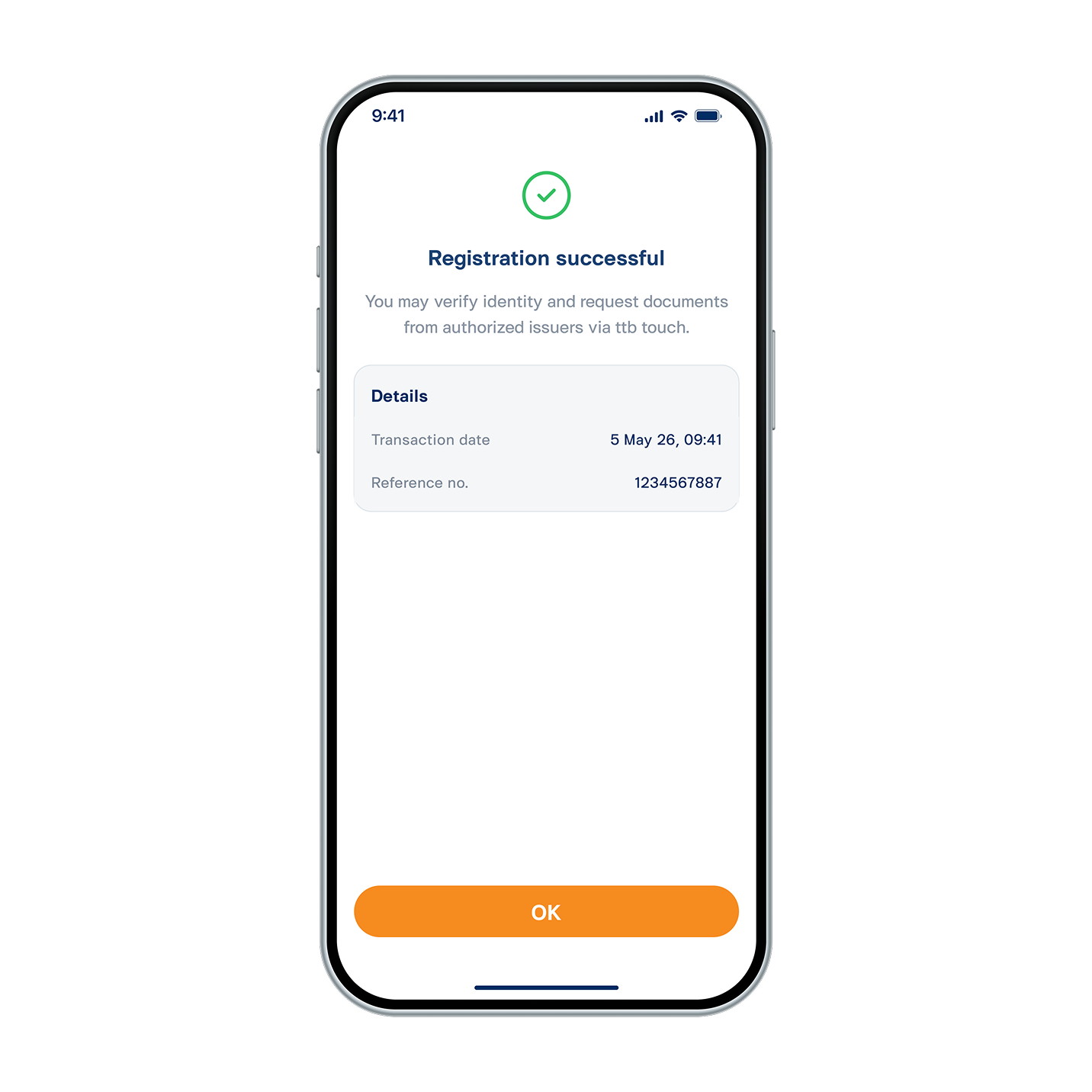
11. Applied dDocument successfully.