

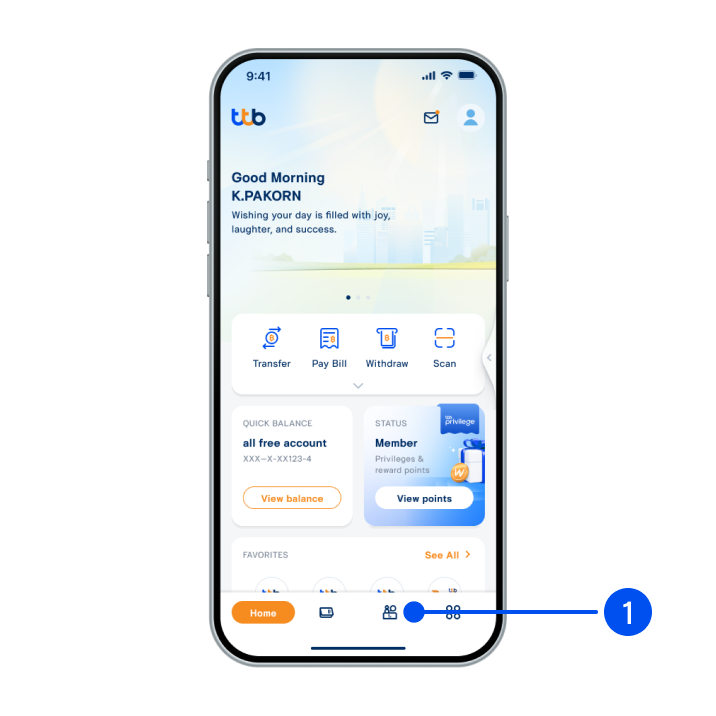
1. Select “Service”, the 3rd menu from the bottom.
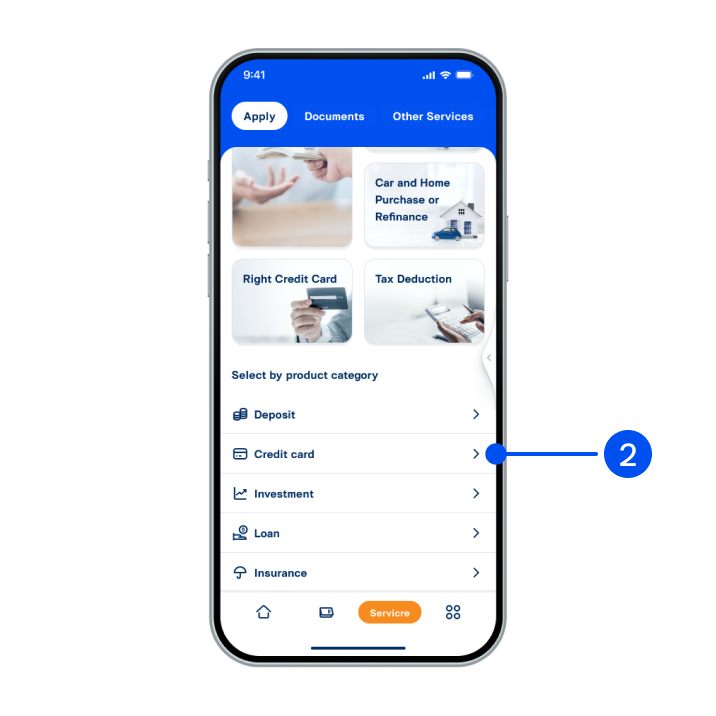
2. Scroll down, then select “Credit Card”.
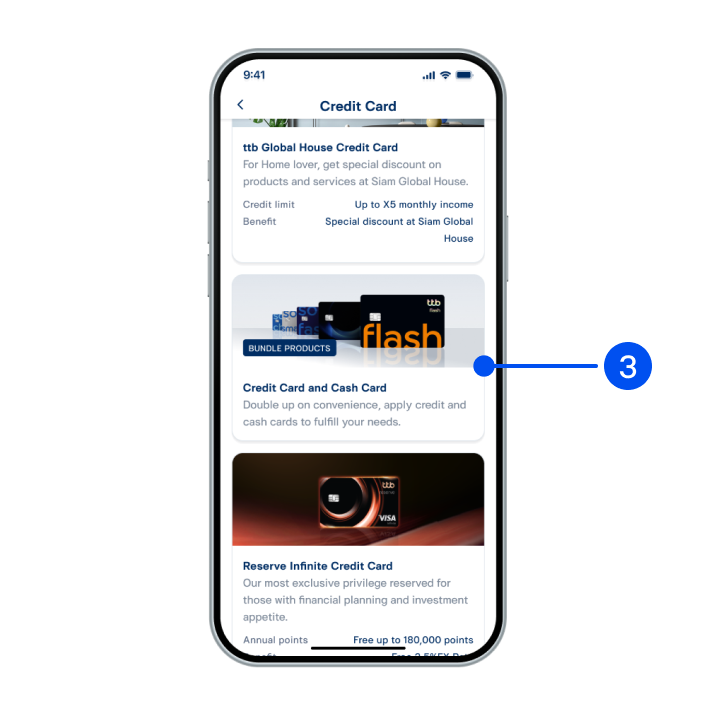
3. Select “Credit card and cash card” bundle products.
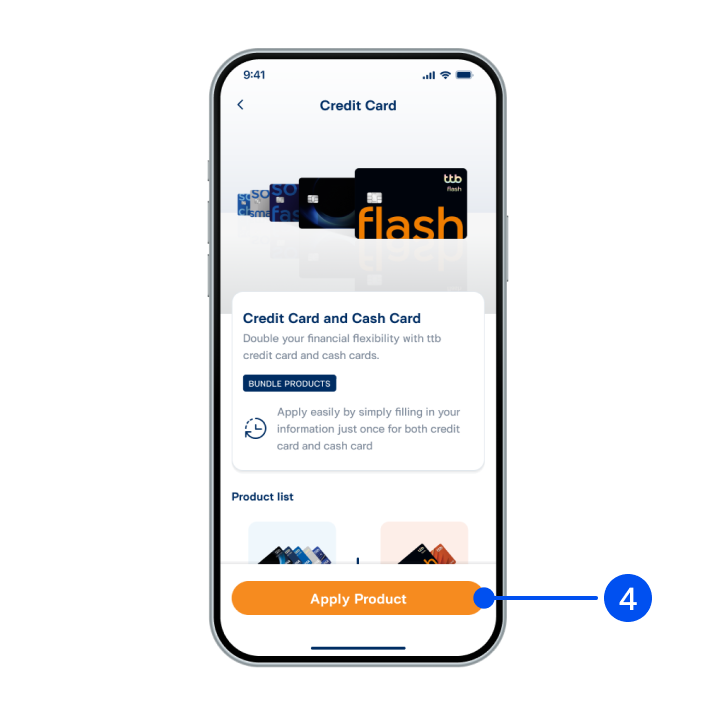
4. Read the service details, then select "Apply product".
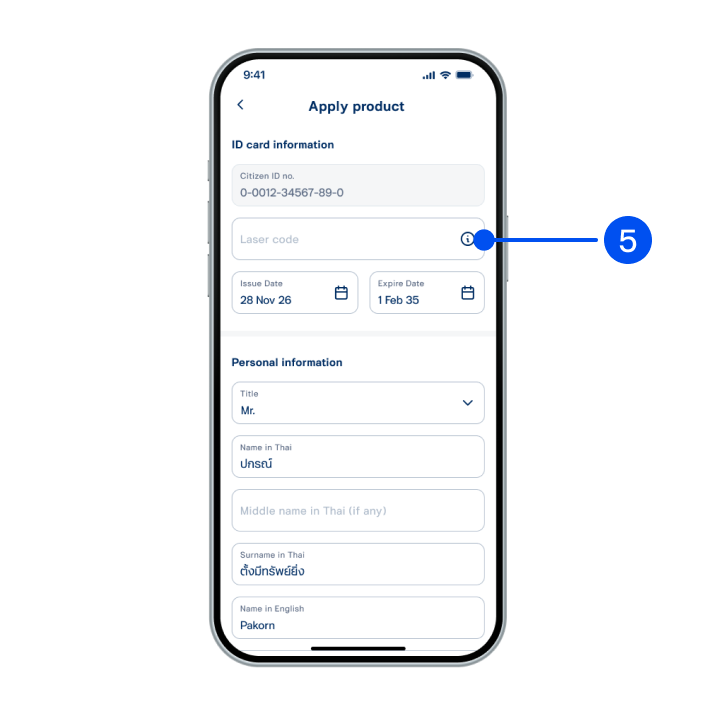
5. Enter your ID card laser code, then scroll down to select "Next".
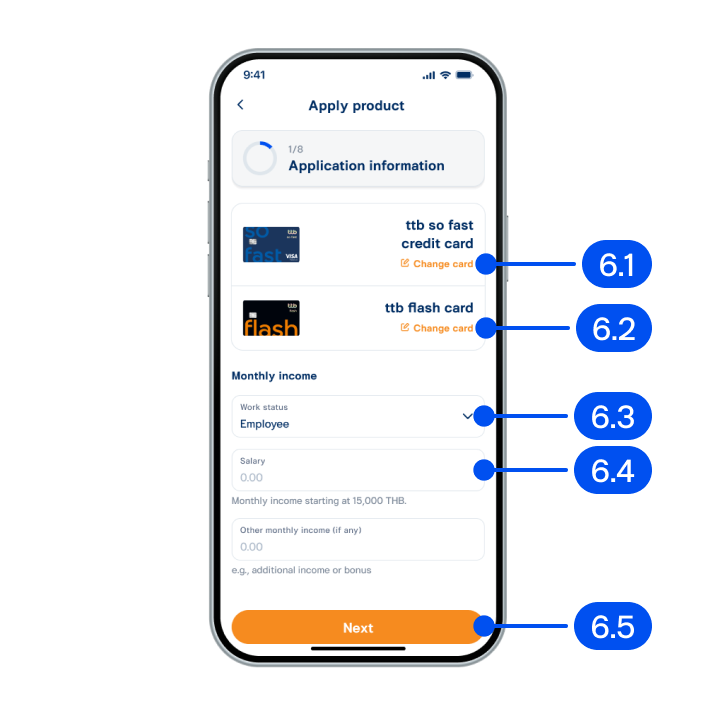
6. In income information step,
6.1) Select your preferred credit card.
6.2) Select your preferred cash card.
6.3) Select work status.
6.4) Enter salary.
6.5) Select “Next”.
6.1) Select your preferred credit card.
6.2) Select your preferred cash card.
6.3) Select work status.
6.4) Enter salary.
6.5) Select “Next”.
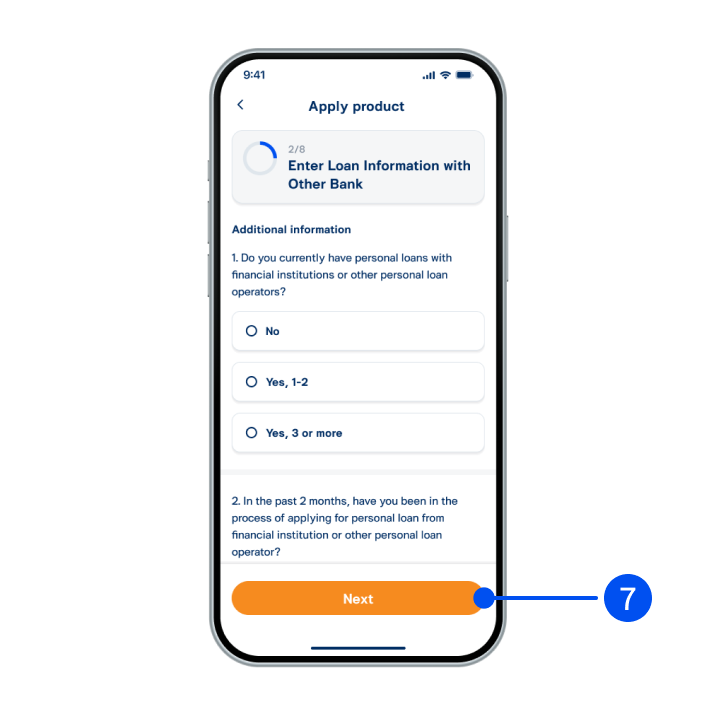
7. Enter loan information with other banks, then select "Next".
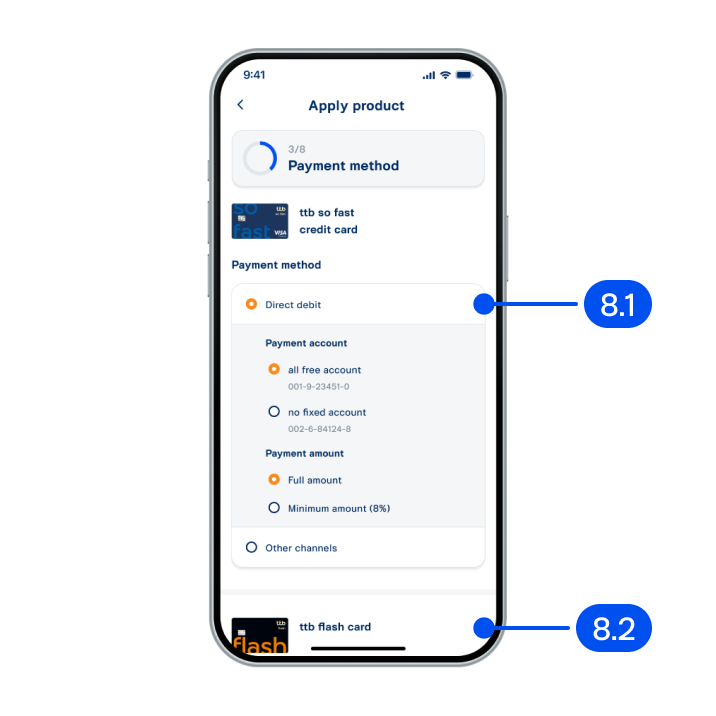
8. In payment method step,
8.1) Select credit card payment method.
8.2) Select cash card payment method. Then, select "Next".
8.1) Select credit card payment method.
8.2) Select cash card payment method. Then, select "Next".
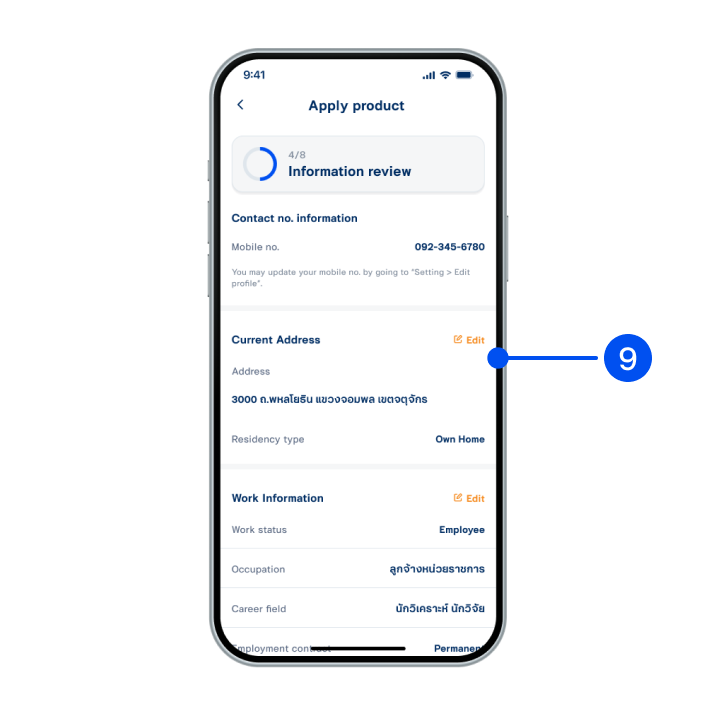
9. Review your personal information, then select “Next”.
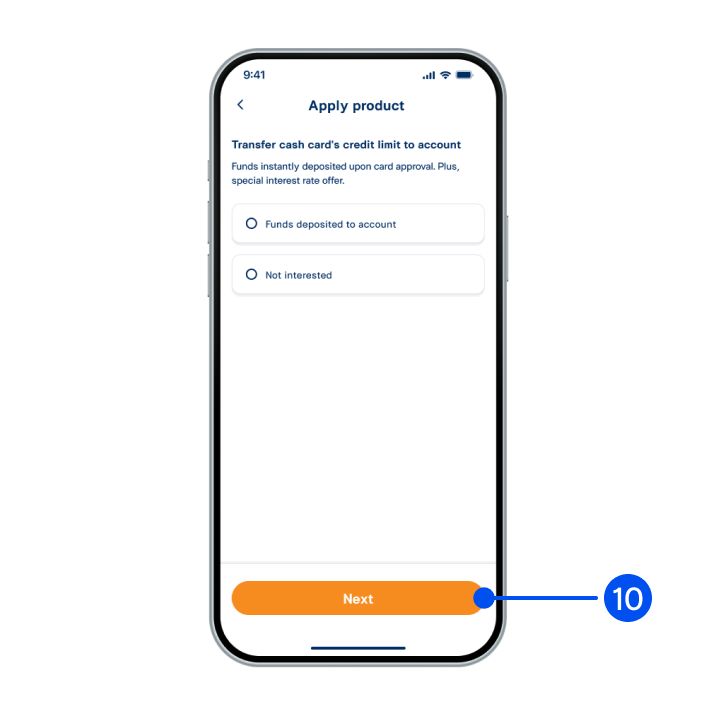
10. Read the service details. Select "Funds deposited to account" or "Not interested". Then, select "Next".
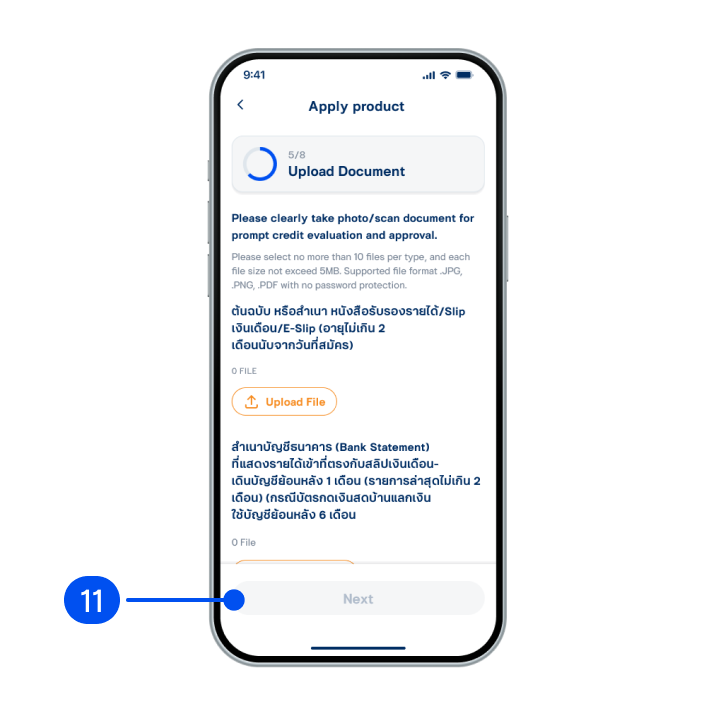
11. Upload required documents, then select "Next".
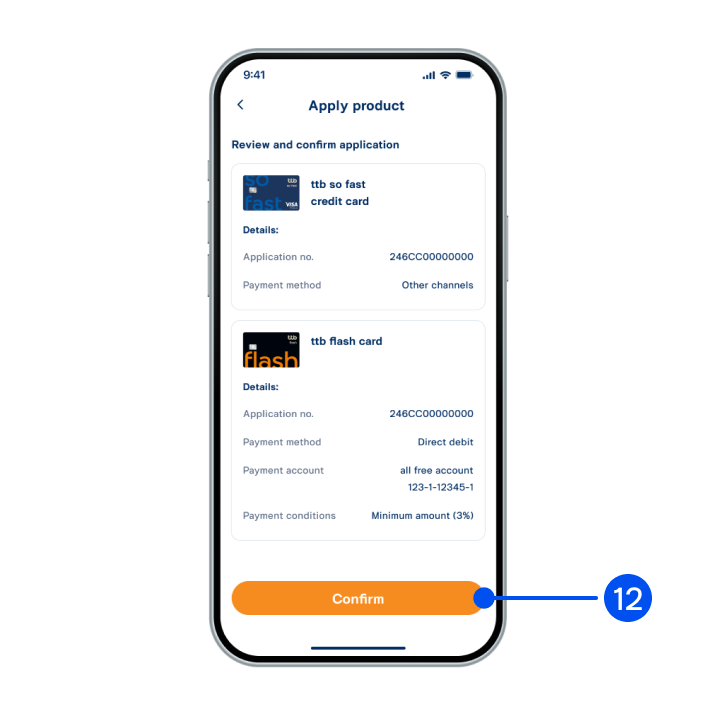
12. Review your application details, then select "Confirm".
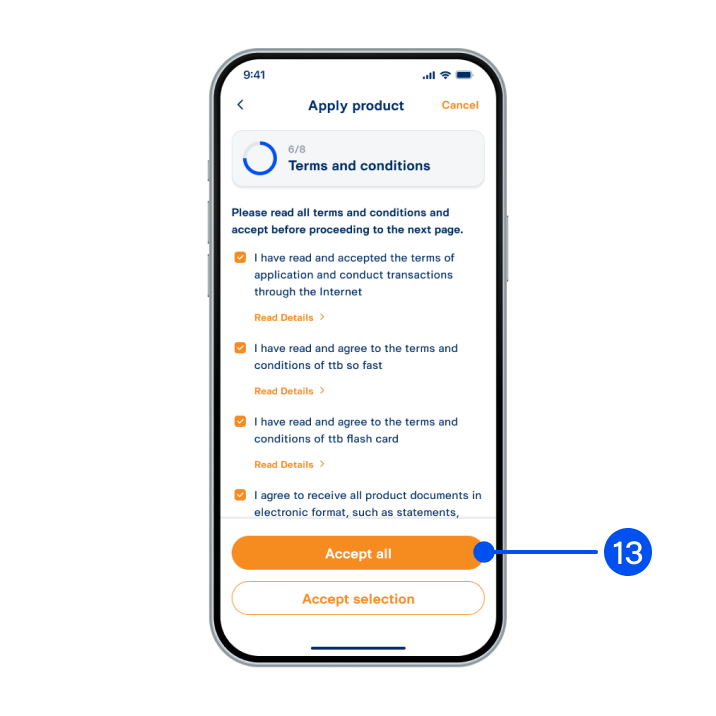
13. Read and accept terms and conditions, then select “Accept all” or “Accept selected".
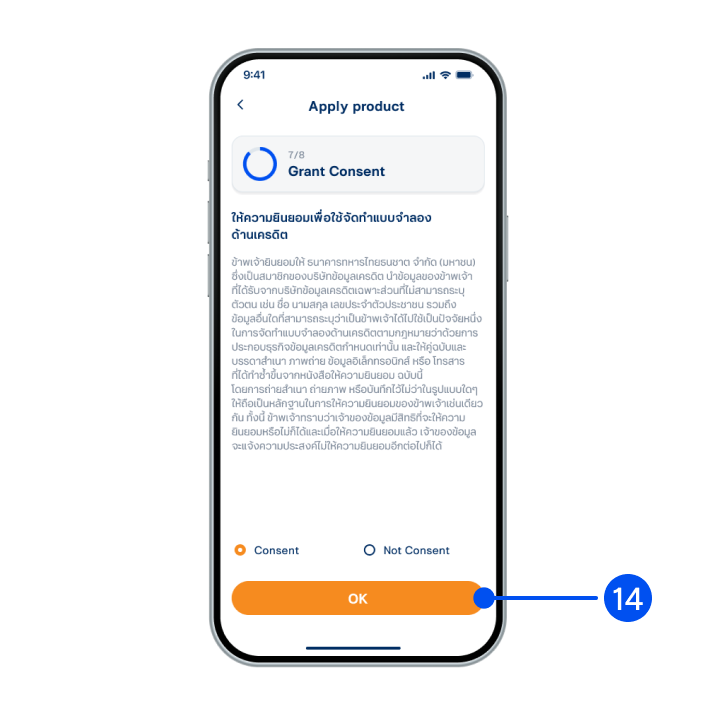
14. Grant your consent for credit modeling, then select "OK”.
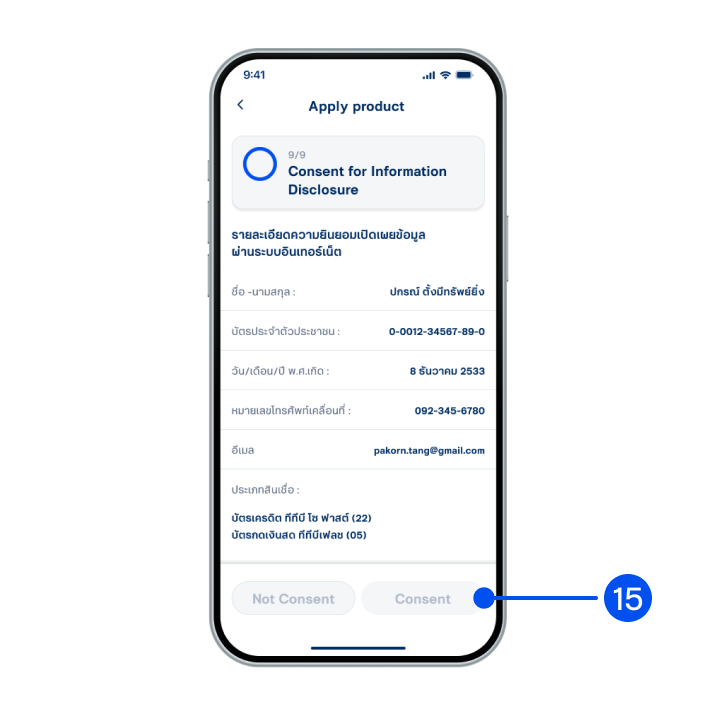
15. Read the consent details for information disclosure, then select "Consent”.
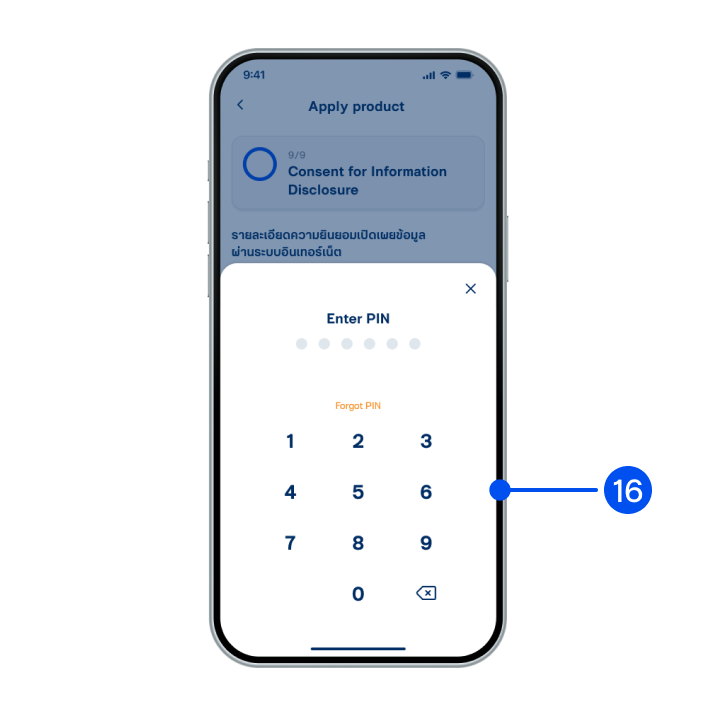
16. Enter PIN to confirm.
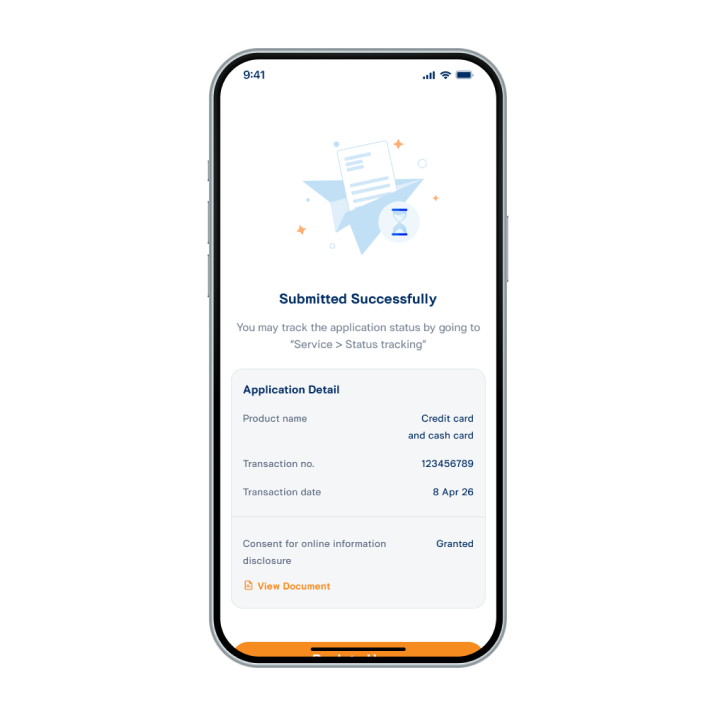
17. Applied successfully.