

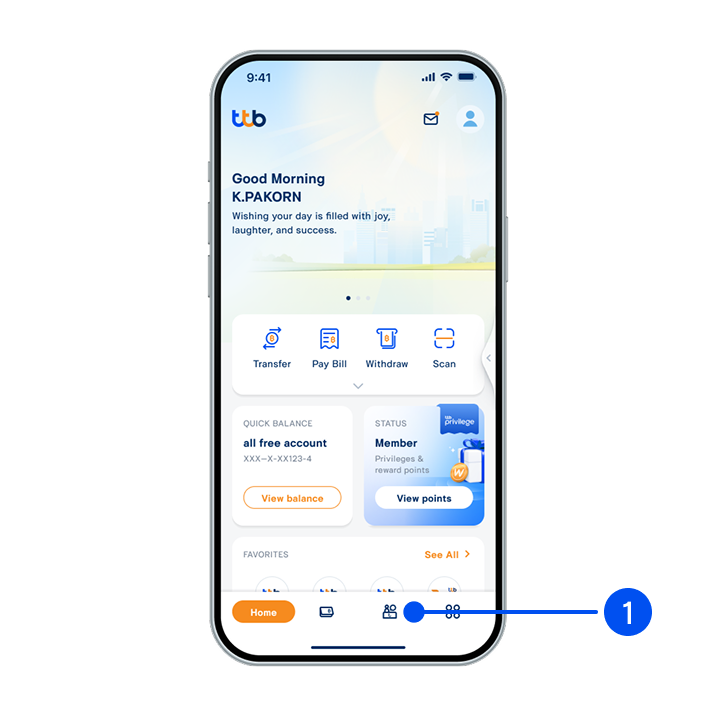
1. Select “Service”, the 3rd menu from the bottom.
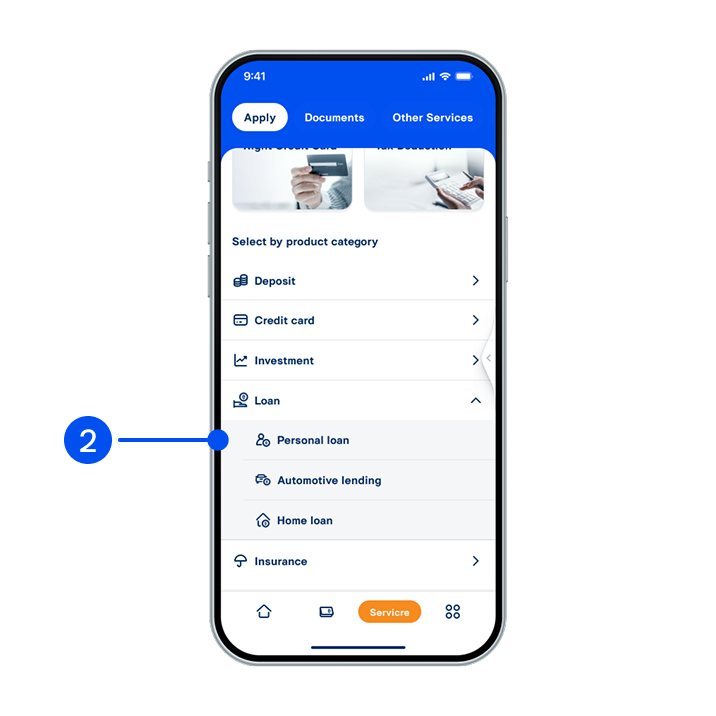
2. From Loan menu, select “Personal loan”.
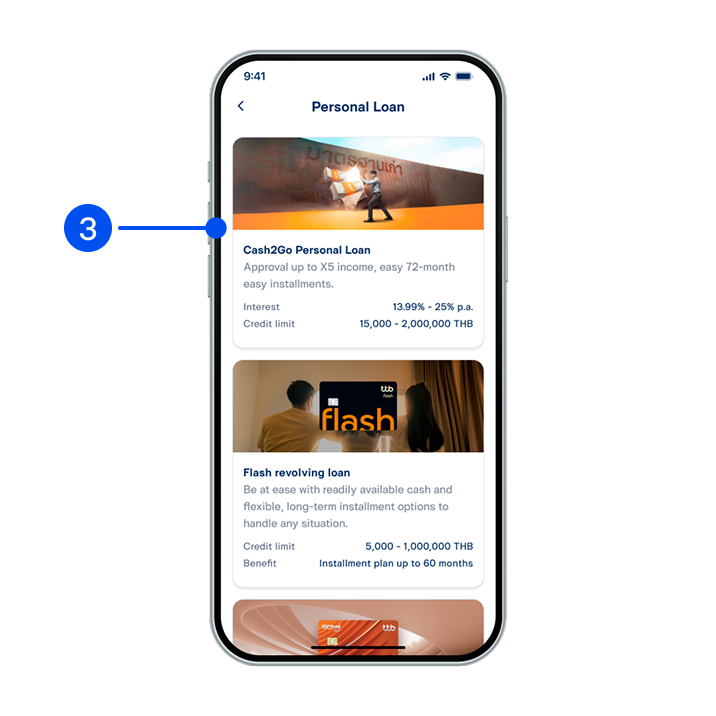
3. Select “Cash2Go Personal Loan”.
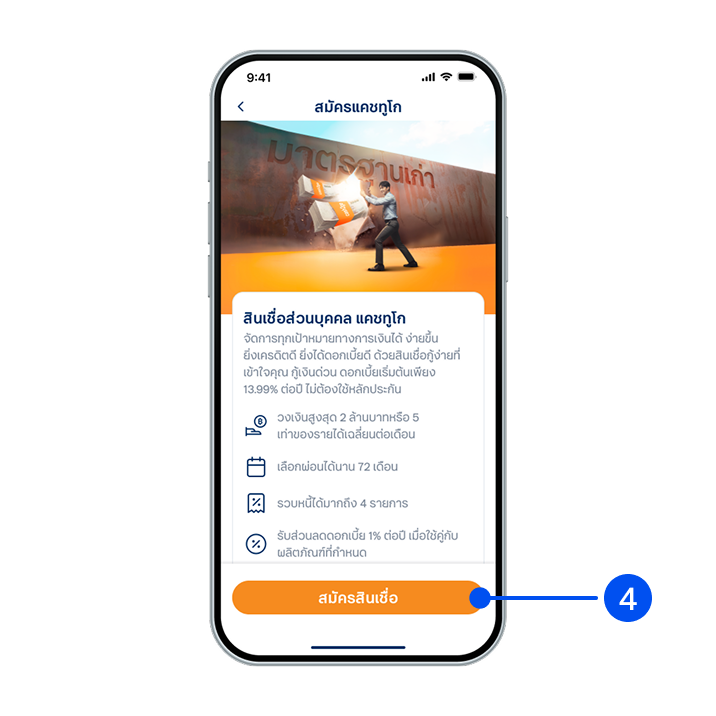
4. Read the service details, then select "Apply product".
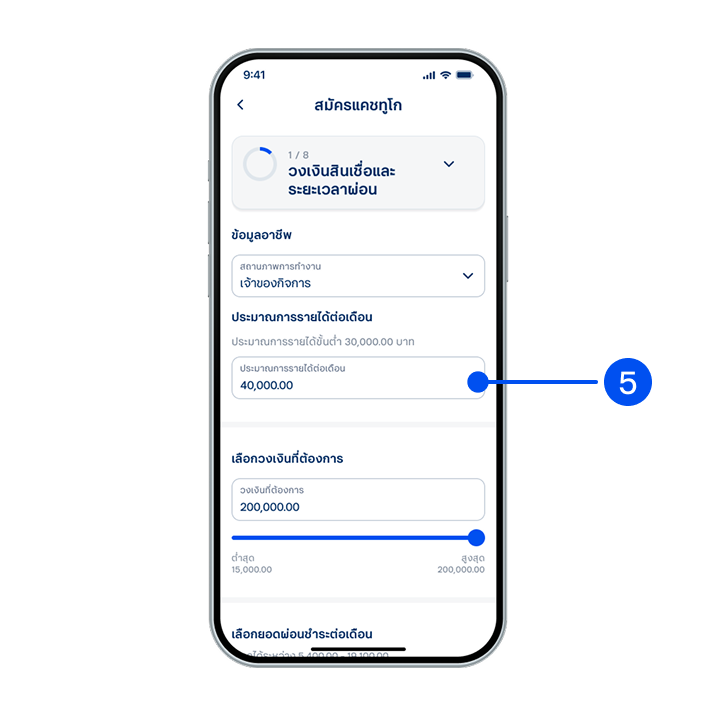
5. Enter your income details, select loan limit and monthly payment amount, then select “Next”.
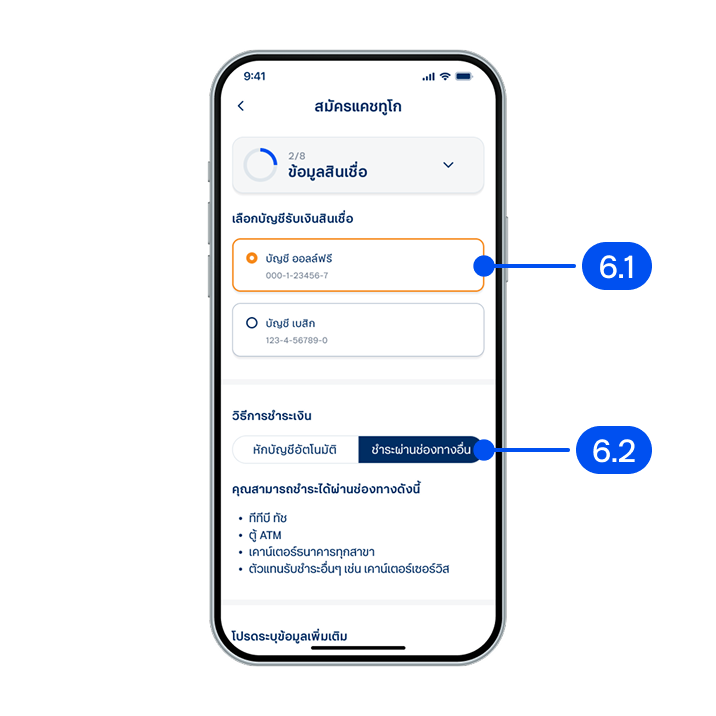
6. In the loan information entry step,
6.1) Select the account to receive loan amount.
6.2) Select the payment method, then select "Next".
6.1) Select the account to receive loan amount.
6.2) Select the payment method, then select "Next".
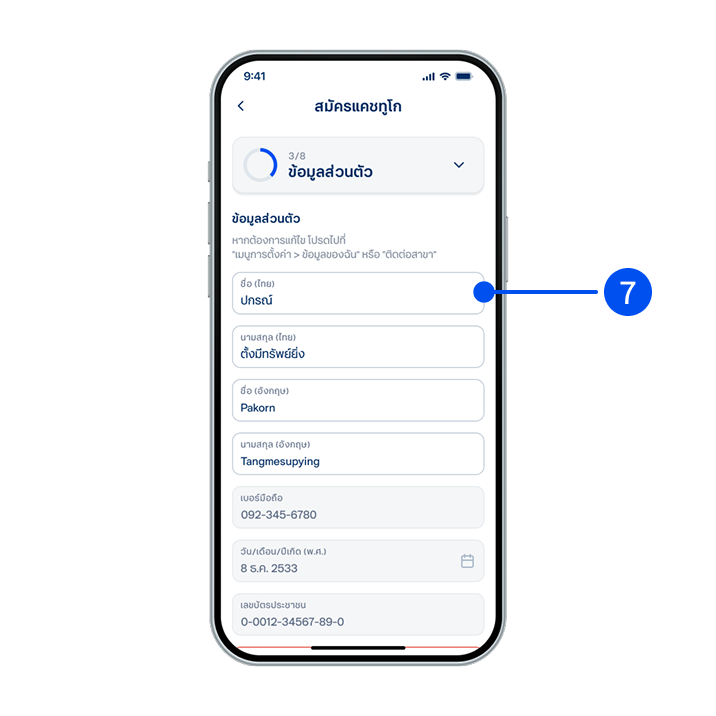
7. Enter your personal information, then select “Next”.
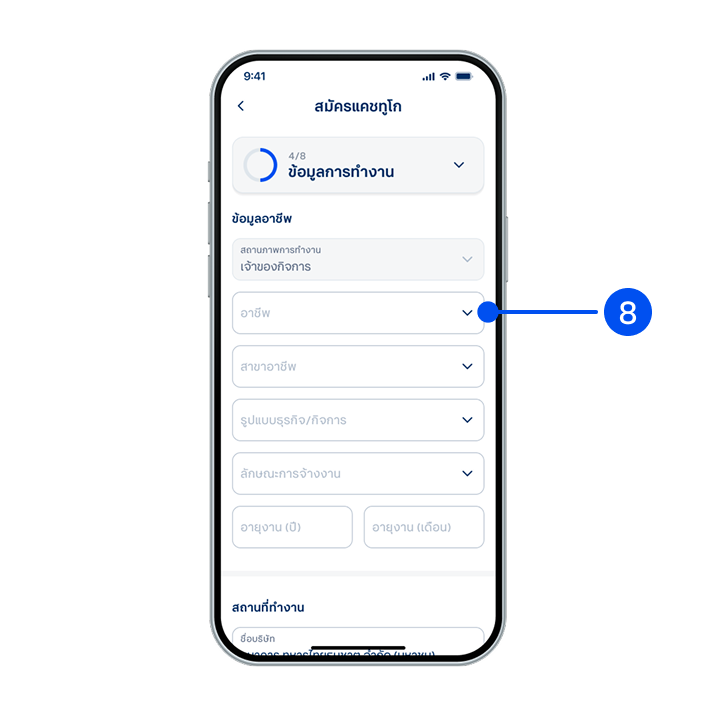
8. Enter your work information, then select “Next”.
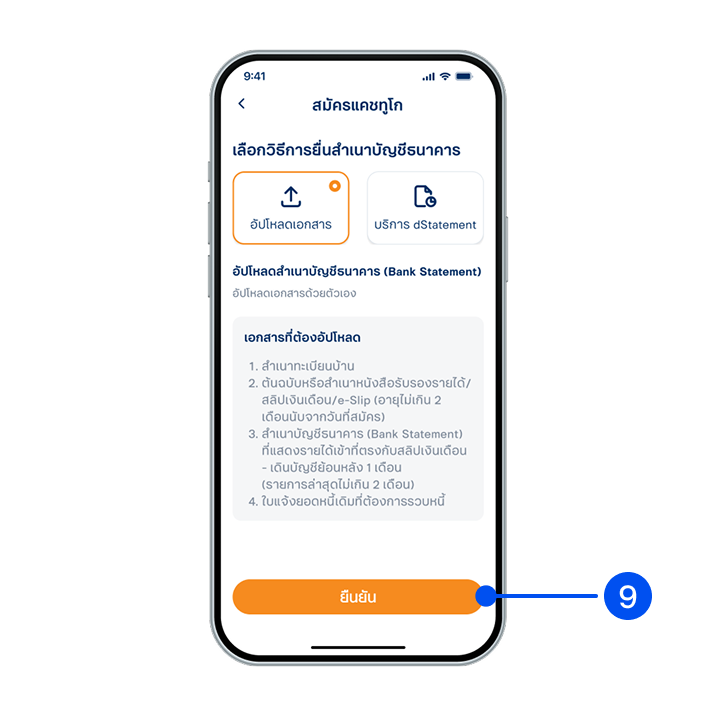
9. Select a method to submit your bank account copy, then select “Confirm”.
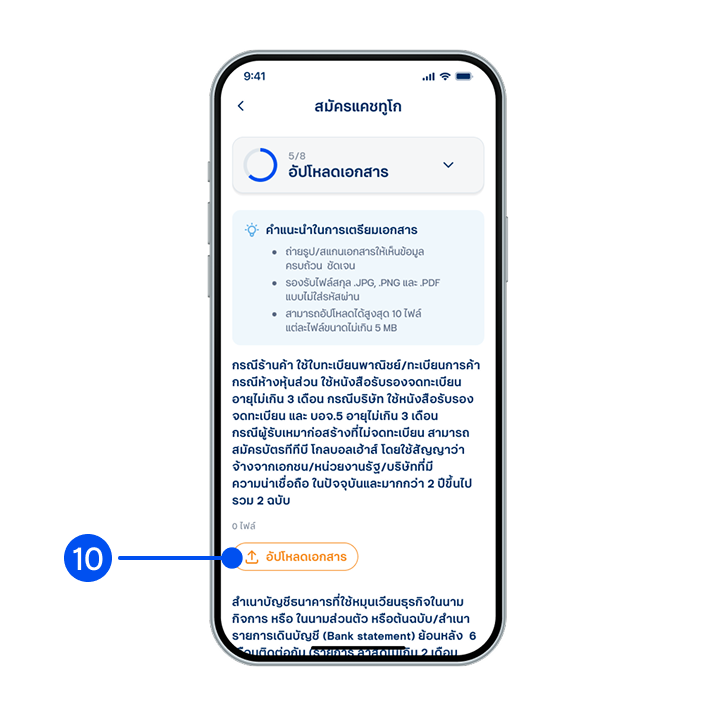
10. Upload required documents, then select "Next".
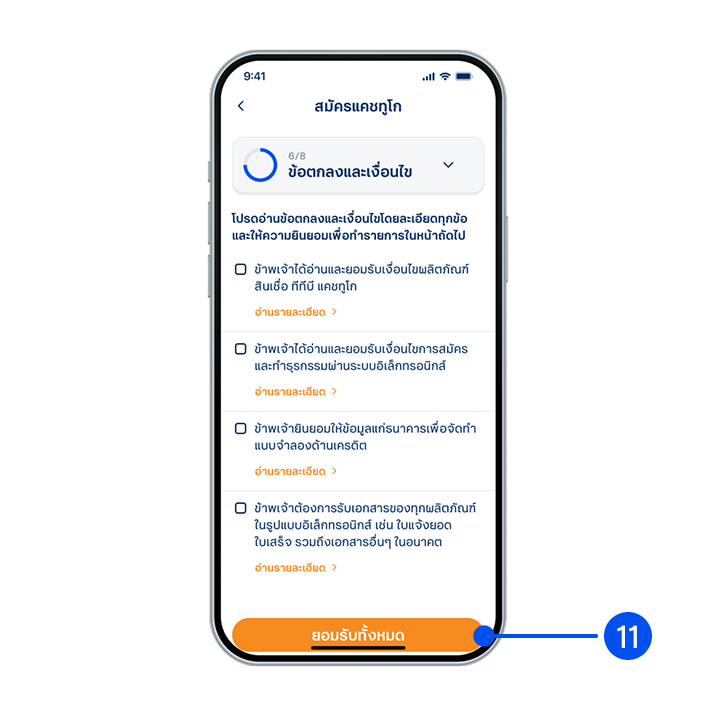
11. Read and accept terms and conditions, then select “Accept all” or “Accept selected".
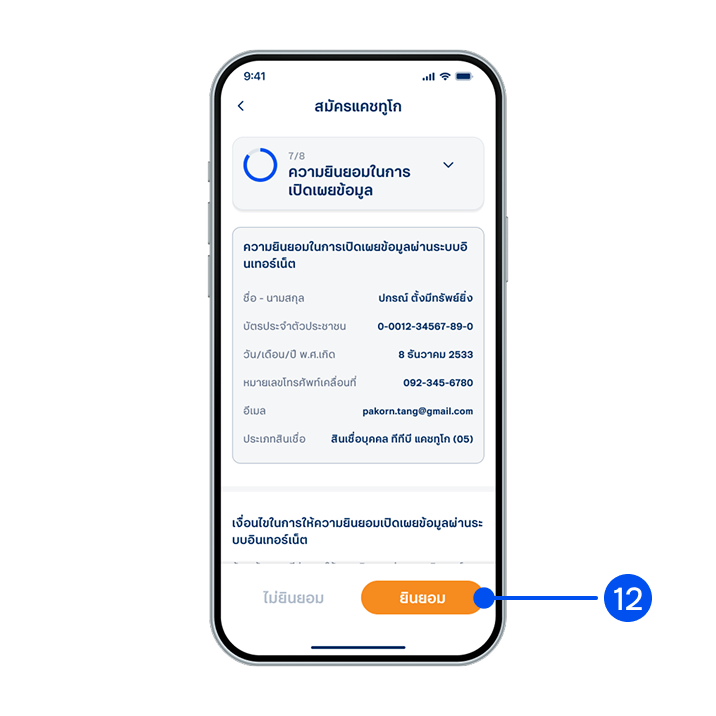
12. Read the consent details for information disclosure, then select "Consent”.
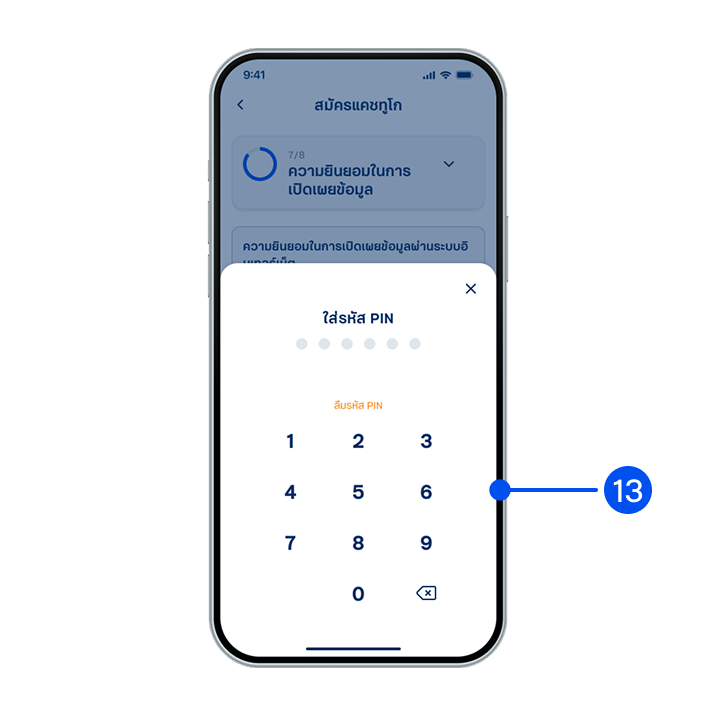
13. Enter PIN to confirm.
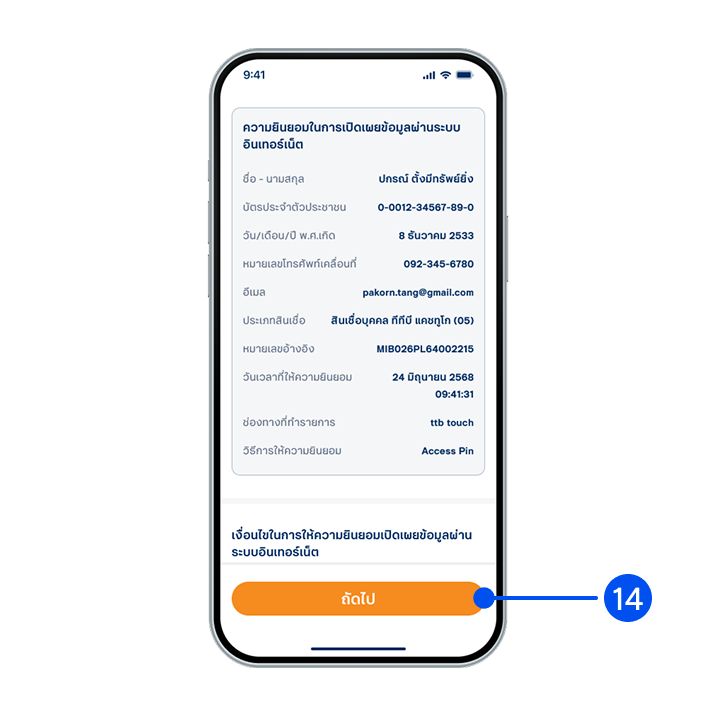
14. Select "Next”.
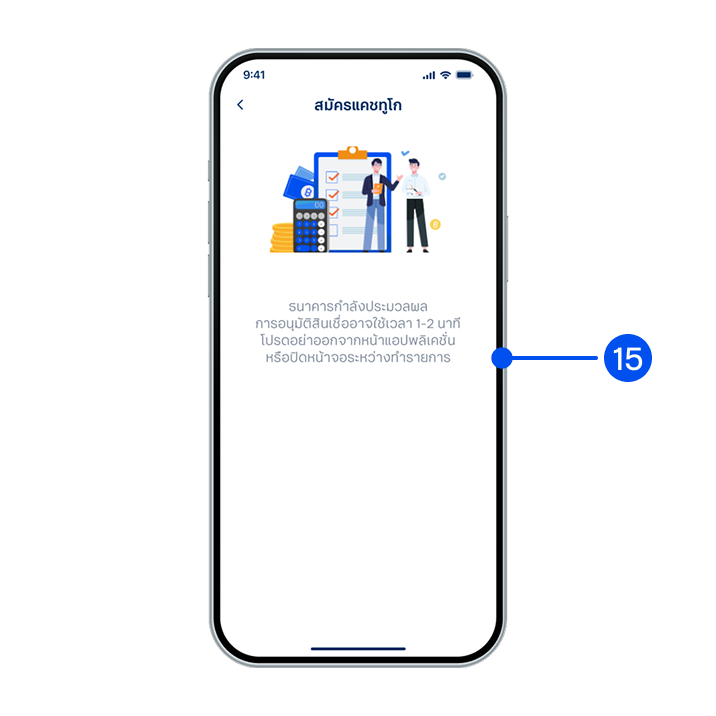
15. Your loan application is being processed. Please wait 1-2 minutes.
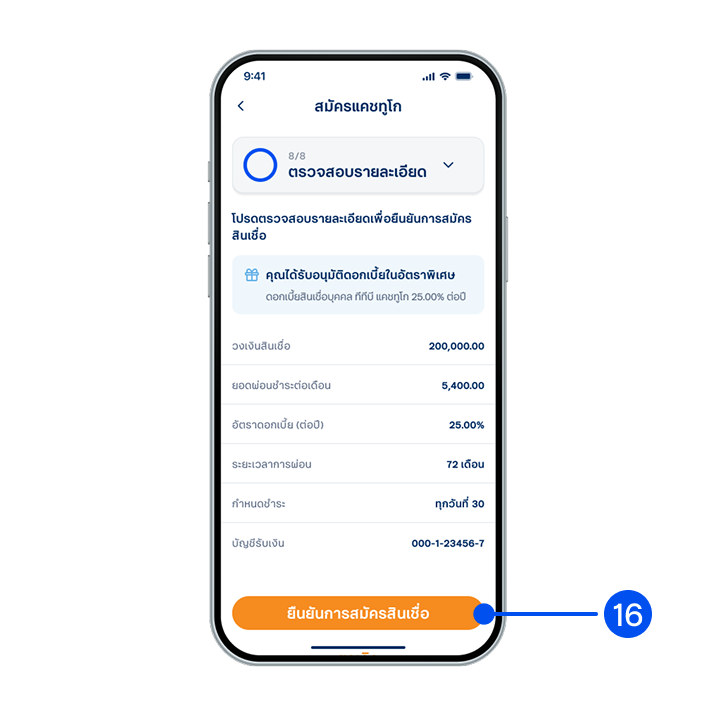
16. Review your application details, then select “Confirm application”.
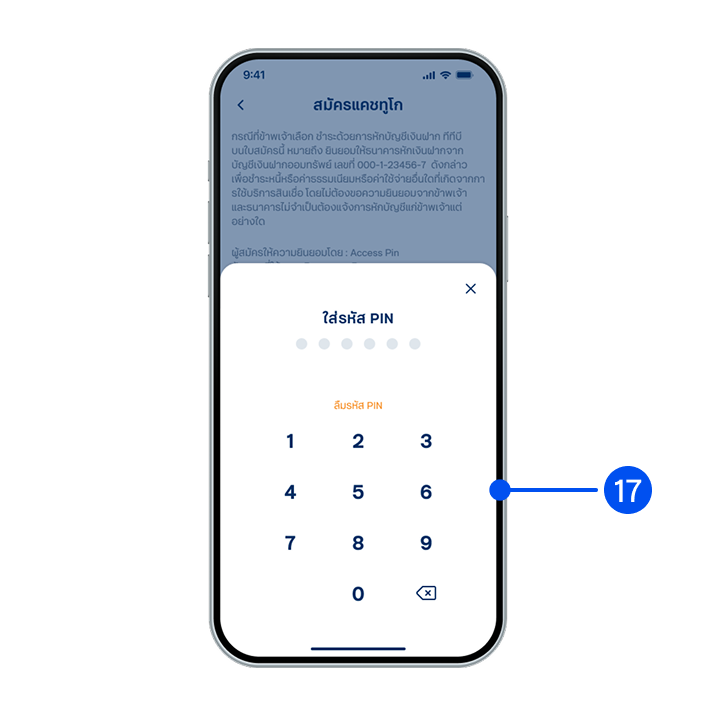
17. Enter PIN to confirm.
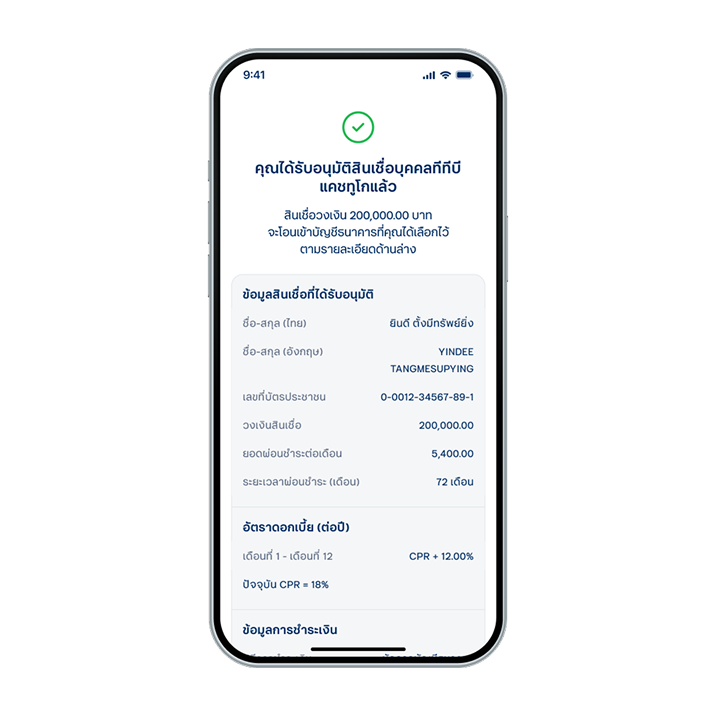
18. Applied successfully.