

external-popup-close

You are being redirected to

https://www.ttbbank.com/

Proceed

Adjust daily transaction limit

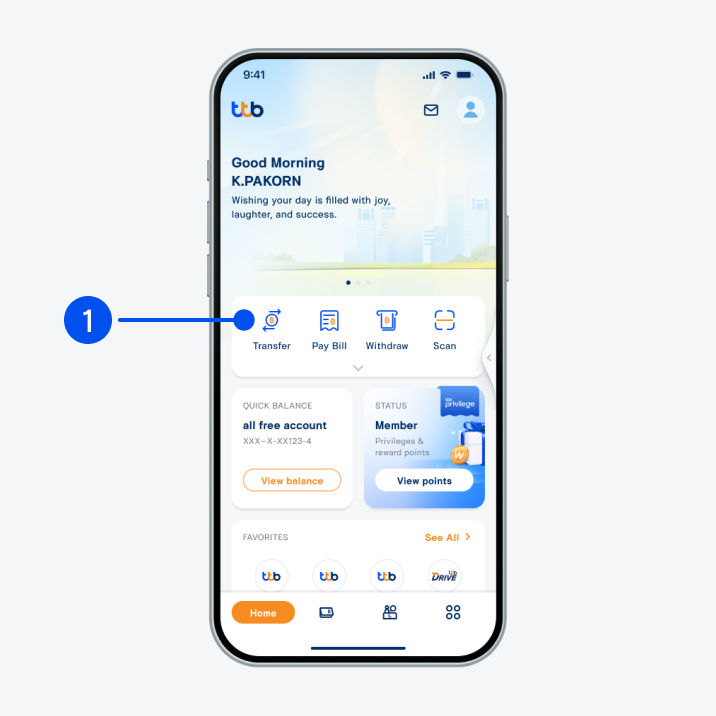
1. Select “Transfer”.
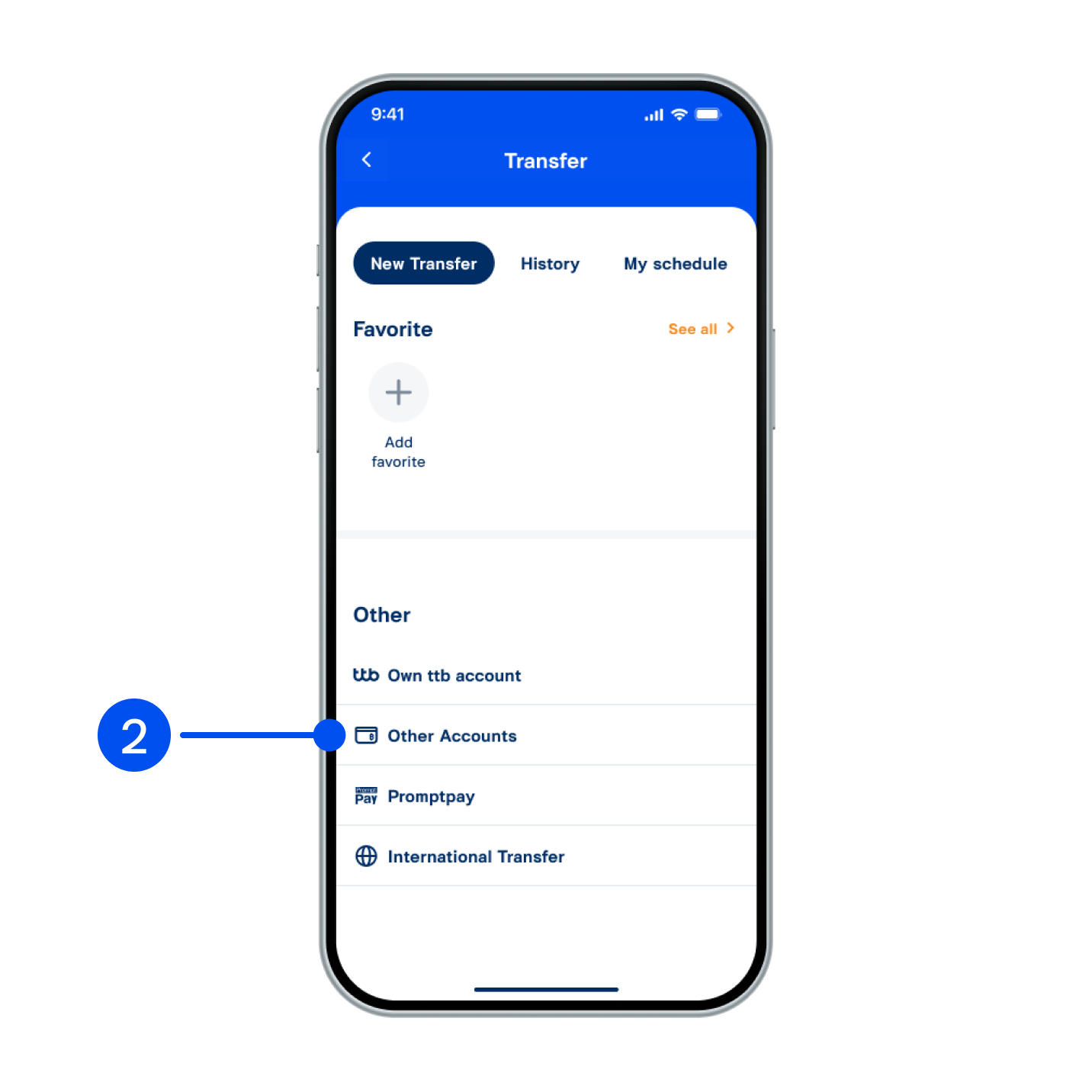
2. Select “Other accounts”.
3. Select “Set daily transaction limit”.
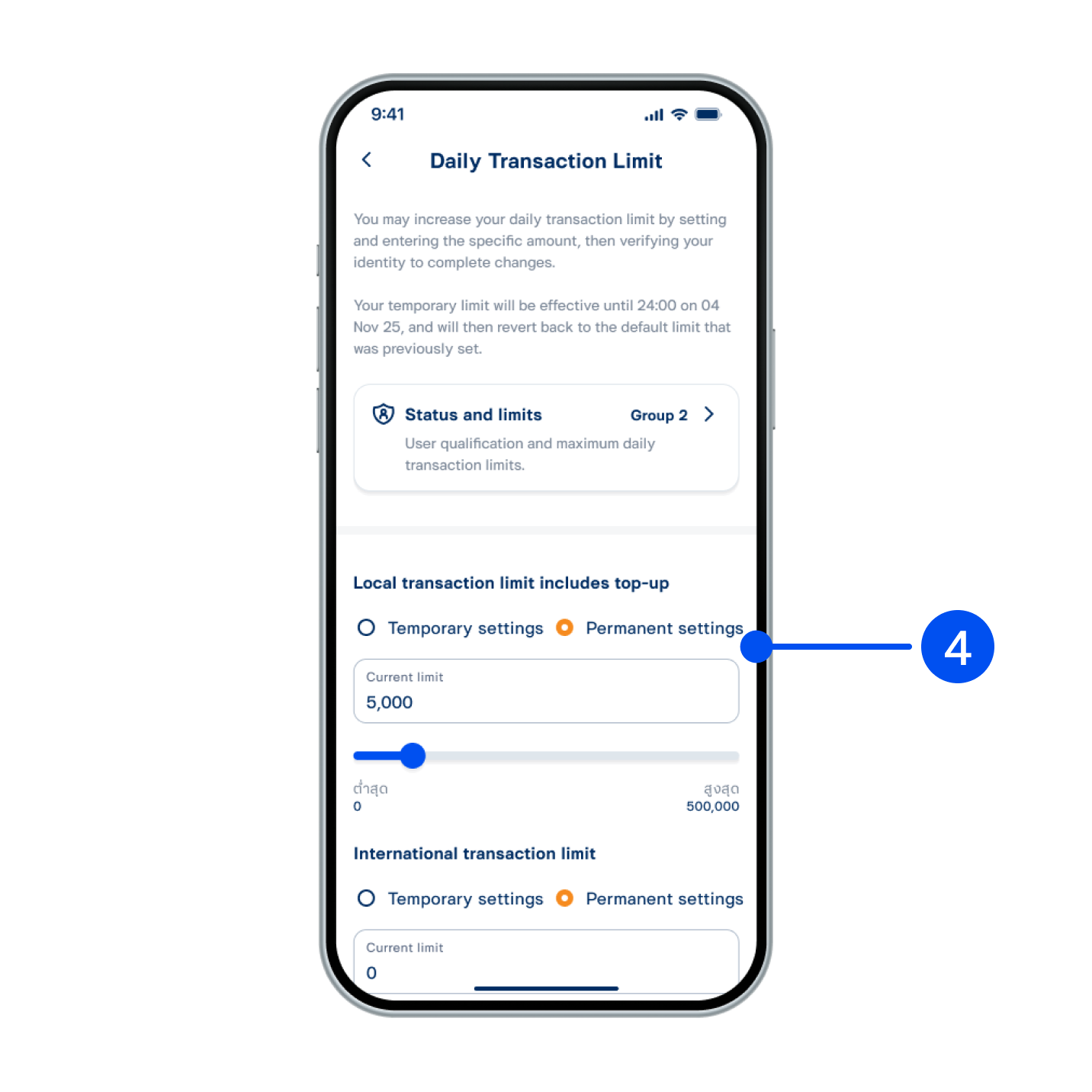
4. Select Temporary/Permanent settings, then slide the bar to adjust the limit and select “Save”.
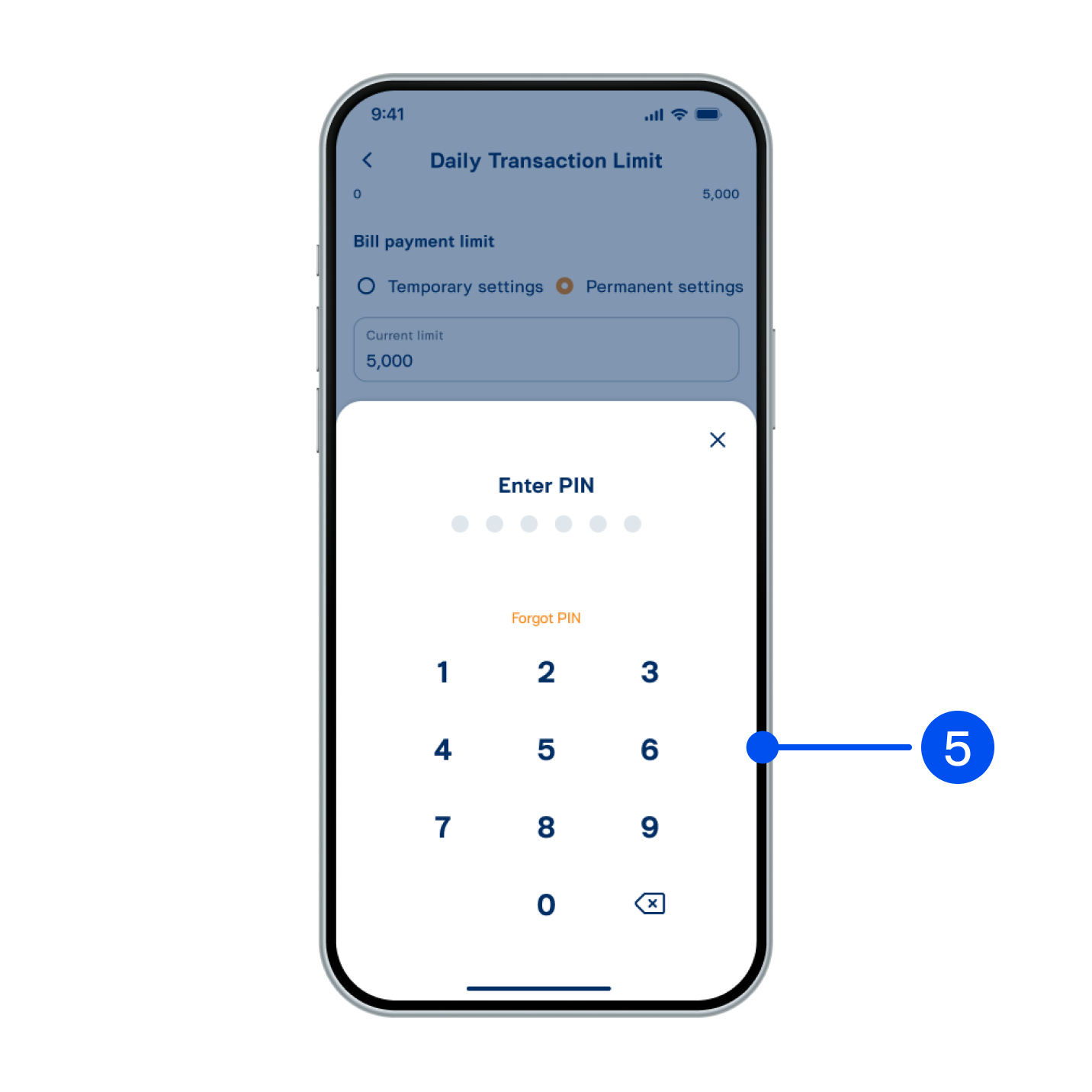
5. Enter PIN to confirm.
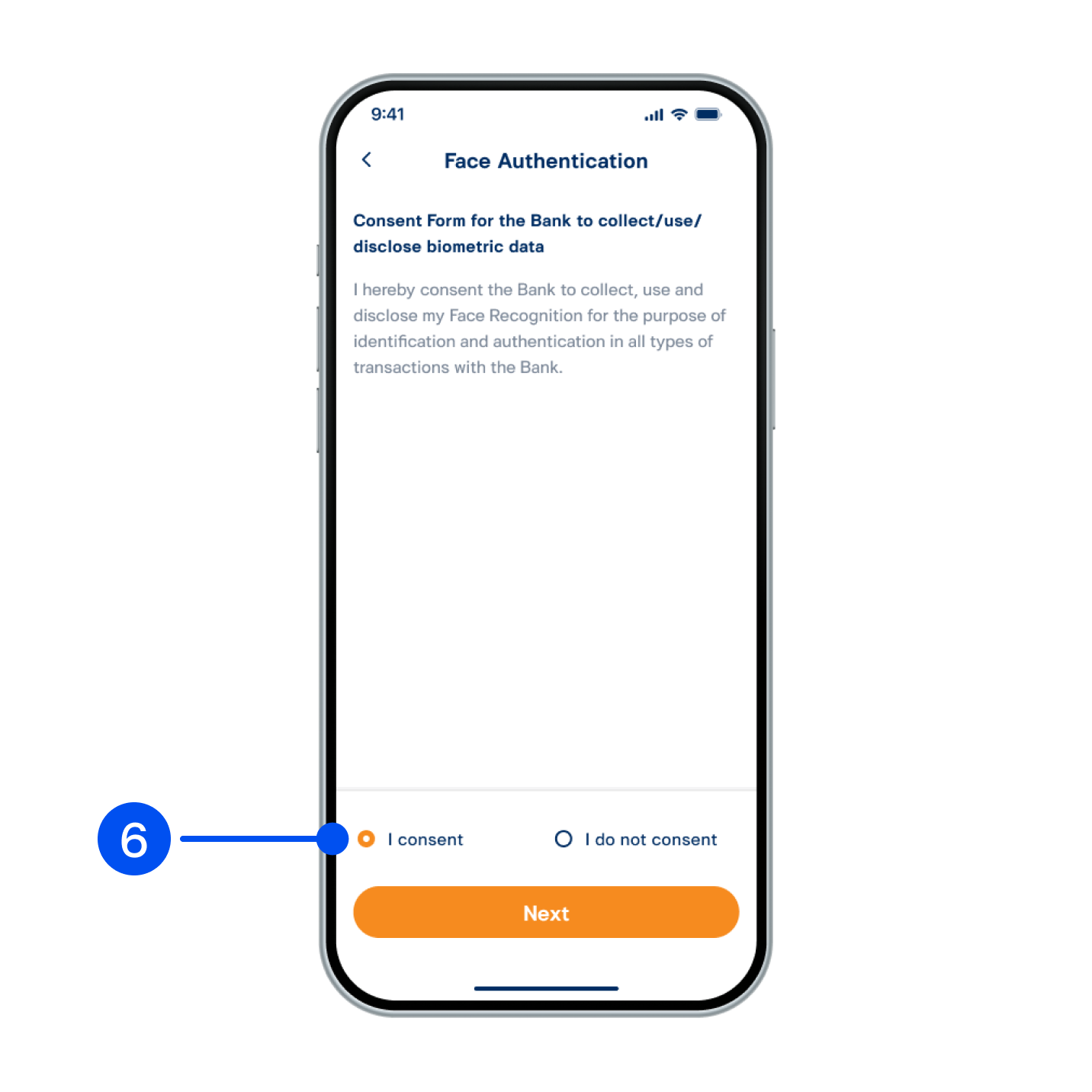
6. Select I Consent to allow ttb to collect/use/disclose your biometric data, then select Next.
6. Select "I Consent" to allow ttb to collect/use/disclose your biometric data, then select "Next".
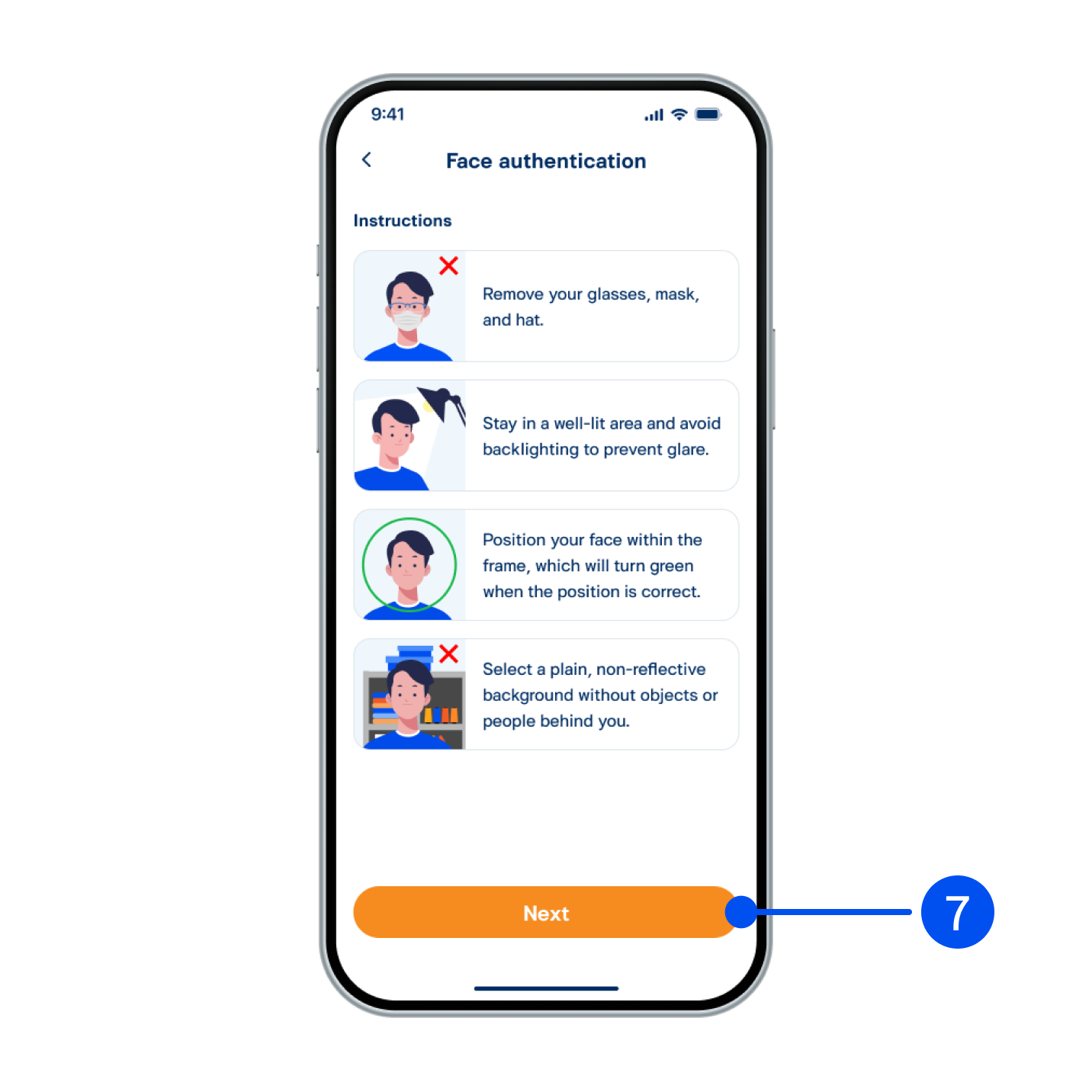
7. Read the face authentication instructions, then select Next”.
7. Read the face authentication instructions, then select "Next”.
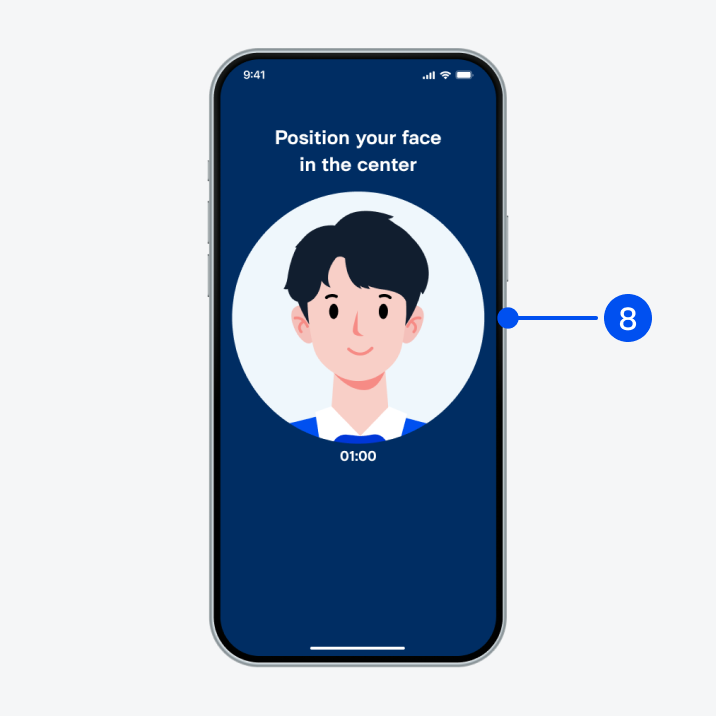
8. Adjust your face within the frame for facial comparison.
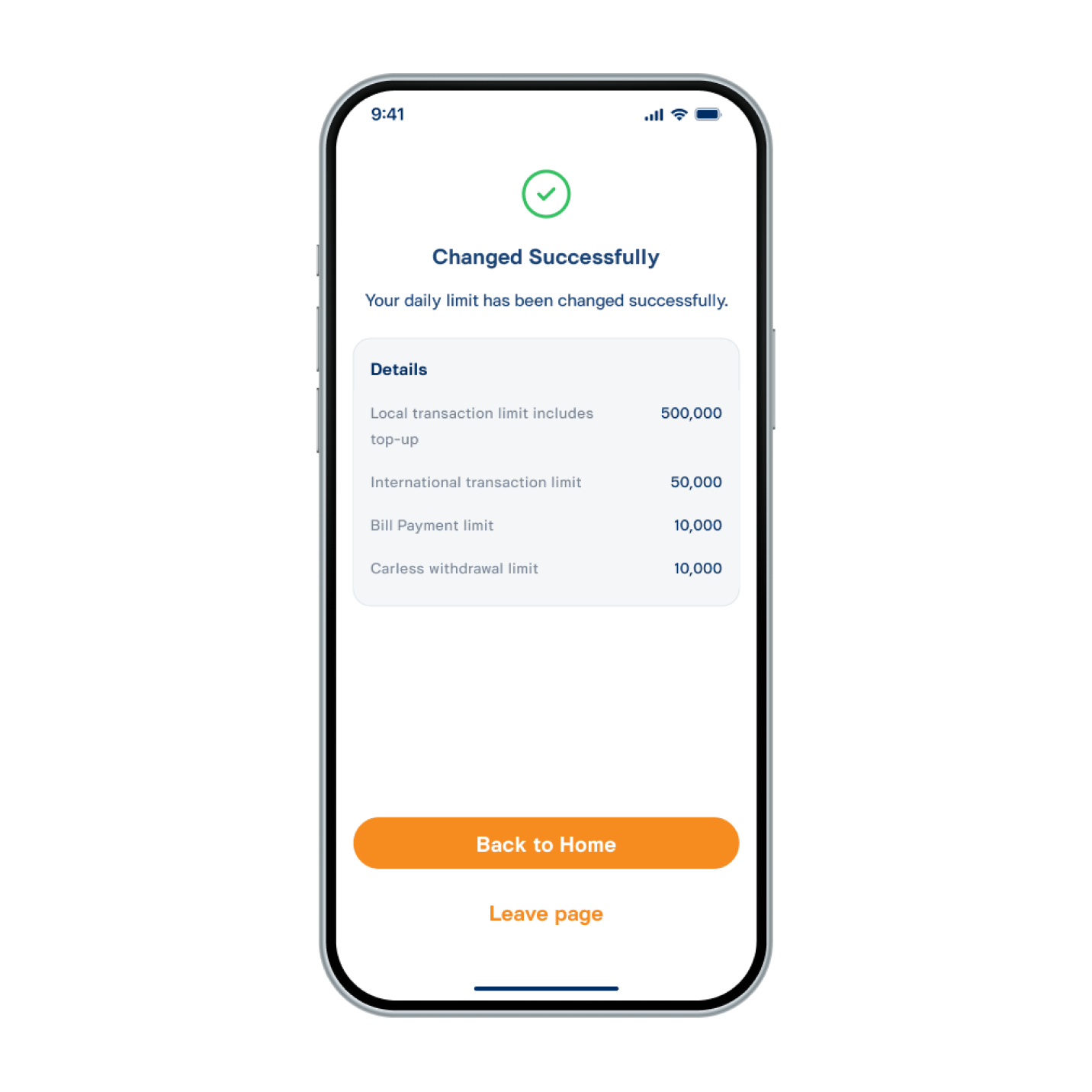
9. Adjusted daily transaction limit successfully.