

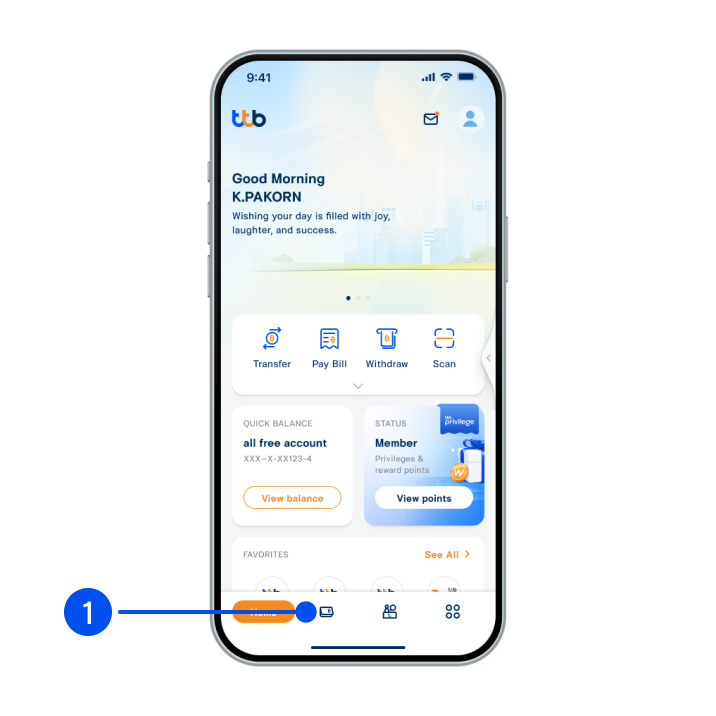
1. Select “Account”, the 2nd menu from the bottom.
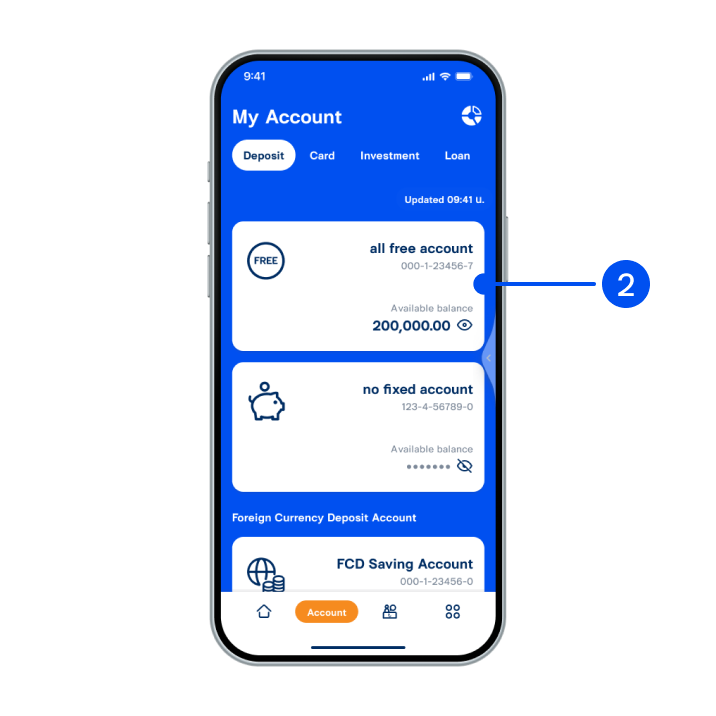
2. Select “all free account”.
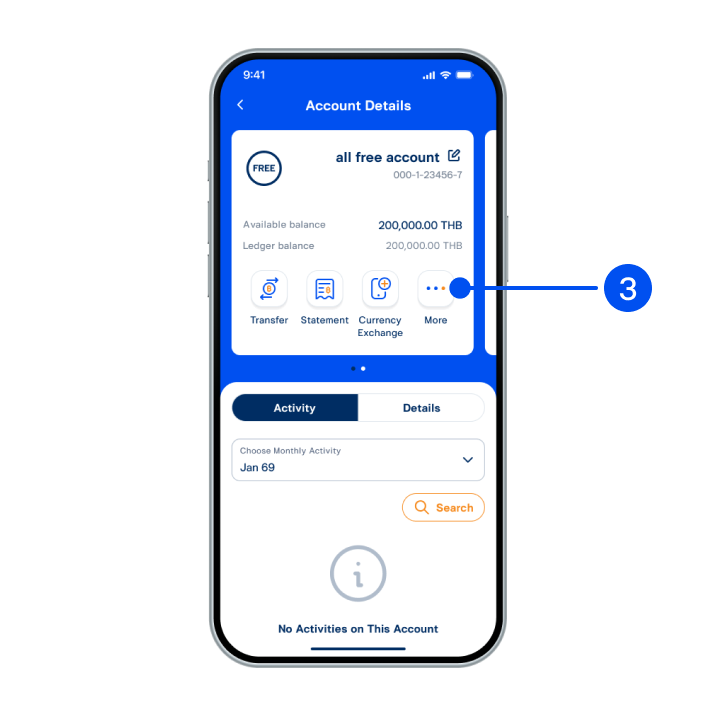
3. Select “More”.
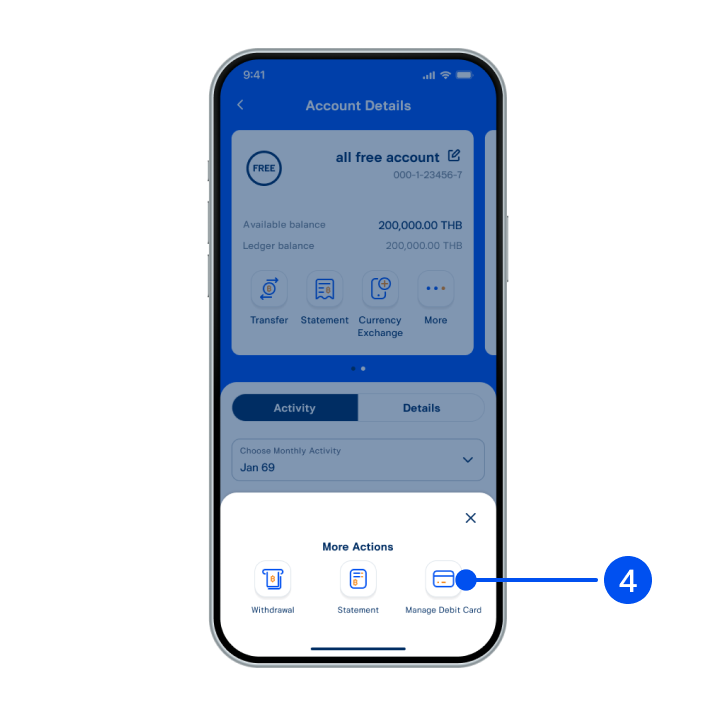
4. Select “Manage debit card”.
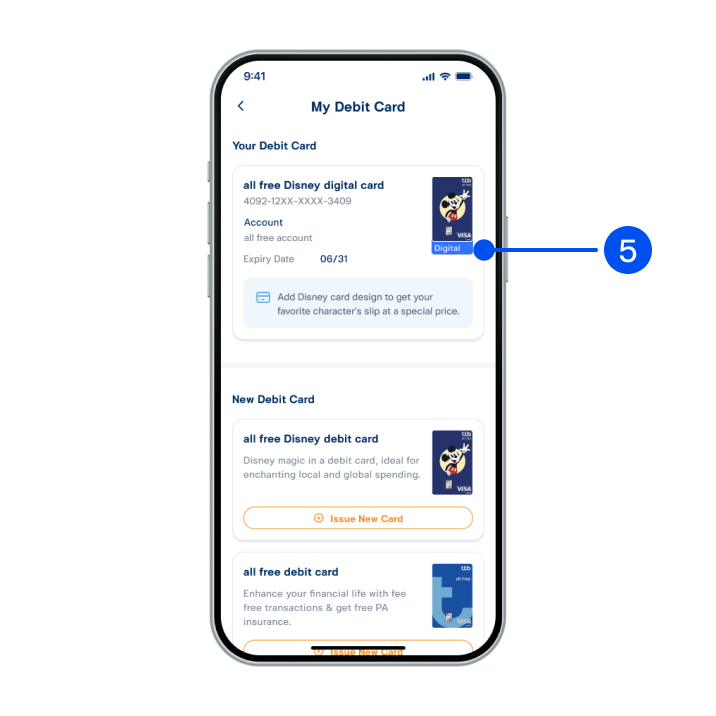
5. Select “all free Disney digital card”.
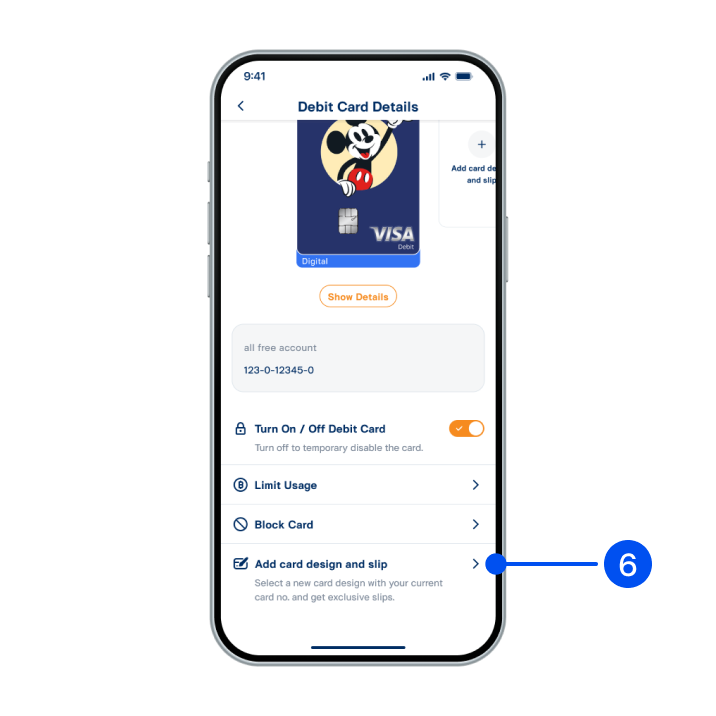
6. Scroll down, then select “Add card design and slip”.
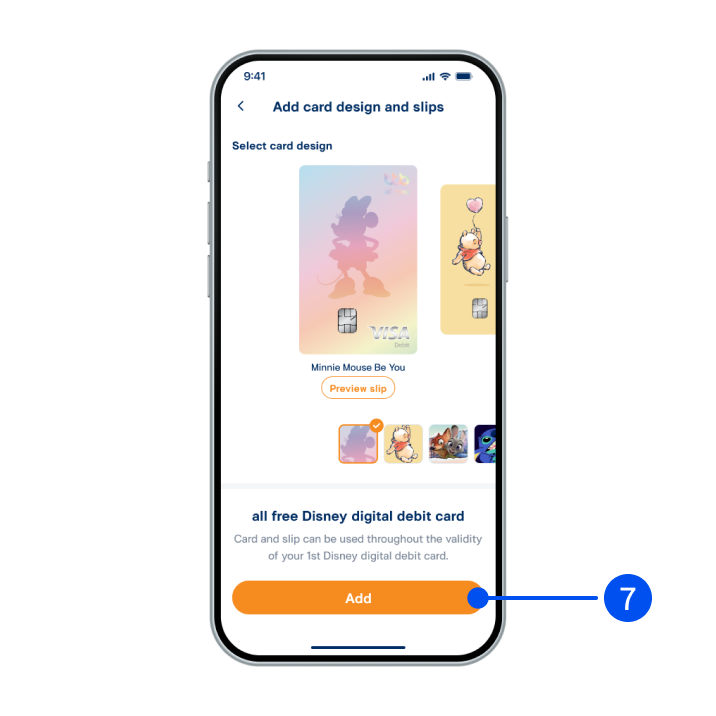
7. Select your preferred card design, then select “Add”.
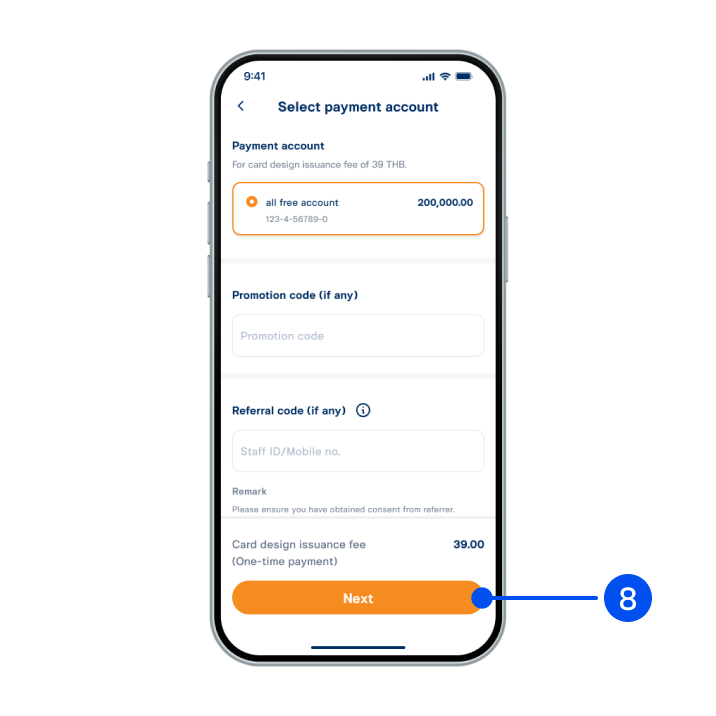
8. Select payment account for your card design fee, then select “Next”.
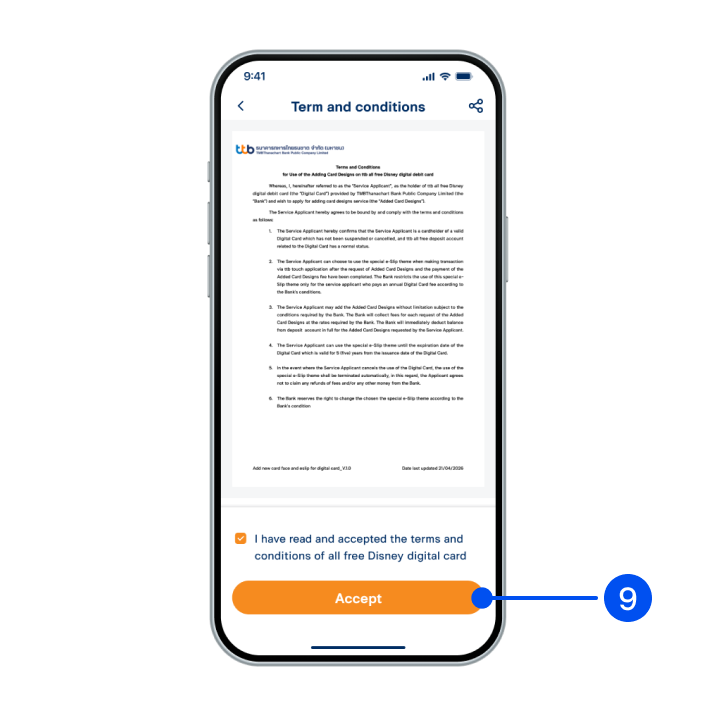
9. Read and accept terms and conditions, then select “Accept”.
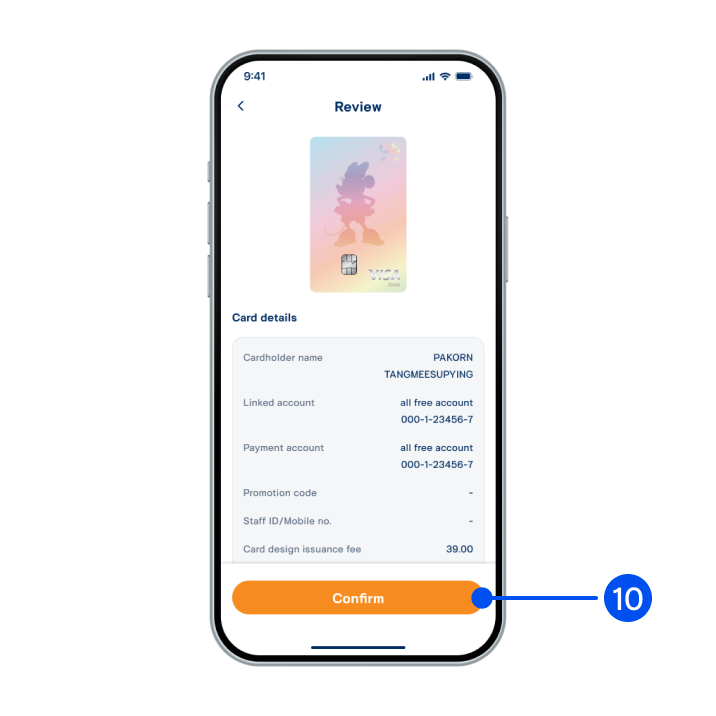
10. Review card details, then select “Confirm”.
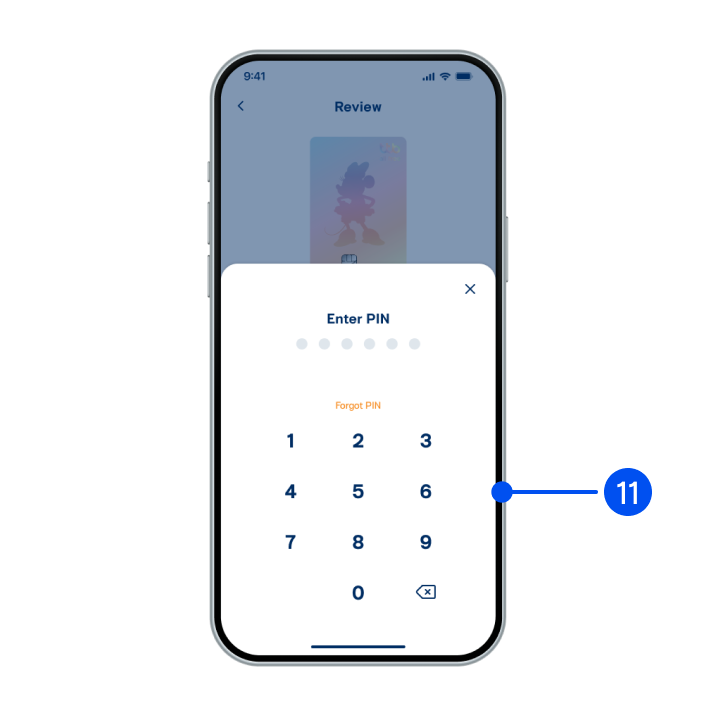
11. Enter PIN to confirm.
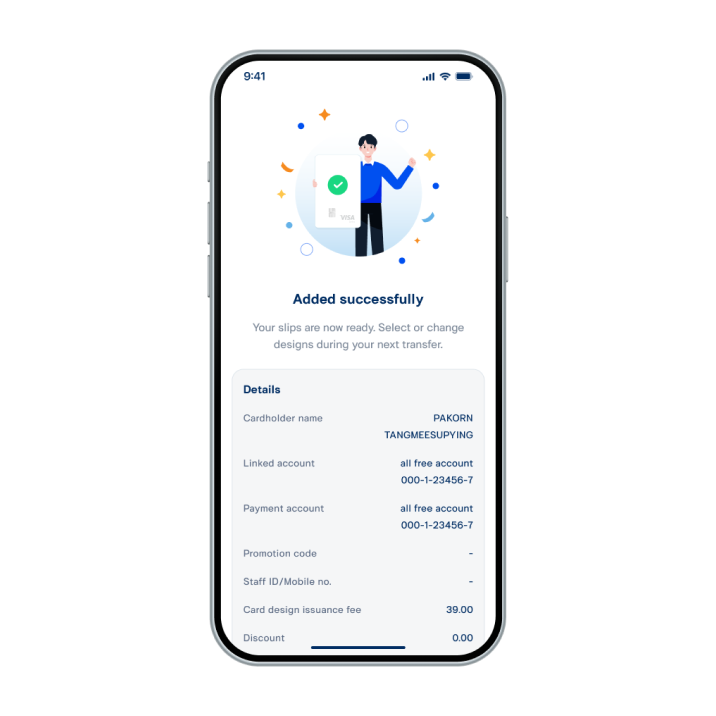
12. Card design added successfully. To apply your new slip, select “Customize slip” before making transfer/bill payment.